Menu screen examples
Menu screen design examples from SaaS apps. Browse examples from Dock, Exa, Town.
Explore the examples
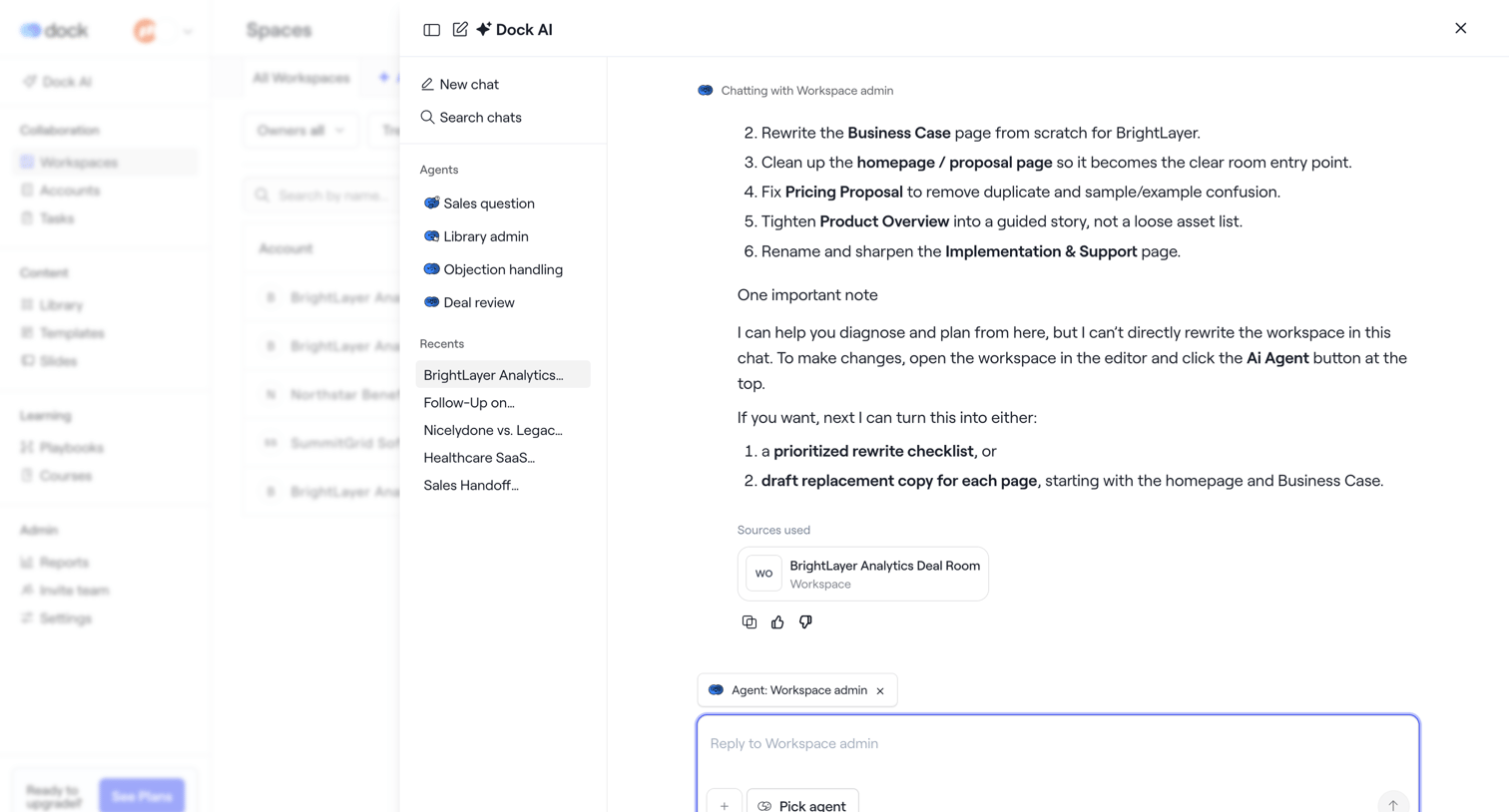

AI chat drawer where the user interacts with a workspace agent to rewrite documents and plan deal room content.
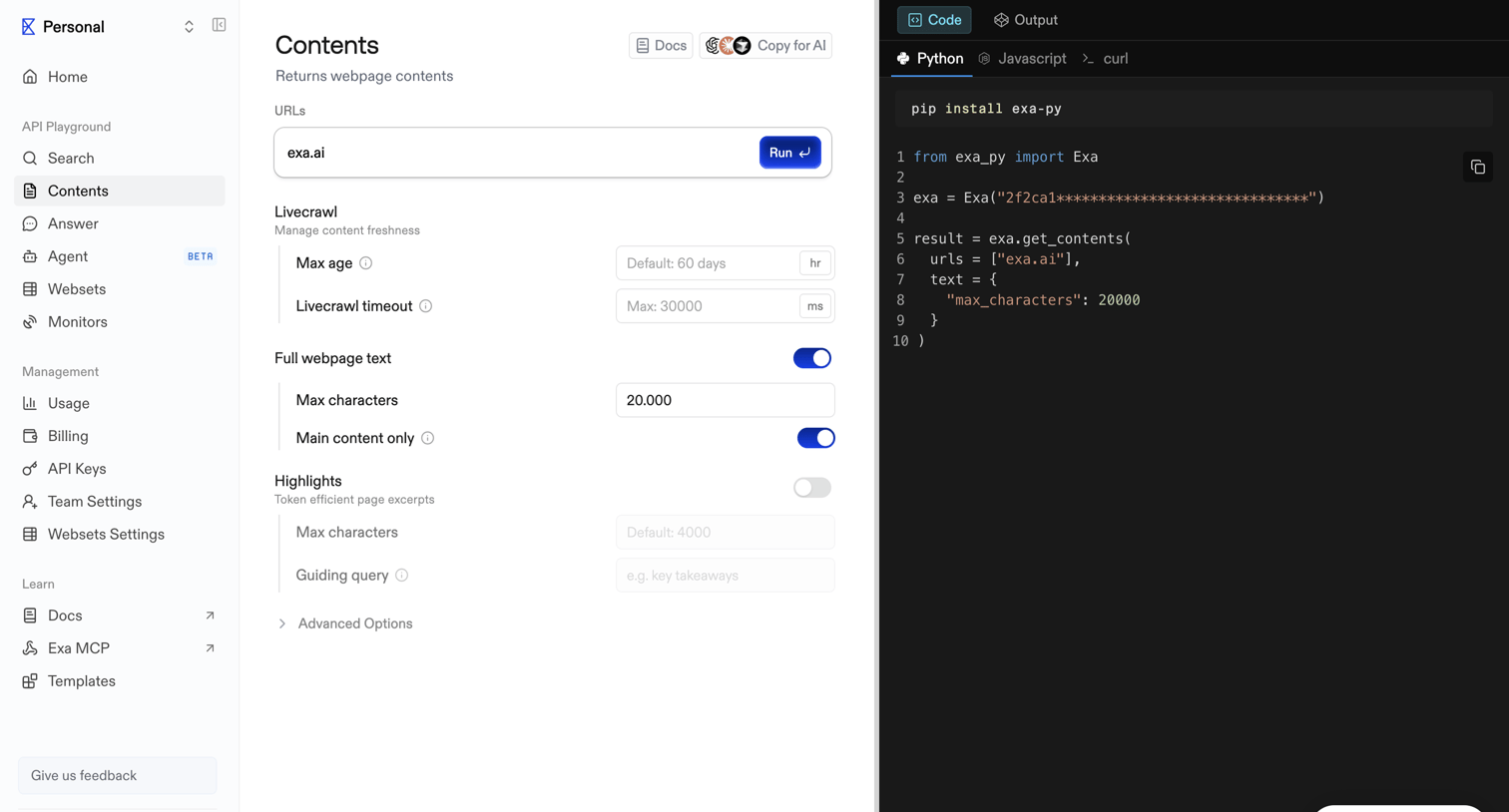

API playground where the user configures parameters like URLs, livecrawl settings, and text extraction options to generate and run a get-contents request.
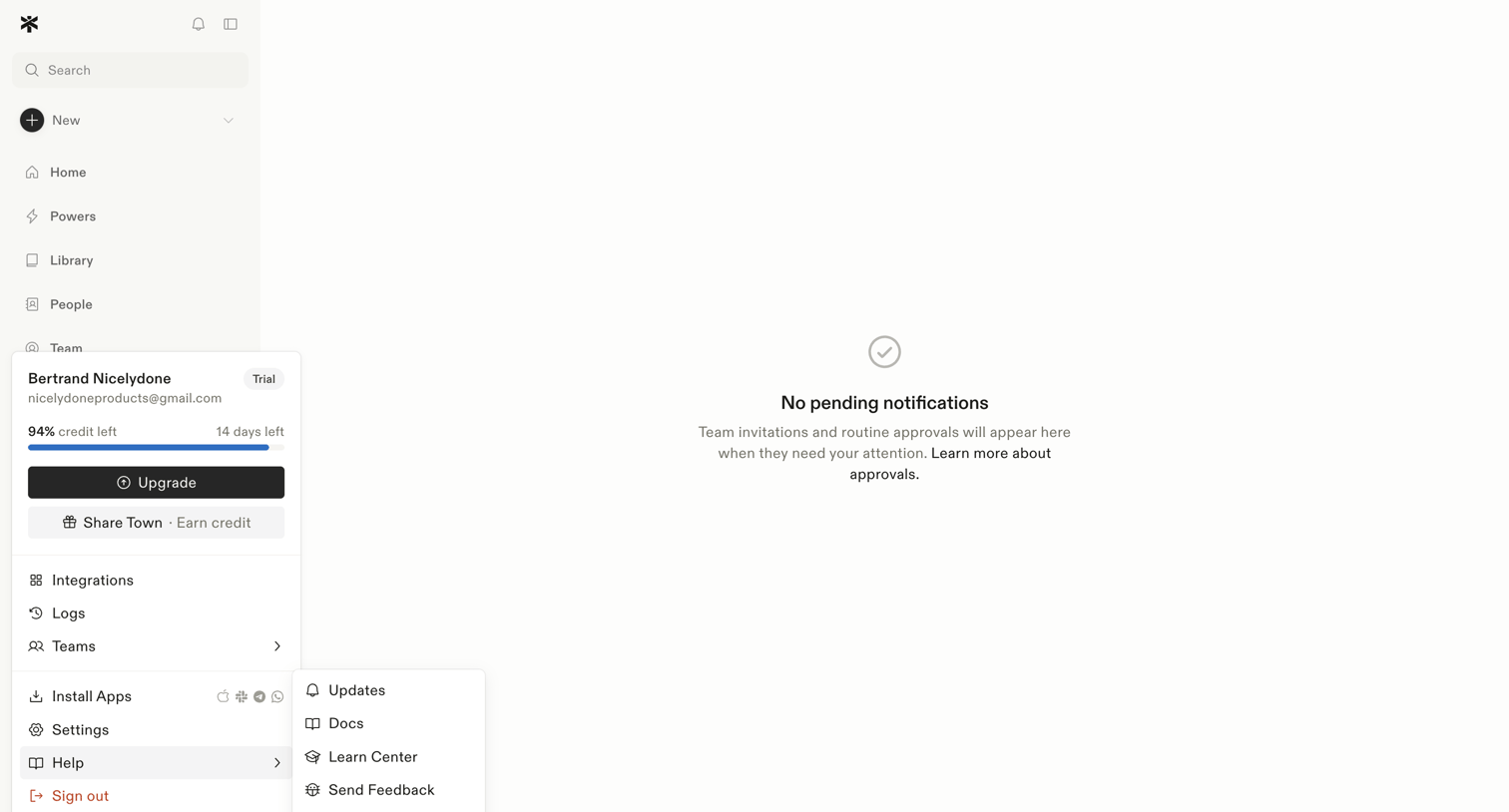

Inbox view where the user manages team invitations and routine approvals, currently showing a zero-state message with no pending items.
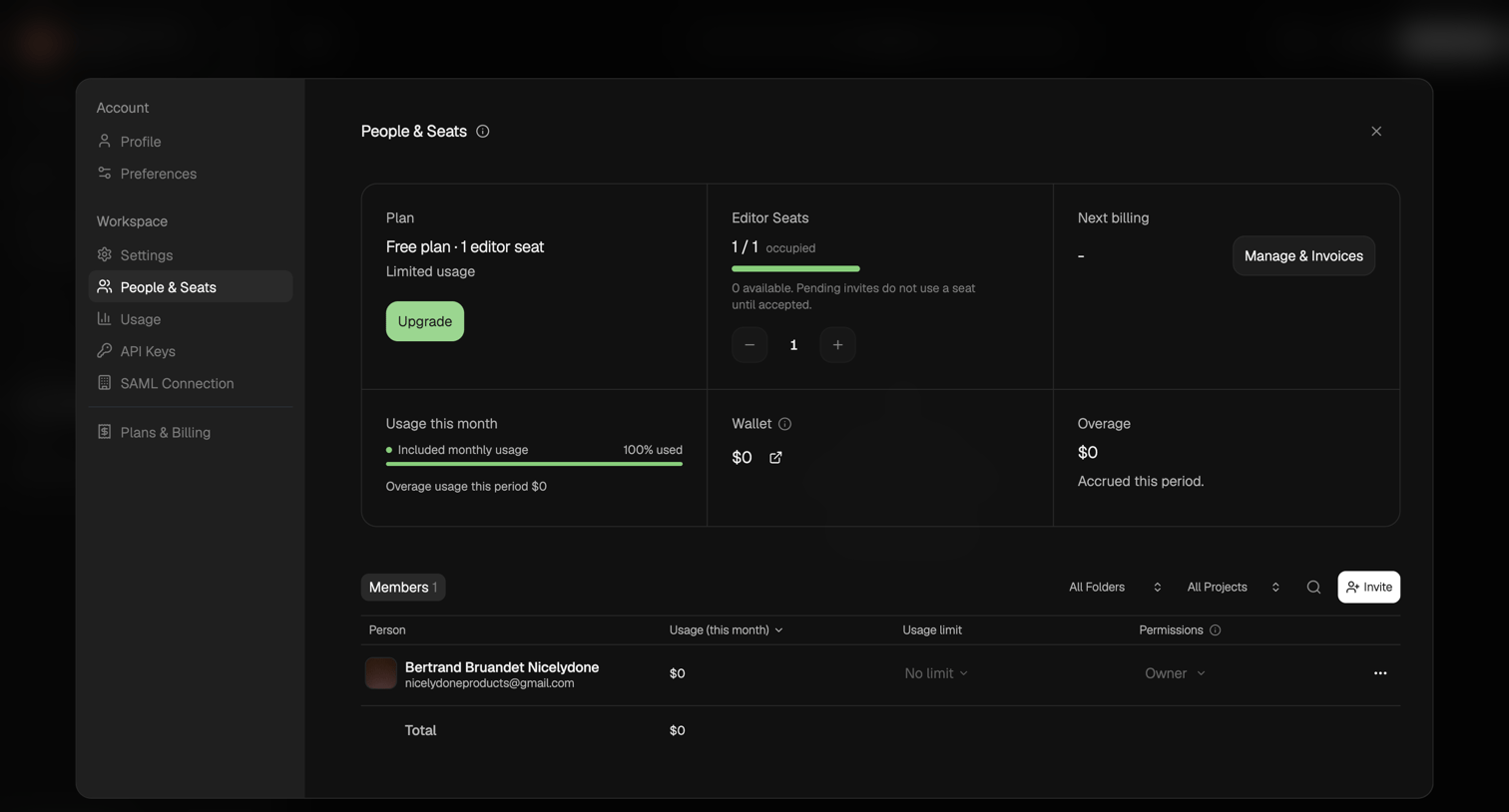

Settings modal where the user manages their workspace plan, editor seats, usage limits, and invites new members.
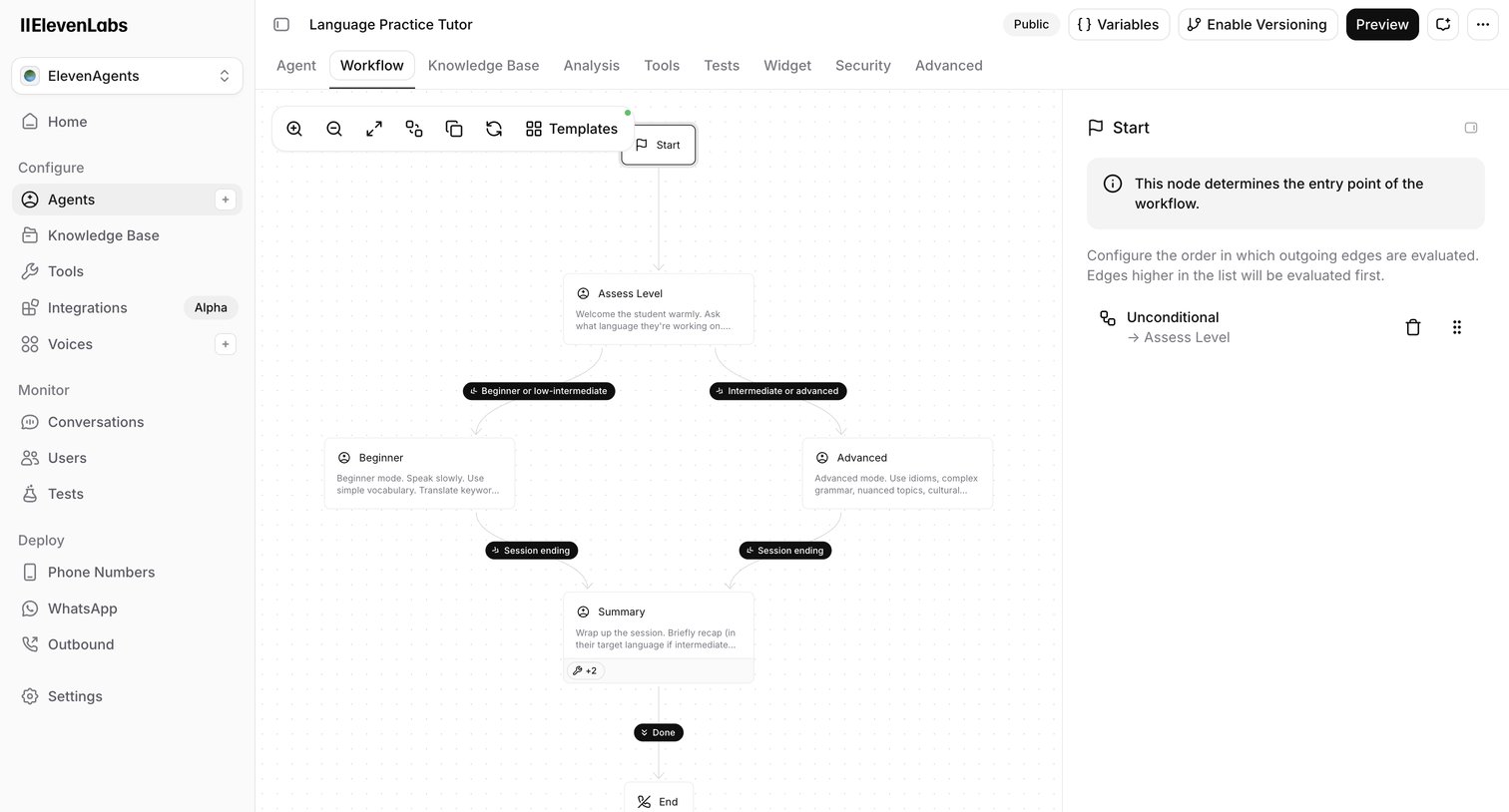

Design editor where the user configures the conversation flow of an AI language tutor agent using a node-based canvas and an inspector panel.
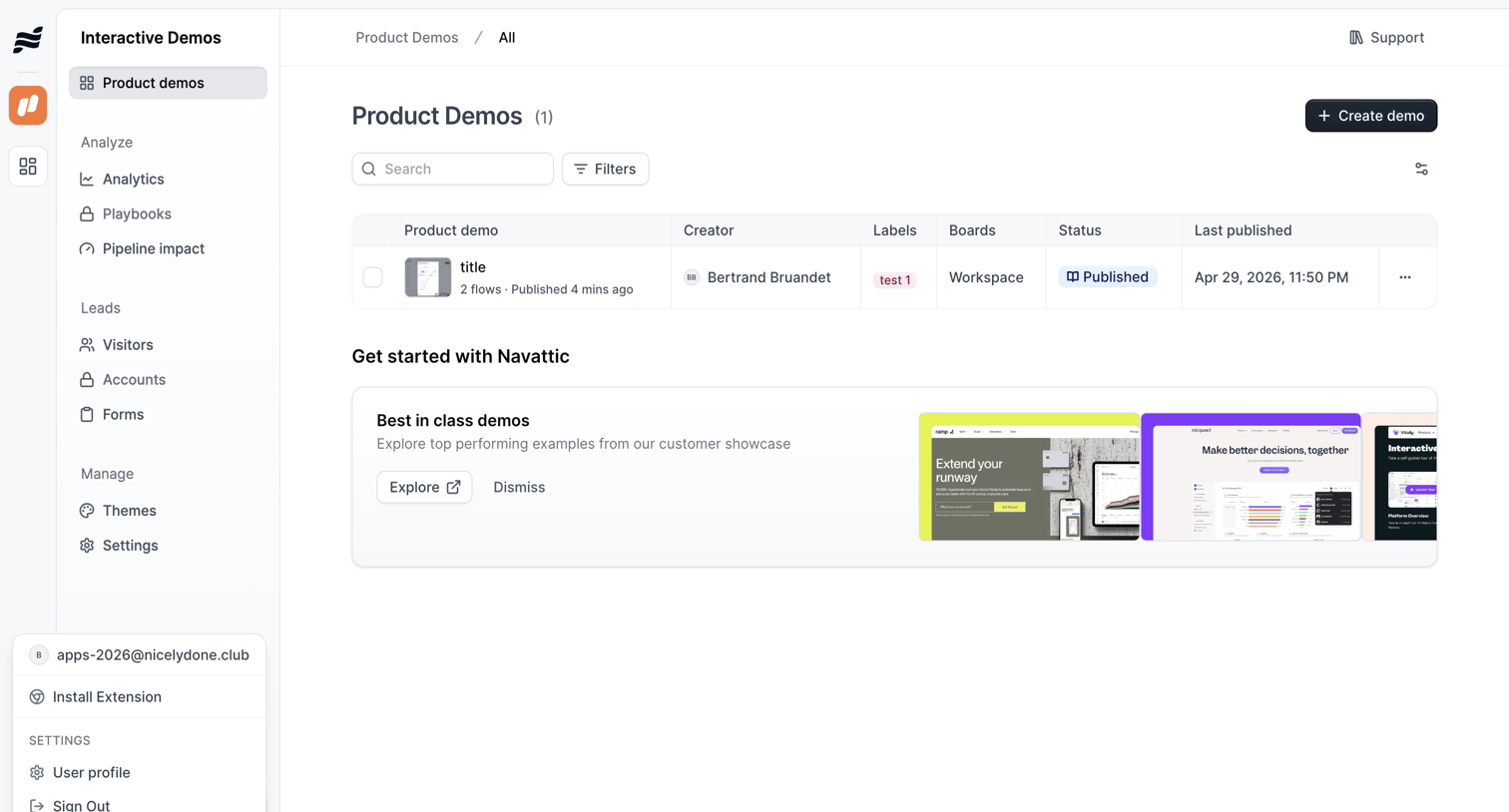

List view where the user manages their interactive product demos, with options to search, filter, and create new flows, alongside an onboarding banner promoting best-in-class examples.
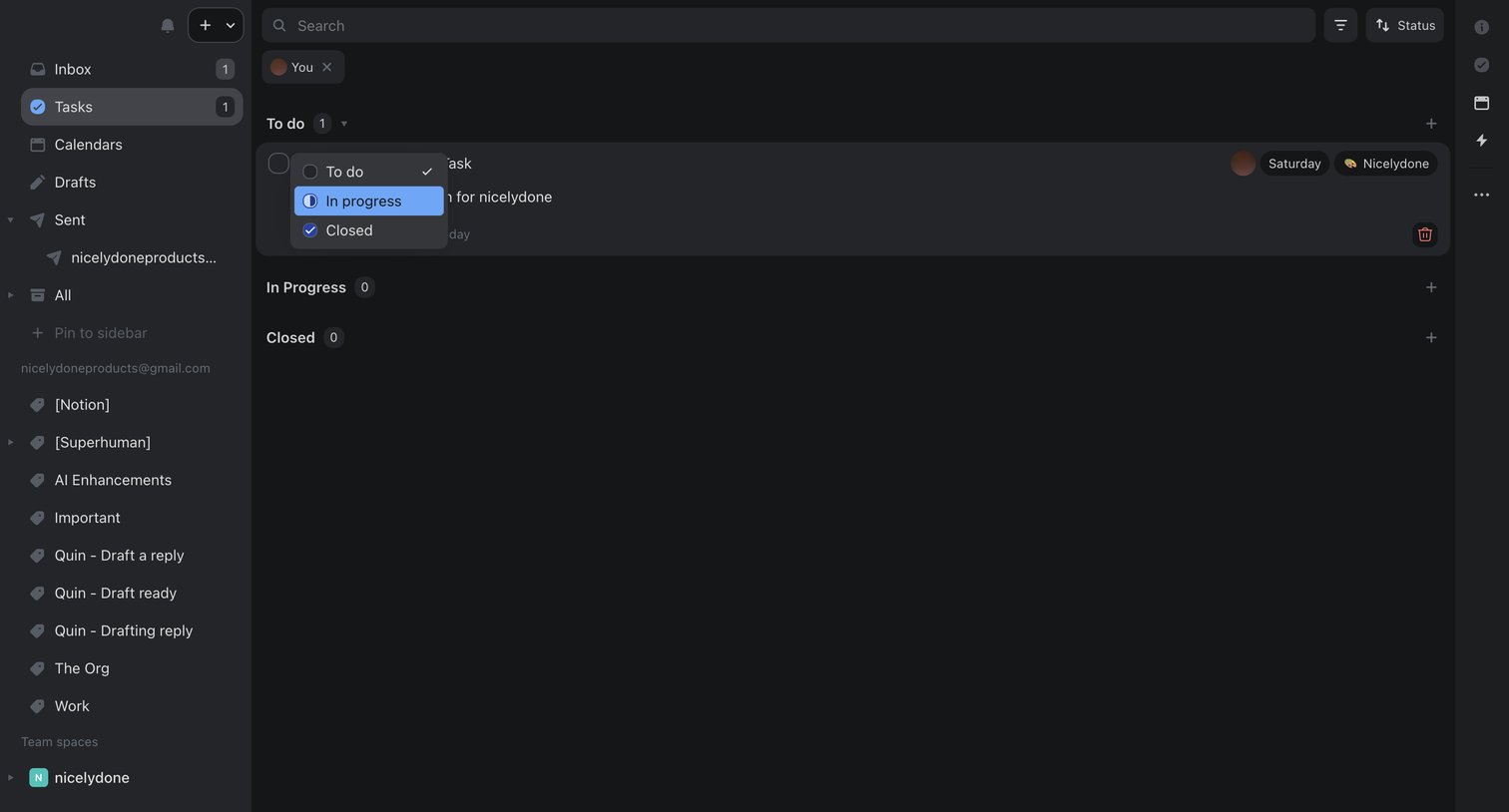

Task management view where the user filters tasks assigned to them and updates a task's status from to-do to in-progress via an inline dropdown.
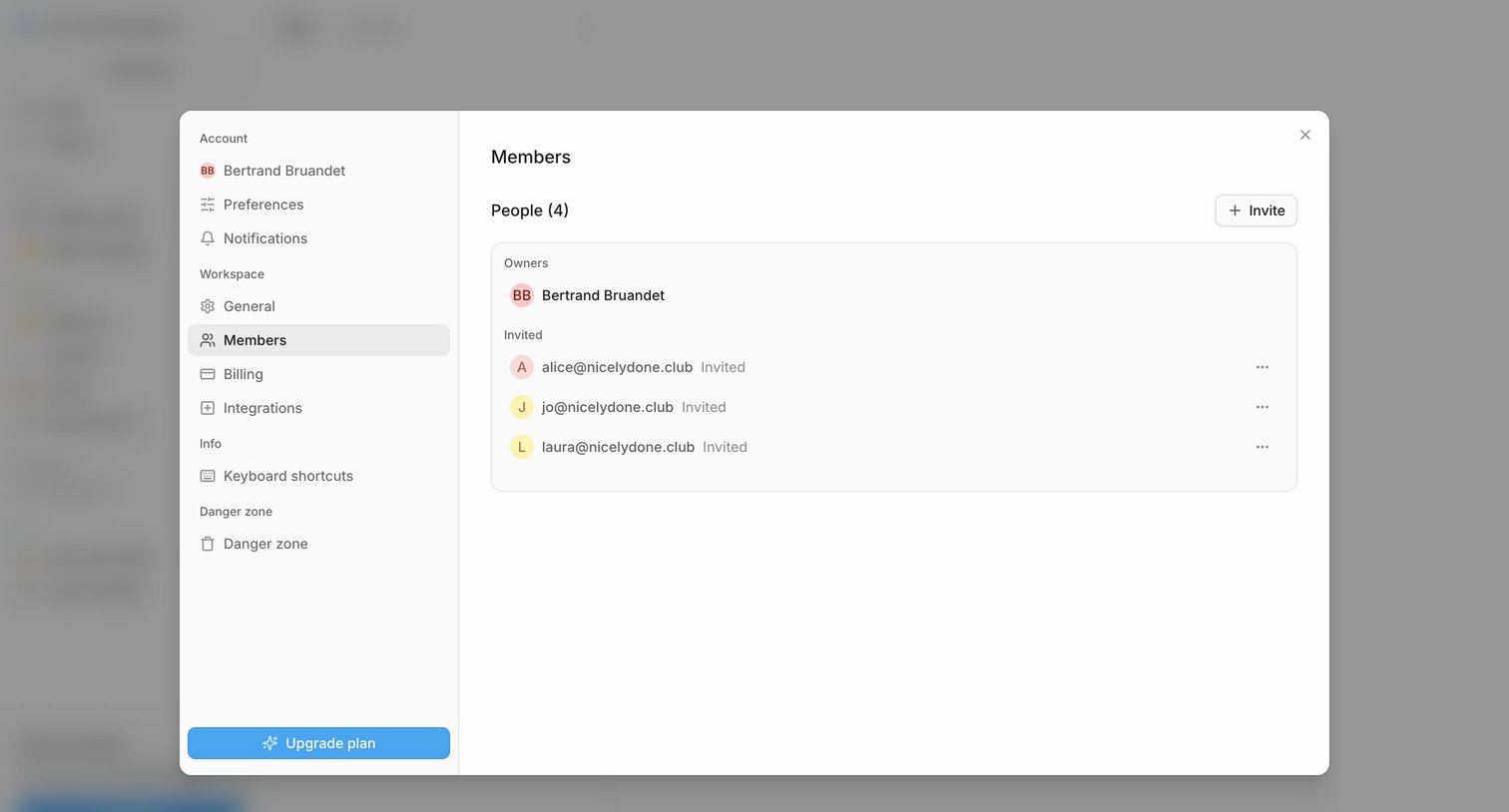

Settings modal where the user manages workspace members, views pending invitations, and can invite new people.
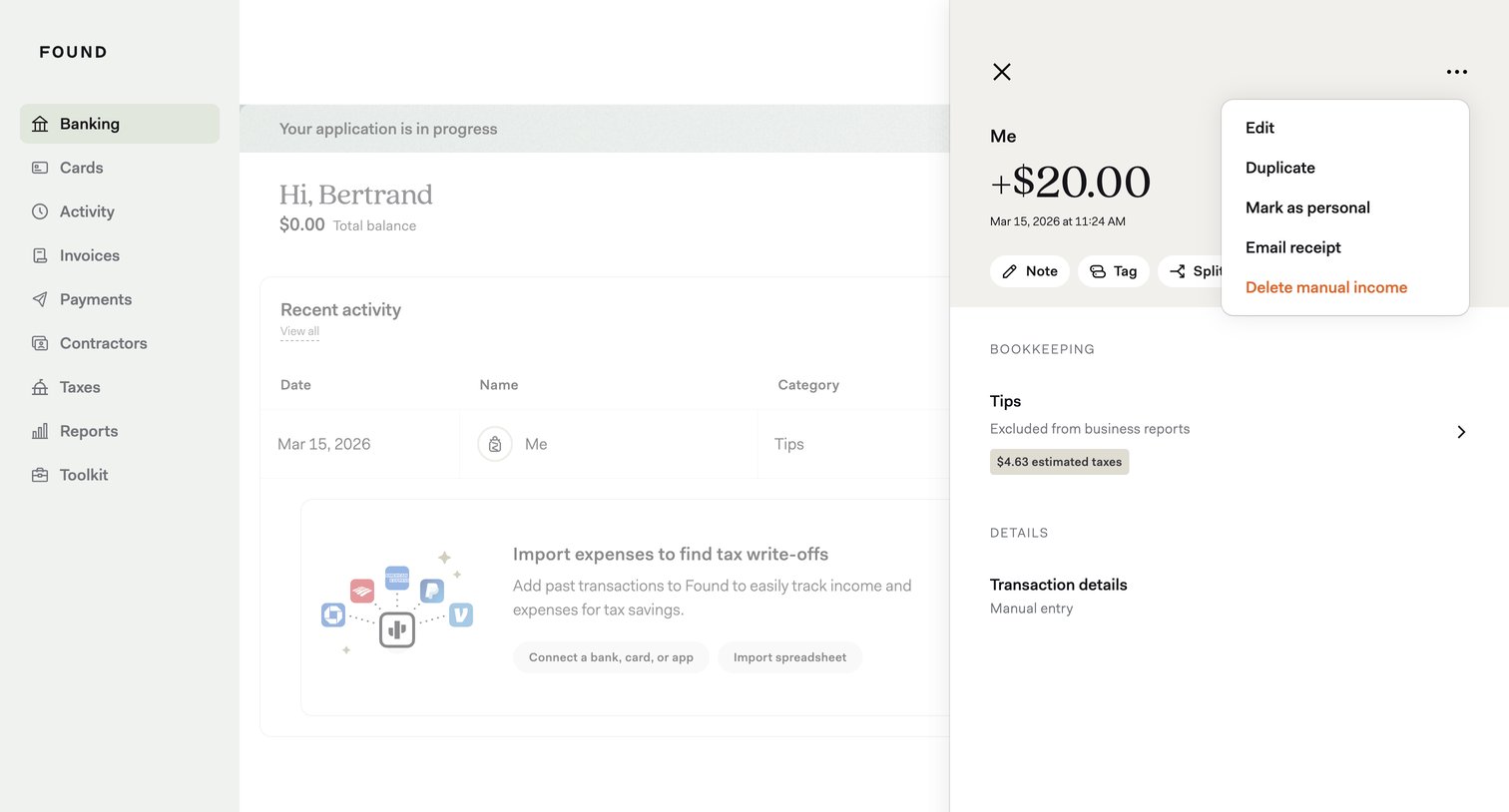

Detail page where the user views a specific manual income transaction and opens a context menu to edit, duplicate, or delete it.
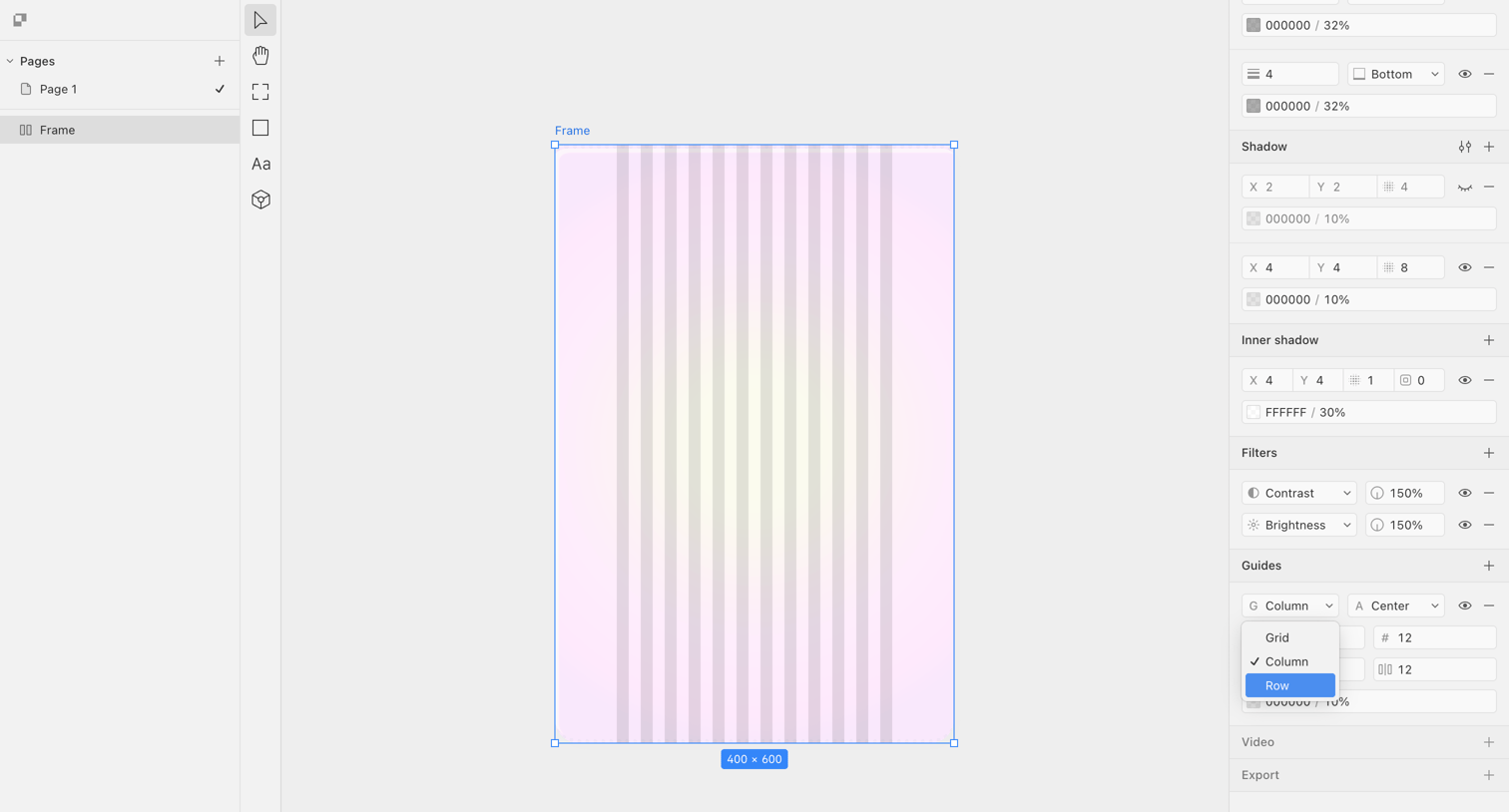

Design editor where the user is configuring a column grid guide on a selected frame via the inspector panel.
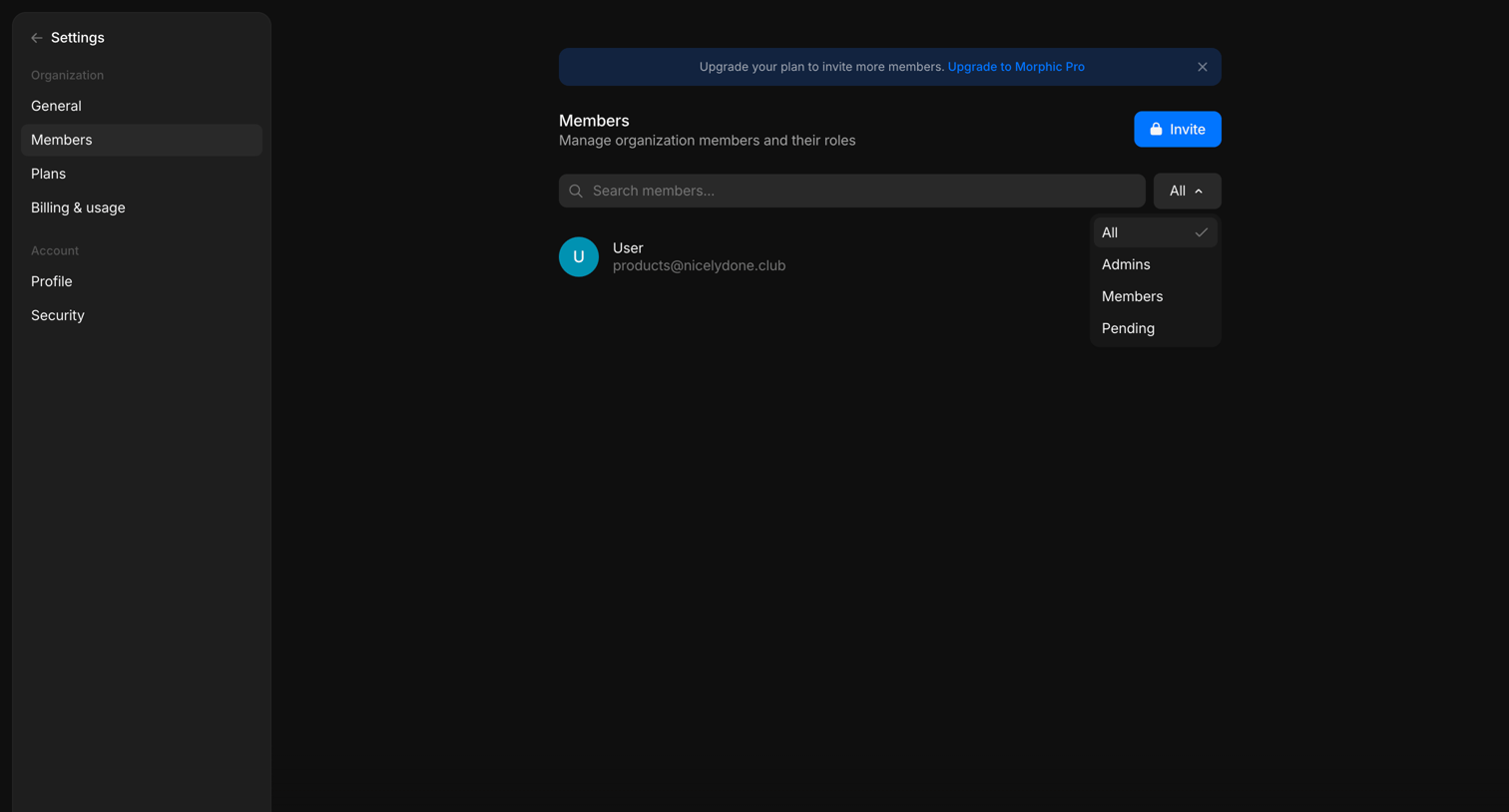

Settings page where the user manages organization members and their roles, with a prompt to upgrade the plan to invite more people.
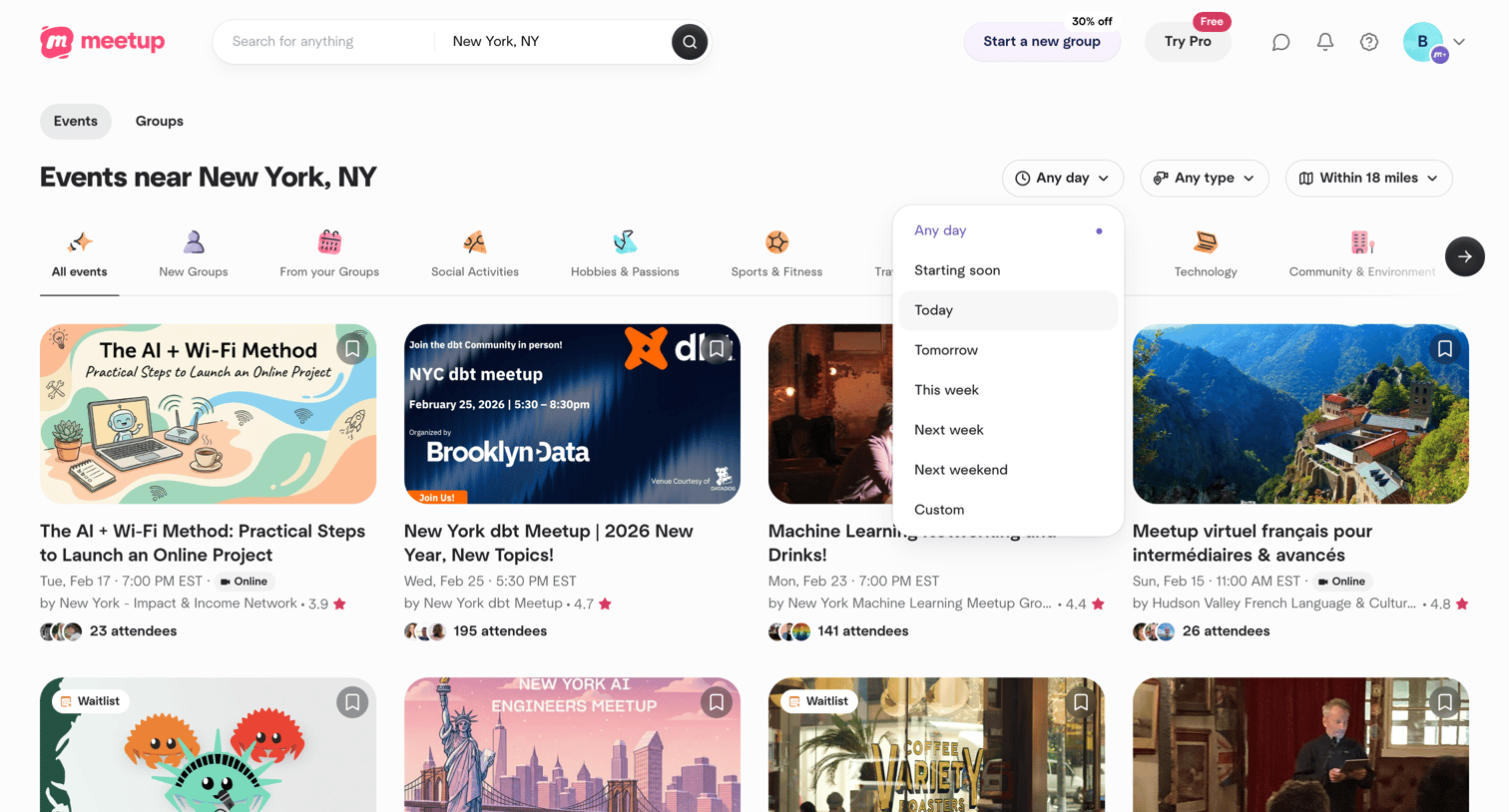

Search page where the user browses local events in New York, NY, with an open dropdown to filter by date.
Explore the full SaaS screen library
Upgrade to unlock the full library.
Trusted by the best teams







