AI Agent screen examples
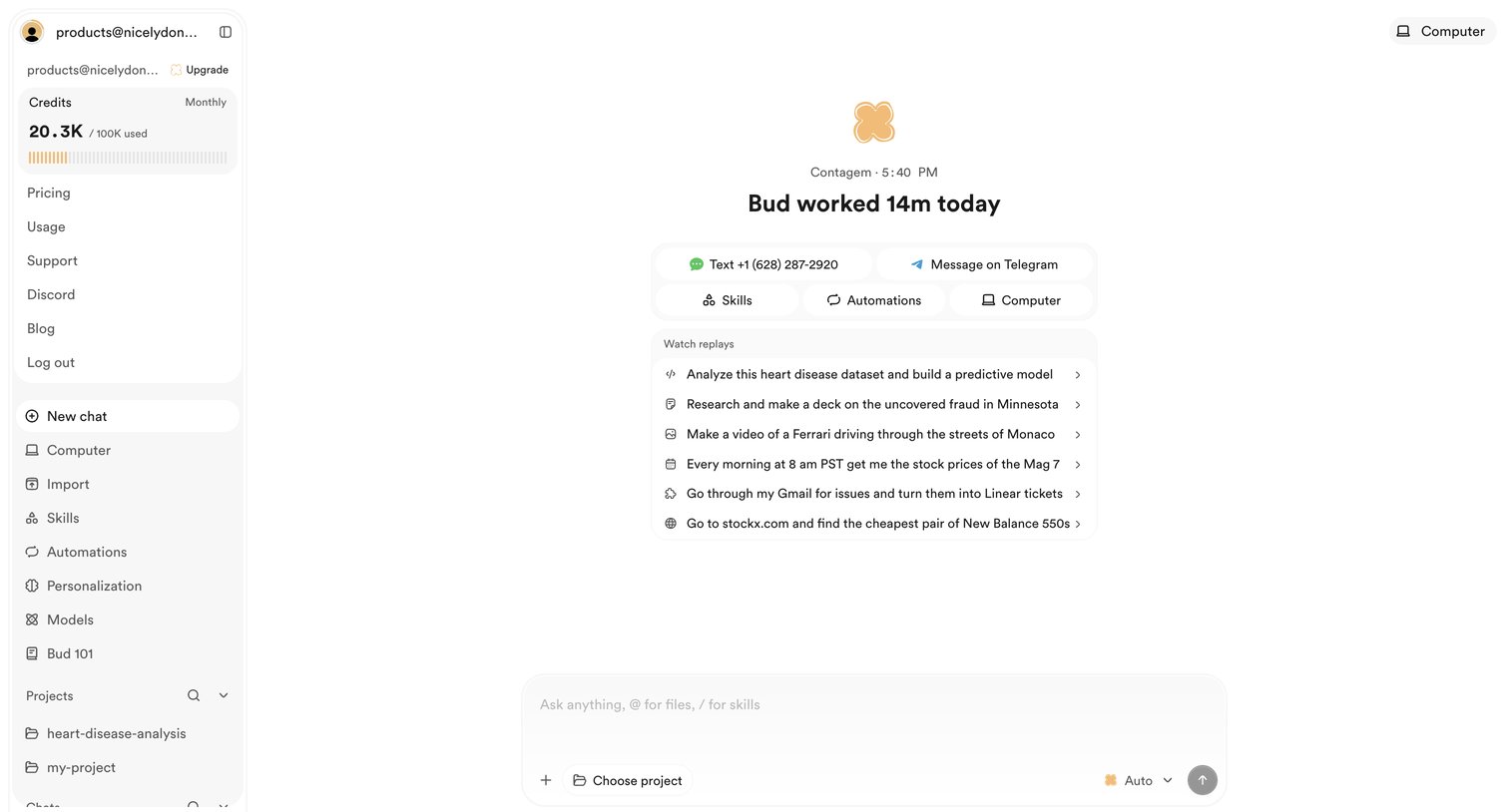
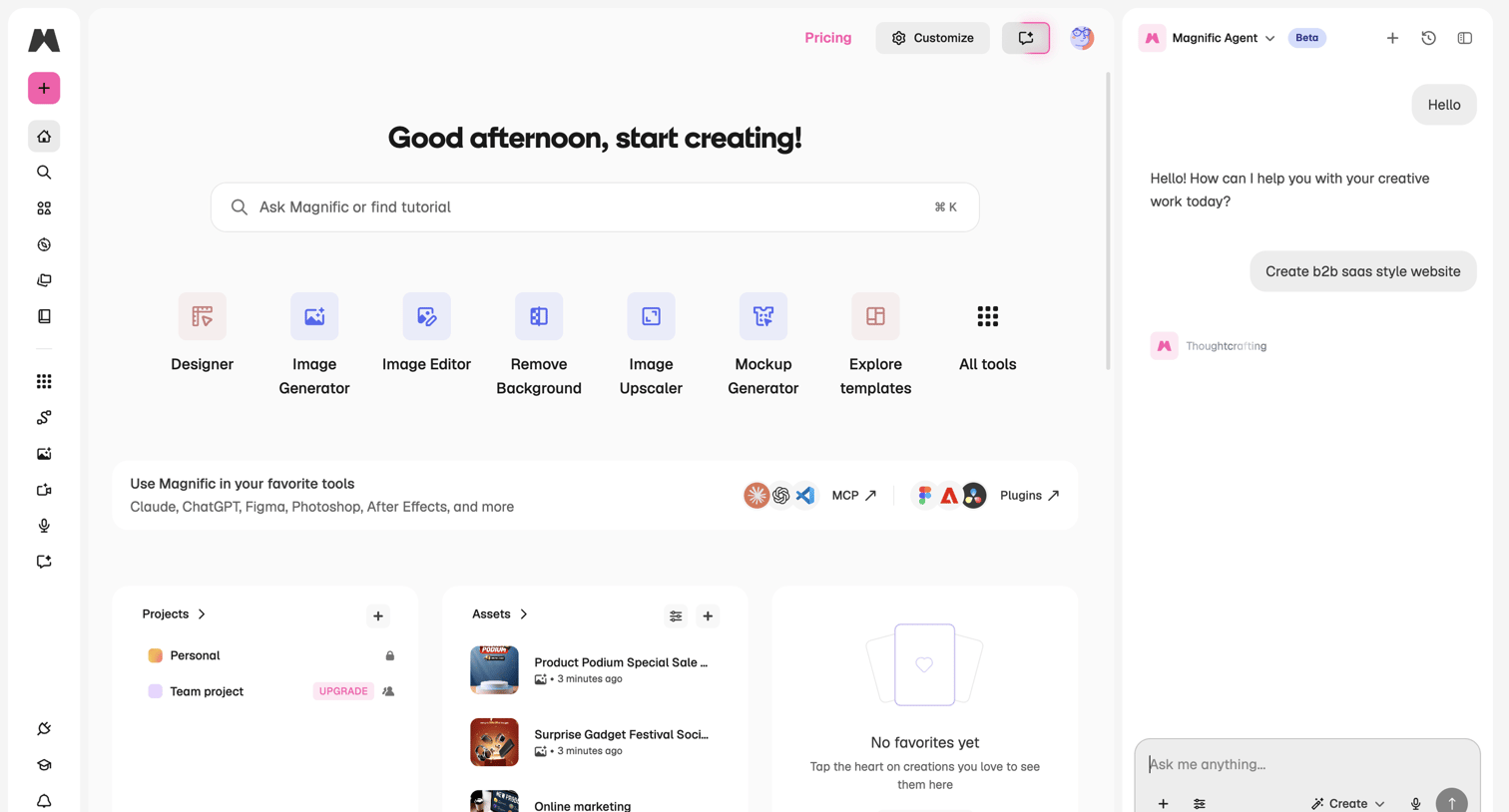
AI Agent screen design examples from SaaS apps. Explore how apps present AI agents and the work they carry out. Look at how instructions, task status, and controls share space when an agent performs a…
Explore the examples


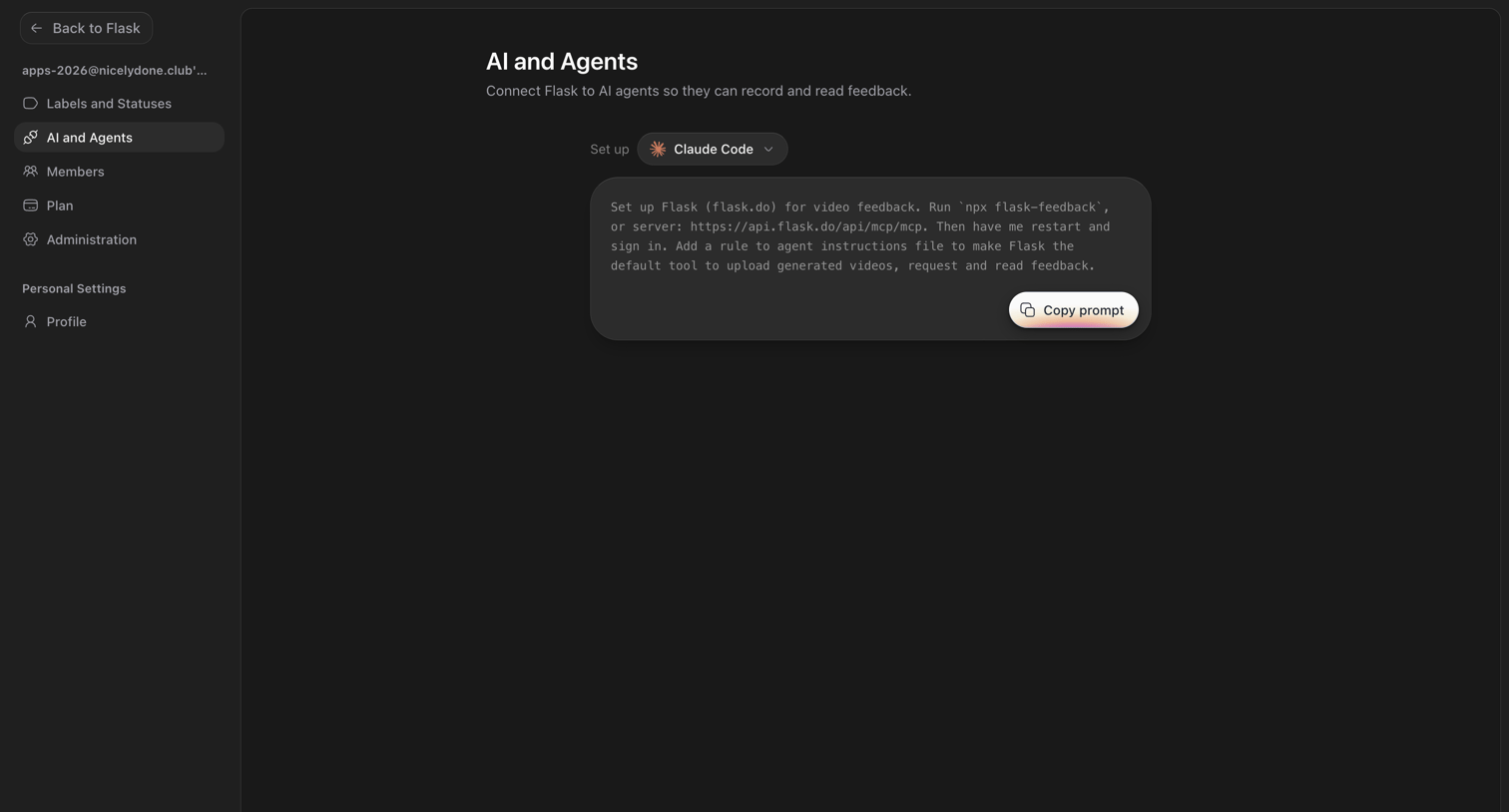

Settings page where the user configures the connection between Flask and AI agents like Claude Code by copying a setup prompt.
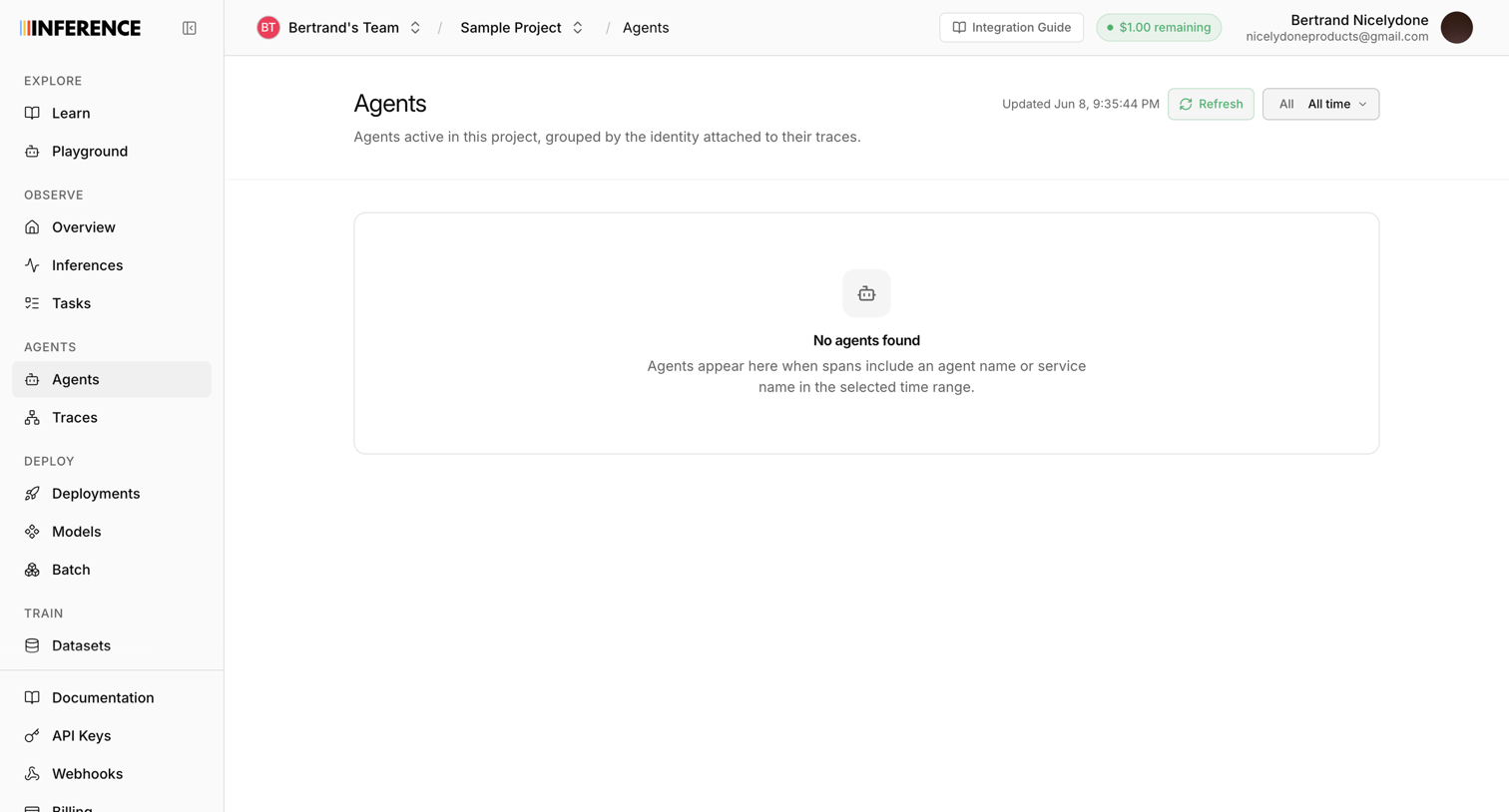

List view displaying an empty state for active agents within a project, prompting the user to include agent names in their traces.
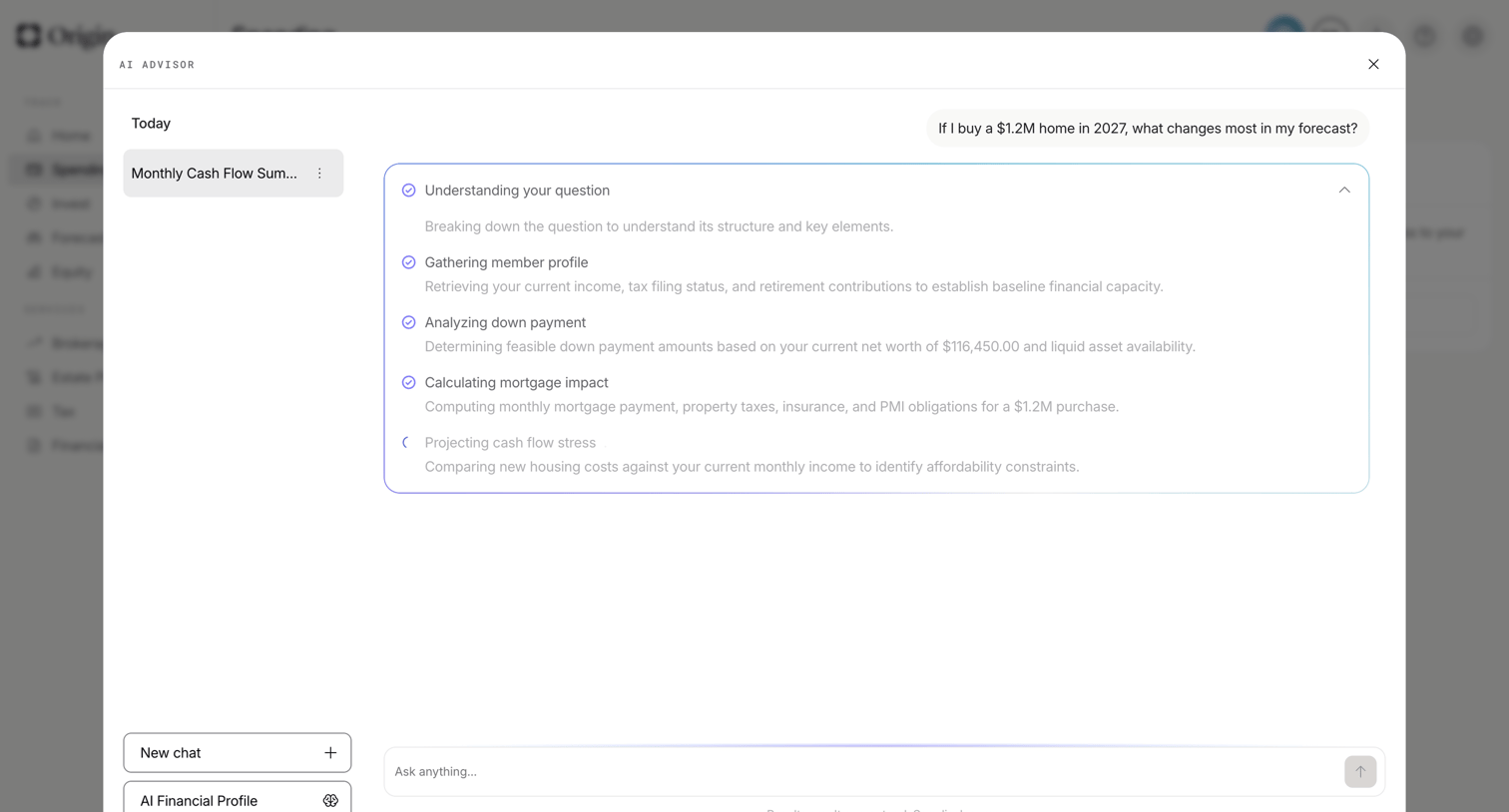

Dashboard with an open AI advisor modal where the user is asking about the impact of a $1.2M home purchase on their financial forecast, and the AI is displaying its step-by-step reasoning.
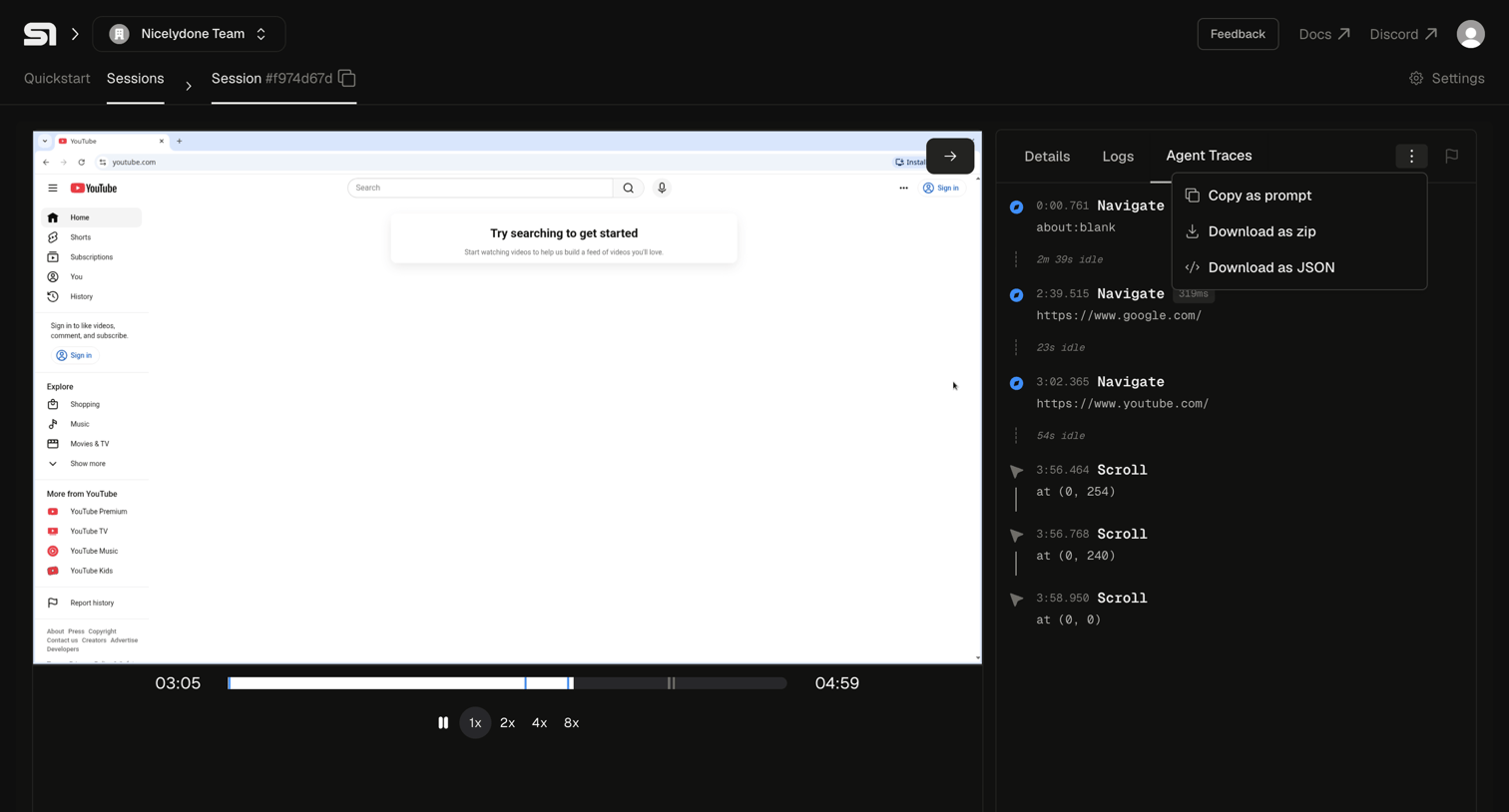

Agent trace view where the user watches a recorded browser session playback alongside a timeline of navigation and scroll events.
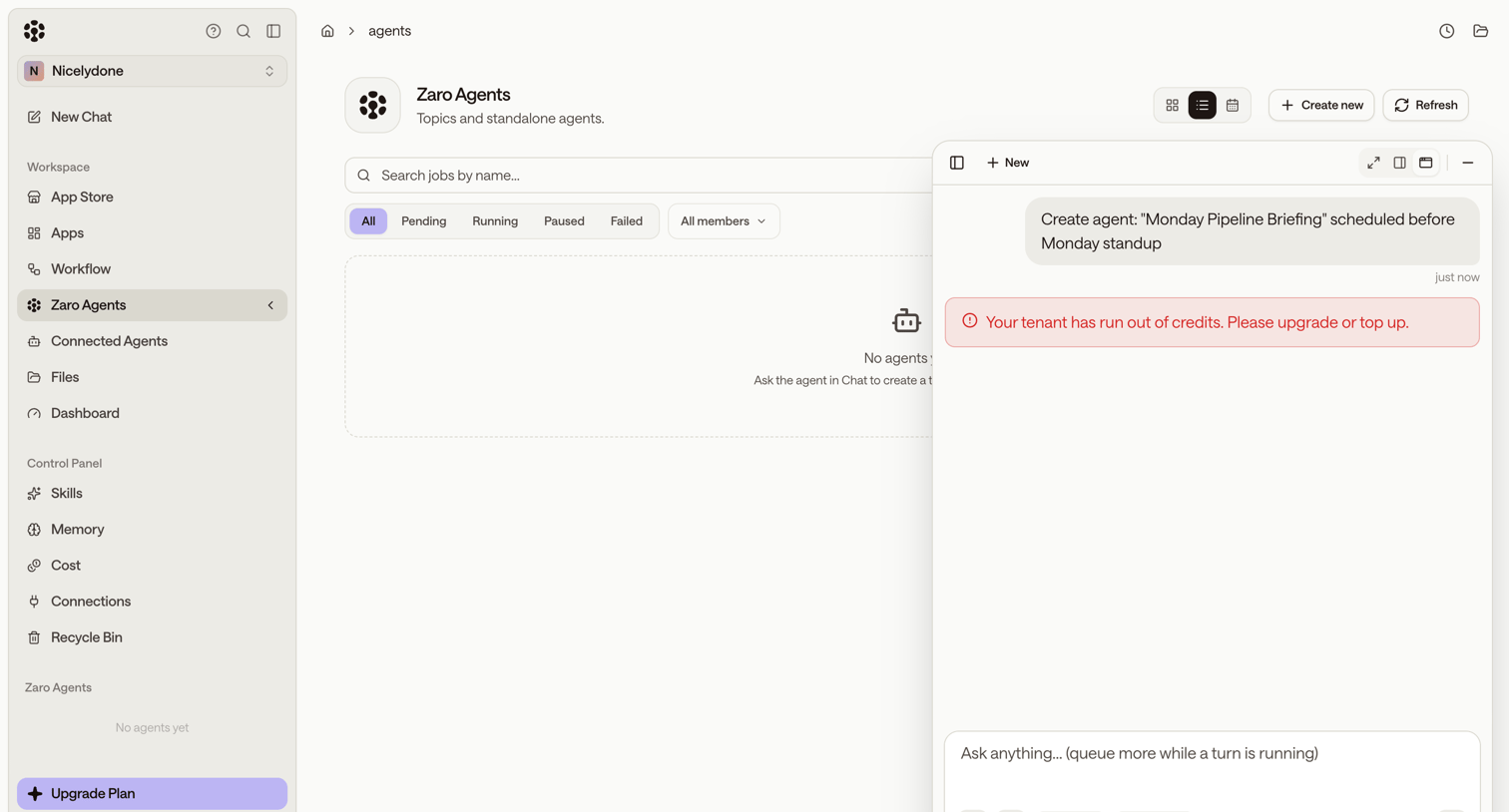

List view for managing agents showing an empty state, with a floating AI assistant panel displaying an out-of-credits error after a generation attempt.
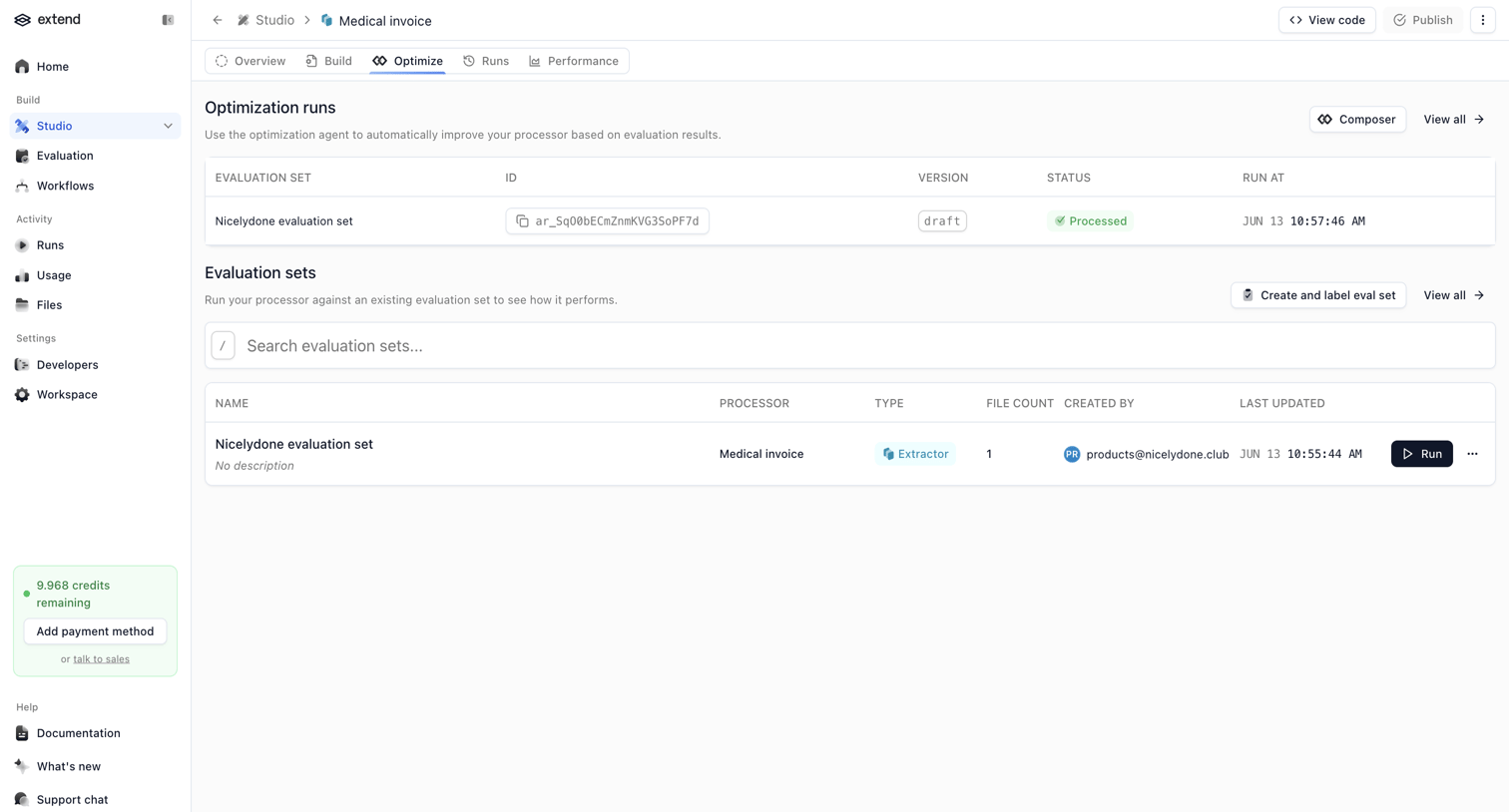

Detail page for a specific AI processor where the user can manage optimization runs and search or execute evaluation sets.
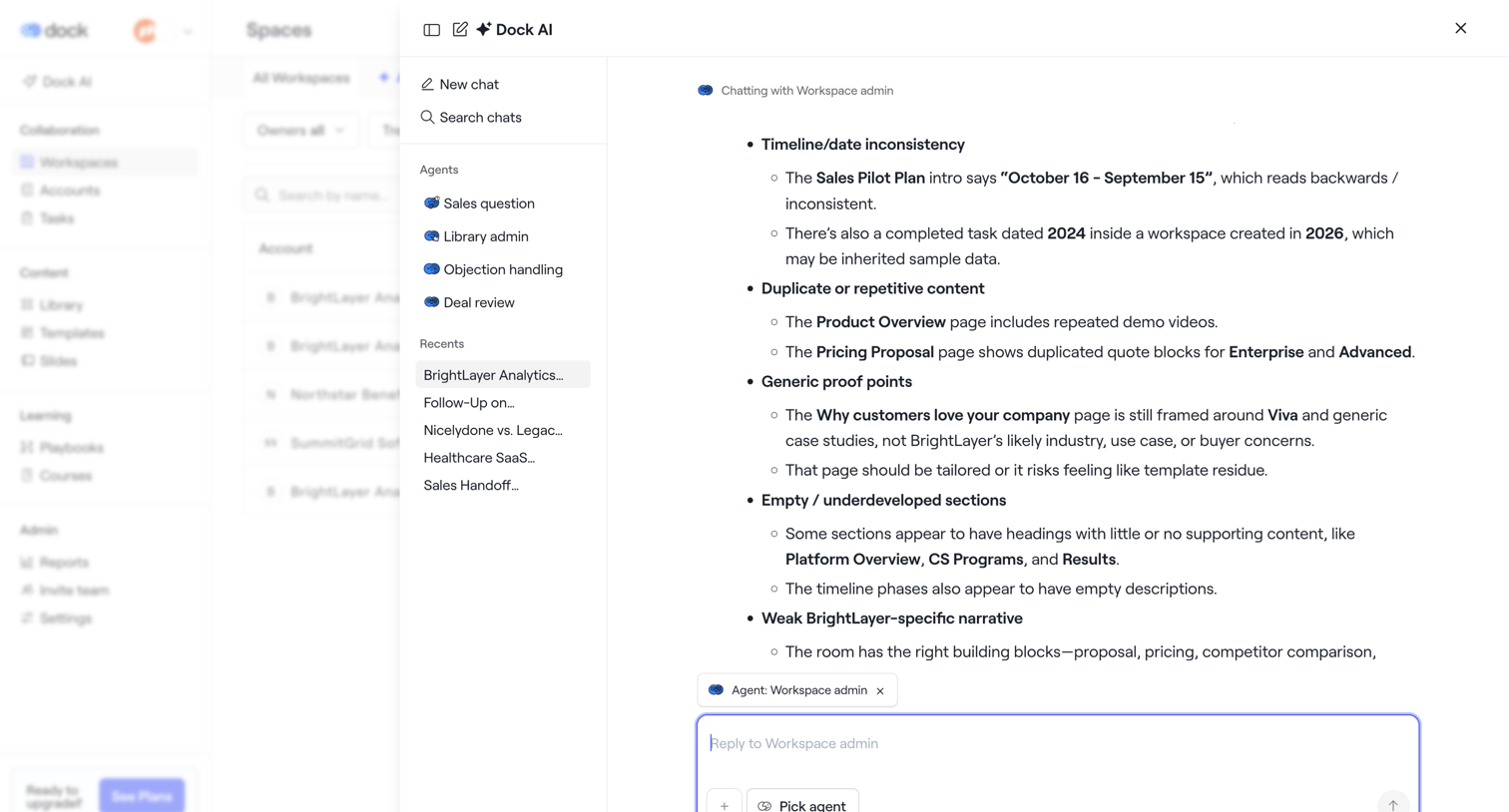

List view where the user has opened a large AI assistant drawer to chat with a workspace admin agent about document inconsistencies.
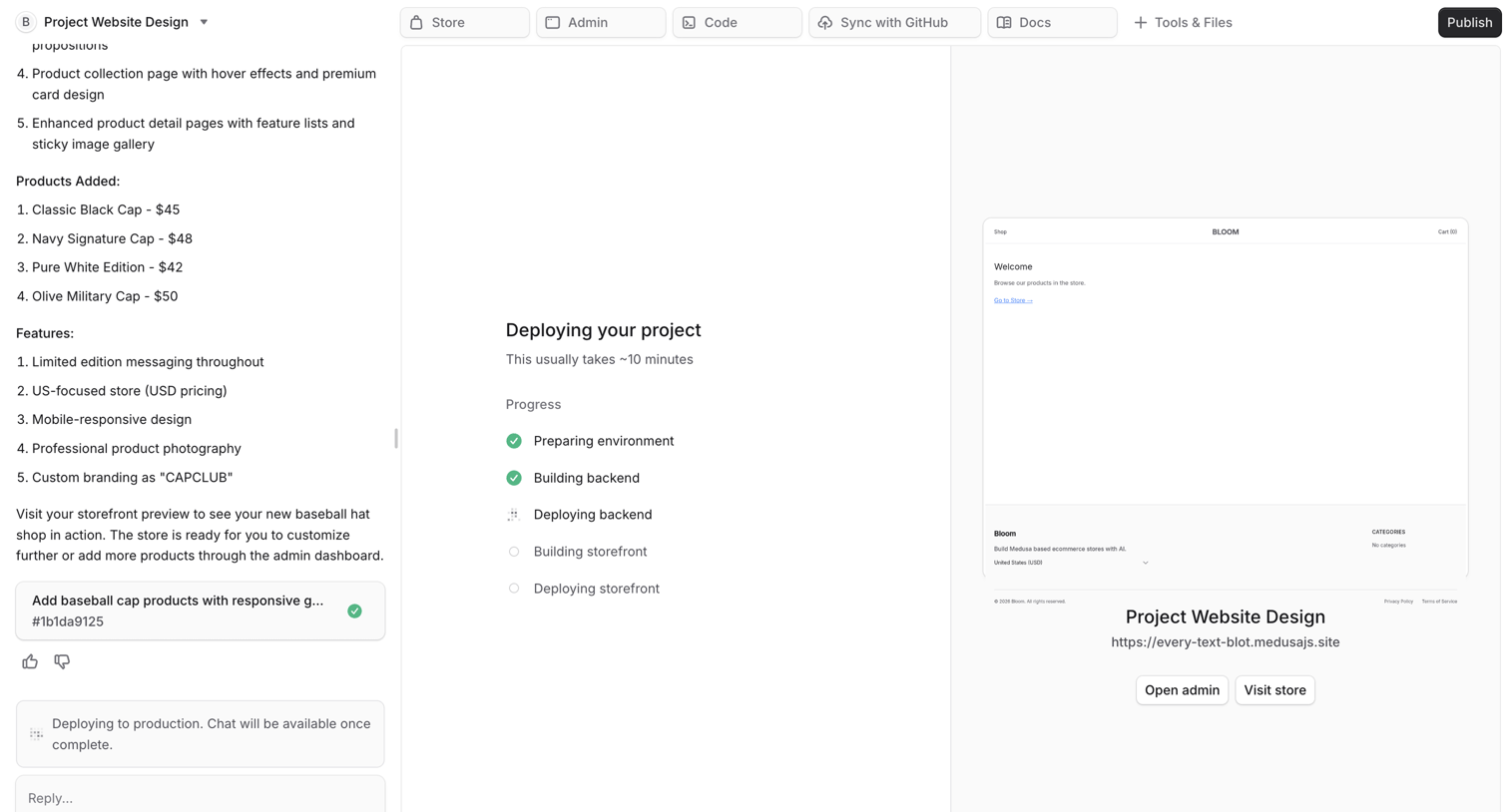

AI generation interface where the user monitors the multi-step deployment progress of a generated e-commerce storefront while viewing a live preview.
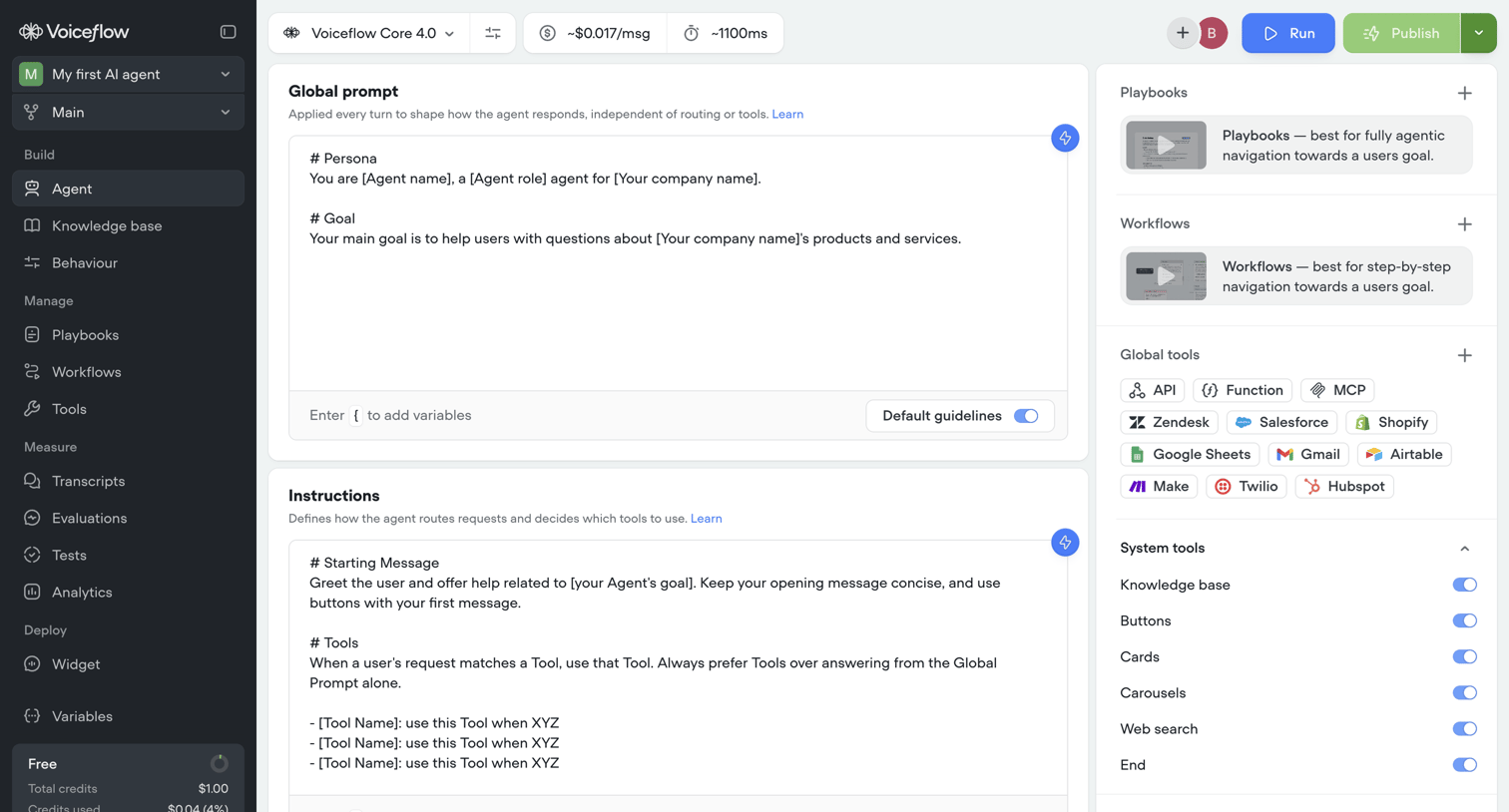

Settings page where the user configures the global prompt, instructions, and connected tools for their AI agent.
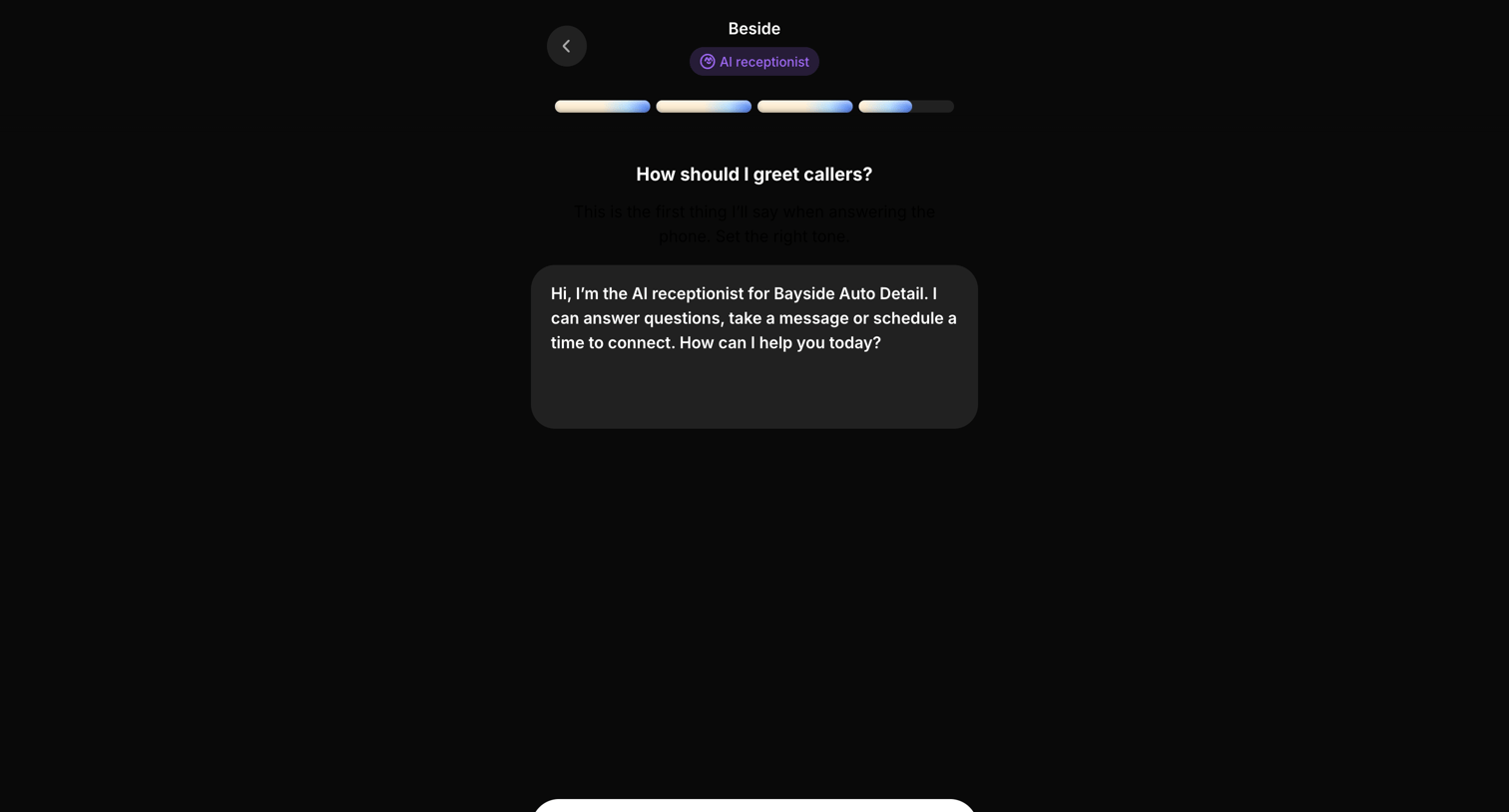

Onboarding step where the user configures the initial greeting message for their AI receptionist.
Explore the full SaaS screen library
Upgrade to unlock the full library.
Trusted by the best teams








About AI Agent
Explore how apps present AI agents and the work they carry out. Look at how instructions, task status, and controls share space when an agent performs a sequence of actions.