Workflow Builder screen examples
Workflow Builder screen design examples from SaaS apps. Explore how SaaS apps let people arrange a sequence of work. Look at how steps, connections, and configuration panels show the structure of a workflow as it…
Explore the examples
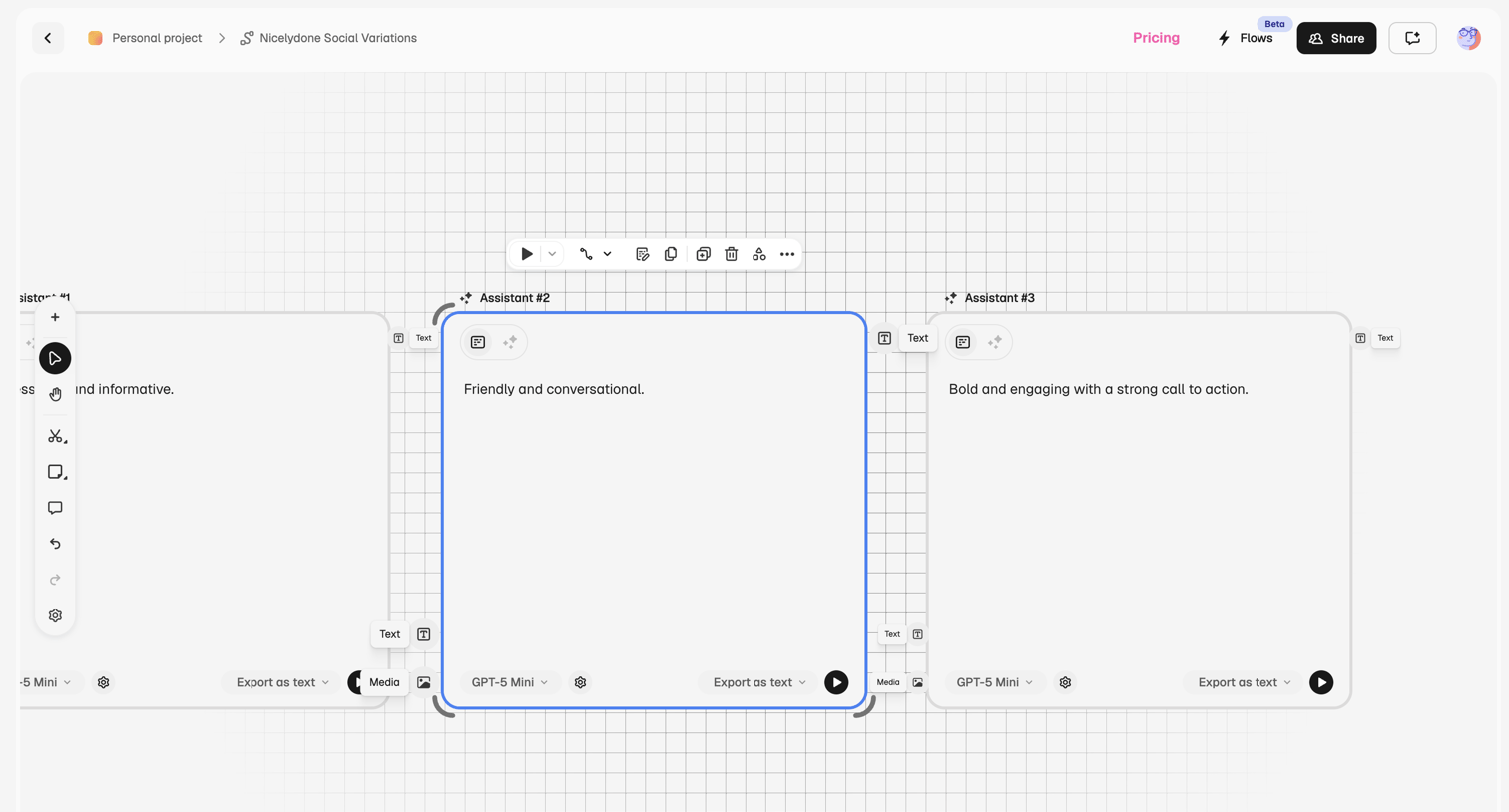

Design editor canvas where the user builds an AI prompt chain with sequential assistant nodes, configuring models and export formats for each step.
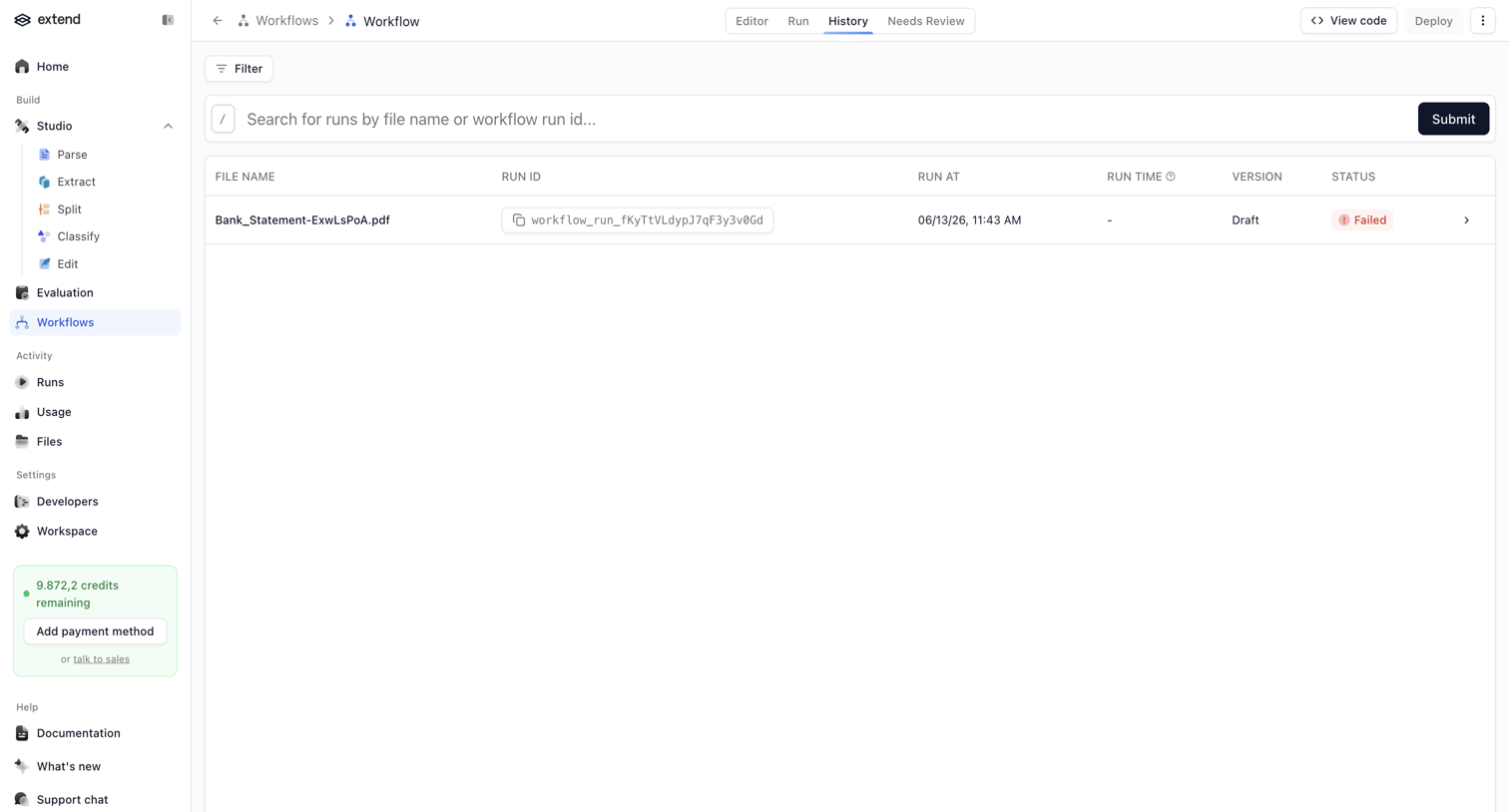

List view showing the execution history of a specific workflow, featuring a search bar and a data table of past runs with their status.
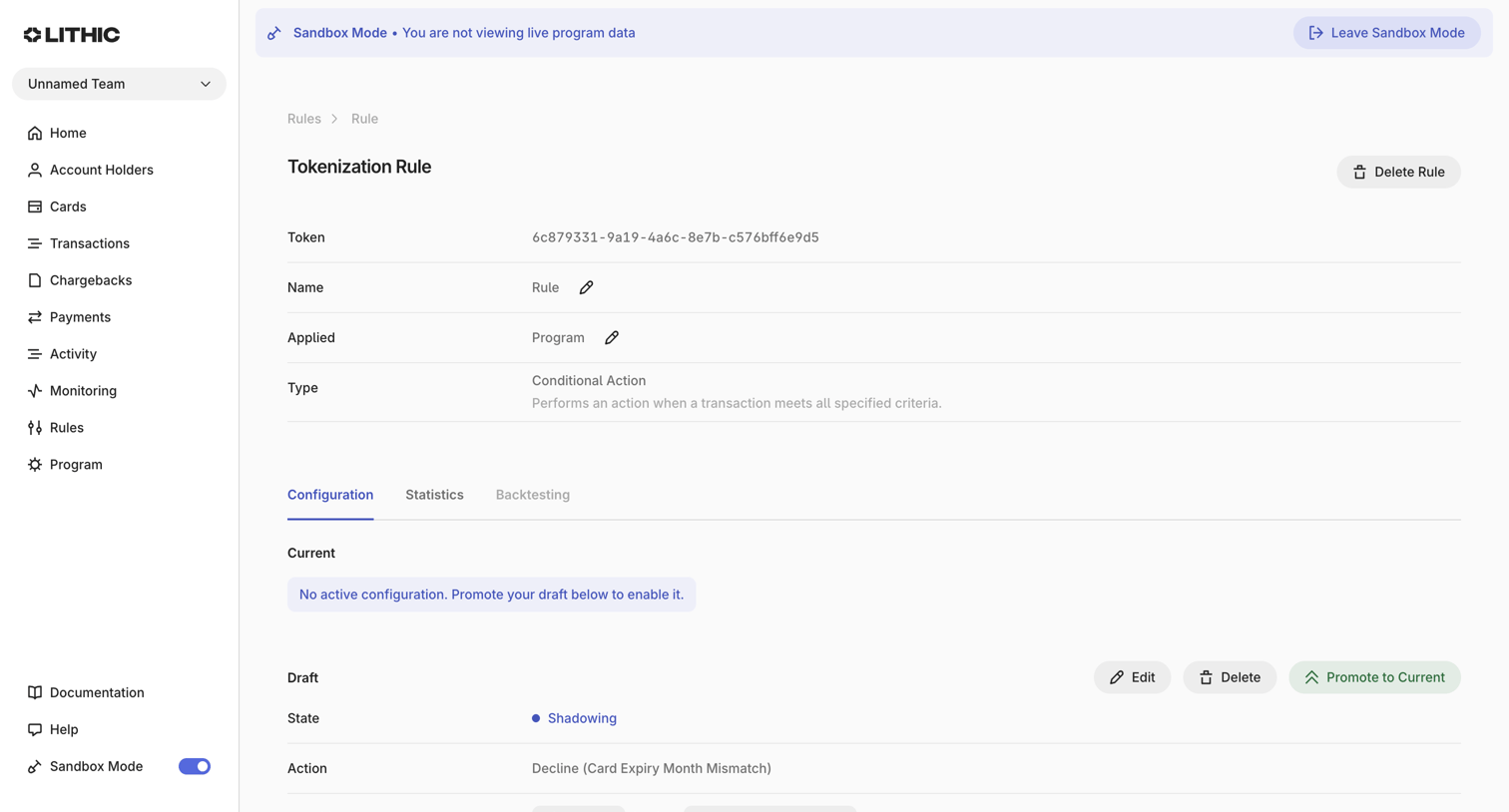

Detail page where the user manages a specific tokenization rule, viewing its draft configuration for declining transactions based on a timestamp condition.
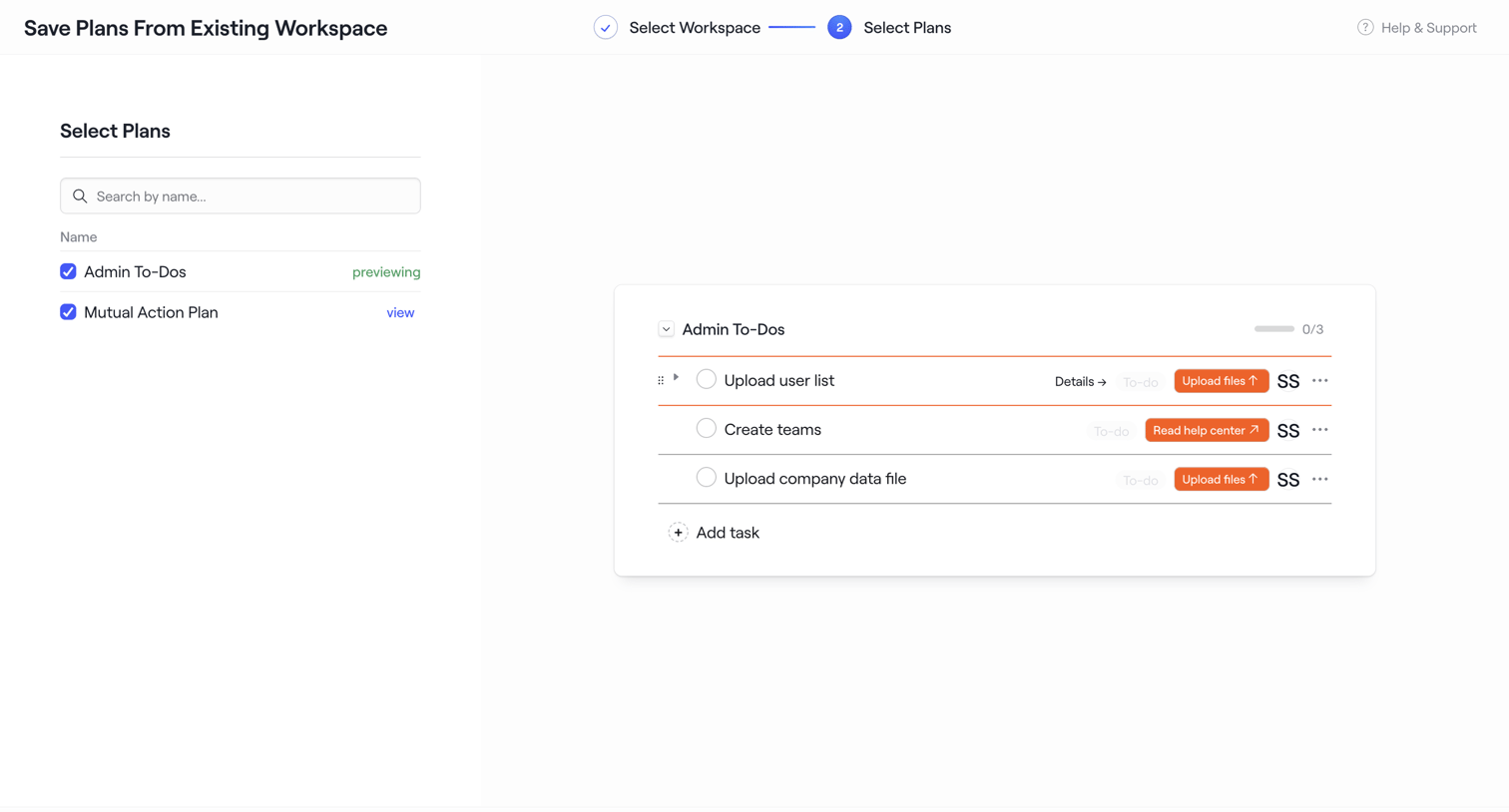

Wizard step where the user selects plans from an existing workspace to save as a new template, previewing the tasks inside the selected plan.
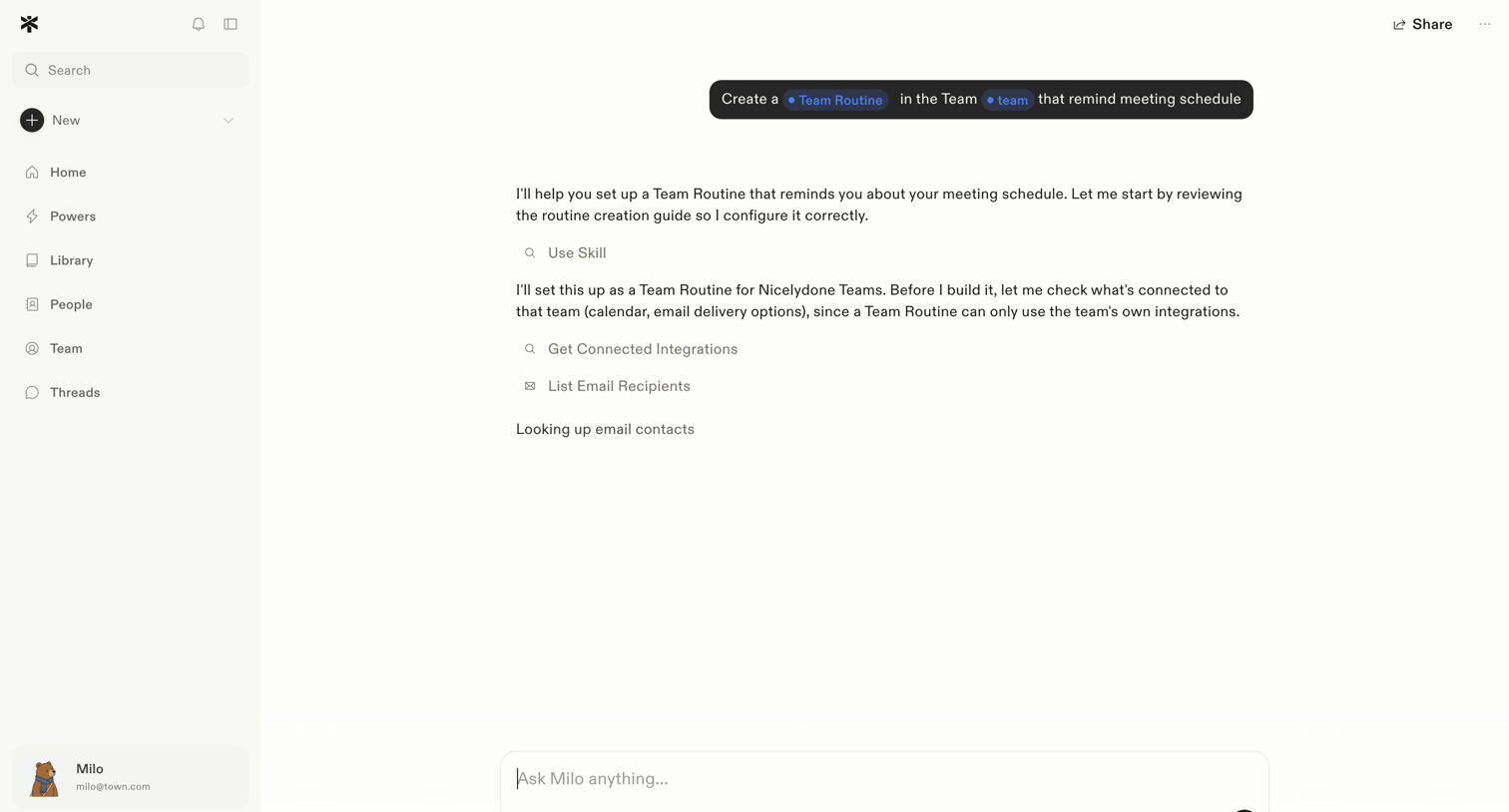

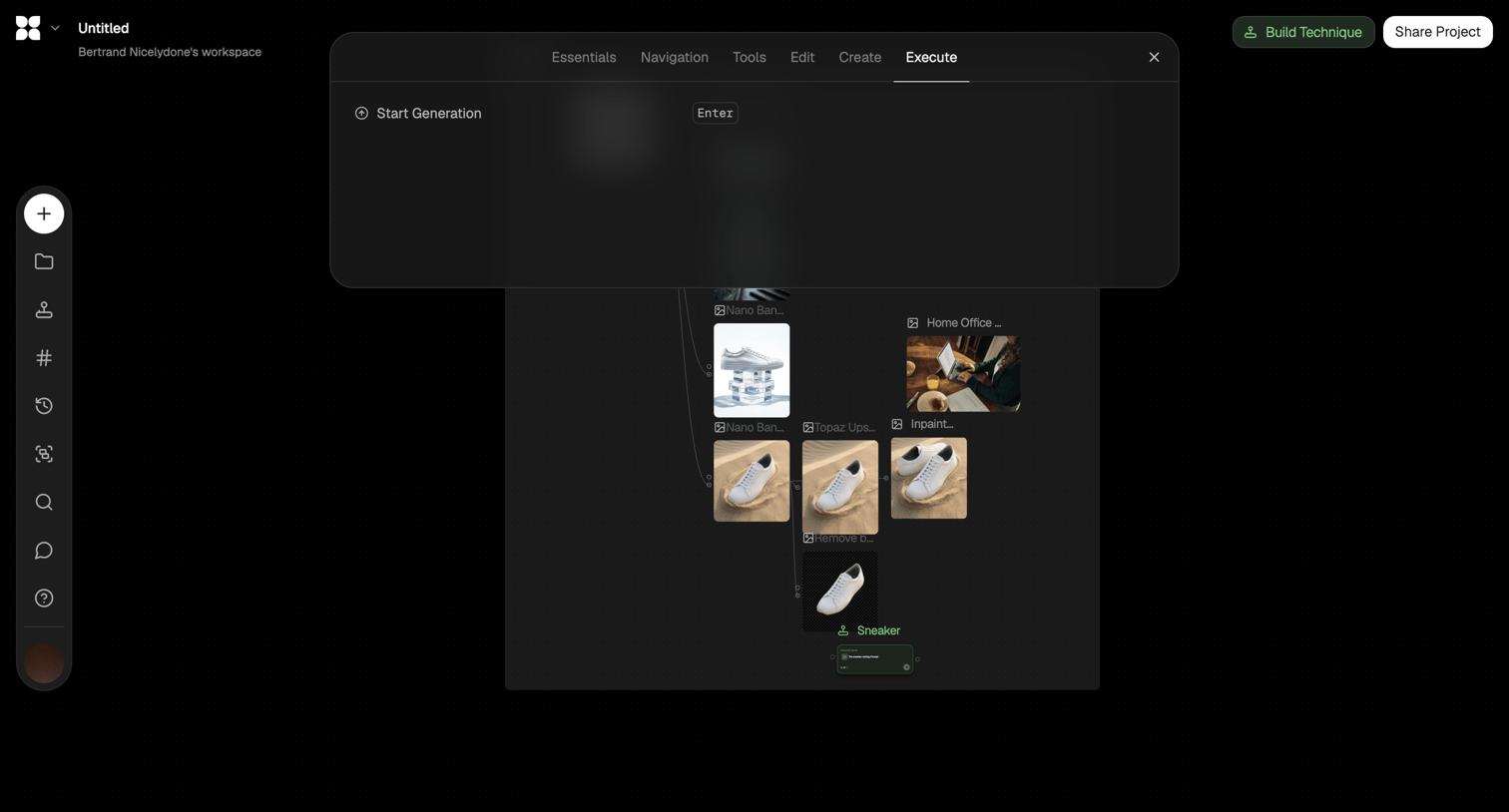

Node-based workflow editor for AI image generation where the user has opened a command palette to execute a generation step.
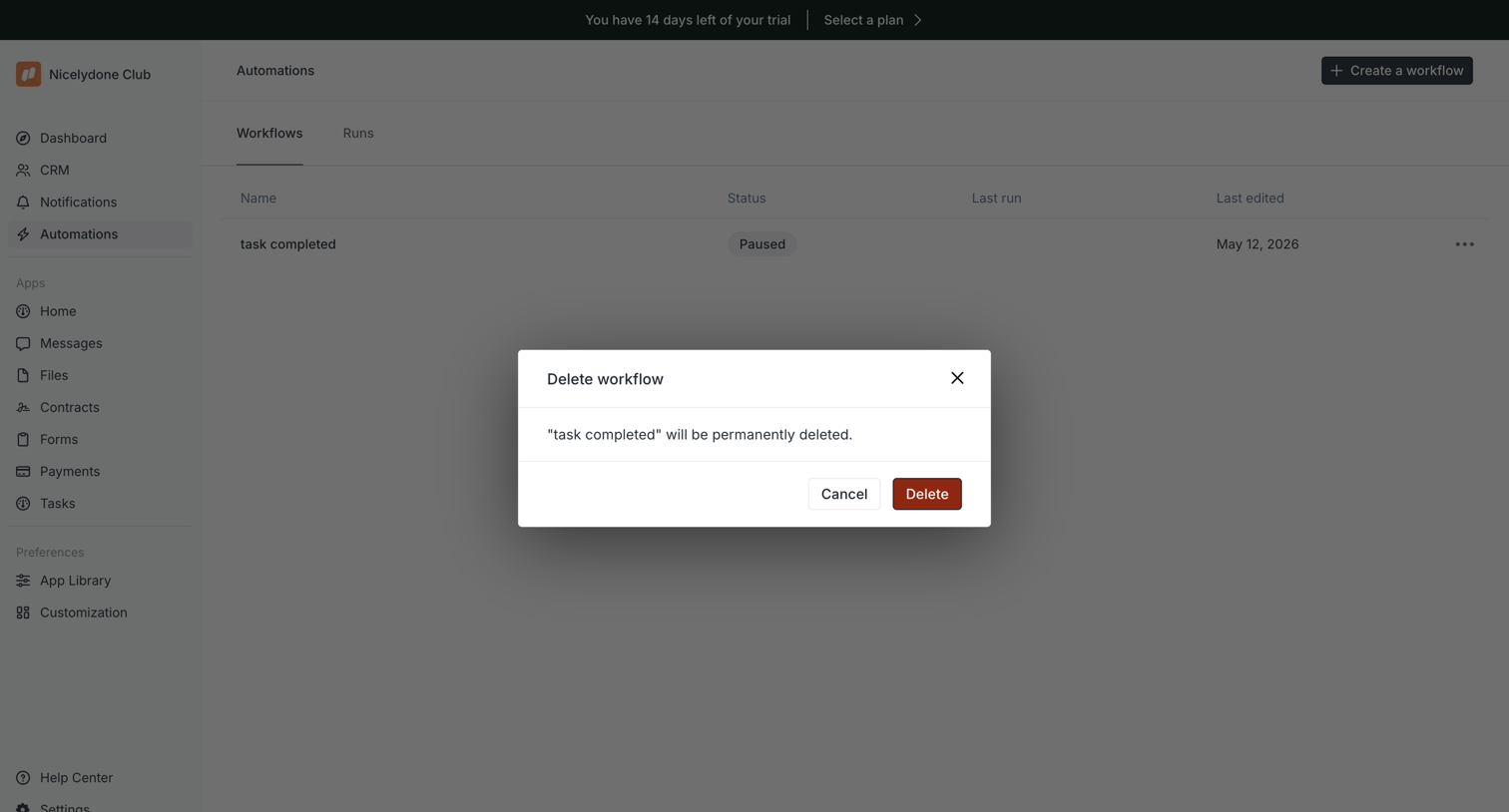

List view of automations where the user is prompted to confirm the permanent deletion of a specific workflow.
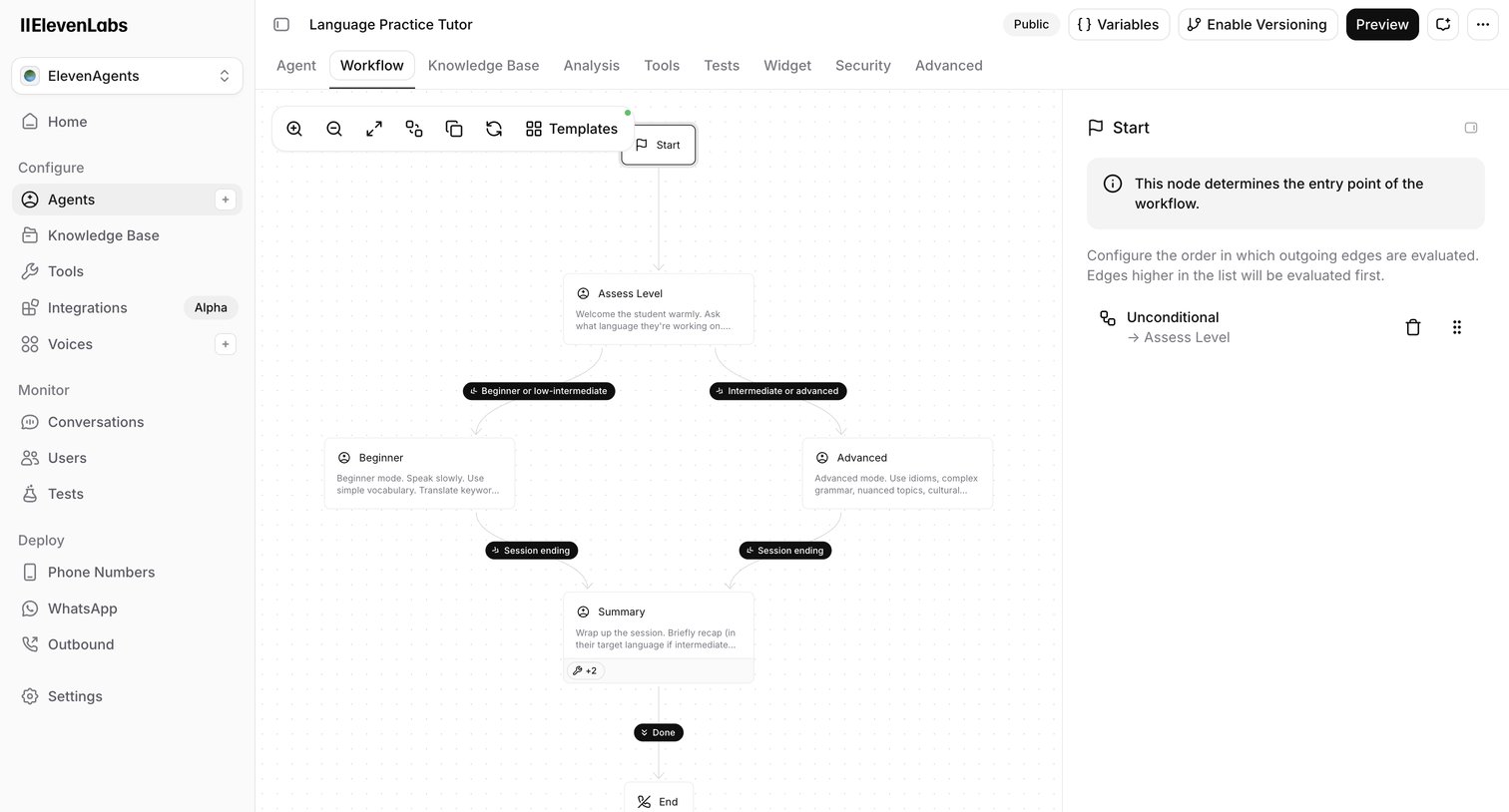

Design editor where the user configures the conversation flow of an AI language tutor agent using a node-based canvas and an inspector panel.
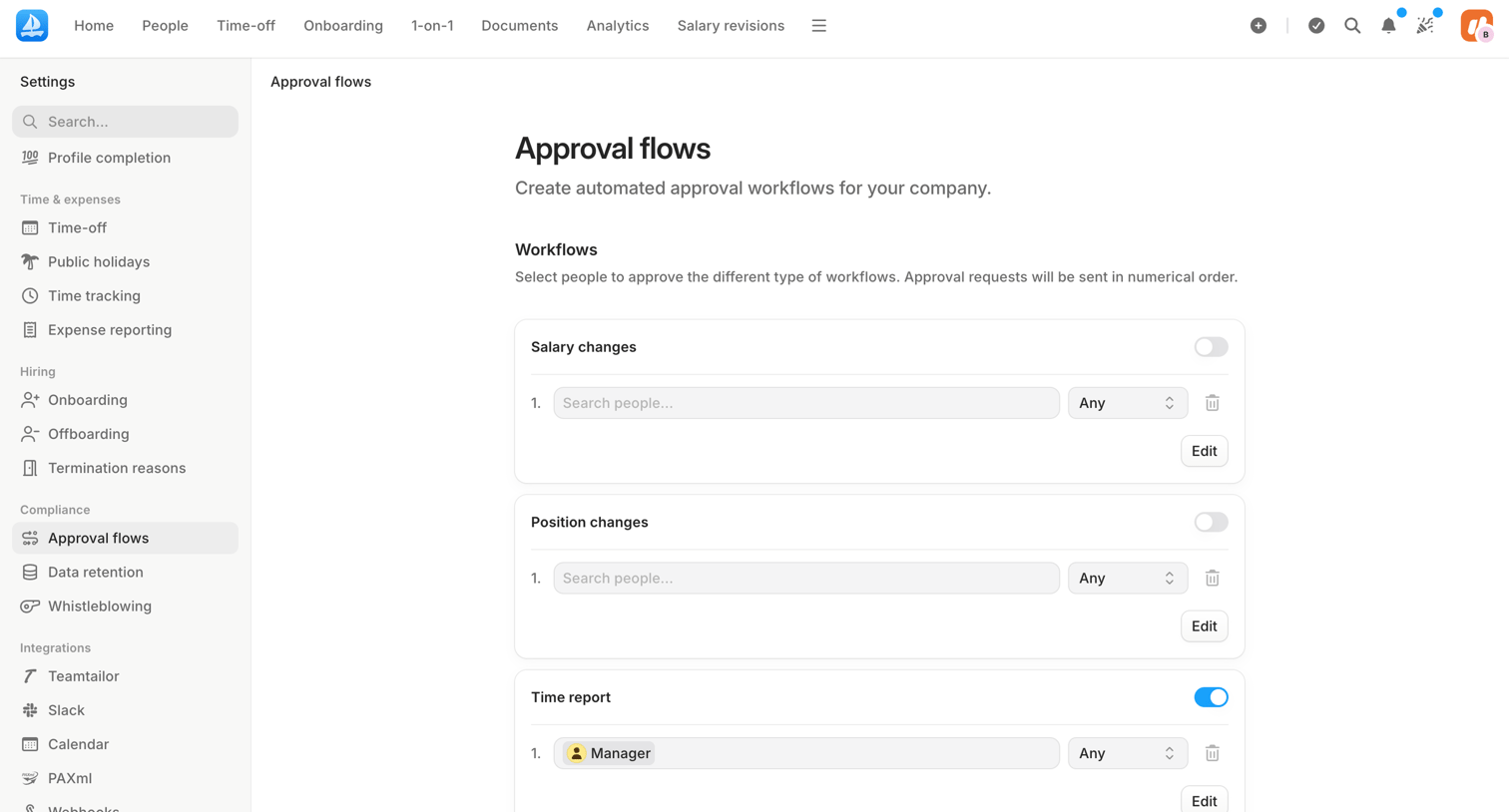

Settings page where the user configures automated approval workflows for salary changes, position changes, and time reports by assigning approvers.

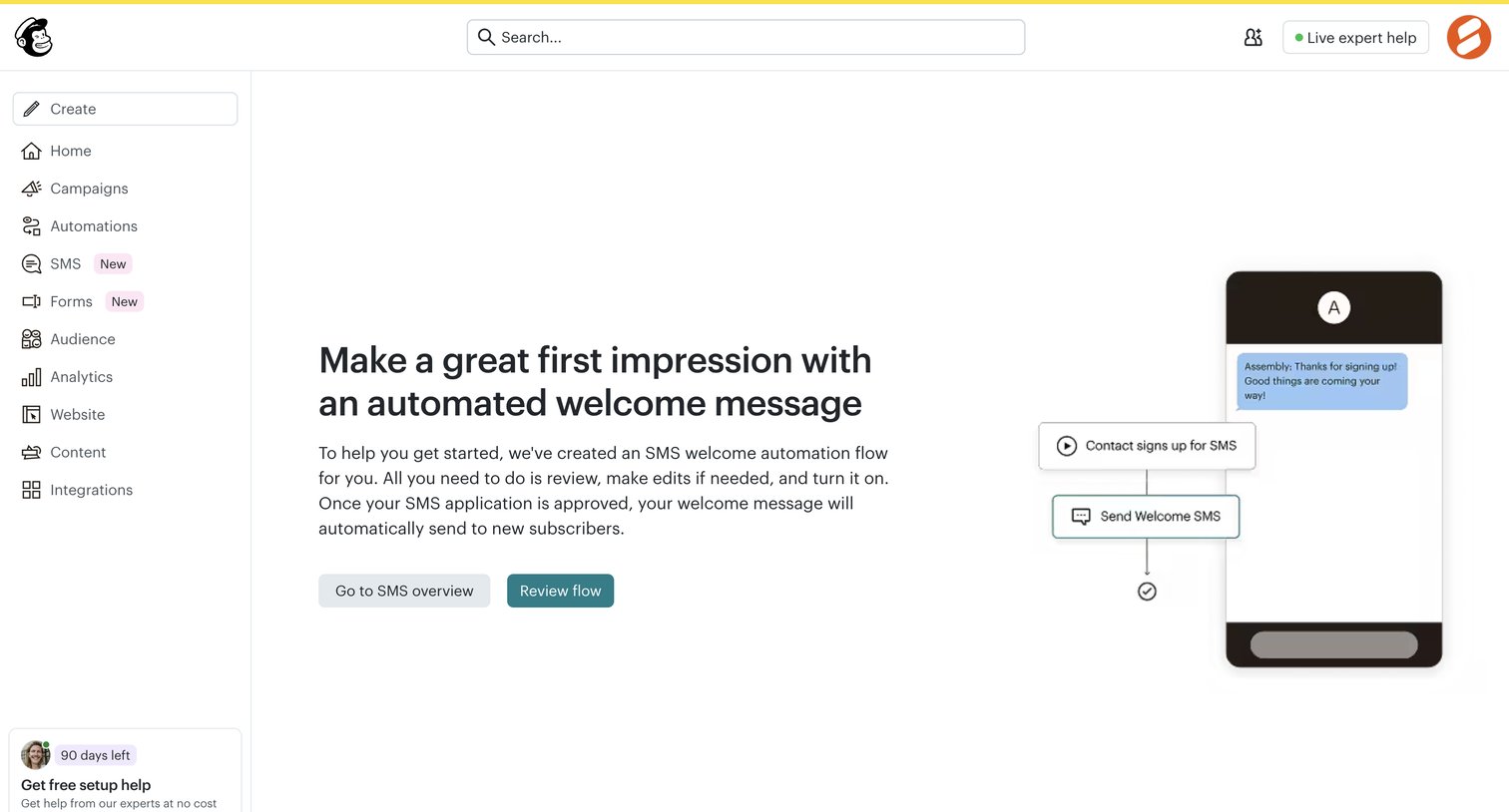

Onboarding step where the user is prompted to review and activate an automated SMS welcome flow after their application is approved.
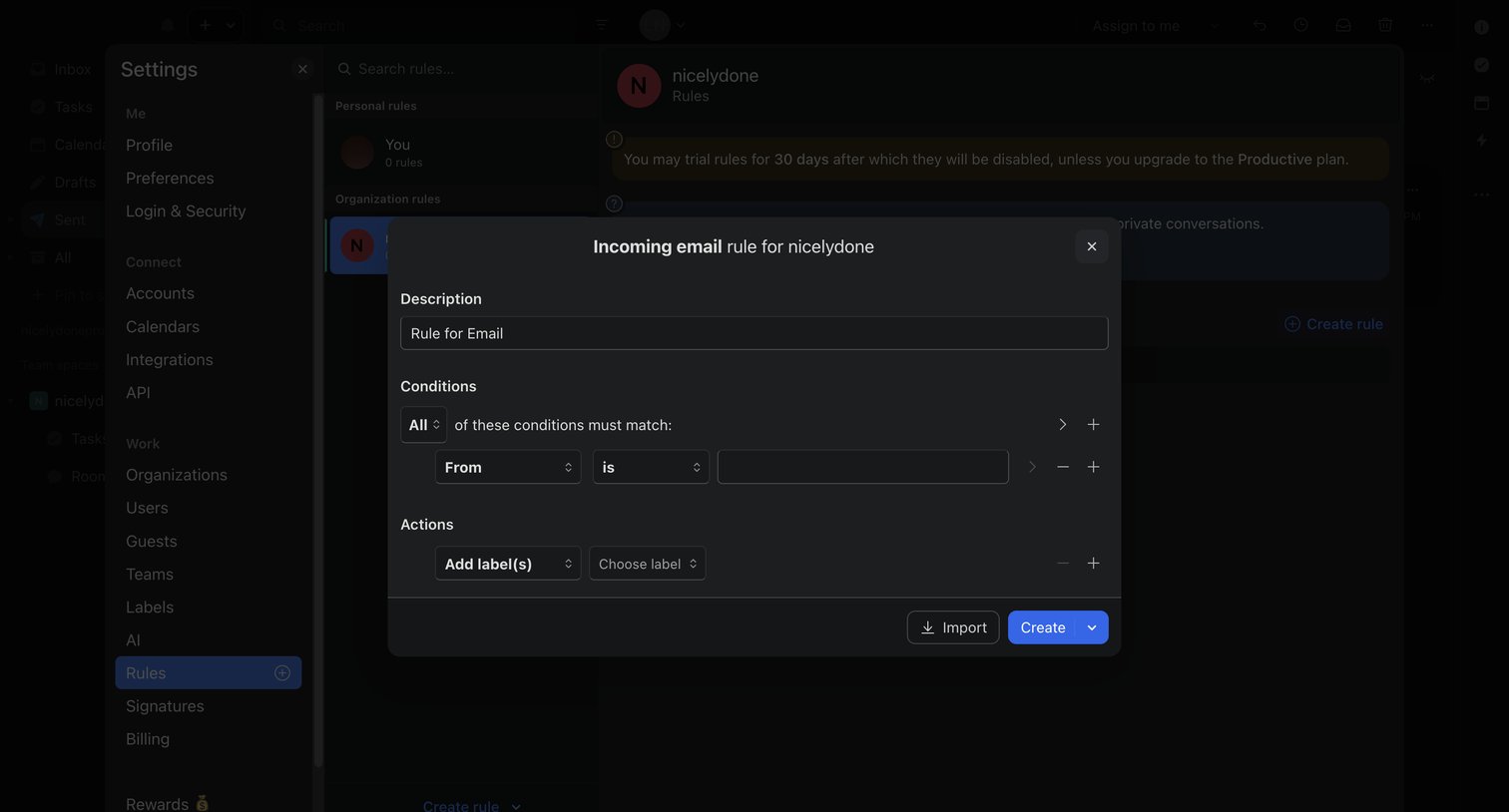

Settings modal where the user builds an incoming email rule by defining matching conditions and corresponding actions.
Explore the full SaaS screen library
Upgrade to unlock the full library.
Trusted by the best teams








About Workflow Builder
Explore how SaaS apps let people arrange a sequence of work. Look at how steps, connections, and configuration panels show the structure of a workflow as it is built.