Skip to content

Tip screen examples

Tip screen design examples from SaaS apps. Browse examples from Documentation.AI, Notion Mail, Grok.

Explore the examples
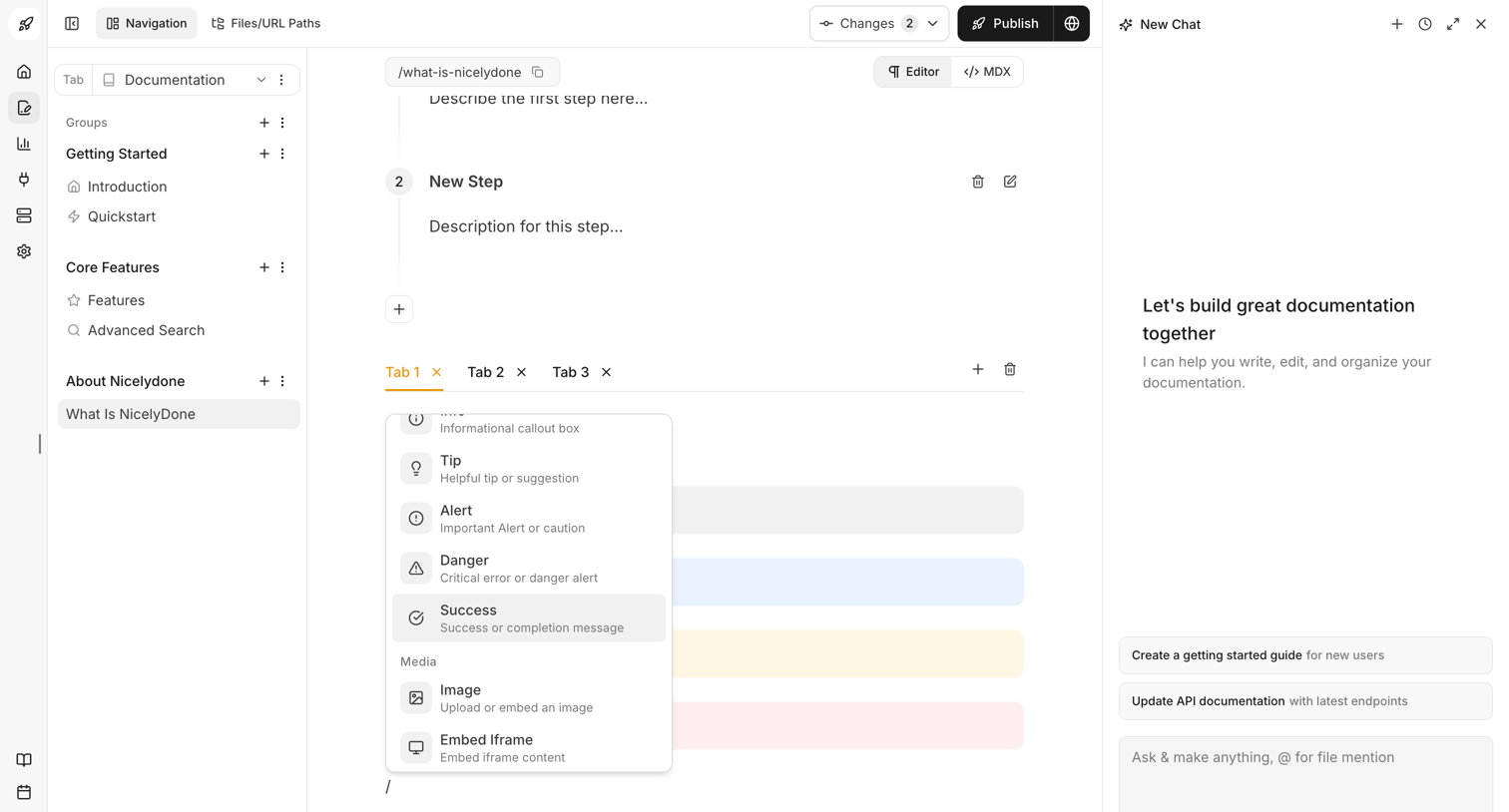
Documentation.AI - Dashboard - Documentation.AI screen
Documentation.AI logo
Documentation.AI

Documentation editor where the user is writing content using a block-based interface with a slash command menu open, alongside an AI chat assistant panel for writing help.
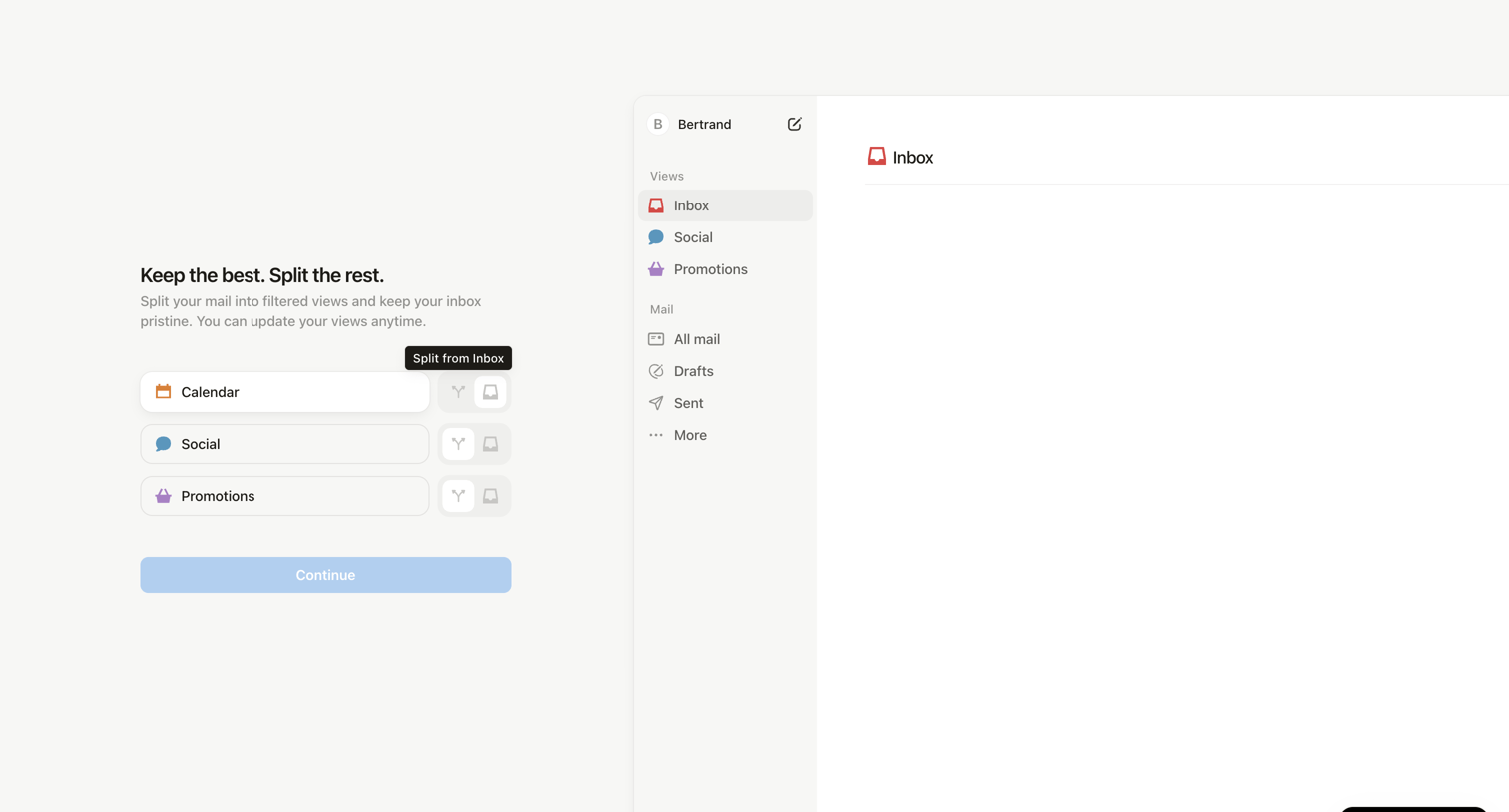

Notion Mail - 99+ • Inbox • nicelydoneproducts@gmail.com • Notion Mail screen
Notion Mail logo
Notion Mail

Onboarding step where the user configures filtered views for their inbox like Calendar, Social, and Promotions.
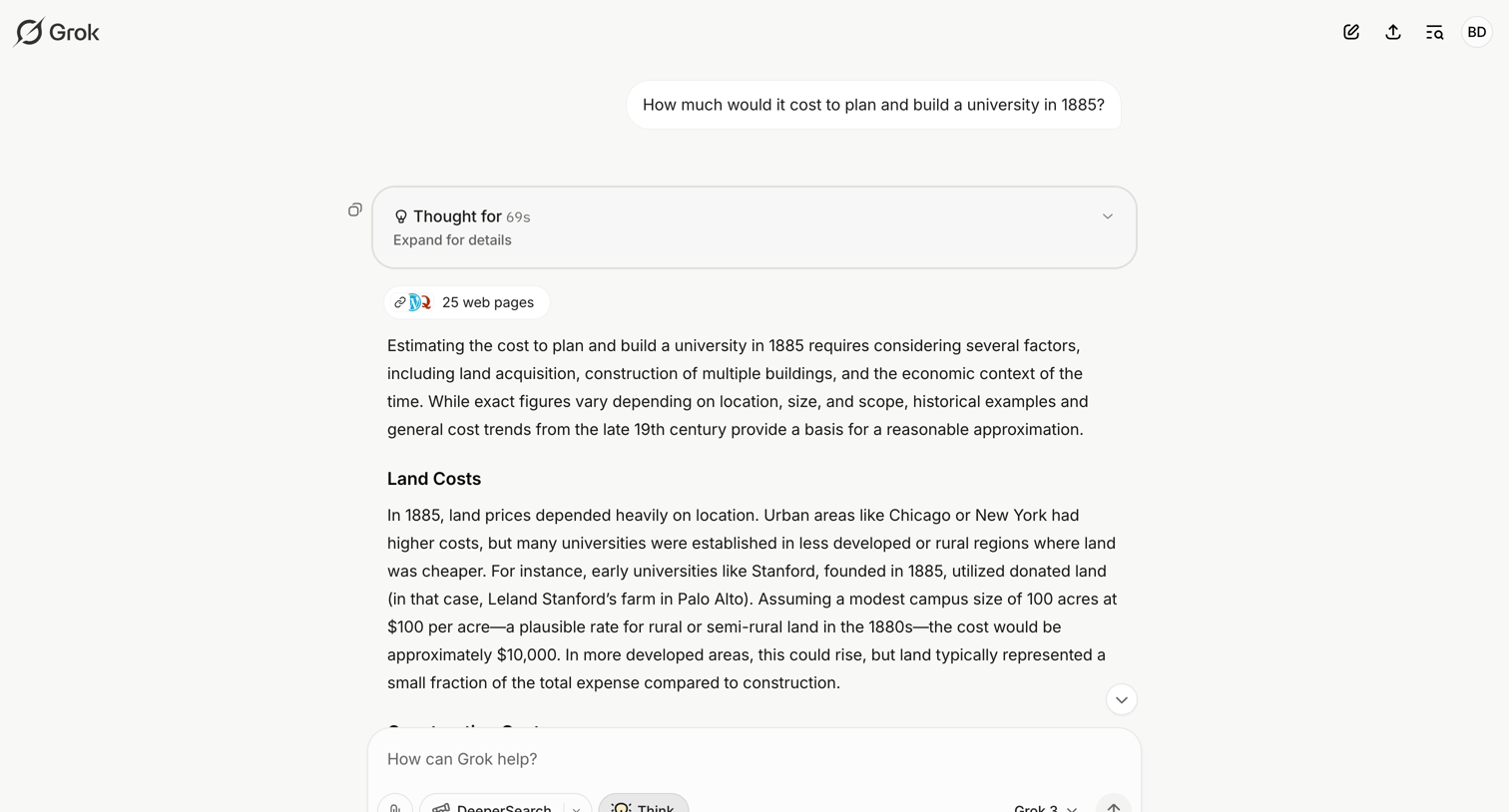

Grok - Cost of Building a University in 1885 - Grok screen
Grok logo
Grok

AI chat interface where the user views a detailed historical cost estimate response, including an expandable reasoning block and web search citations.
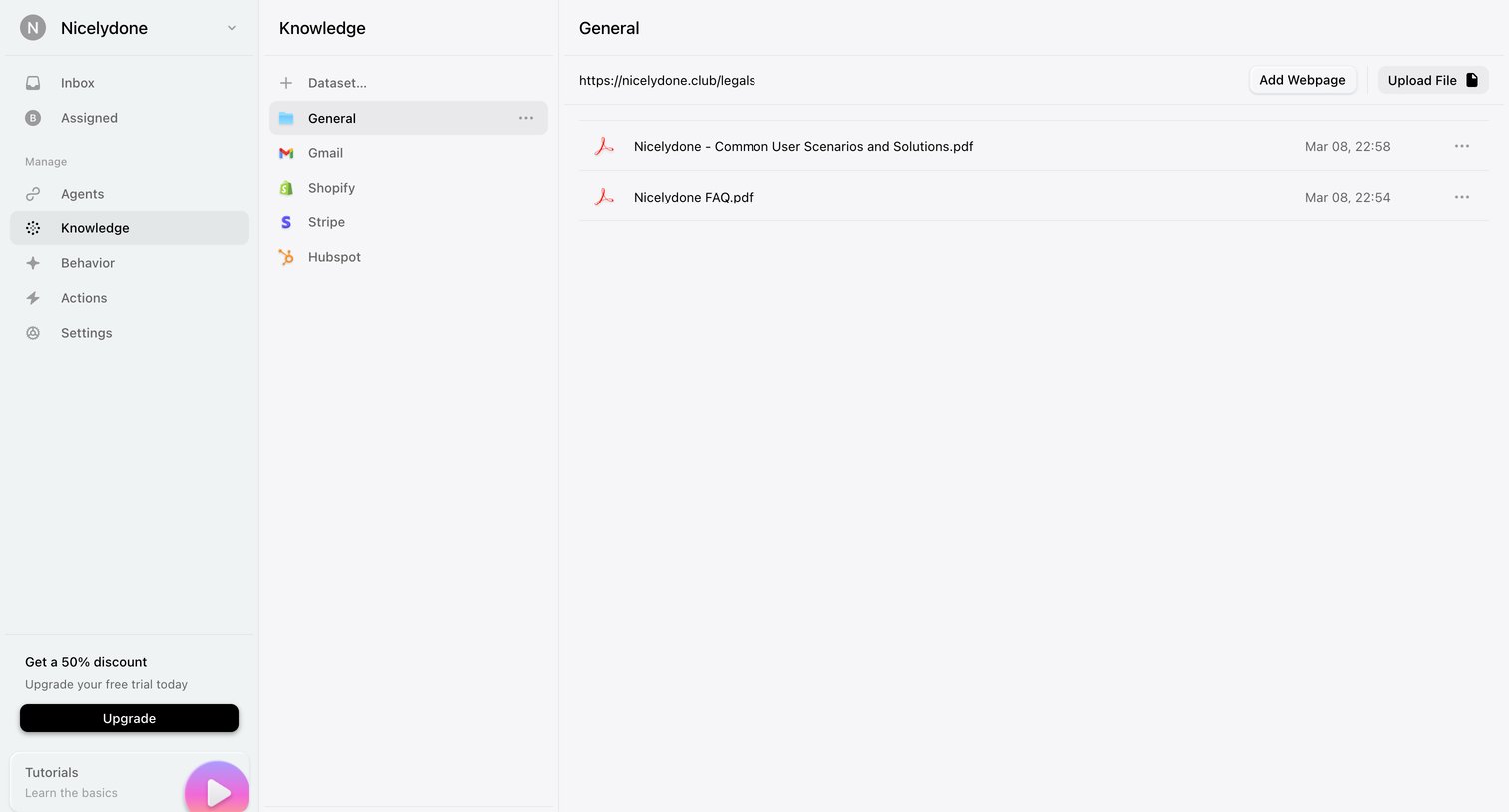
Lemni - Knowledge › General screen
Lemni logo
Lemni

Settings page where the user manages datasets and uploads files or webpages to build their AI agent's knowledge base.
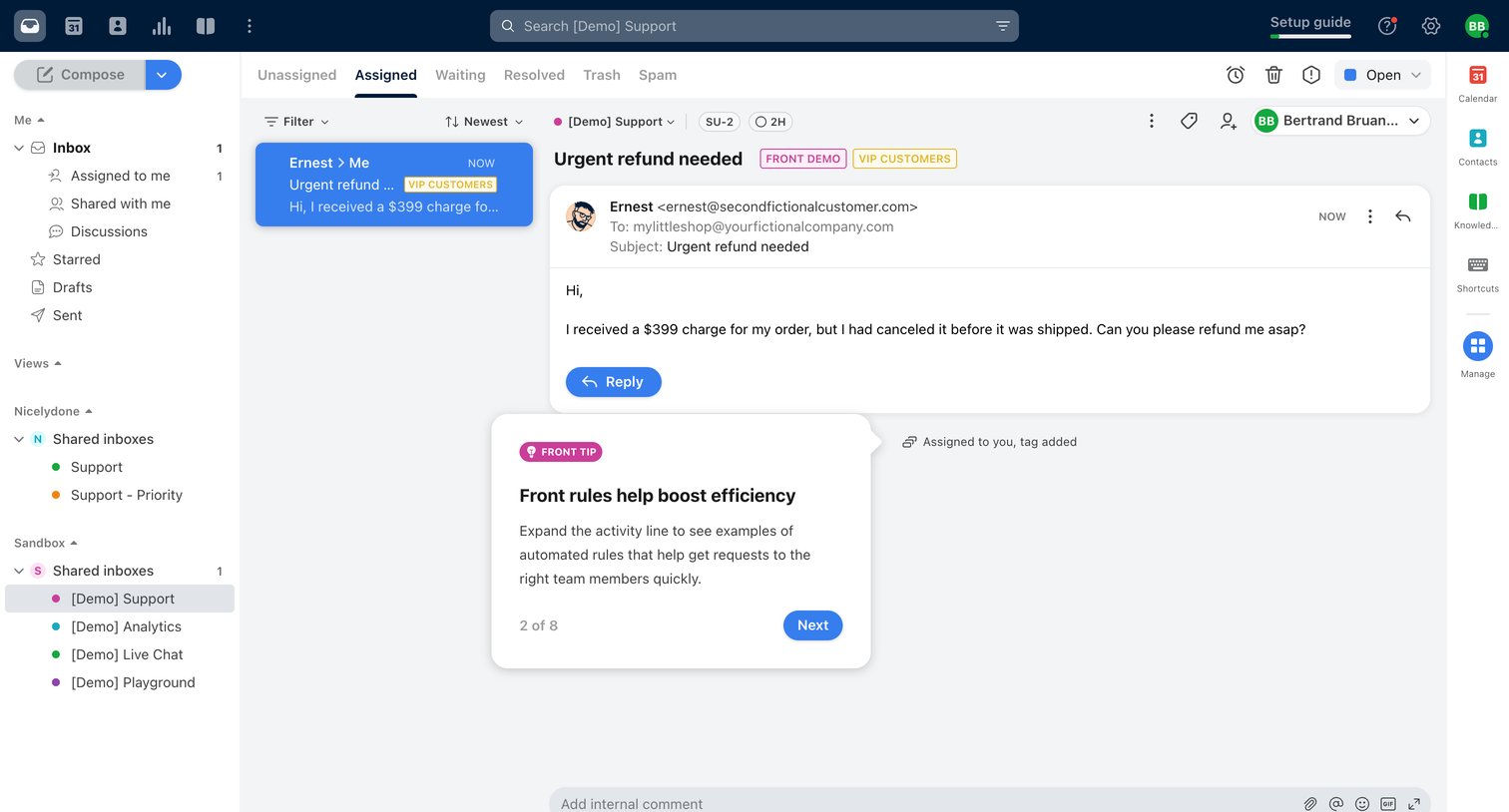

Front - Front (1) screen
Front logo
Front

Support inbox where a user views an assigned ticket requesting an urgent refund, with an active product tour tooltip.

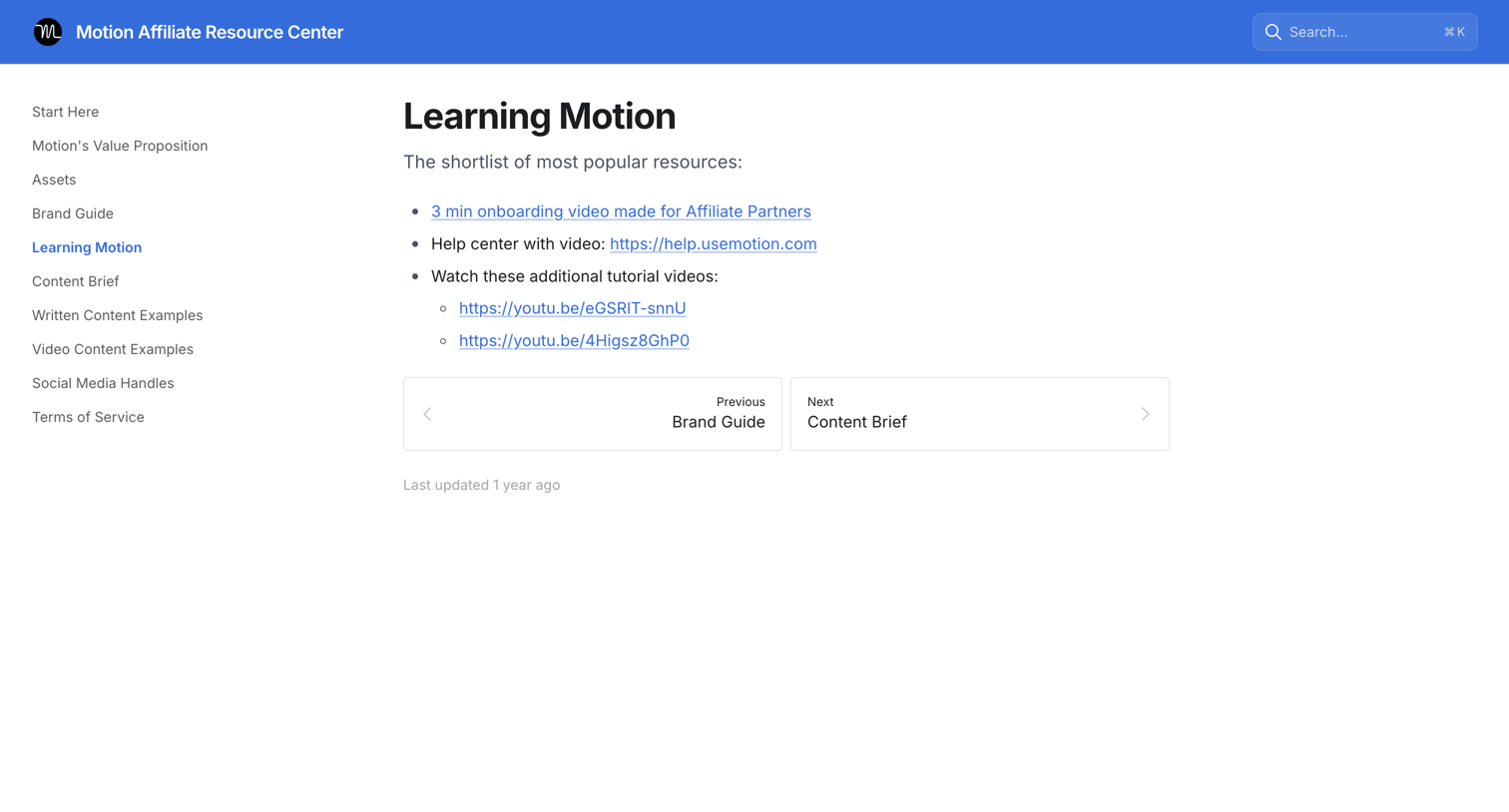
Motion - Learning Motion | Motion Affiliate Resource Center screen
Motion logo
Motion

Guide page providing affiliate partners with a shortlist of popular resources including onboarding videos and help center links.
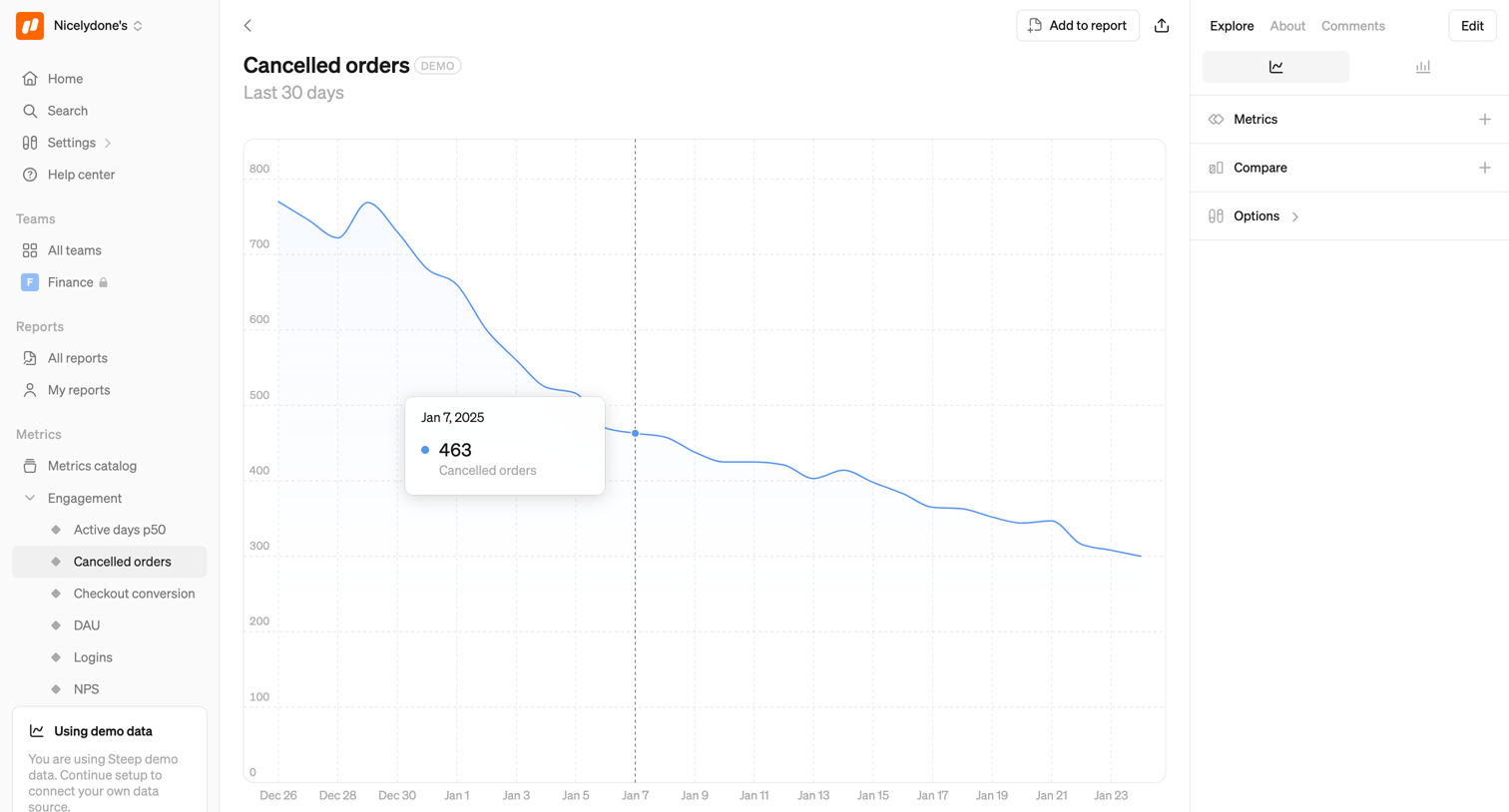

Steep - Cancelled orders screen
Steep logo
Steep

Analytics detail page where the user views a line chart for cancelled orders over the last 30 days, with options to change the time period, compare metrics, or add the chart to a report.

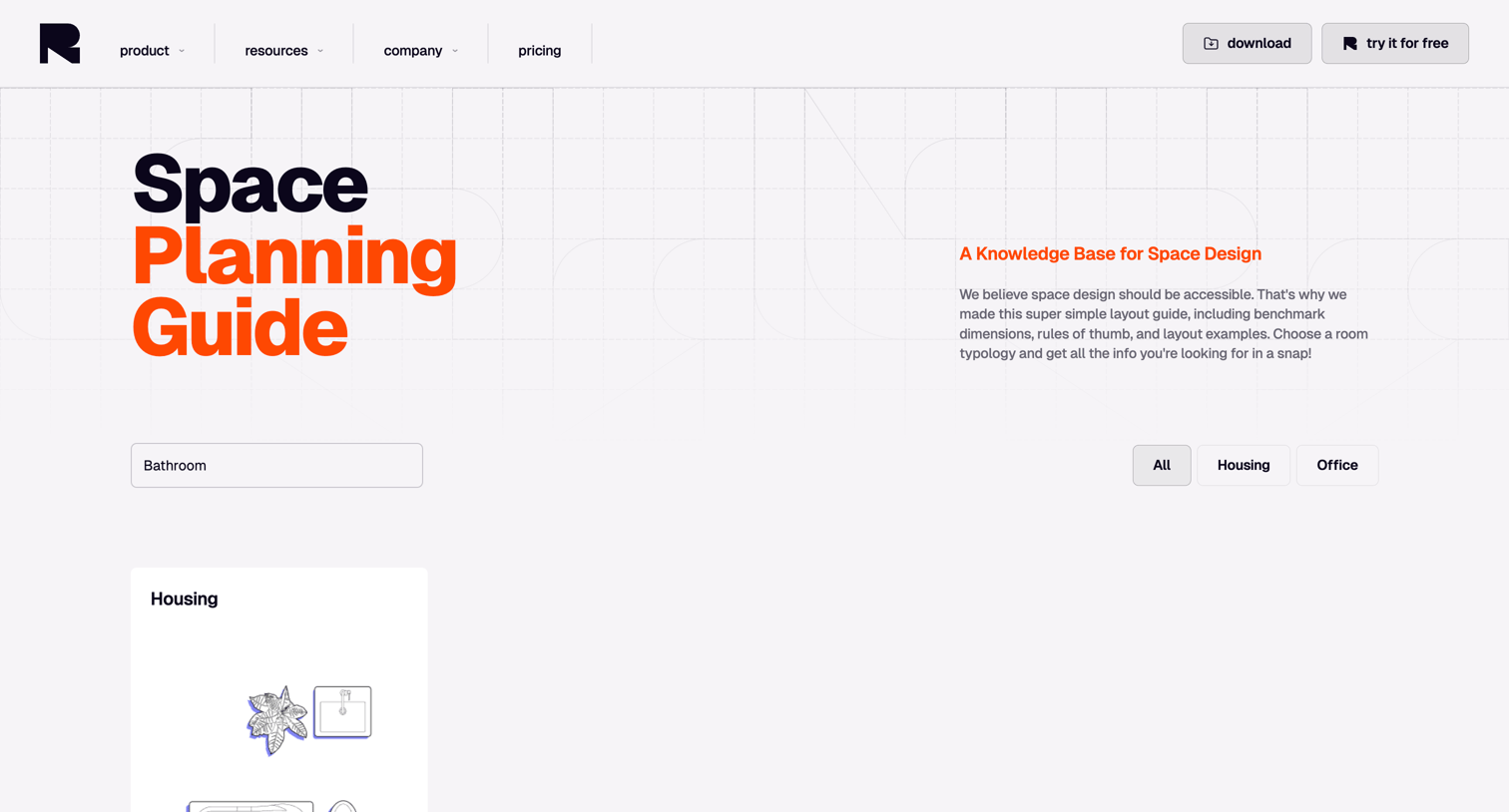
Rayon - Space Planning Guide | Rayon screen
Rayon logo
Rayon

Resource page offering a searchable space planning guide where users can filter benchmark dimensions and layout examples by room typology.

Kajabi - Welcome to Kajabi University screen
Kajabi logo
Kajabi

Education program landing page where the user can access a course library and navigate training resources via an open dropdown menu.
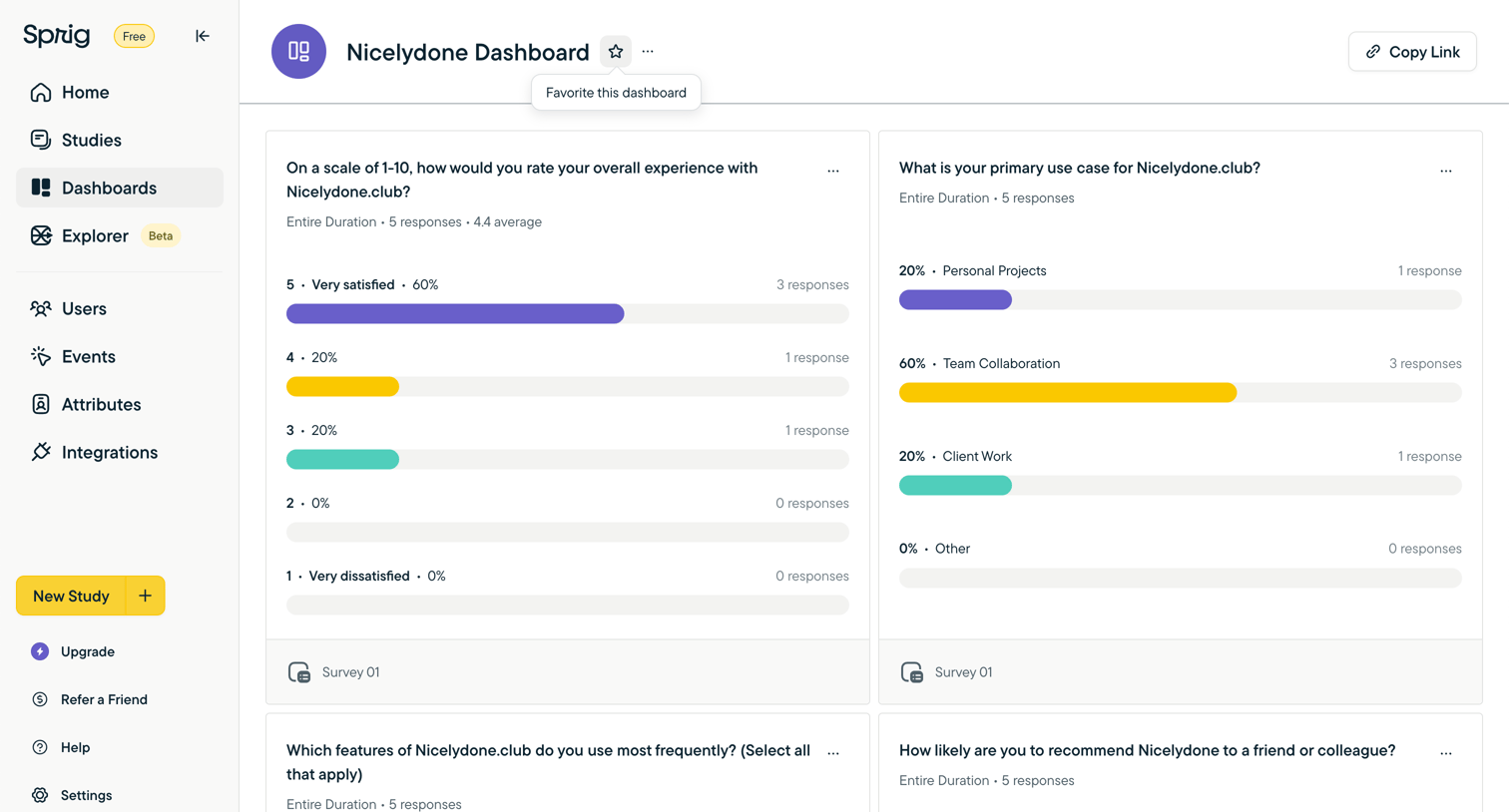

Sprig screen
Sprig logo
Sprig

Dashboard displaying aggregated survey responses with distribution bar charts for rating and use case questions.

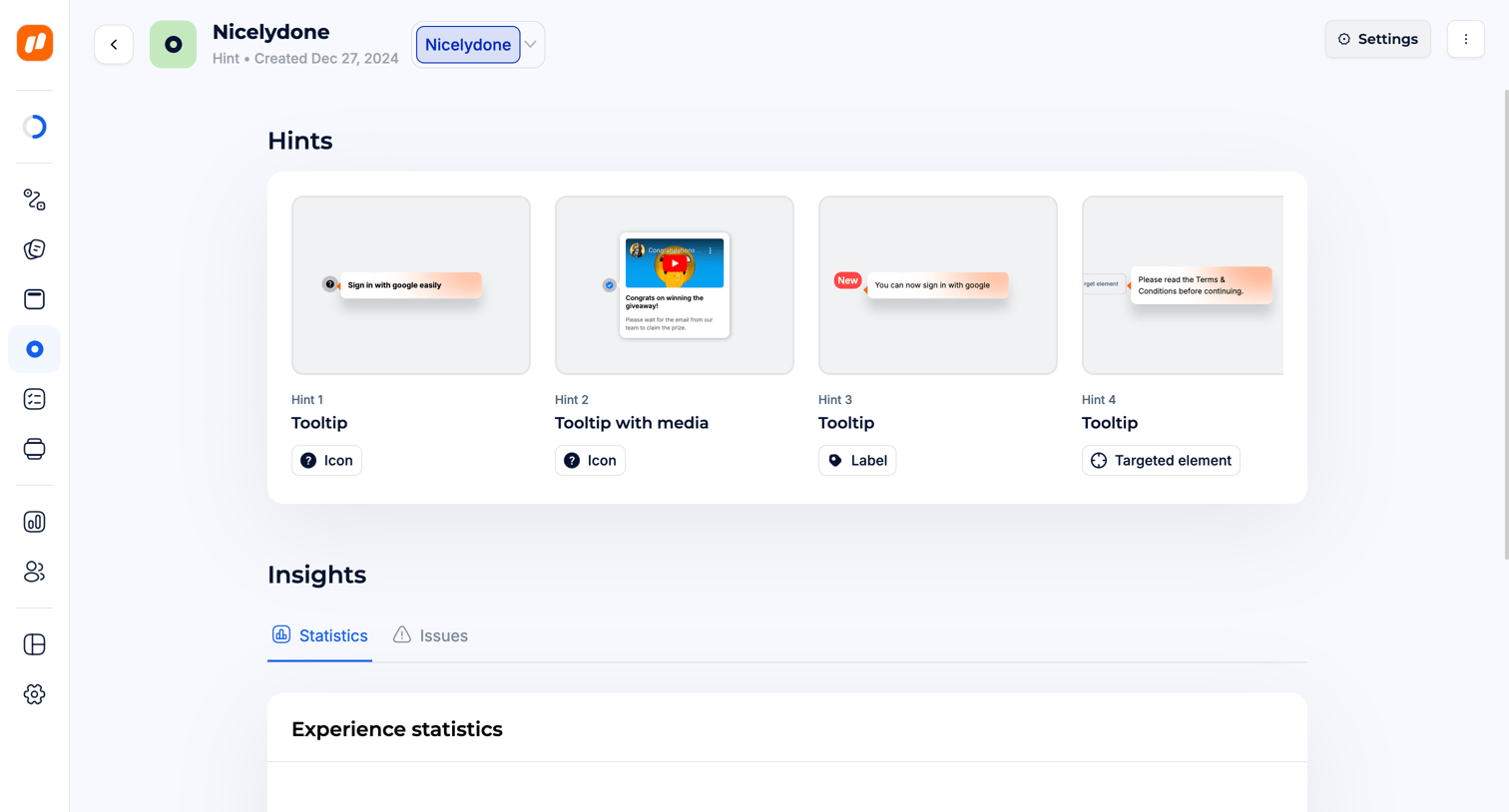
Jimo - Experiences · Jimo screen
Jimo logo
Jimo

Detail page where the user views the configured tooltips and experience statistics for a specific hint campaign.

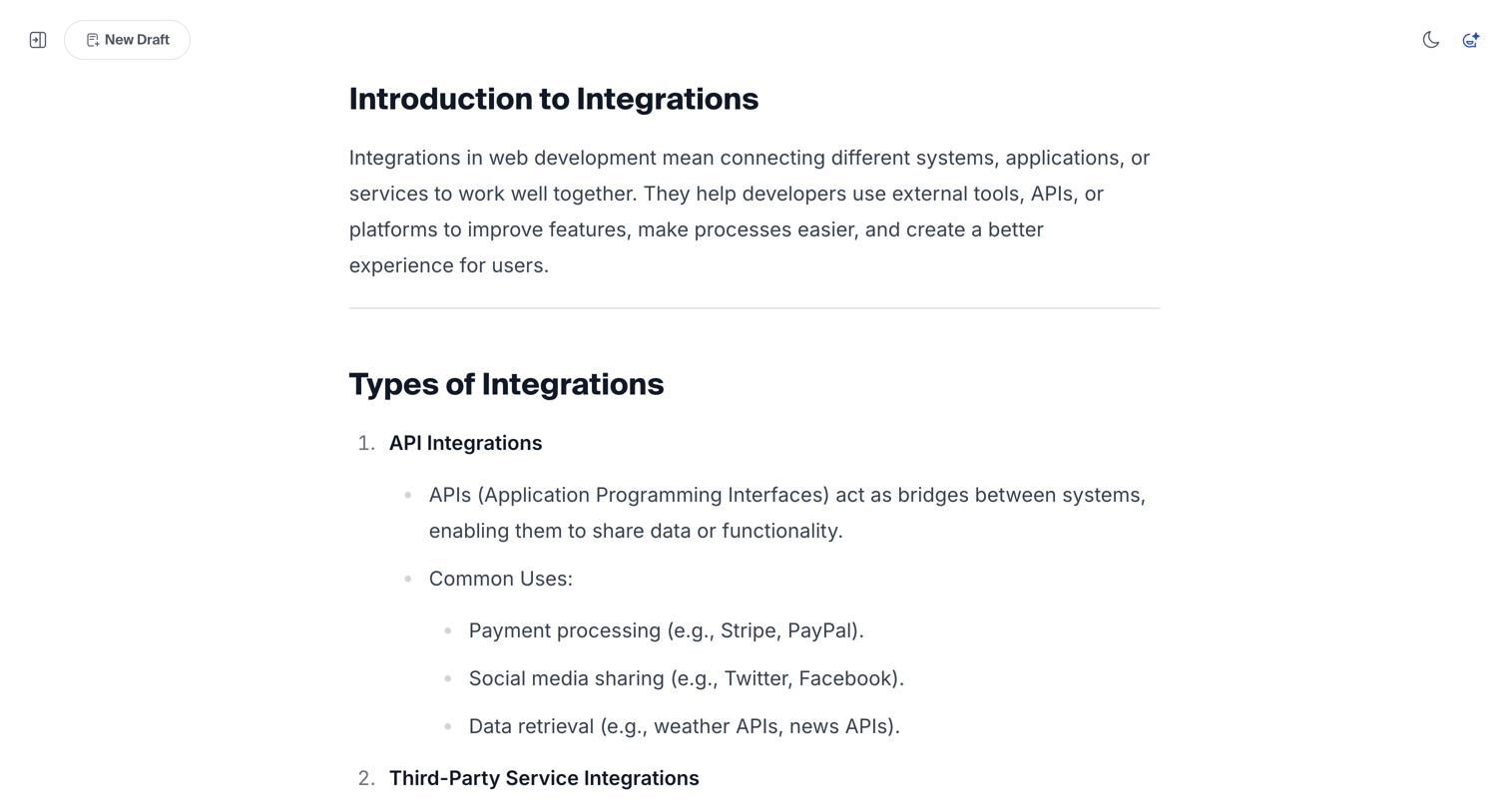
Hashnode - Free AI-powered Markdown WYSIWYG editor — Hashnode screen
Hashnode logo
Hashnode

Content editor where the user is writing or reviewing a structured article about software integrations.

Explore the full SaaS screen library

Upgrade to unlock the full library.

Trusted by the best teams