Guided Tour screen examples
Guided Tour screen design examples from SaaS apps. See how SaaS apps introduce features within the interface itself. Explore how tour steps point to controls and give people a way to continue or leave the…
Explore the examples
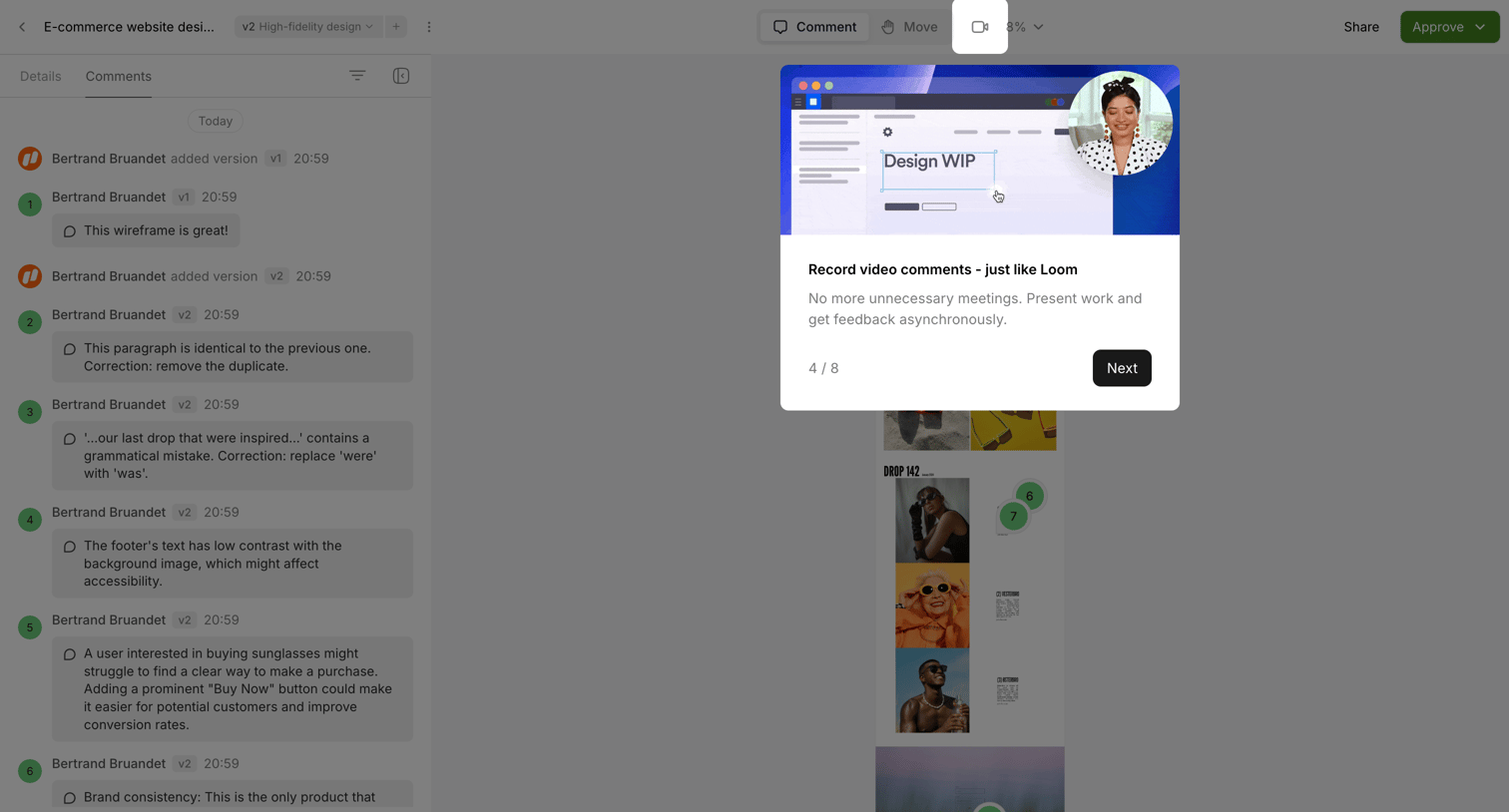

Onboarding step where a product tour modal introduces a video comment feature over a dimmed design canvas and comments sidebar.

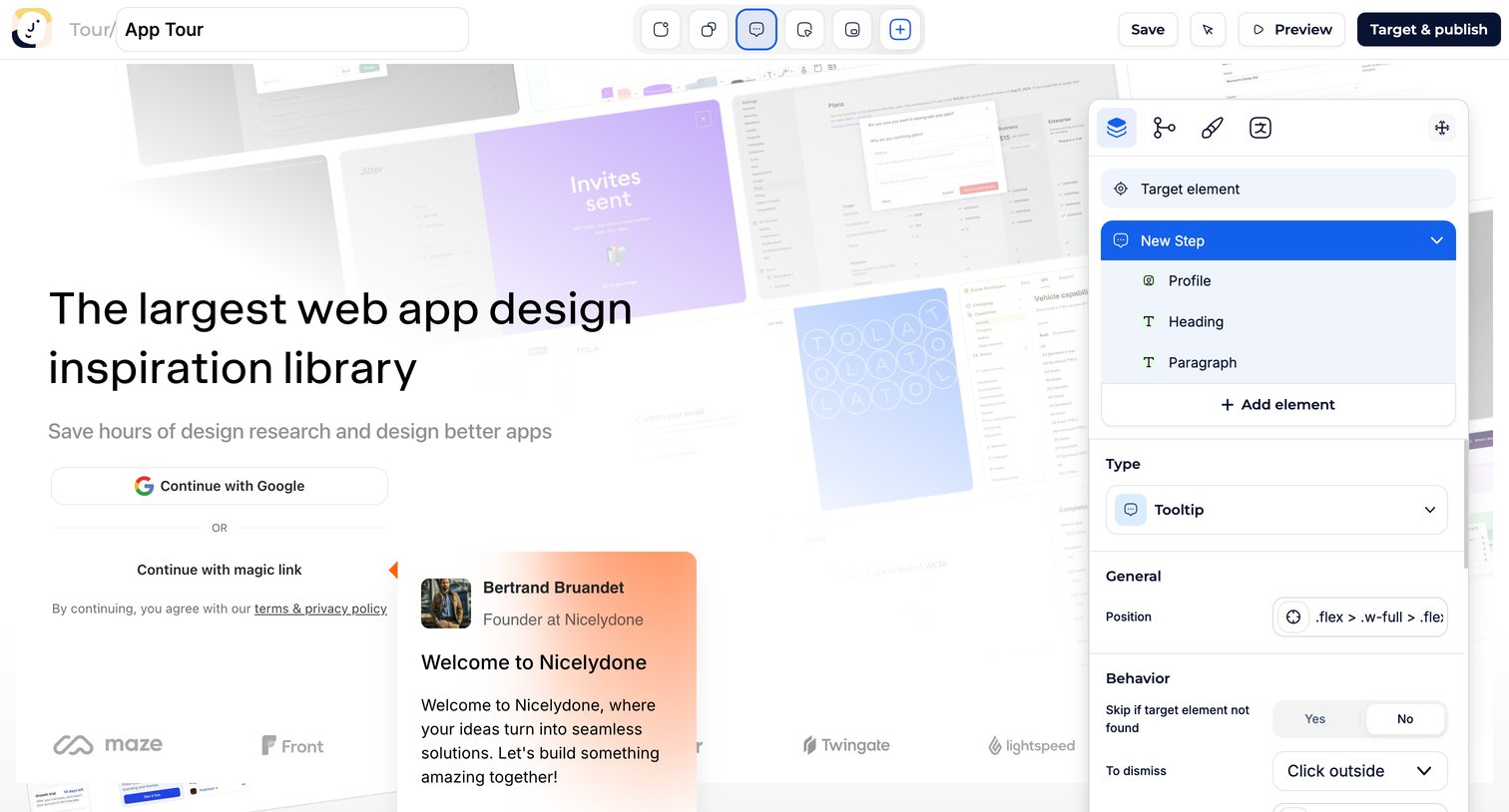

Design editor where the user configures a new onboarding step, setting its type to tooltip and defining its target element and dismissal behavior.
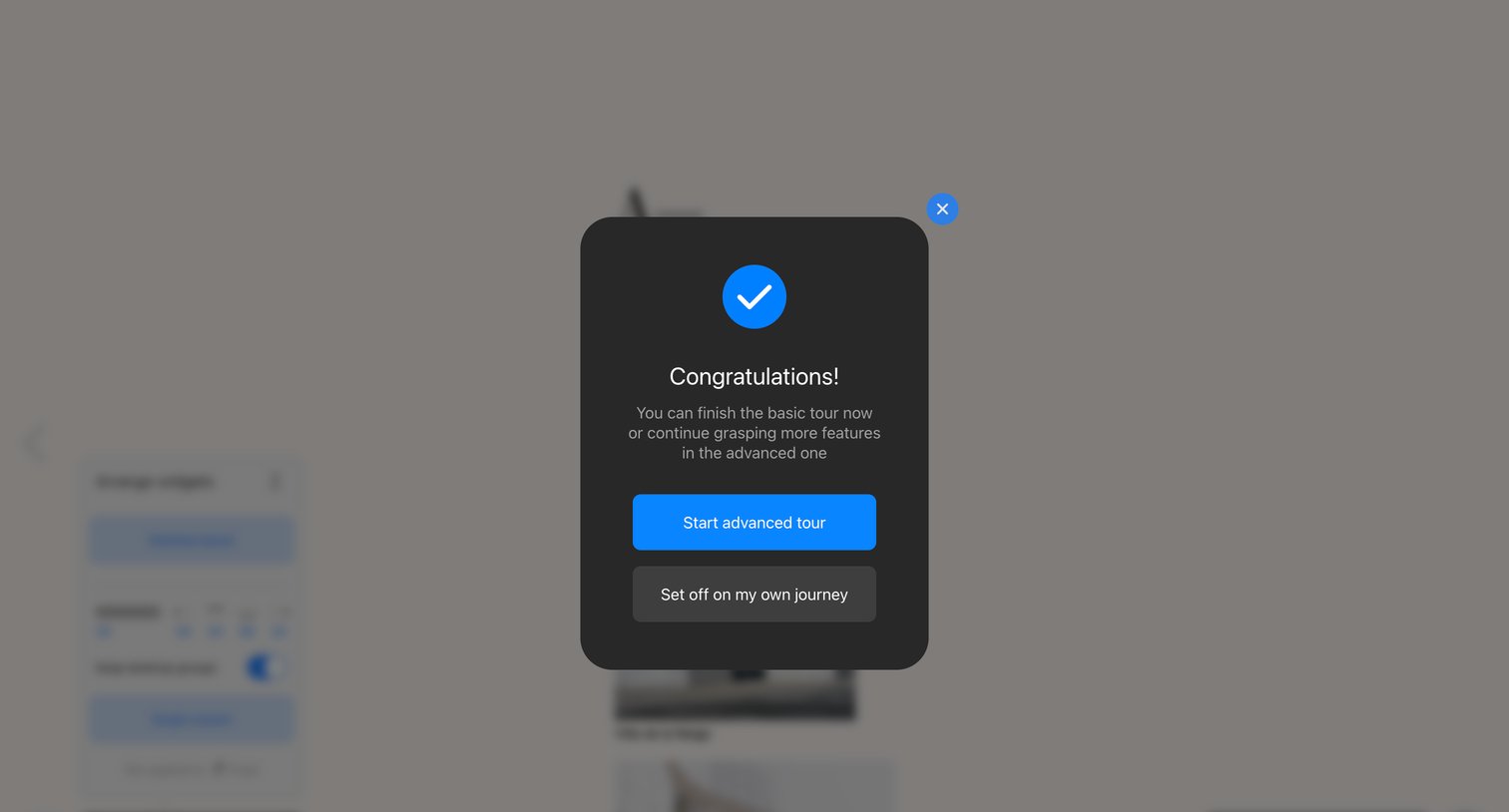

Onboarding modal where the user finishes the basic product tour and chooses between starting the advanced tour or exploring the editor independently.
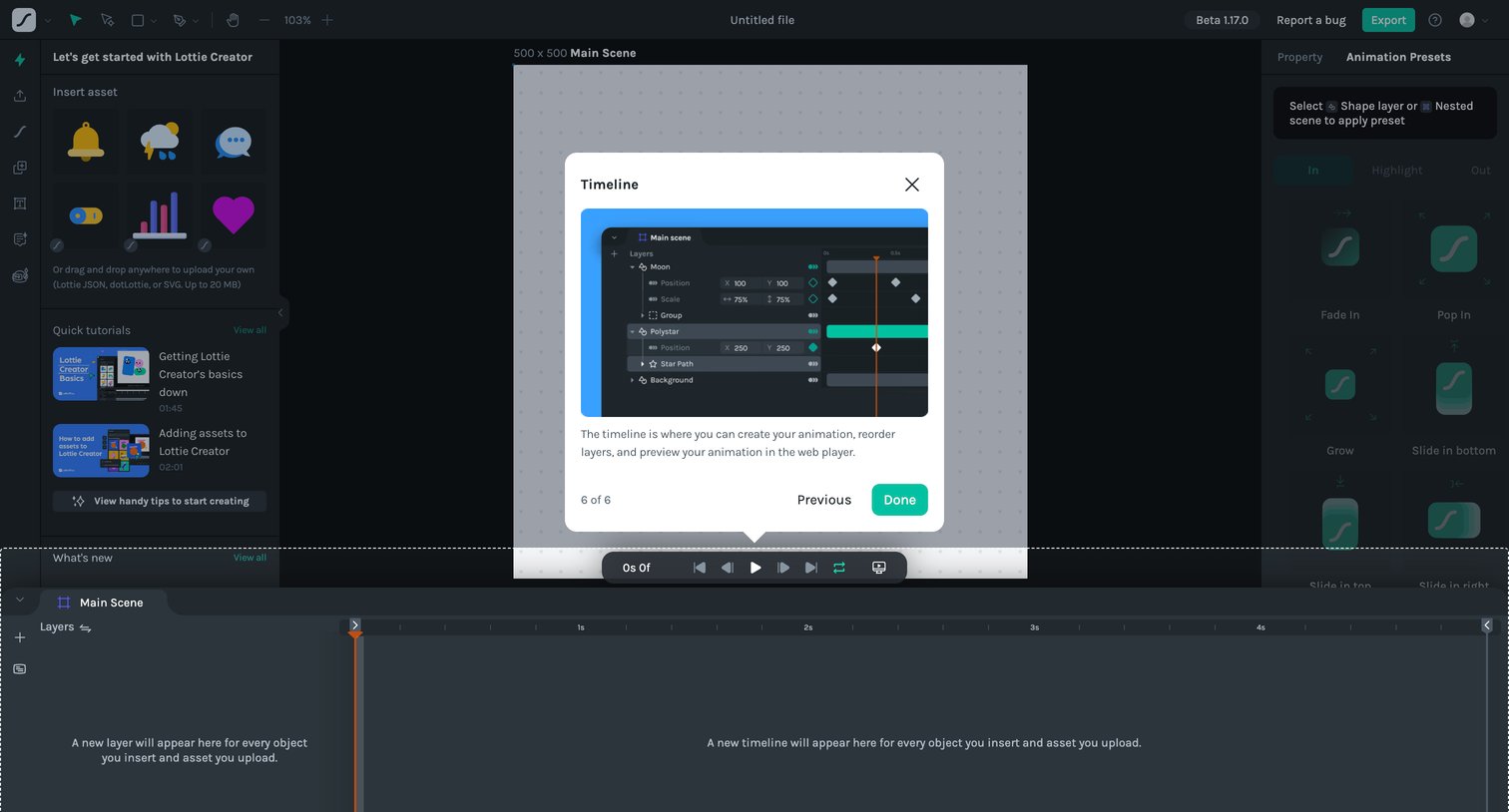

Motion design editor where the user is guided through a product tour, currently viewing the final step explaining the timeline feature for creating and reordering animations.
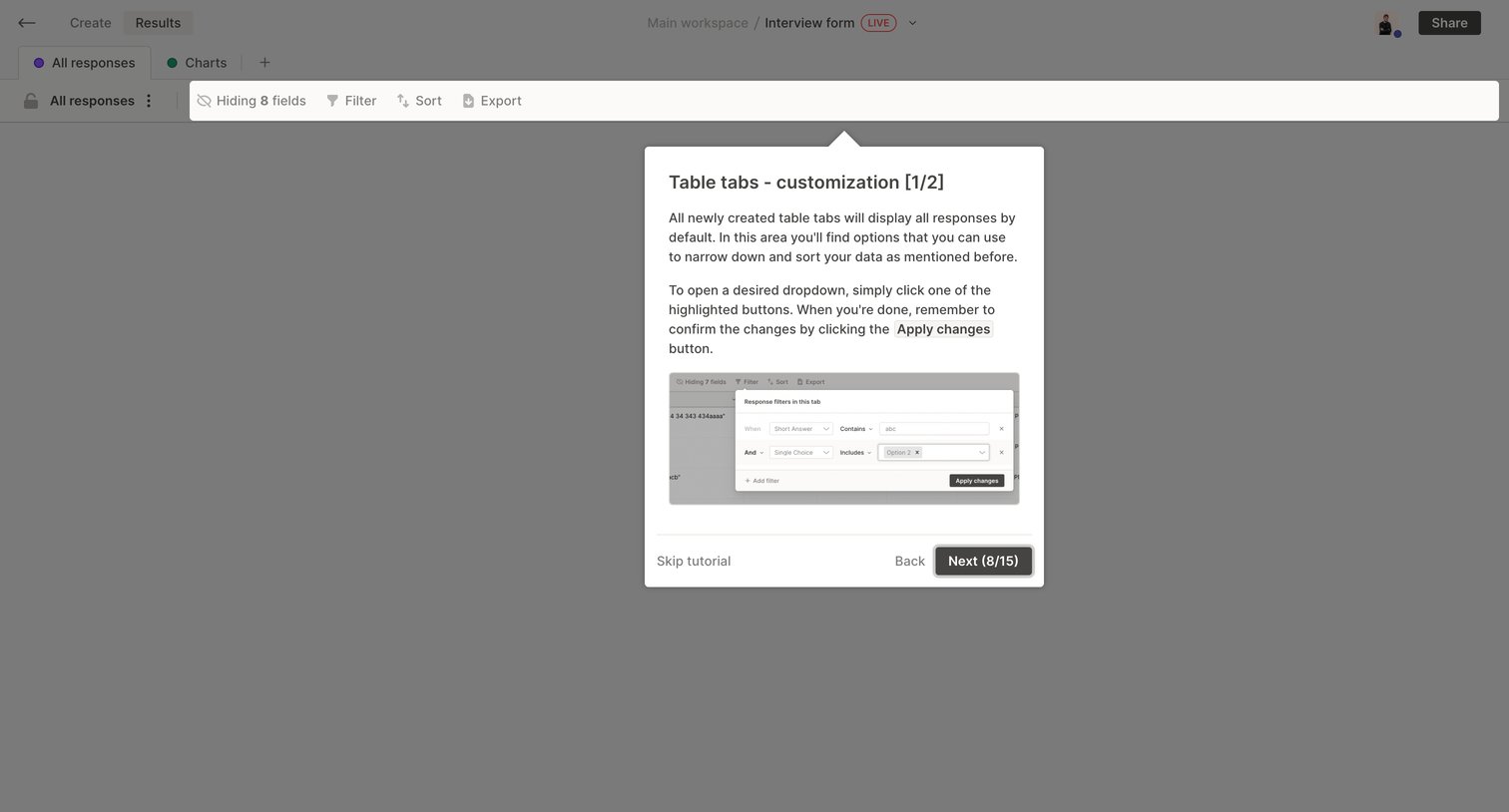

Onboarding step where a product tour popover explains how to customize table tabs and use filters.
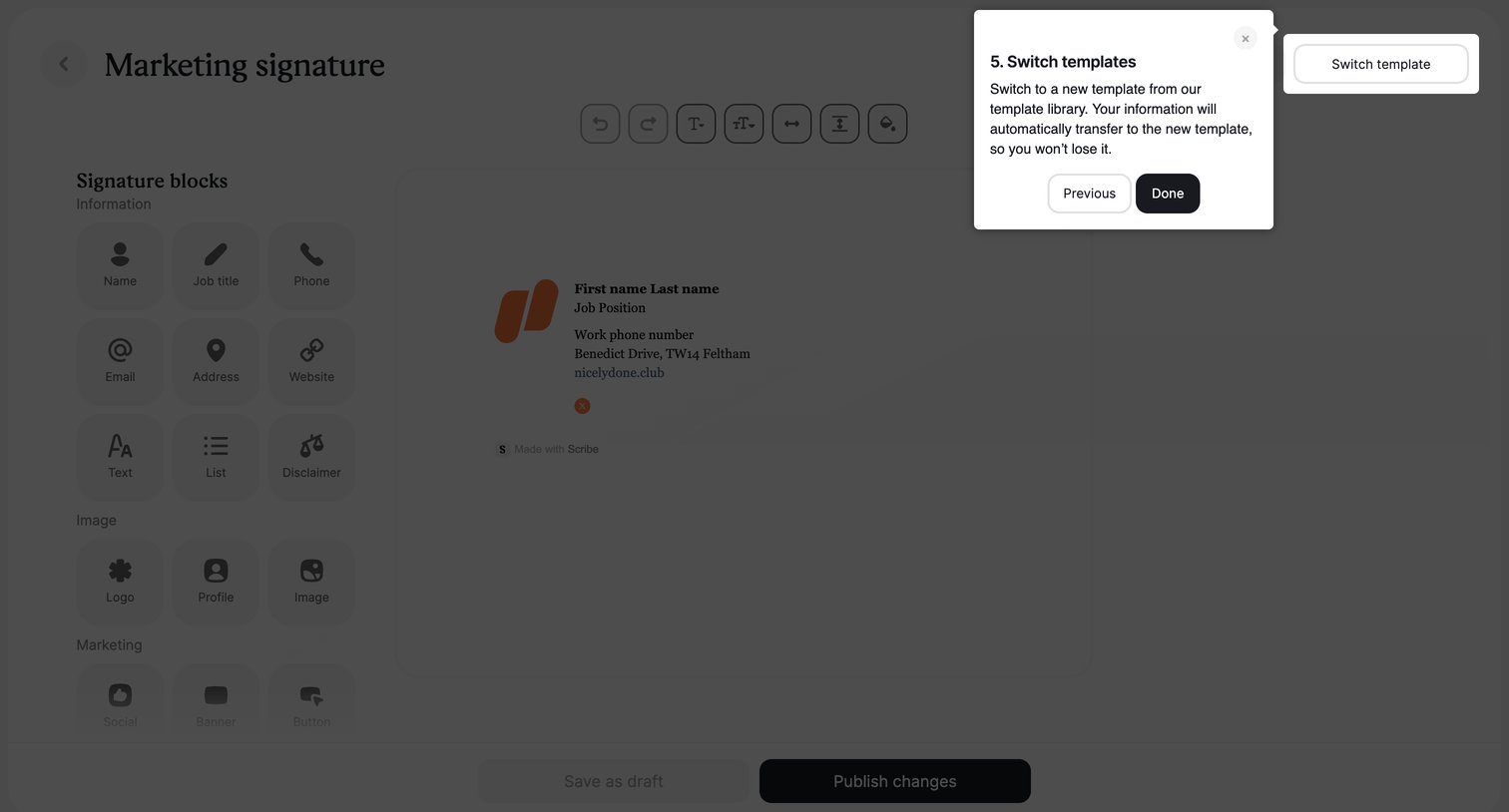

Design editor for an email signature where an onboarding tour highlights the switch template button.
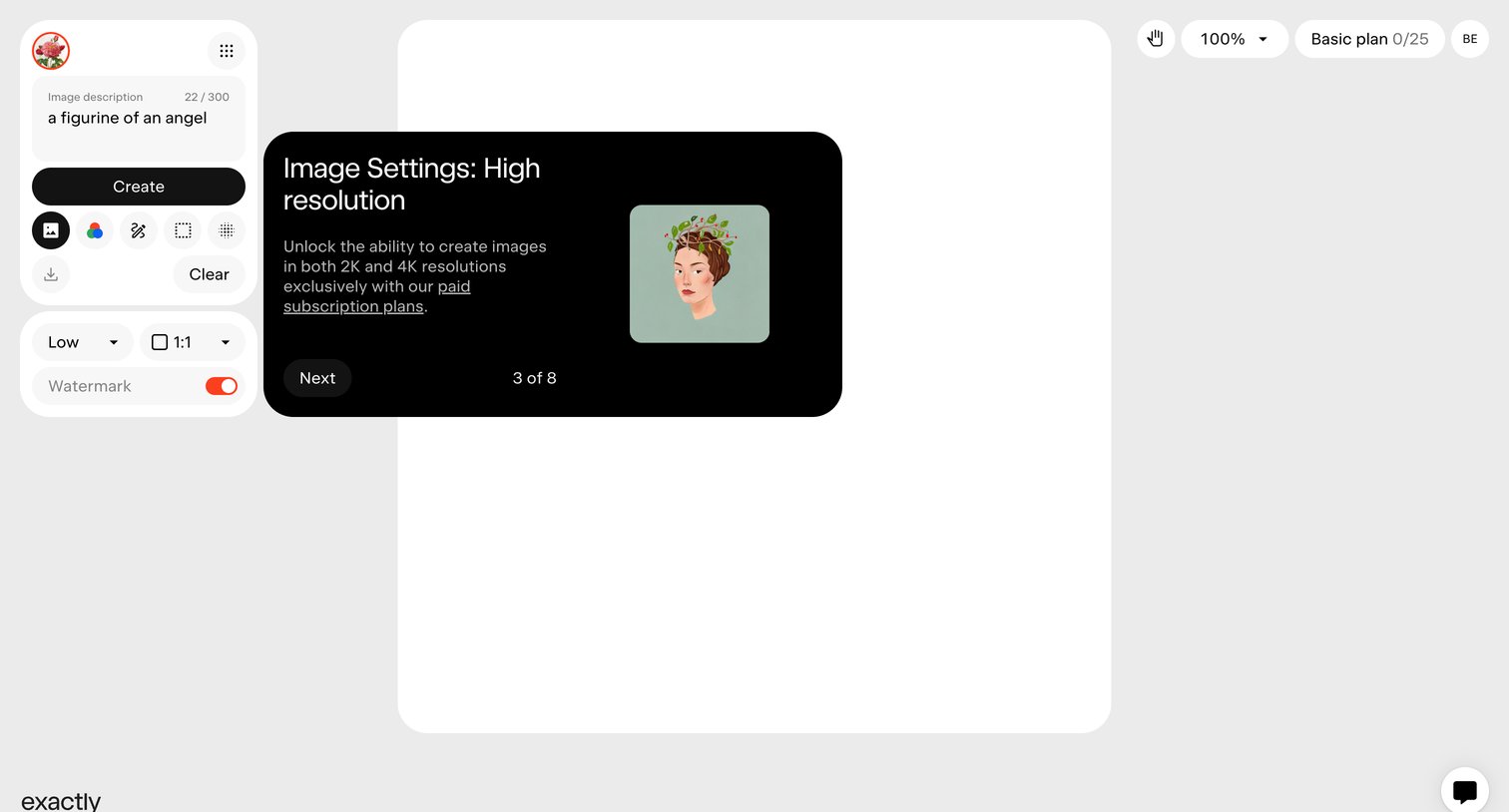
AI image generation canvas where a product tour modal highlights high-resolution image settings available on paid plans.
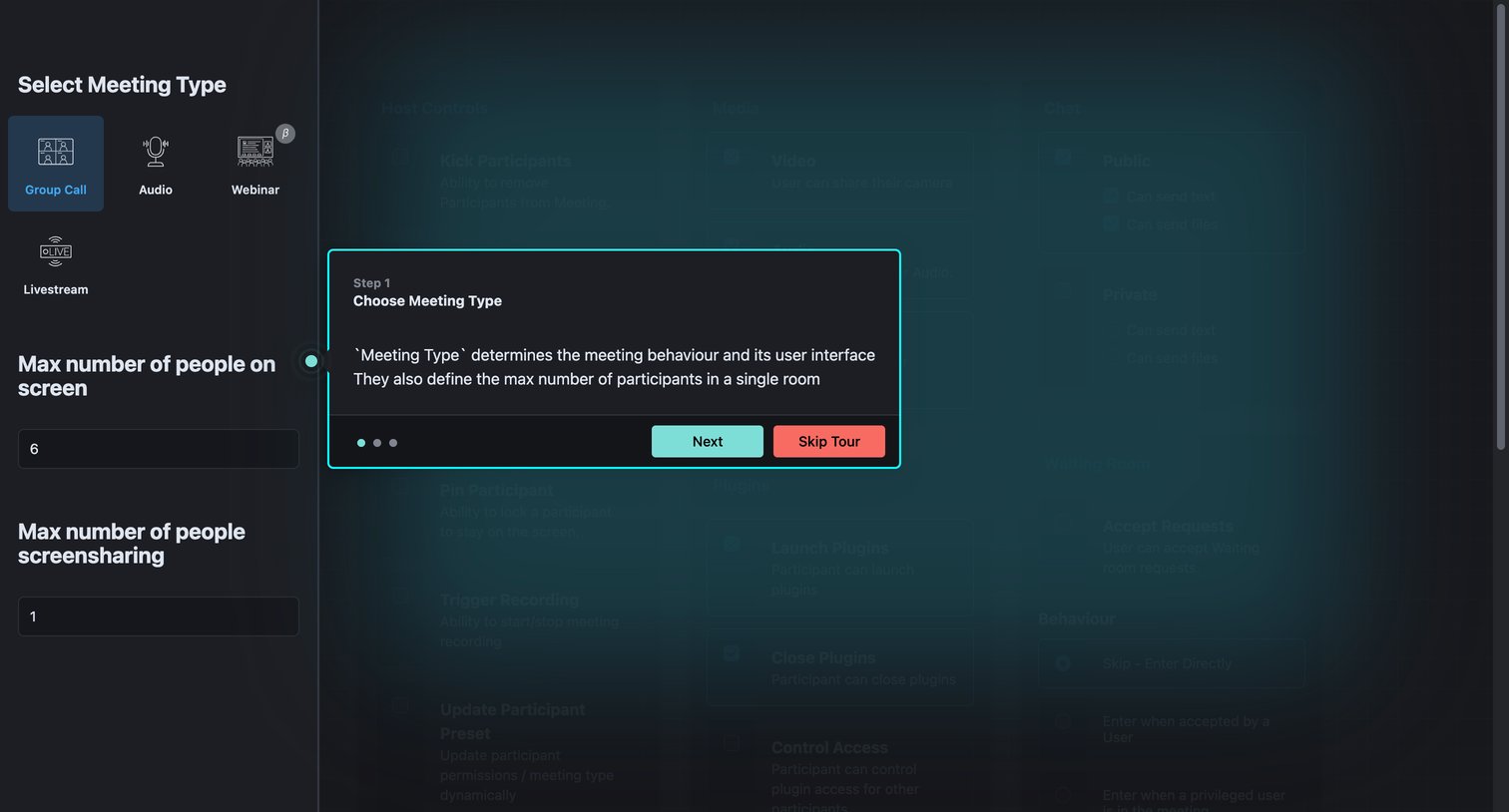

Settings page where the user configures meeting parameters like participant limits and permissions, currently overlaid with the first step of a product tour explaining the meeting type selection.
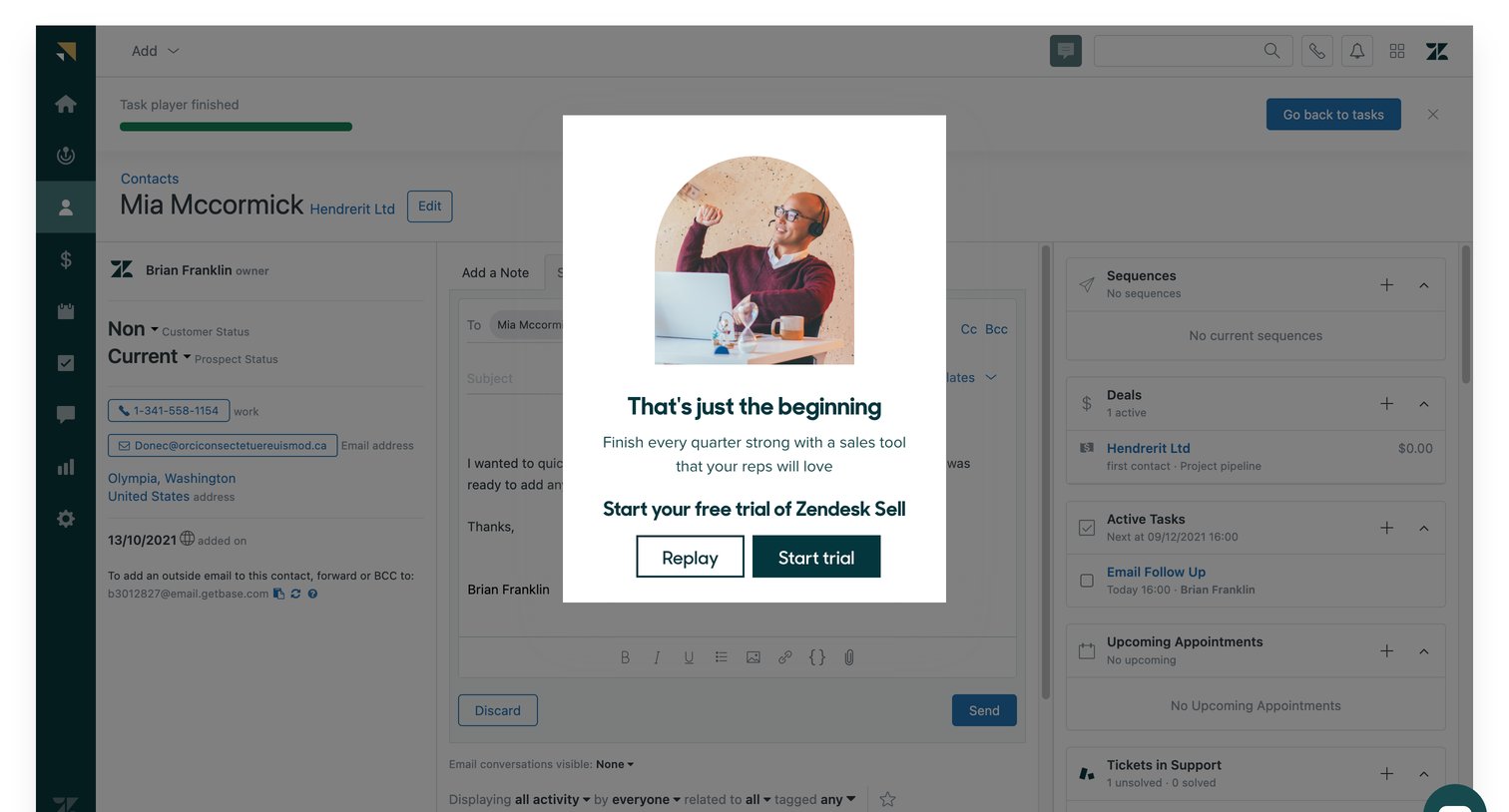

App interface where a guided product tour has finished, presenting a modal that prompts the user to start a free trial or replay the demo.




Onboarding step where the user learns about the Alfred button feature and navigates through a product tour using bottom pagination.
Explore the full SaaS screen library
Upgrade to unlock the full library.
Trusted by the best teams








About Guided Tour
See how SaaS apps introduce features within the interface itself. Explore how tour steps point to controls and give people a way to continue or leave the walkthrough.