Skip to content

Content hierarchy screen examples

Content hierarchy screen design examples from SaaS apps. Browse examples from Dock, Flora, Elevenlabs.

Explore the examples
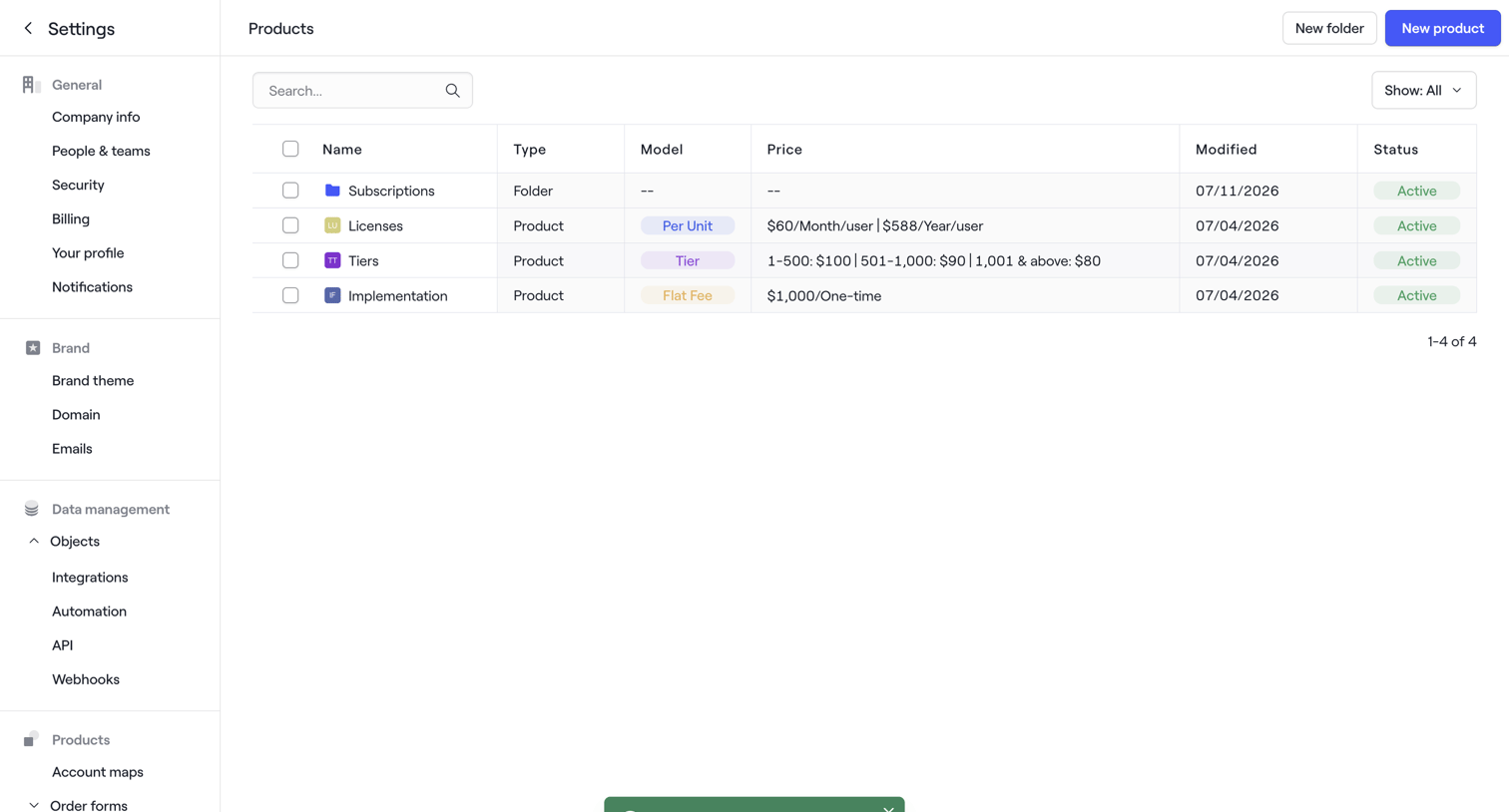
Dock - Products · Dock screen
Dock logo
Dock

Settings page where the user manages a list of products and folders, showing a success toast after an update.
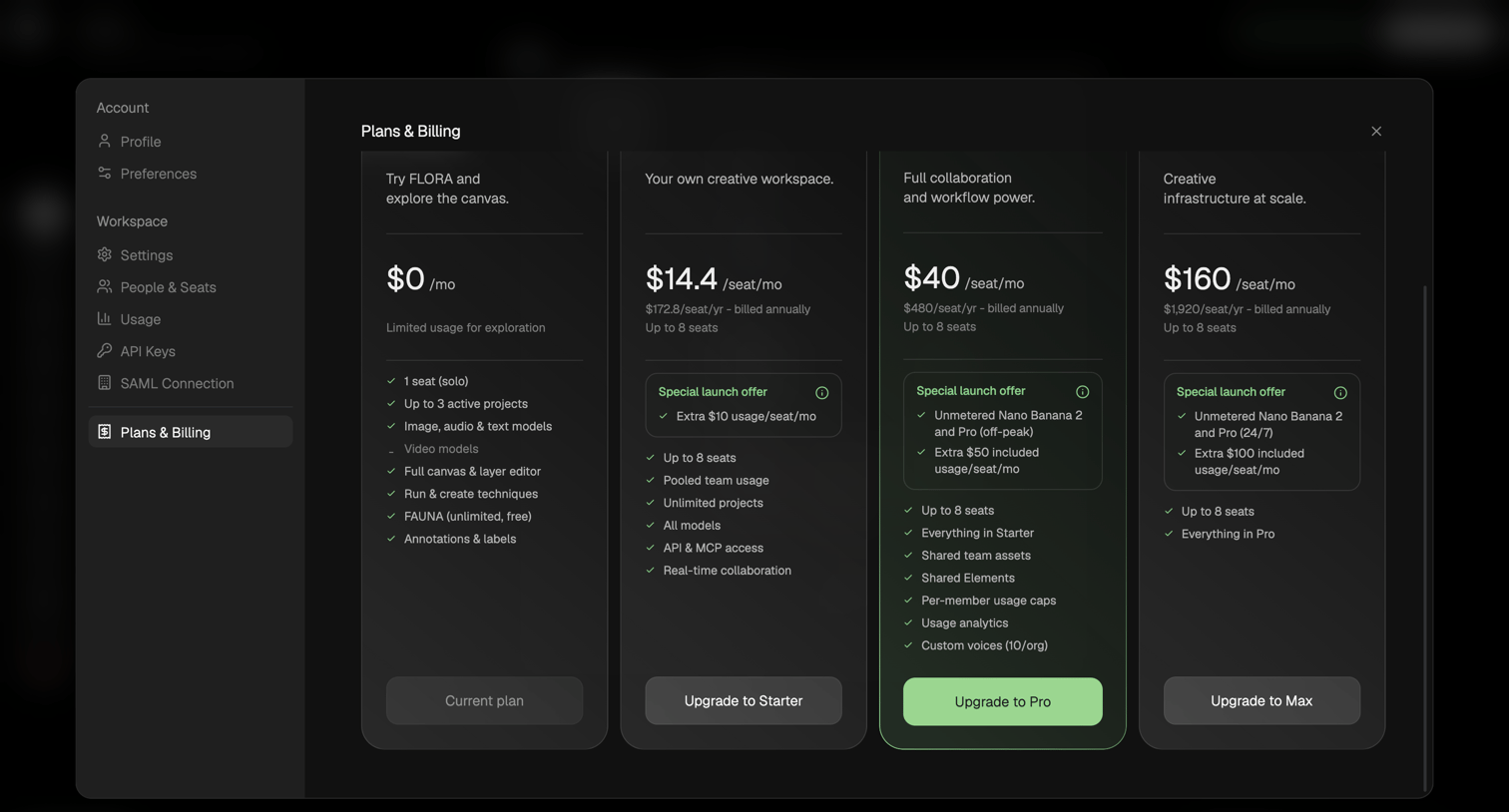

Flora - FLORA - Untitled screen
Flora logo
Flora

Settings modal where the user compares four tiered subscription plans and can upgrade their workspace to access more seats and models.
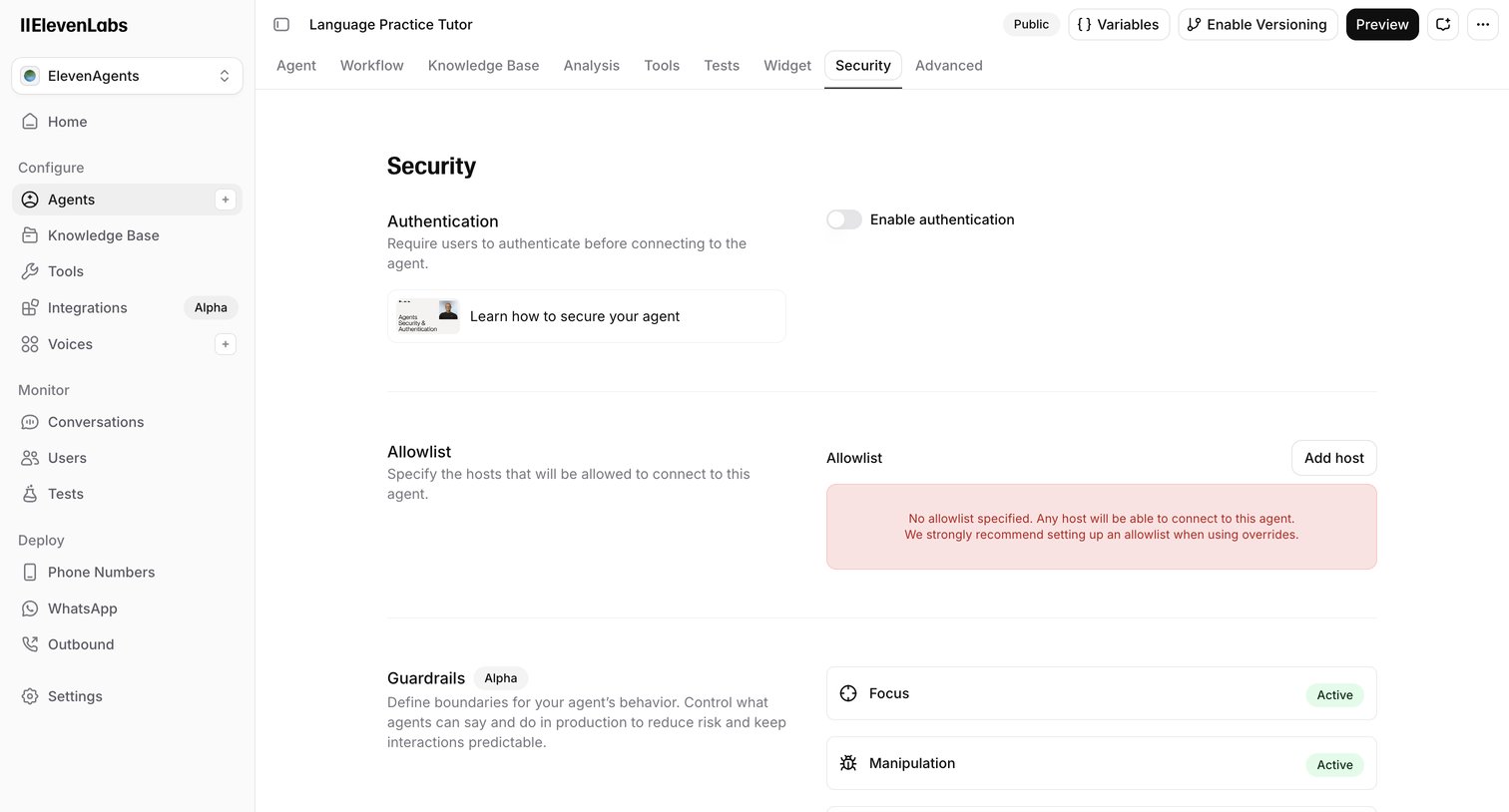

Elevenlabs - ElevenAgents | ElevenLabs screen
Elevenlabs logo
Elevenlabs

Settings page where the user configures security options for an AI agent, including authentication, allowlists, and guardrails.
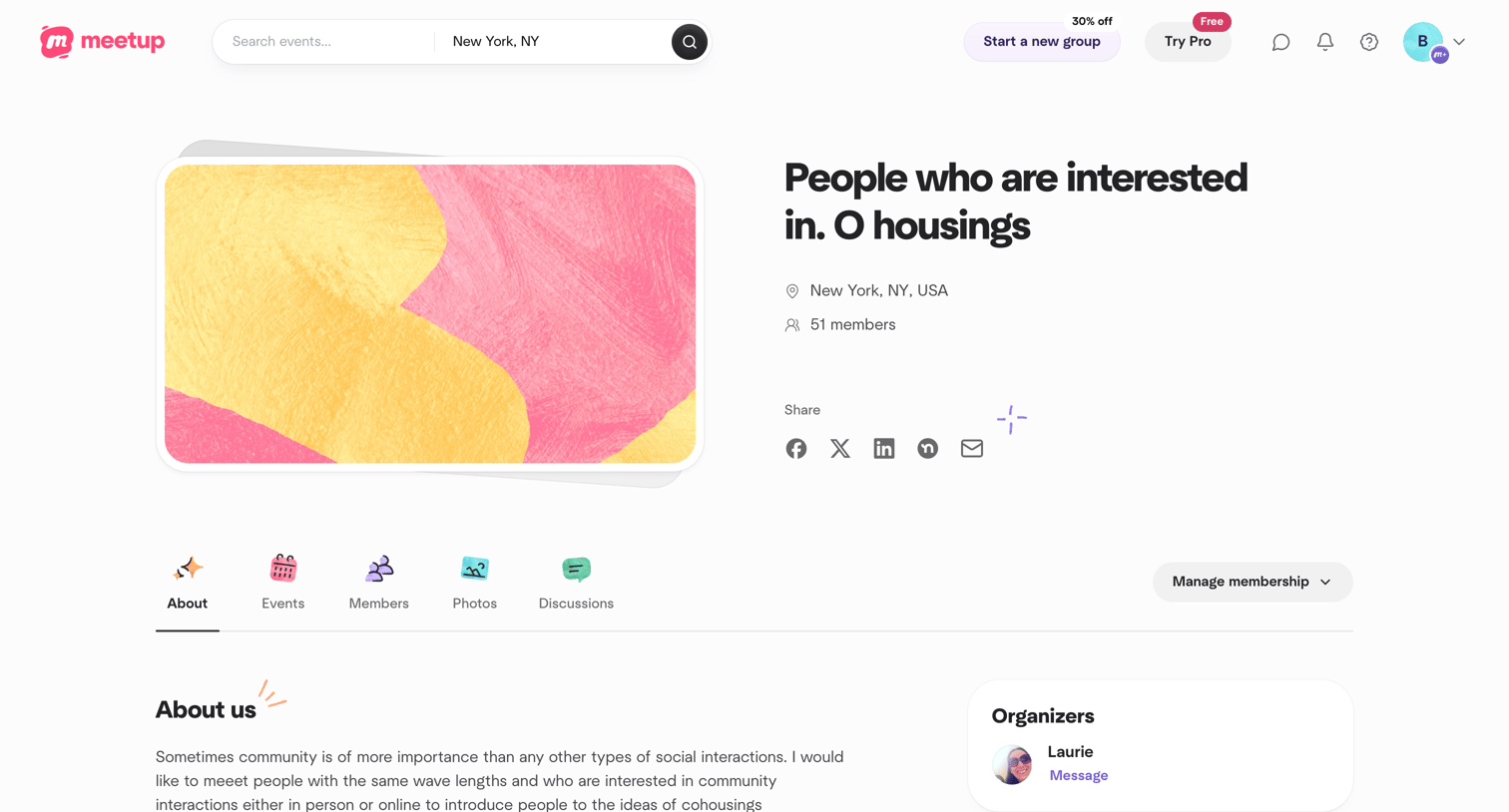

Meetup - People who are interested in. O housings | Meetup screen
Meetup logo
Meetup

Detail page where a user views a community group's about section, recent discussions, members, and similar nearby events.

Documentation.AI - Dashboard - Documentation.AI screen
Documentation.AI logo
Documentation.AI

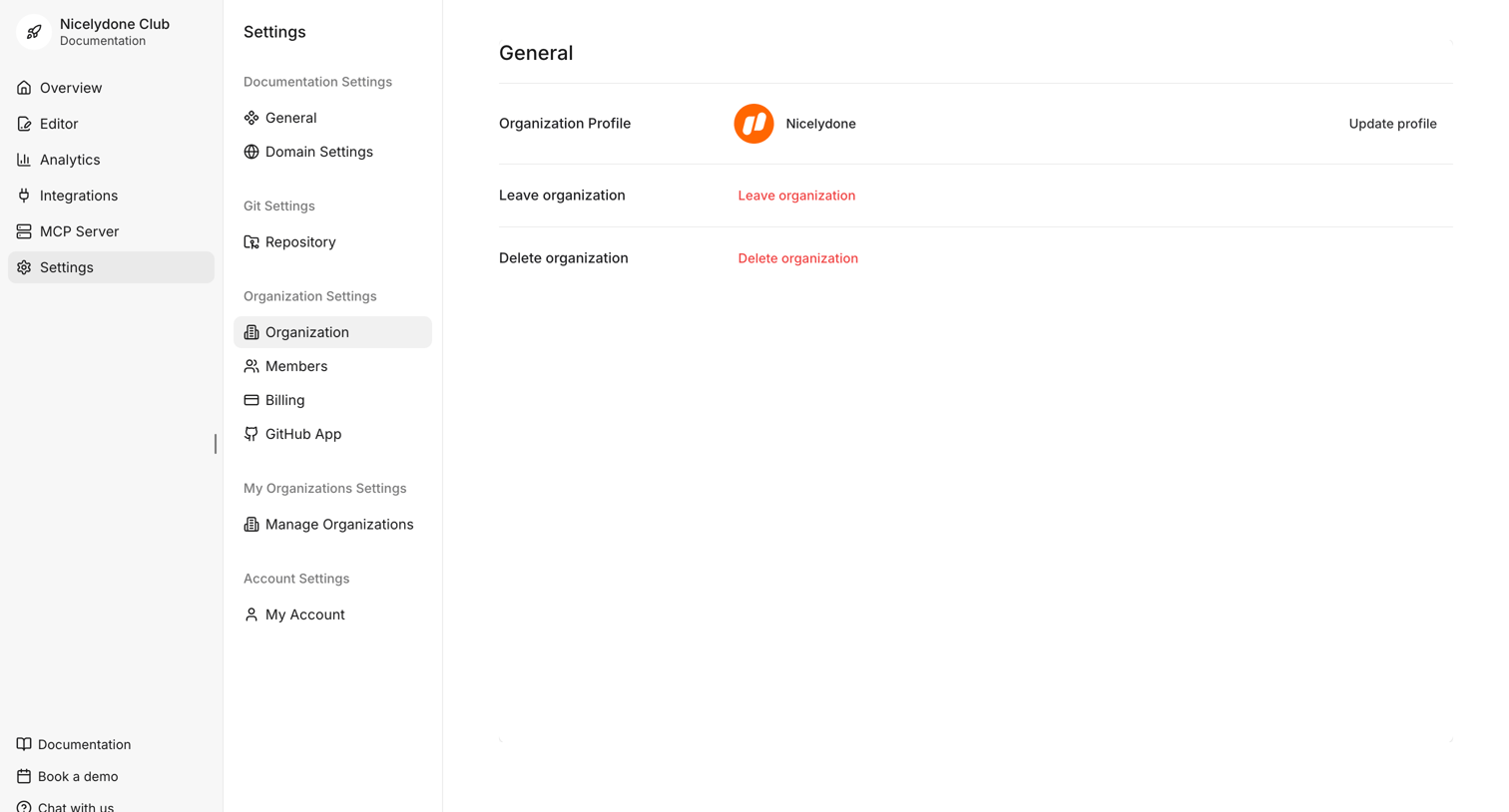
Settings page where the user manages their organization profile, with options to update the profile, leave, or delete the organization.
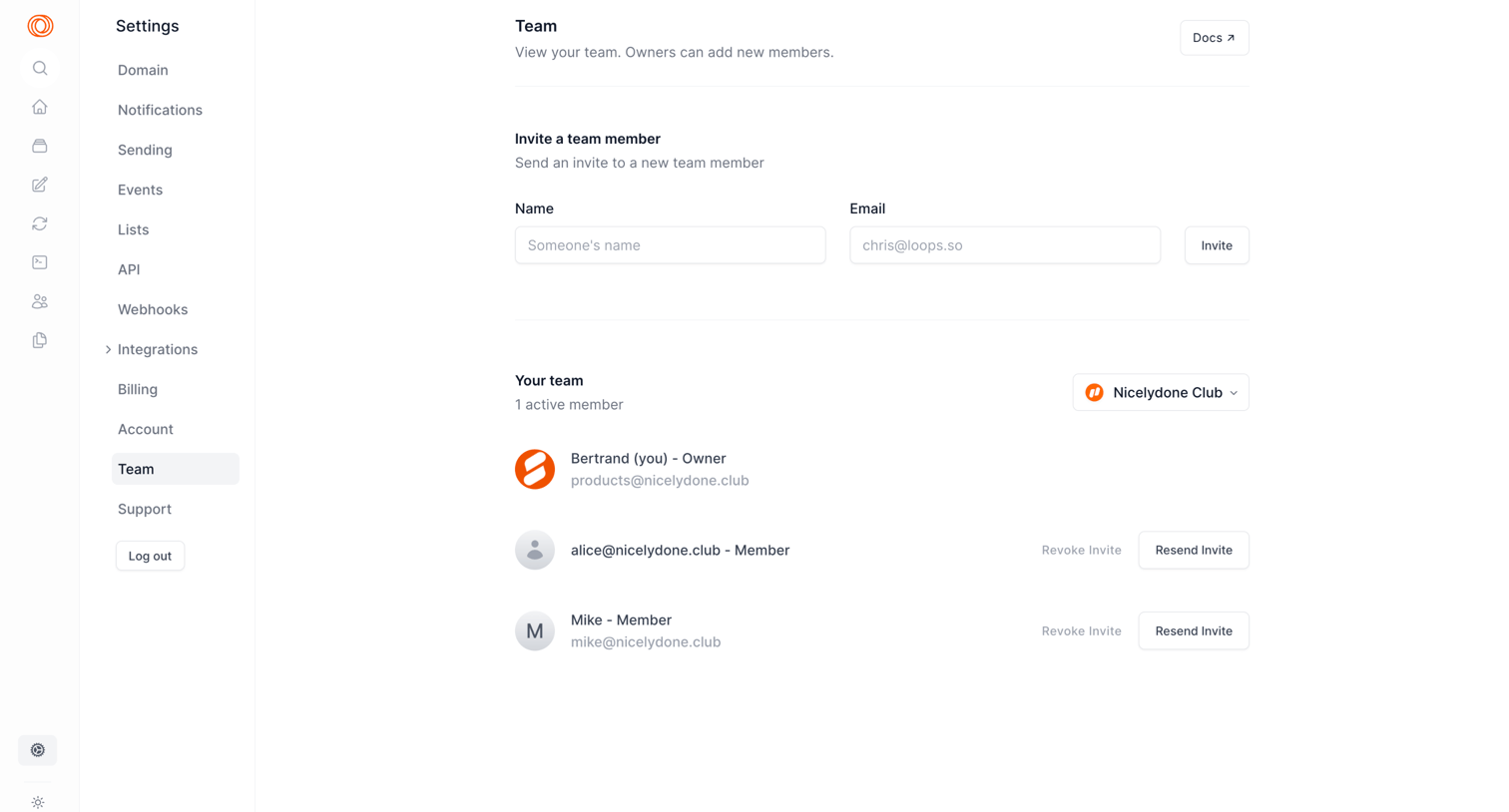

Loops - Settings | Team screen
Loops logo
Loops

Settings page where the user invites new team members by name and email, and manages existing members across the Nicelydone Club workspace.
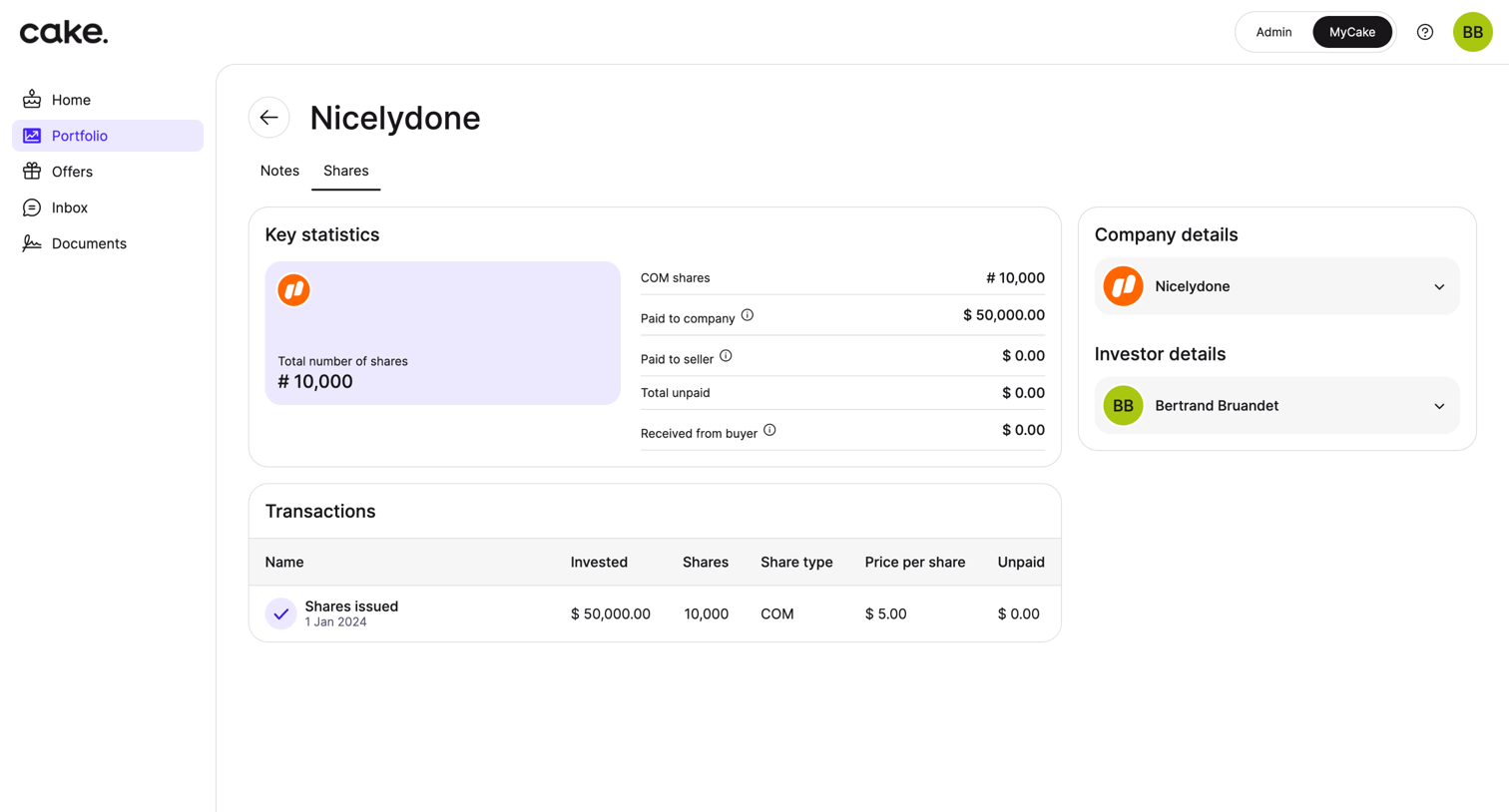

Cake - Cake Portfolio App screen
Cake logo
Cake

Detail page where an investor views key statistics, company details, and transaction history for their shares in a specific portfolio company.

Firecrawl - Firecrawl - The Web Data API for AI screen
Firecrawl logo
Firecrawl

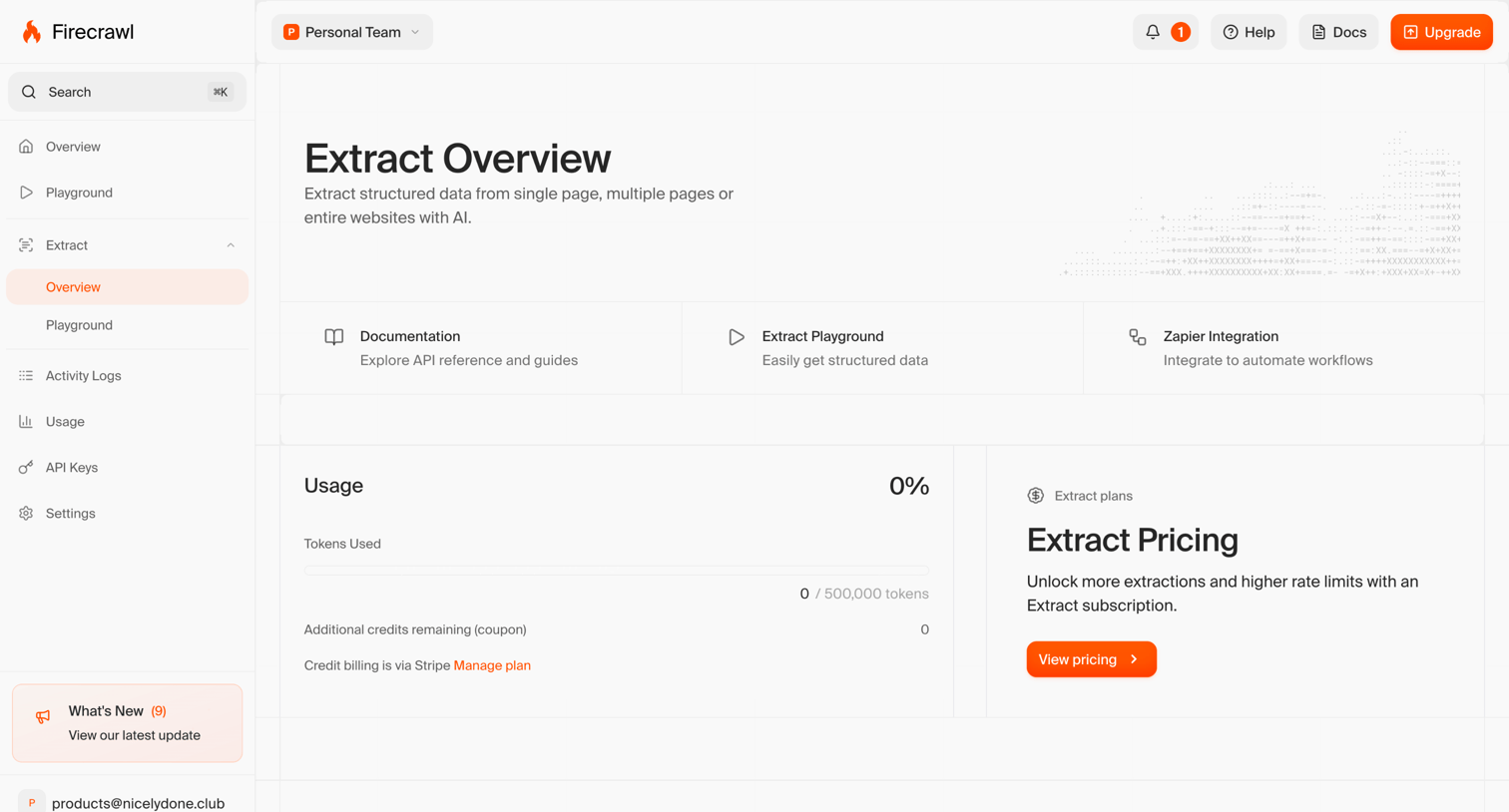
Dashboard overview for the Extract feature showing token usage metrics, quick links to documentation, and an upsell to a paid subscription.

Circleback - What Is Branding? 4 Minute Crash Course. - Circleback screen
Circleback logo
Circleback

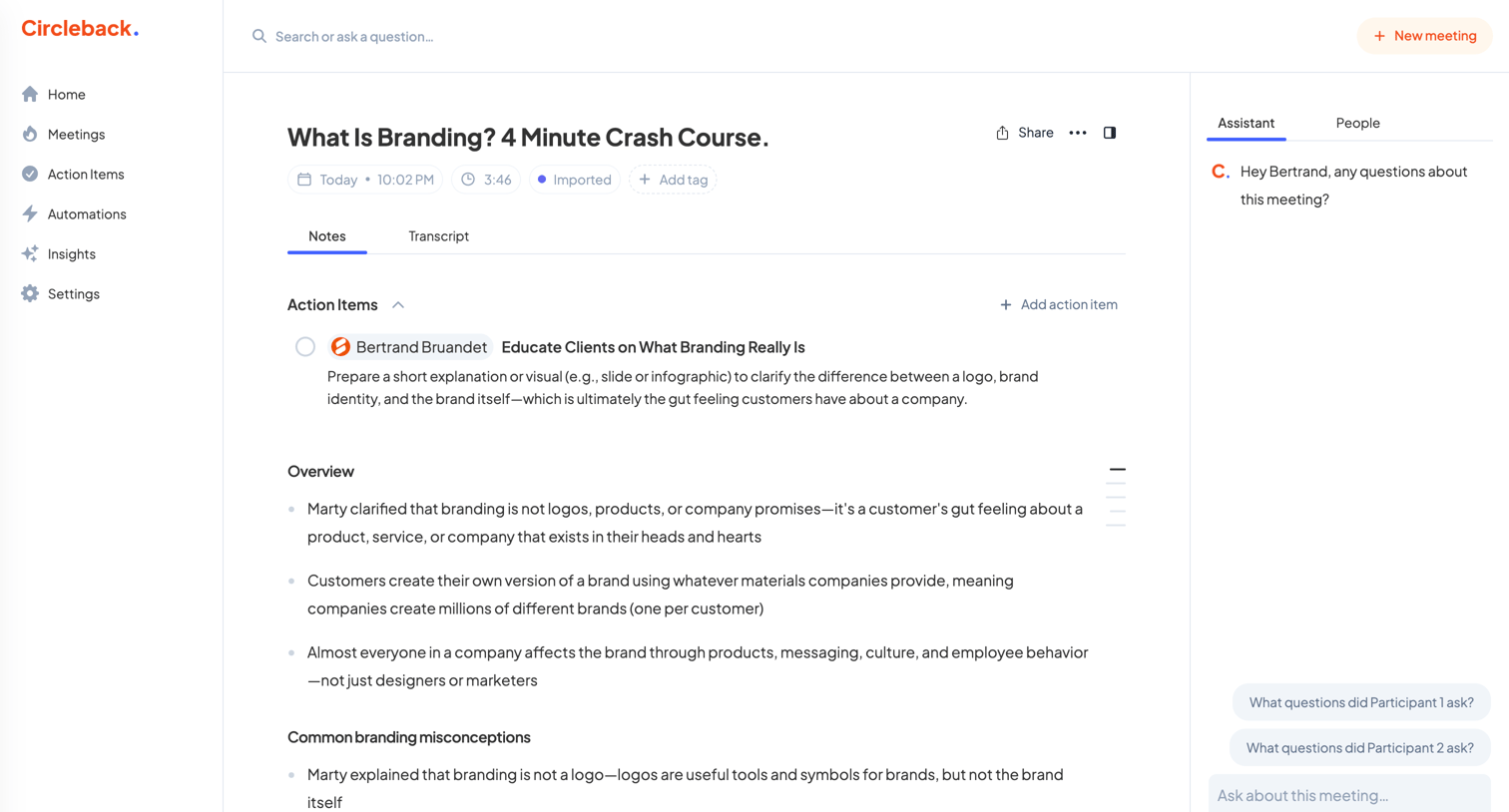
Detail page where the user reviews AI-generated notes, action items, and an overview for a recorded meeting, with an AI assistant in the right panel for querying the transcript.
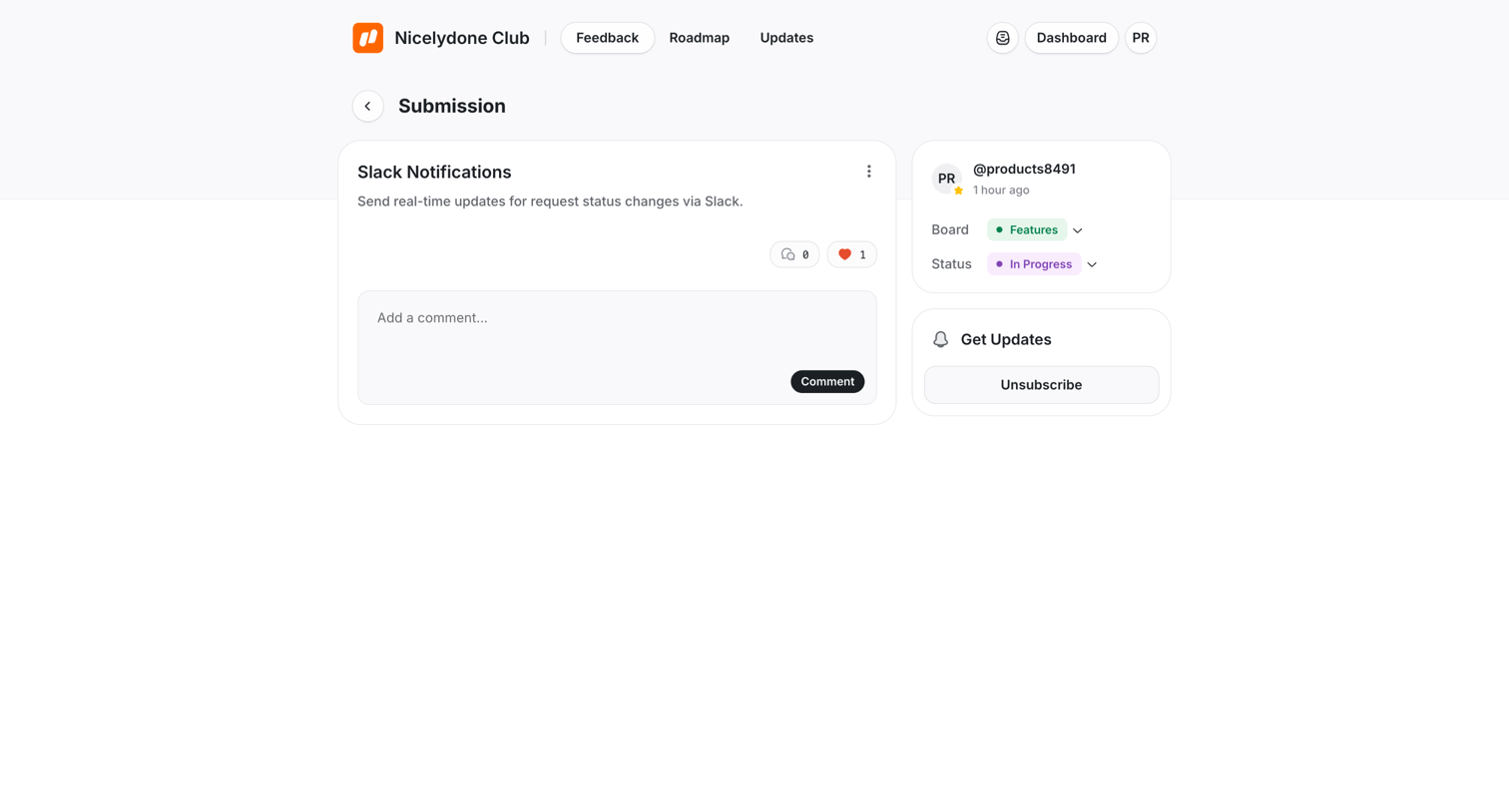

UserJot - Slack Notifications | Nicelydone Club screen
UserJot logo
UserJot

Detail page where a user views a feature request submission, checks its board and status, and can add a comment or manage their subscription to updates.

Capsule - Tags | Nicelydone club CRM screen
Capsule logo
Capsule

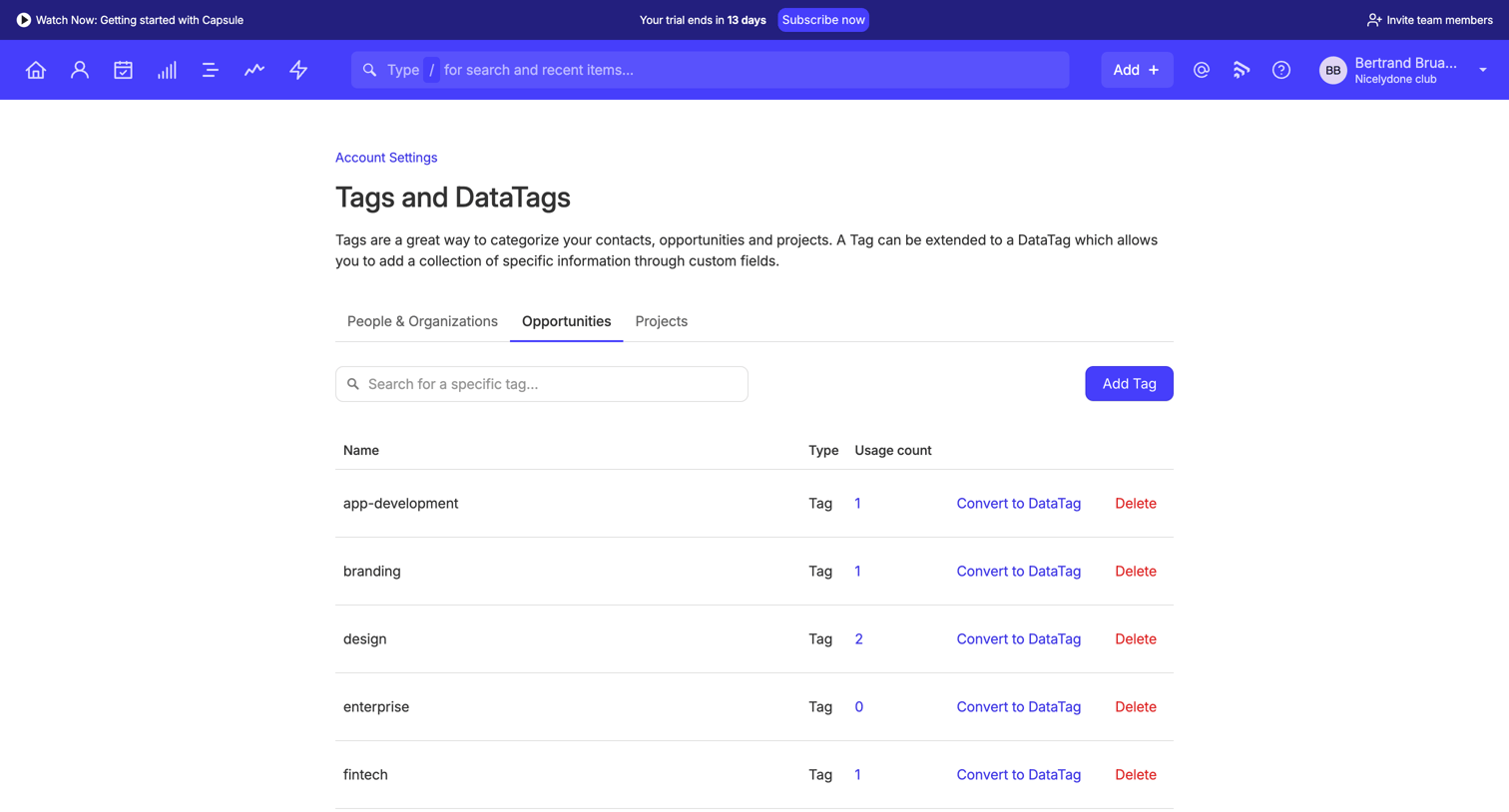
Settings page where the user manages and organizes tags for opportunities, with options to add new tags, convert them to DataTags, or delete unused ones.

Workflow screen
Workflow logo
Workflow

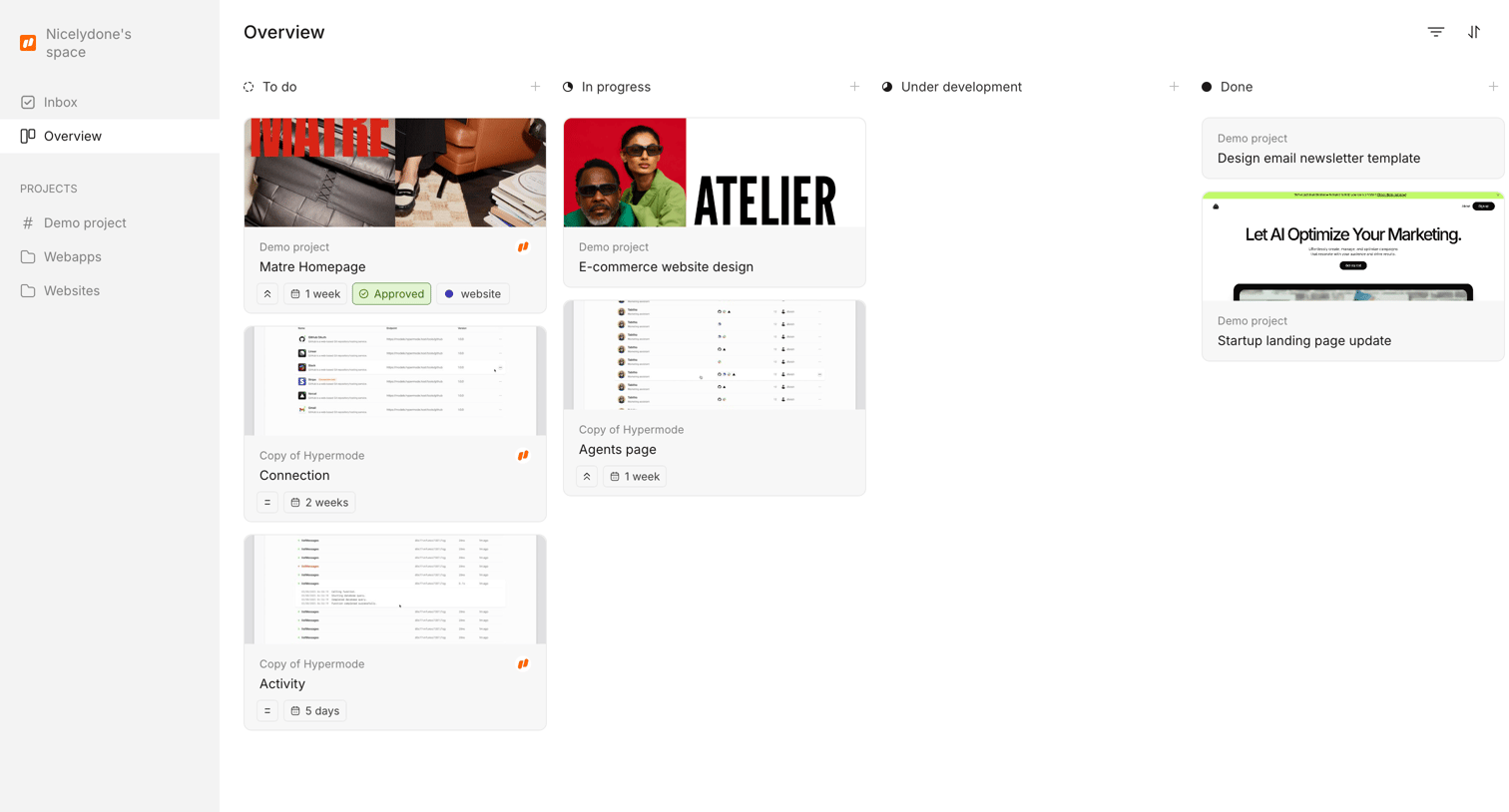
Kanban board where the user tracks design projects across to-do, in-progress, and done columns.

Explore the full SaaS screen library

Upgrade to unlock the full library.

Trusted by the best teams