Skip to content

Attachment screen examples

Attachment screen design examples from SaaS apps. Browse examples from Cushion, Twin, Capsule.

Explore the examples

Cushion - Welcome - Cushion screen
Cushion logo
Cushion

Modal where the user drafts a new post with rich text and a table, selects a destination channel, and searches for people to request feedback from.
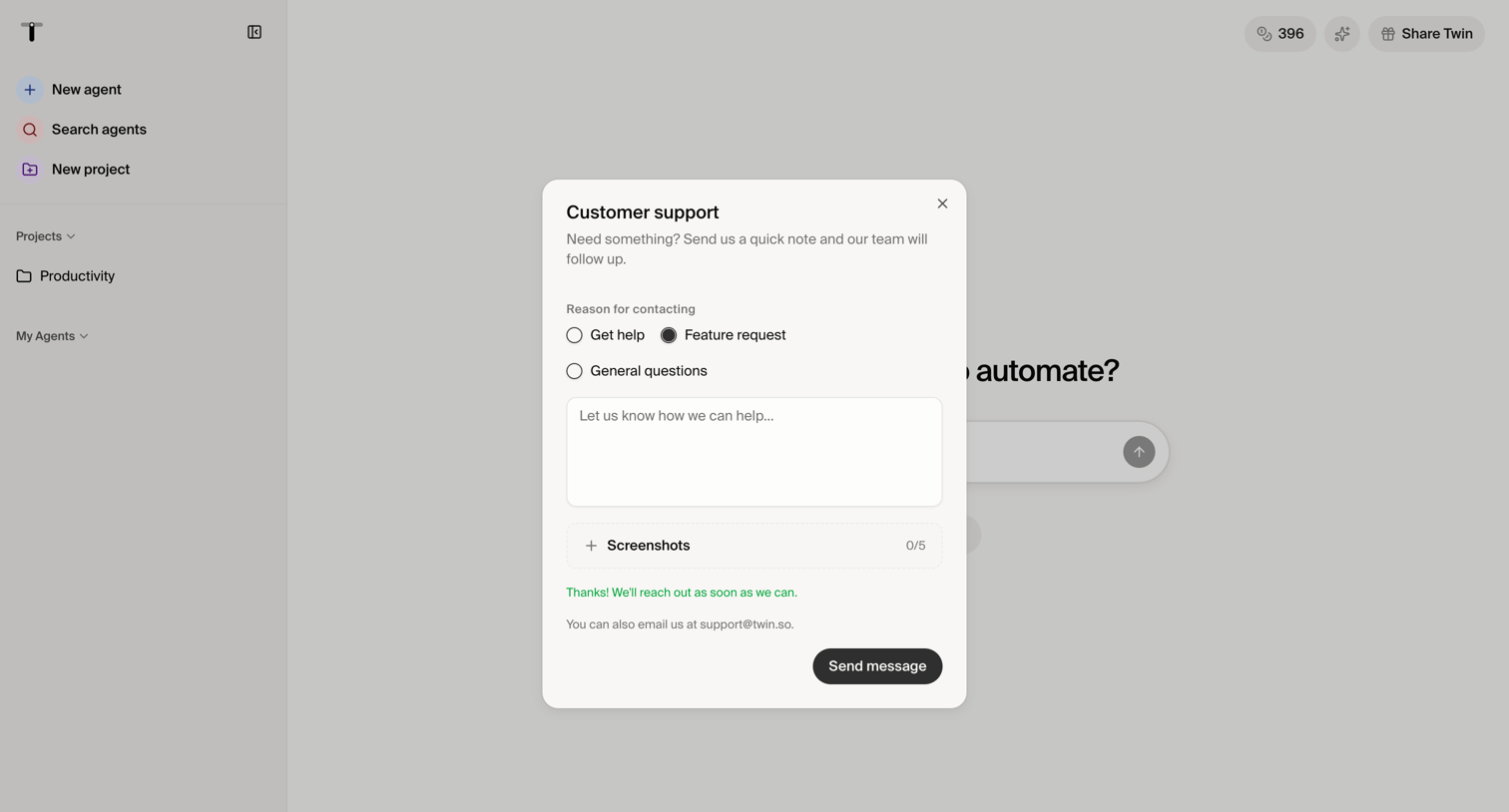

Twin - Twin - Automate anything screen
Twin logo
Twin

Home page where the user is filling out a customer support modal to request help or suggest a feature, including an option to attach screenshots.
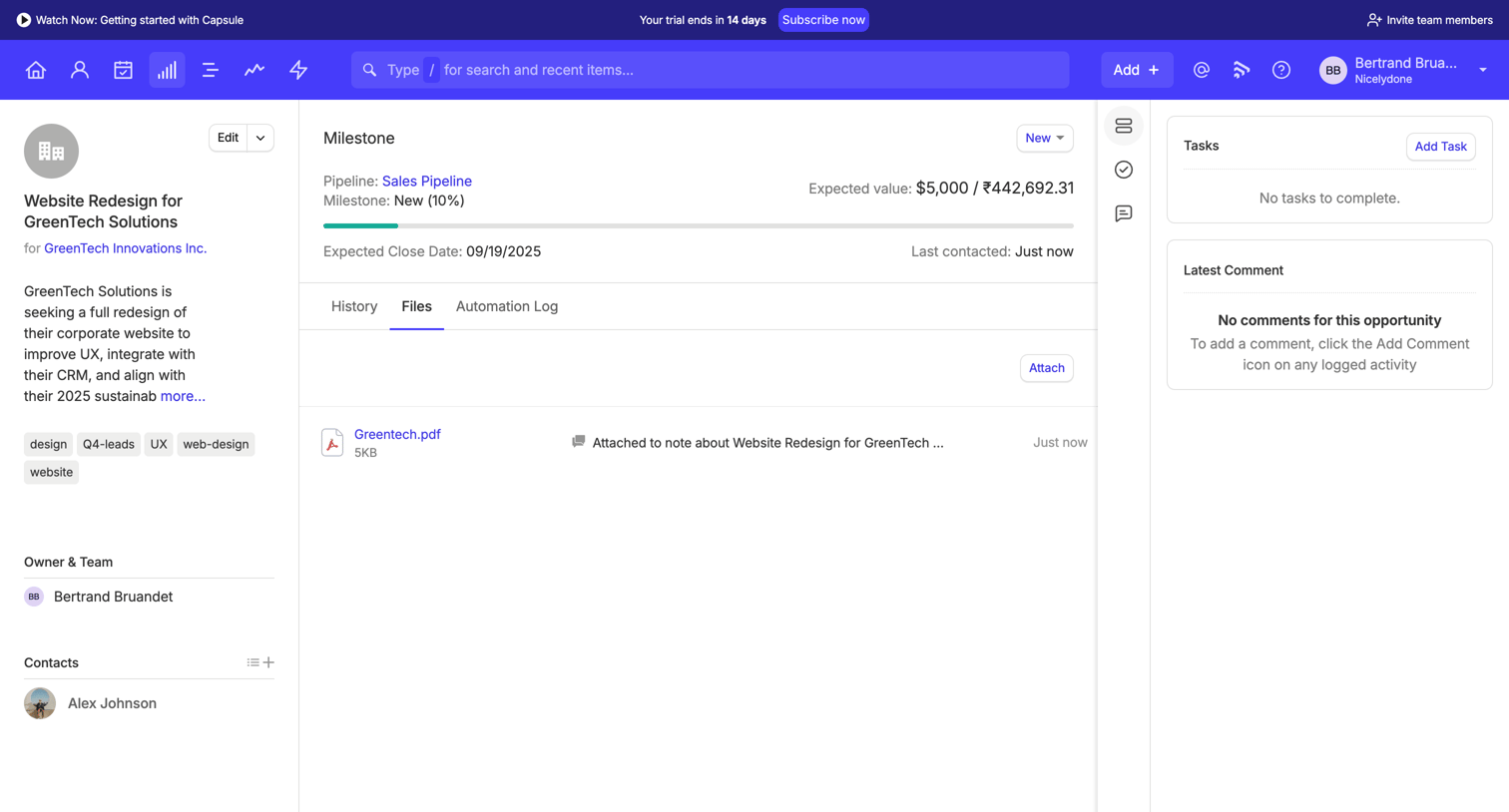

Capsule - Website Redesign for GreenTech Solutions | Nicelydone CRM screen
Capsule logo
Capsule

Detail page for a specific sales opportunity where the user can view the milestone progress, attach files, and manage related tasks and contacts.

Workflow screen
Workflow logo
Workflow

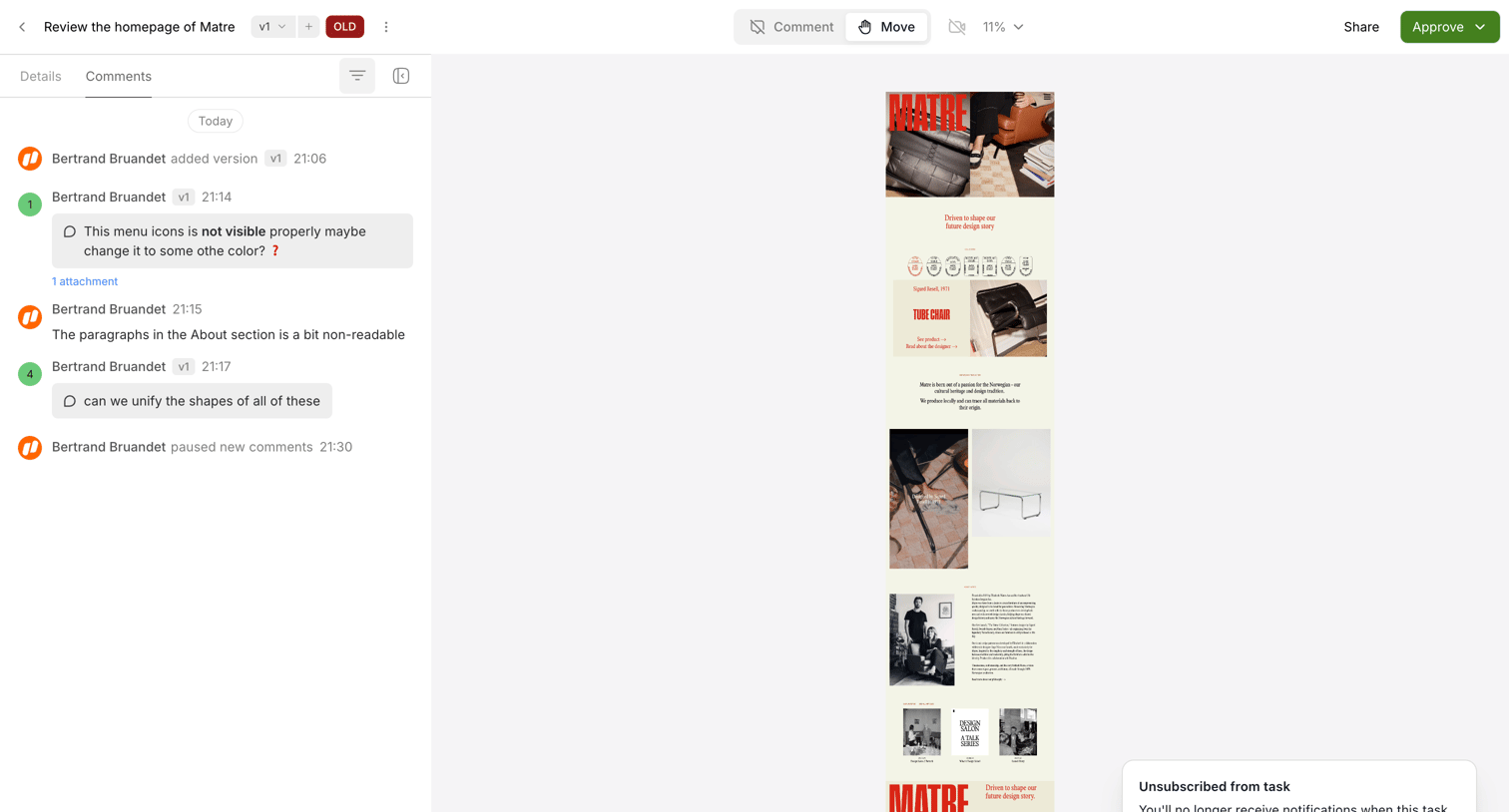
Design editor where a team reviews a mobile homepage mockup with a sidebar for comments and version control.
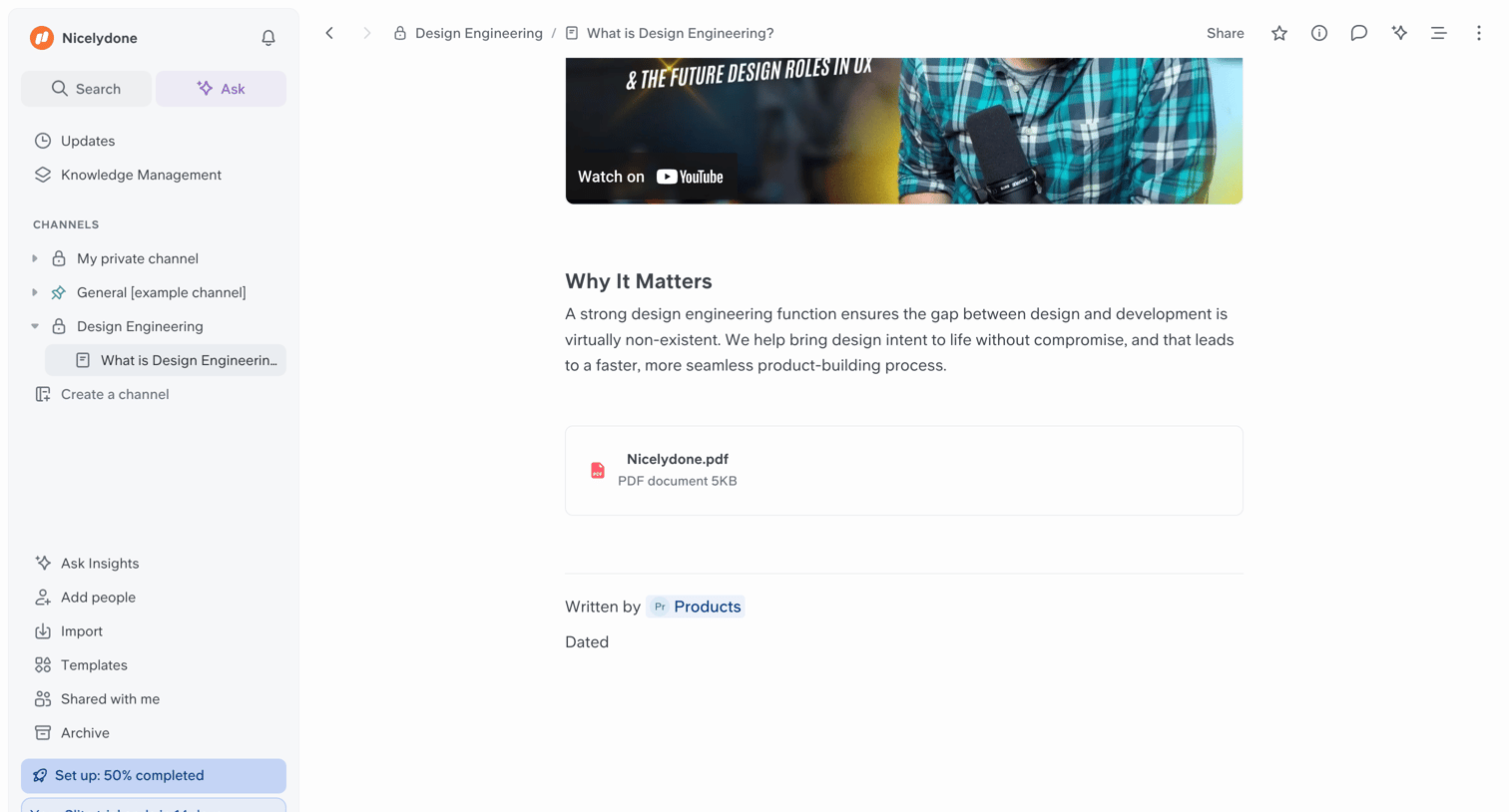

Slite - What is Design Engineering? screen
Slite logo
Slite

Document editor showing an article about design engineering with an embedded YouTube video and a PDF file attachment.
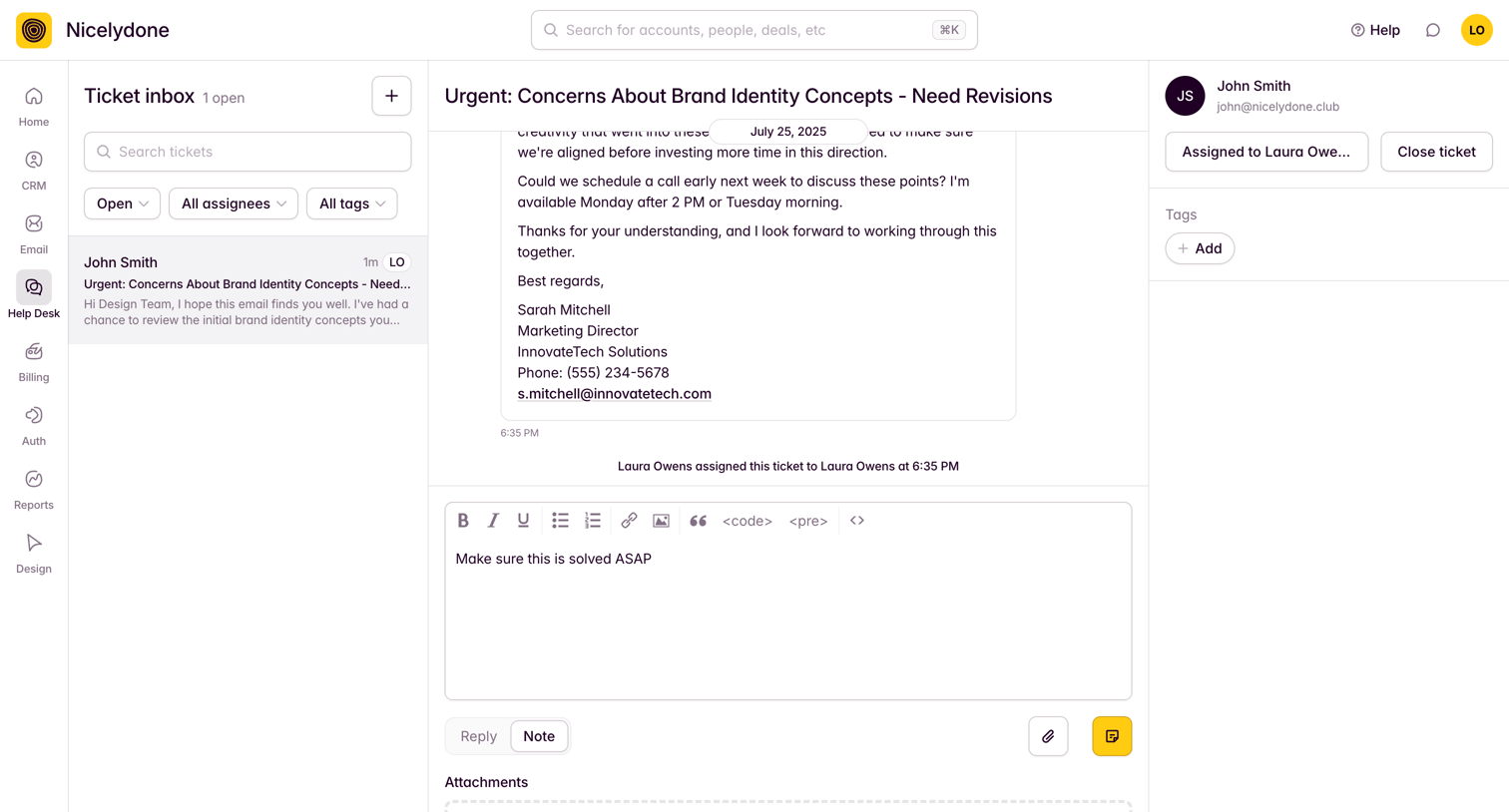

Outseta - View Tickets screen
Outseta logo
Outseta

Help desk inbox where the user reviews a specific customer ticket, reads the conversation history, and drafts an internal note.

Lindy - Meeting Scheduler - New Task screen
Lindy logo
Lindy

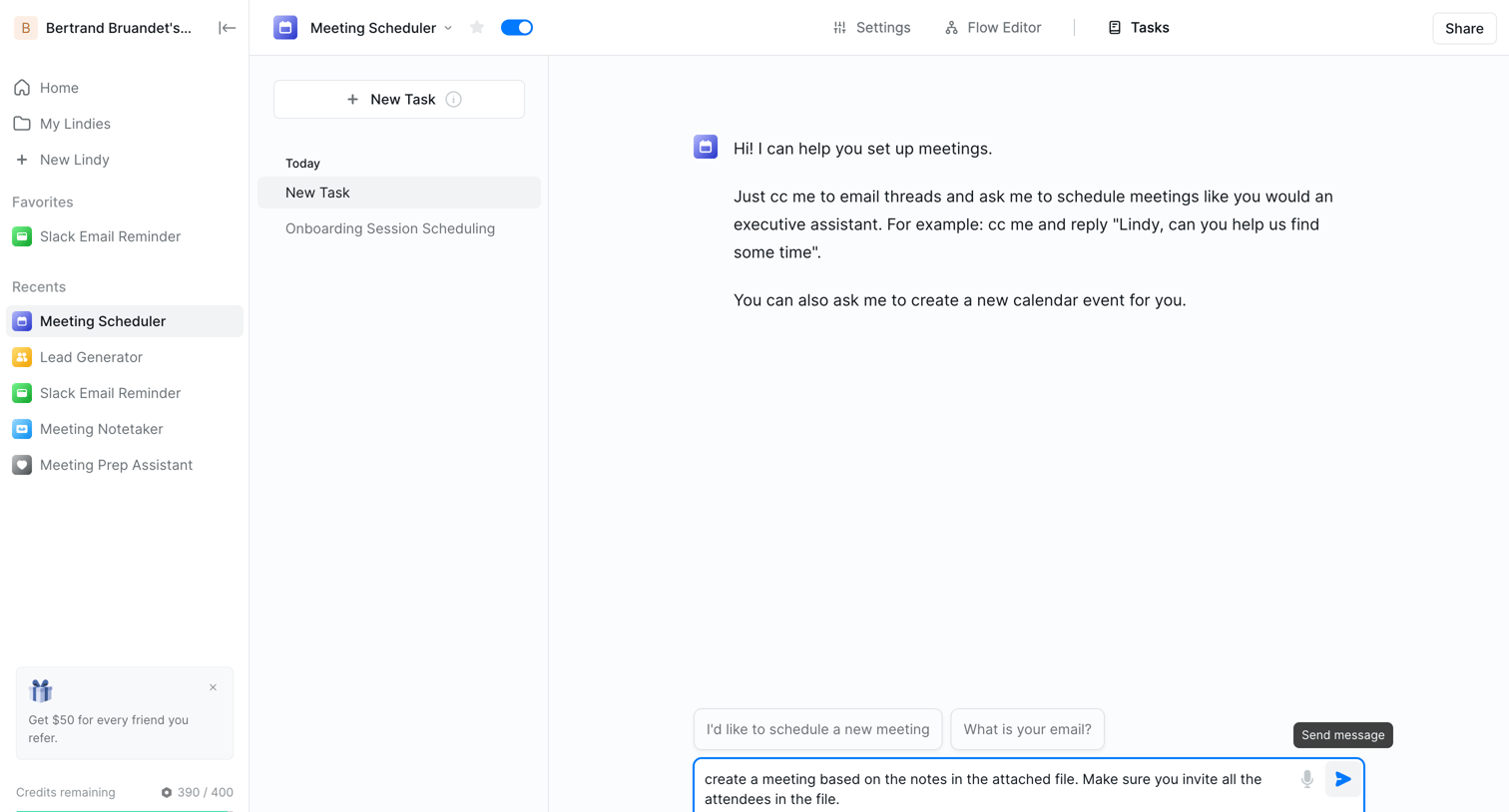
AI chat interface where the user interacts with an assistant to schedule meetings, complete with attached context files and prompt suggestions.
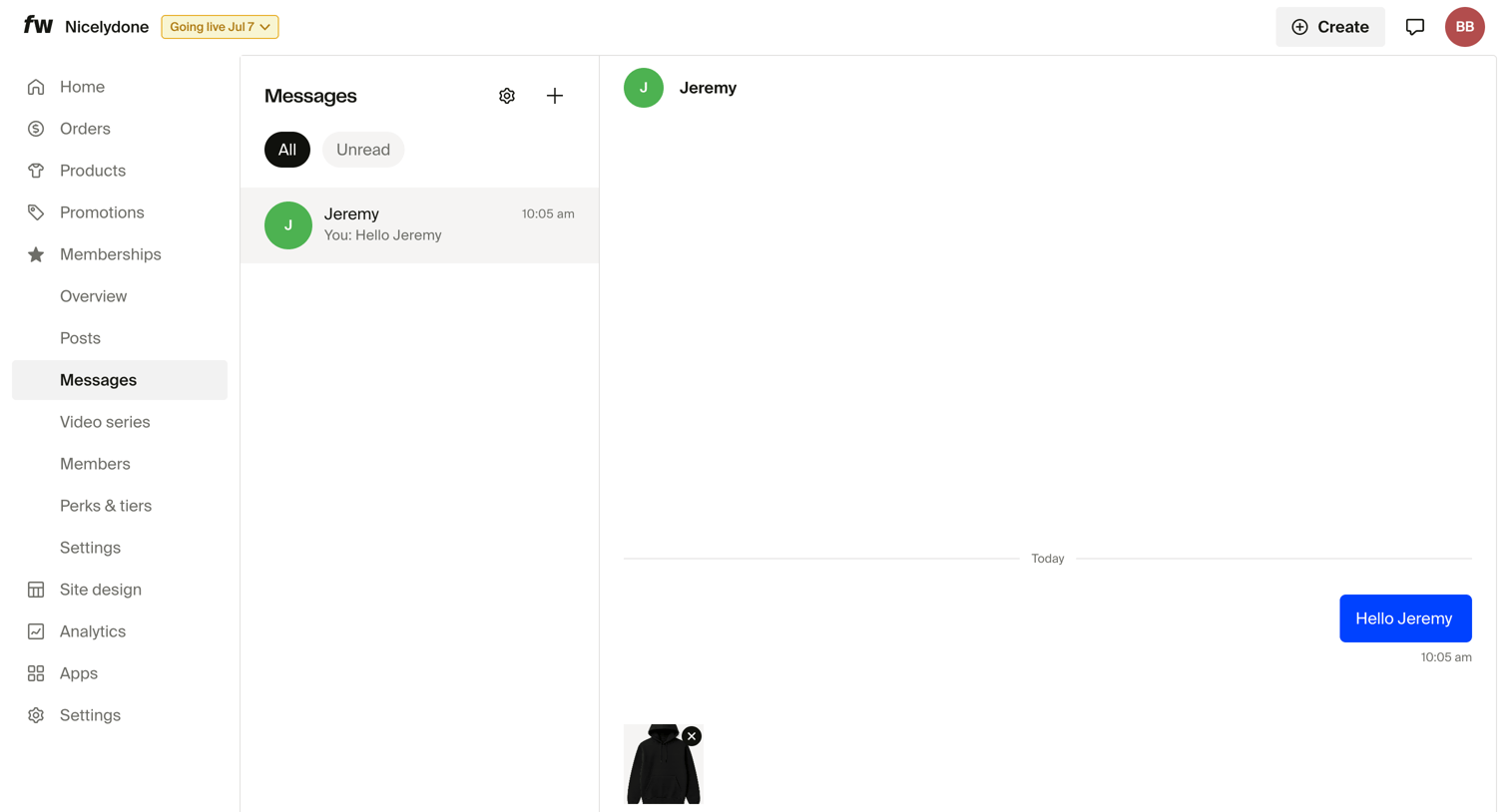

Fourthwall - Dashboard screen
Fourthwall logo
Fourthwall

Inbox view where the user is composing a message with an image attachment to a member.
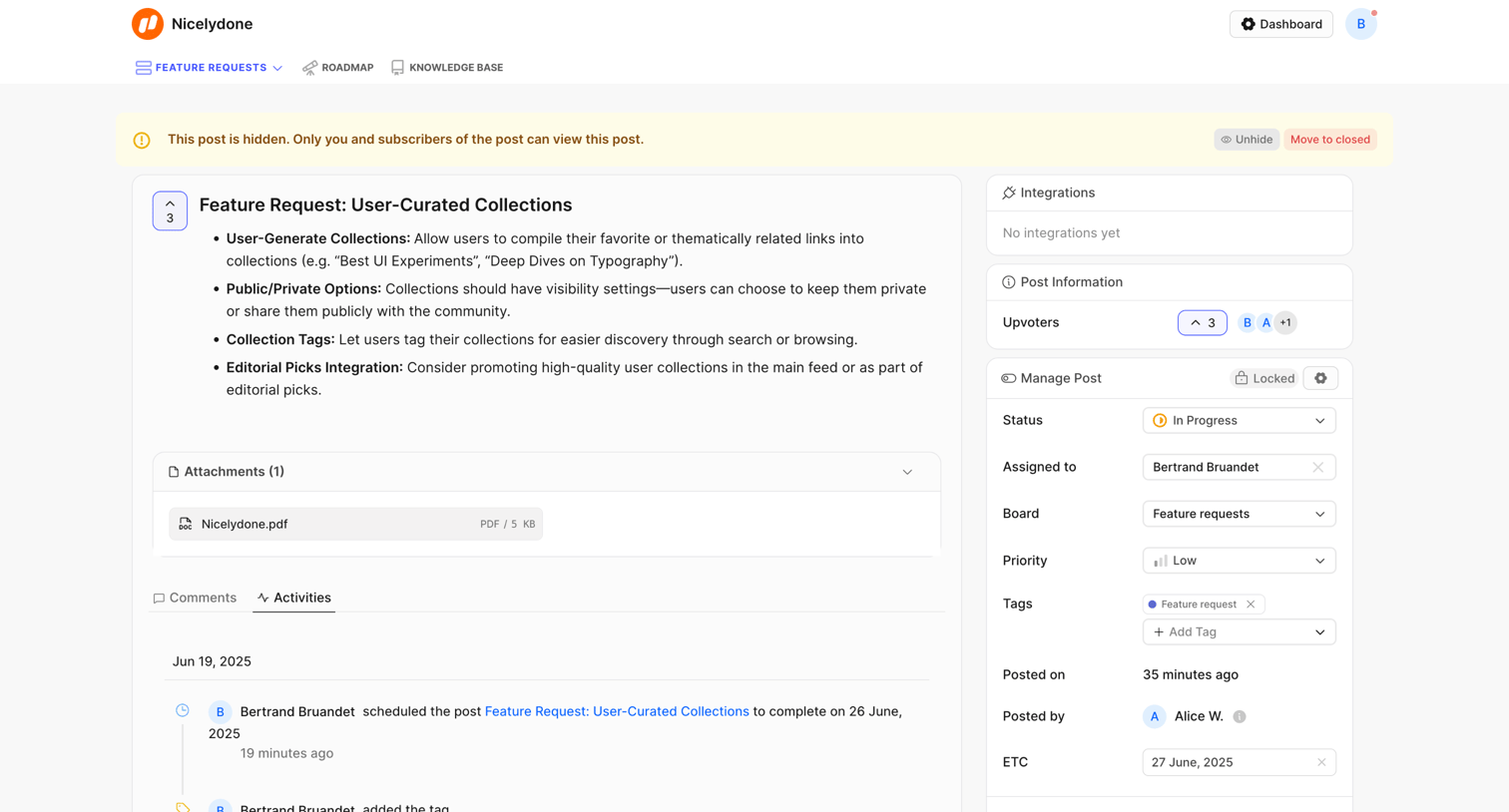
FeatureOS - Feature Request: User-Curated Collections | Nicelydone screen
FeatureOS logo
FeatureOS

Detail page where an admin views a feature request's activity timeline and manages its status, assignee, and tags via a sidebar.
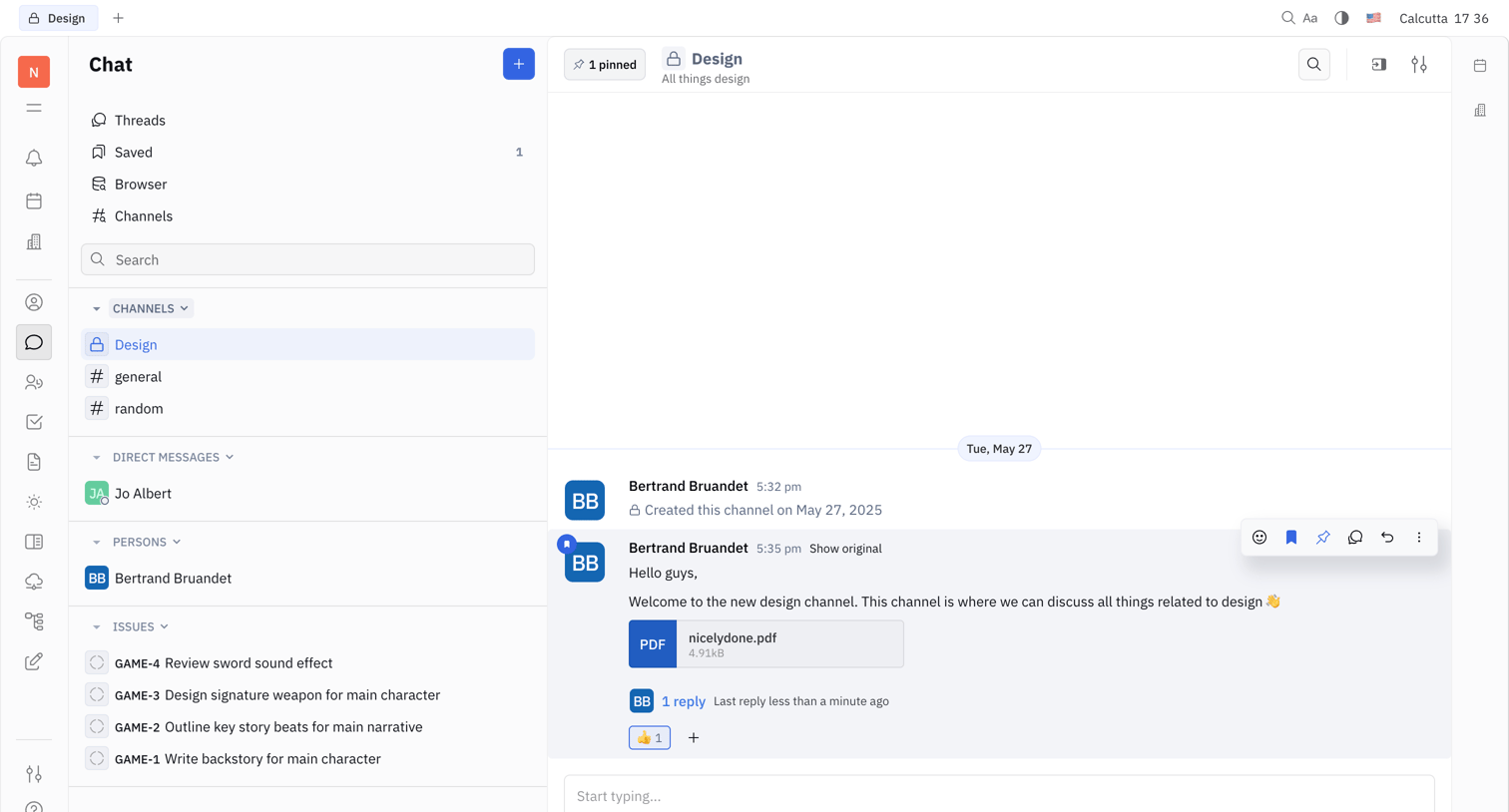
Huly - Nicelydone - Huly screen
Huly logo
Huly

Inbox view where the user reads and replies to messages in the Design channel, with a sidebar for navigating other channels, direct messages, and issues.

Midday - Transactions | Midday screen
Midday logo
Midday

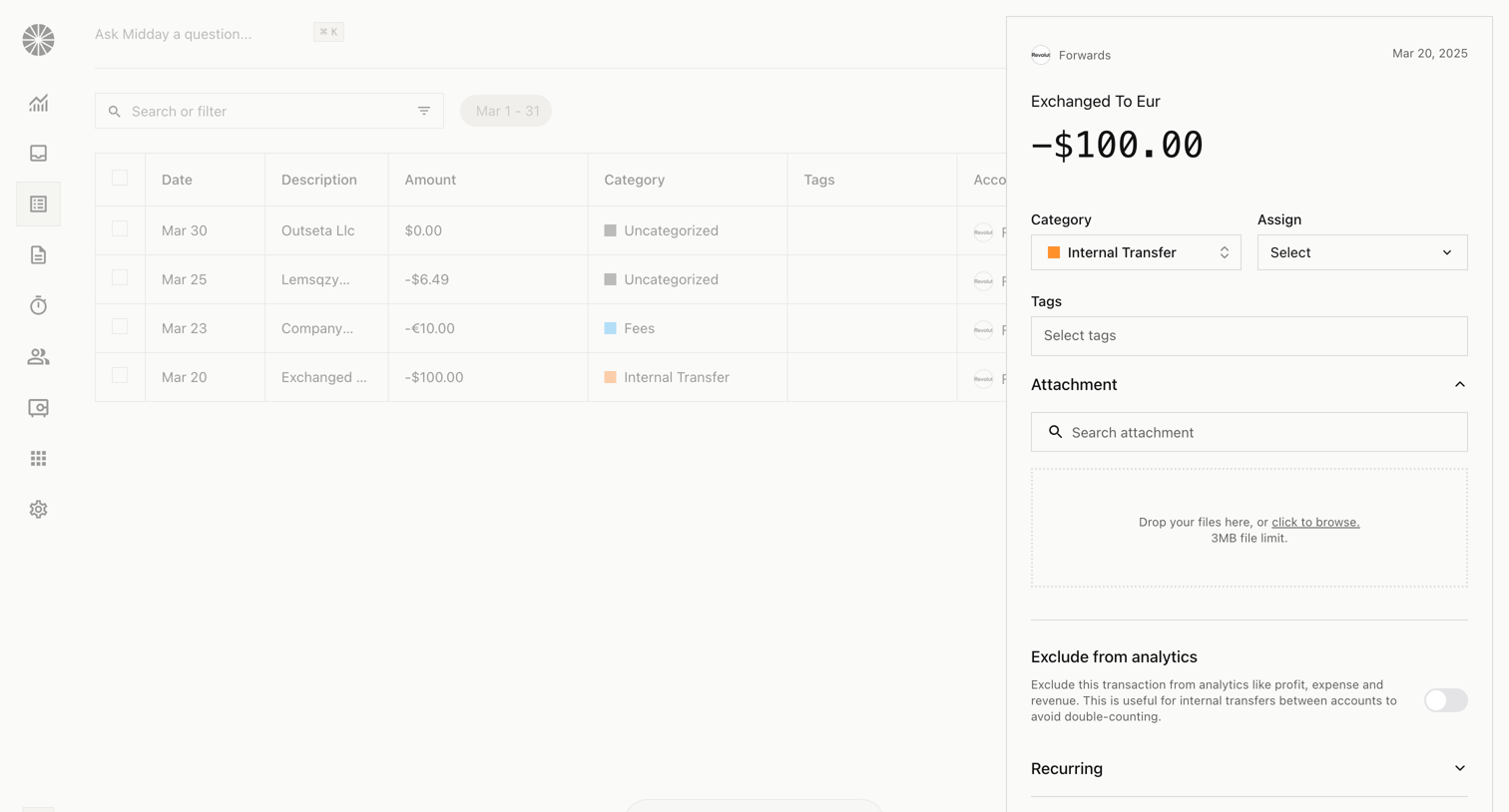
Detail page where the user categorizes a specific transaction, adds tags, and uploads receipt attachments via a side drawer.

Grok - New conversation - Grok screen
Grok logo
Grok

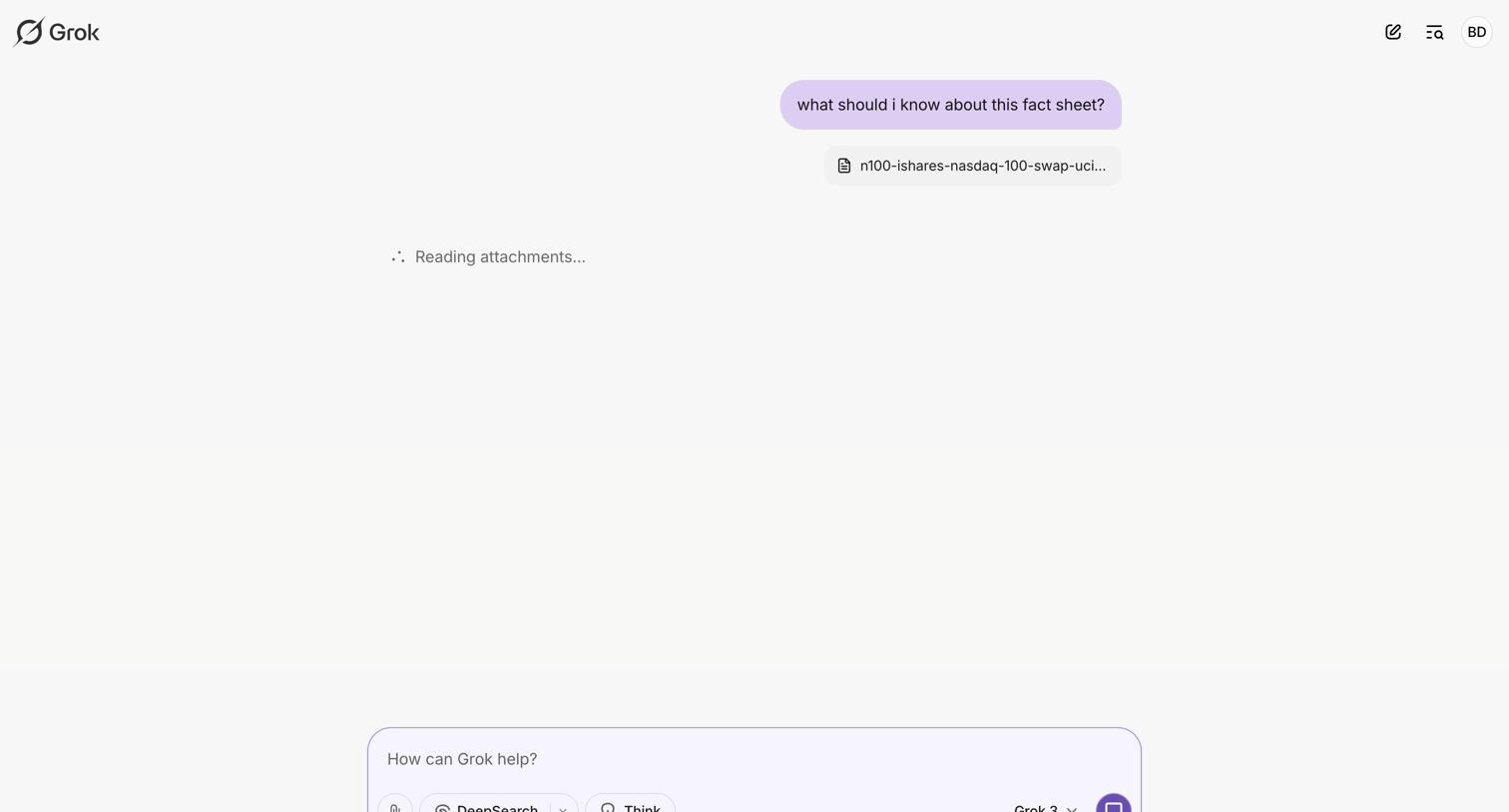
AI chat interface where the user has uploaded a fact sheet and the AI is actively reading the attachment to formulate a response.

Explore the full SaaS screen library

Upgrade to unlock the full library.

Trusted by the best teams