Skip to content

Content scheduling screen examples

Content scheduling screen design examples from SaaS apps. Browse examples from Mighty, Fourthwall, Bitly.

Explore the examples
Mighty - Nicelydone screen
Mighty logo
Mighty

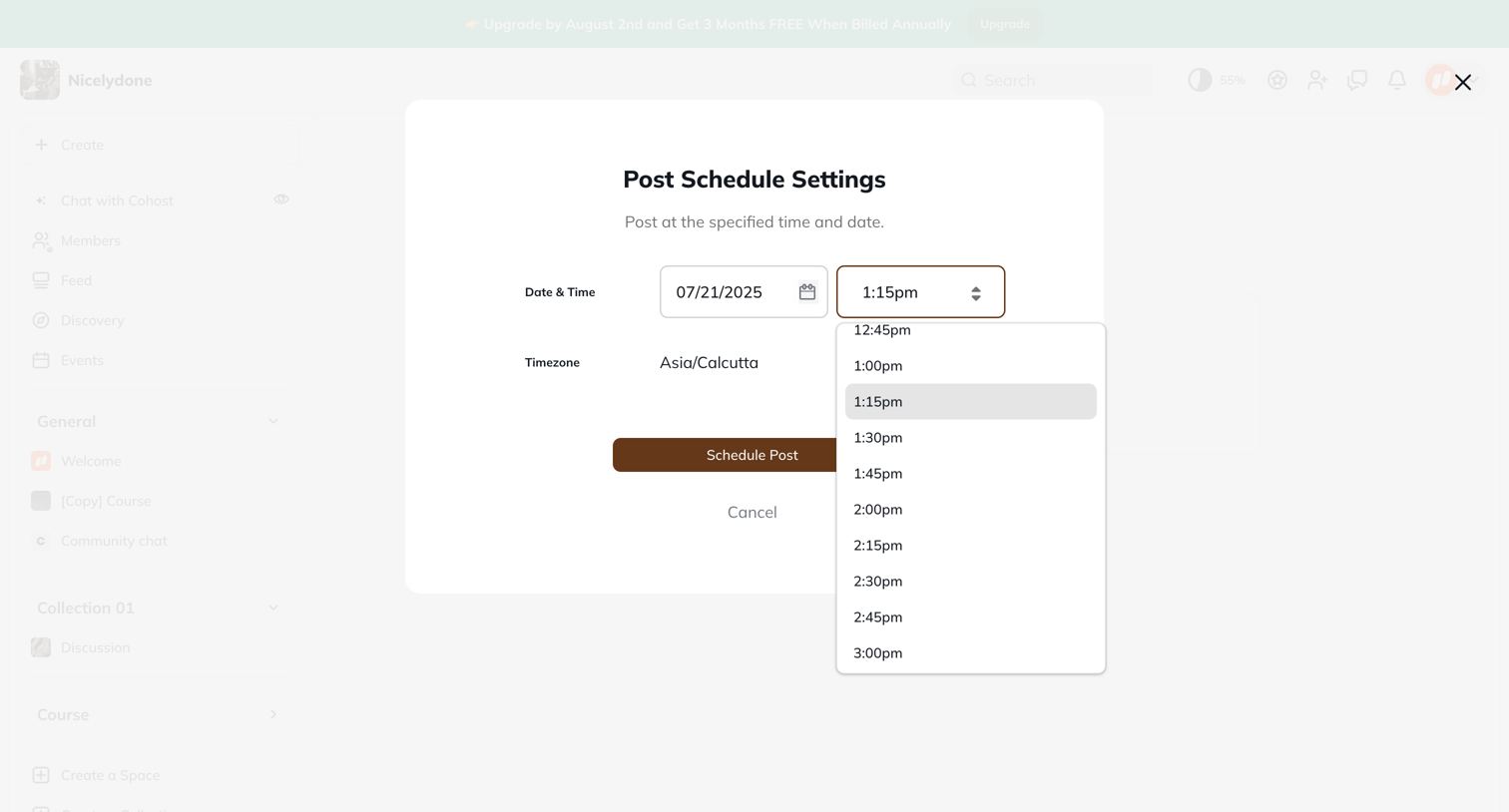
Modal overlay where the user sets a specific date, time, and timezone to schedule a post for future publication.

Fourthwall - Scheduled Posts – Dashboard screen
Fourthwall logo
Fourthwall

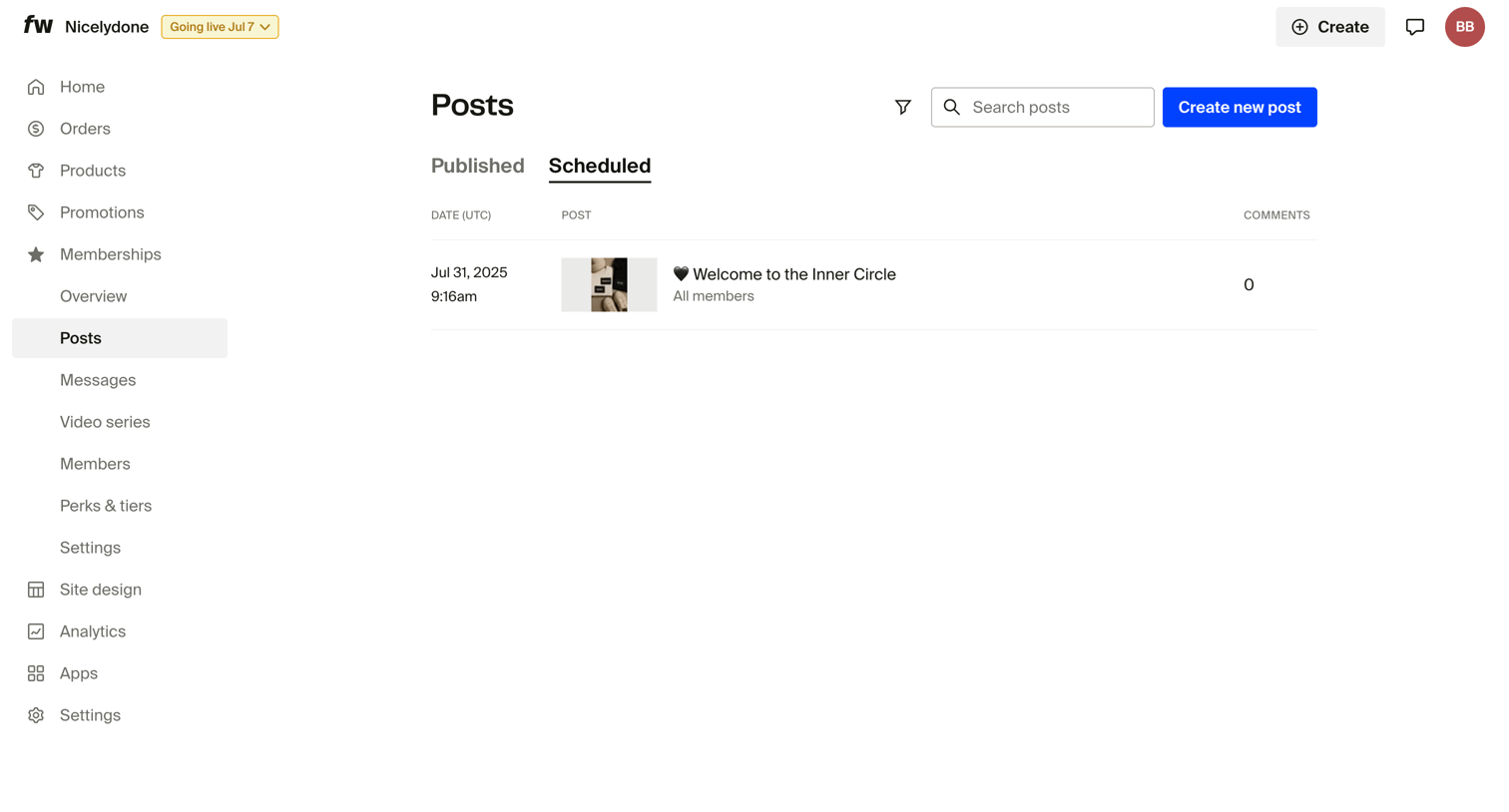
List view where the user manages scheduled posts for their memberships, showing publication date, post preview, and comment count.
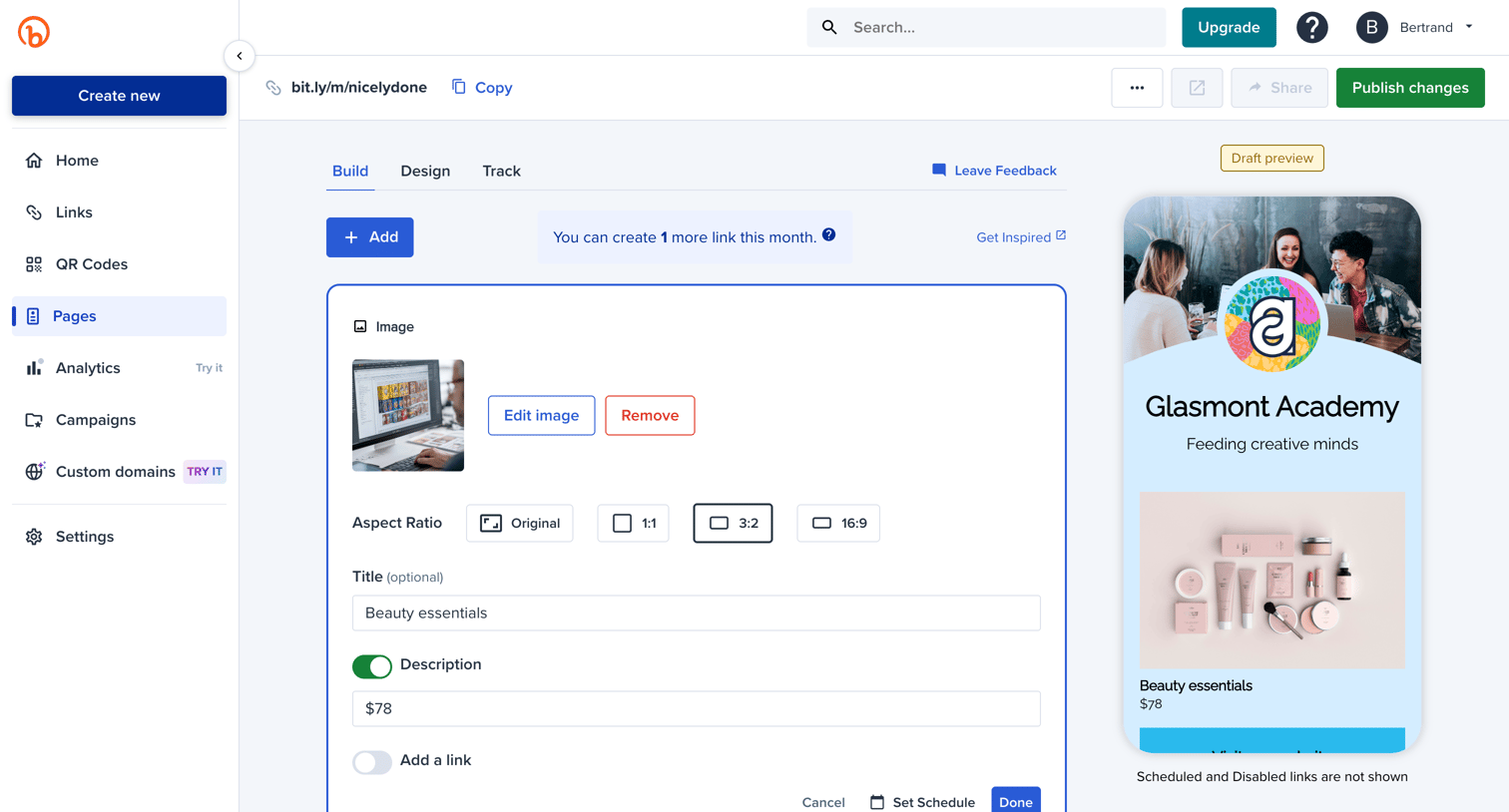
Bitly - Bitly | Bitly Page screen
Bitly logo
Bitly

Design editor where the user configures a link-in-bio page by adding, reordering, and editing image and link blocks while viewing a live mobile preview.
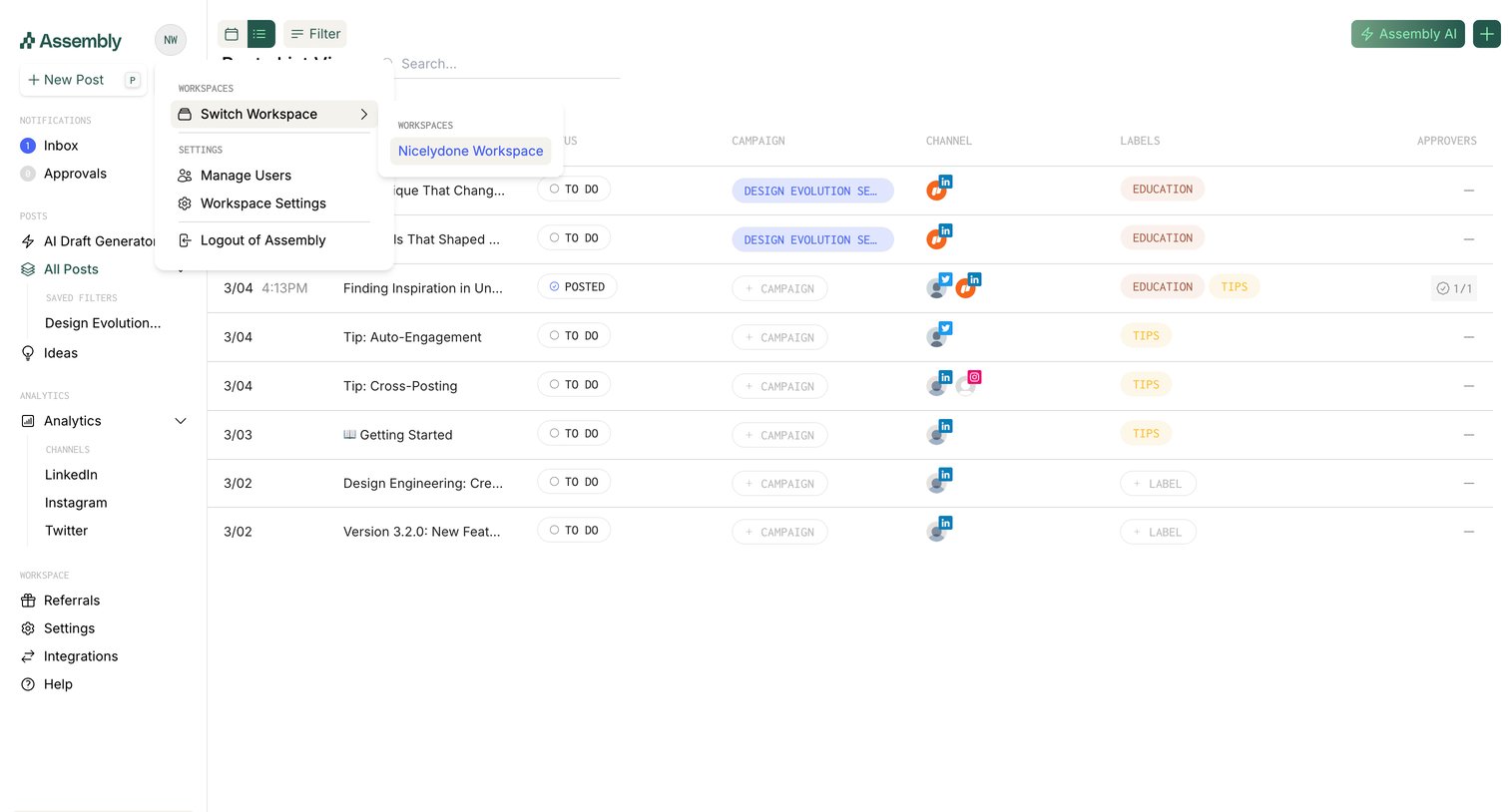

Assembly - Calendar screen
Assembly logo
Assembly

List view where a user manages scheduled social media posts across campaigns and channels, shown with the workspace switcher dropdown open.

Front - Front (4) screen
Front logo
Front

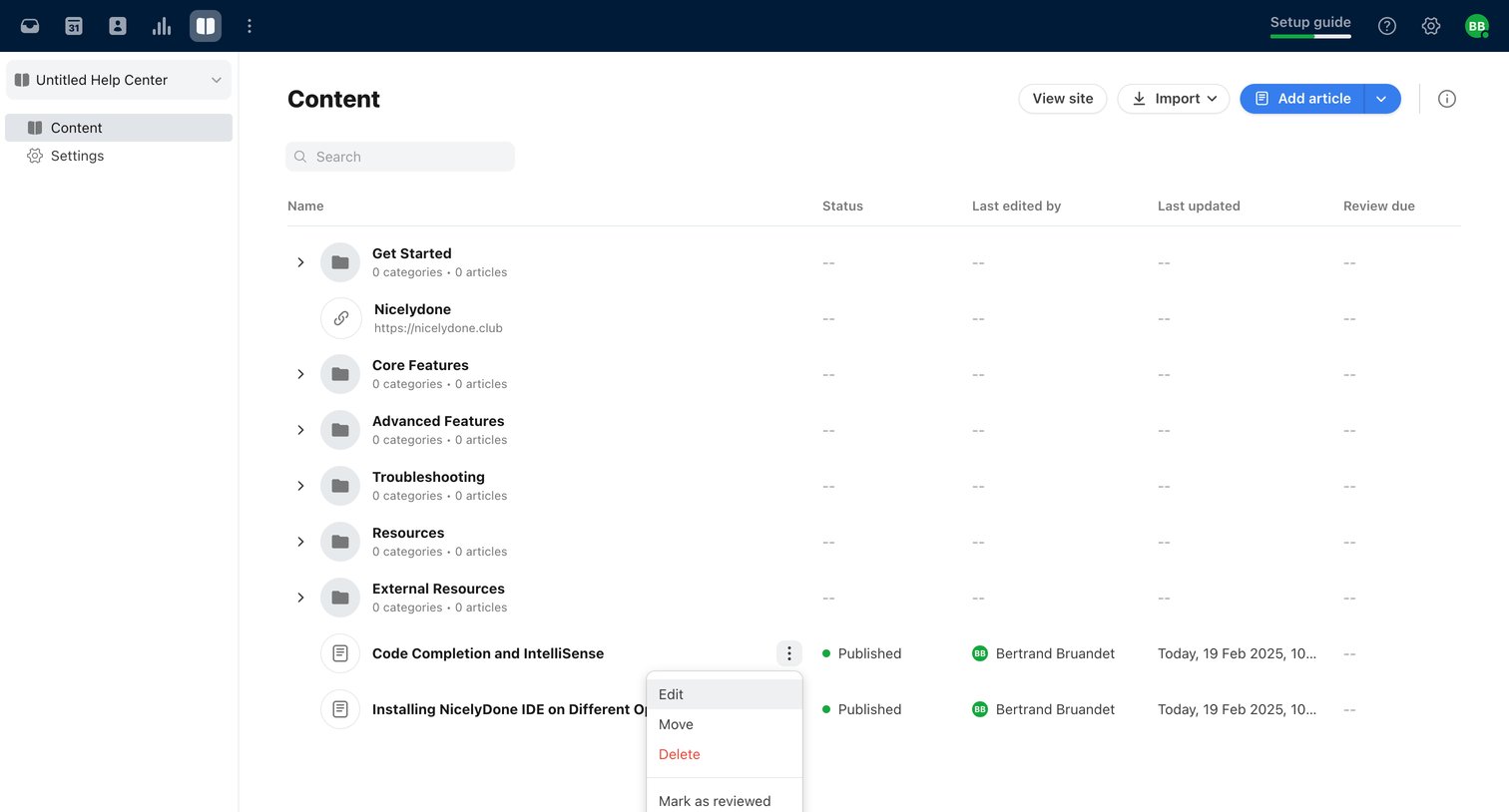
List view where the user manages help center articles and categories, with an open context menu for editing or deleting a specific article.

Podia - Podia New Section screen
Podia logo
Podia

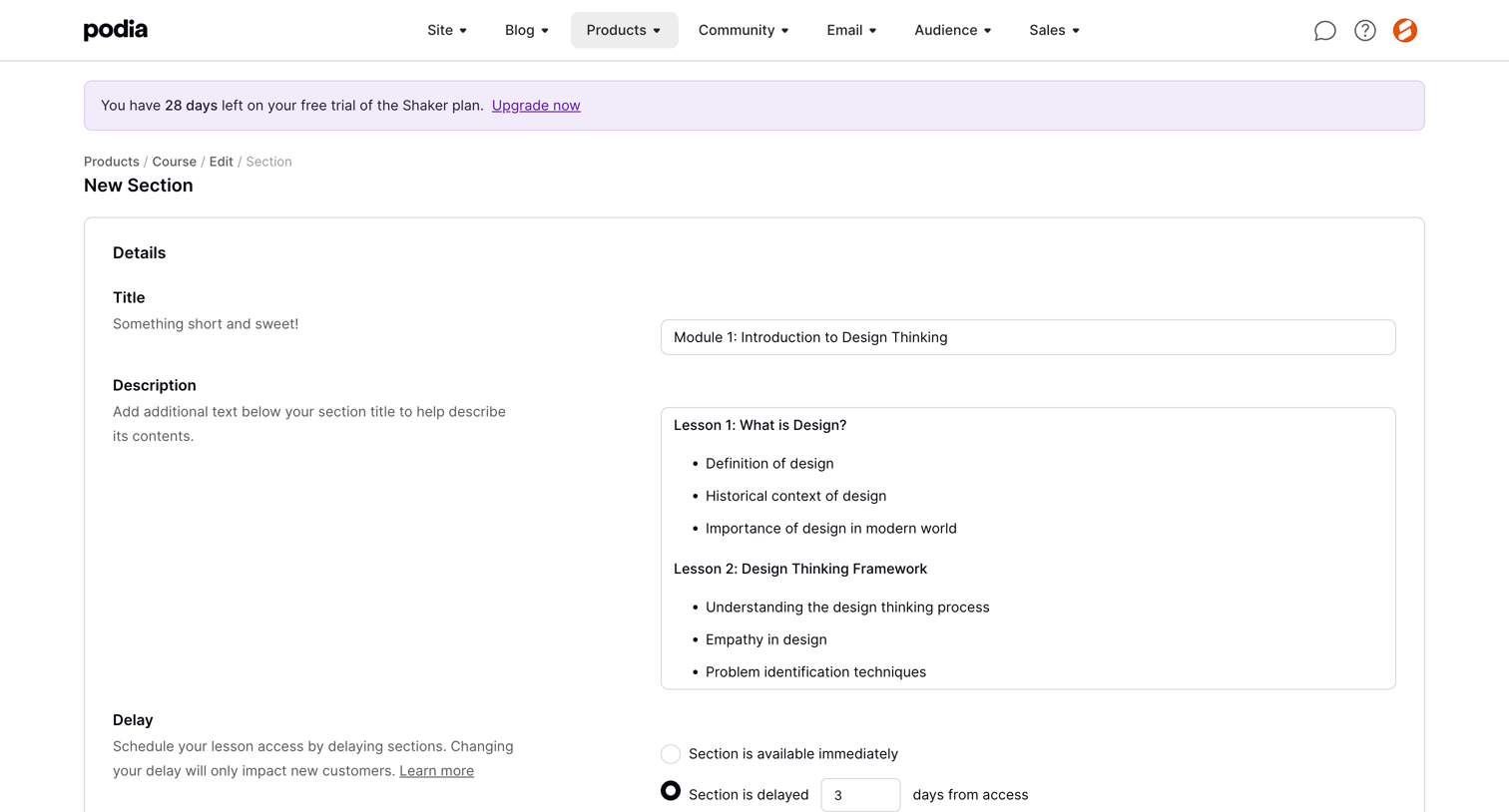
Form where the user creates a new course section by defining its title, description, and drip-schedule delay settings with an optional email notification.

Kajabi - Kajabi - adminsites2148600208editdrip-settings screen
Kajabi logo
Kajabi

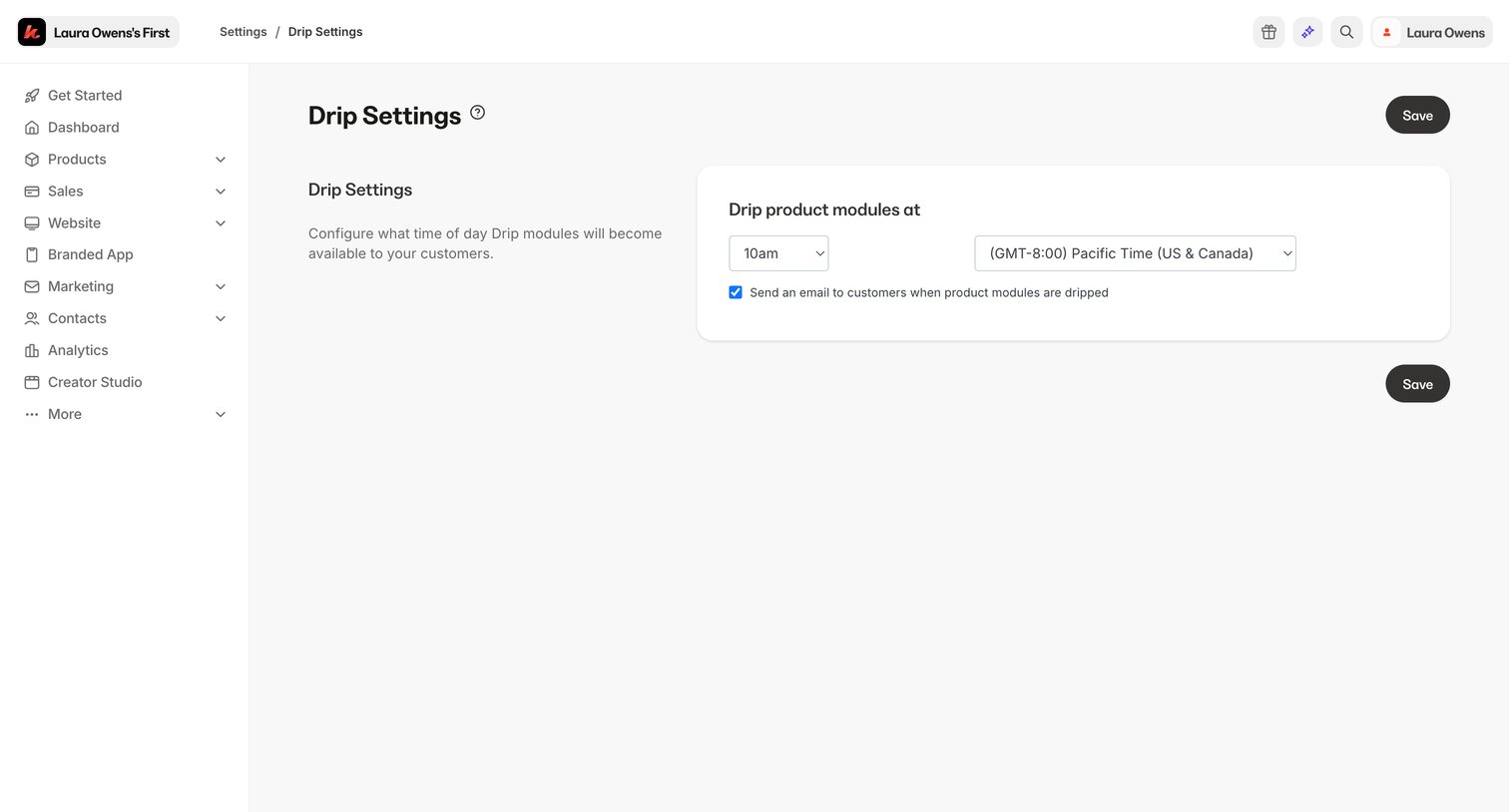
Settings page where the user configures the specific time of day and time zone for product modules to become available, along with an email notification toggle.

Jimo - Setup audience · Jimo screen
Jimo logo
Jimo

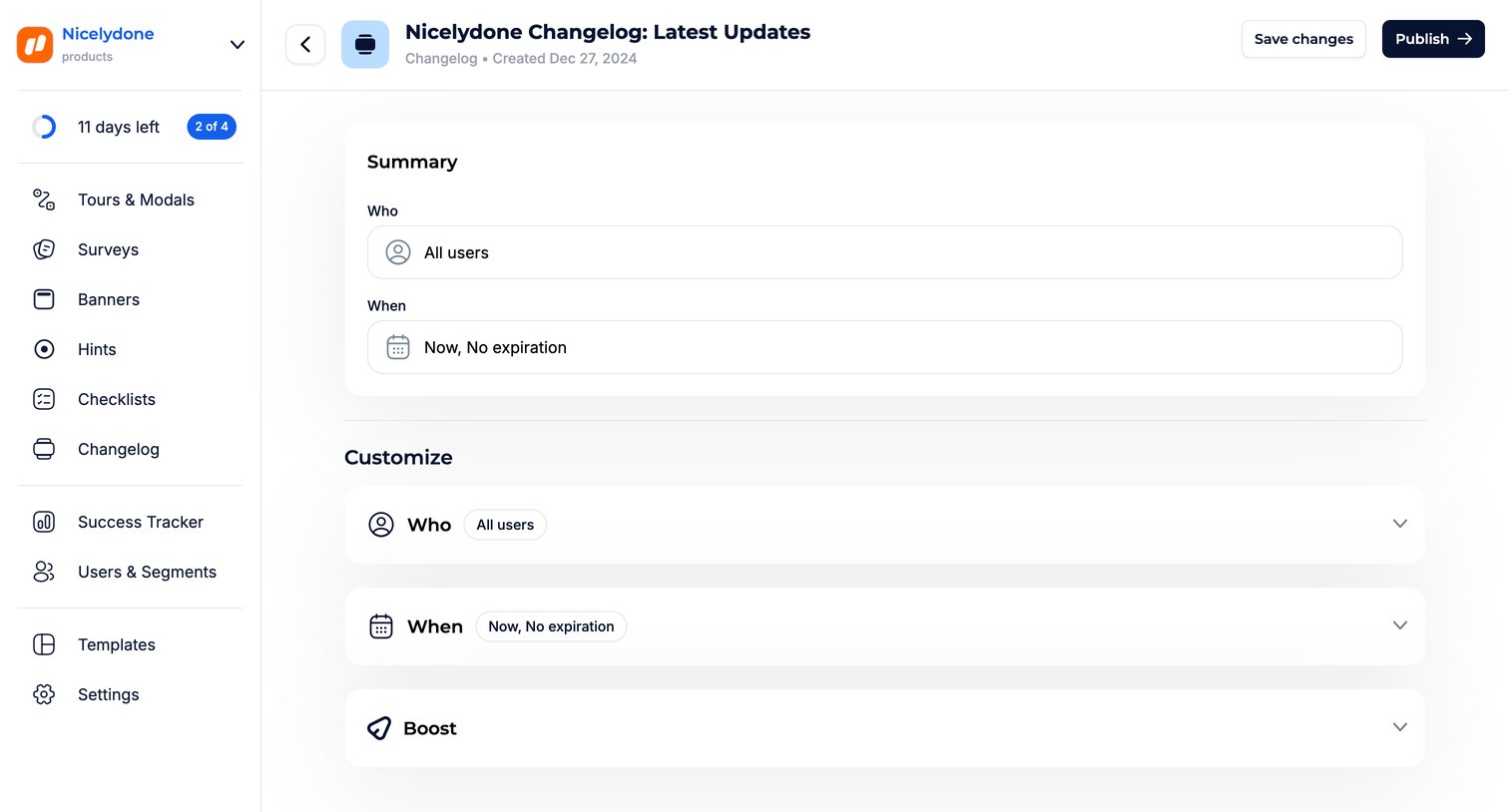
Detail page where the user configures the audience targeting and scheduling for a changelog post before publishing.

Hashnode - Editing Getting Started with Nicelydone screen
Hashnode logo
Hashnode

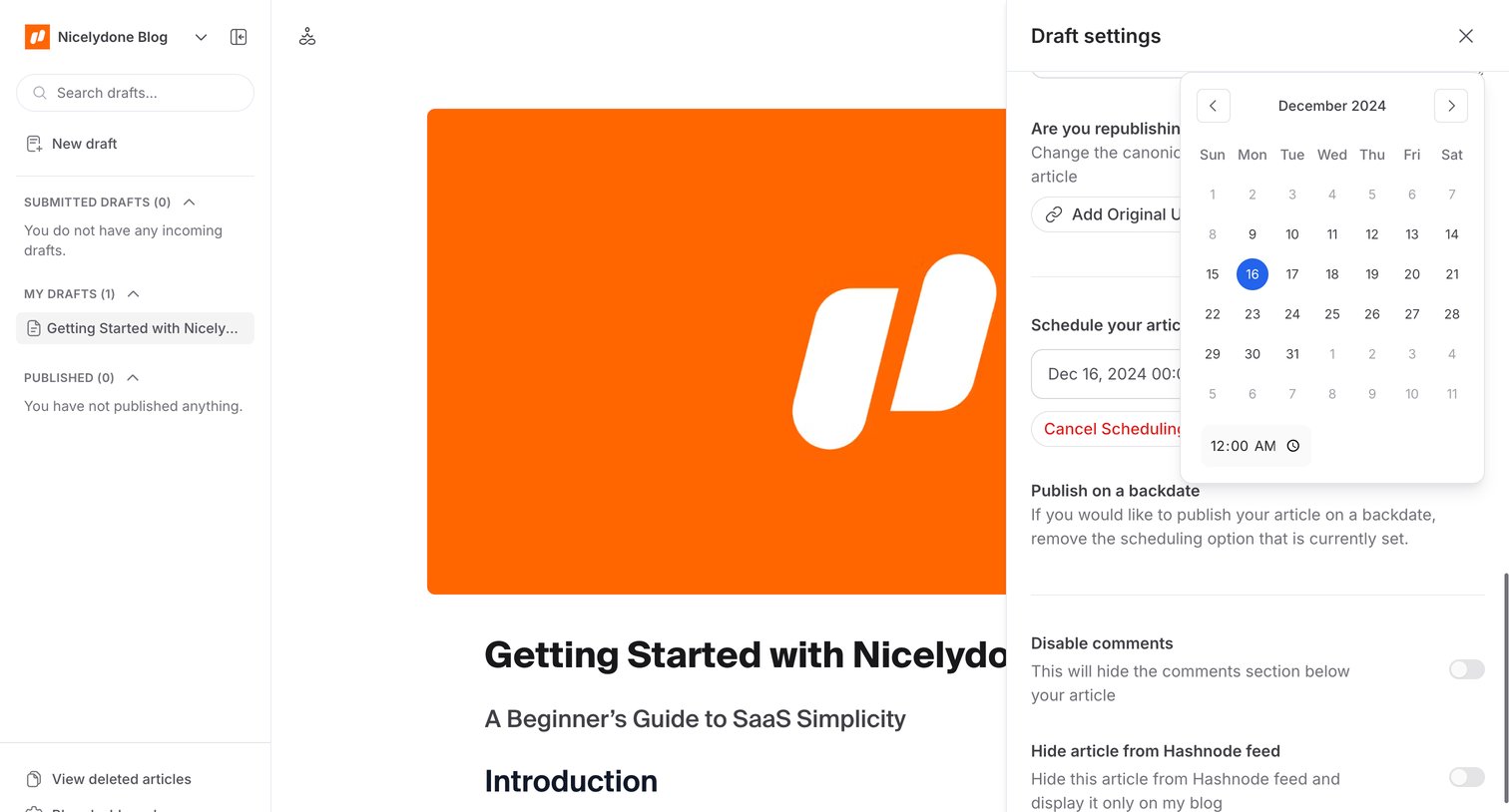
Content editor where the user writes an article draft and configures publication settings like scheduling and canonical URLs via a side drawer.
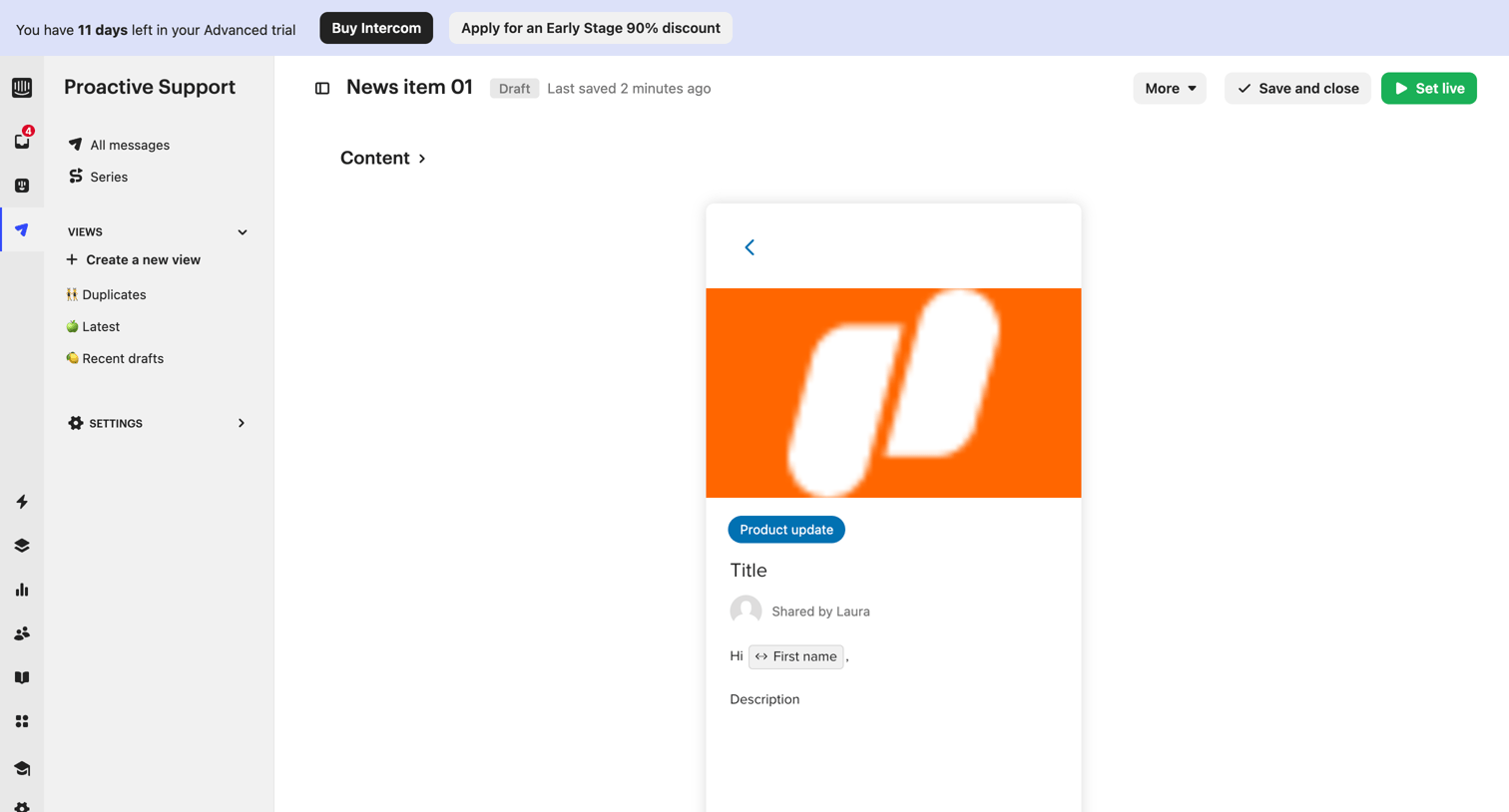

Intercom - All Messages | Nicelydone  Intercom screen
Intercom logo
Intercom

Content editor where the user drafts a proactive support news item, previewing its appearance as a product update card.
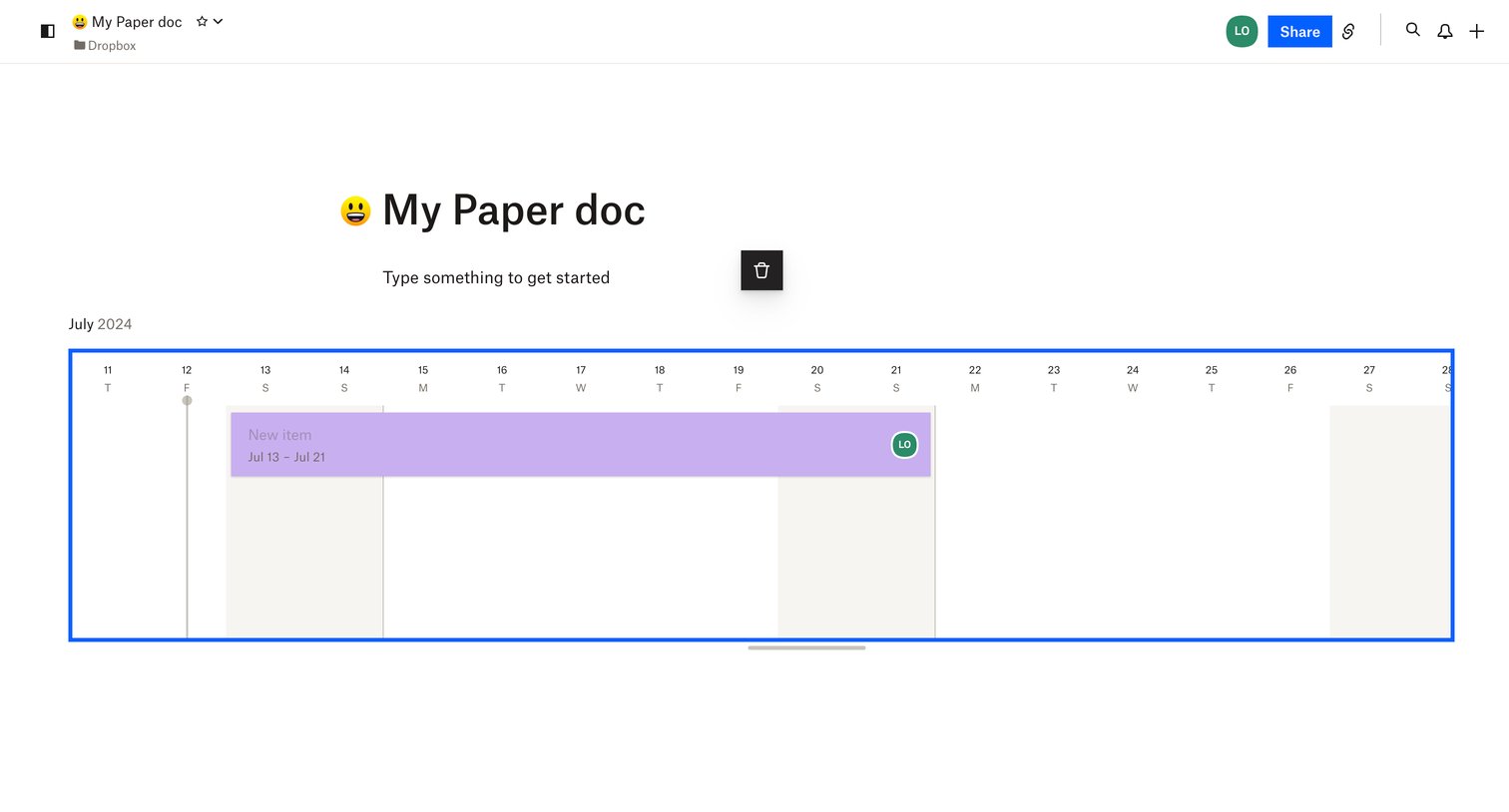

Dropbox - My Paper doc – Dropbox Paper screen
Dropbox logo
Dropbox

Document editor where the user is viewing a scheduled timeline block inserted into the content.

Make - Social Media Automation | More Engagement In More Places  Make screen
Make logo
Make

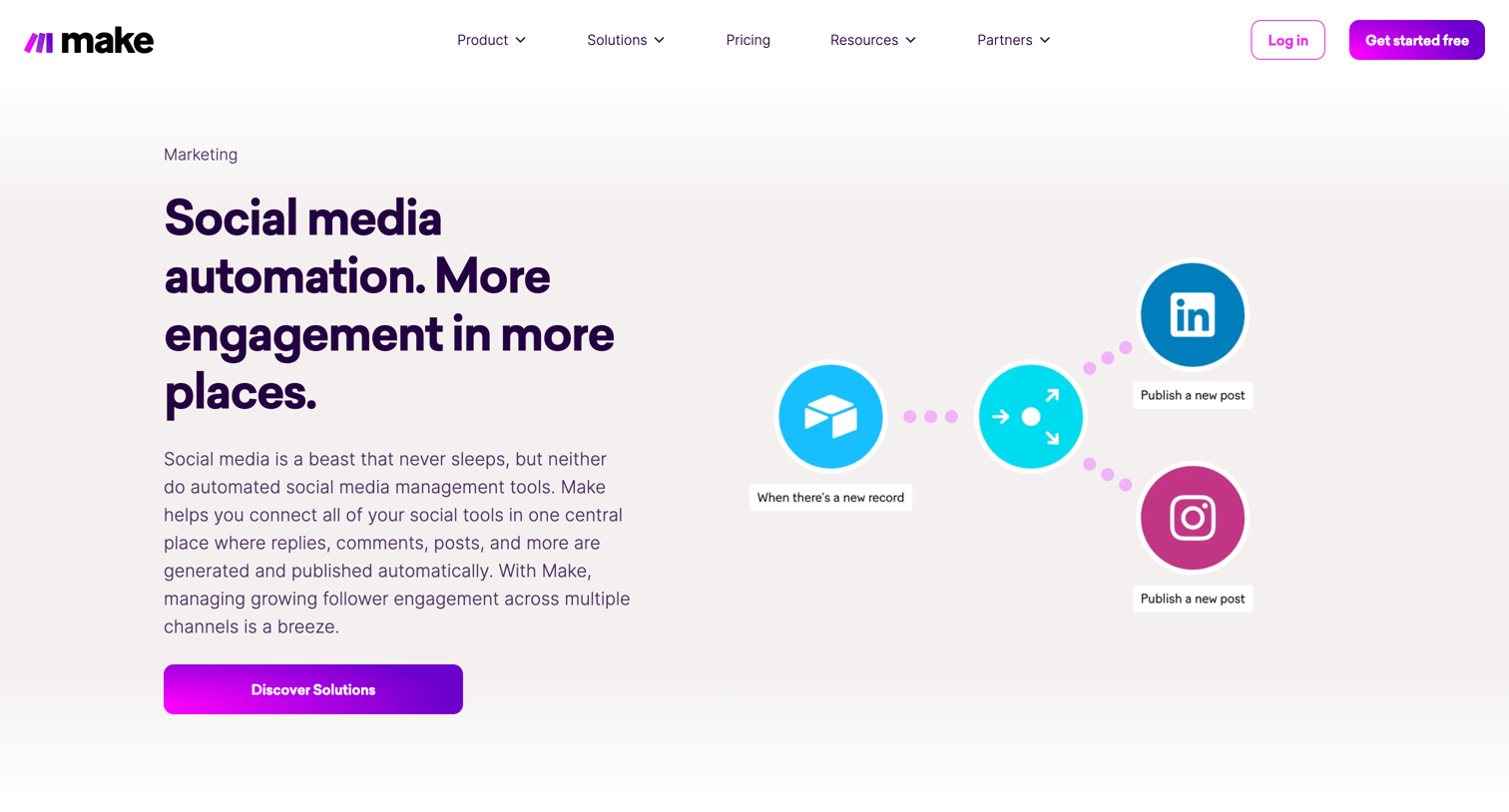
Marketing use case page explaining how to automate social media management with Make, featuring specific solution templates, an FAQ, and customer testimonials.

Explore the full SaaS screen library

Upgrade to unlock the full library.

Trusted by the best teams