Publish screen examples
Publish screen design examples from SaaS apps. See how SaaS apps prepare content to go live. Explore how destination, visibility, and publication controls appear alongside the material people are about…
Explore the examples
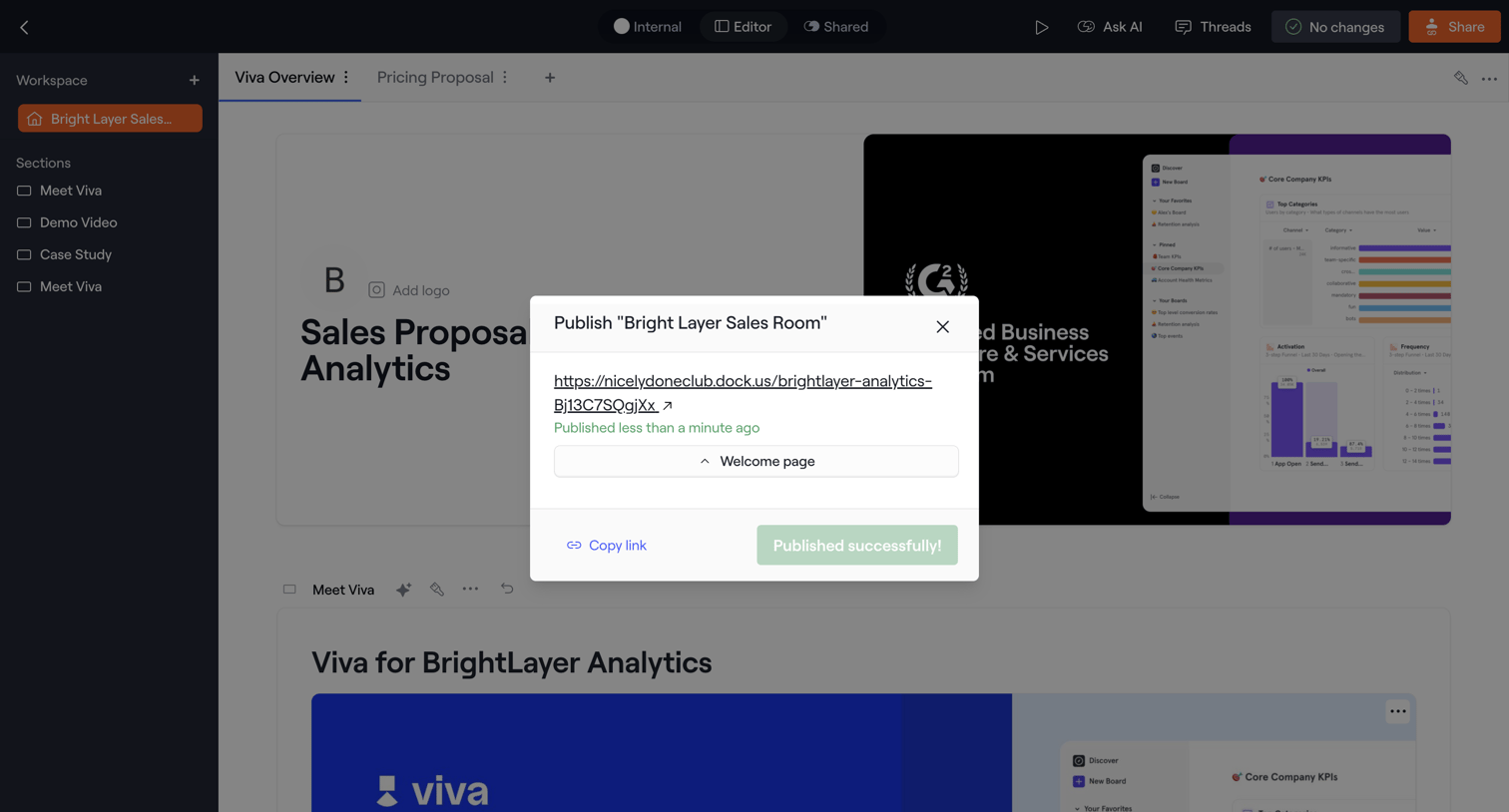

Design editor where the user successfully publishes a sales proposal and can copy the public link from a confirmation modal.
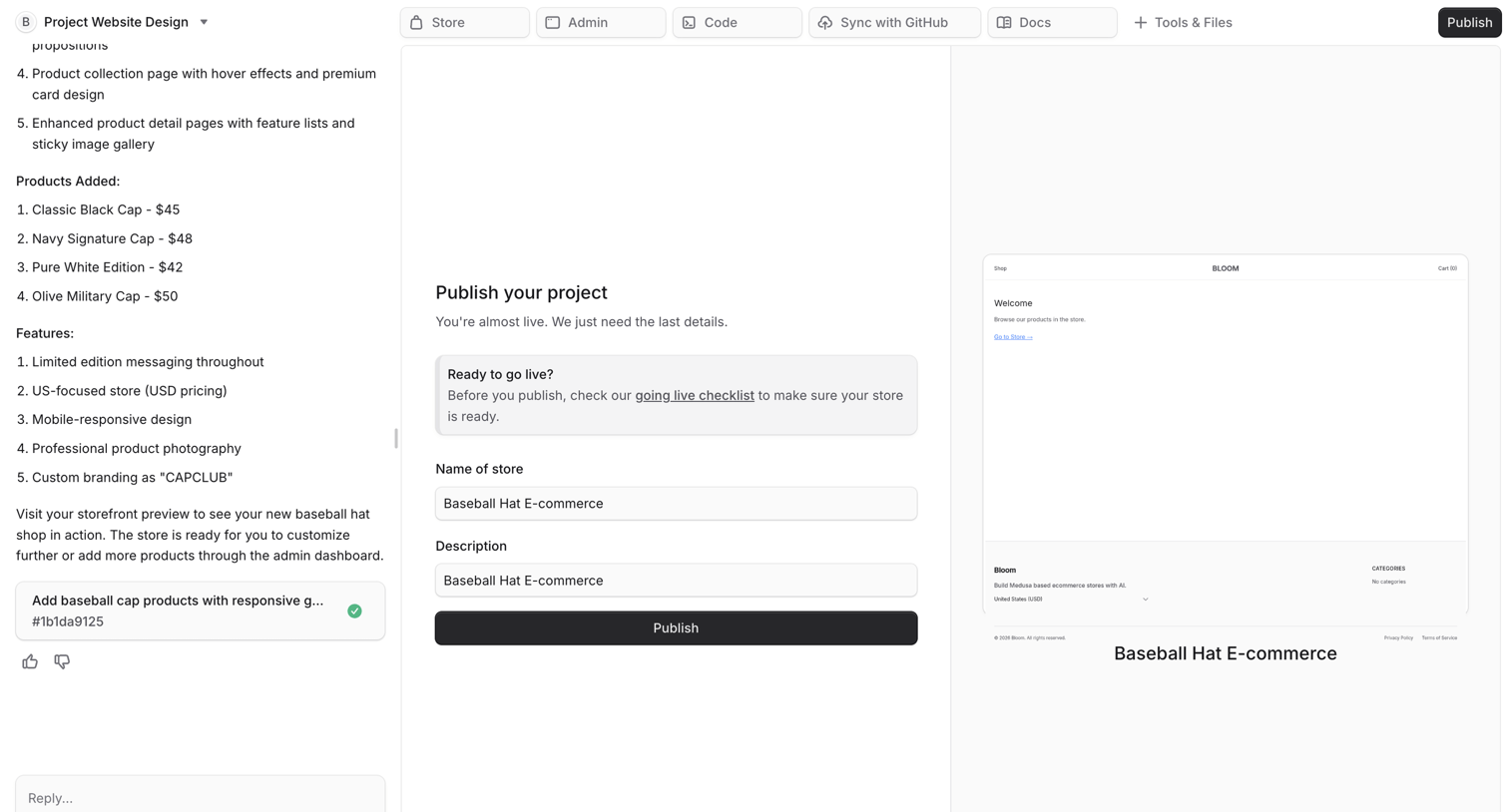

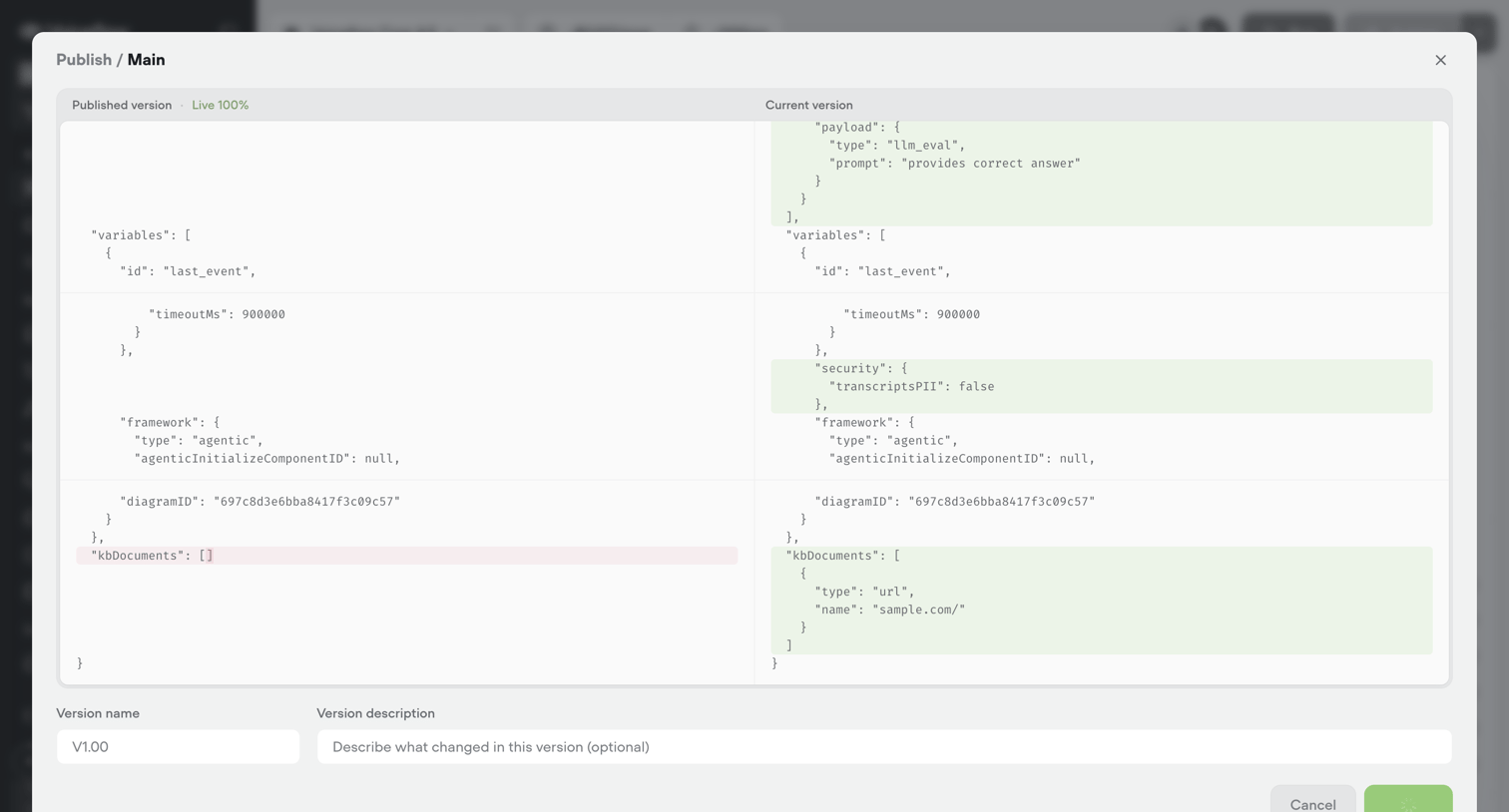

Modal where the user reviews a JSON diff between the published and current versions of an agent configuration before publishing a new release.
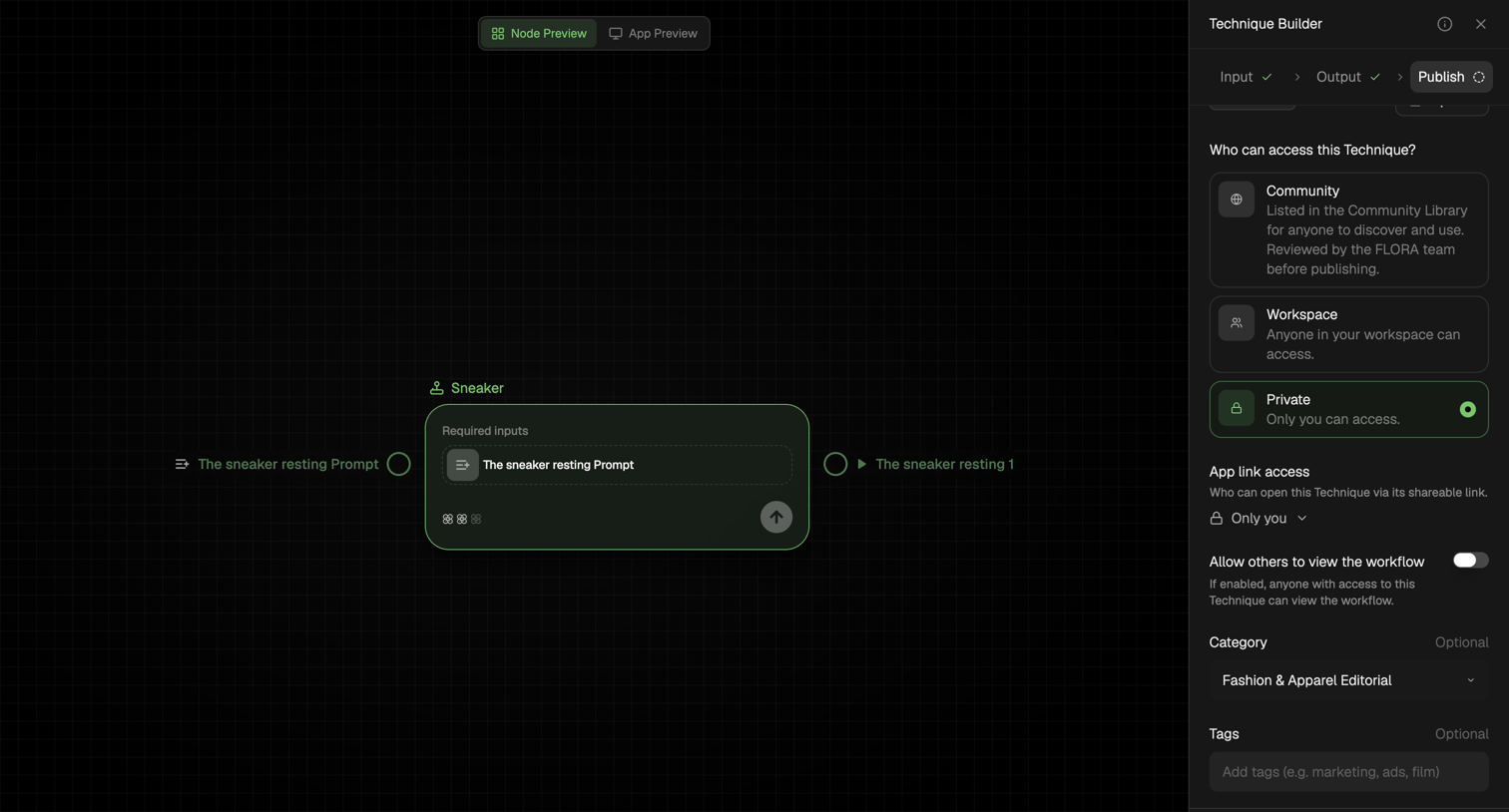

Workflow editor where the user configures access permissions, category, and tags before publishing a technique.
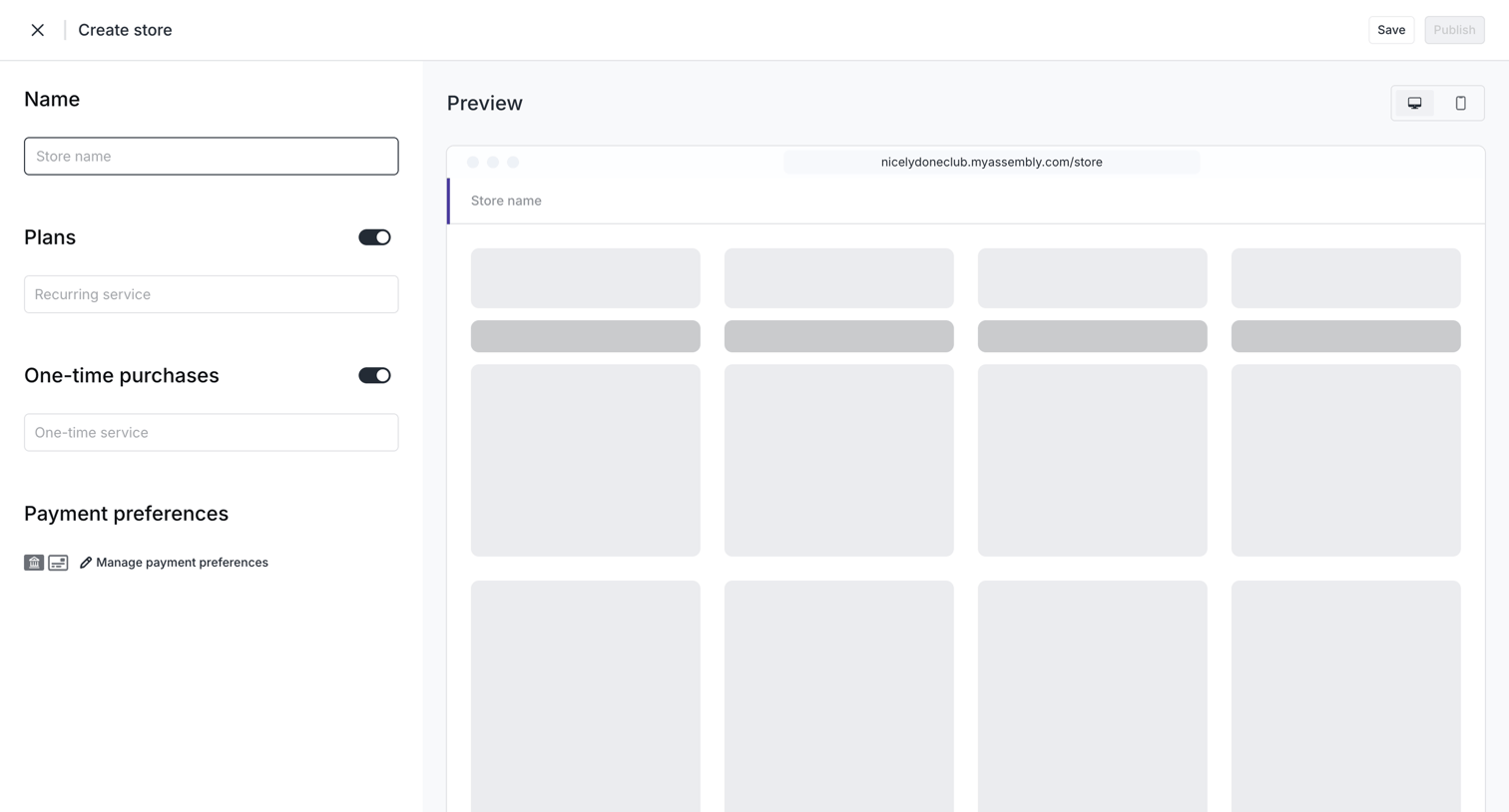

Create page where the user configures their store name, plans, and payment preferences alongside a live skeleton preview.
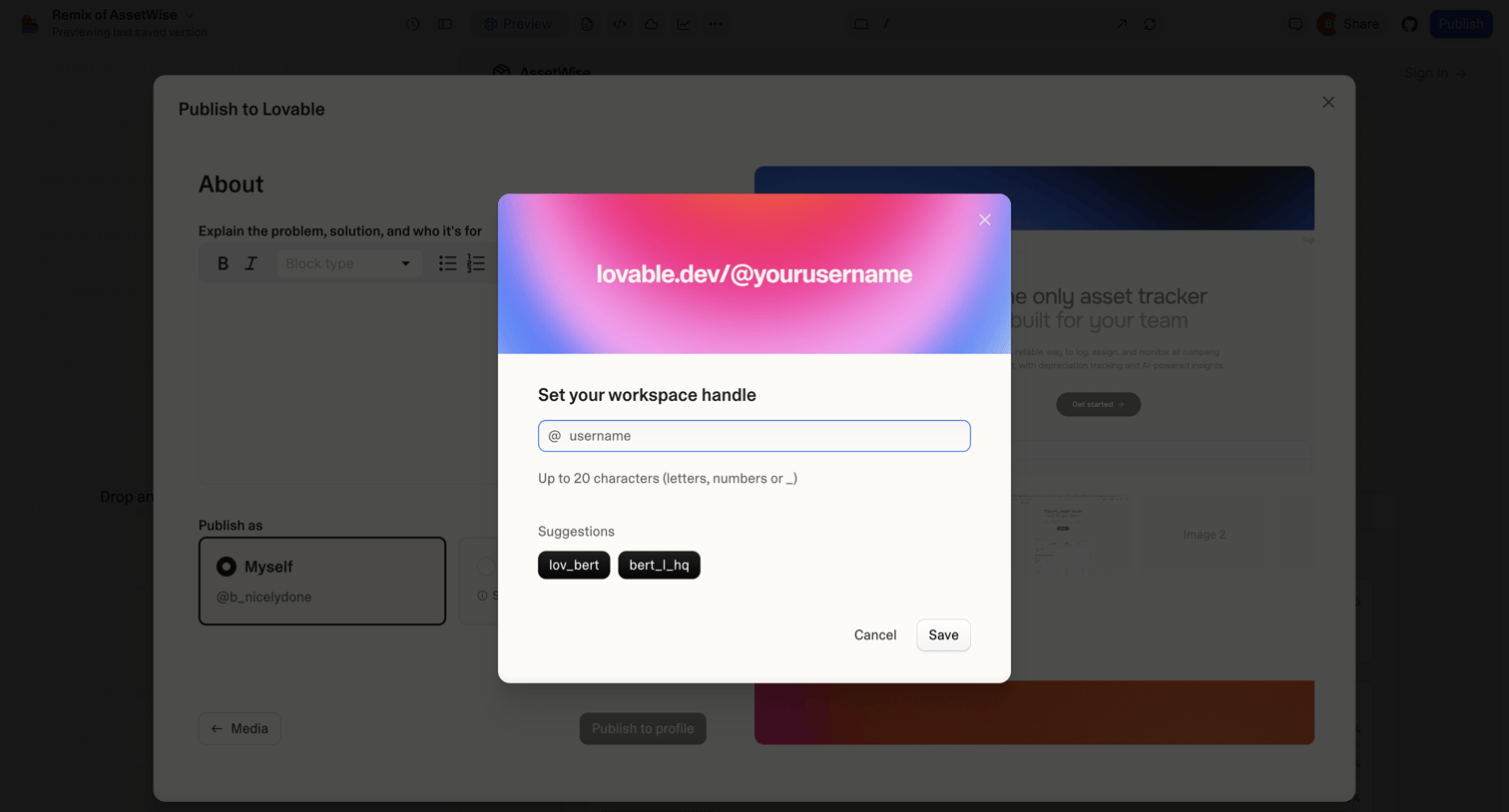

App modal where the user sets a unique workspace handle with auto-generated suggestions before publishing their project.
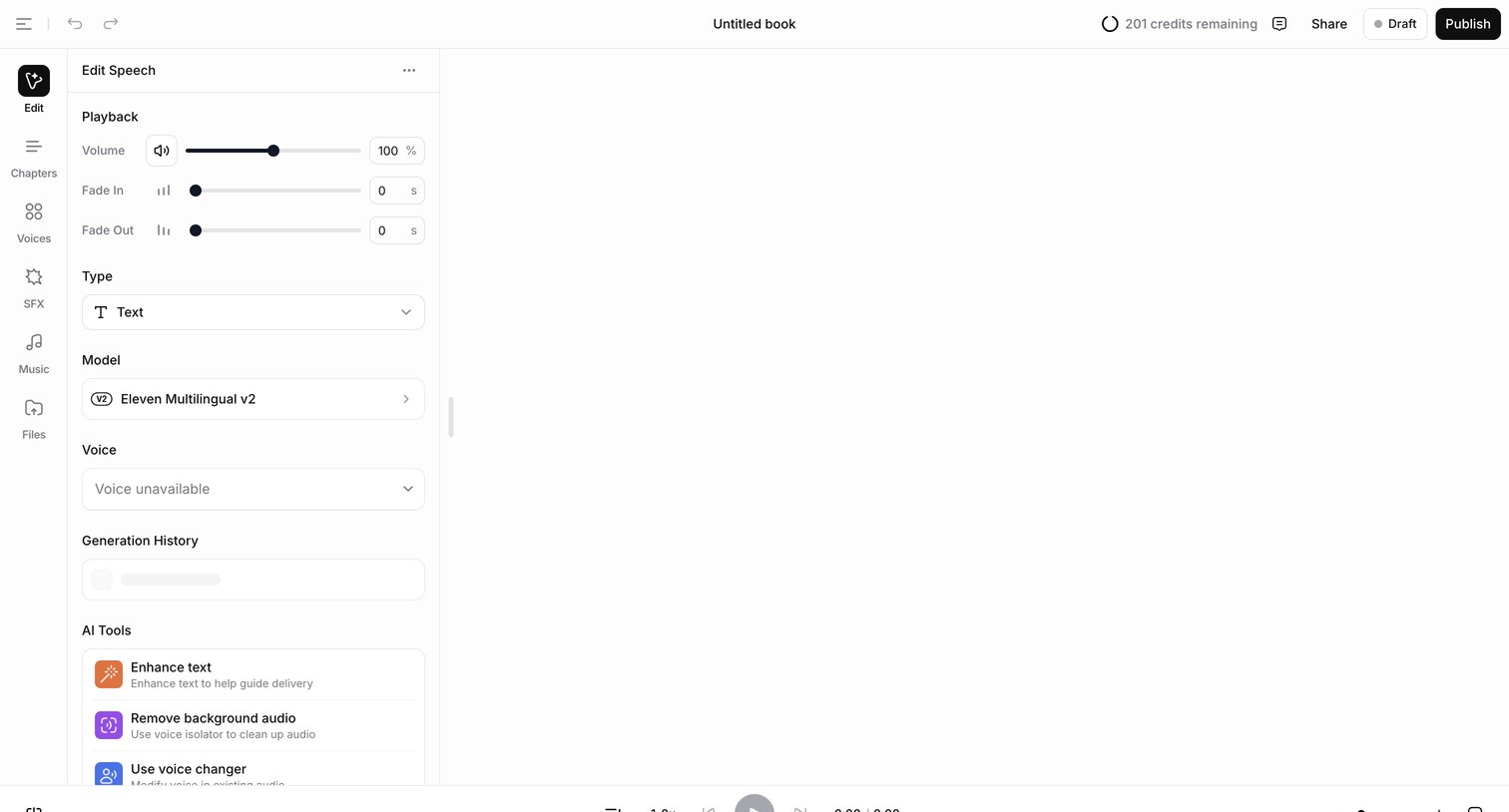

Audiobook editor where the user configures the voice model, playback settings, and AI tools for speech generation.
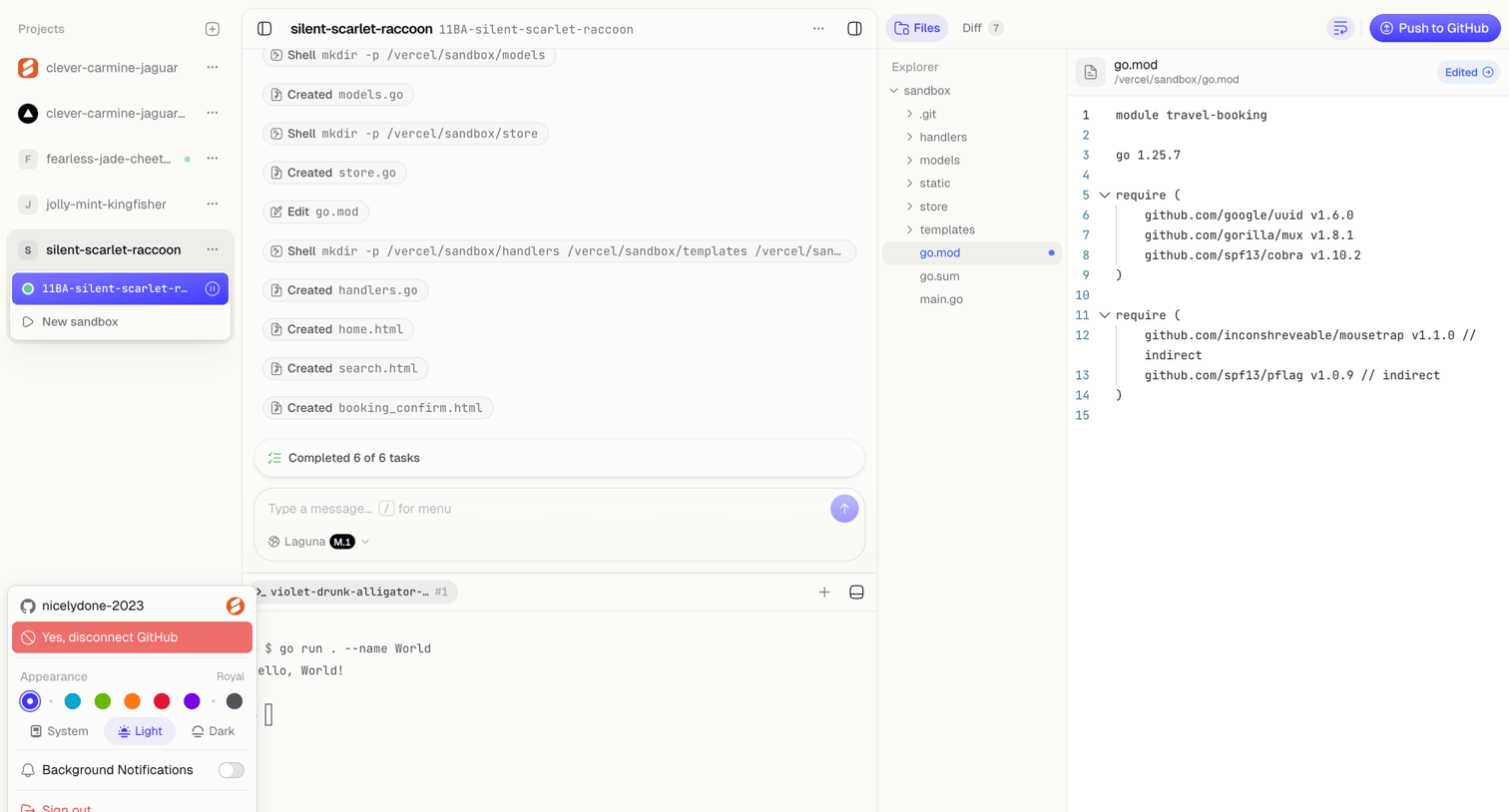

Code editor workspace where an AI agent executes terminal commands and modifies Go files, featuring a live execution trace, file explorer, and integrated terminal.
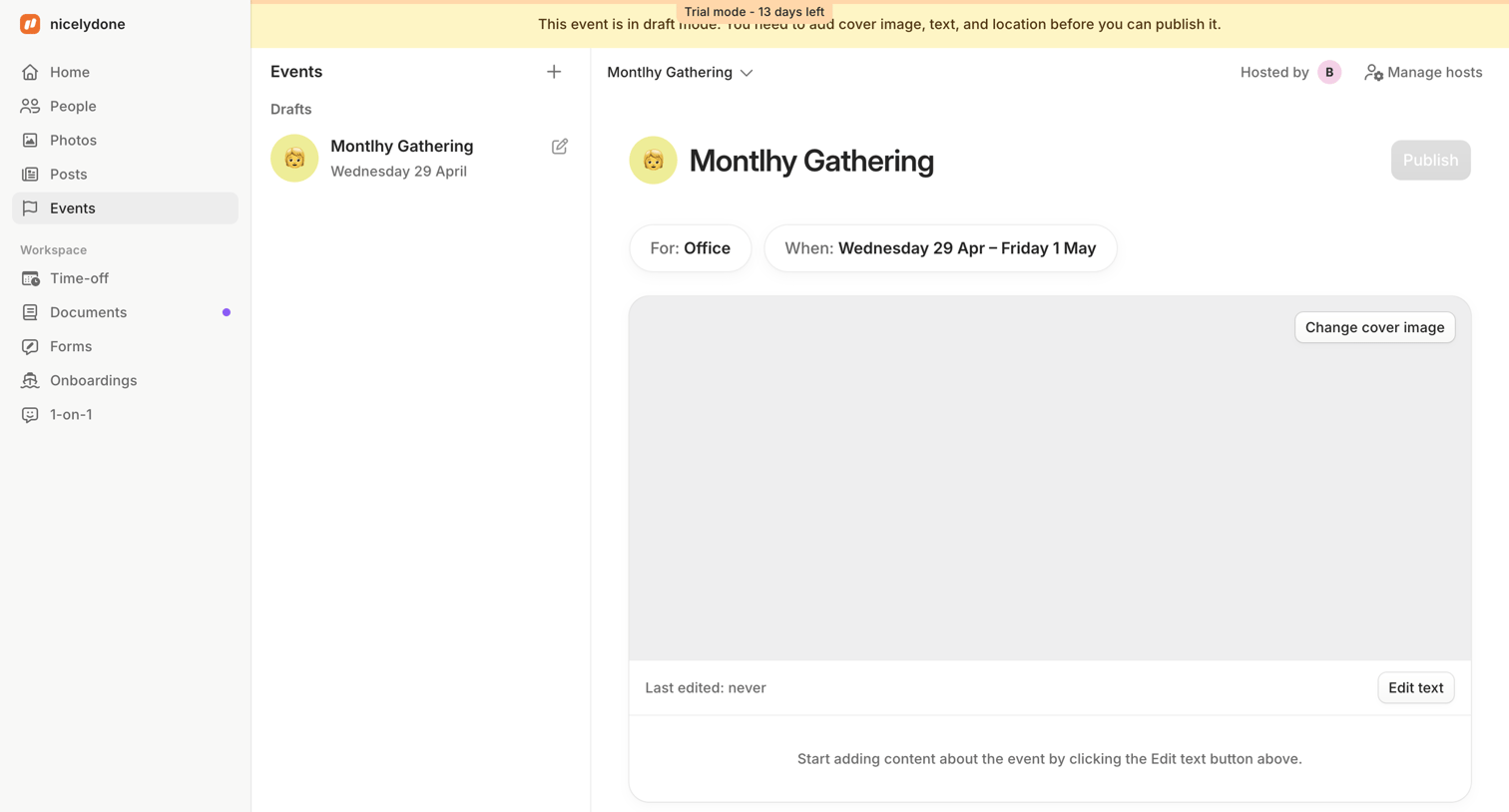

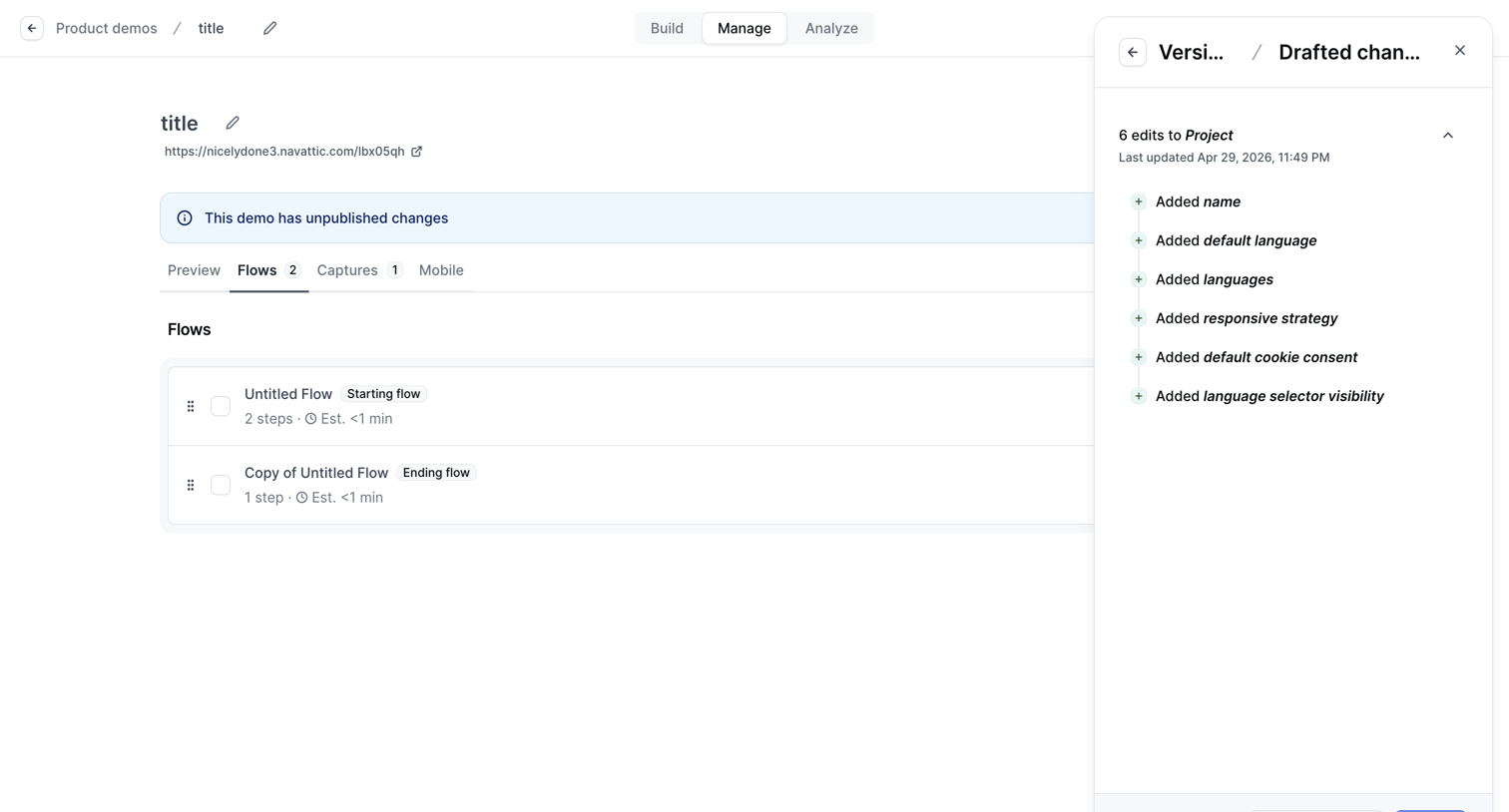

Detail page where the user manages flows for a specific product demo and reviews drafted changes in a right-side drawer before publishing.
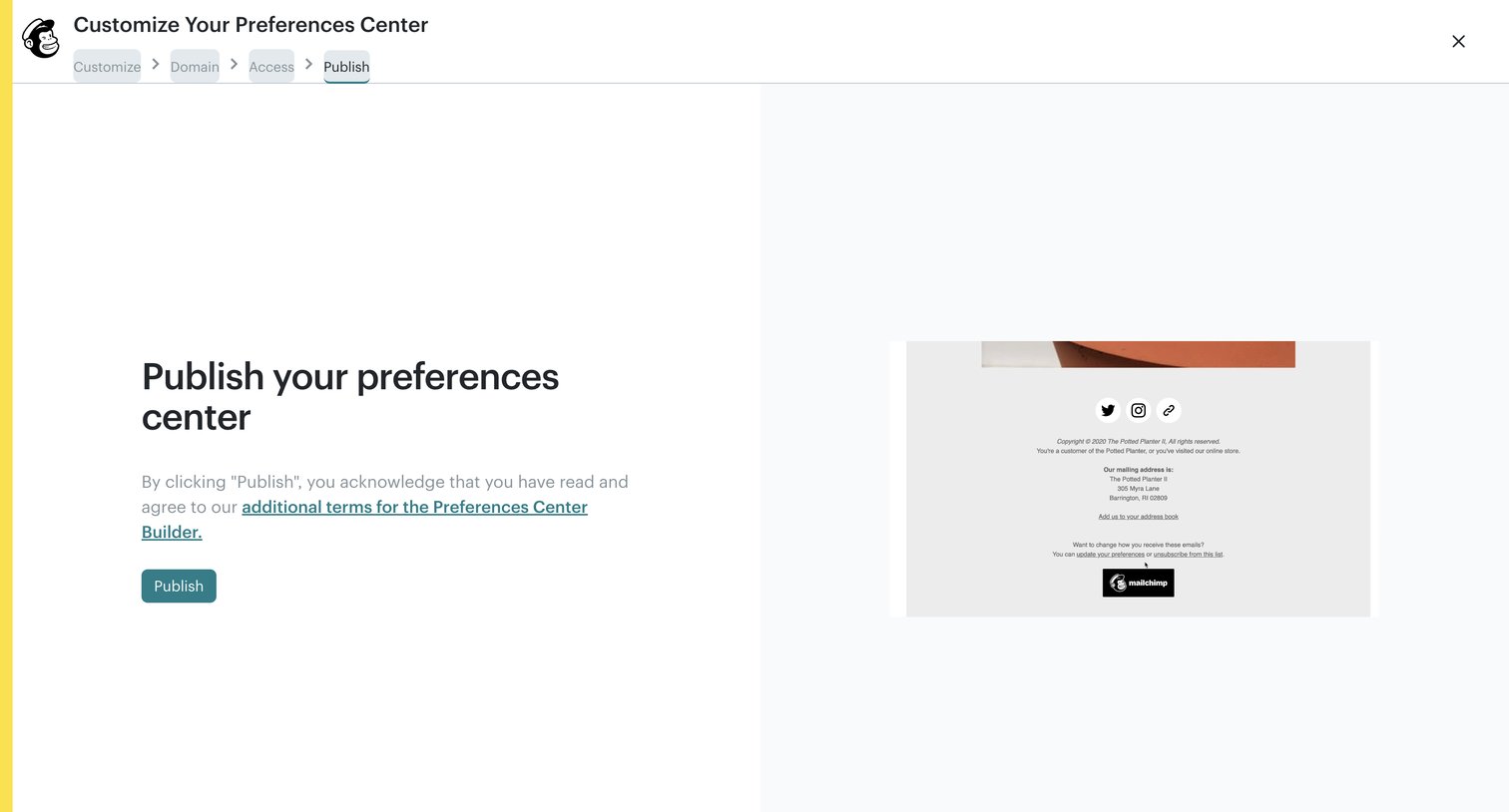

Builder wizard where the user reviews the terms and publishes their customized preferences center.

Explore the full SaaS screen library
Upgrade to unlock the full library.
Trusted by the best teams








About Publish
See how SaaS apps prepare content to go live. Explore how destination, visibility, and publication controls appear alongside the material people are about to share.