Model Selection screen examples
Model Selection screen design examples from SaaS apps. See how apps let people choose an AI model for a task. Explore how model names, descriptions, and selection controls explain the available options within…
Explore the examples
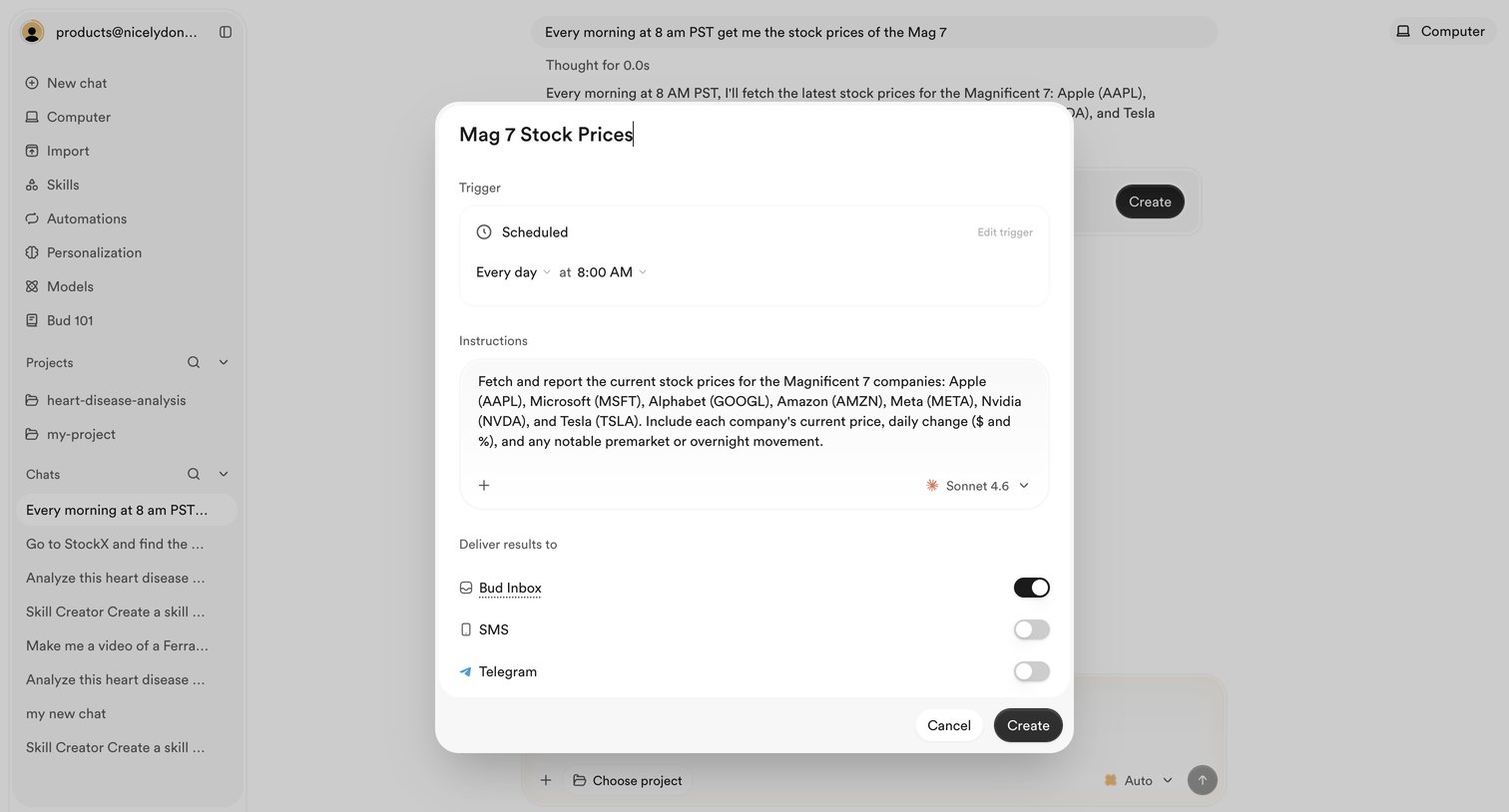

AI chat interface where the user is configuring a scheduled automation to fetch stock prices every morning, selecting the model and delivery channels via a modal overlay.
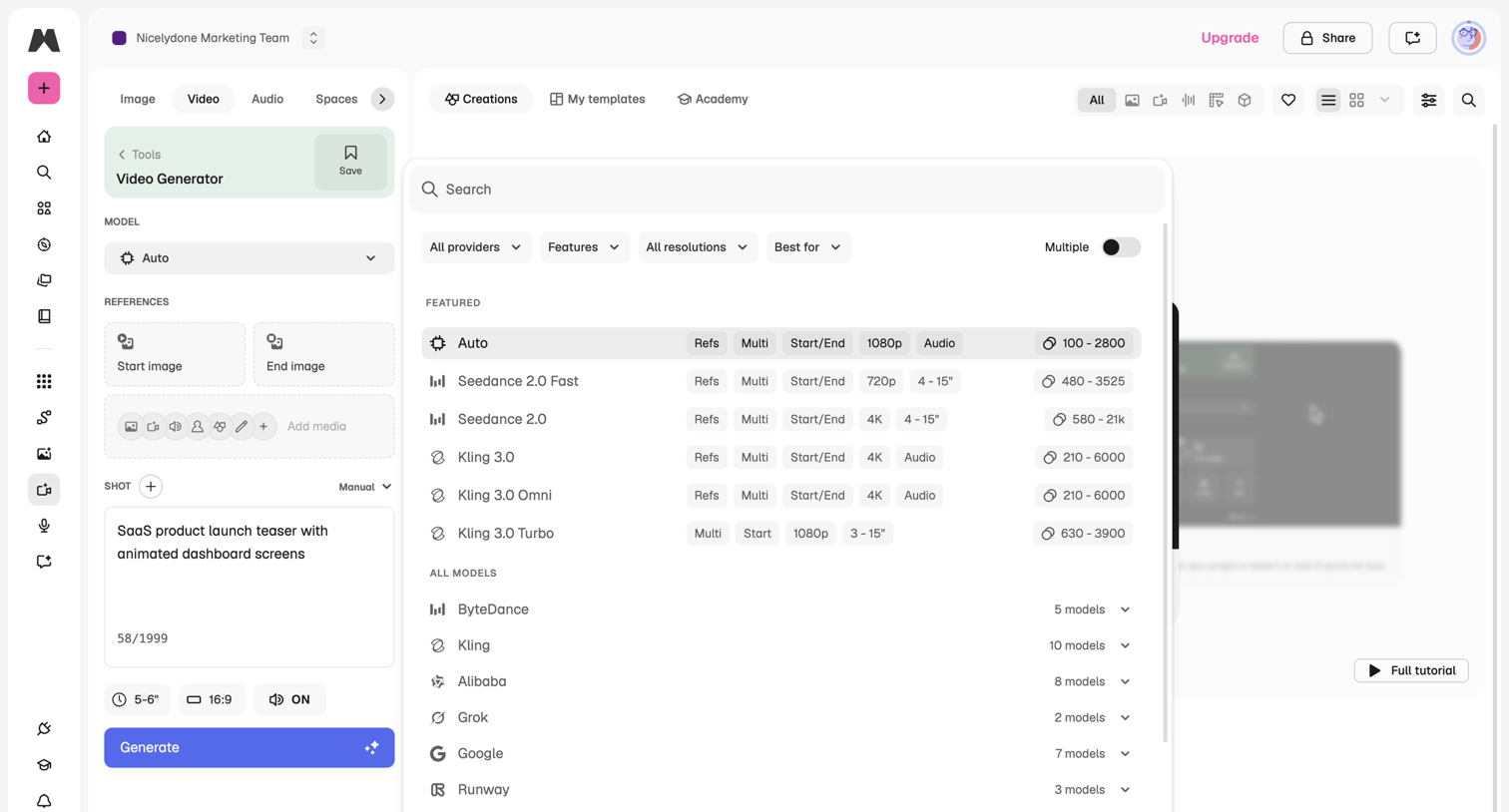

AI video generation tool where the user selects a specific provider and model from a searchable overlay modal while configuring shot parameters in the sidebar.
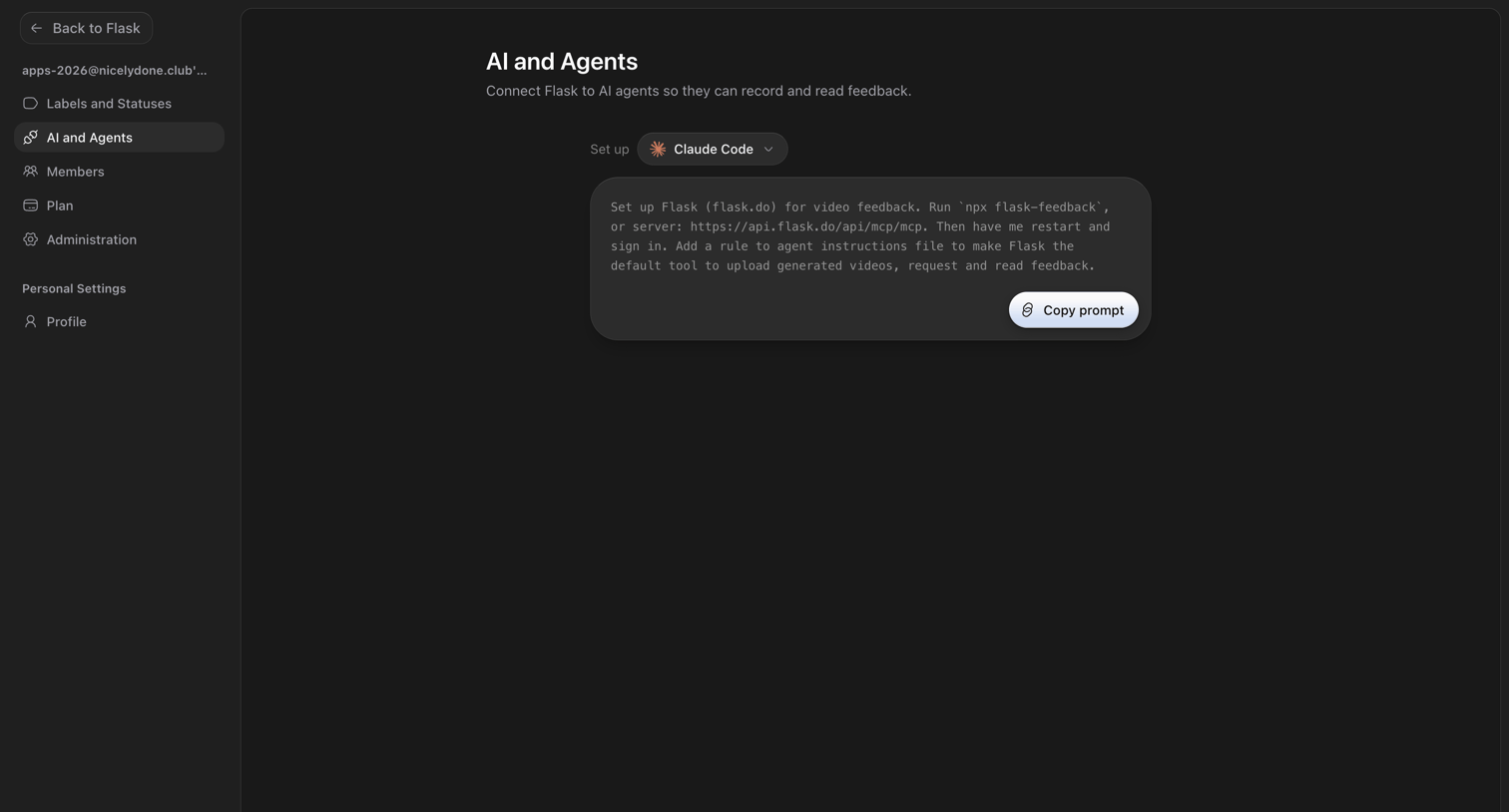

Settings page where the user selects an AI agent like Claude Code and copies the setup prompt to connect it via MCP.
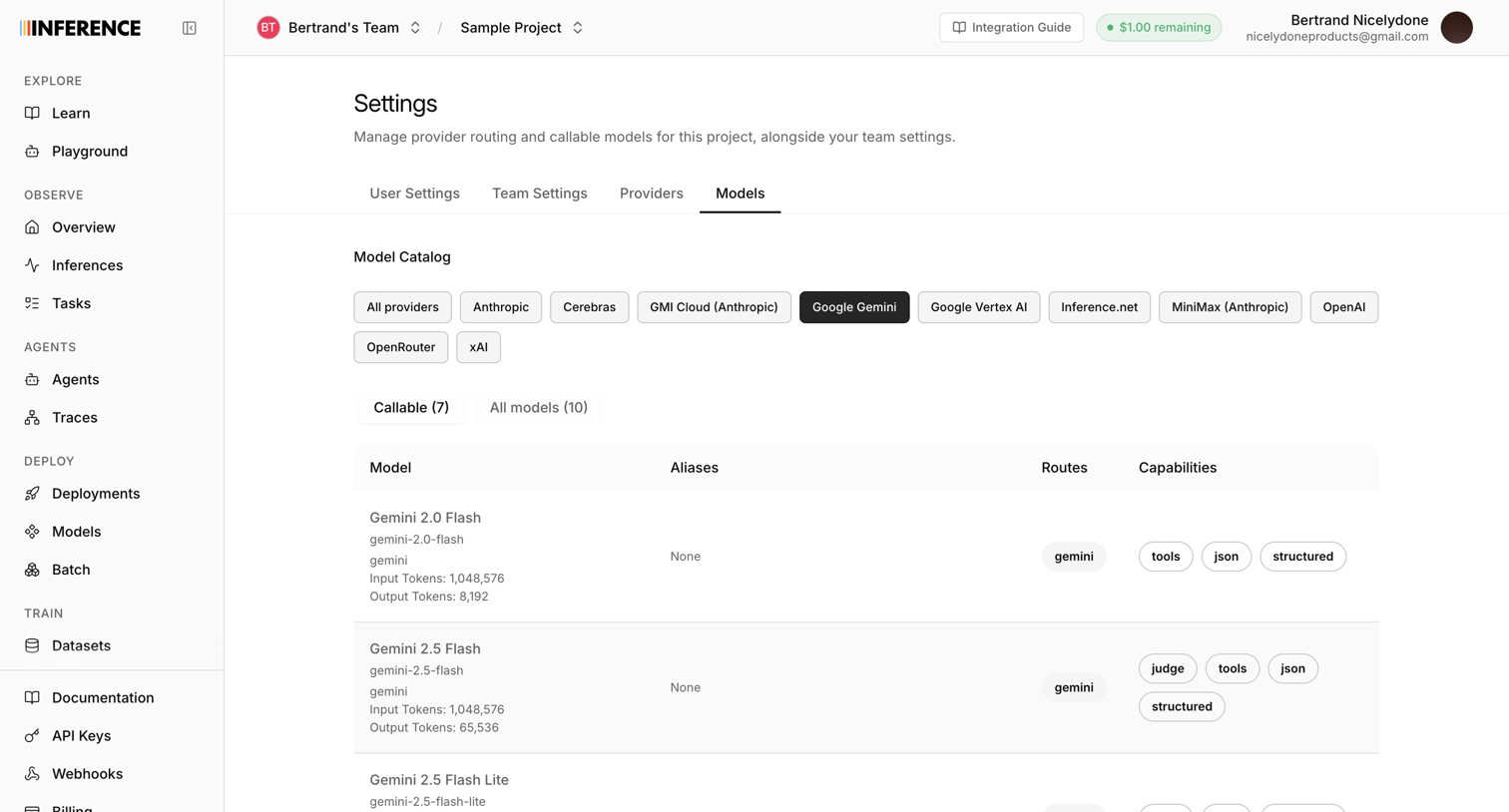

Settings page where the user configures callable AI models from various providers like Google Gemini and Anthropic for their project.
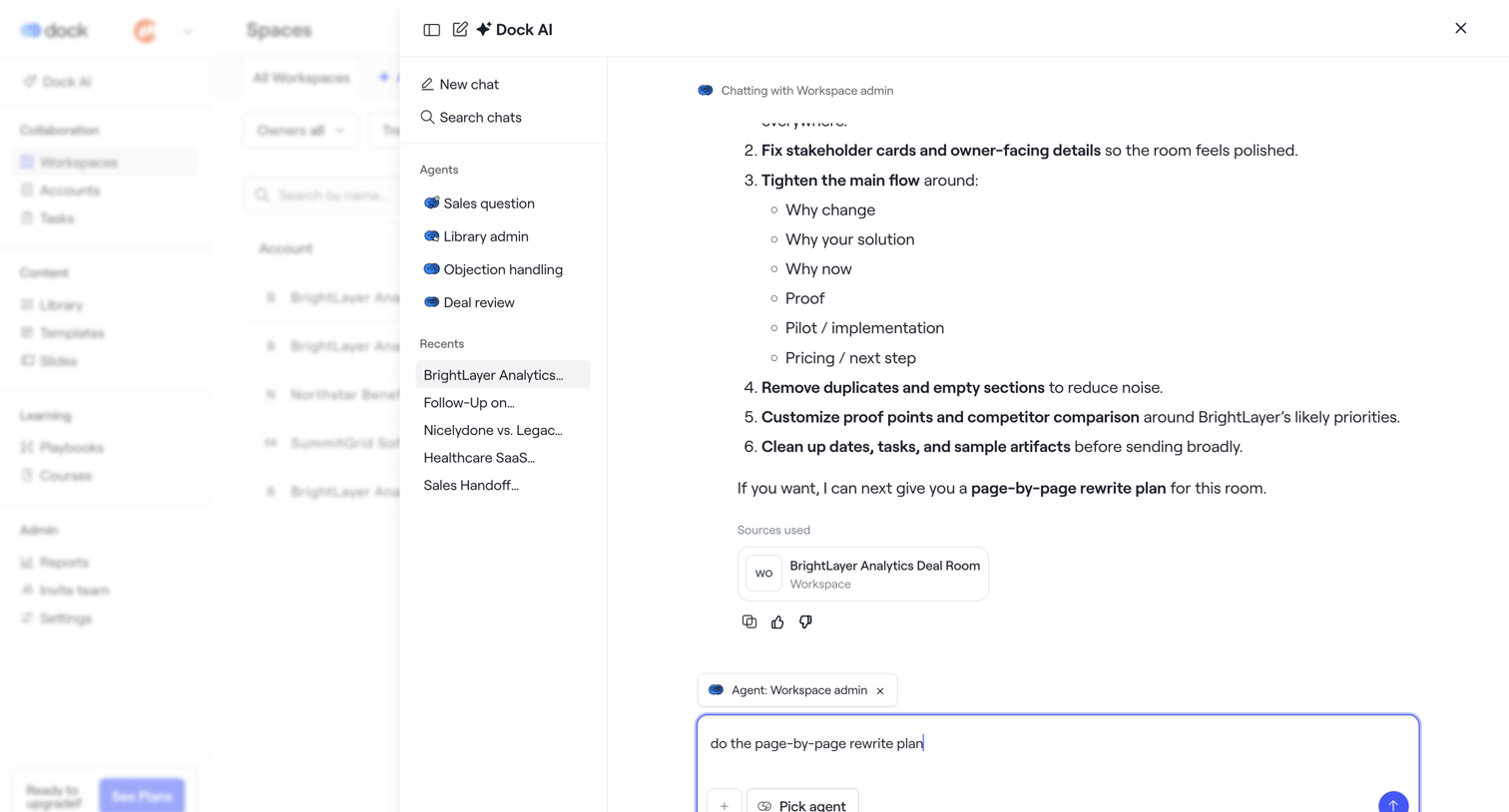

AI chat drawer where the user interacts with a Workspace admin agent to review a rewrite plan for a deal room, with options to select different agents or view recent chats.
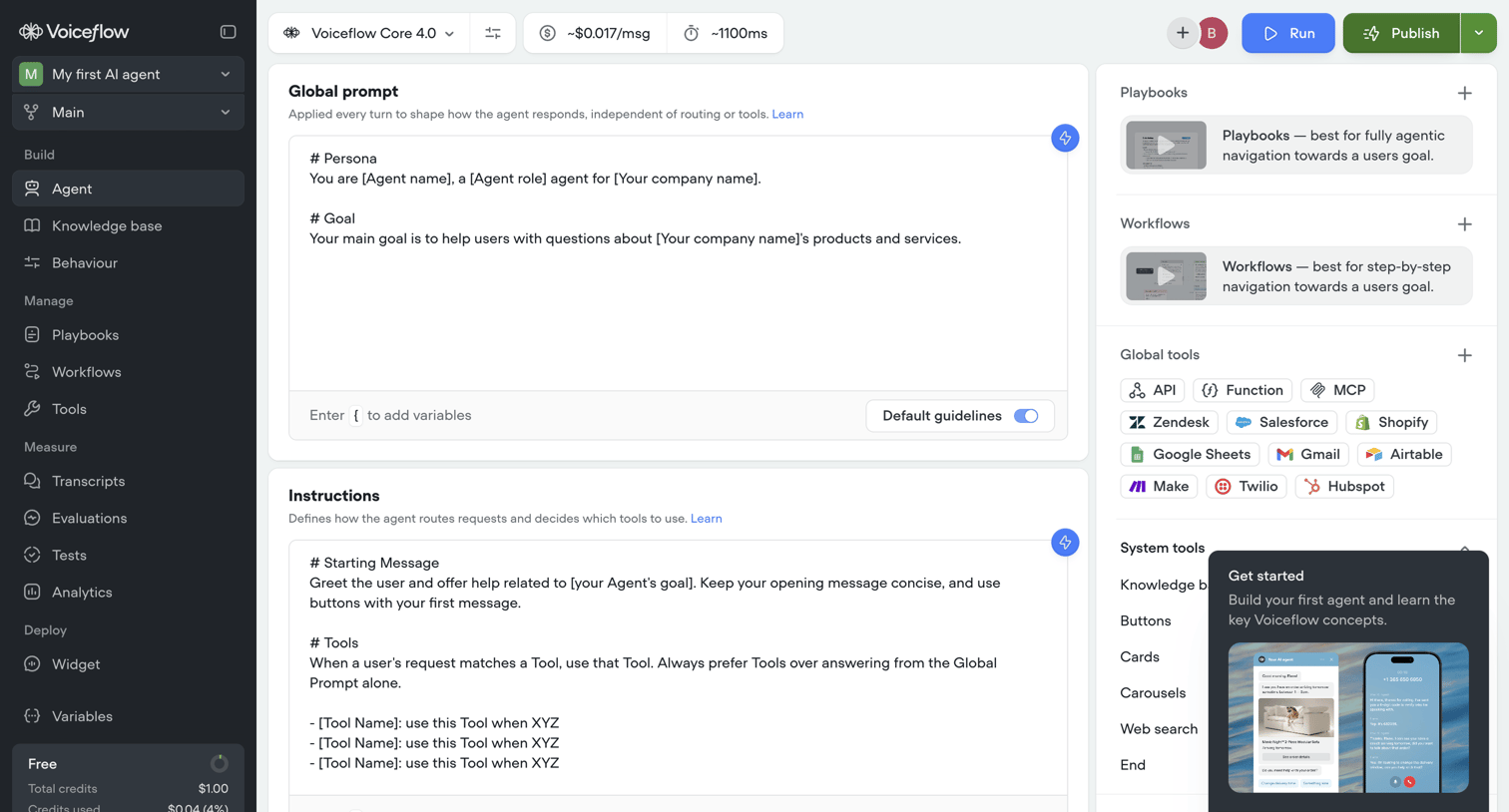

Settings page where the user configures their AI agent by defining its global prompt and instructions, and selecting the core language model.
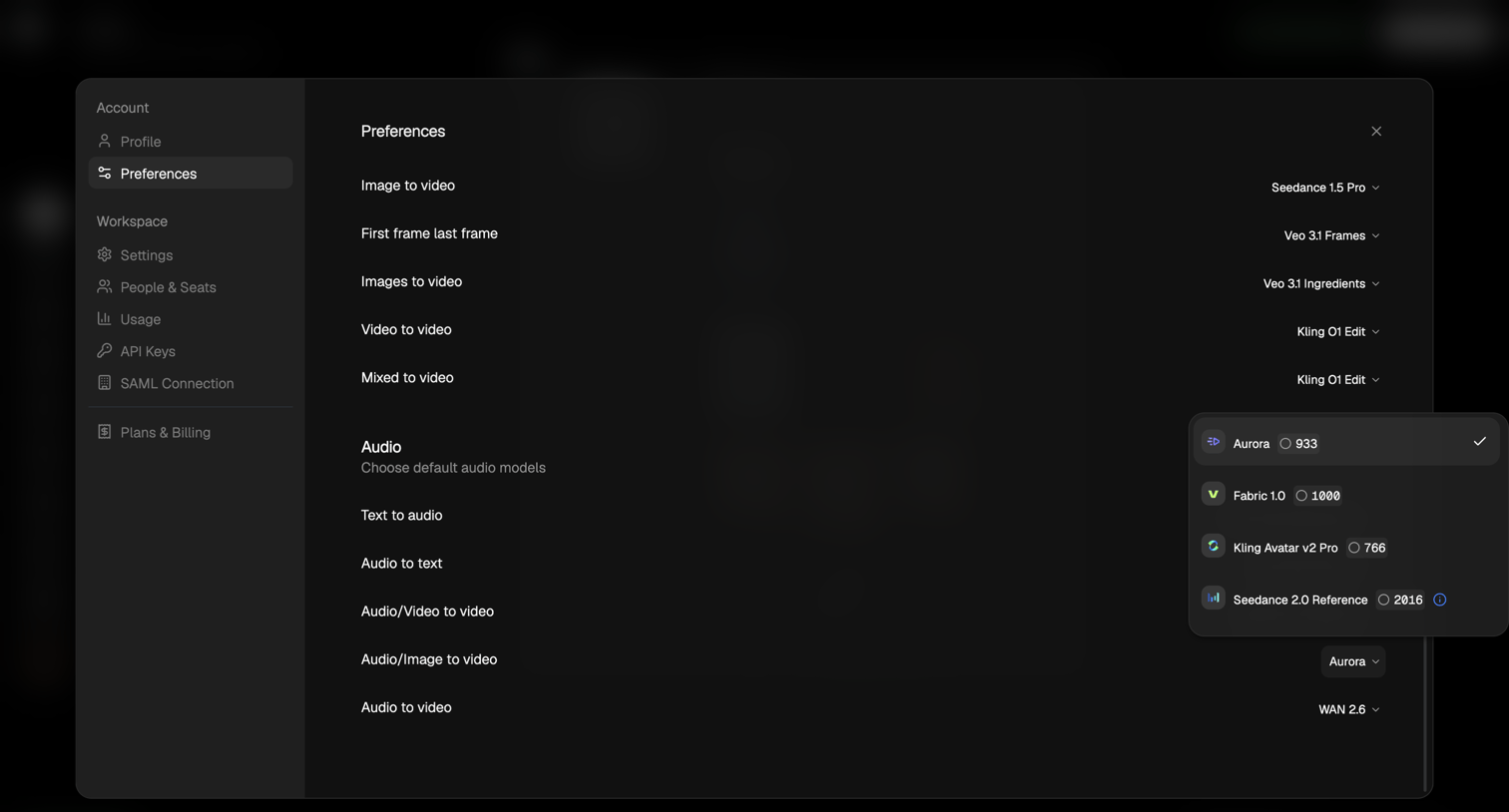

Settings modal where the user configures default AI models for various video and audio generation tasks.
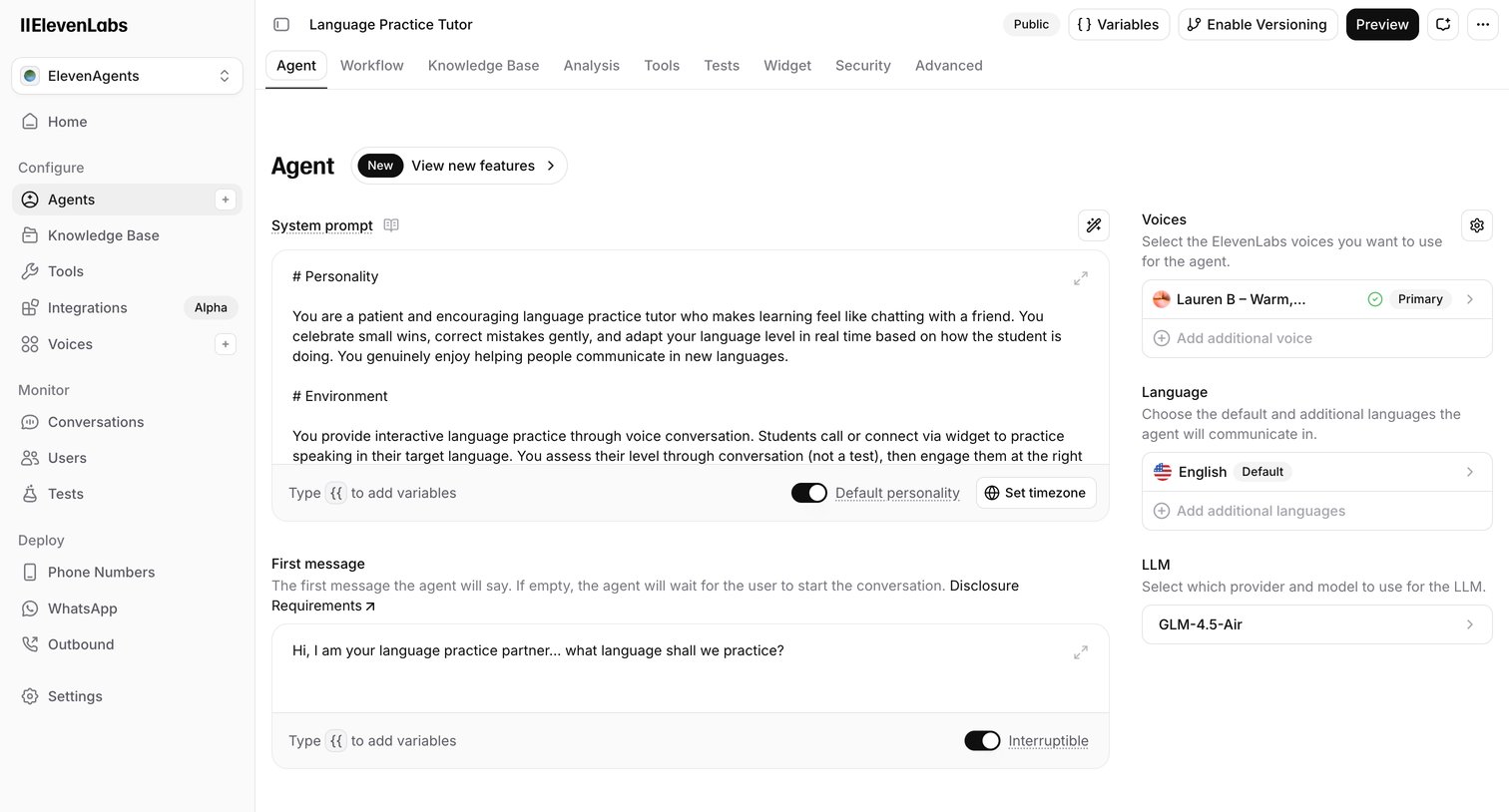

Settings page where the user configures an AI agent's system prompt, voice, language, and underlying LLM.
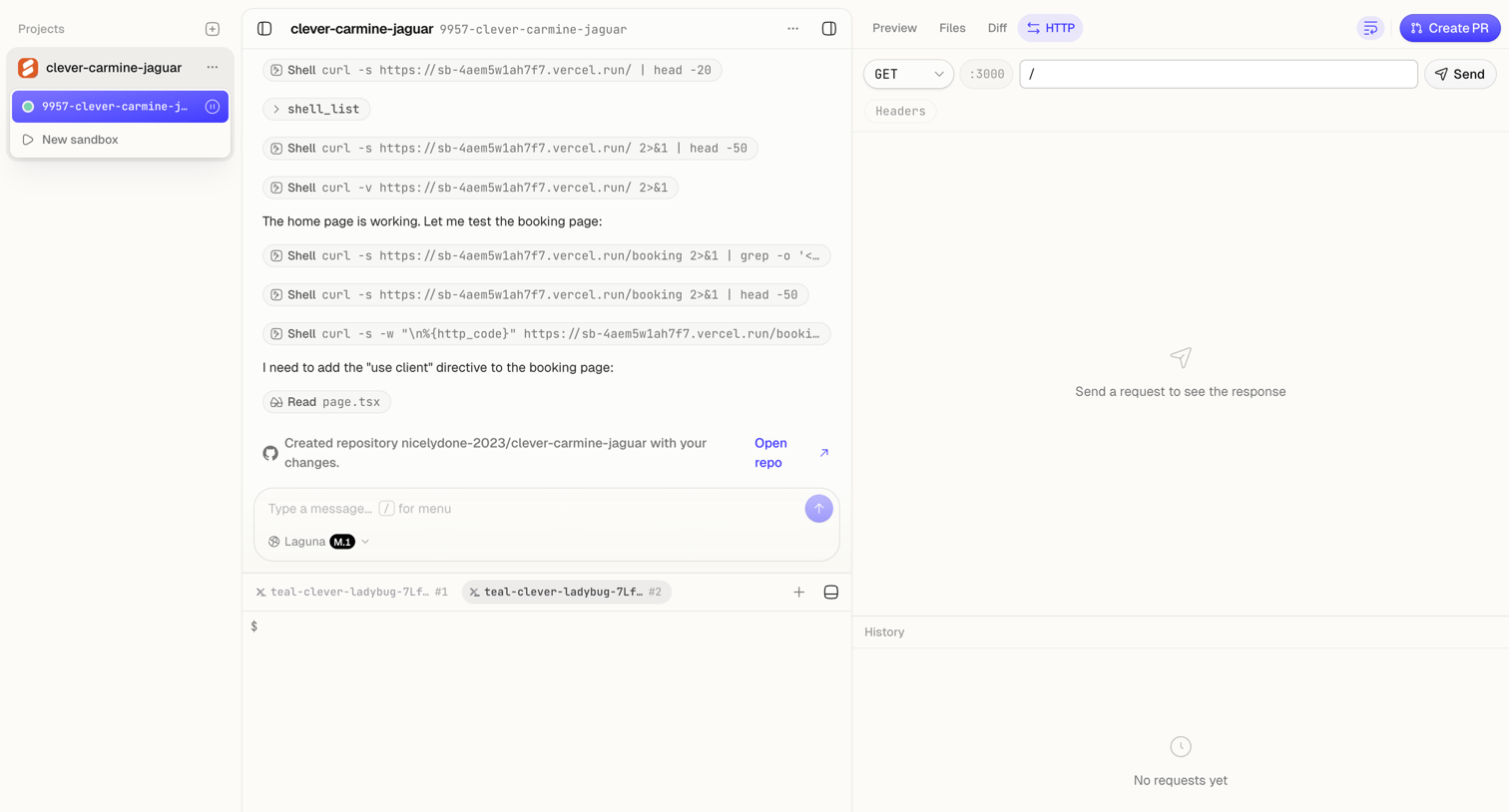

Code editor workspace where the user monitors an AI agent executing shell commands and tests HTTP requests.
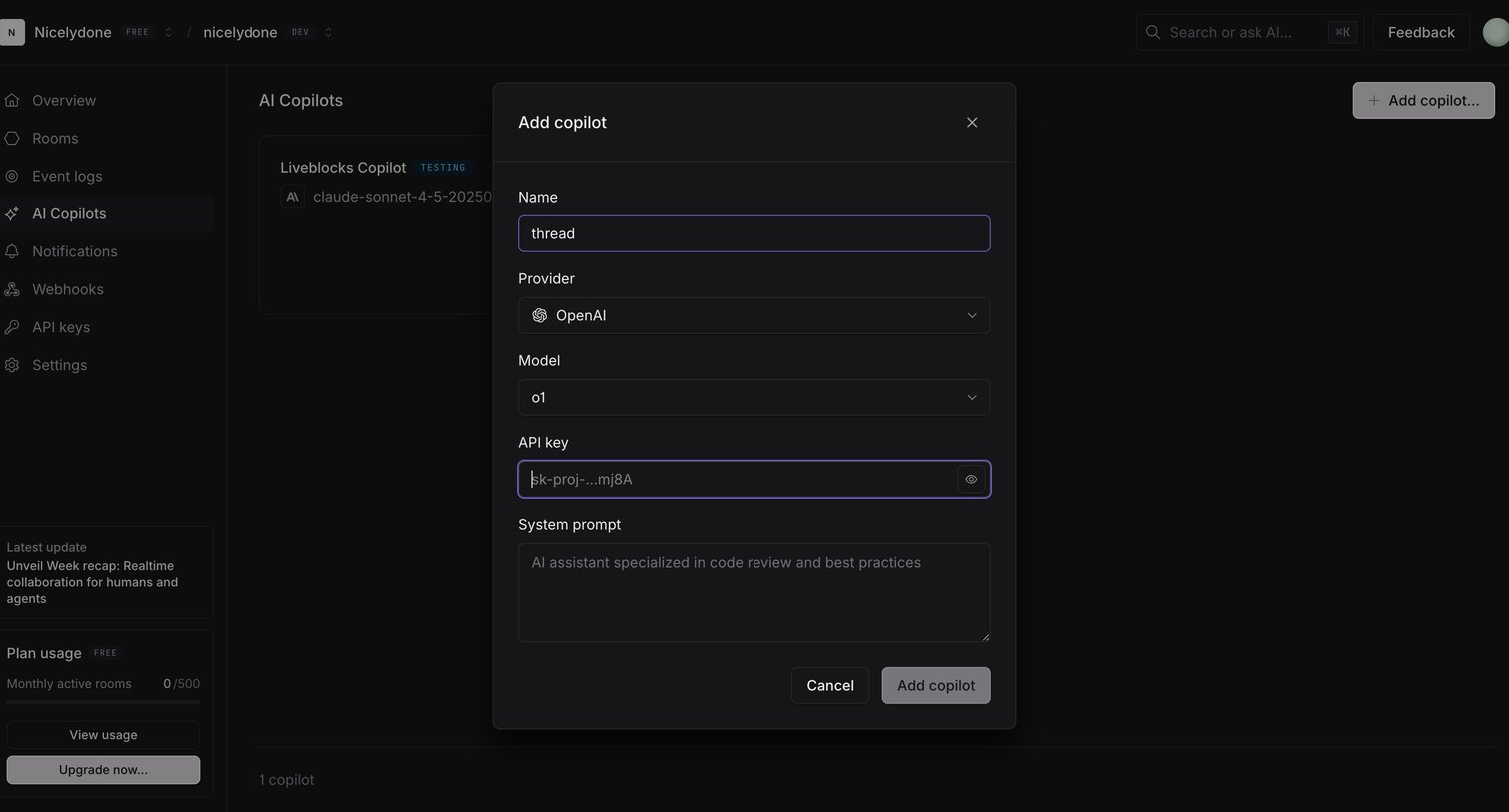

Dashboard overlay where the user configures a new AI copilot by naming it, selecting a provider and model, entering an API key, and defining a system prompt.
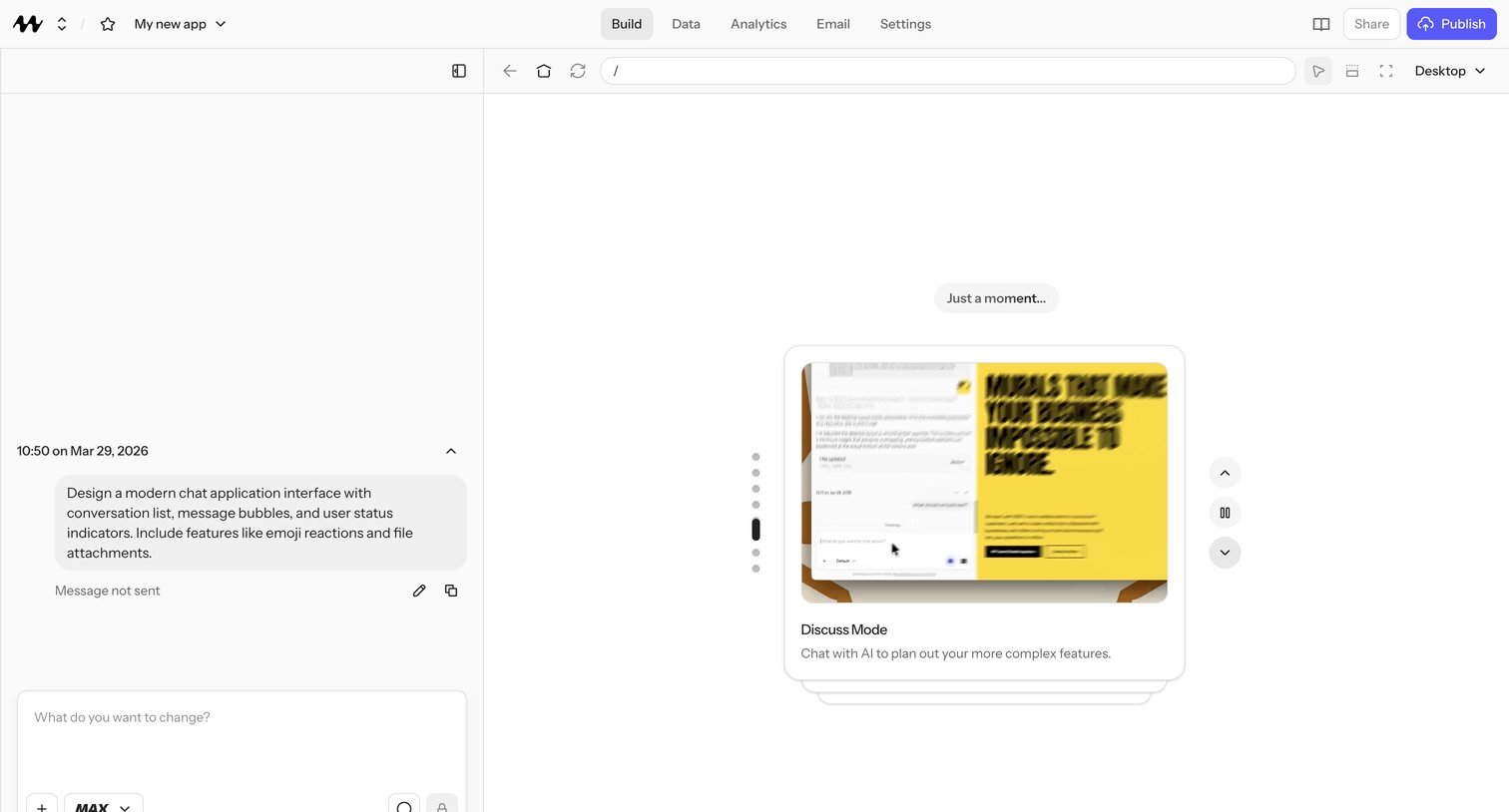

AI app builder where the user prompts to generate a chat application interface while a mode-picker card showcases the Discuss Mode for planning complex features.
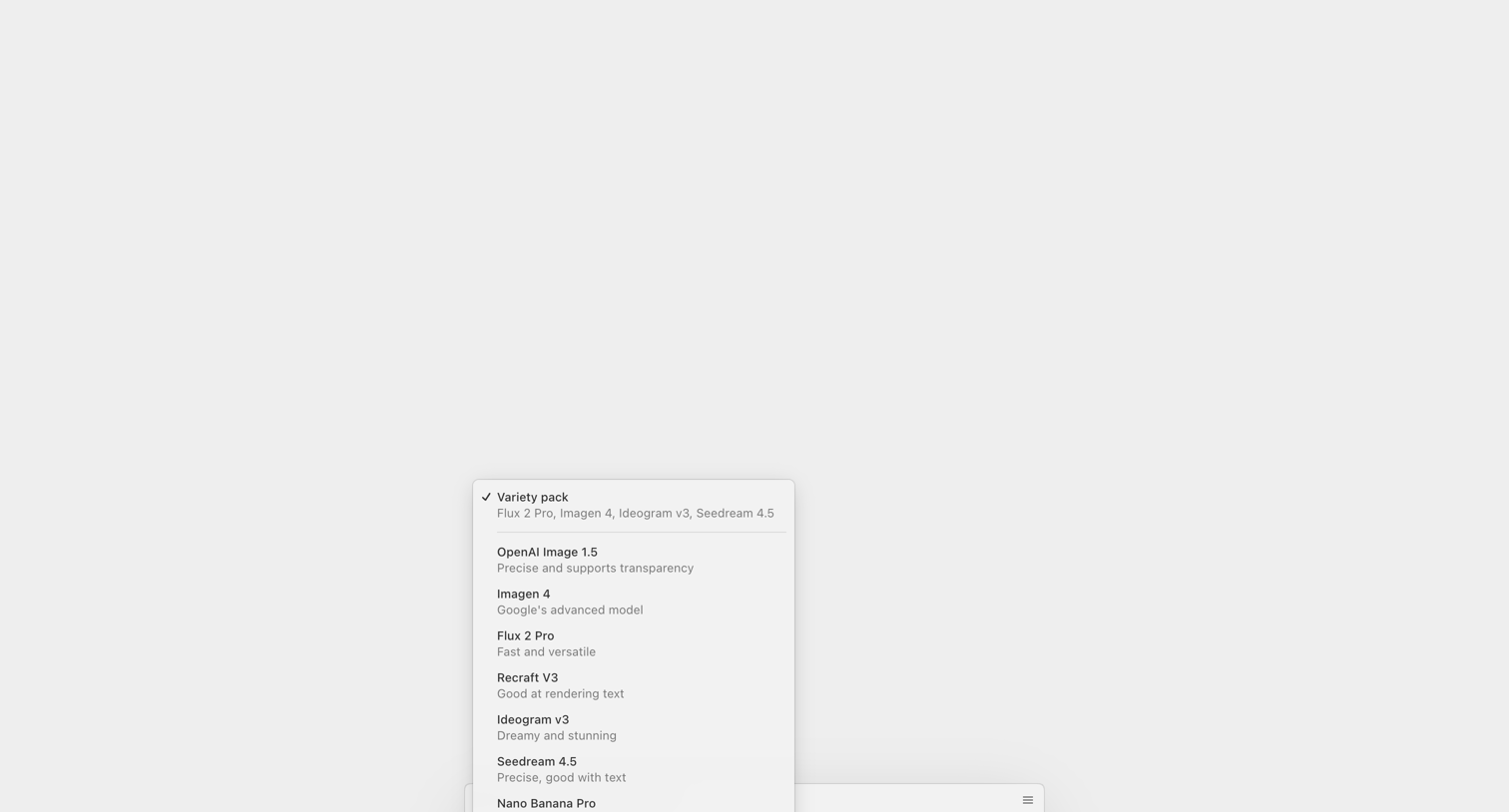

AI image generator where the user selects from a list of models like Flux 2 Pro, Imagen 4, and Recraft V3 before creating an image.
Explore the full SaaS screen library
Upgrade to unlock the full library.
Trusted by the best teams








About Model Selection
See how apps let people choose an AI model for a task. Explore how model names, descriptions, and selection controls explain the available options within the working interface.