Workflow creation screen examples
Workflow creation screen design examples from SaaS apps. Browse examples from Extend, Flora, Assembly AI App Builder.
Explore the examples
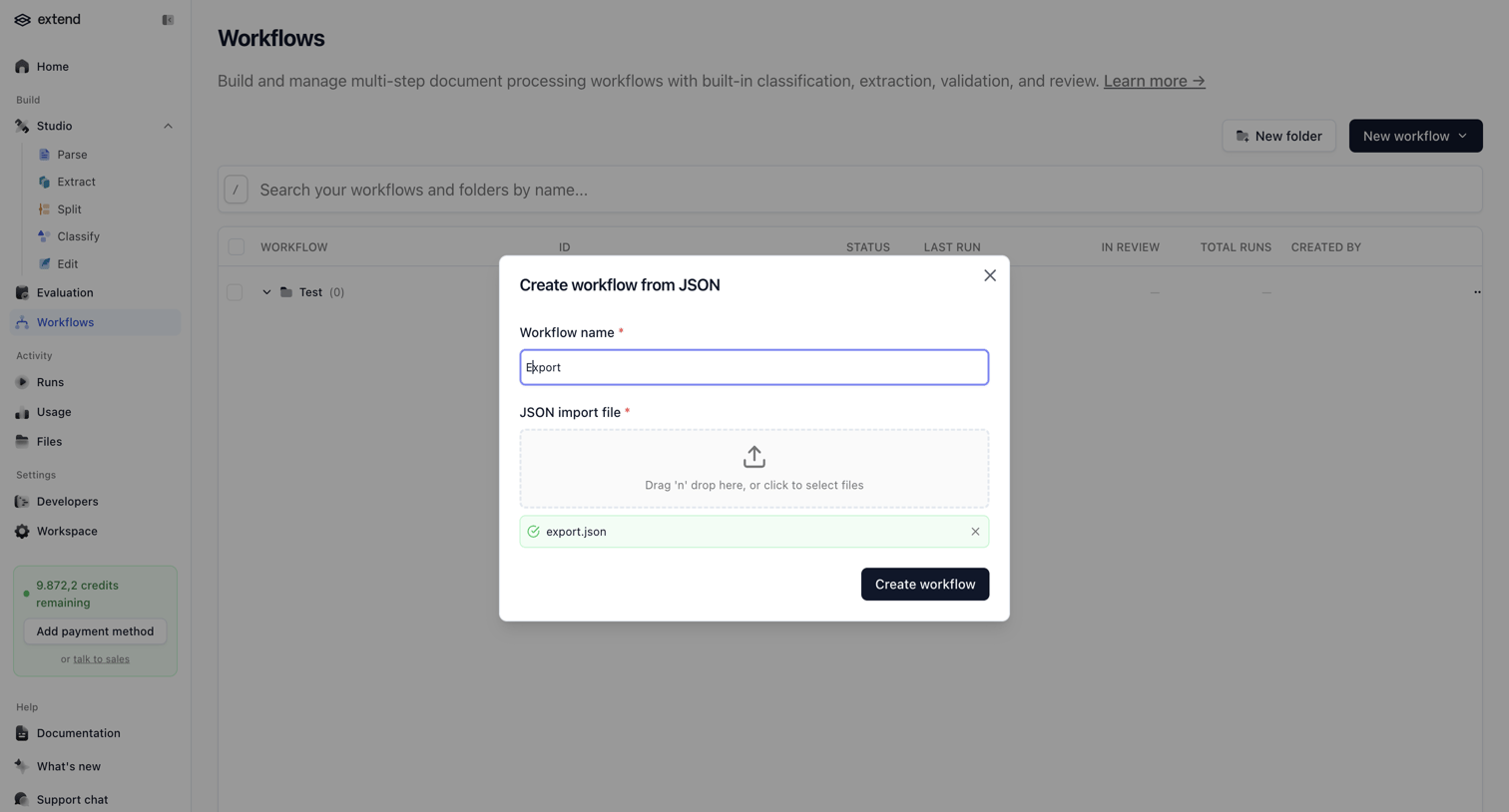

Create modal where the user imports a new document processing workflow by uploading a JSON file and naming it.
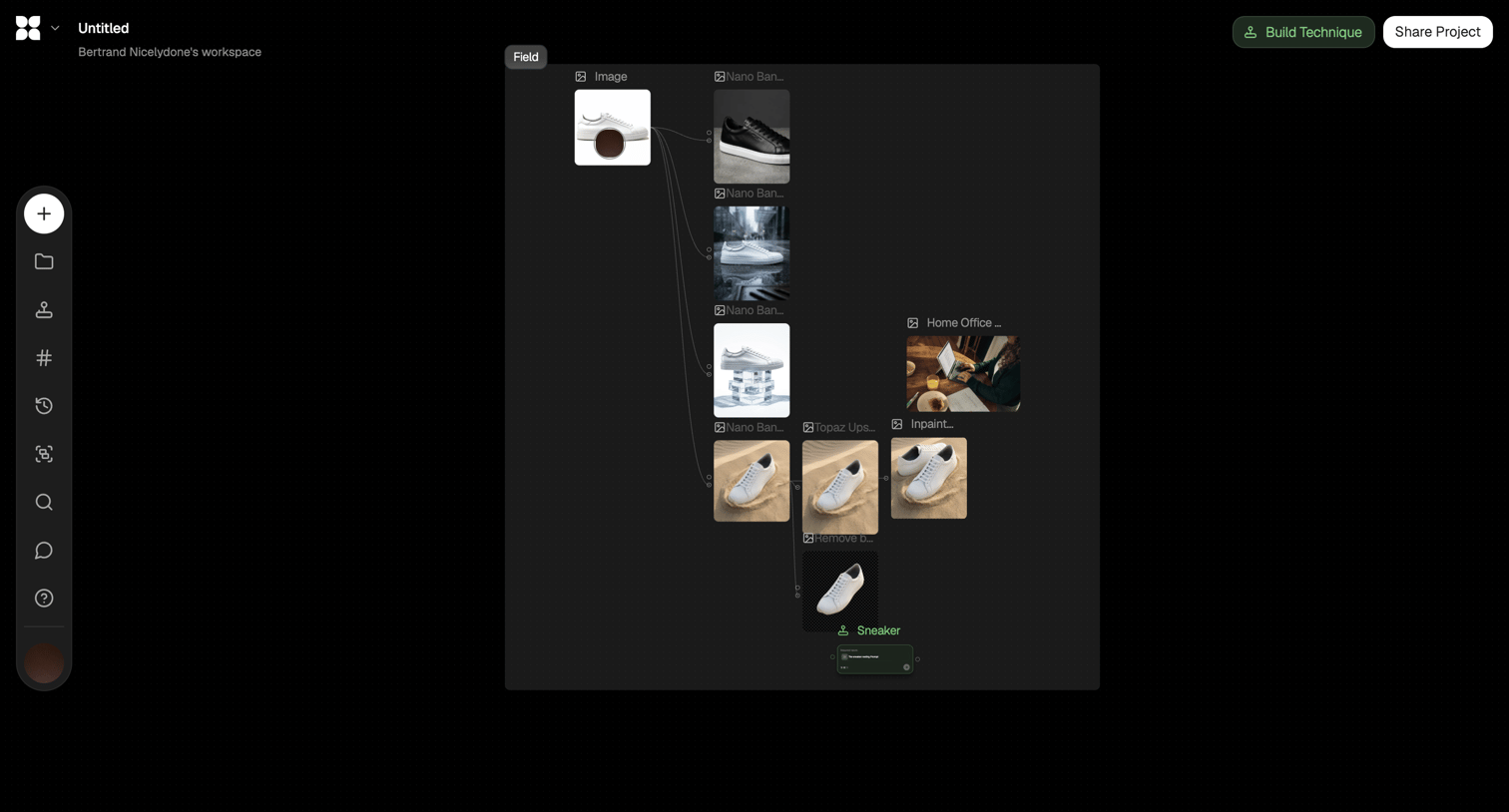

Node-based design editor where the user builds an AI image generation and transformation pipeline.
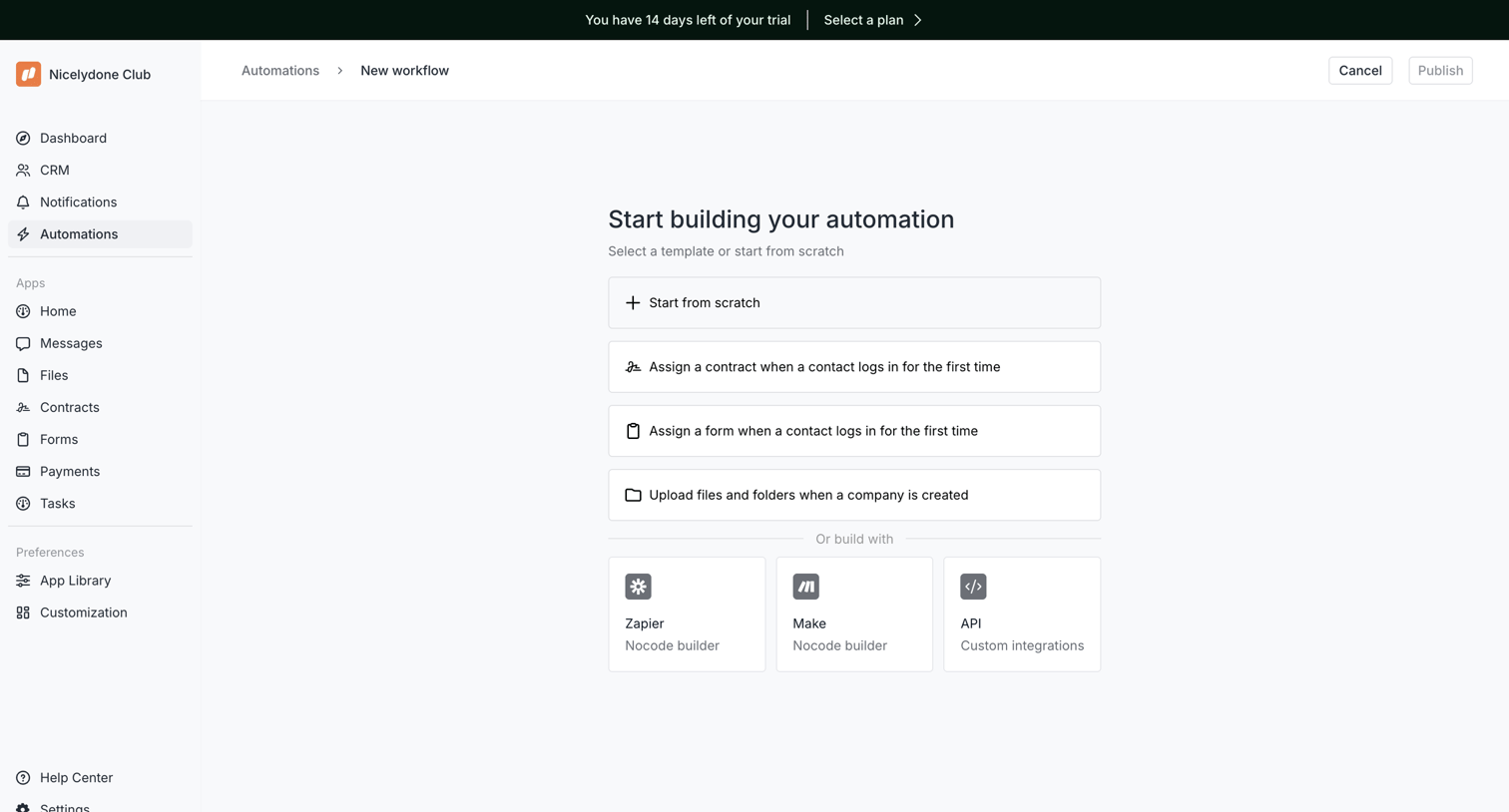

Creation screen where the user selects a starting point for a new automation, choosing between a blank canvas, pre-built workflow templates, or external integrations like Zapier and Make.
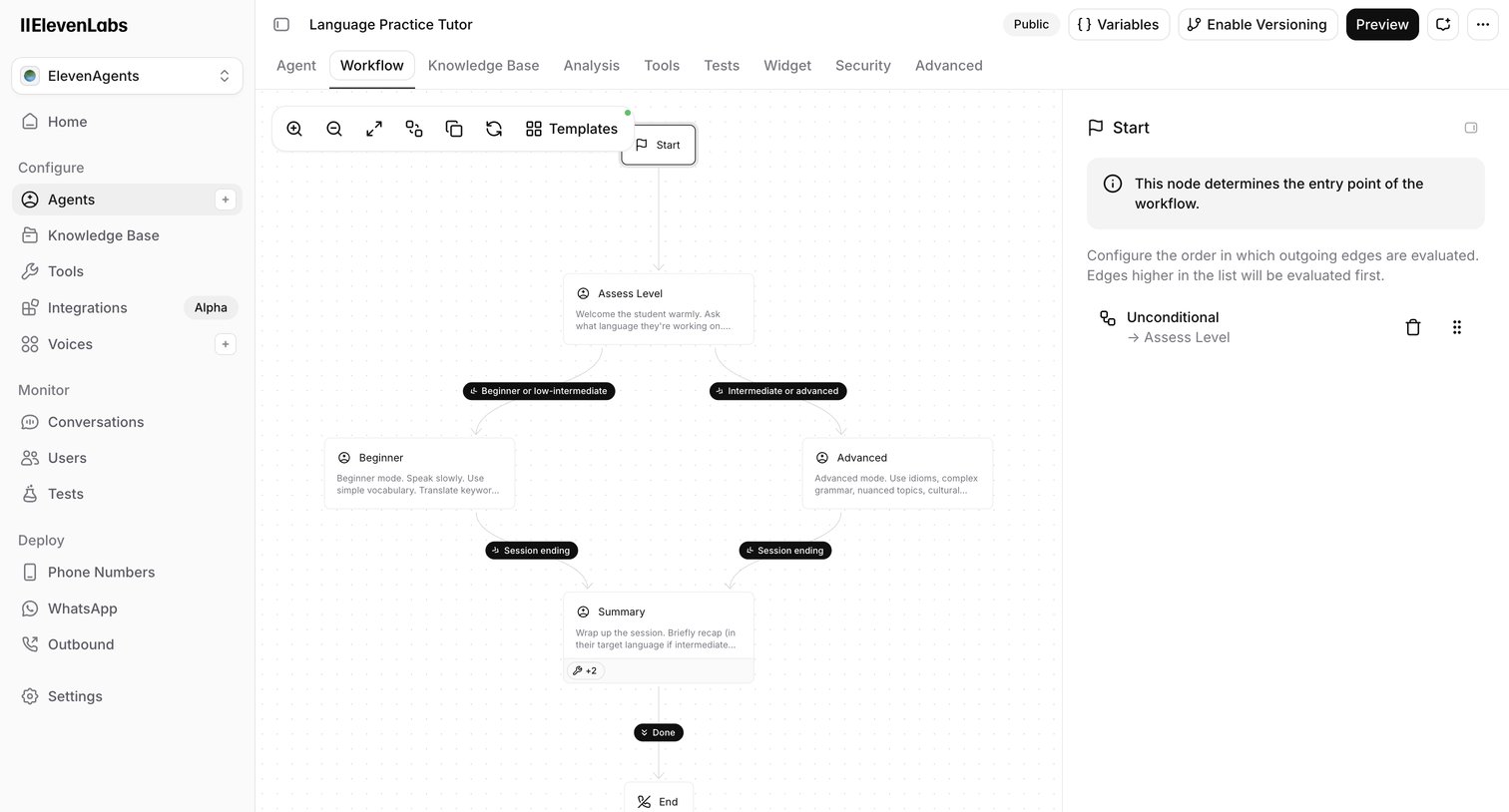

Design editor where the user configures the conversation flow of an AI language tutor agent using a node-based canvas and an inspector panel.
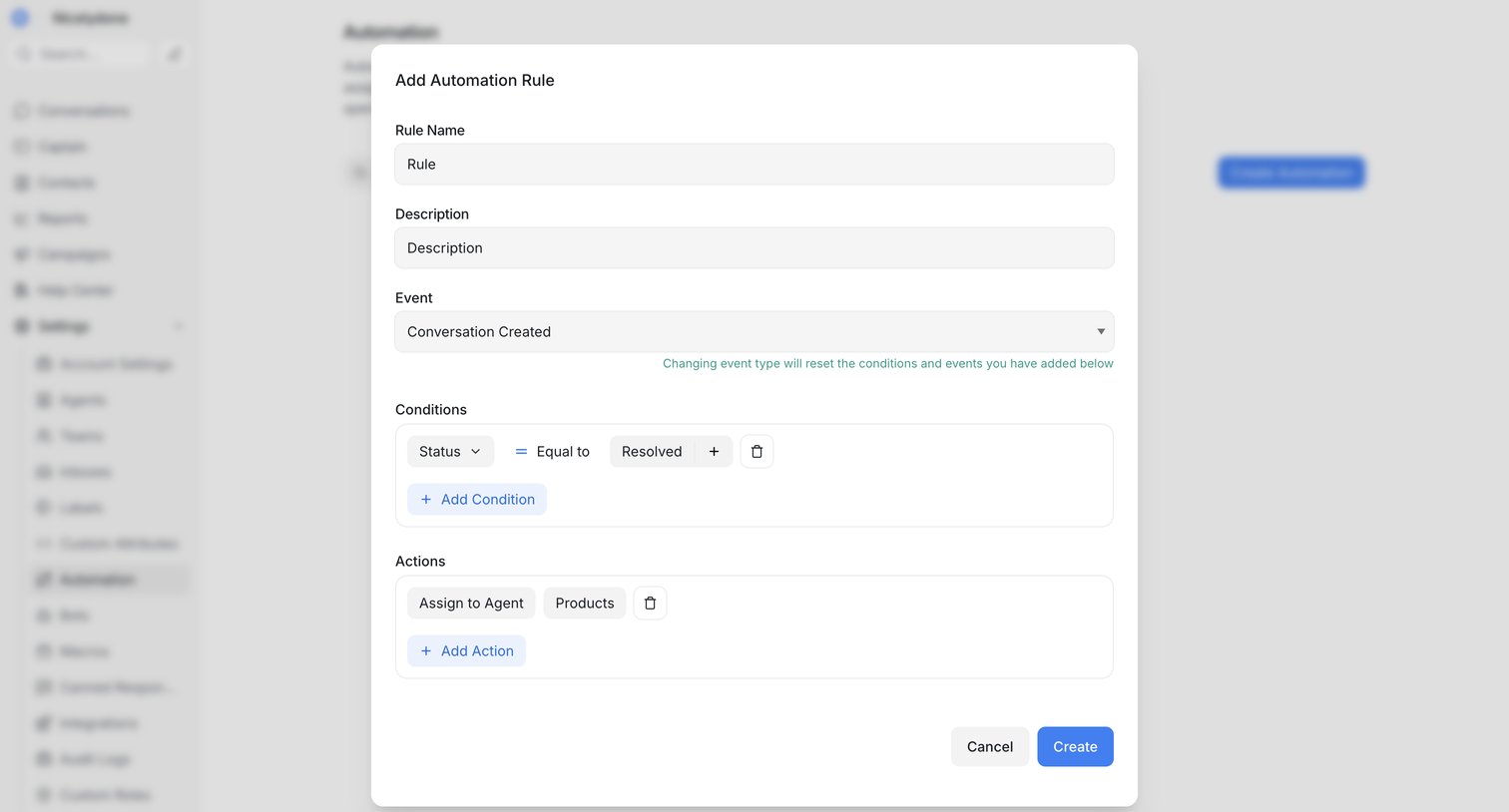

Settings modal where the user configures a new automation rule by defining a trigger event, conditions, and resulting actions.
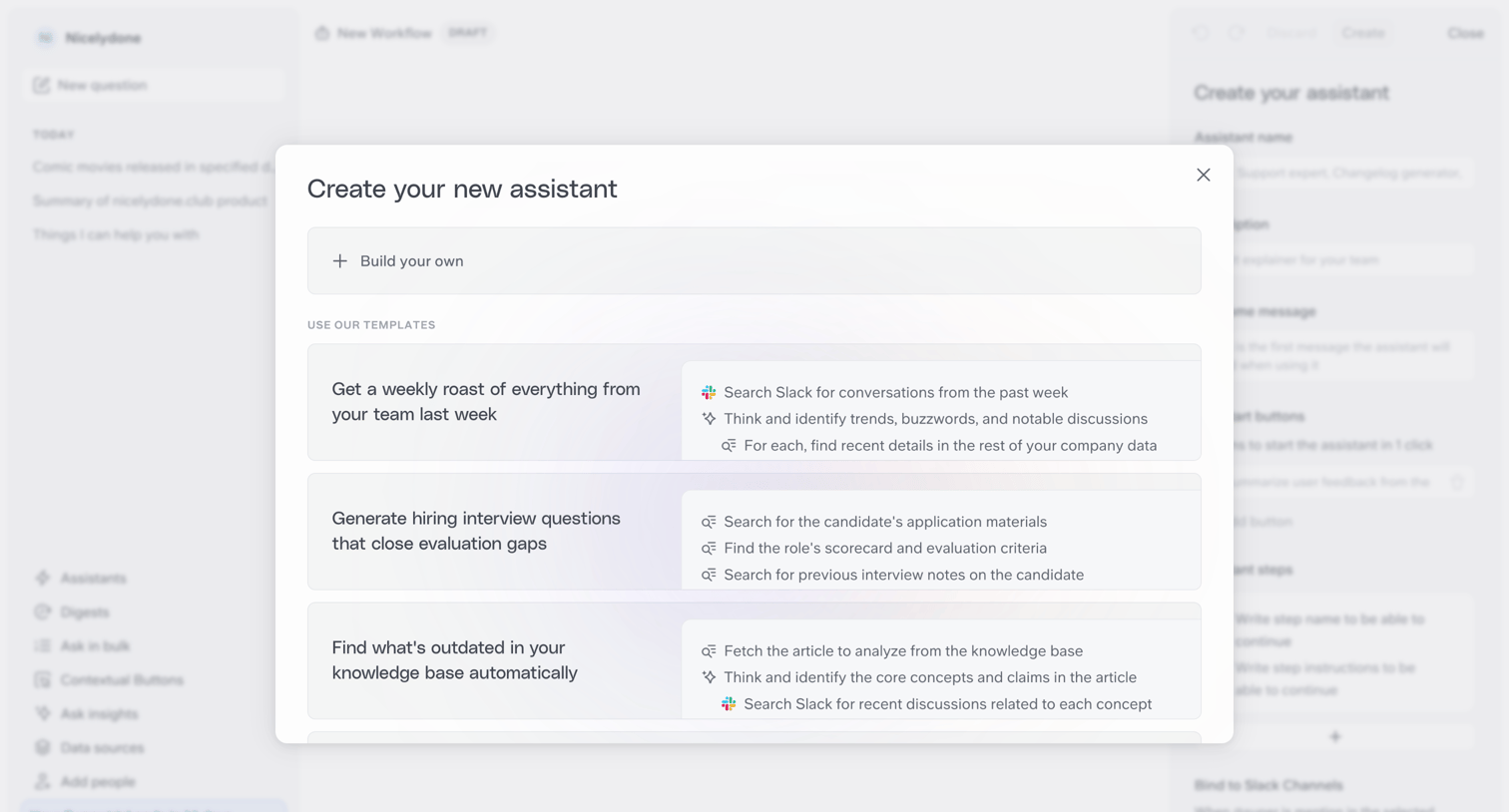

Modal where the user chooses to build a new AI assistant from scratch or start from a pre-configured template like a weekly roast or interview question generator.
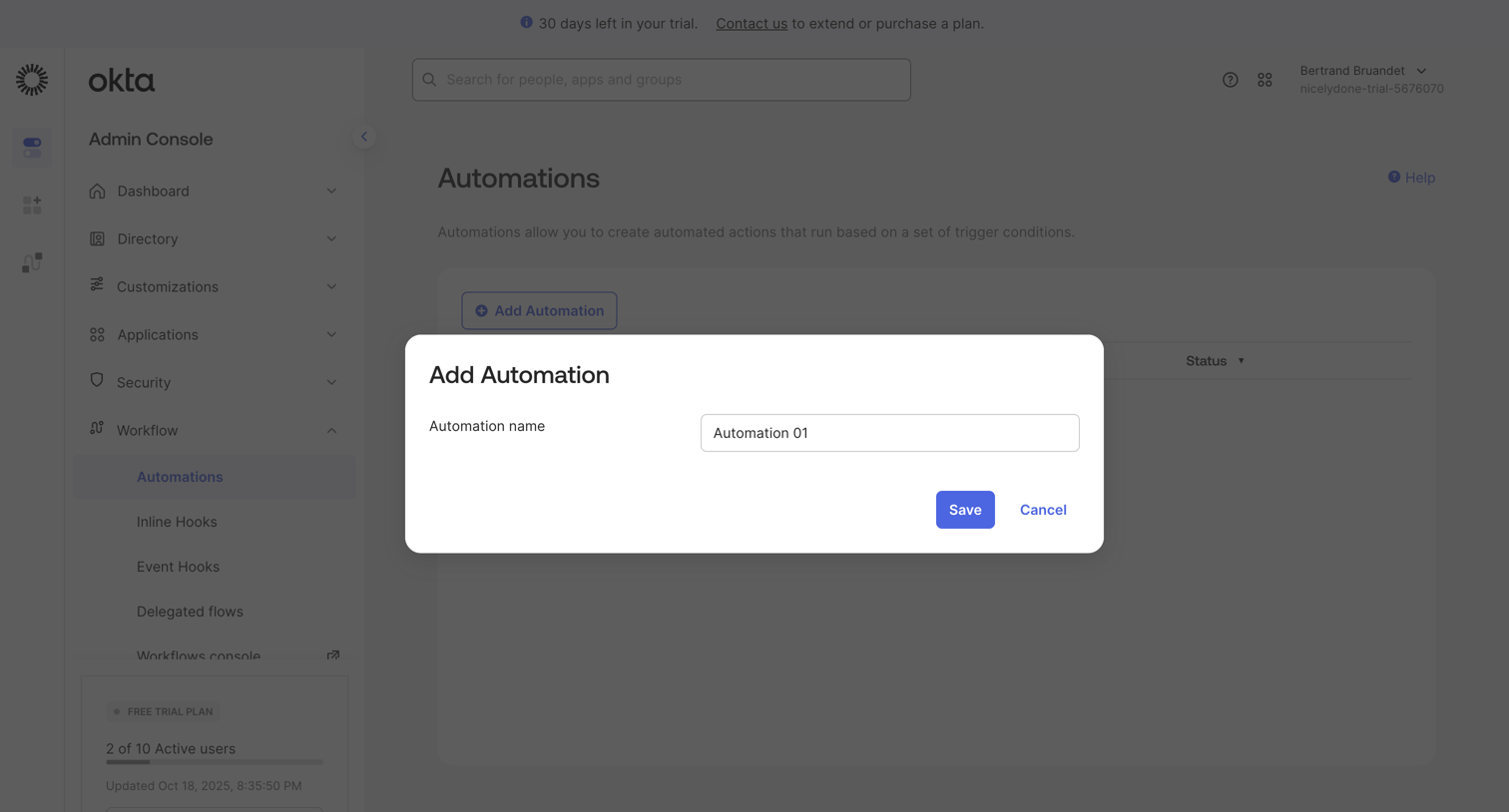

List view where the user creates a new automation by entering a name in a modal overlay.
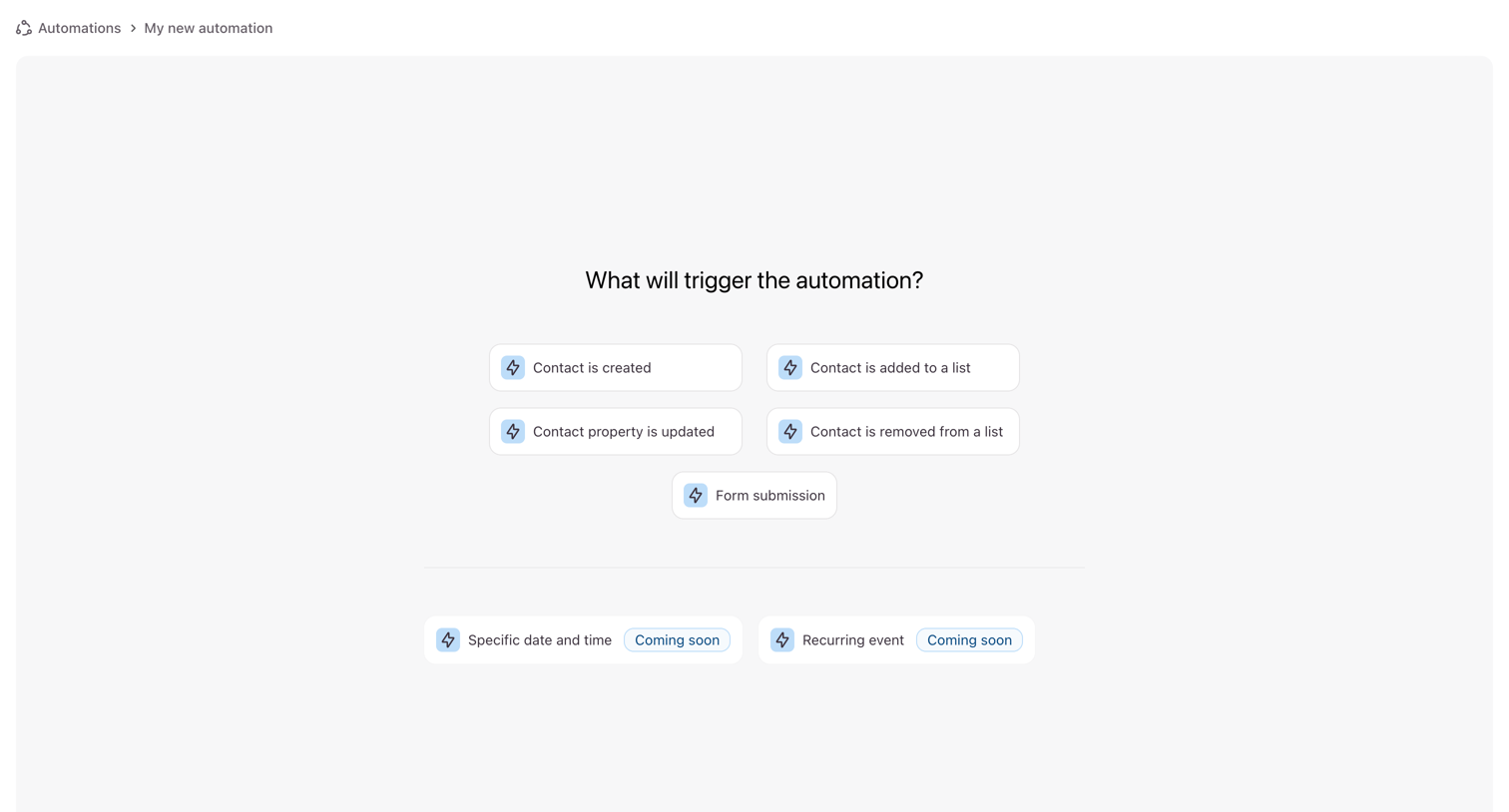

Creation wizard step where the user selects the initial trigger for a new automation, such as a contact creation or form submission.
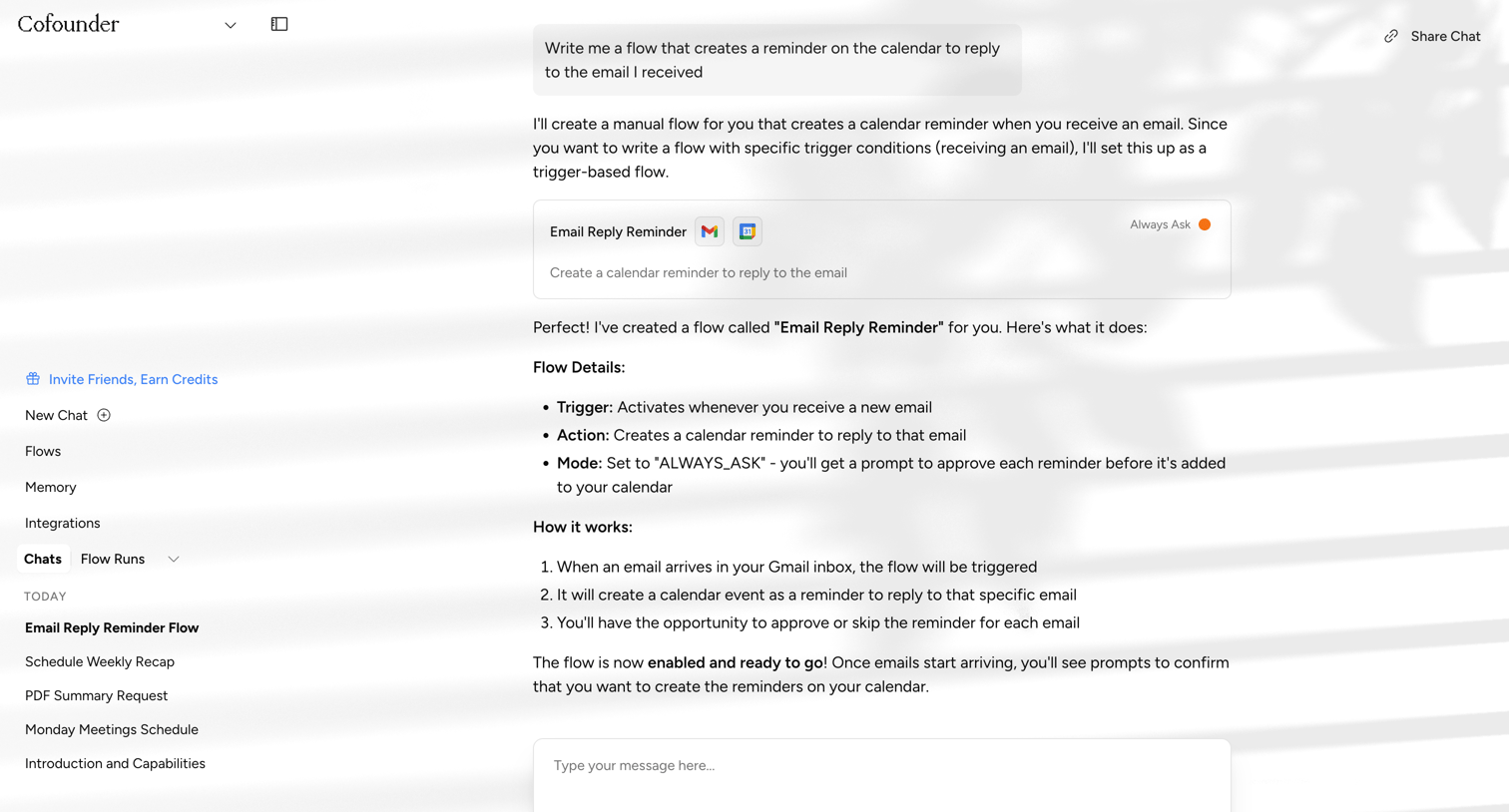

AI chat interface where the user is conversing with an assistant to build a custom automation flow that creates calendar reminders for incoming emails.
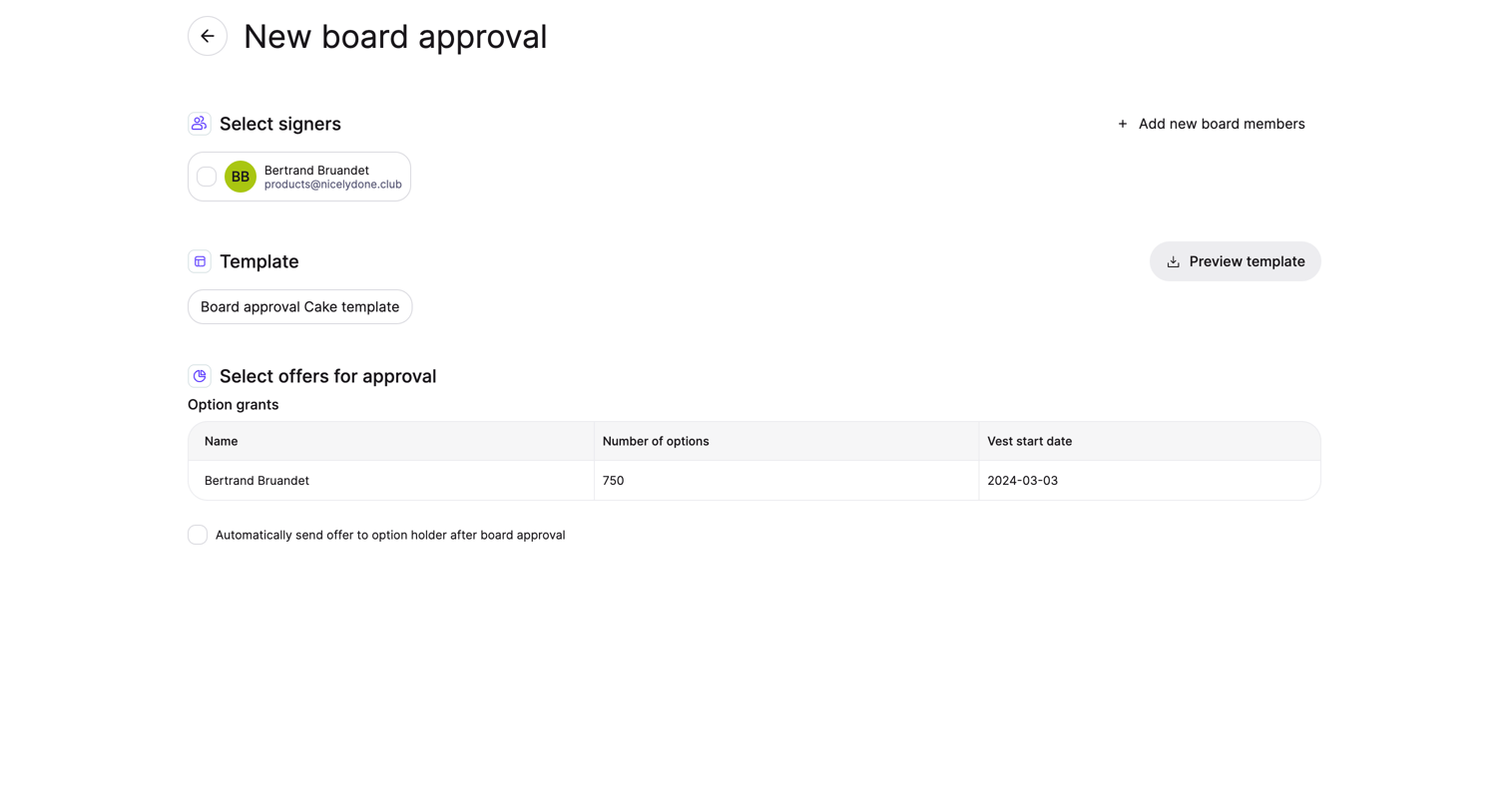

Creation flow where the user selects signers, a template, and option grants to send for board approval.
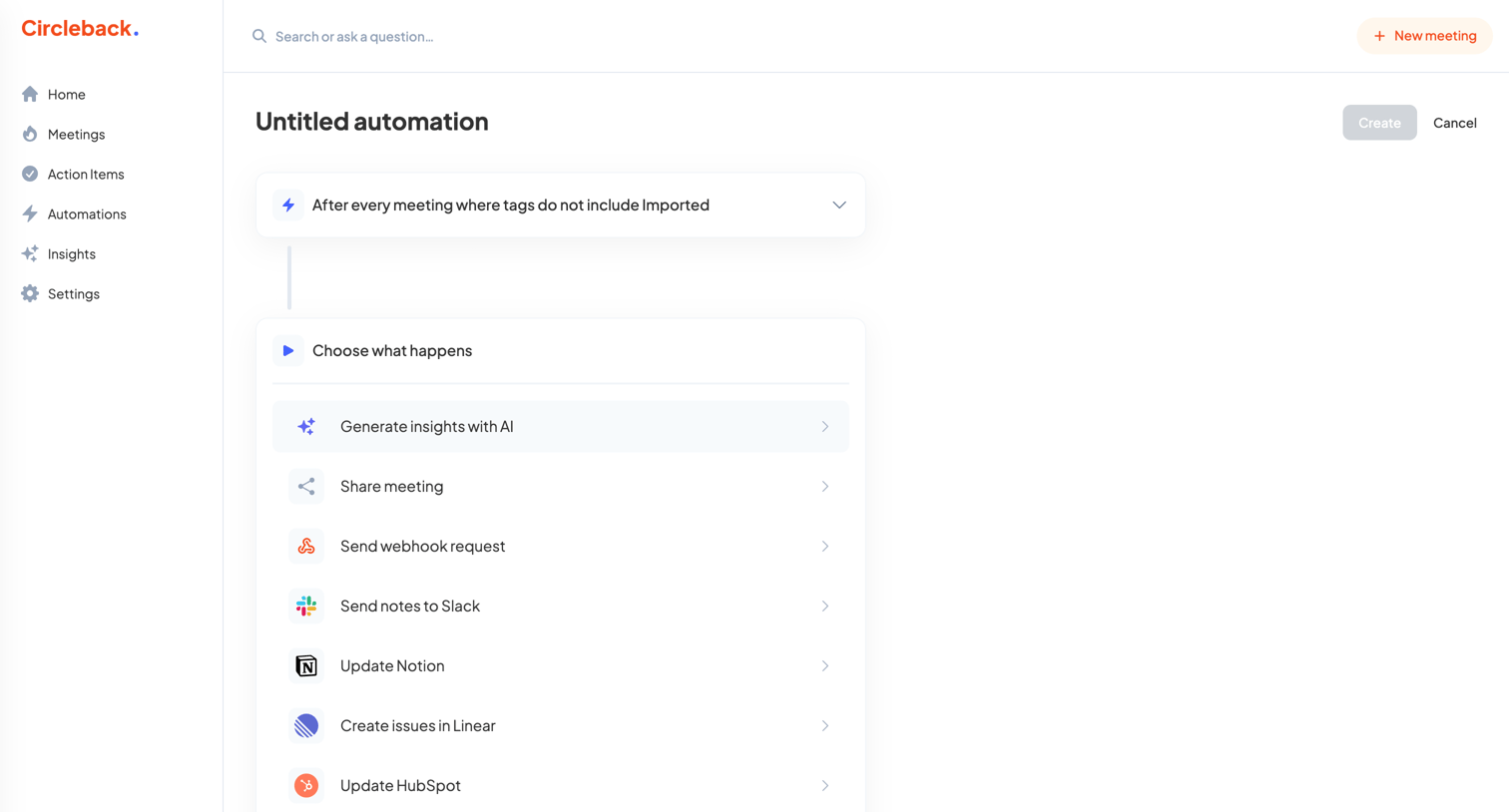

Creation page where the user builds a new automation rule by defining a meeting trigger and selecting subsequent actions like sending notes to Slack or updating Salesforce.

Explore the full SaaS screen library
Upgrade to unlock the full library.
Trusted by the best teams







