Command Palette screen examples
Command Palette screen design examples from SaaS apps. See how apps bring commands and destinations into a searchable overlay. Explore how results, shortcuts, and groups help people choose an action from within…
Explore the examples
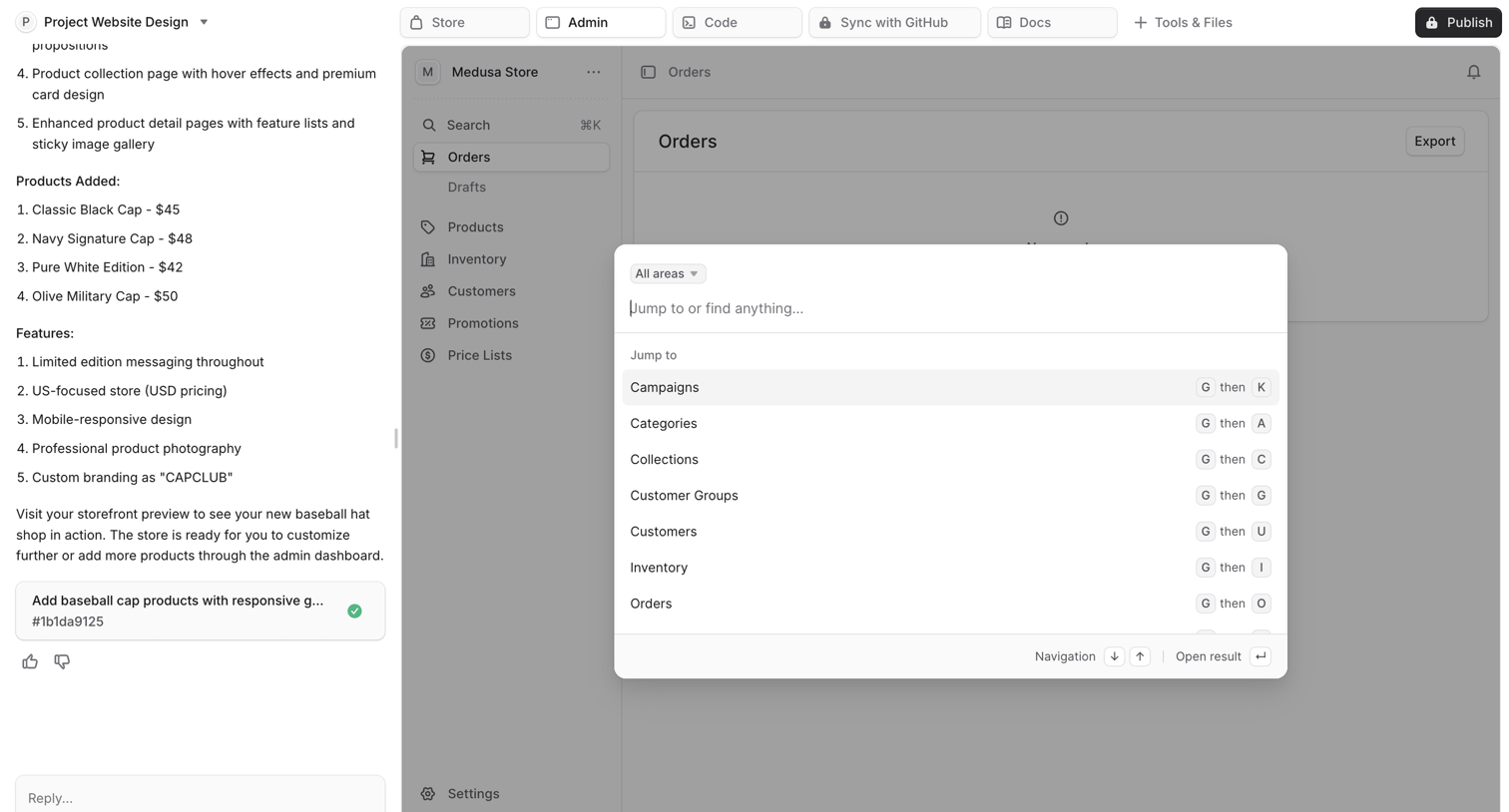

Search overlay where the user jumps to specific areas like Campaigns, Categories, and Collections within the admin dashboard using keyboard shortcuts.
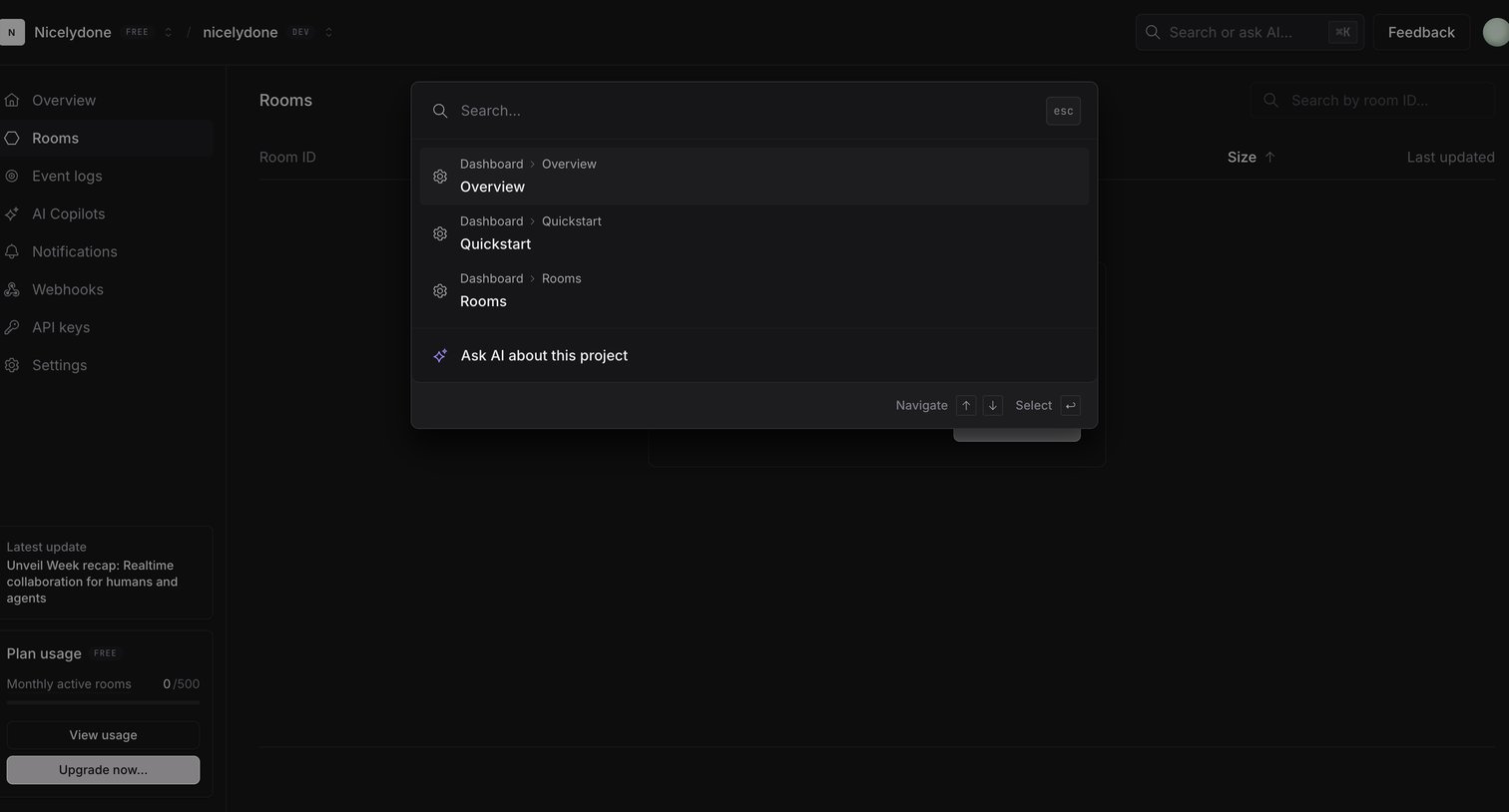

Search overlay where the user can quickly navigate to recent rooms, quickstart guides, or ask the AI about their project.
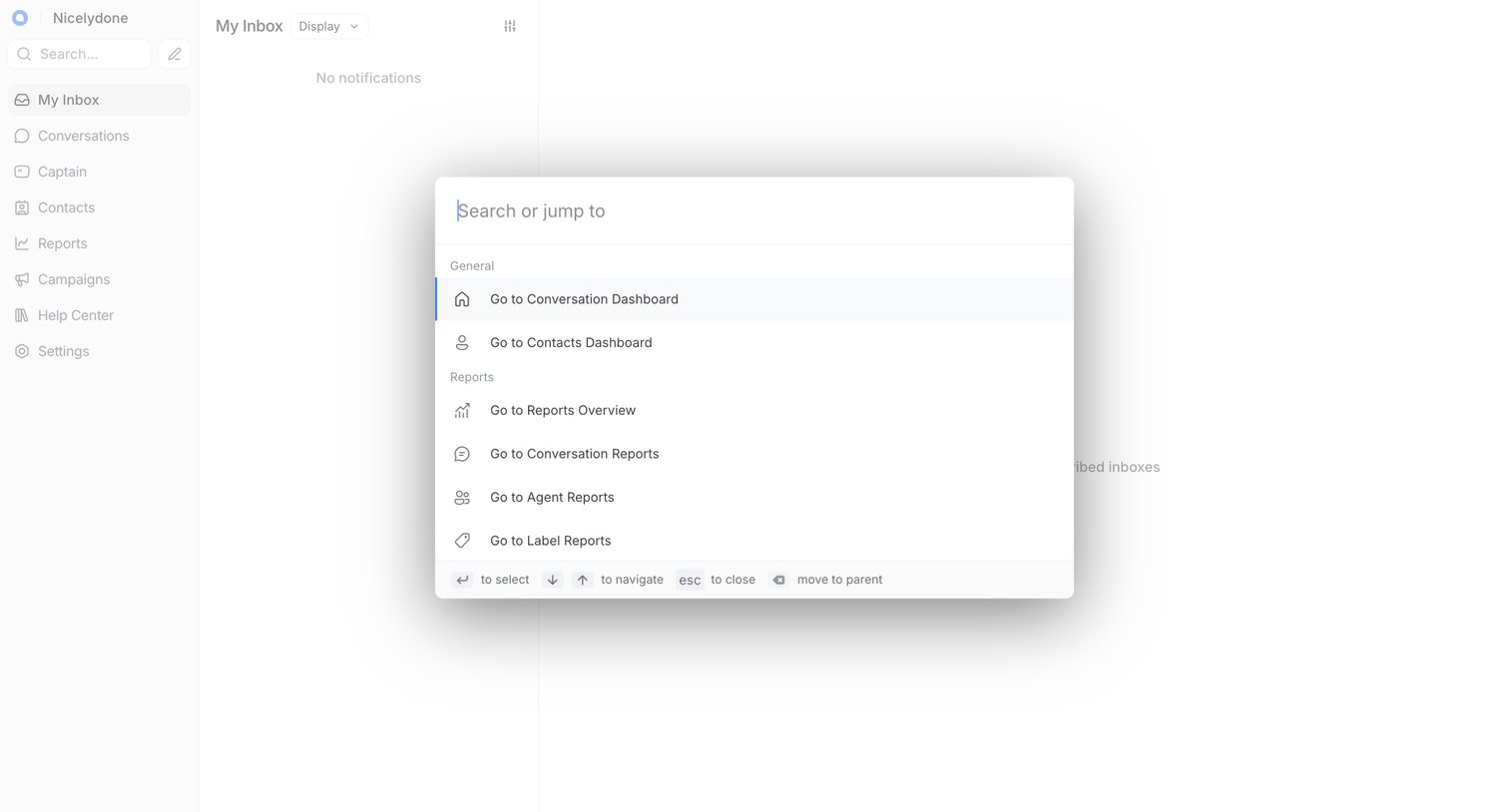

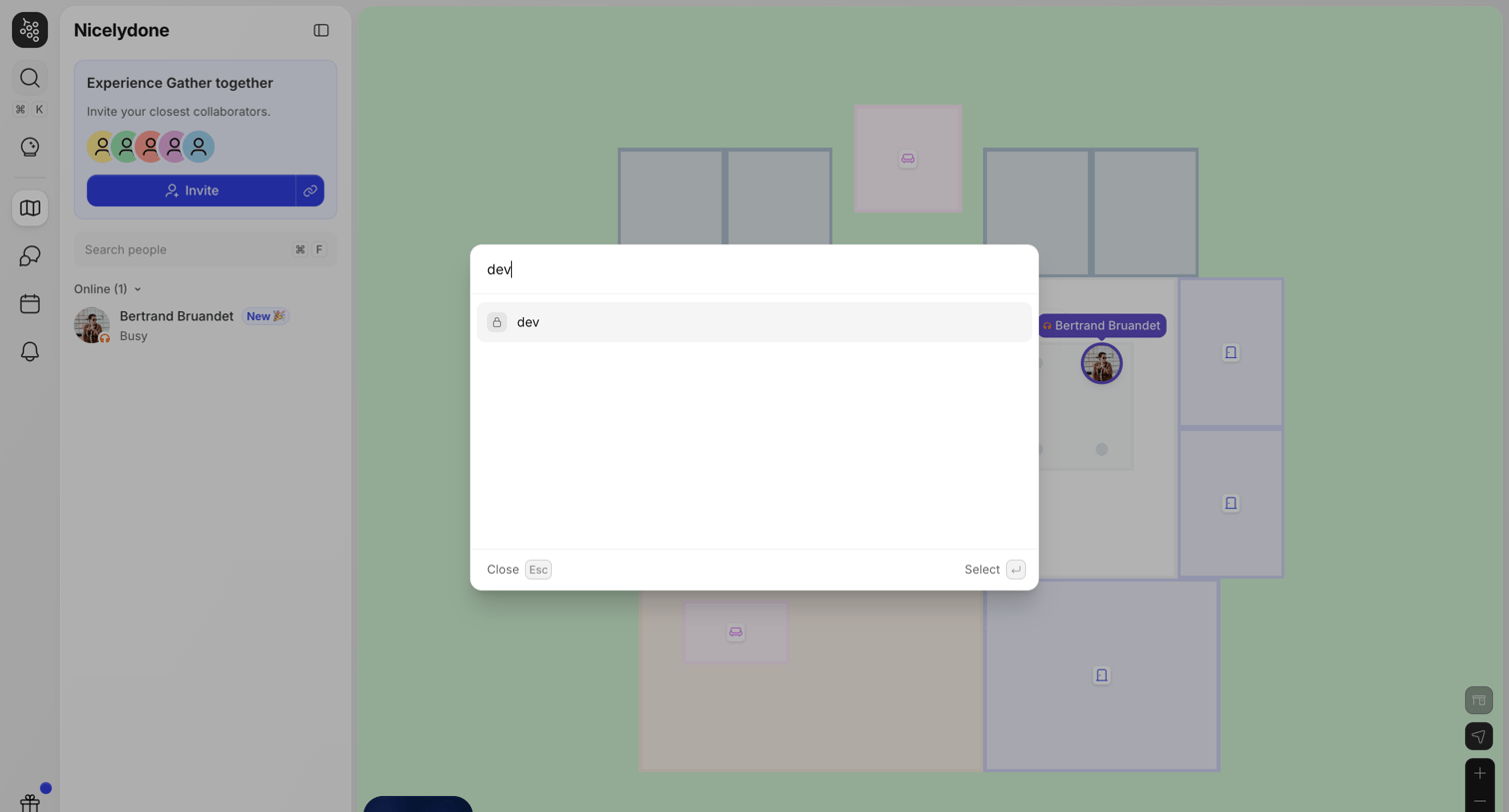

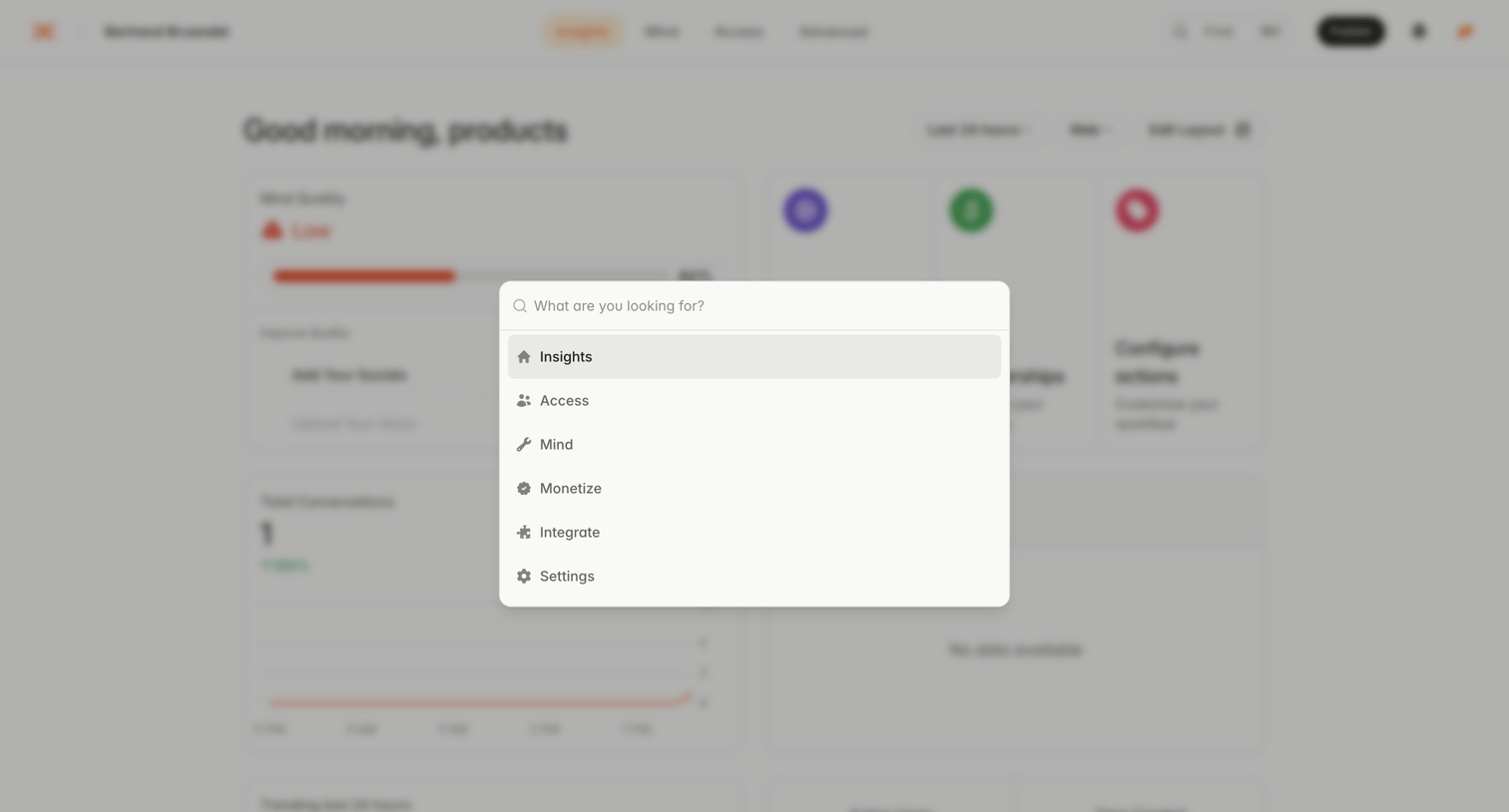

Search overlay where the user can quickly navigate to core app sections like Insights, Access, Mind, and Settings.
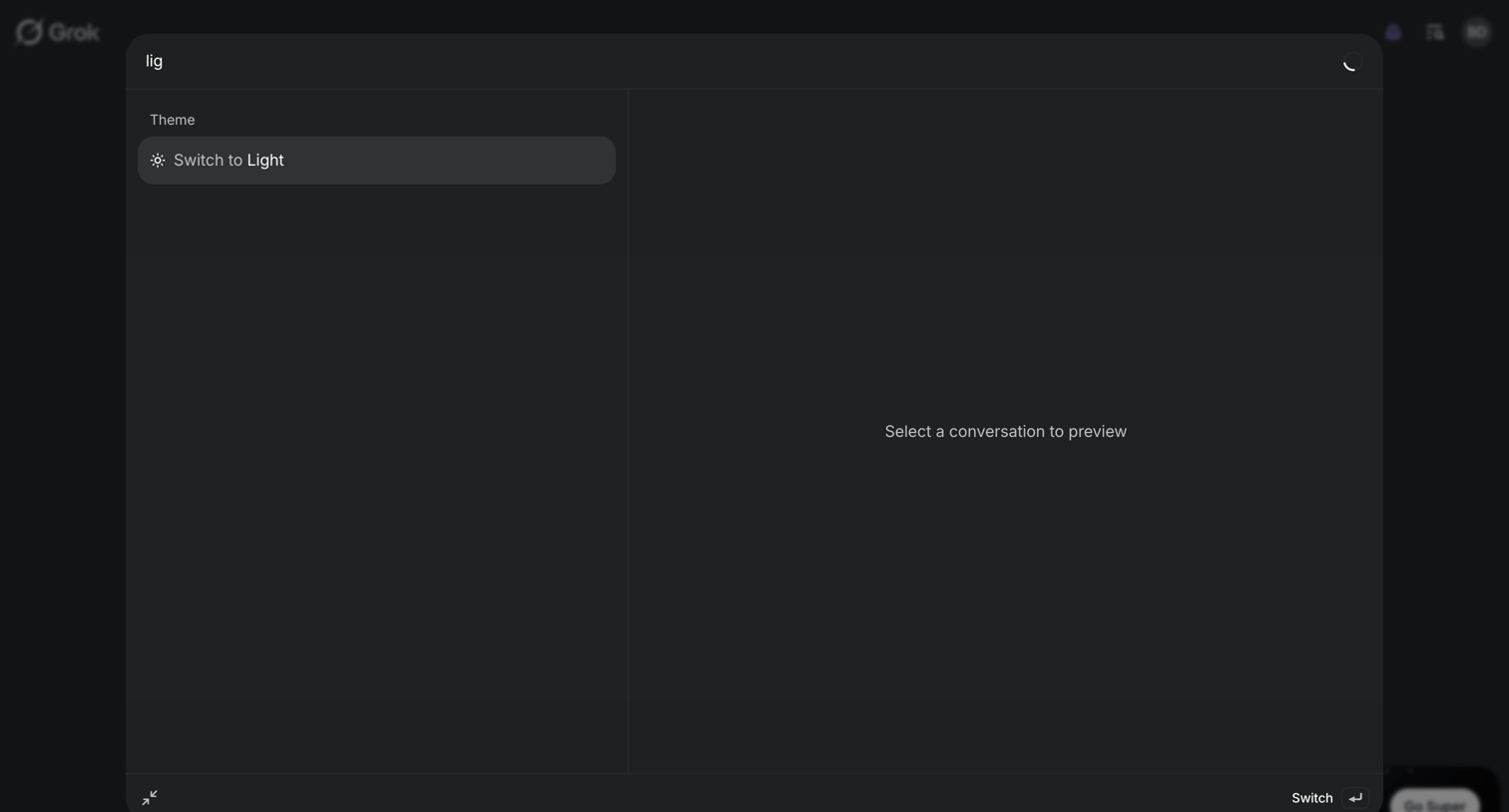

Search overlay where the user types a query to find quick actions like switching the theme or previewing past conversations.
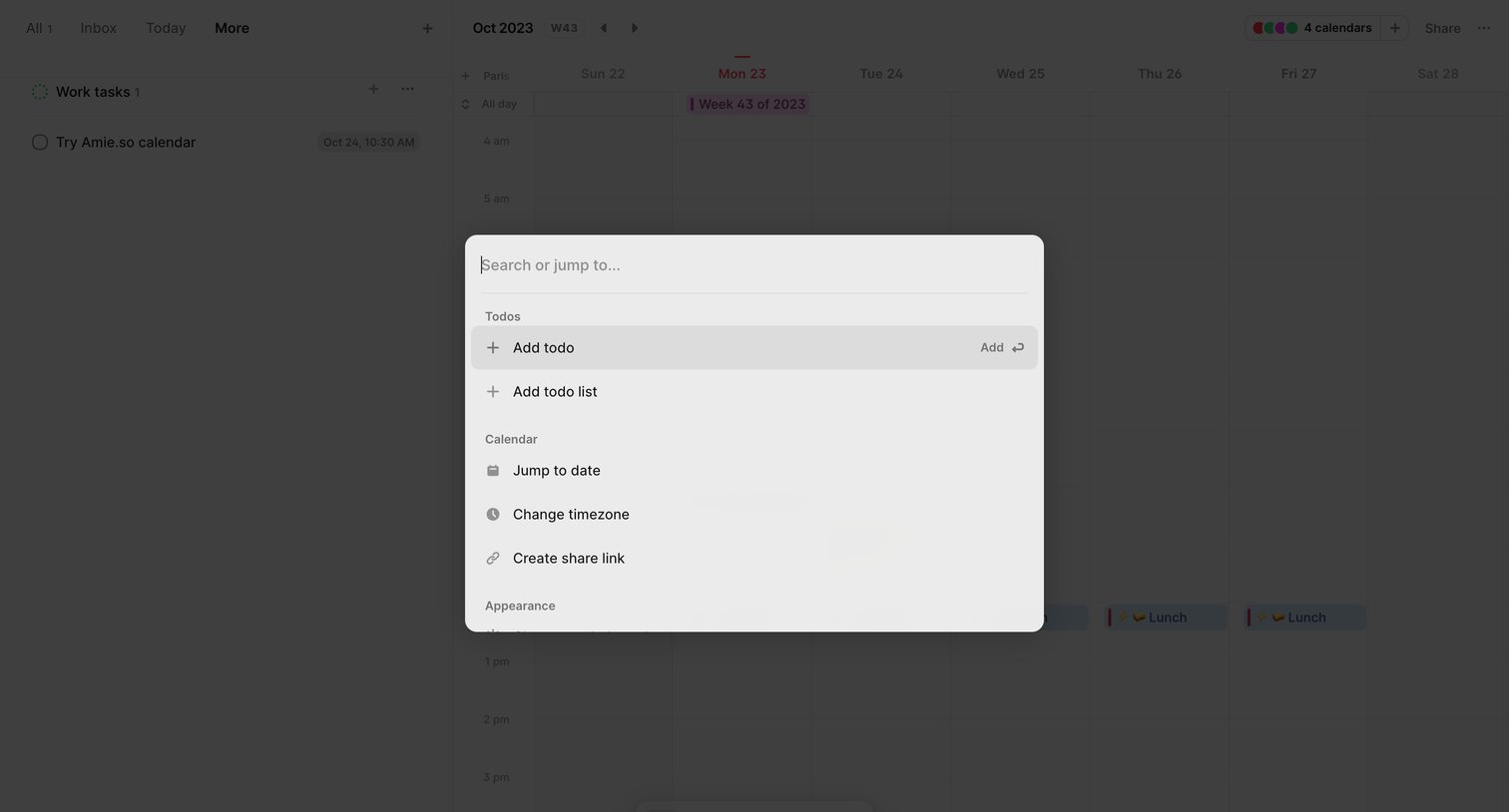

Search overlay where the user can quickly add todos, jump to a specific date, or access calendar settings via keyboard commands.
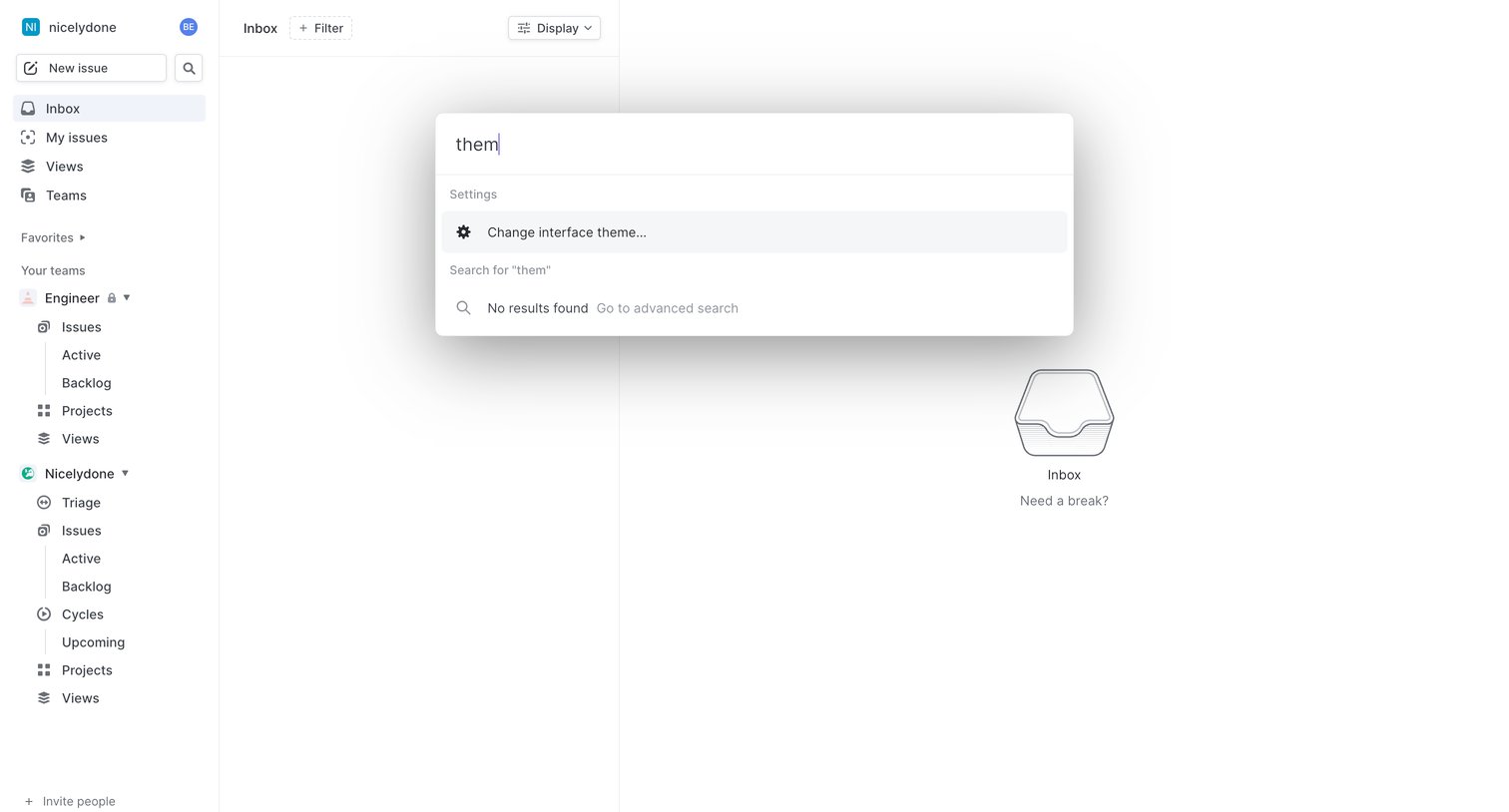

Search overlay where the user types a query to find settings or issues, displayed over an empty inbox.
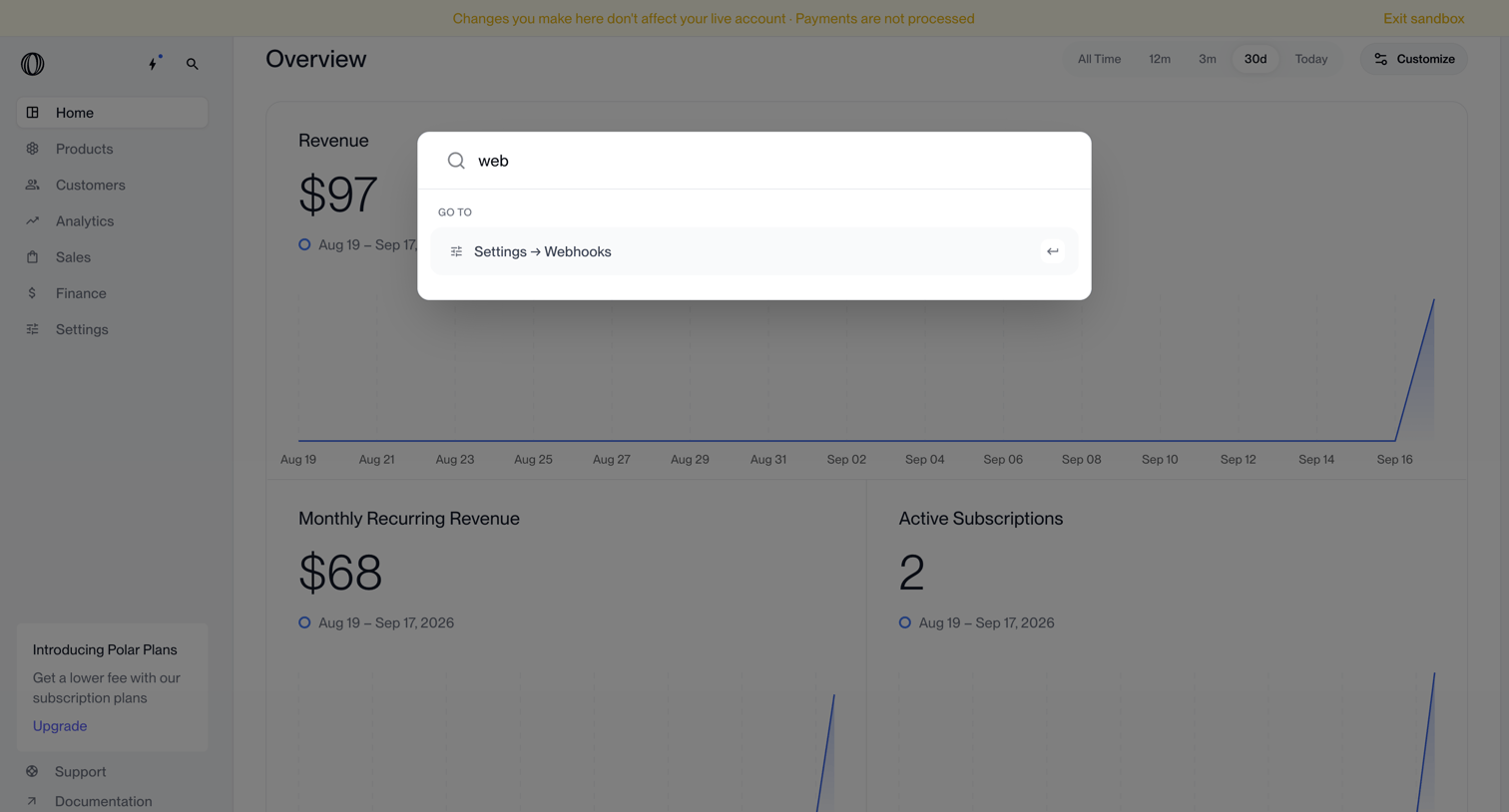

Search overlay where the user navigates to webhook settings via a command palette over a revenue dashboard.
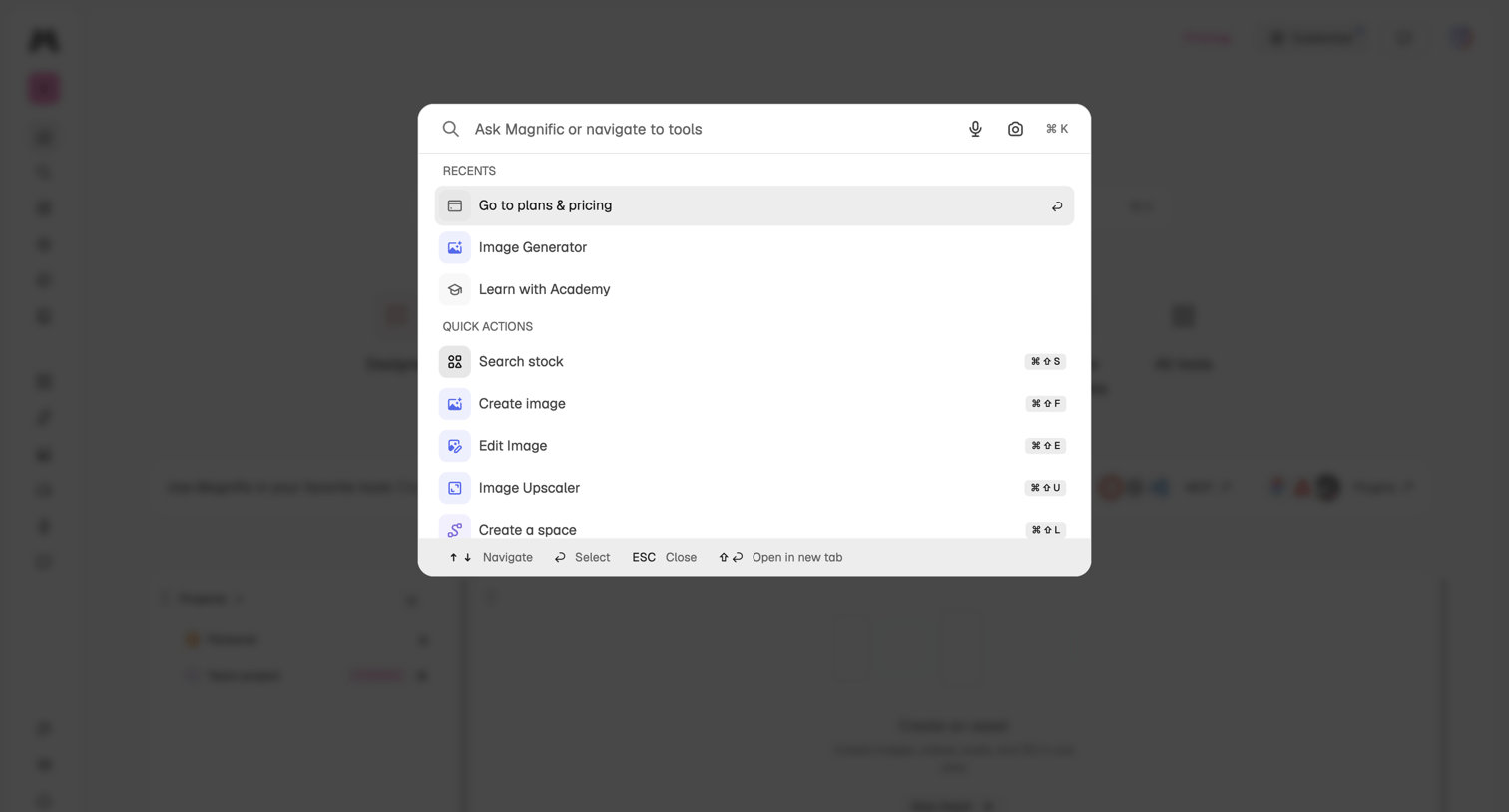

Global search overlay where the user can ask questions, navigate to recent tools like the image generator, or trigger quick actions via keyboard shortcuts.
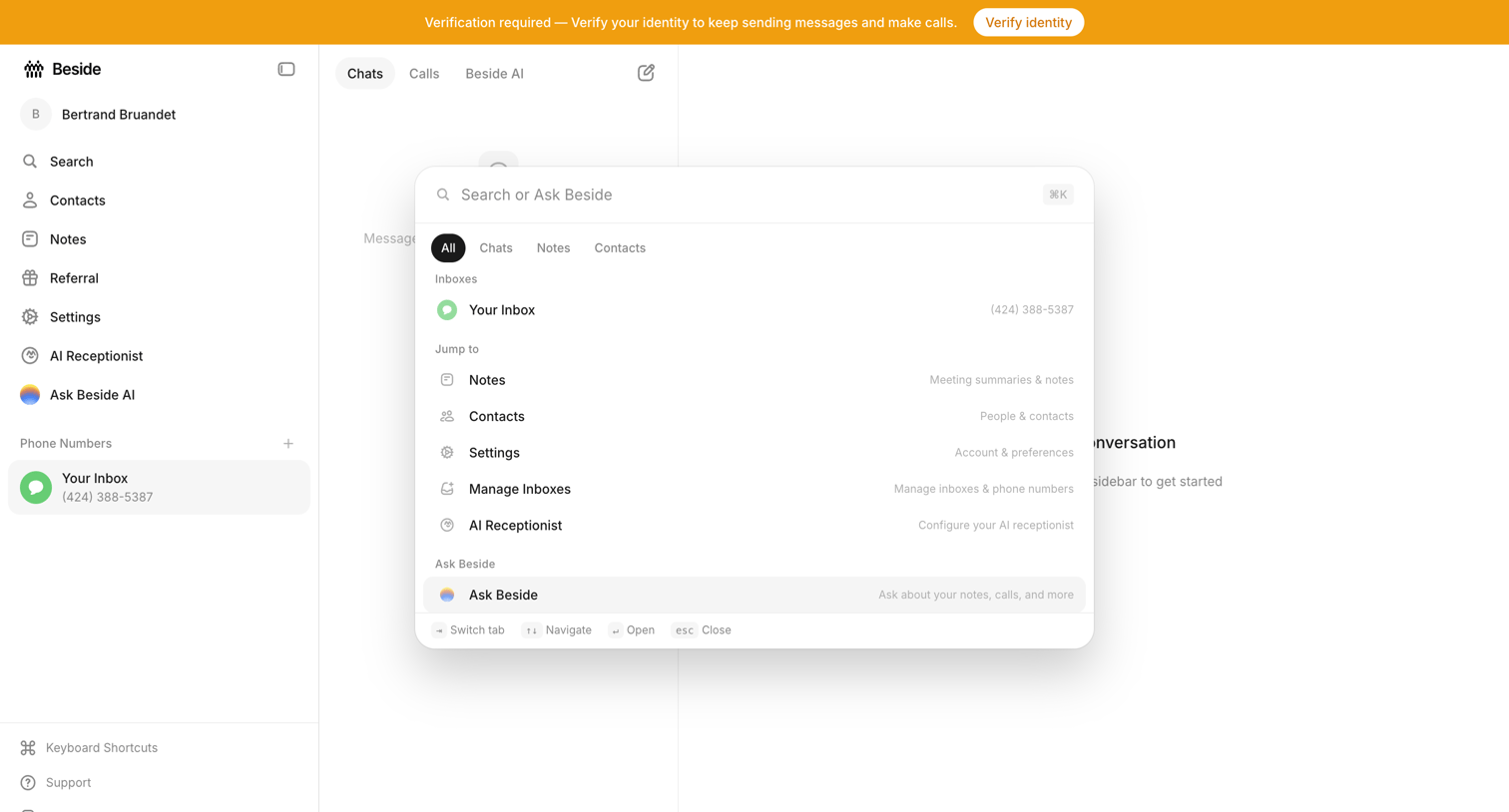

Inbox view with an active command palette overlay where the user can search across chats, notes, contacts, and settings.

Explore the full SaaS screen library
Upgrade to unlock the full library.
Trusted by the best teams








About Command Palette
See how apps bring commands and destinations into a searchable overlay. Explore how results, shortcuts, and groups help people choose an action from within their current workspace.