Skip to content

Quick Actions screen examples

Quick Actions screen design examples from SaaS apps. See how SaaS apps bring common tasks into a compact launch area. Explore how action labels, icons, and grouping relate to the current page or selected content.

Explore the examples
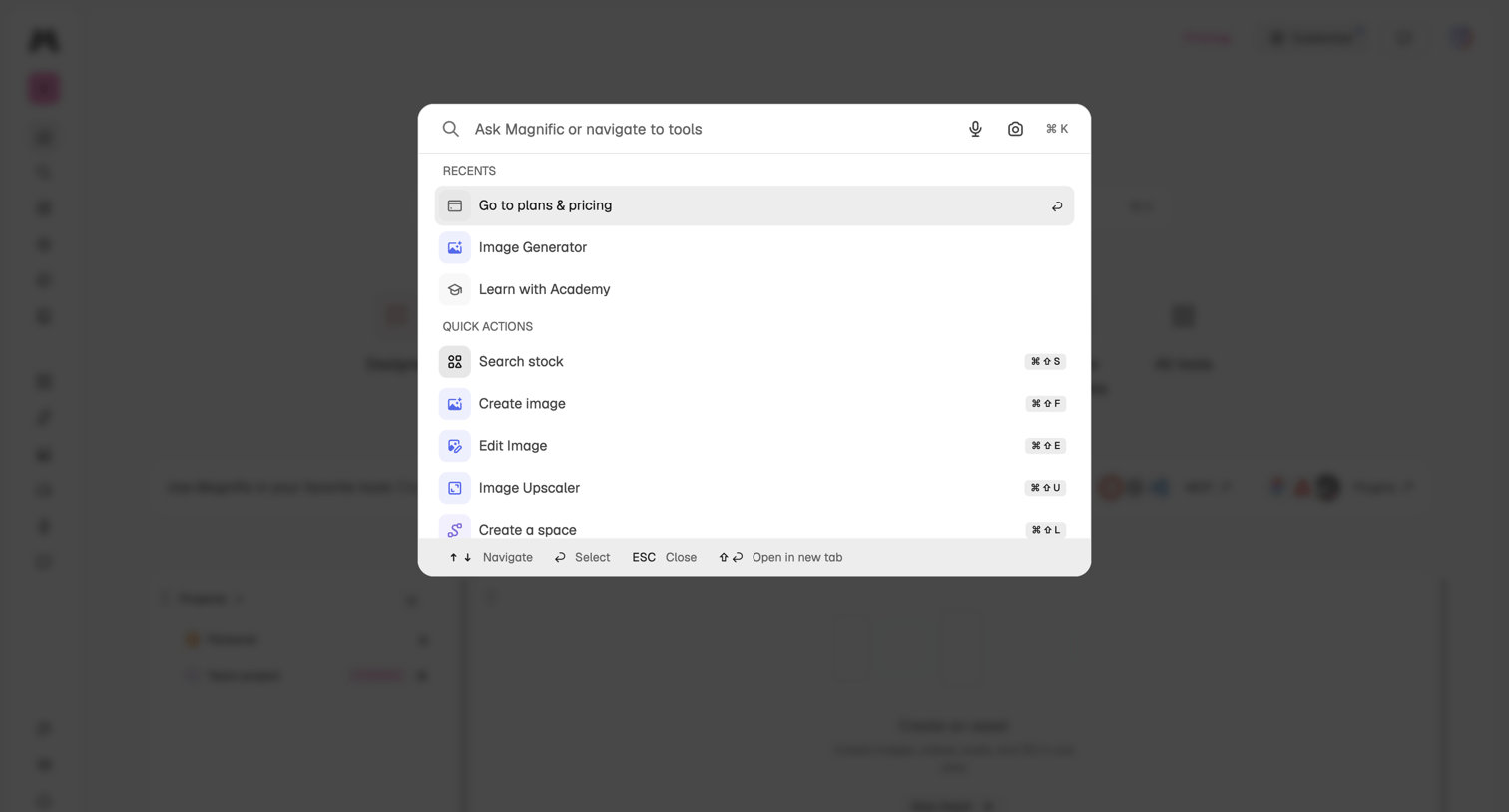
Magnific - Magnific | All-in-One AI Creative Suite screen
Magnific logo
Magnific

Global search overlay where the user can ask questions, navigate to recent tools like the image generator, or trigger quick actions via keyboard shortcuts.
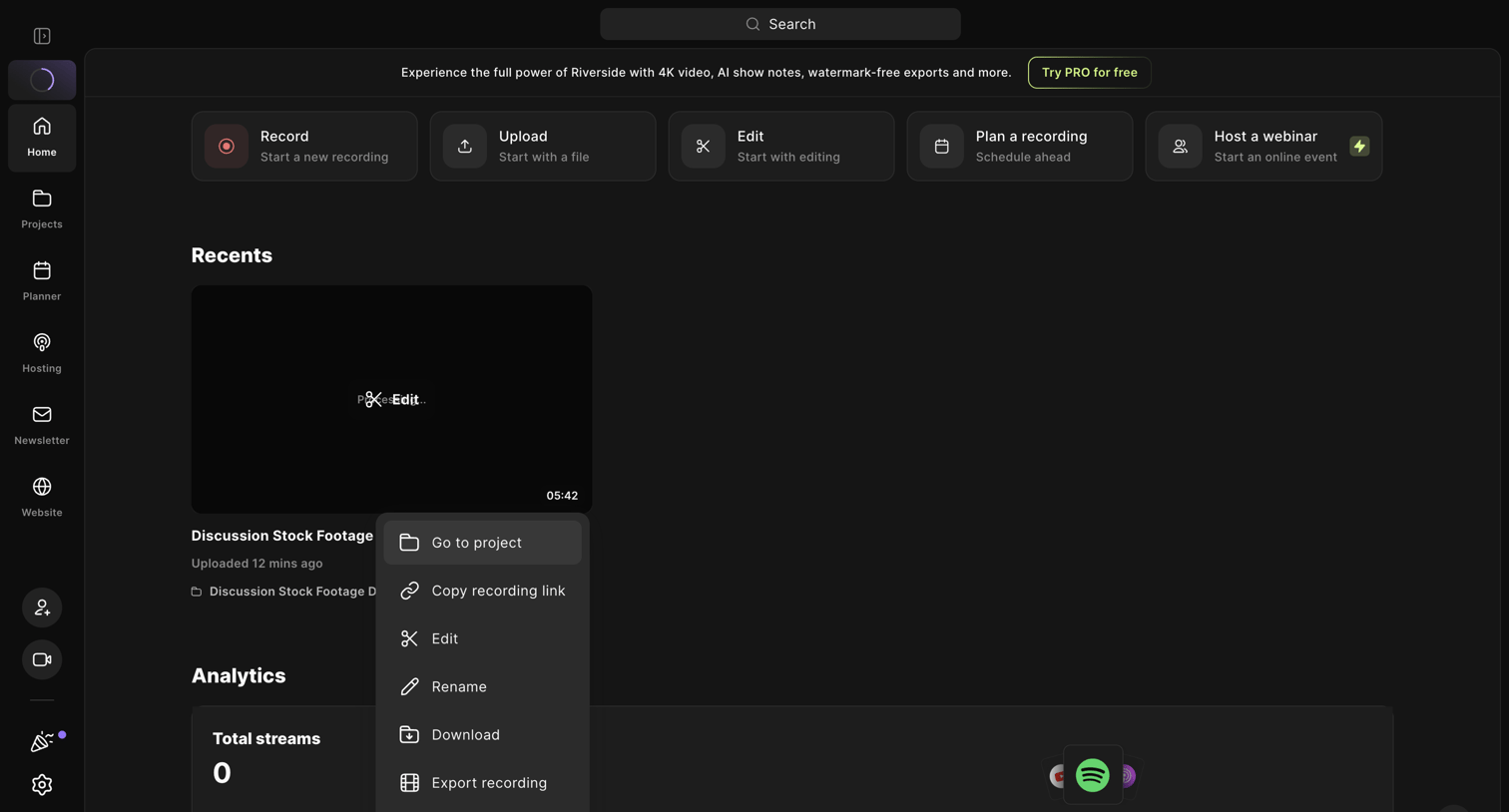

Riverside - Riverside Studio screen
Riverside logo
Riverside

Home dashboard where the user can start a new recording, upload a file, or manage a recent video project via an open context menu.

Extend - extend screen
Extend logo
Extend

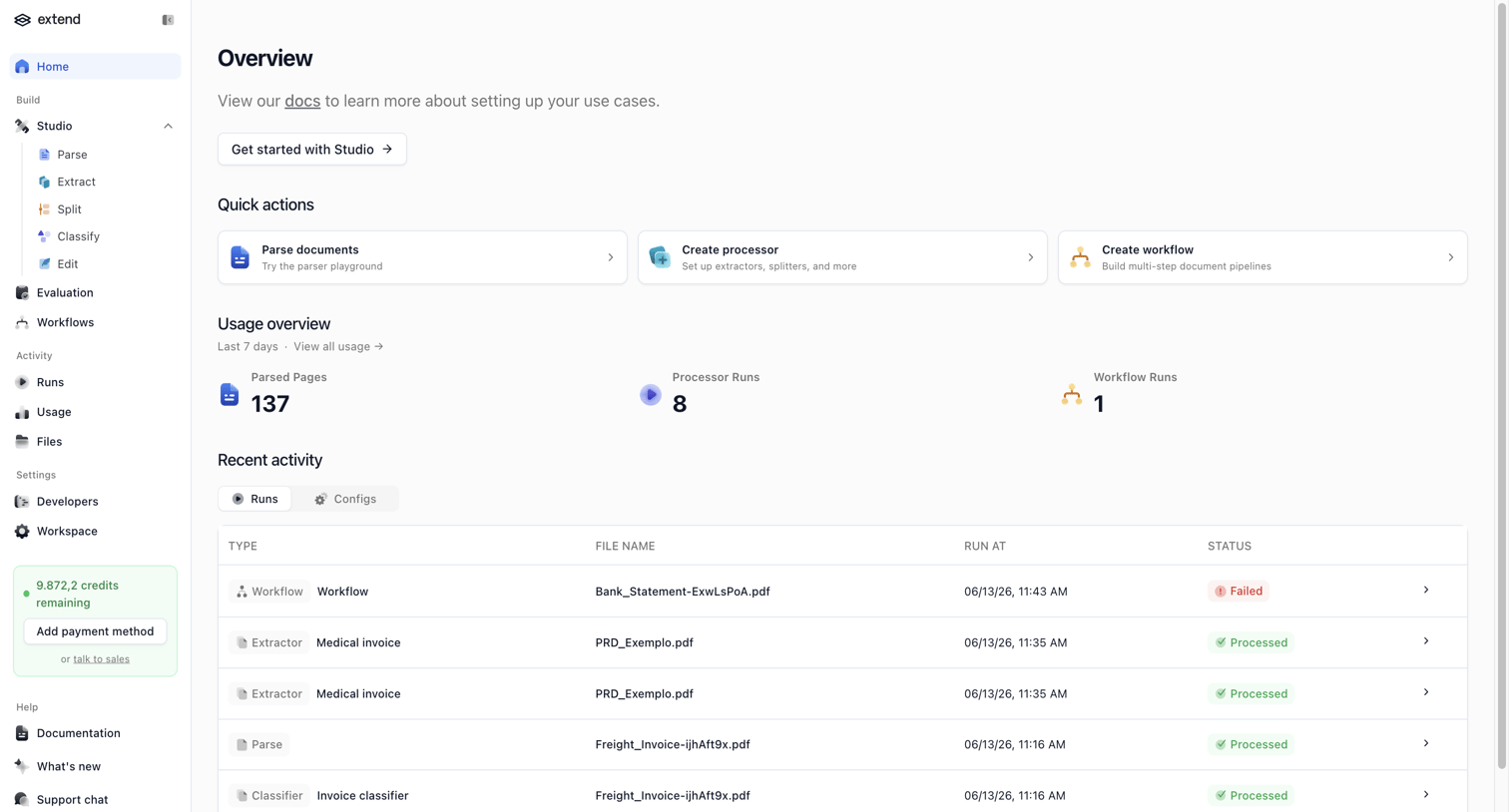
Home screen where the user can access quick actions to parse documents or create workflows, view recent usage statistics, and monitor recent activity runs.

Amie screen
Amie logo
Amie

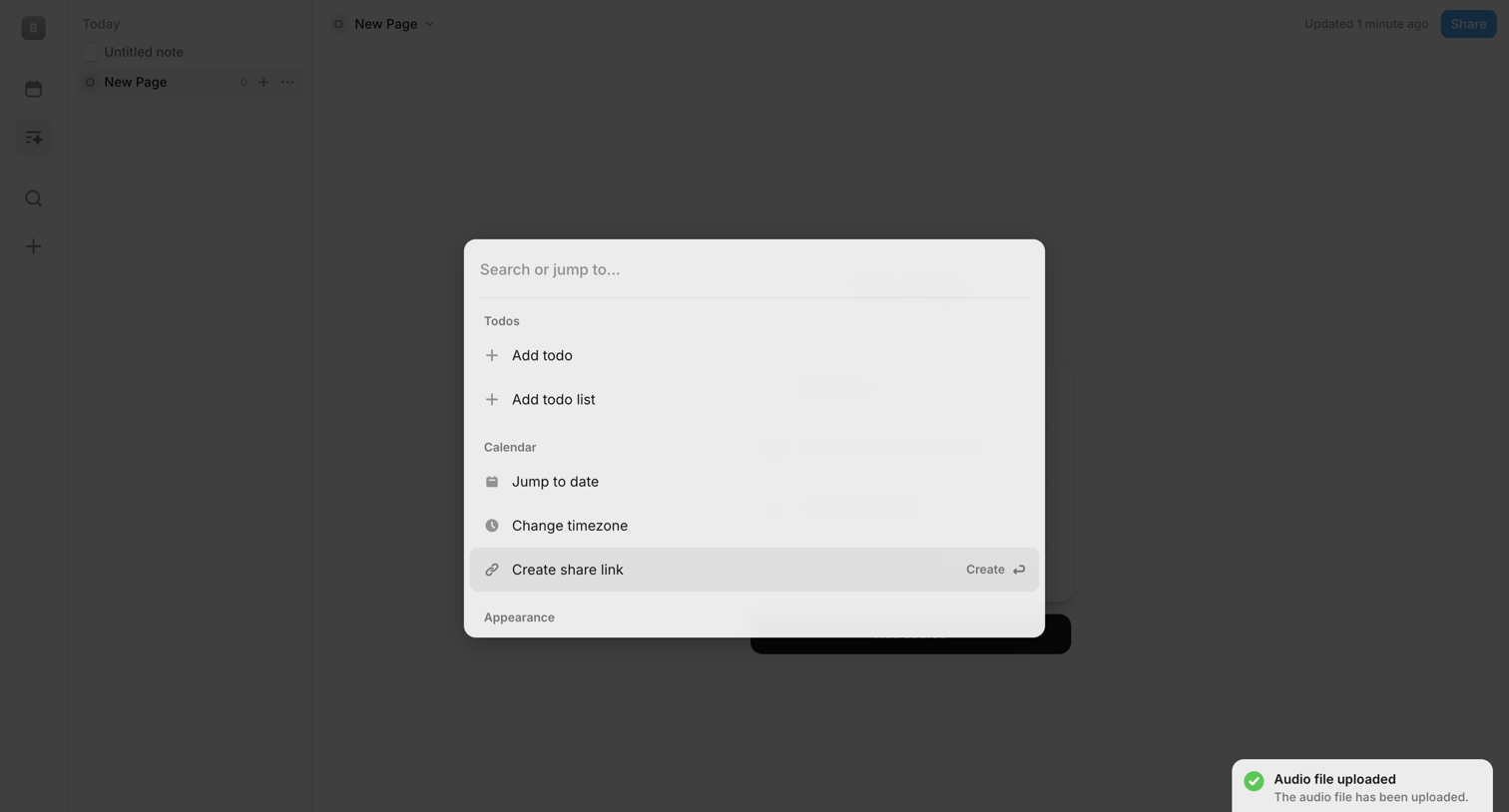
Search overlay where the user can jump to actions like adding a todo, changing timezone, or creating a share link.

Aboard - Dashboard | Aboard screen
Aboard logo
Aboard

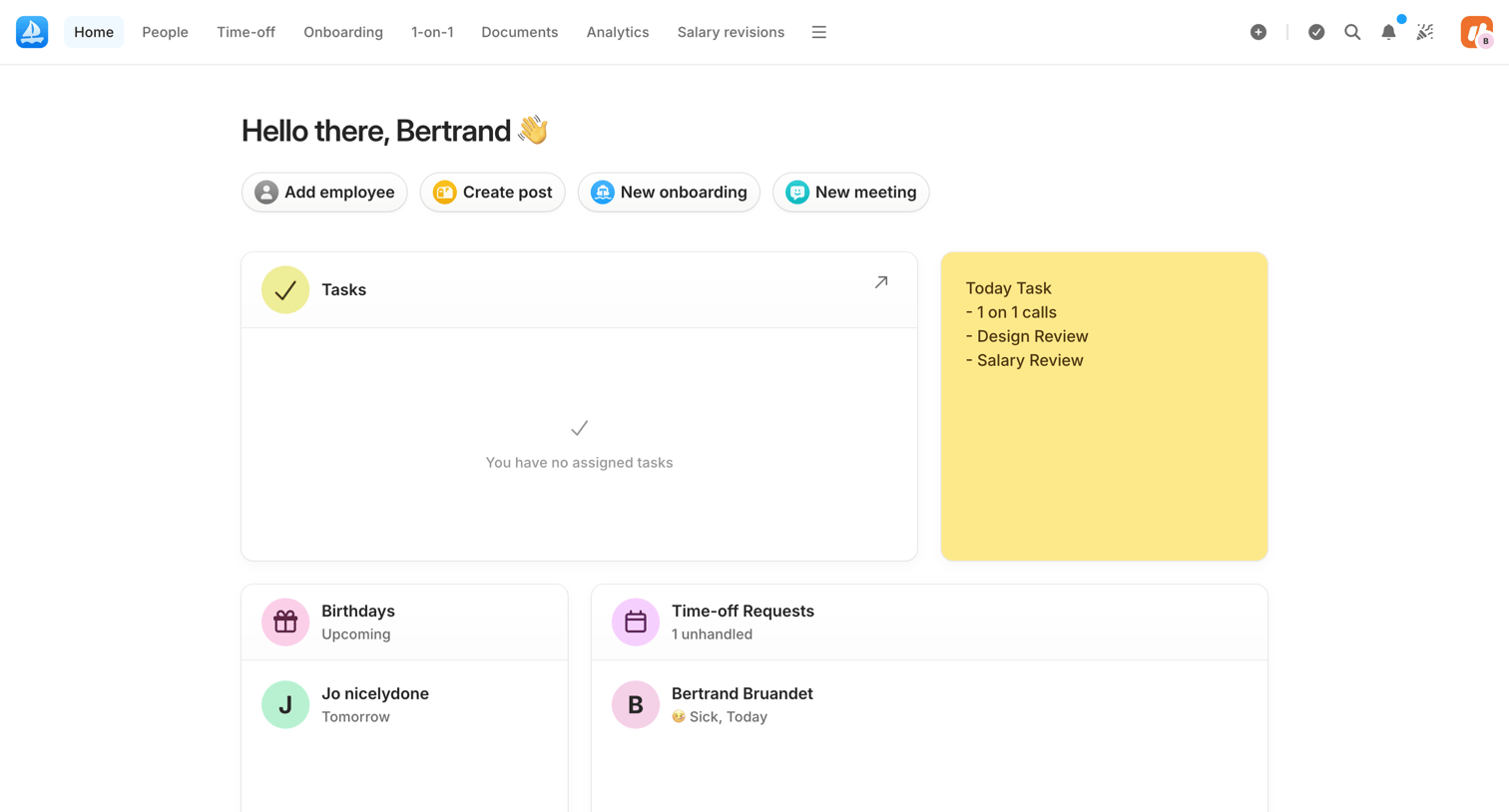
Home dashboard where an admin views upcoming birthdays, time-off requests, and accesses quick actions to add employees or create posts.

Mailchimp - Home | Mailchimp screen
Mailchimp logo
Mailchimp

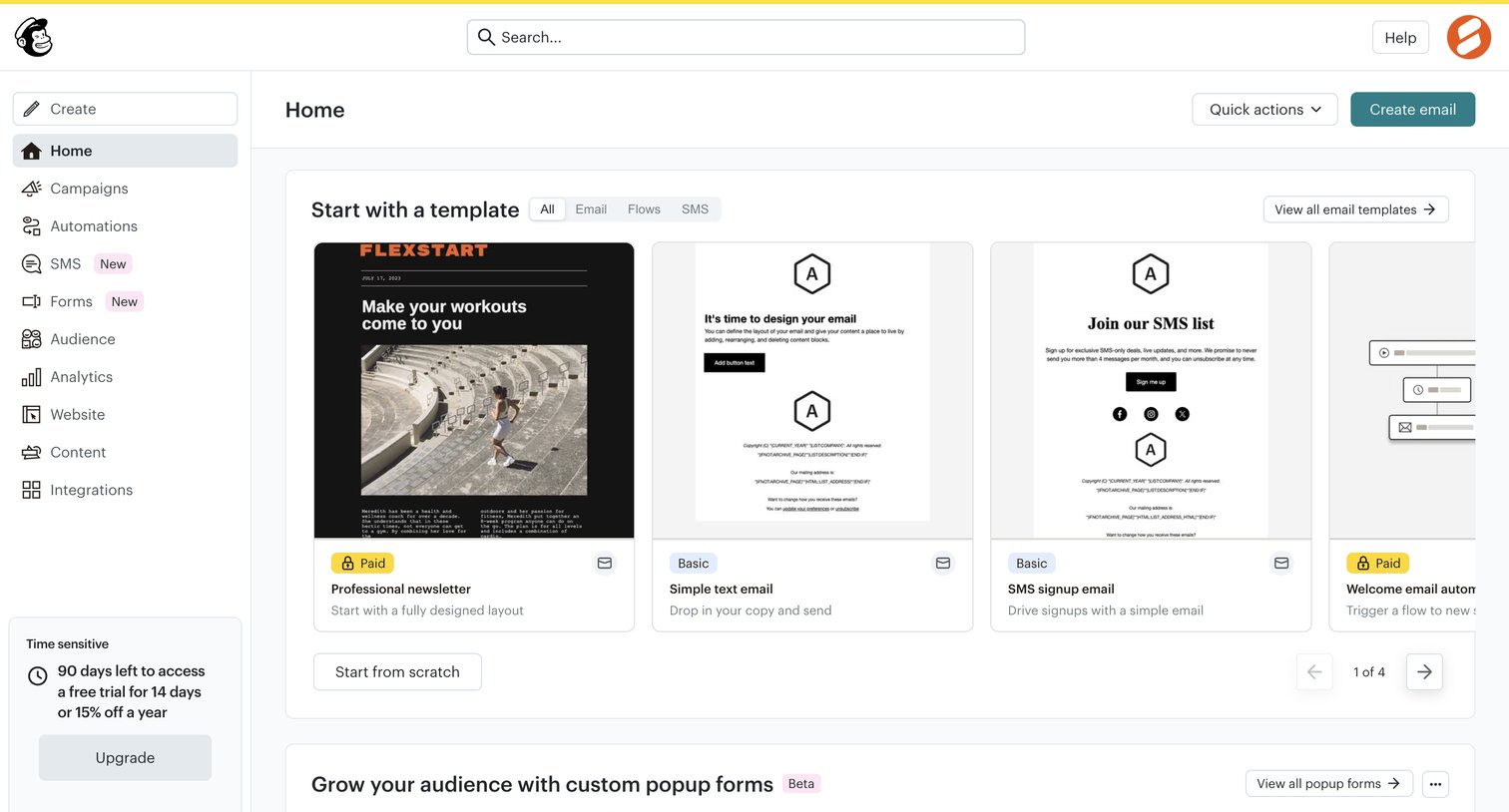
App home screen where the user can start creating an email from a template, access quick actions, or explore popup forms.

Twenty - All Companies - Companies screen
Twenty logo
Twenty

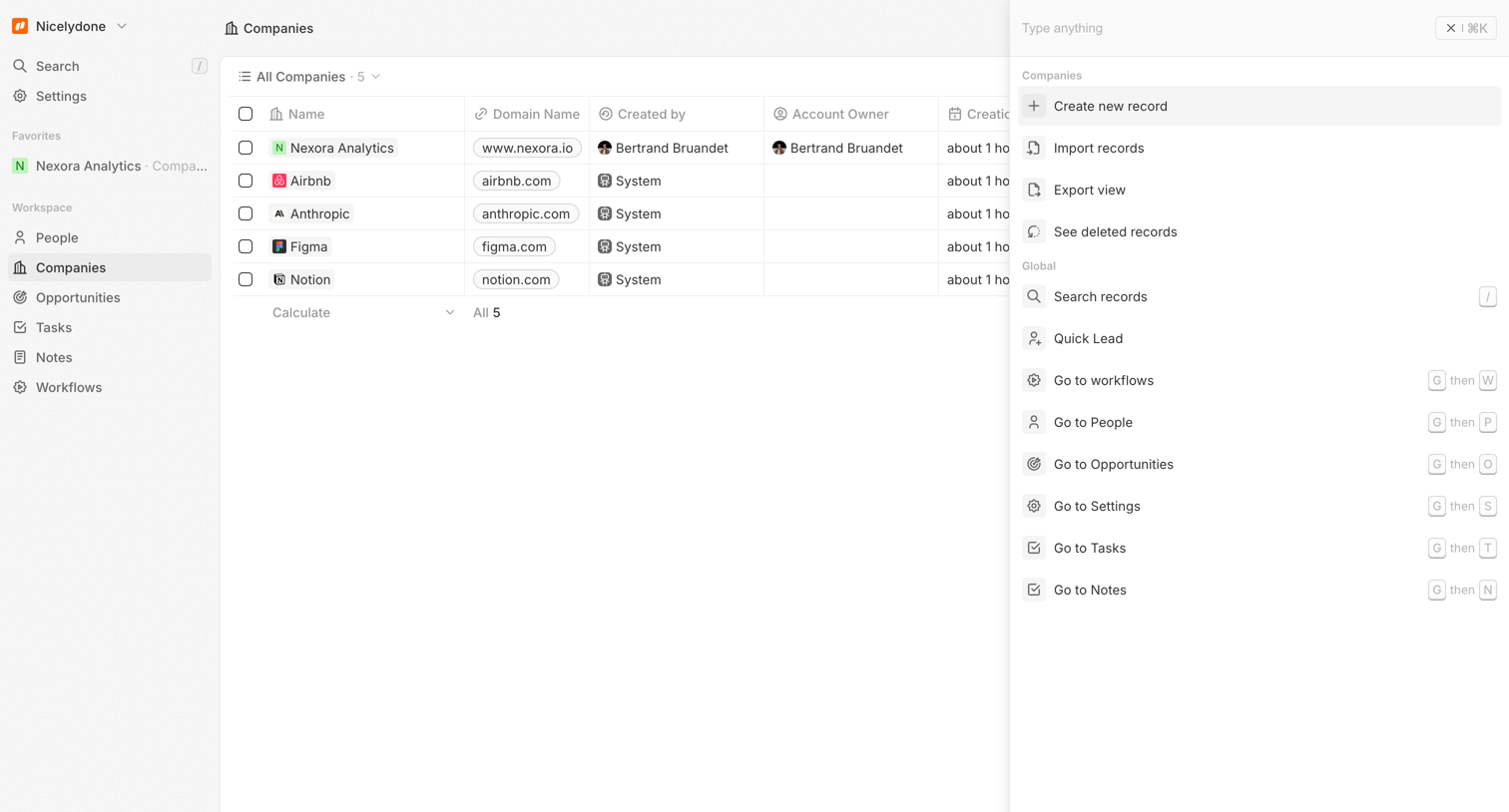
List view displaying a data table of company records, with a global command palette open in a right side panel for quick navigation and actions.

Clay screen
Clay logo
Clay

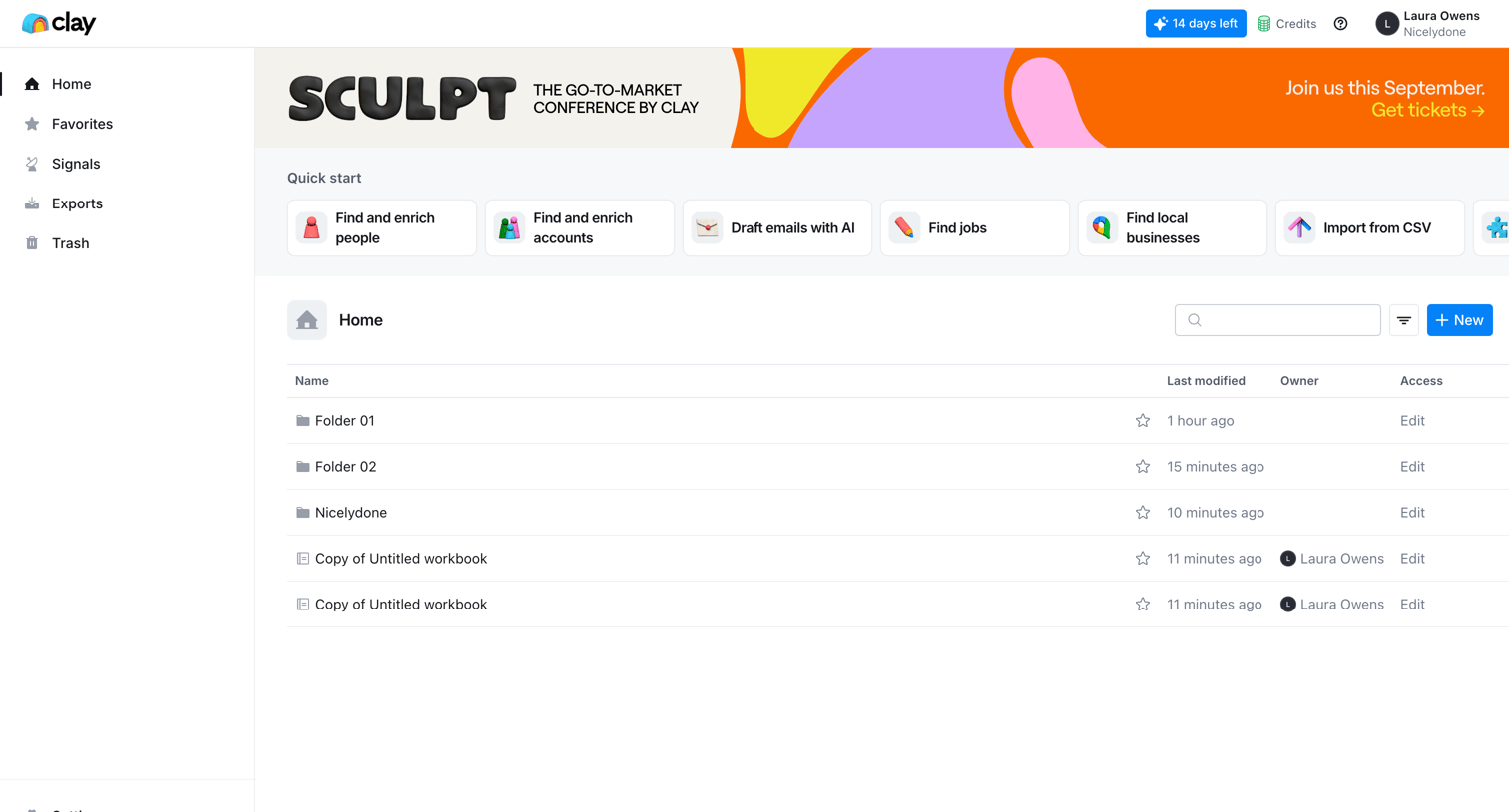
App home screen where the user can access quick start templates like finding people or accounts, and browse recent folders and workbooks in a data table.

Vimeo screen
Vimeo logo
Vimeo

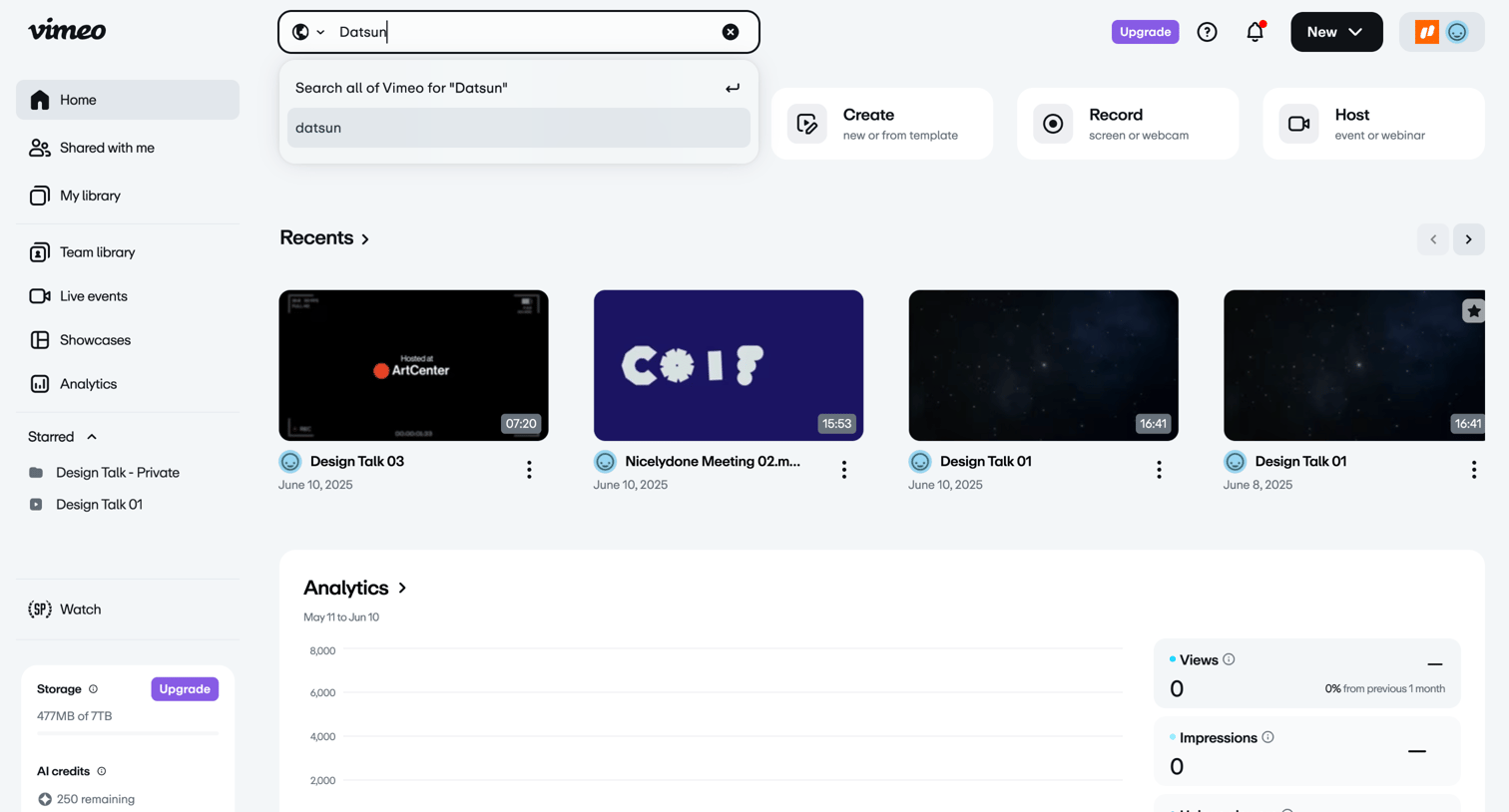
Home screen where the user can search for videos, access quick creation tools, view recent uploads, and see a high-level analytics summary.

Delphi - Bertrand Bruandet's Clone Studio | Delphi screen
Delphi logo
Delphi

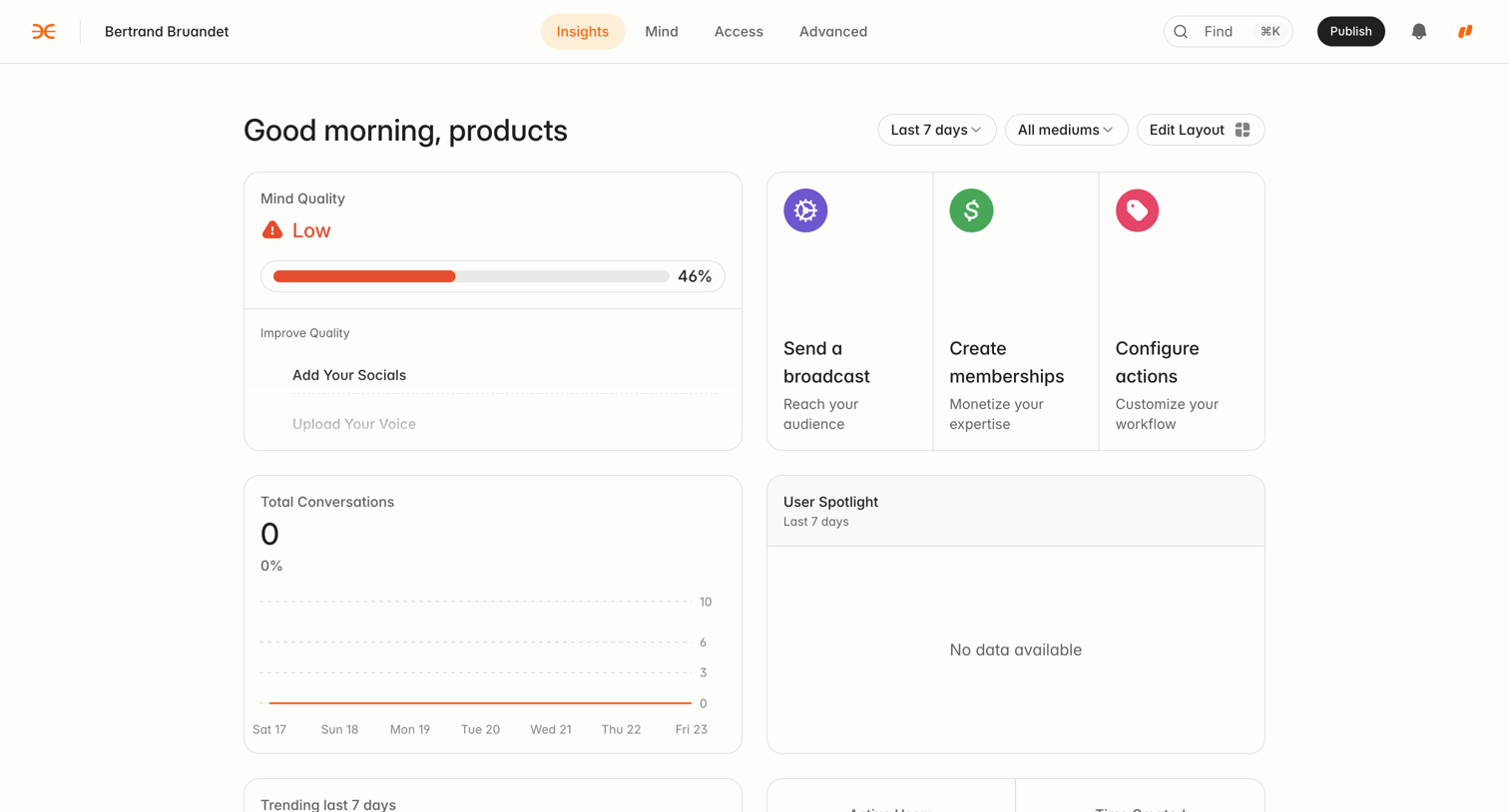
Dashboard overview showing a mind quality score, total conversations chart, and quick actions for sending broadcasts and configuring memberships.

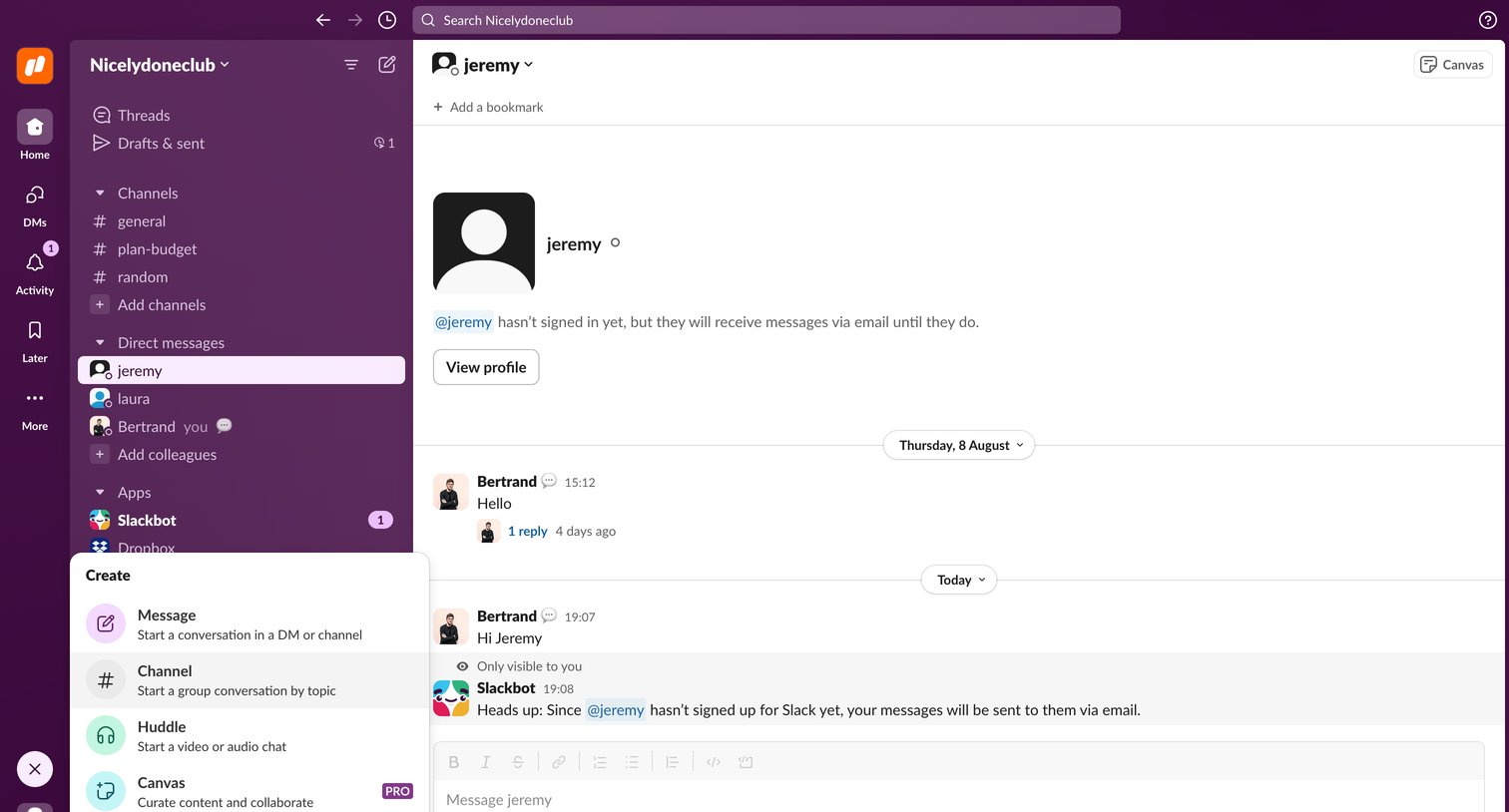
Slack - jeremy DM - Nicelydoneclub - 1 new item - Slack screen
Slack logo
Slack

Inbox view where the user is viewing a direct message thread with Jeremy and has opened the global create menu to start a new message, channel, or huddle.

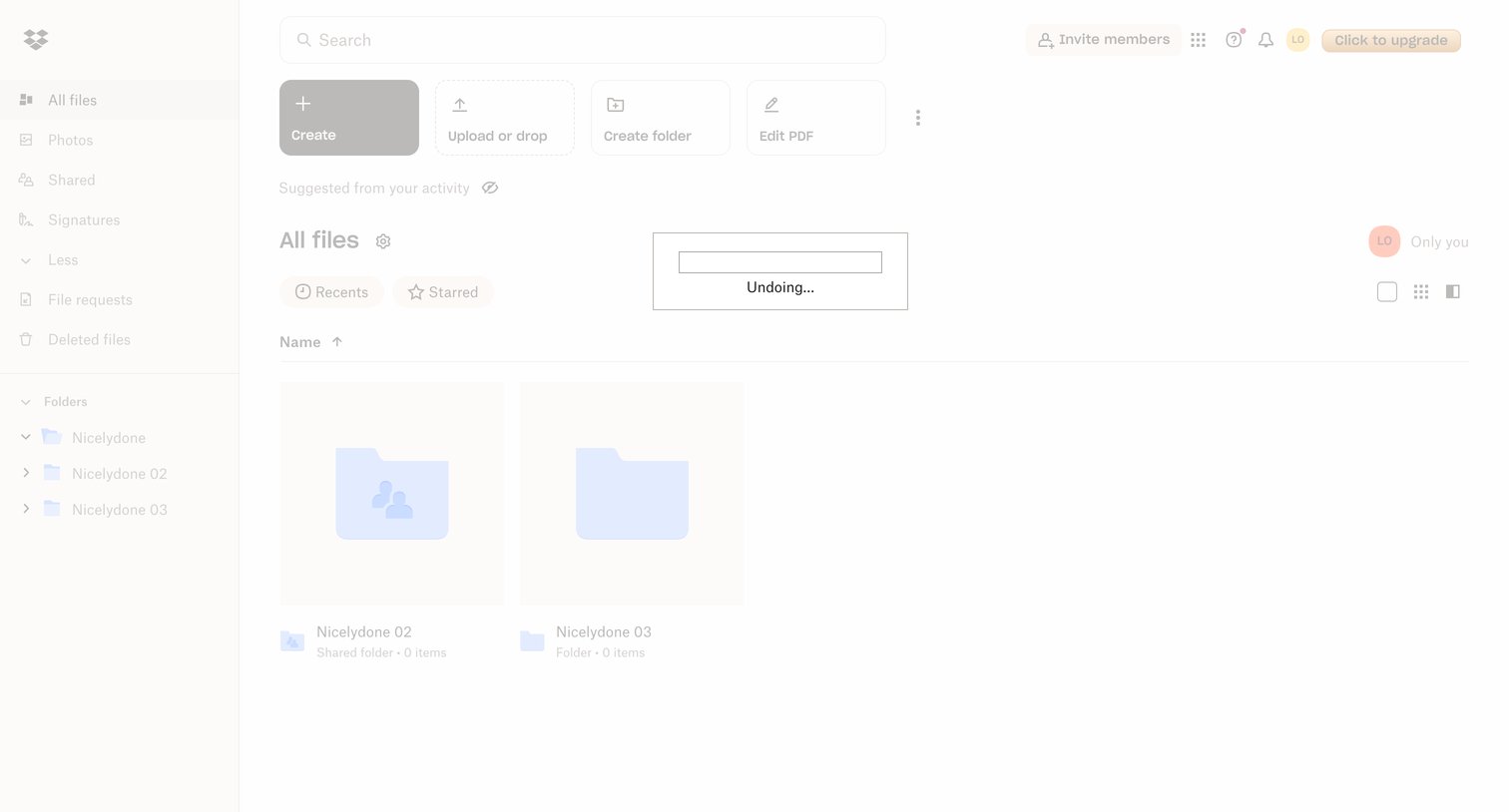
Dropbox - Files - Dropbox screen
Dropbox logo
Dropbox

App home screen showing a grid of recent folders, quick action buttons for creating and uploading files, and an active undo notification.

Explore the full SaaS screen library

Upgrade to unlock the full library.

Trusted by the best teams