Skip to content

Scheduling an event screen examples

Scheduling an event screen design examples from SaaS apps. Browse examples from Mighty, Huly, Front.

Explore the examples
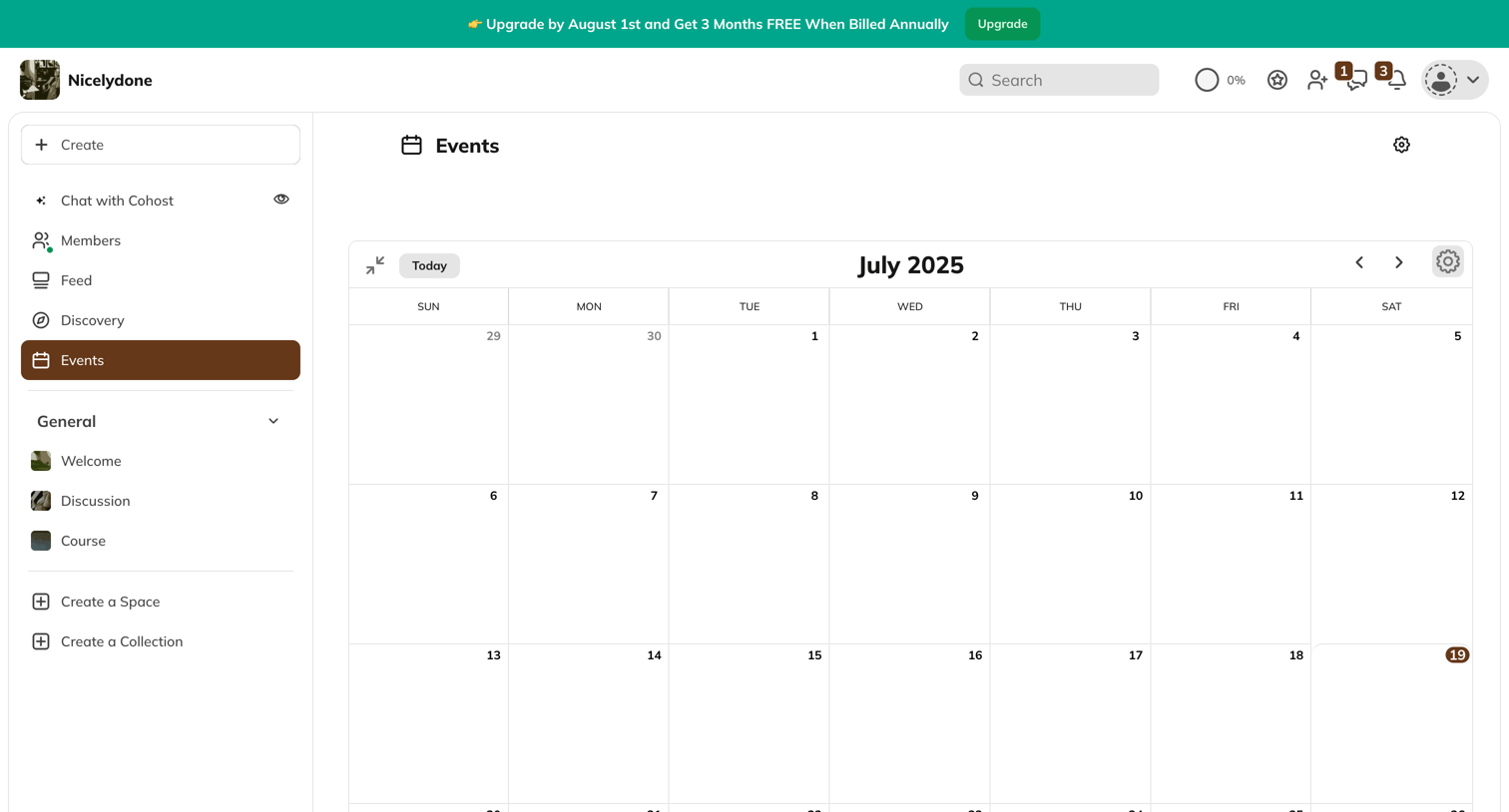
Mighty - Nicelydone screen
Mighty logo
Mighty

Events page showing a monthly calendar view with a promotional upgrade banner and no scheduled events.
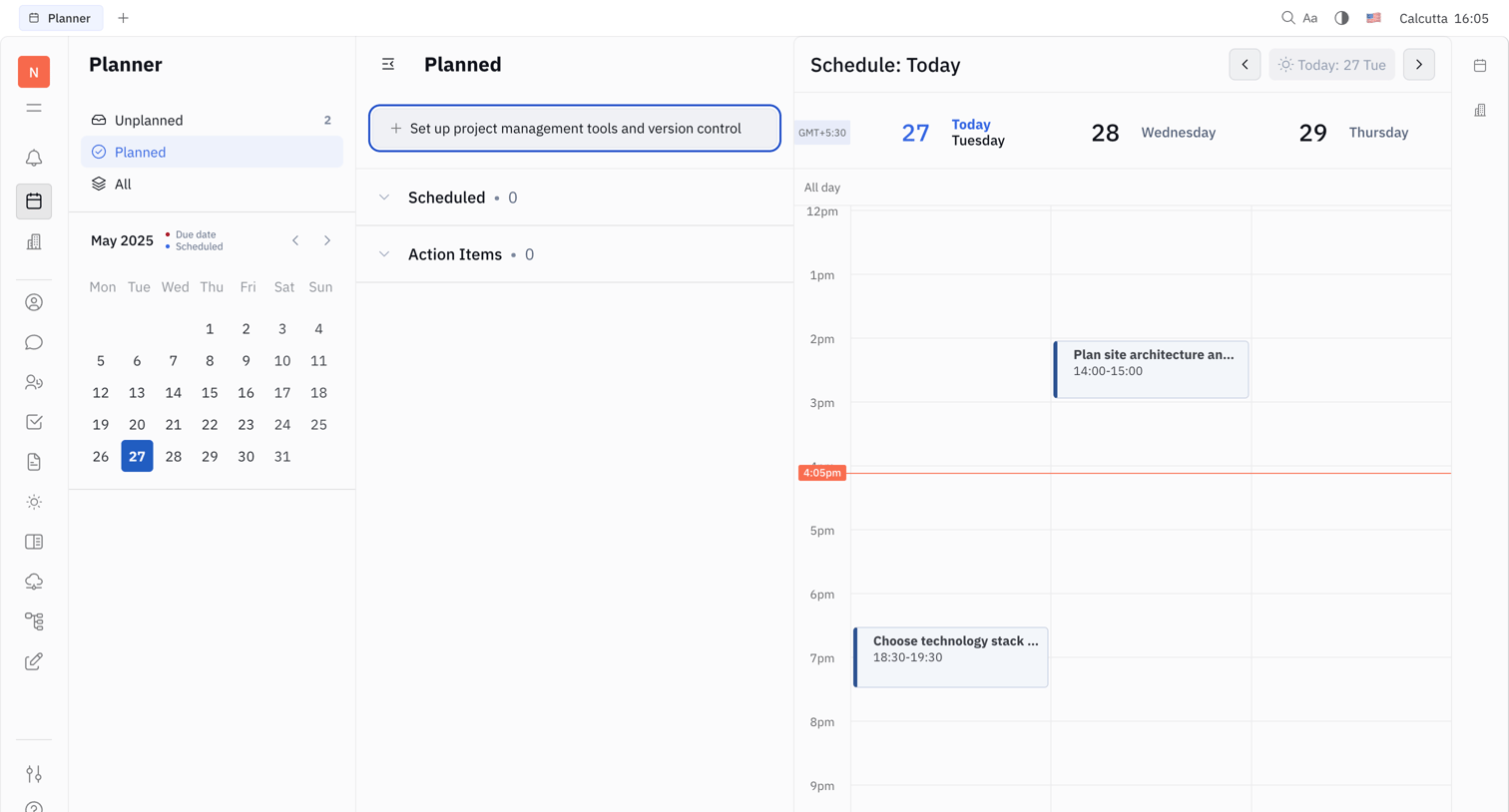
Huly - Nicelydone - Huly screen
Huly logo
Huly

Planner page where the user manages their daily schedule alongside a list of planned tasks and a mini calendar.

Front - Front (2) screen
Front logo
Front

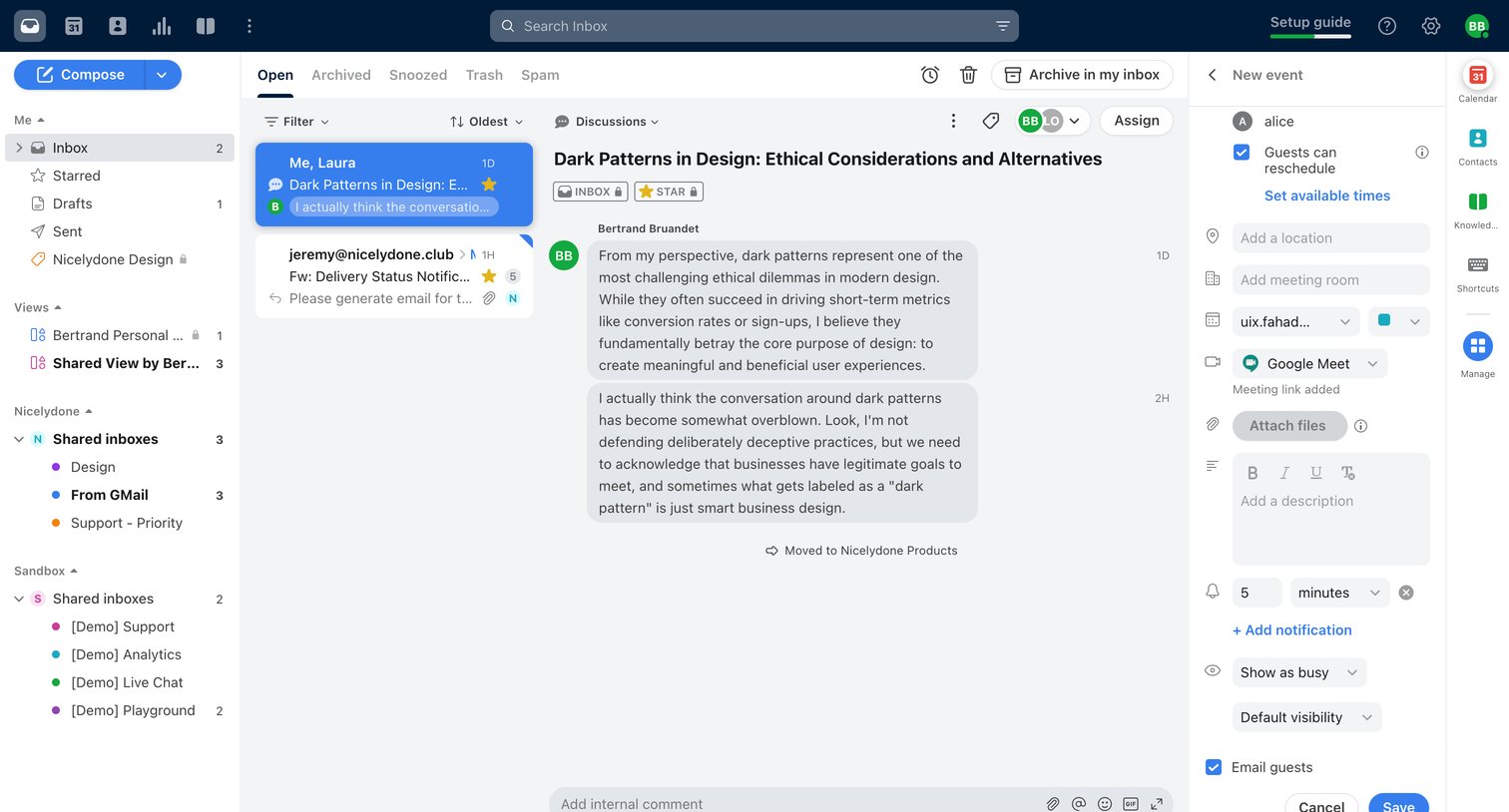
Inbox view where the user reads an internal discussion about dark patterns and drafts a new Google Meet calendar event in the right sidebar.

Motion screen
Motion logo
Motion

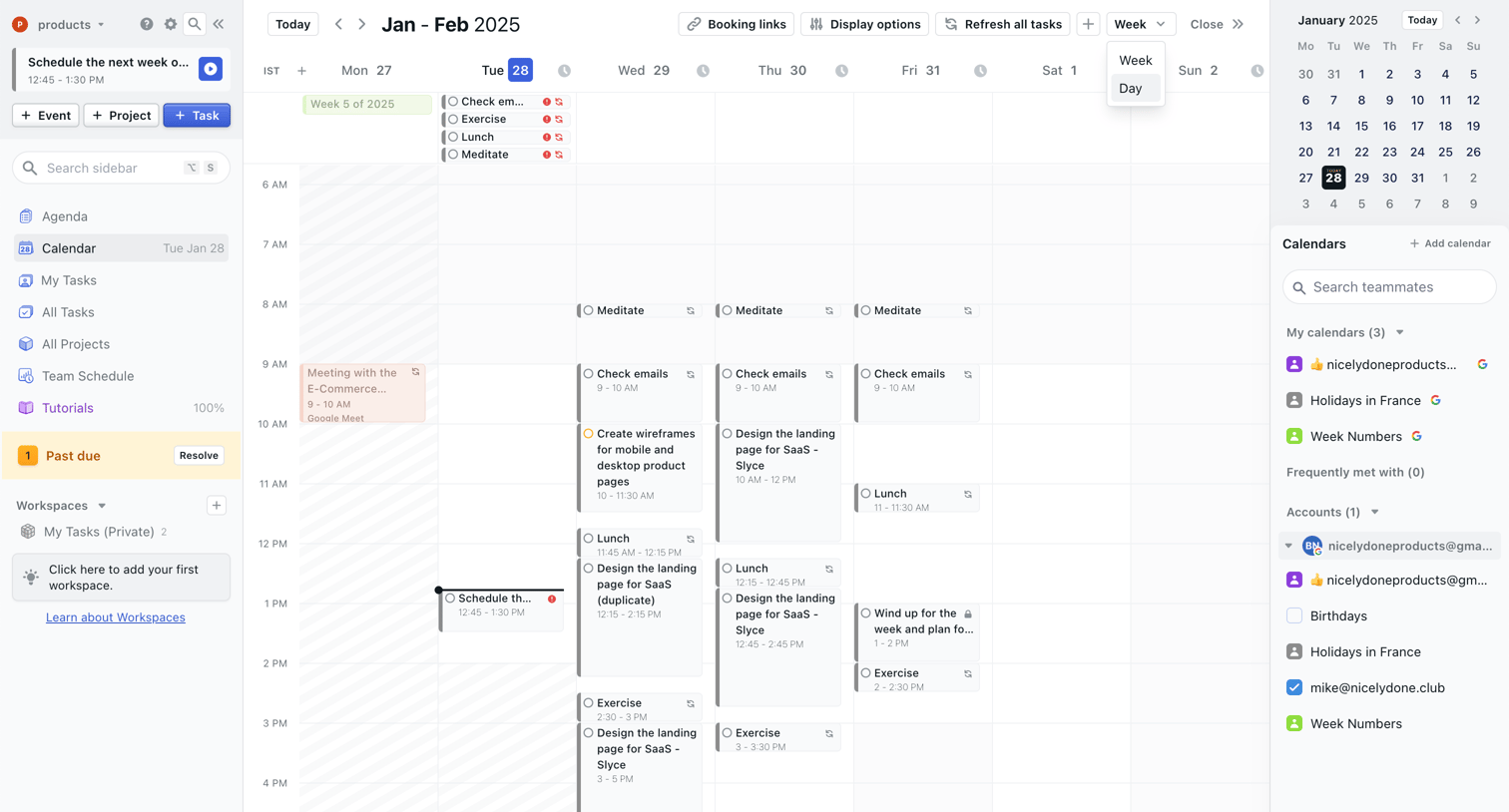
Calendar view where the user manages their weekly schedule, tasks, and meetings across multiple accounts.
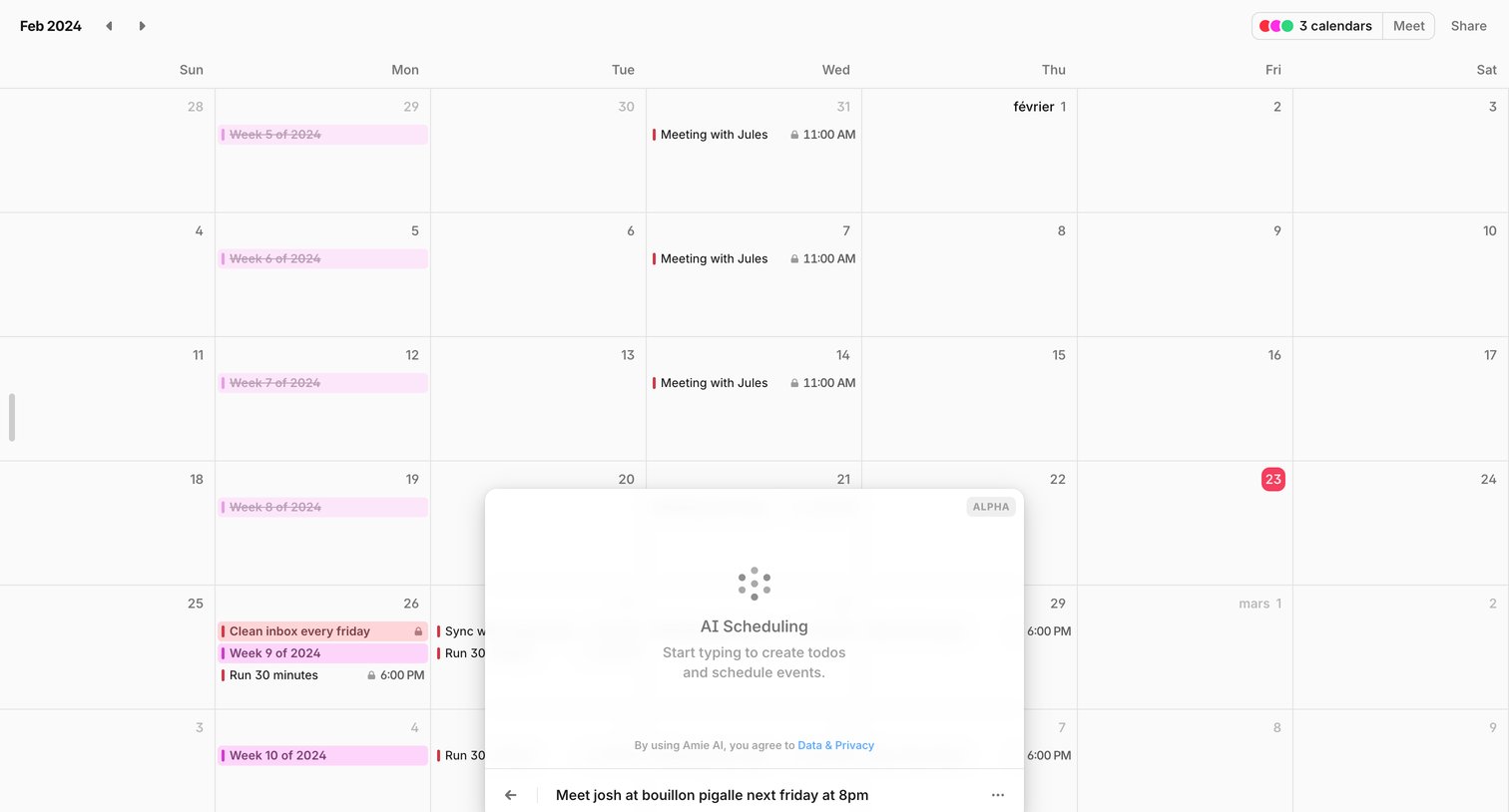

Amie screen
Amie logo
Amie

Calendar view where the user opens an AI scheduling modal to create an event or to-do by typing natural language.

Rise screen
Rise logo
Rise

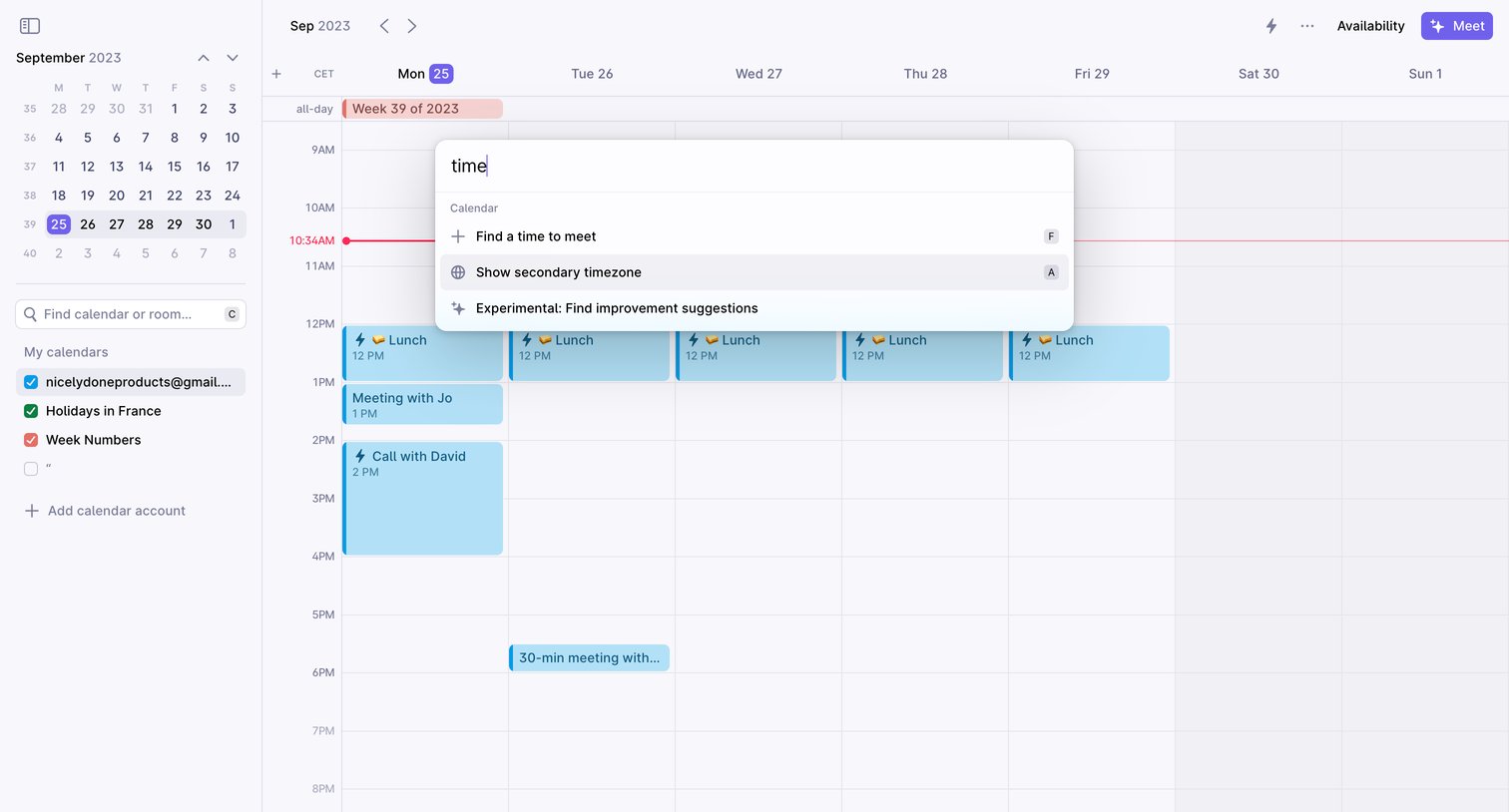
Calendar application main view where the user has opened the command palette to search for actions like finding a time to meet or showing a secondary timezone.
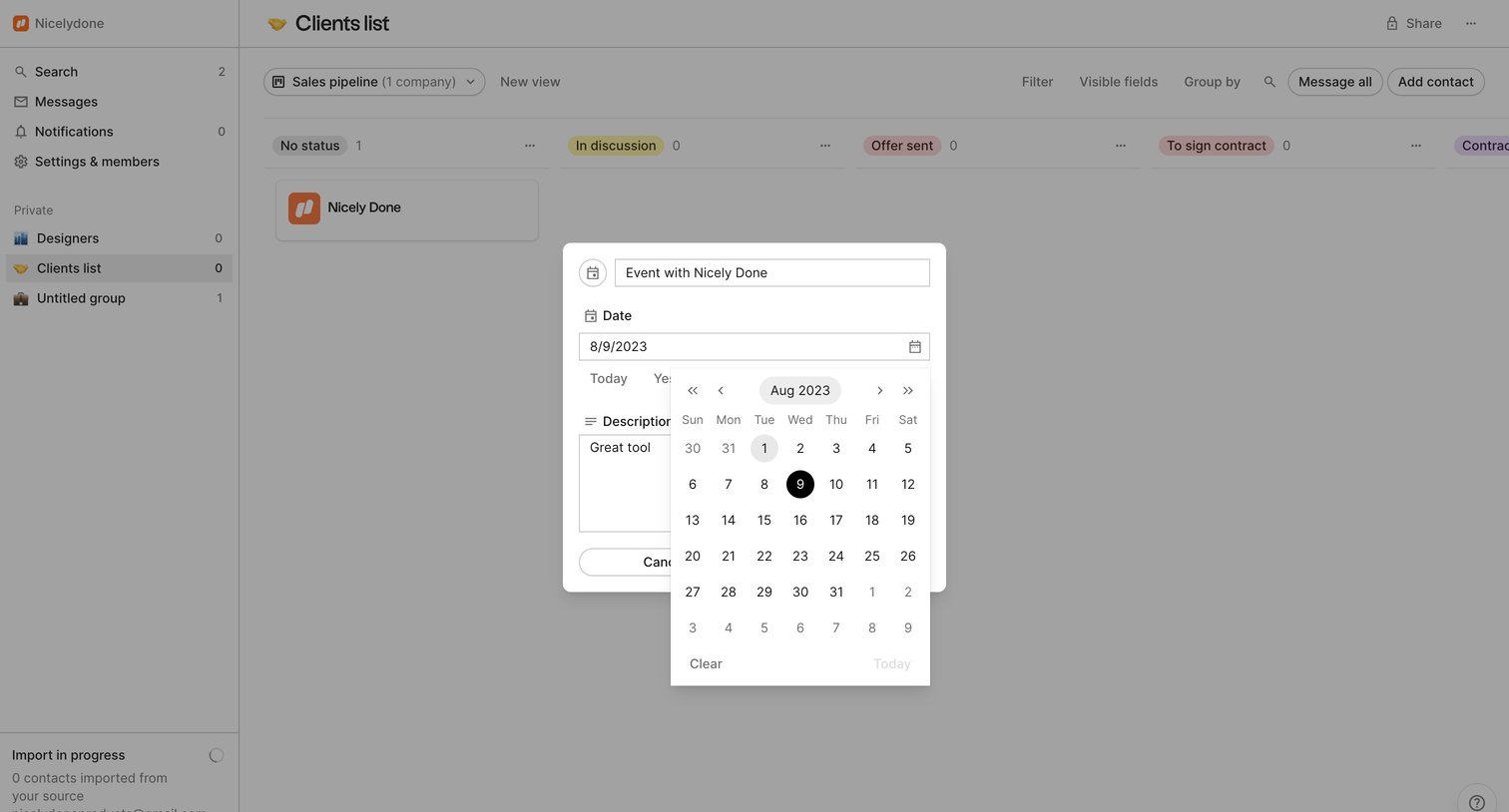

Folk - folk - app screen
Folk logo
Folk

List view where the user schedules a new event with a client from their kanban sales pipeline using a date picker modal.

Height - Copilot - Settings - Height screen
Height logo
Height

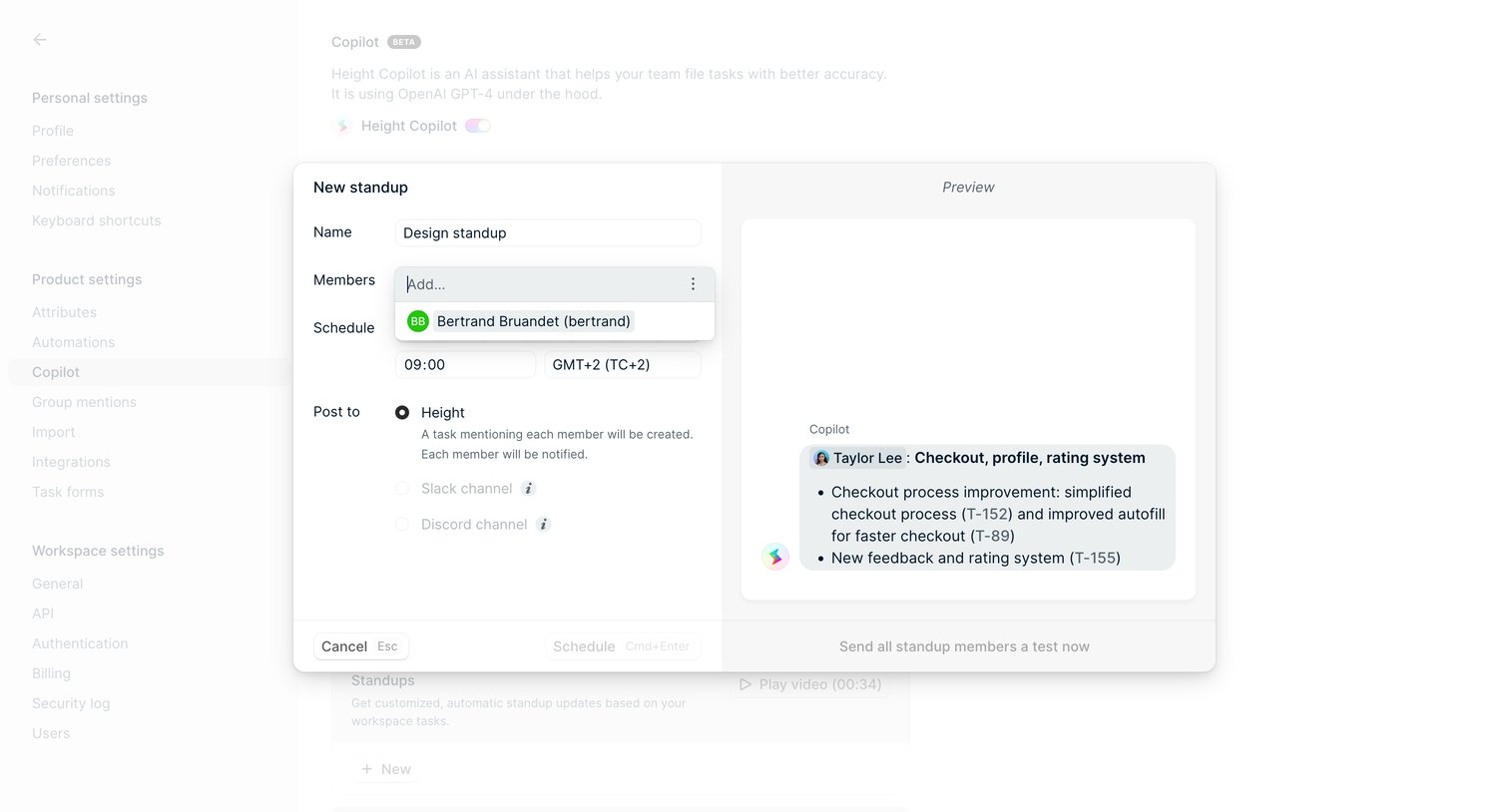
Settings page where the user configures a new AI-generated standup schedule, selecting members, time, and destination channel via a modal with a live preview.
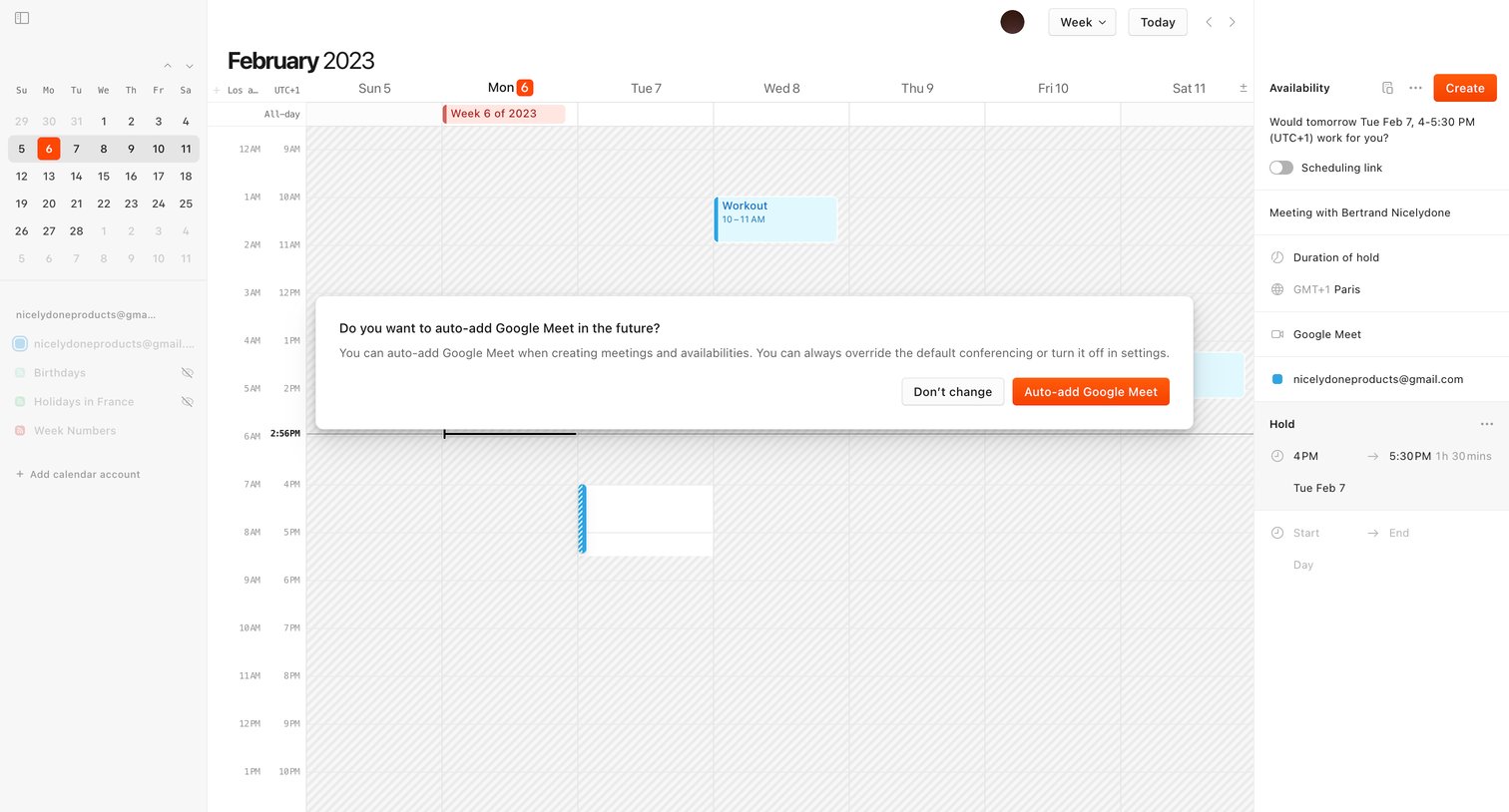

Cron screen
Cron logo
Cron

Calendar view where a modal prompts the user to automatically add Google Meet to future meetings and availabilities.
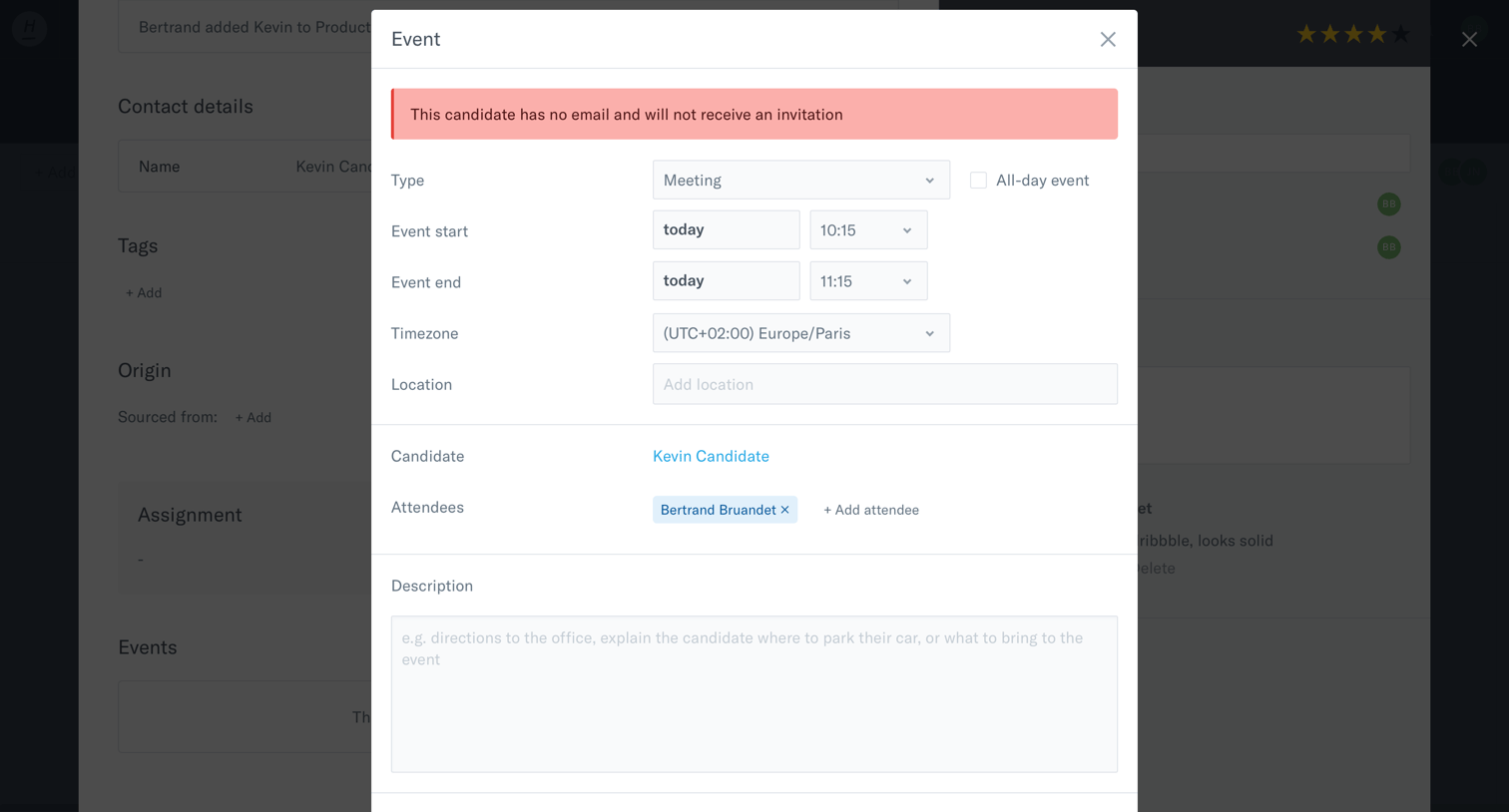

Homerun screen
Homerun logo
Homerun

Detail page where the user schedules a meeting with a candidate, specifying time, location, and attendees, but is blocked by a warning that the candidate lacks an email address.

Drubbbler - Calendar screen
Drubbbler logo
Drubbbler

Create screen where the user selects a specific date and time from a calendar modal to schedule an item for the queue.

Explore the full SaaS screen library

Upgrade to unlock the full library.

Trusted by the best teams