Team collaboration screen examples
Team collaboration screen design examples from SaaS apps. See how collaboration apps bring people into shared work. Explore how workspaces, discussions, and review controls connect individual actions with a team.
Explore the examples
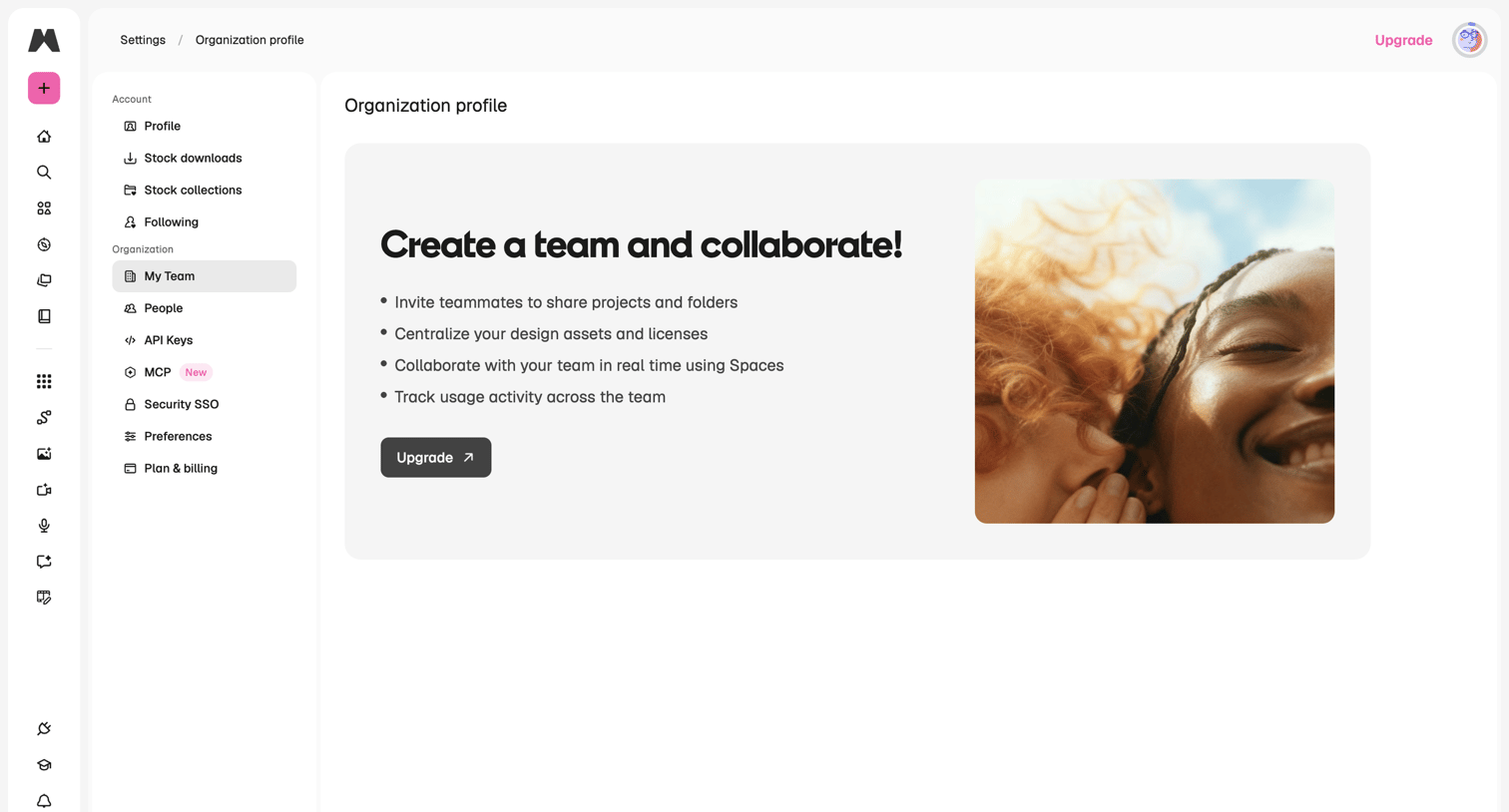

Team settings page where the user hits a feature gate prompting them to upgrade their plan to create an organization and collaborate.


Product page for Riverside's business tier, highlighting studio-quality remote recording, AI-powered editing, and team collaboration features with prominent demo CTAs.
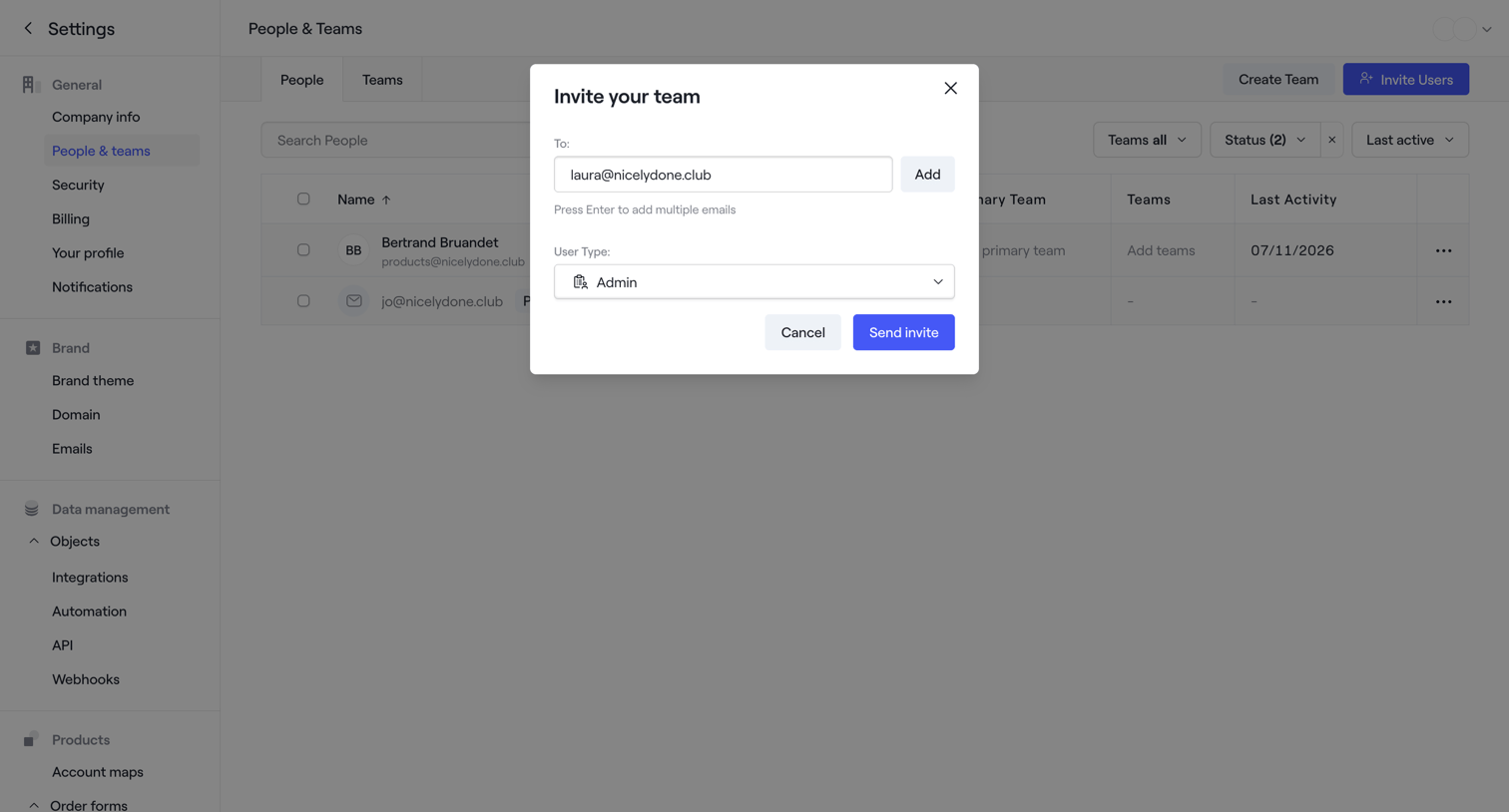

Settings page where the user invites a new teammate by entering their email address and assigning an admin role via a modal.
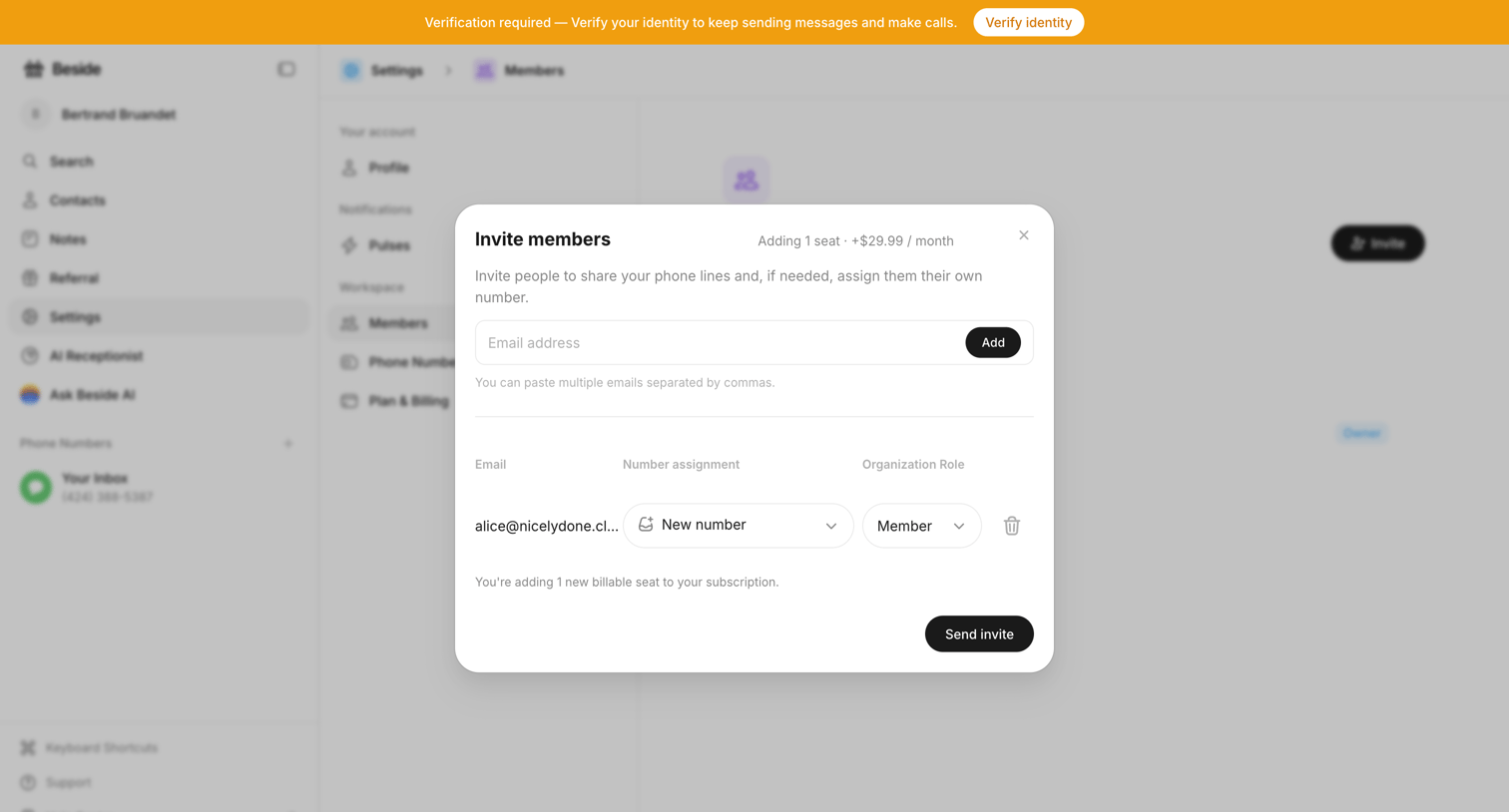

Settings page where the user invites new members by email, assigns them a phone number and role, and sees the billing impact of adding a seat.
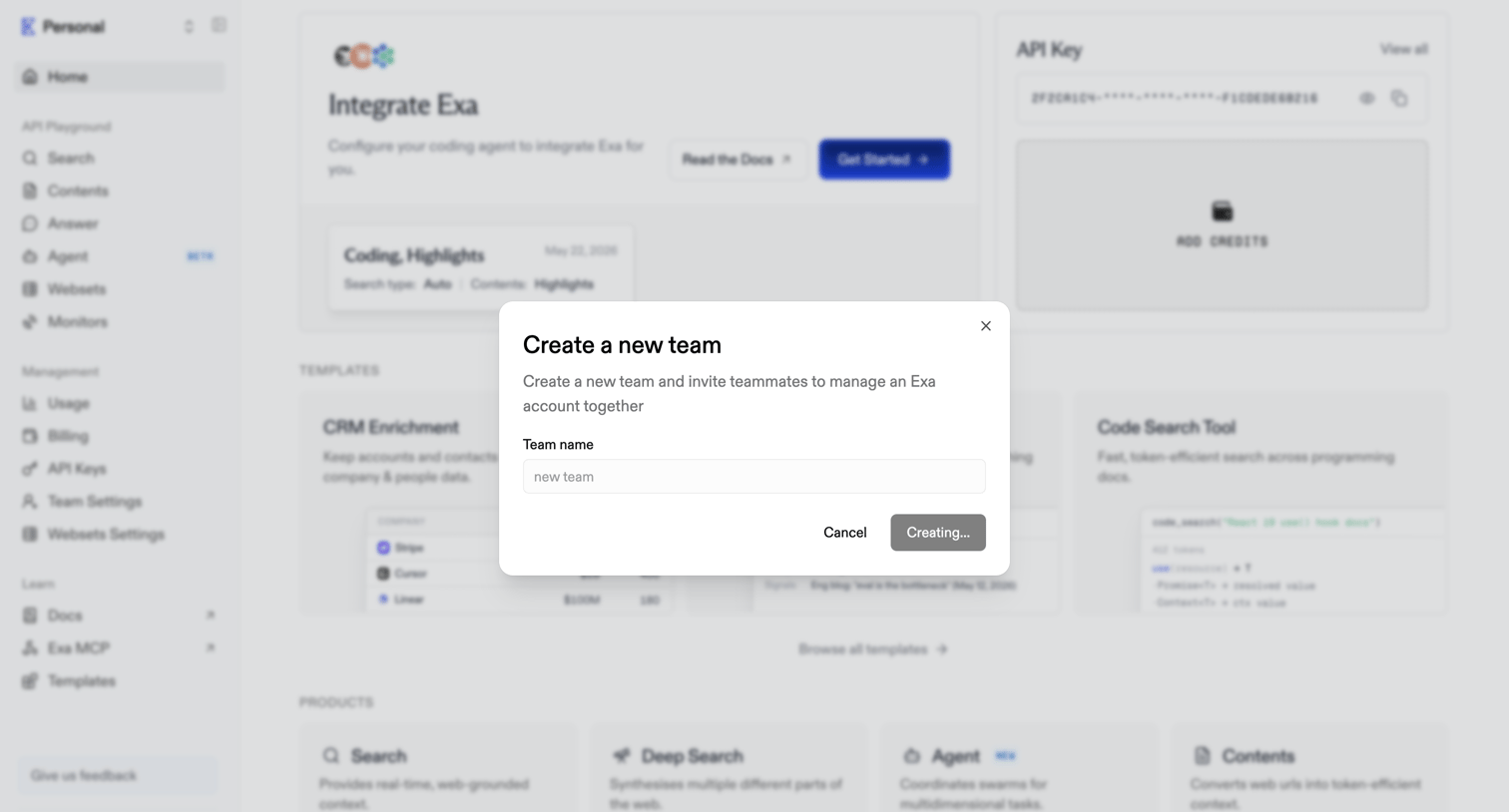

Home dashboard with an active modal for creating a new team and inviting teammates.
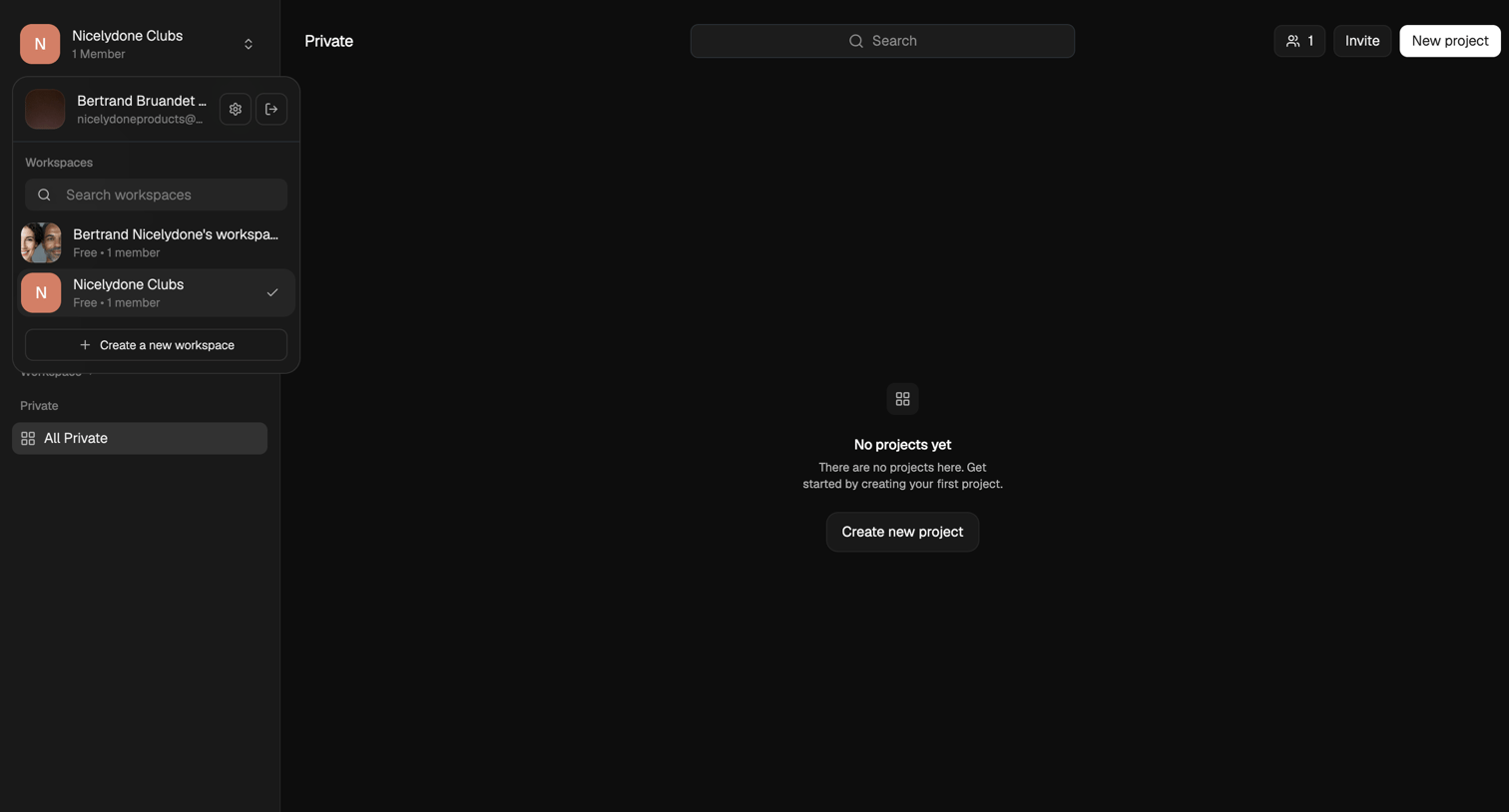

List view where the user is prompted to create their first project in a private workspace.
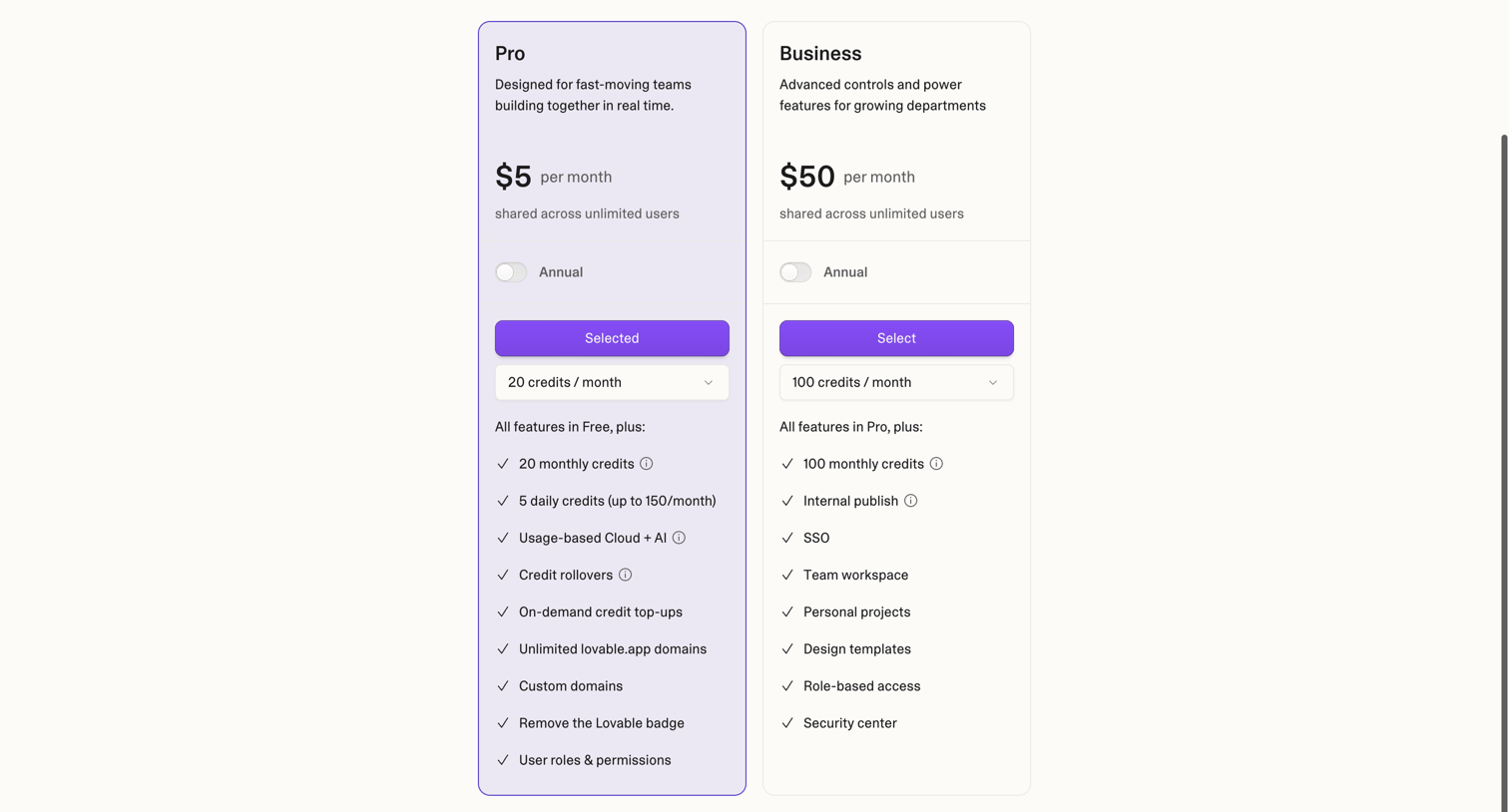

Onboarding step where the user selects a Pro or Business plan and allocates monthly credits before creating their workspace.
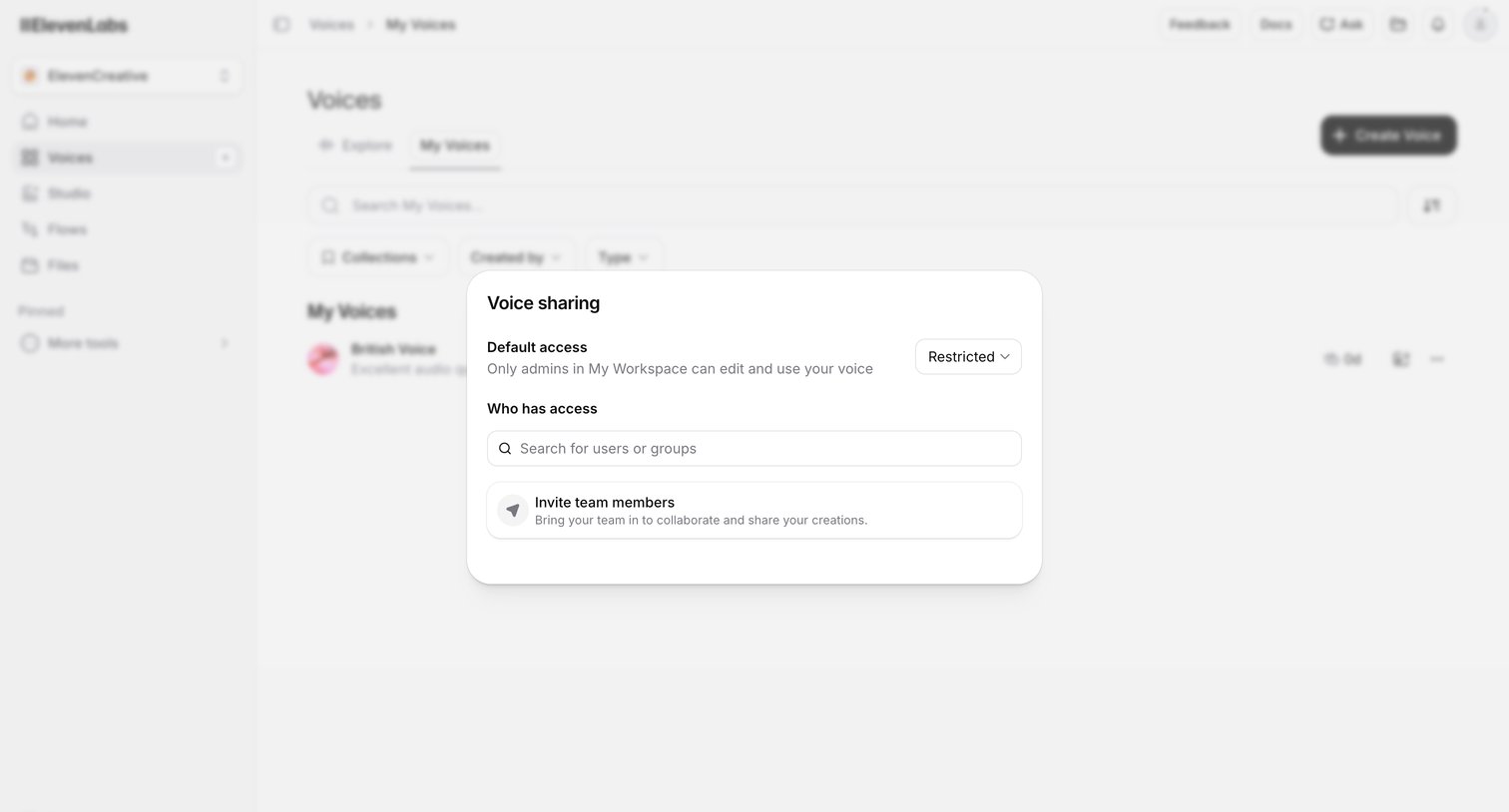

List view of saved voices where the user configures sharing permissions and invites team members to a specific voice via a modal.
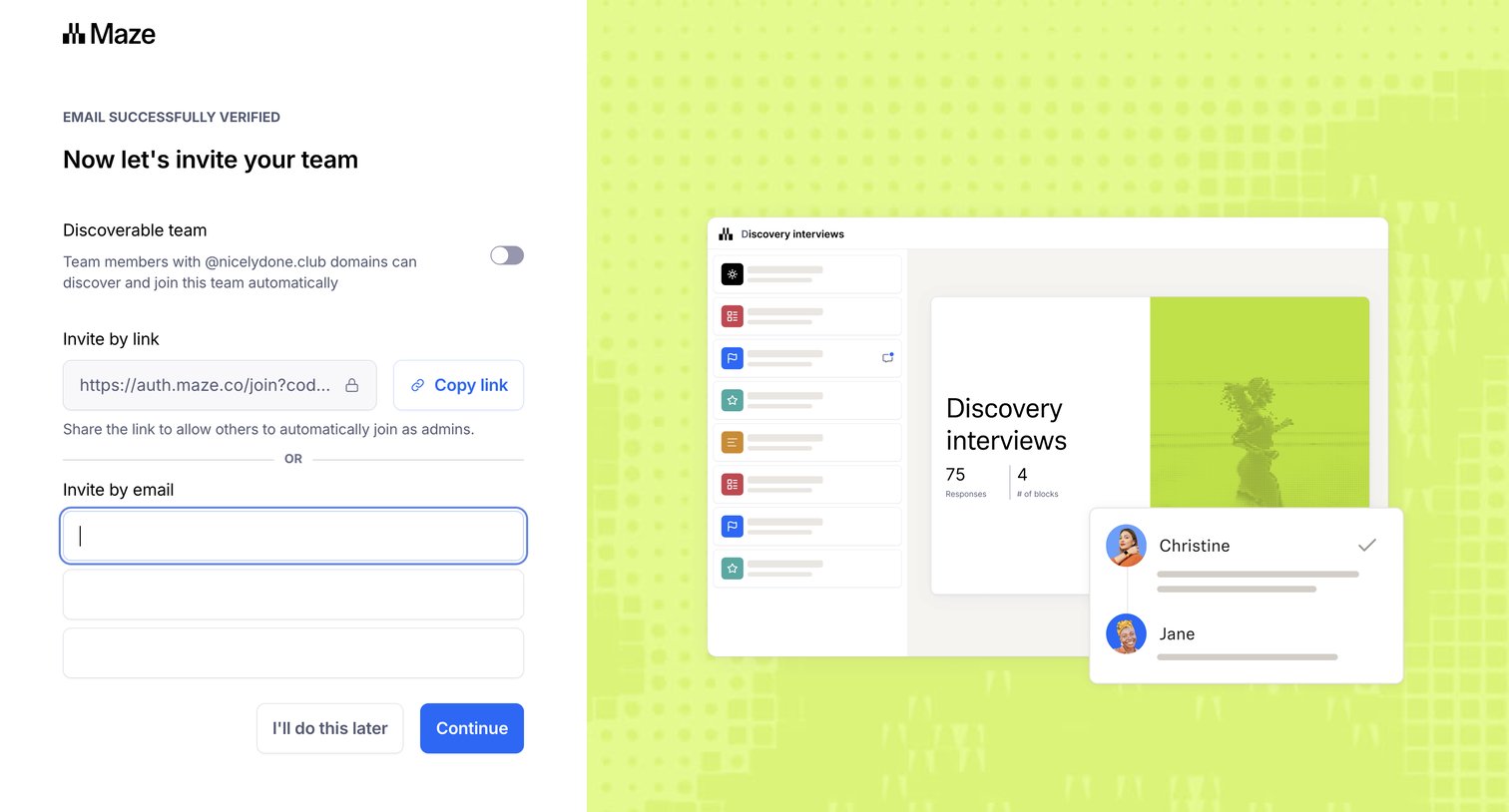

Onboarding step where the user can make their workspace discoverable by domain and invite teammates via a shareable link or email addresses.
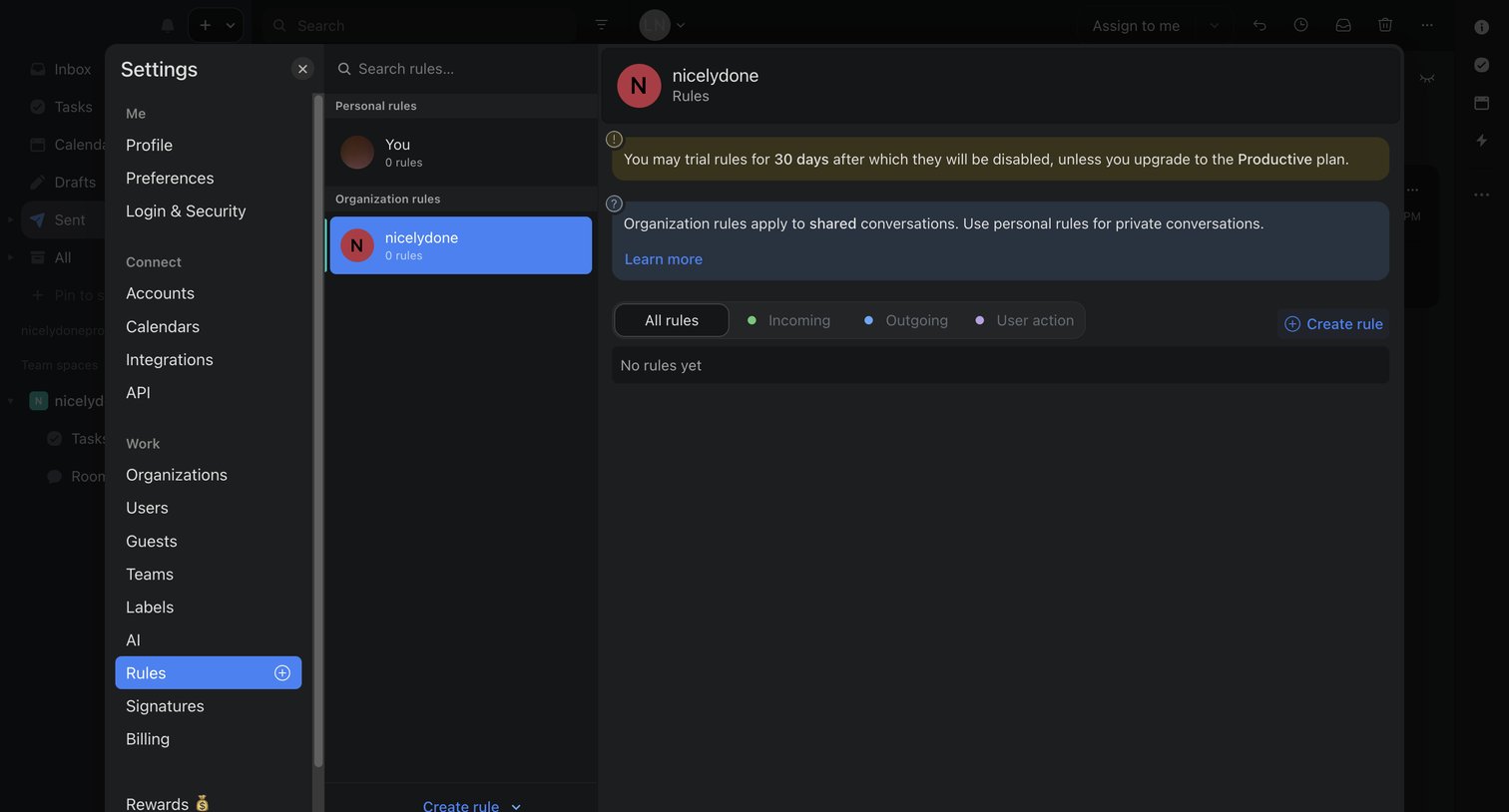

Settings page where the user configures personal and organization automation rules, currently showing an empty state with a trial upgrade prompt.
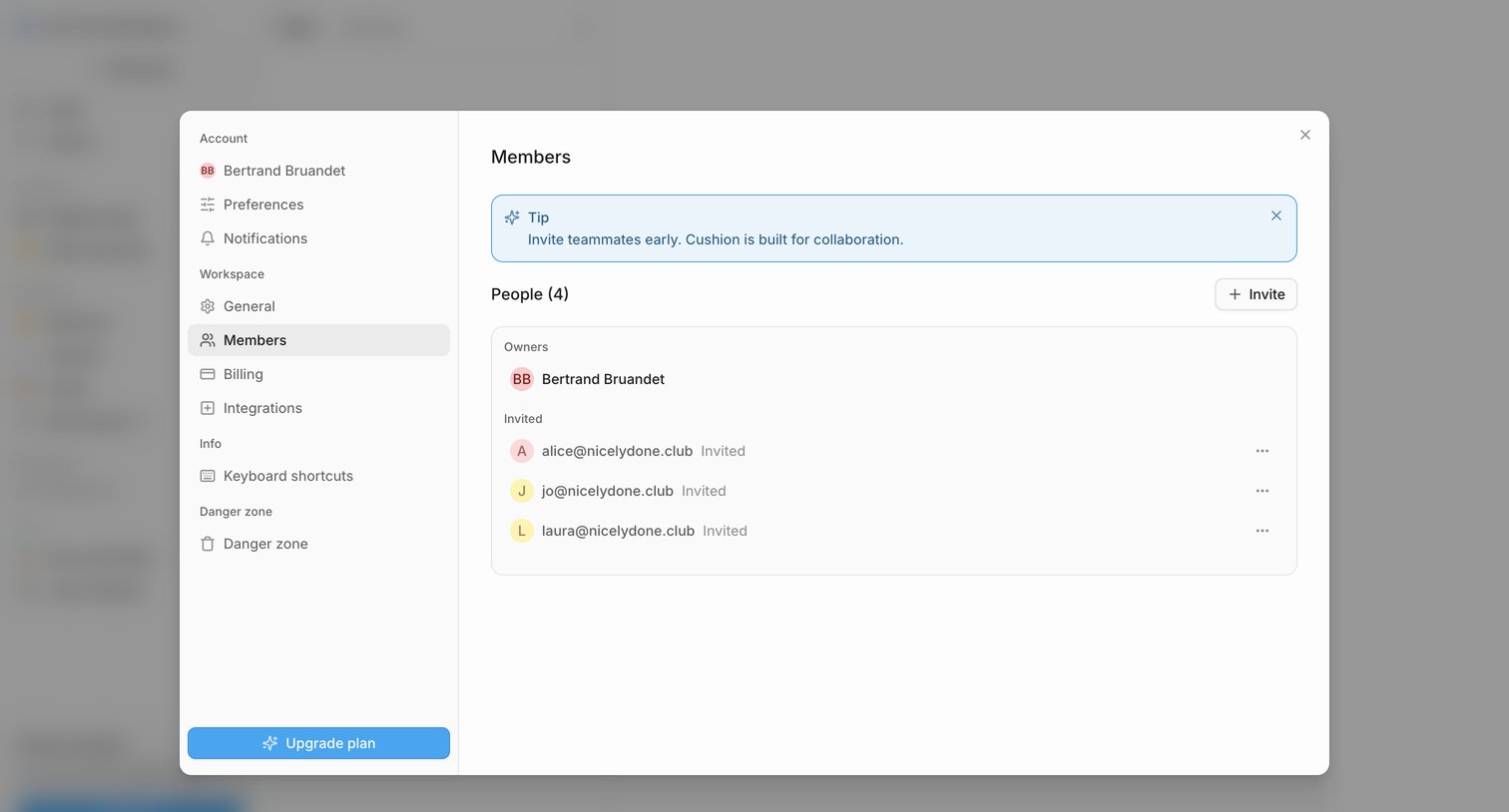

Settings modal where the user manages workspace members, views invited teammates, and can invite new people or upgrade their plan.
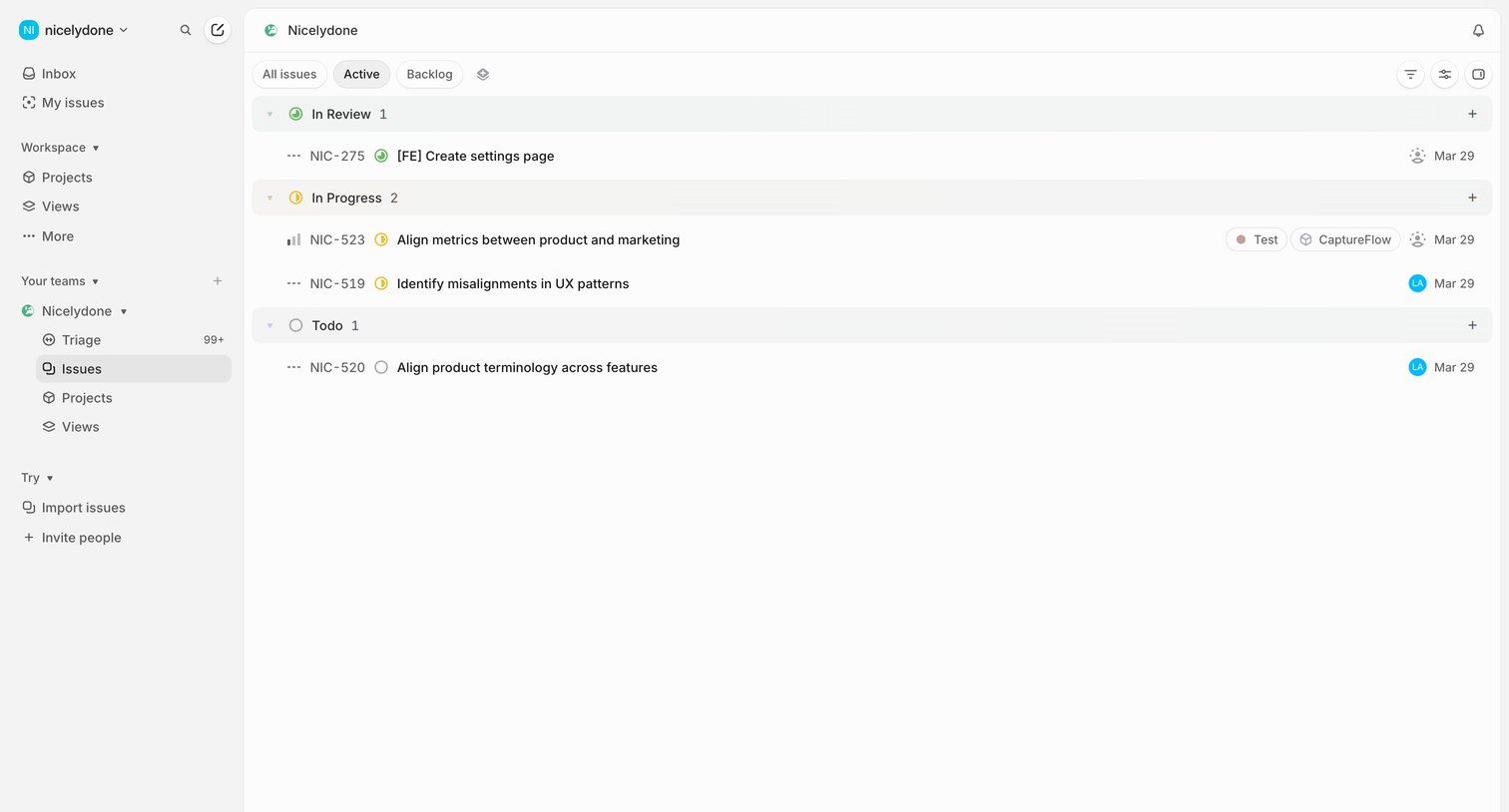

List view where the user manages active issues grouped by status like In Review, In Progress, and Todo.
Explore the full SaaS screen library
Upgrade to unlock the full library.
Trusted by the best teams








About Team collaboration
See how collaboration apps bring people into shared work. Explore how workspaces, discussions, and review controls connect individual actions with a team.