Skip to content

Preview panel screen examples

Preview panel screen design examples from SaaS apps. Browse examples from Dock, Bloom, Mailchimp.

Explore the examples
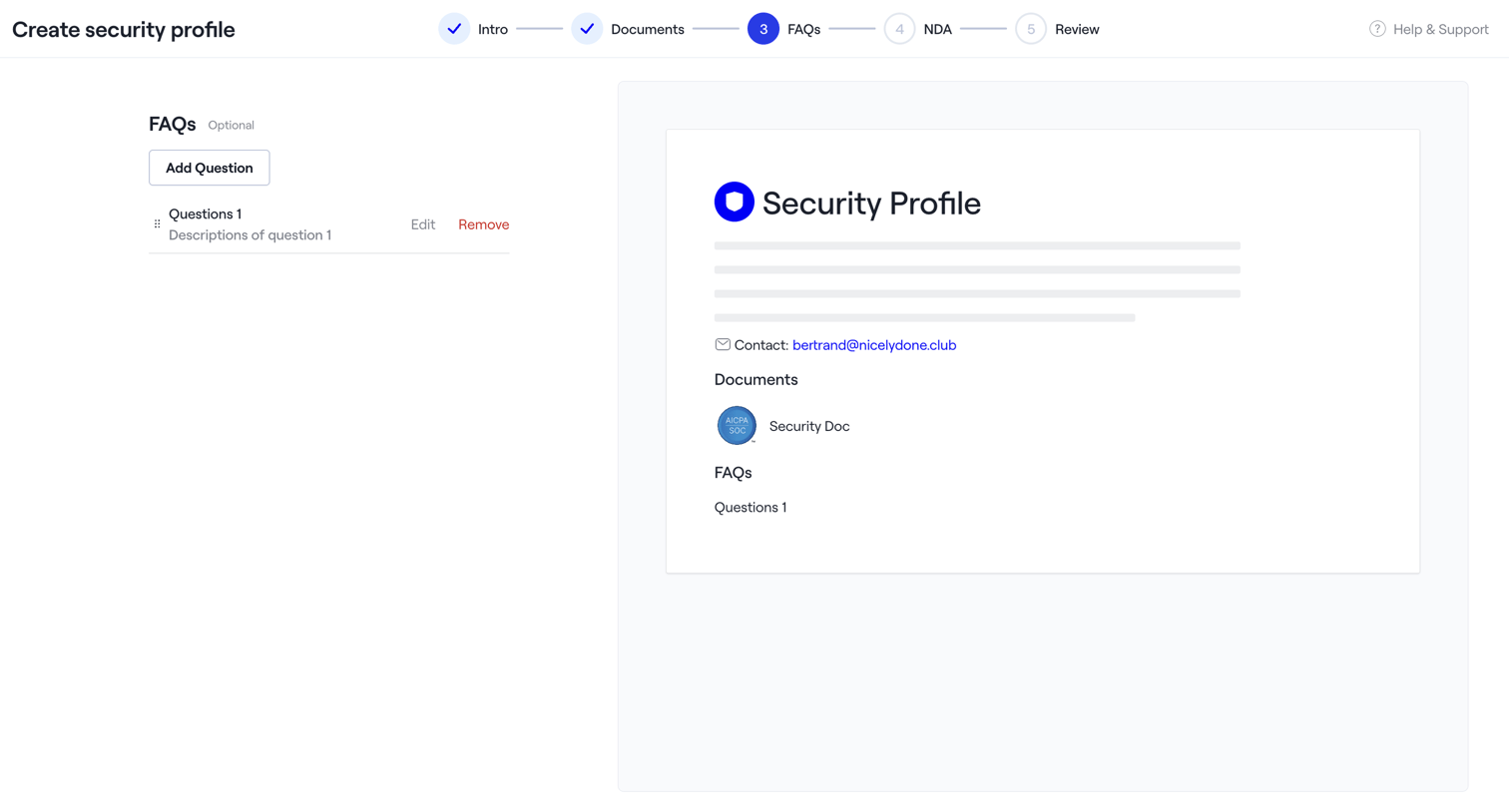
Dock - Dock · Settings screen
Dock logo
Dock

Creation wizard where the user adds FAQs to their security profile while viewing a live preview of the generated document.
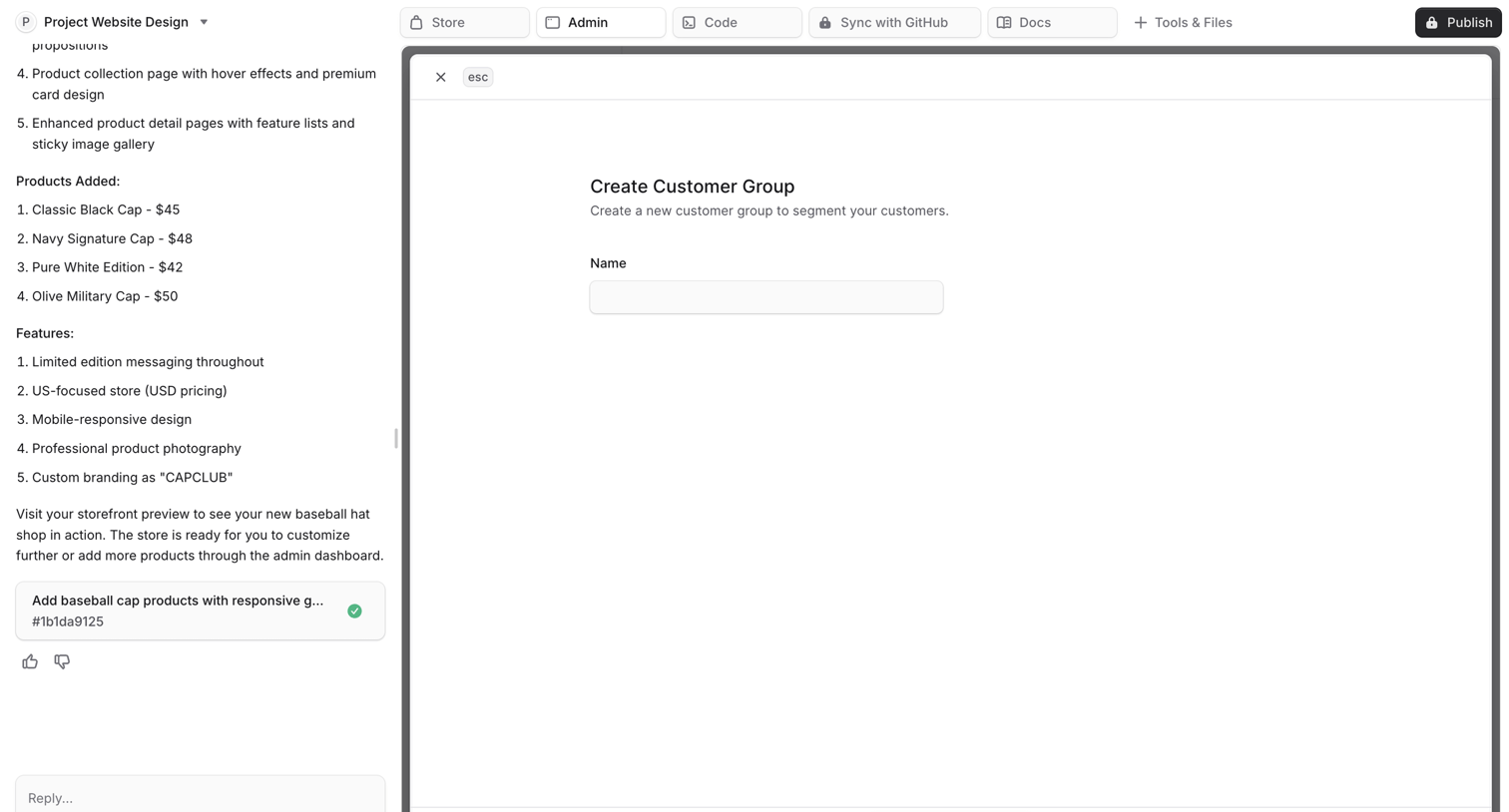

Bloom - Bloom by Medusa screen
Bloom logo
Bloom

AI generation interface where the user chats to build a website and reviews a generated 'Create Customer Group' form in a side-by-side artifact panel.
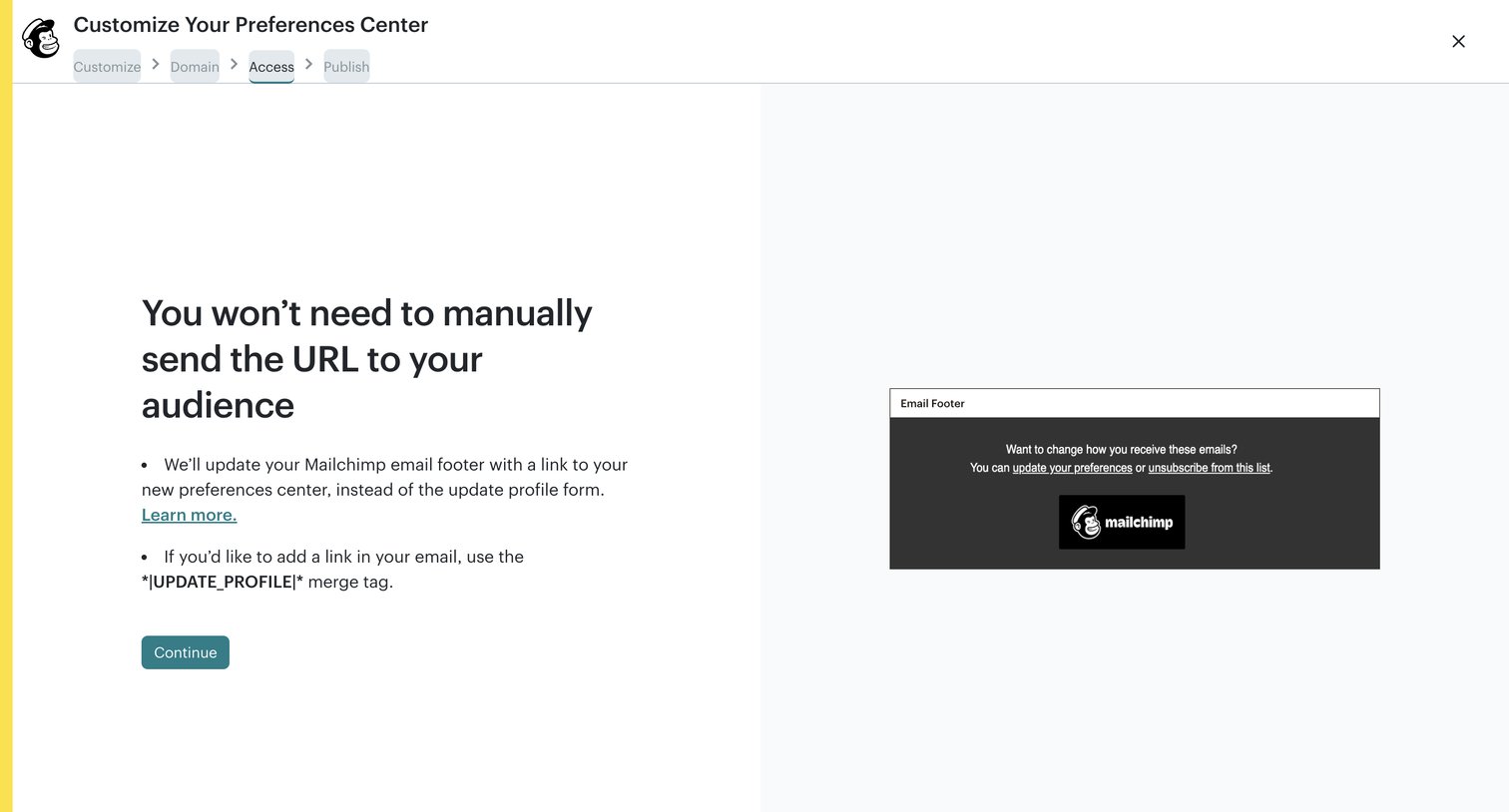

Mailchimp - Create Preferences Center | Mailchimp screen
Mailchimp logo
Mailchimp

Wizard step where the user reviews how their audience will access the new preferences center via an email footer link.
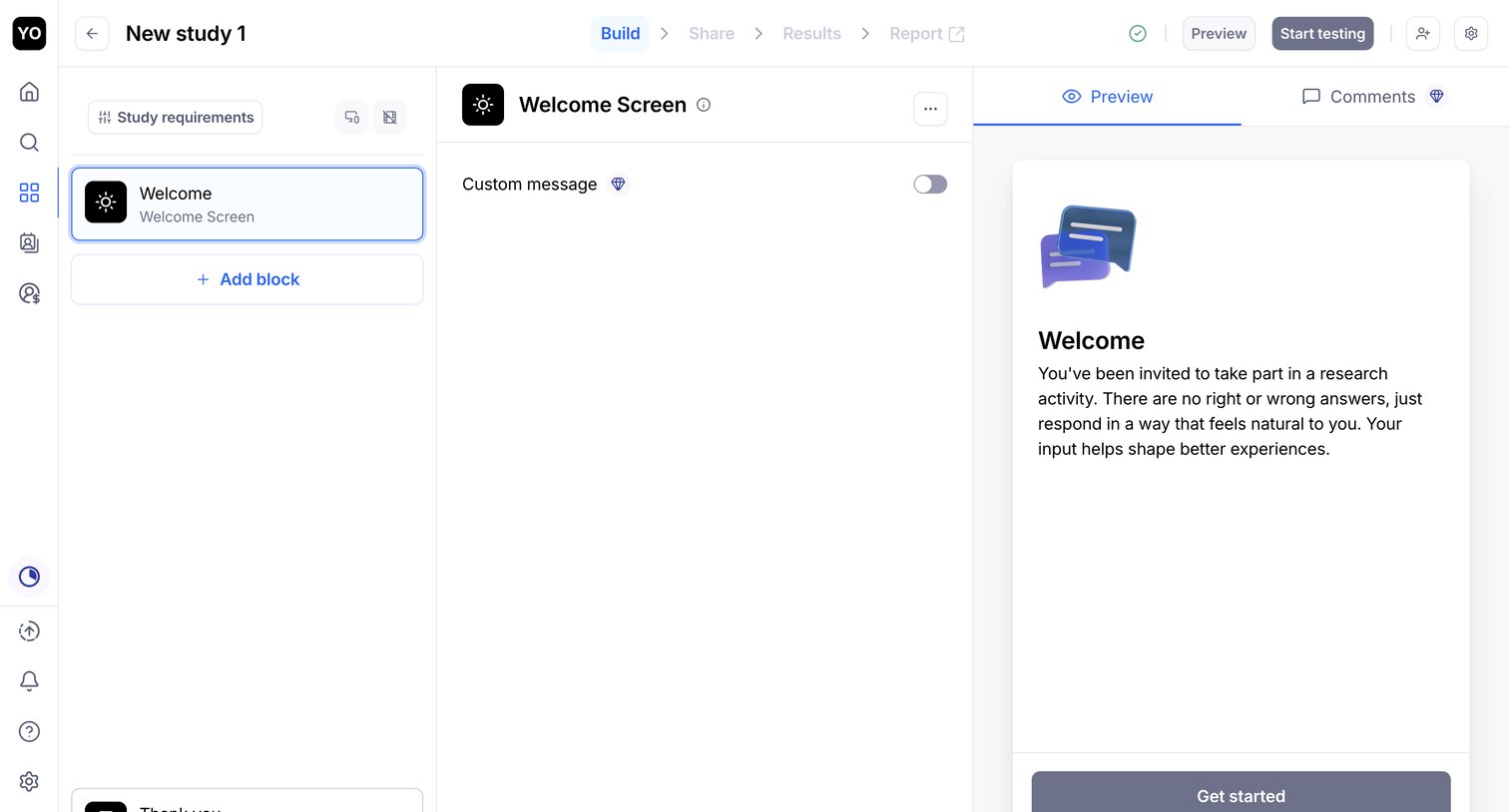

Maze - Your first project - Maze Draft screen
Maze logo
Maze

Form builder where the user configures the welcome screen of a research study and previews the mobile experience.

Chatwoot screen
Chatwoot logo
Chatwoot

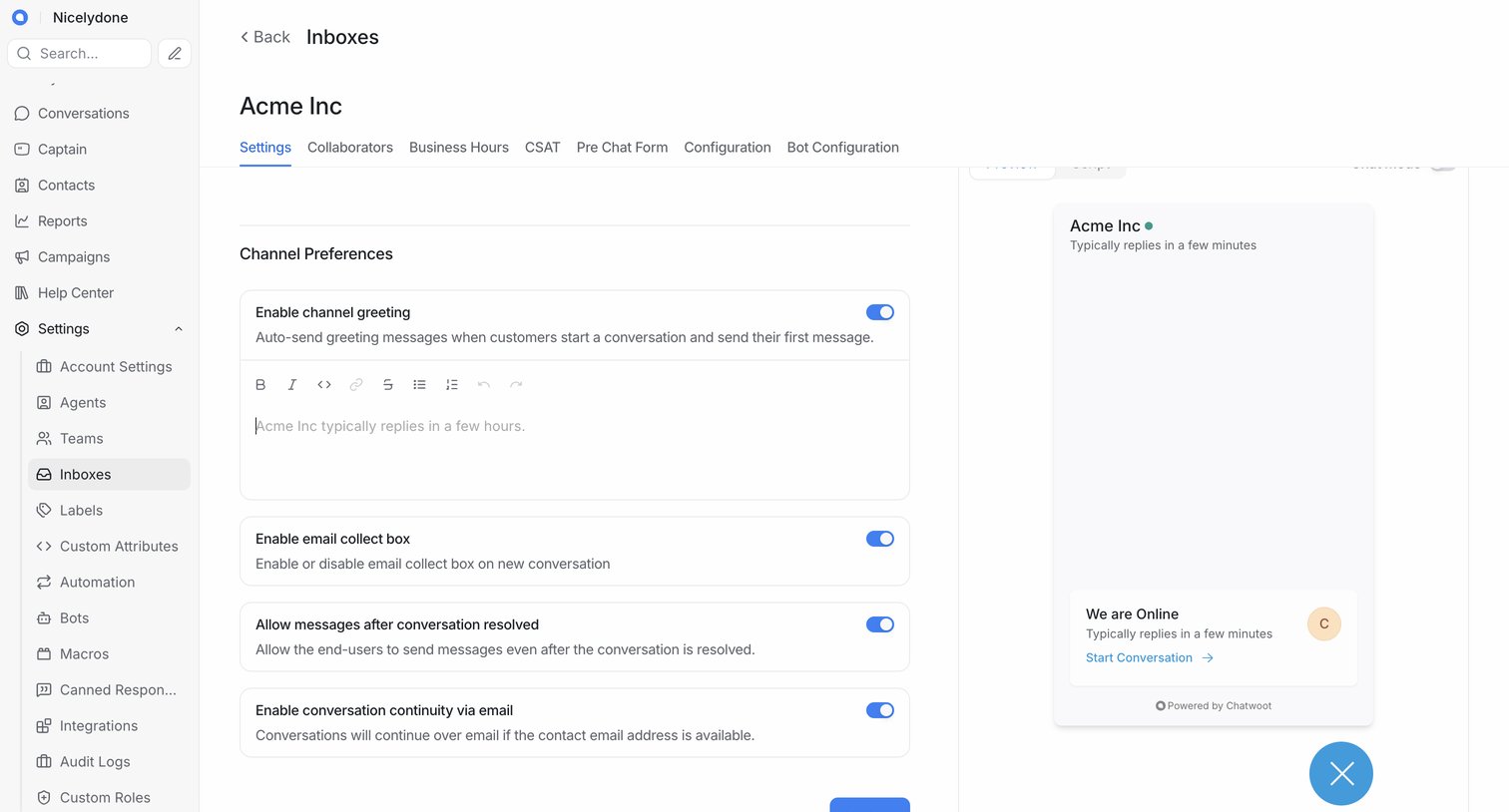
Settings page where the user configures channel preferences for a specific inbox, including greetings and email collection, alongside a live preview of the chat widget.

Attio screen
Attio logo
Attio

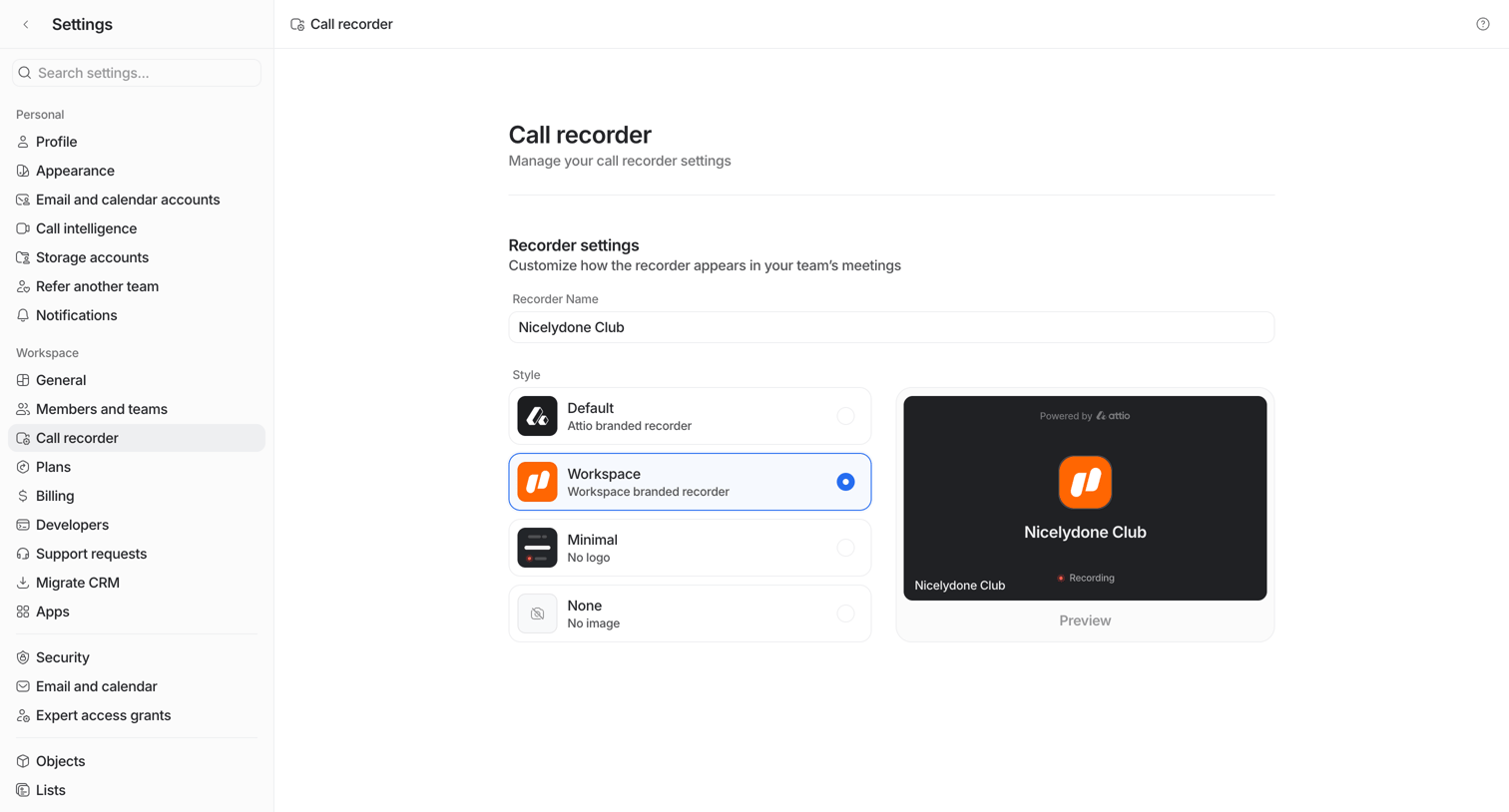
Settings page where the user configures the display name and visual style of their team's call recorder bot, with a live preview.
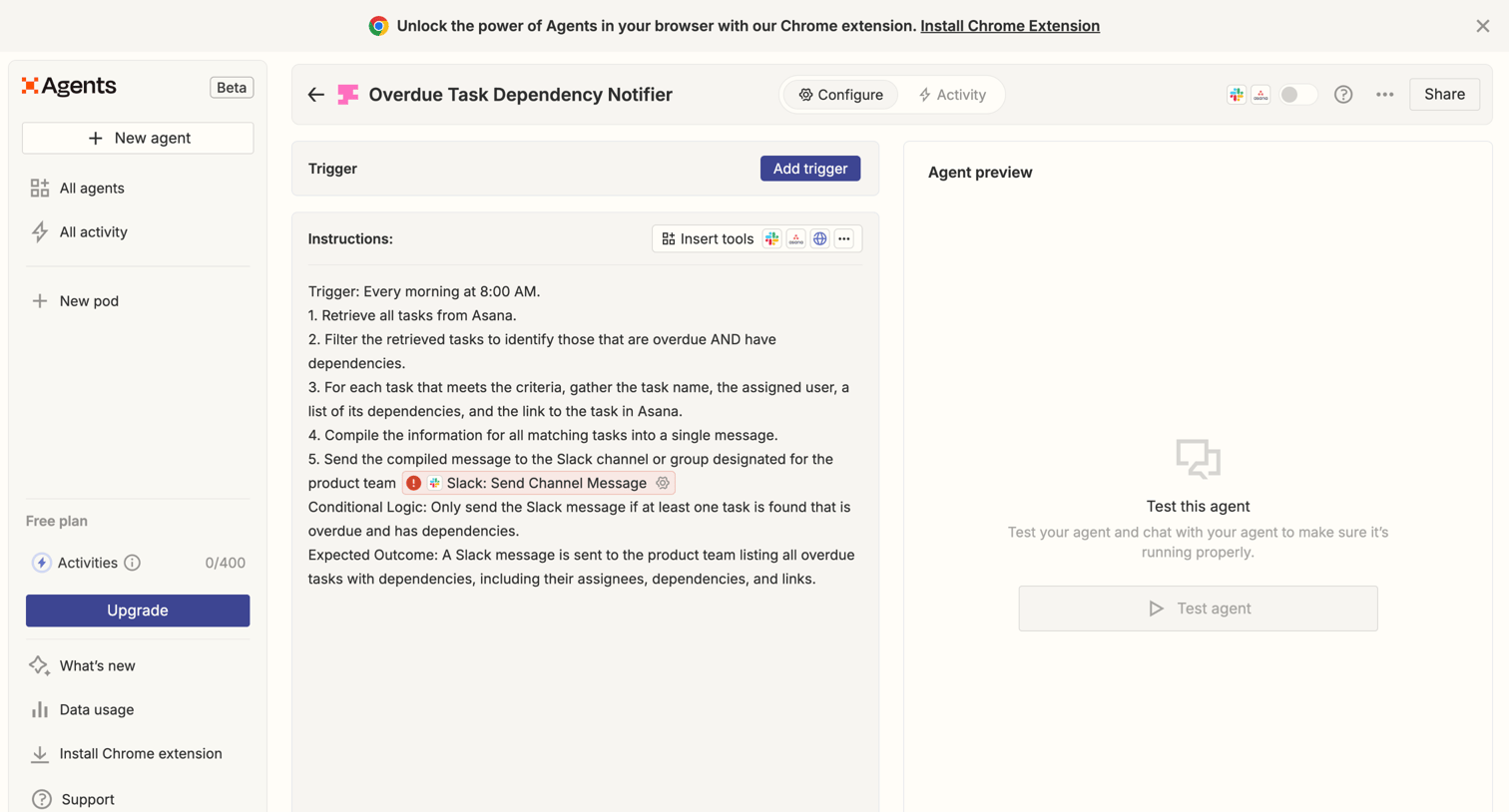

Zapier - Overdue Task Dependency Notifier | Zapier Agents screen
Zapier logo
Zapier

Settings page where the user configures an AI agent's instructions, triggers, and connected tools, with a side-by-side preview panel to test the behavior.
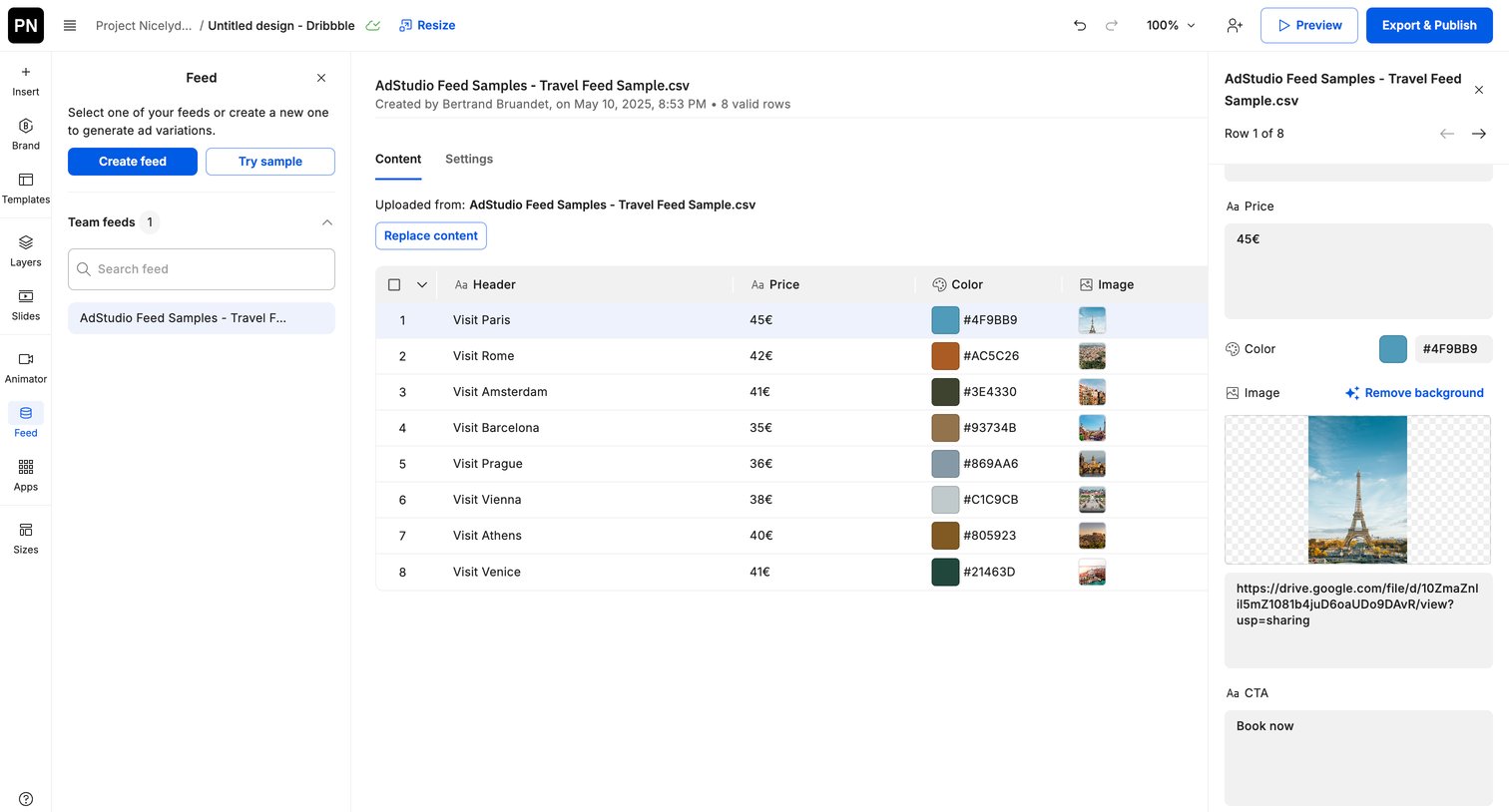

Creatopy - Creative Automation Platform screen
Creatopy logo
Creatopy

Design editor where the user inspects and manages rows from an uploaded CSV travel feed to generate ad variations.
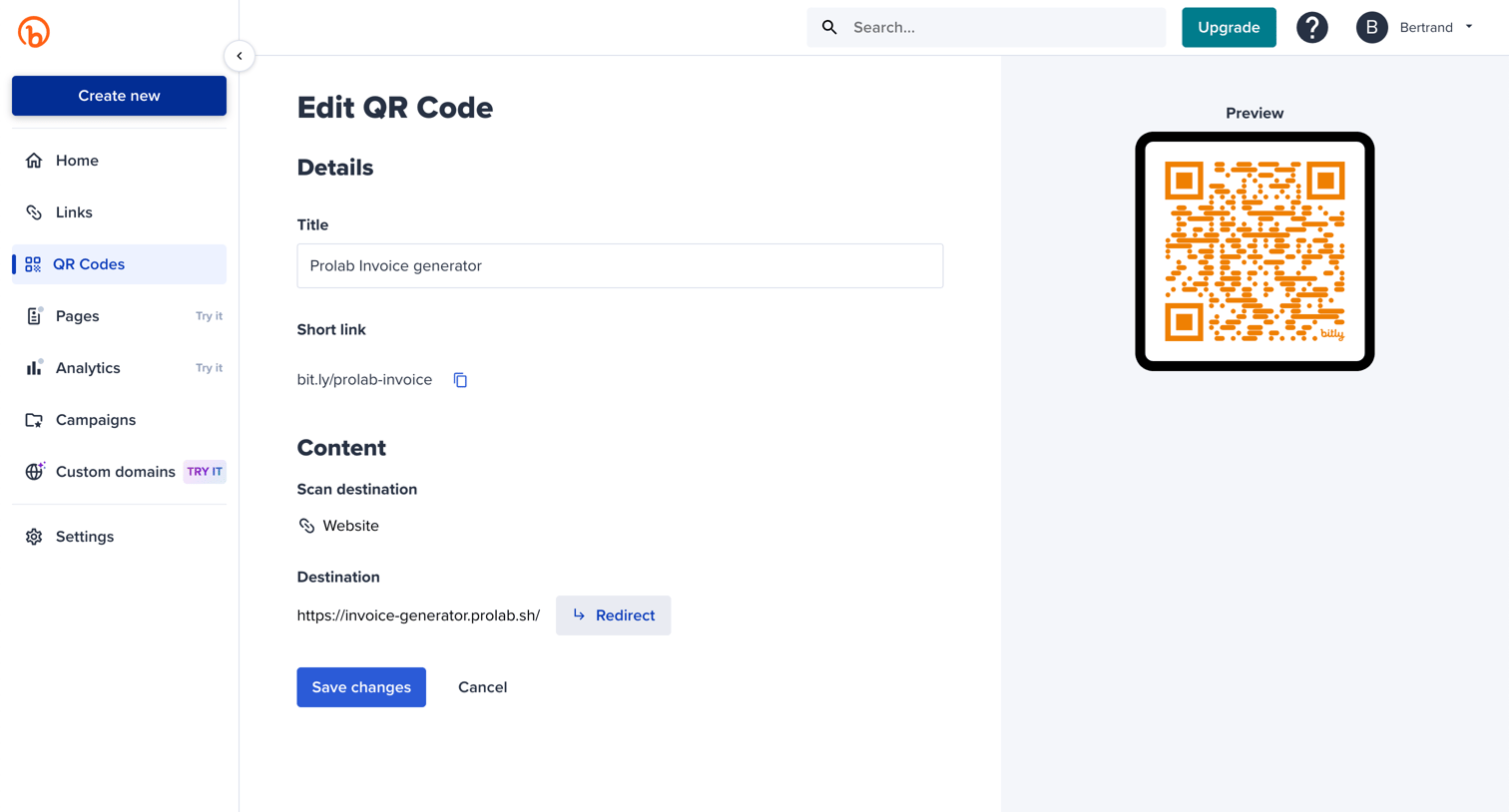
Bitly - Bitly | QR Codes screen
Bitly logo
Bitly

Detail page where the user edits the title and destination URL of a specific QR code while viewing a live preview.

Replit - TaskMaster - Replit screen
Replit logo
Replit

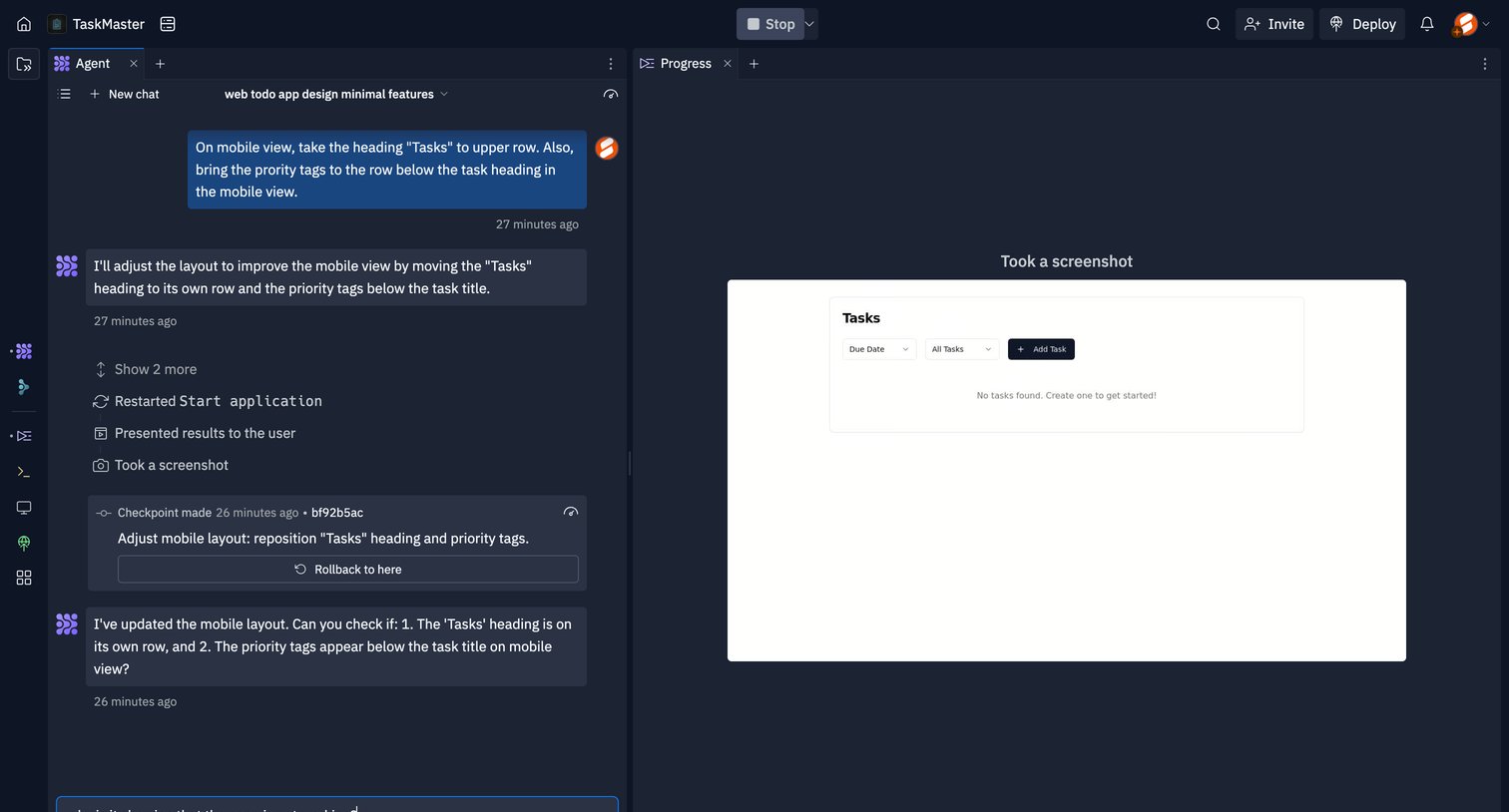
Agent trace workspace where the user instructs an AI to adjust the mobile layout of a web application and reviews the generated screenshot in a side-by-side view.

Front - Front (4) screen
Front logo
Front

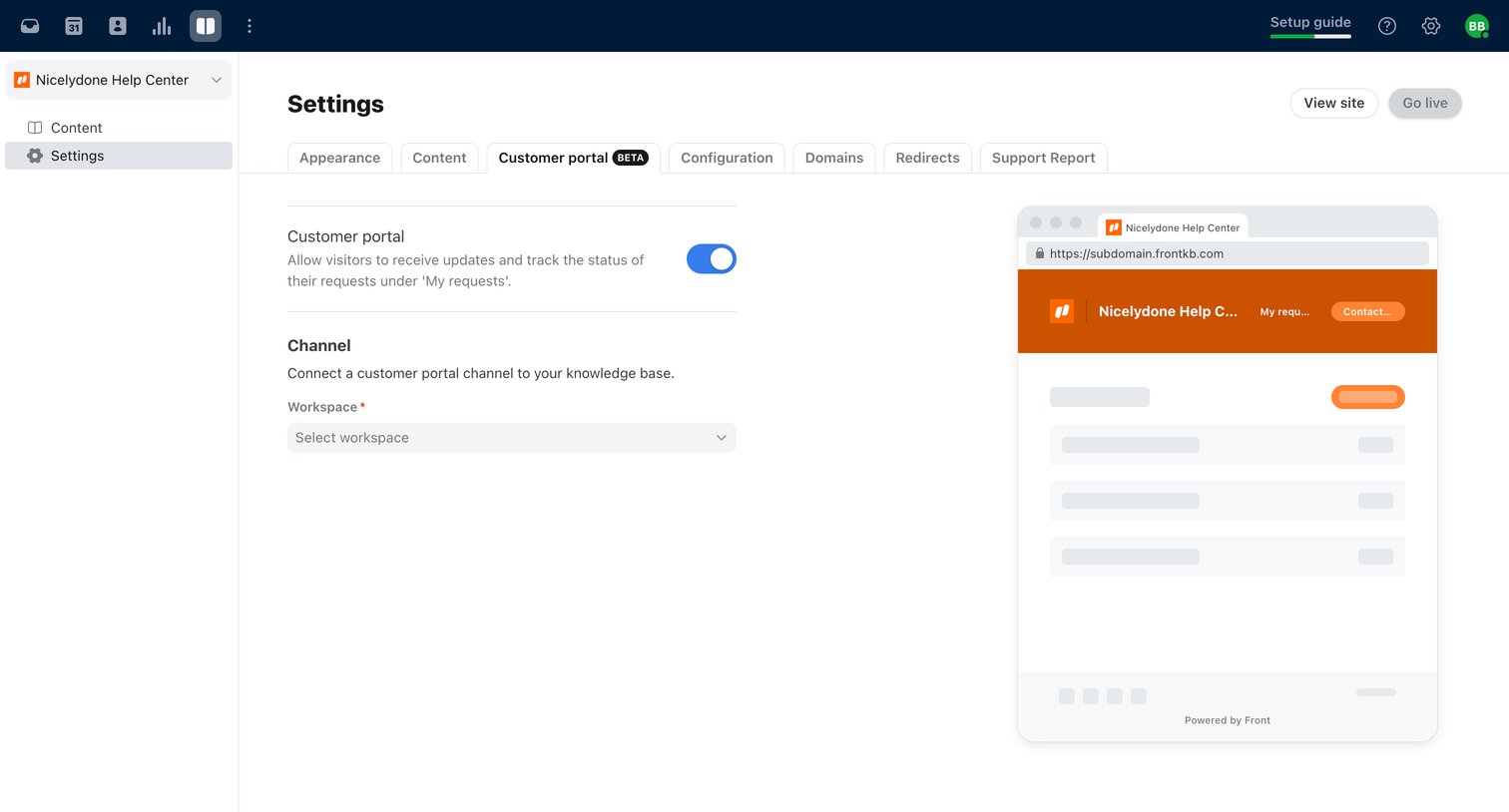
Settings page where the user configures the customer portal for their knowledge base, including enabling it via a toggle and selecting a workspace.

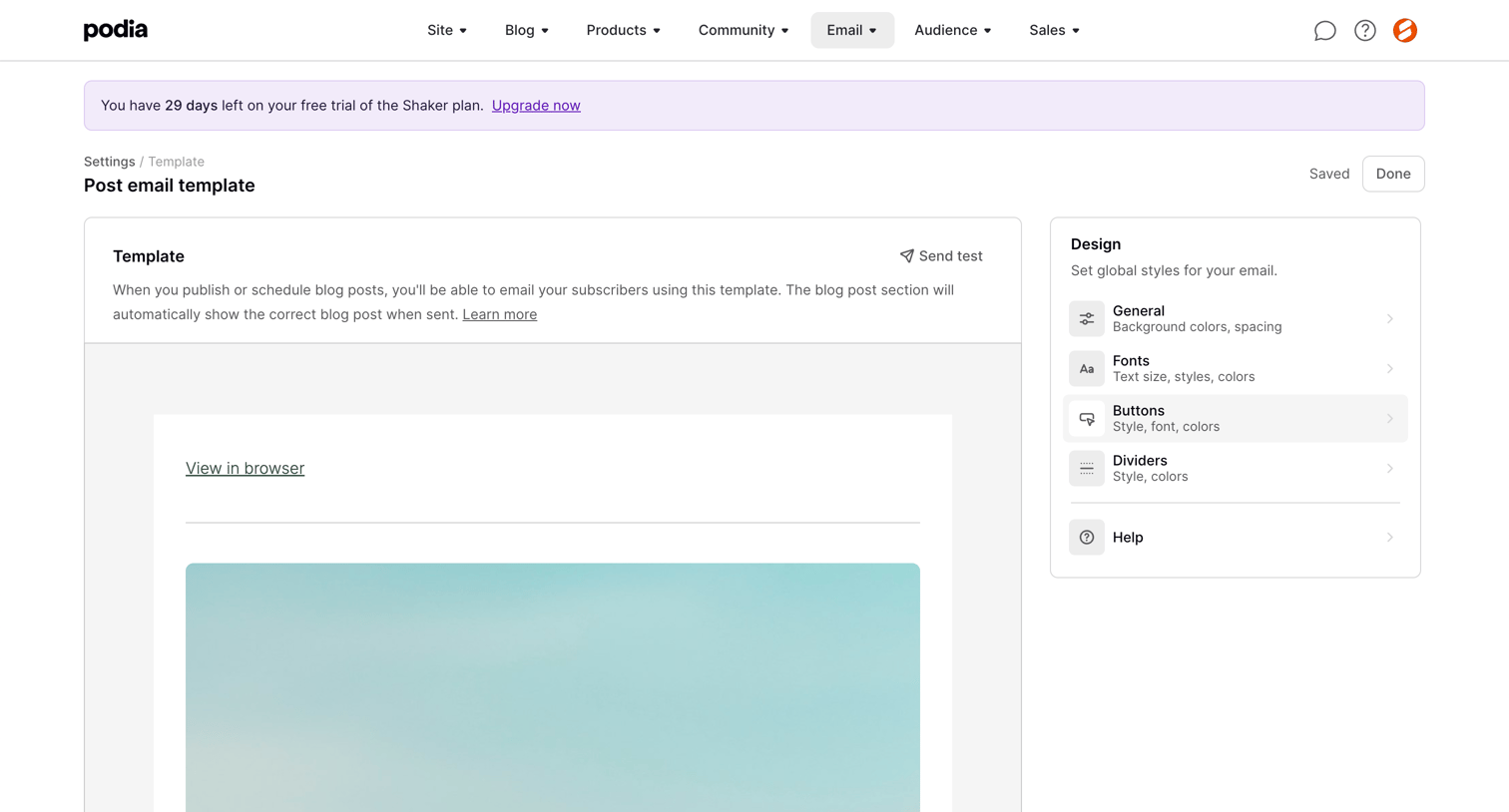
Podia - Podia Post email template screen
Podia logo
Podia

Design editor where the user previews and configures global styles like fonts, colors, and buttons for a post email template.

Explore the full SaaS screen library

Upgrade to unlock the full library.

Trusted by the best teams