Skip to content

Project tracking screen examples

Project tracking screen design examples from SaaS apps. Browse examples from Dock, Linear, Orchestra.

Explore the examples
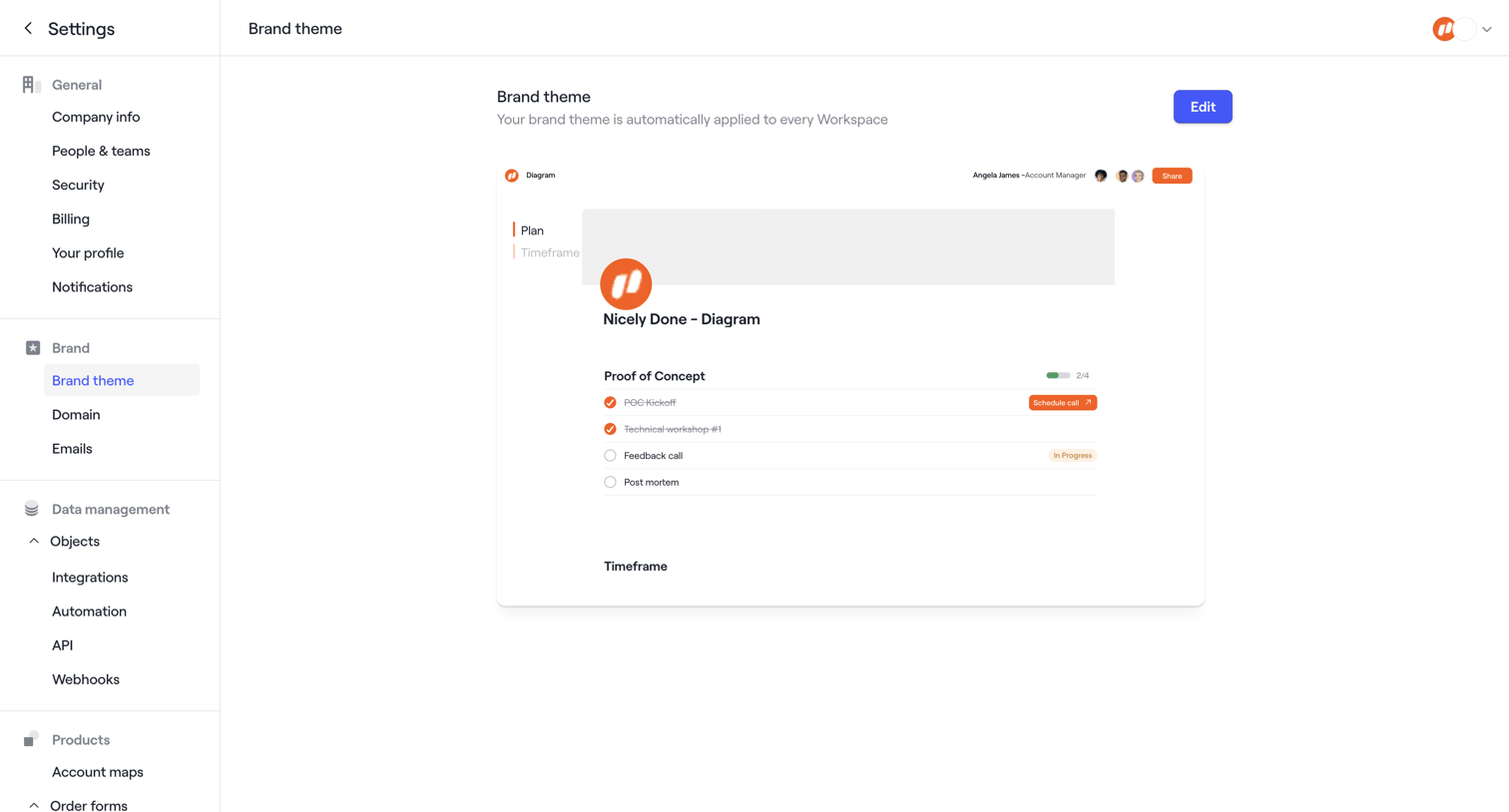
Dock - Custom Branding · Dock screen
Dock logo
Dock

Settings page where the user configures their workspace's brand theme, featuring a live preview of the applied theme and a success toast confirming saved preferences.

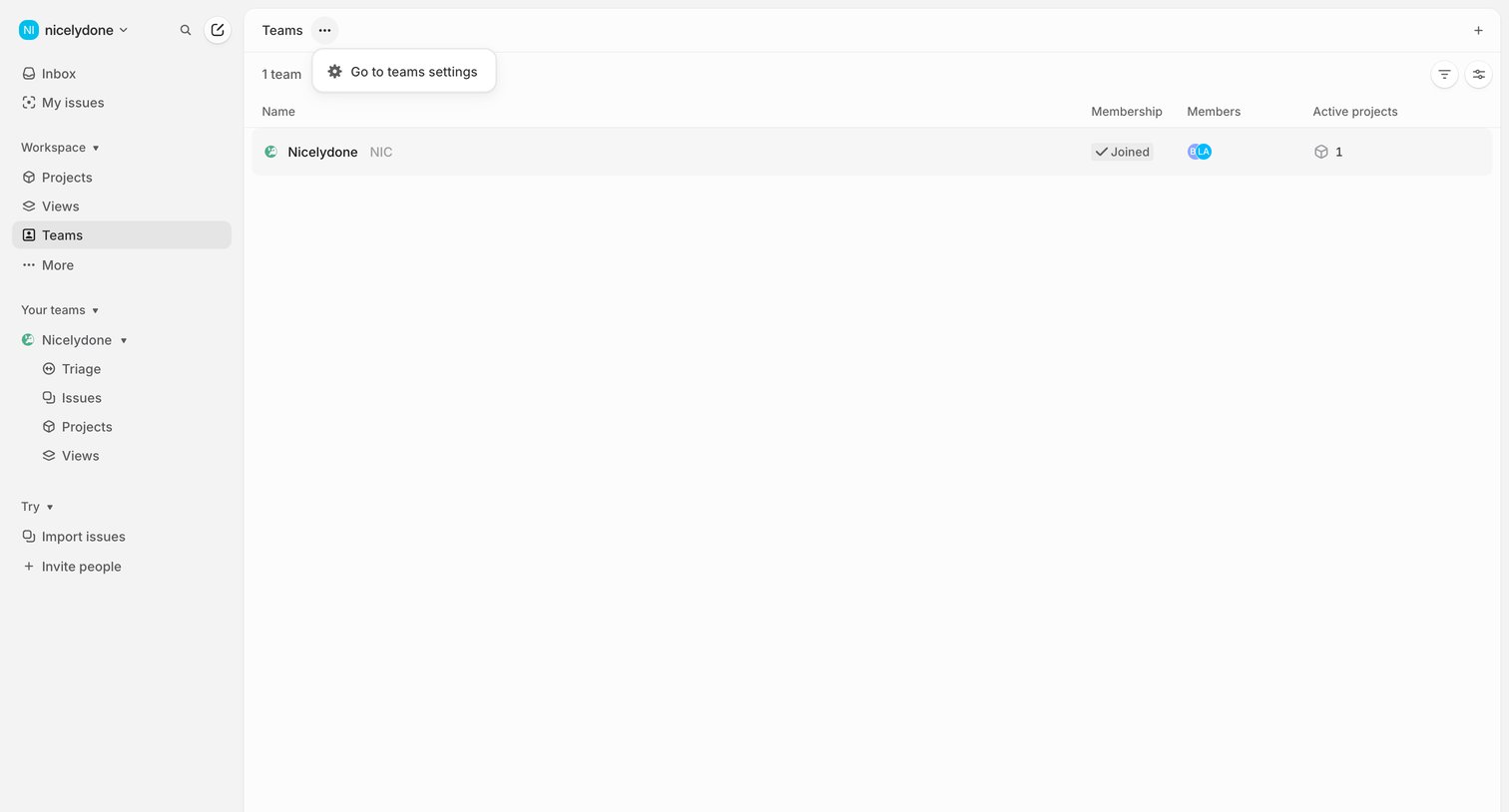
Linear - Teams screen
Linear logo
Linear

List view where the user can browse their workspace teams, view membership status, and access team settings.
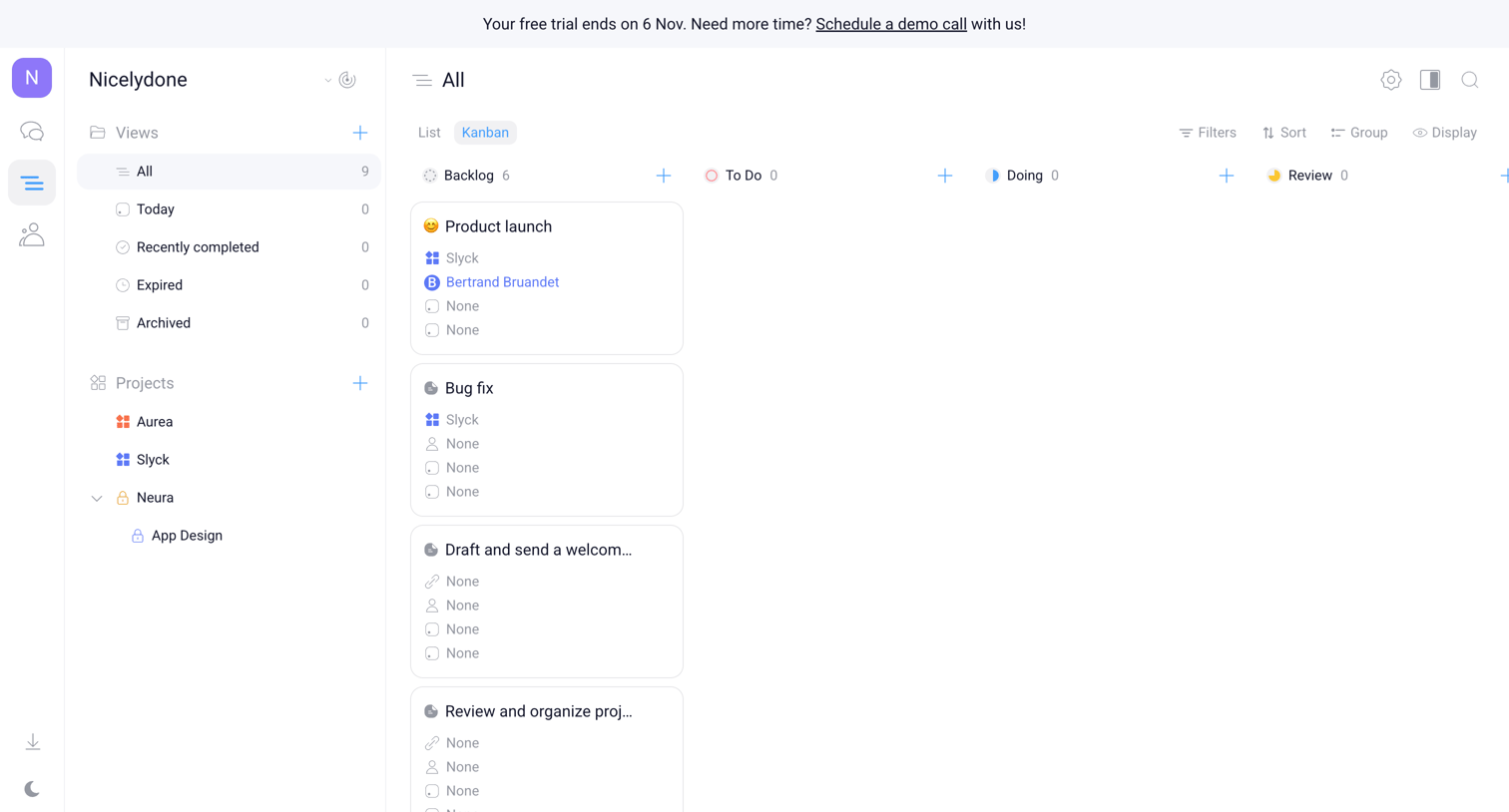

Orchestra - Nicelydone - Tasks screen
Orchestra logo
Orchestra

Task management board displaying all tasks organized in a kanban layout with columns for backlog, to do, doing, and review, alongside a dual side navigation panel.
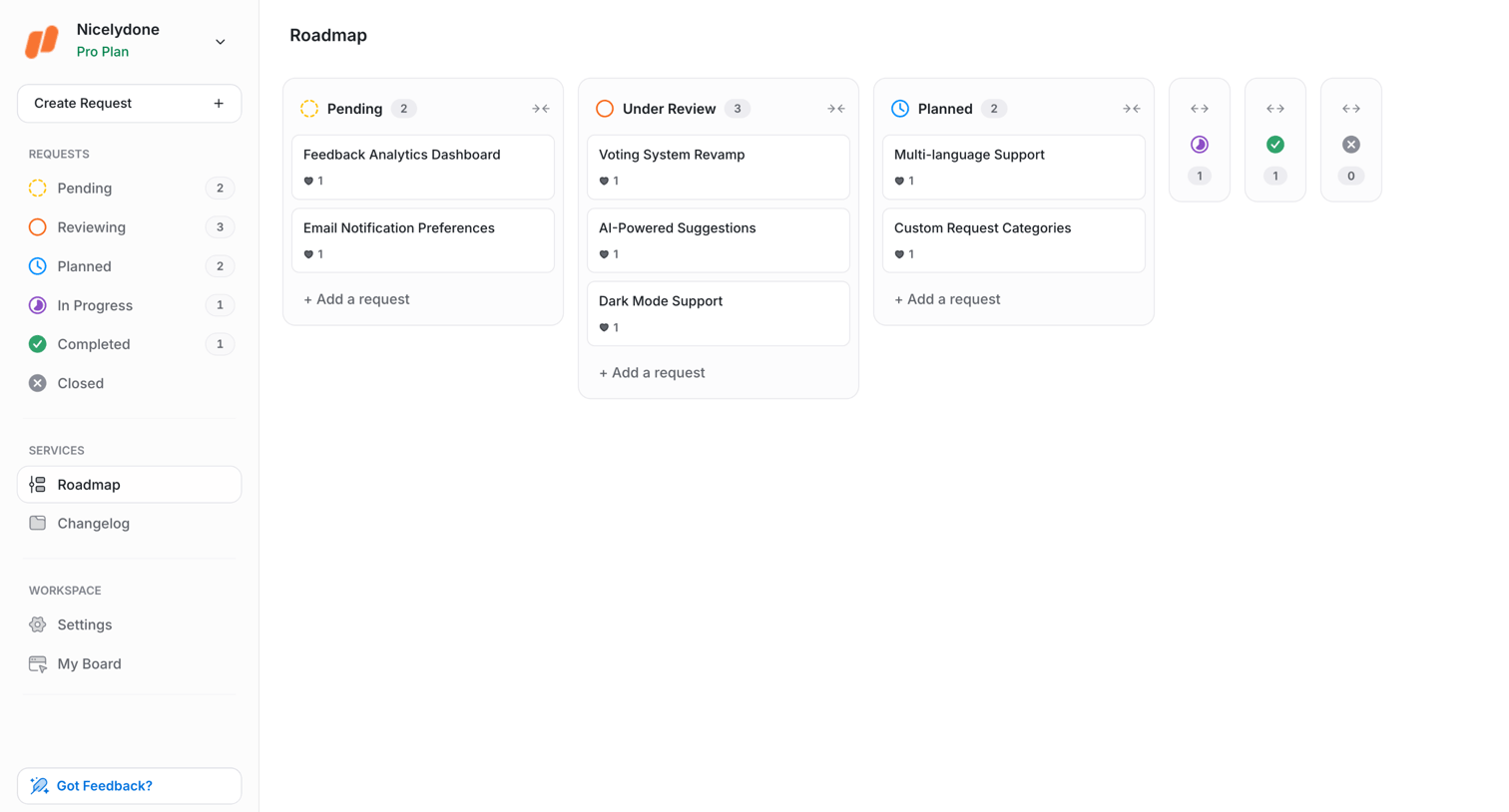

UserJot - Roadmap | UserJot screen
UserJot logo
UserJot

Kanban board where a product team tracks feature requests across pending, under review, and planned stages.

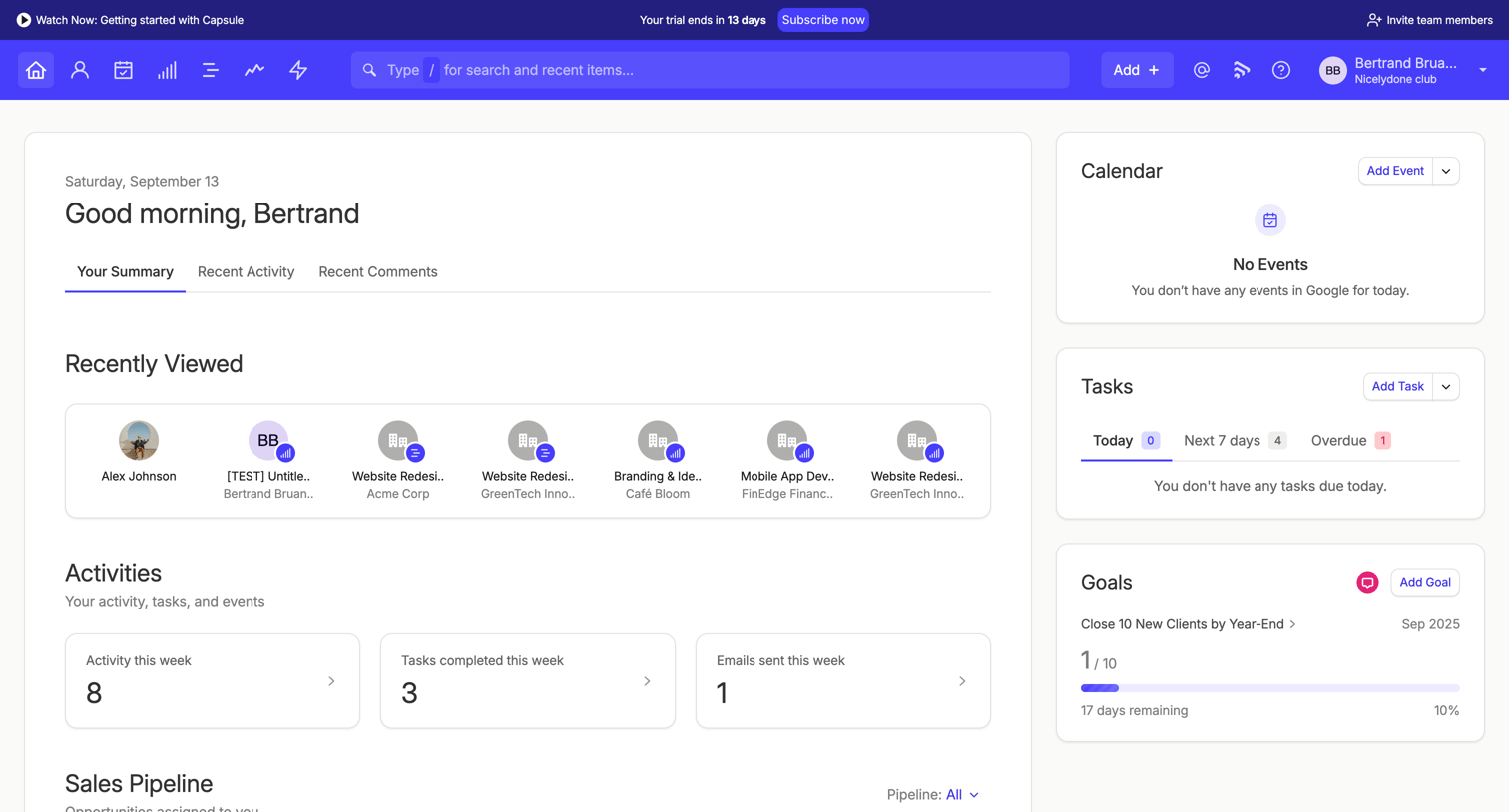
Capsule - Your Summary | Nicelydone club CRM screen
Capsule logo
Capsule

Dashboard where the user views their daily summary, recent activity, sales pipeline metrics, and upcoming tasks, with a prompt to subscribe before their trial ends.

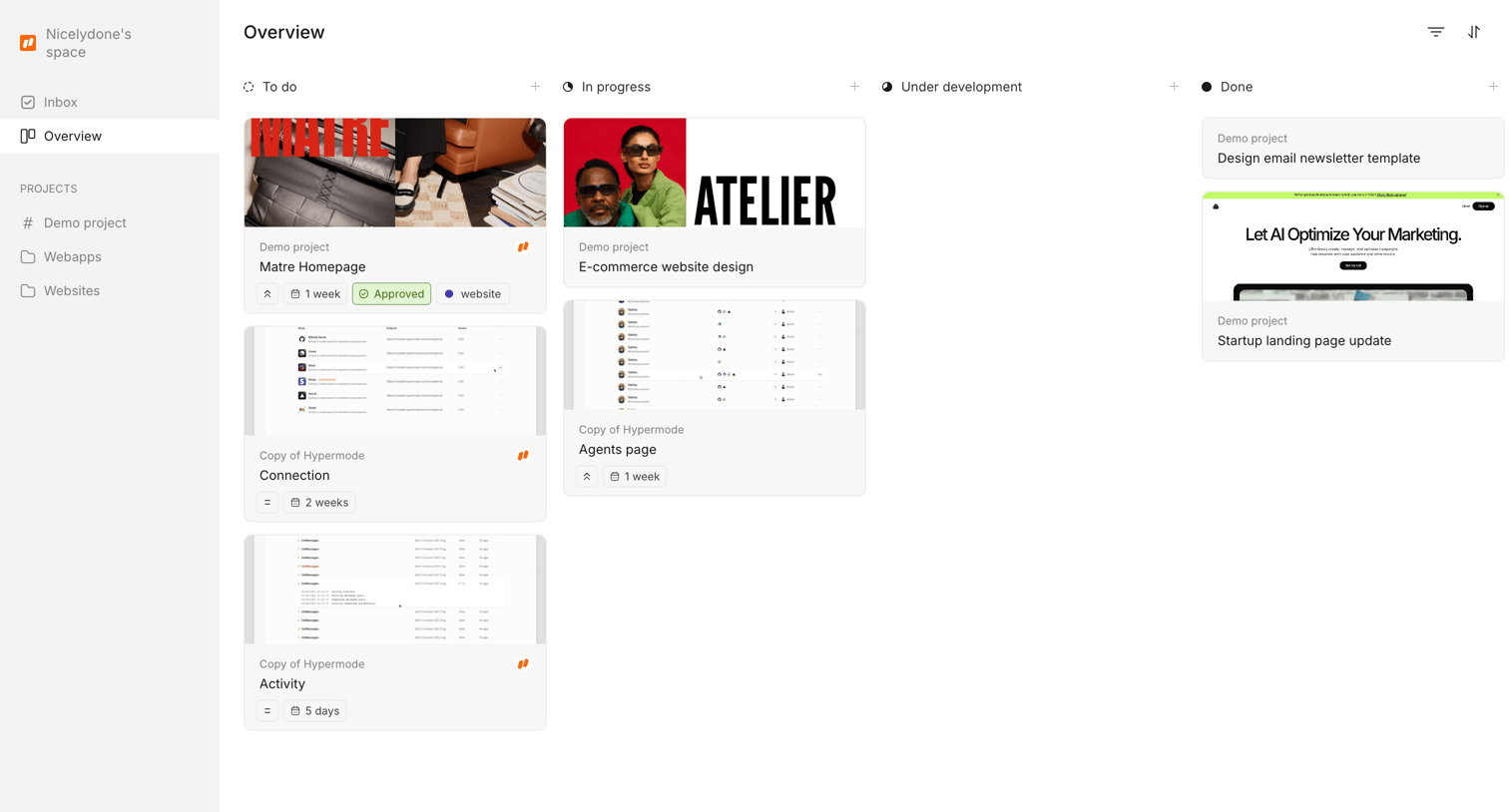
Workflow screen
Workflow logo
Workflow

Project overview kanban board where the user tracks design tasks across different stages from to-do to done.

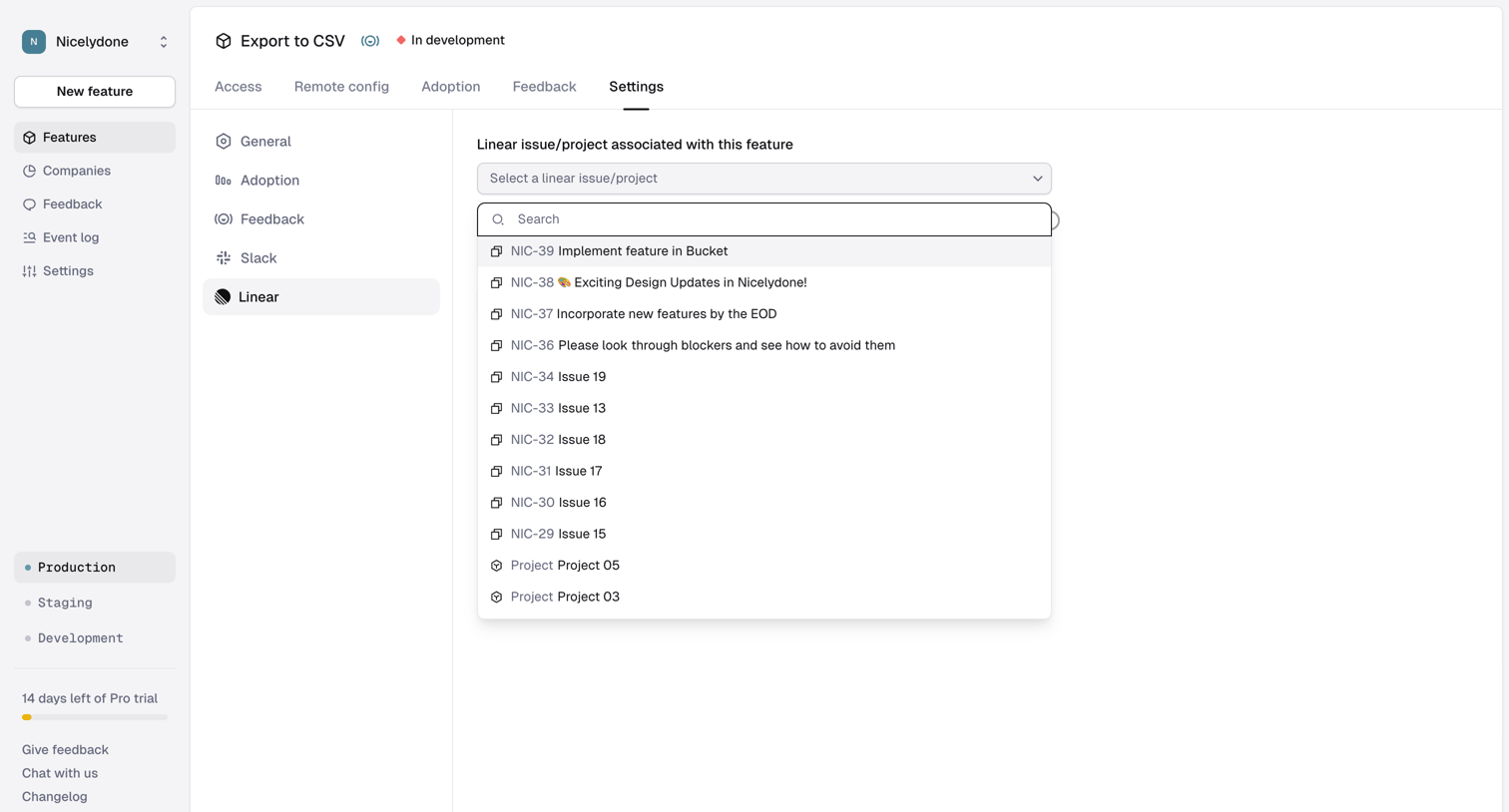
Reflag - Feature › Export to CSV › Feature Settings › Linear screen
Reflag logo
Reflag

Settings page where the user associates a specific feature with a Linear issue or project using a searchable combobox.

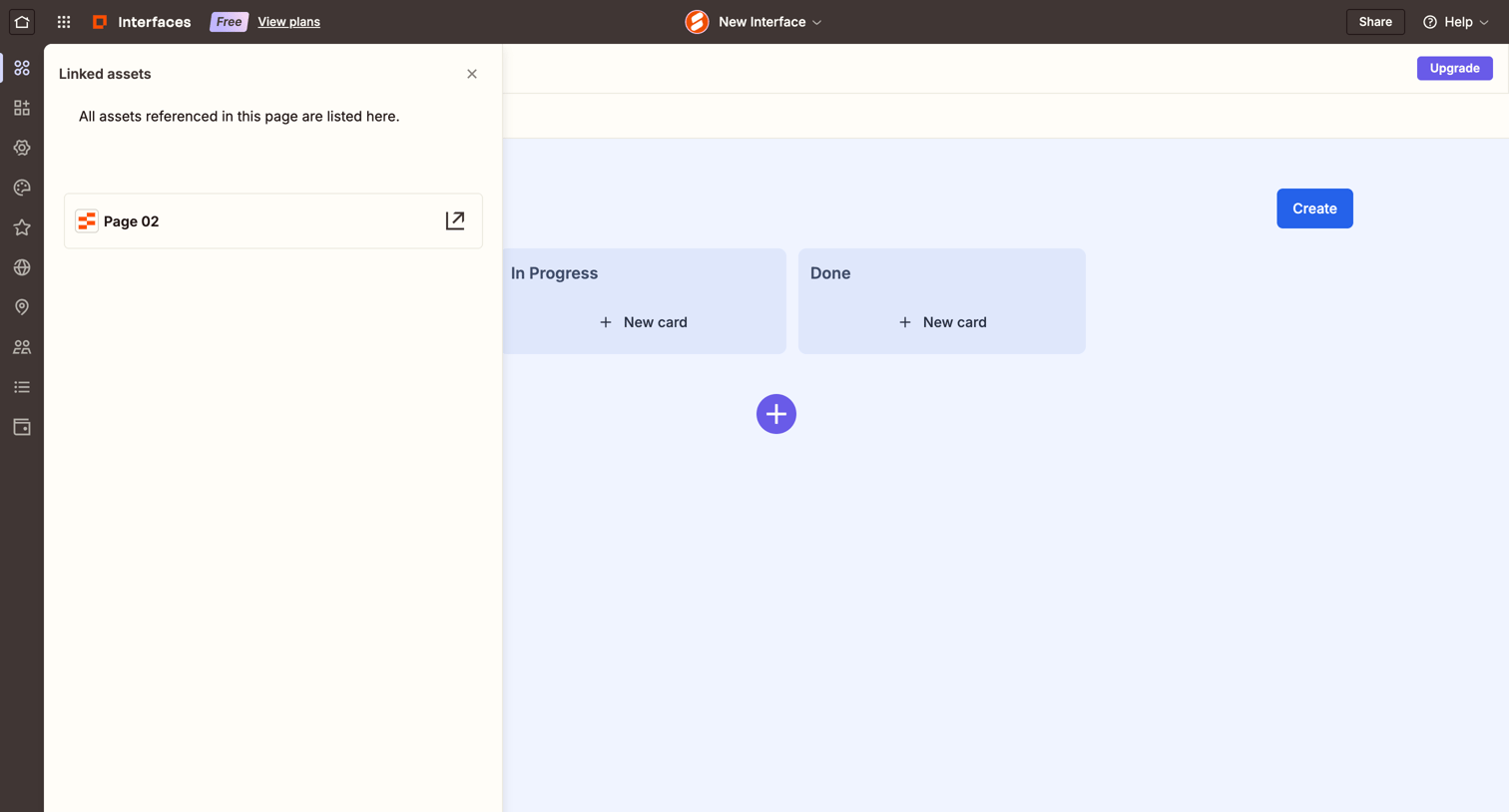
Zapier - Page 02 screen
Zapier logo
Zapier

Kanban board where the user can manage items across To Do, In Progress, and Done columns, with a side drawer open displaying linked assets referenced on the page.

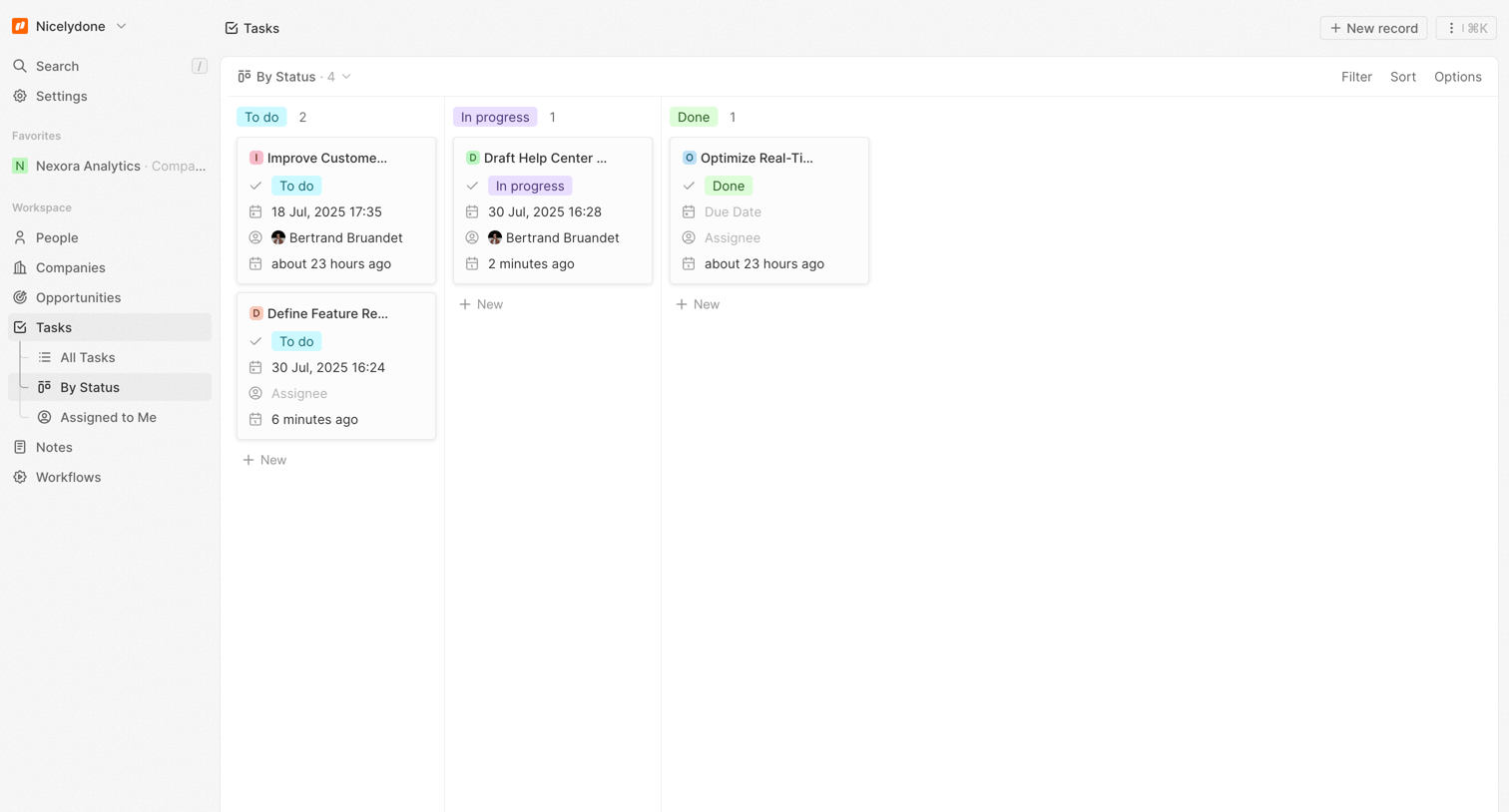
Twenty - By Status - Tasks screen
Twenty logo
Twenty

List view where the user manages tasks organized by status columns like To do, In progress, and Done.
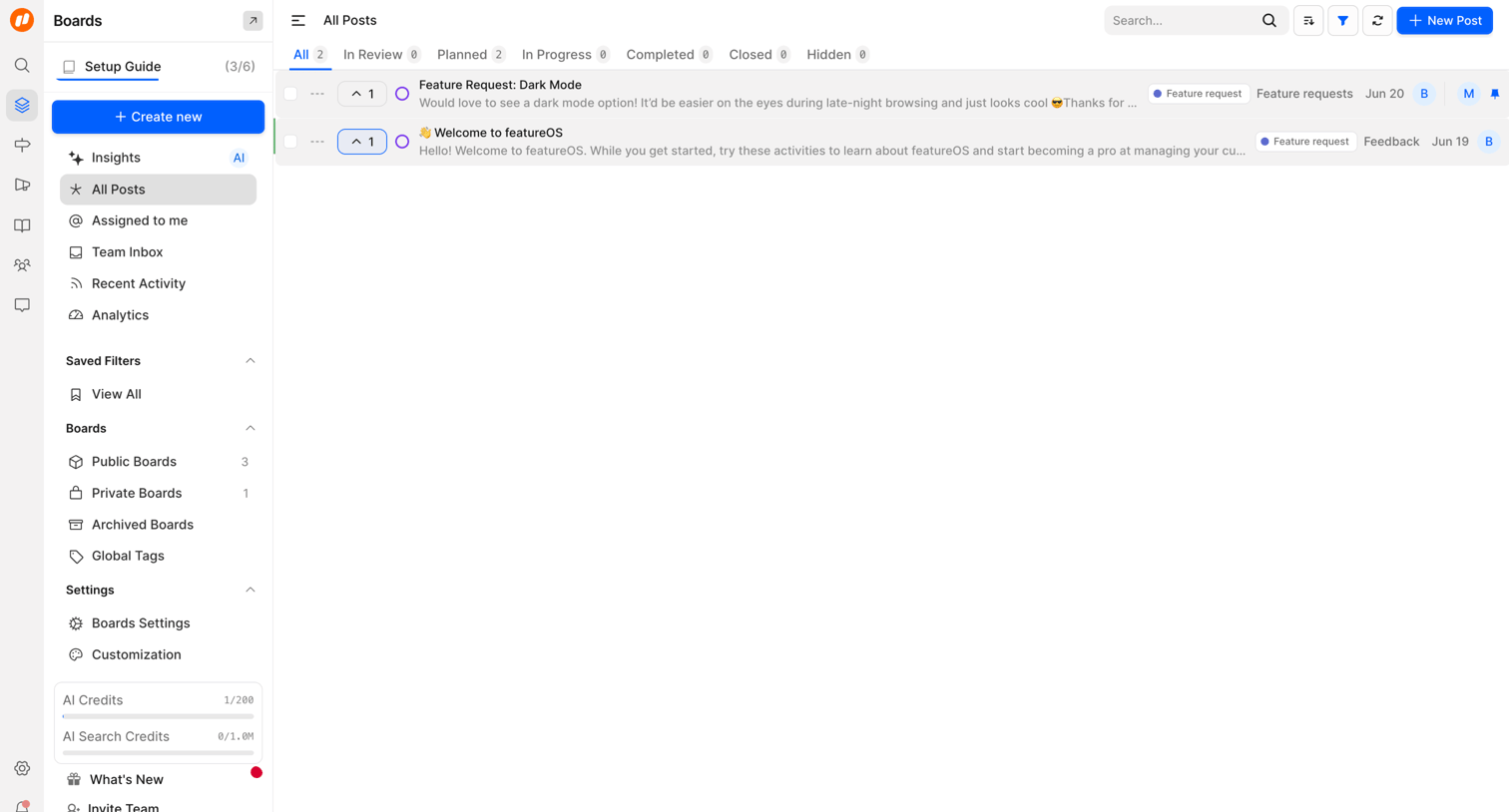

FeatureOS - All Posts | FeatureOS screen
FeatureOS logo
FeatureOS

List view where the user manages product feedback posts, with tabs to filter by status and a primary action to create a new post.
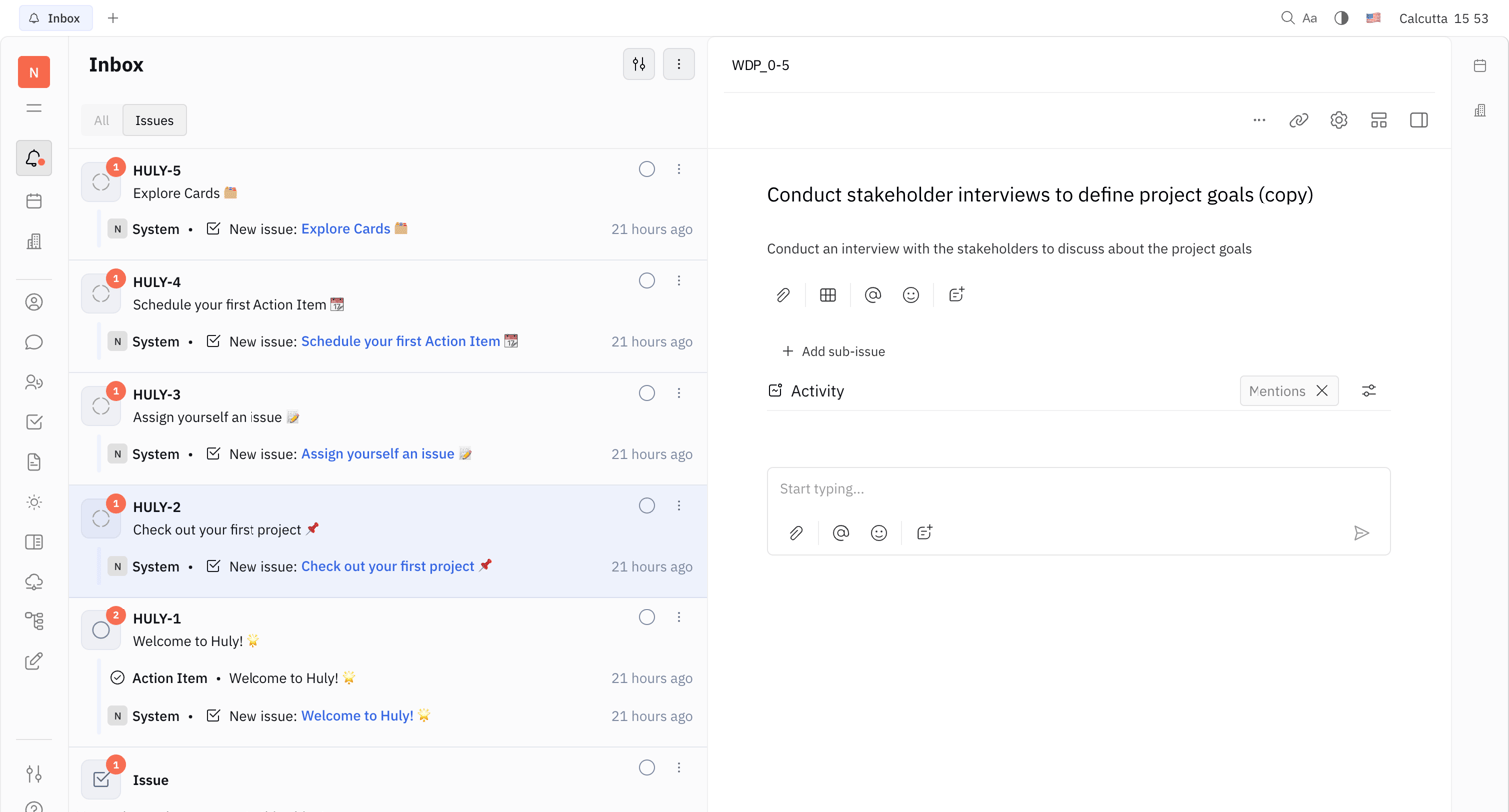
Huly - Nicelydone - Huly screen
Huly logo
Huly

Inbox view where the user reviews a list of system notifications about new issues and views the details of a specific task.

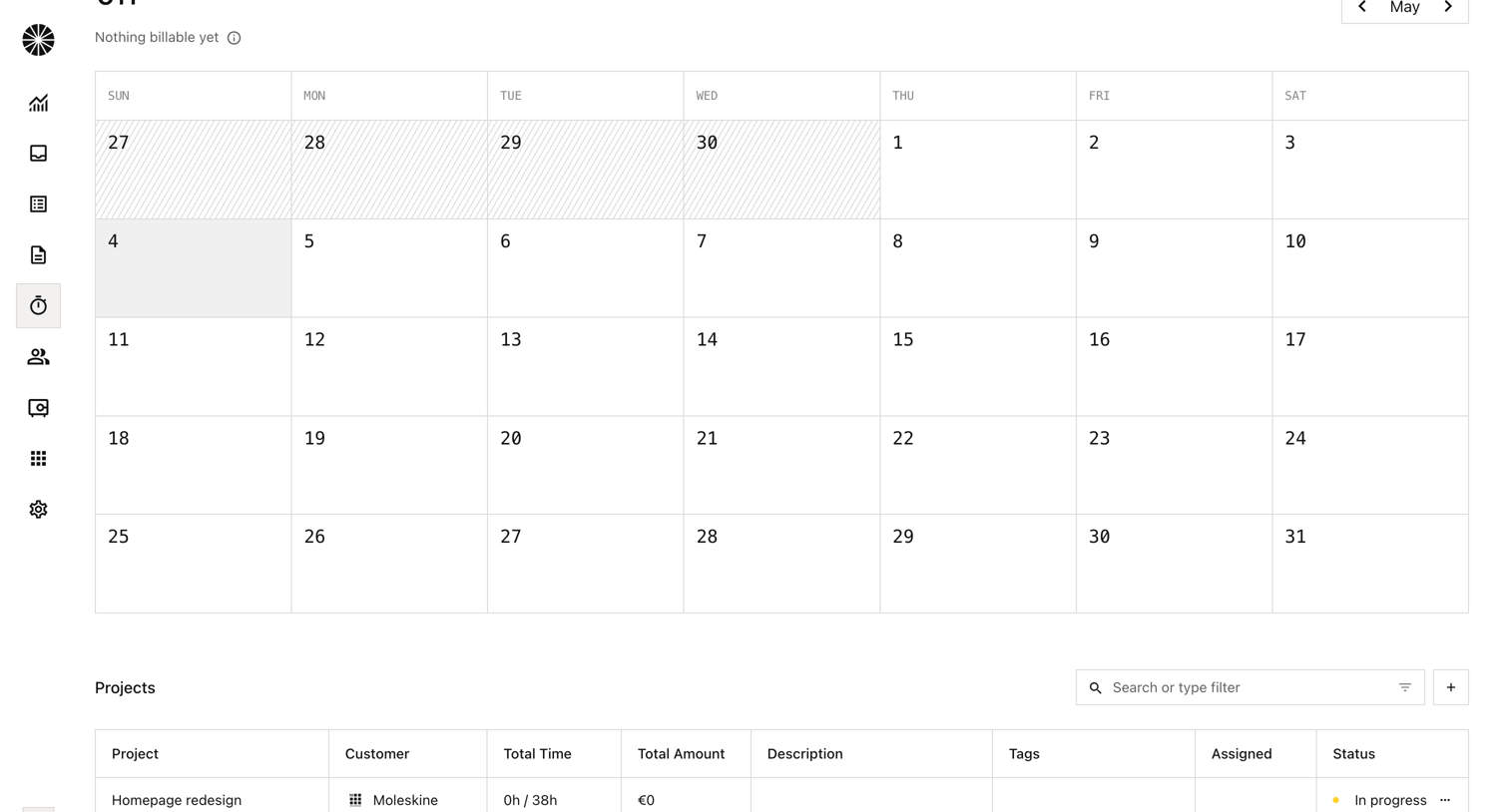
Midday - Tracker | Midday screen
Midday logo
Midday

Time tracking dashboard where the user views a monthly calendar of logged hours and a list of active projects with their status.

Explore the full SaaS screen library

Upgrade to unlock the full library.

Trusted by the best teams