Node based editor screen examples
Node based editor screen design examples from SaaS apps. Explore how apps represent work as connected nodes. Look at how node settings, connections, and the canvas explain the structure of the process being built.
Explore the examples
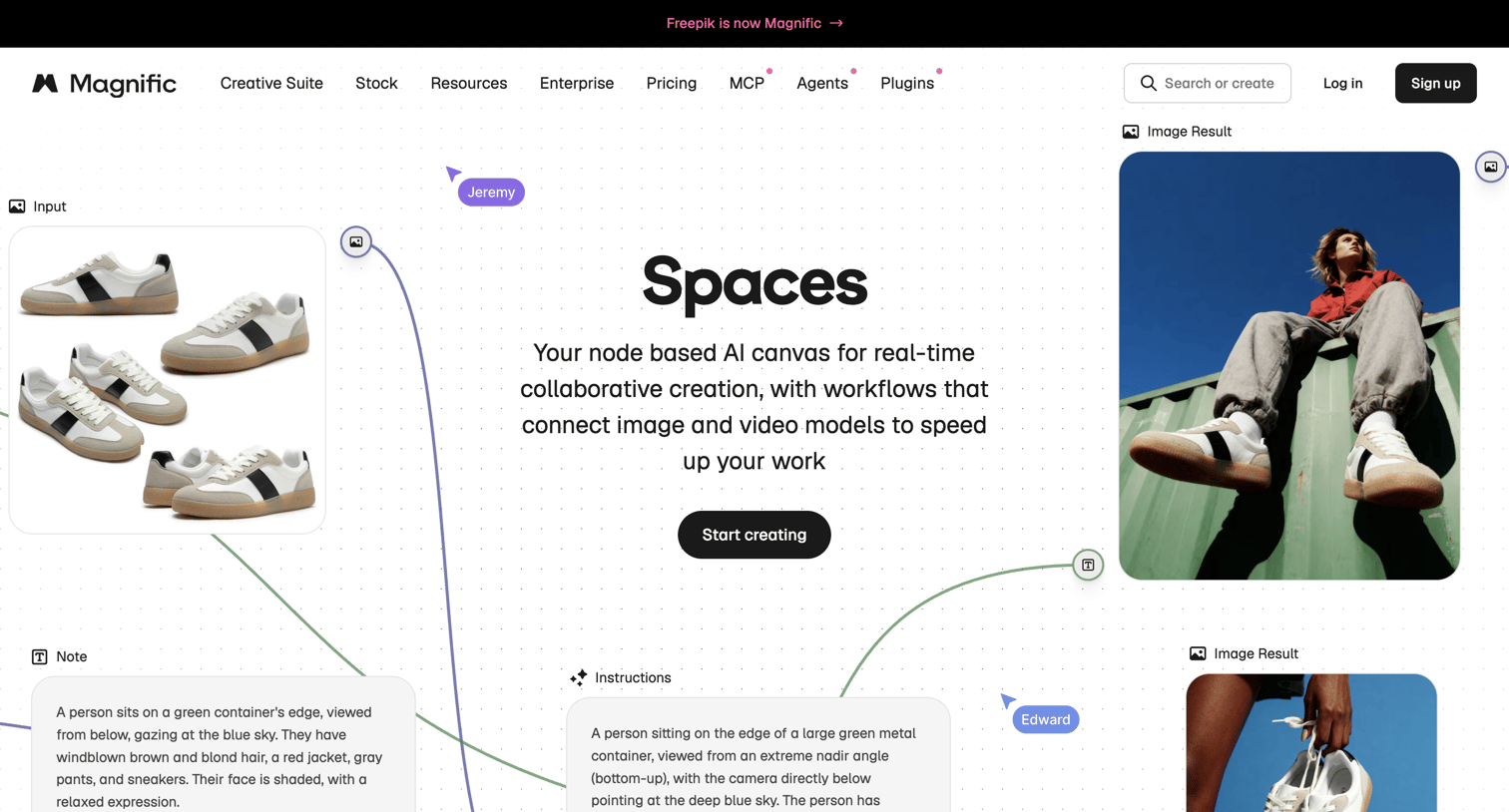

Feature page for an AI canvas tool highlighting real-time collaboration, node-based workflows, and ready-to-use templates.


Workflow editor canvas where the user configures an automation pipeline connecting a start trigger, parse, extraction, and human review nodes.
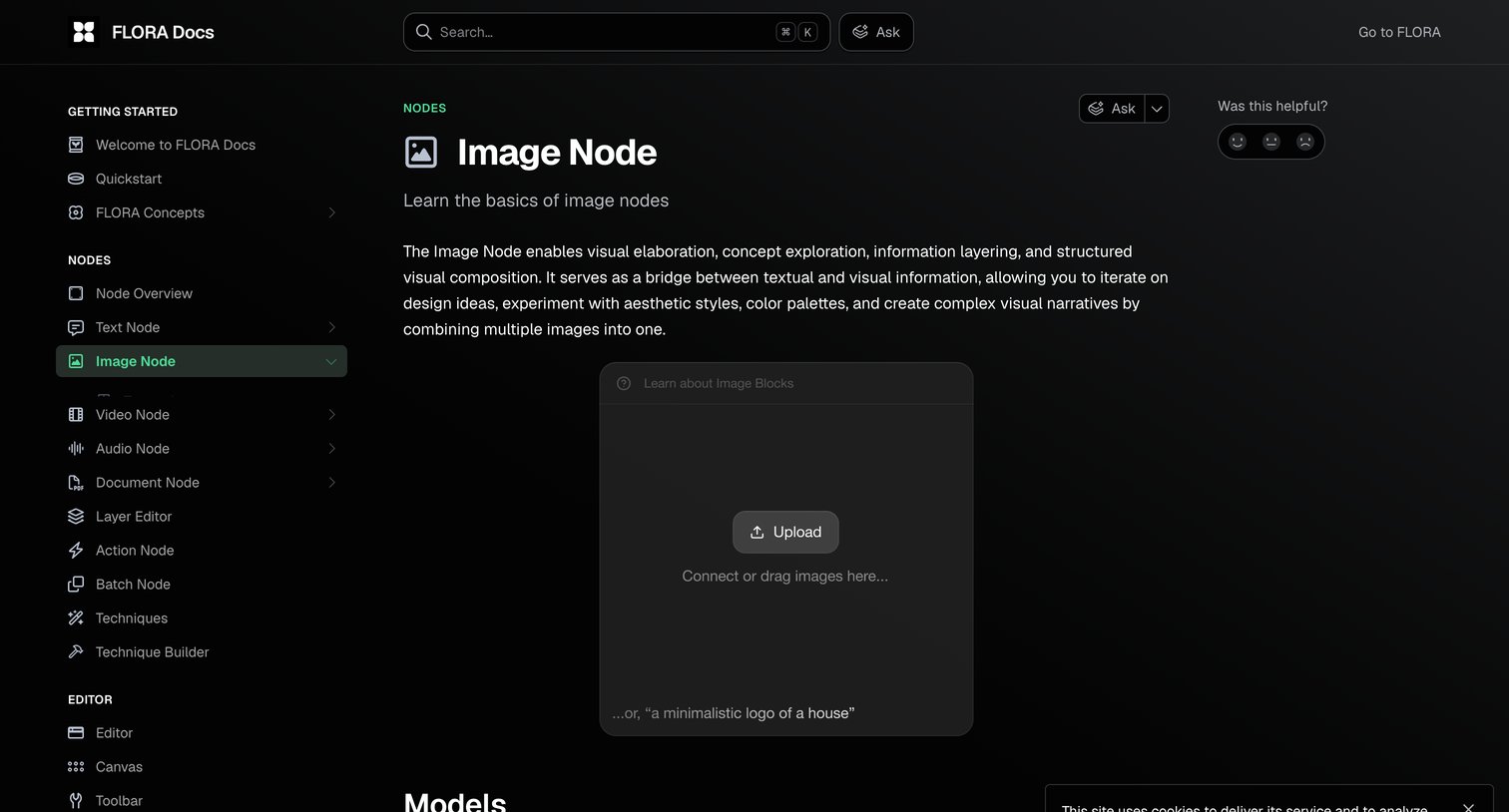

Developer documentation page explaining the Image Node concept, featuring an interactive upload and prompt block alongside standard navigation and a cookie consent banner.
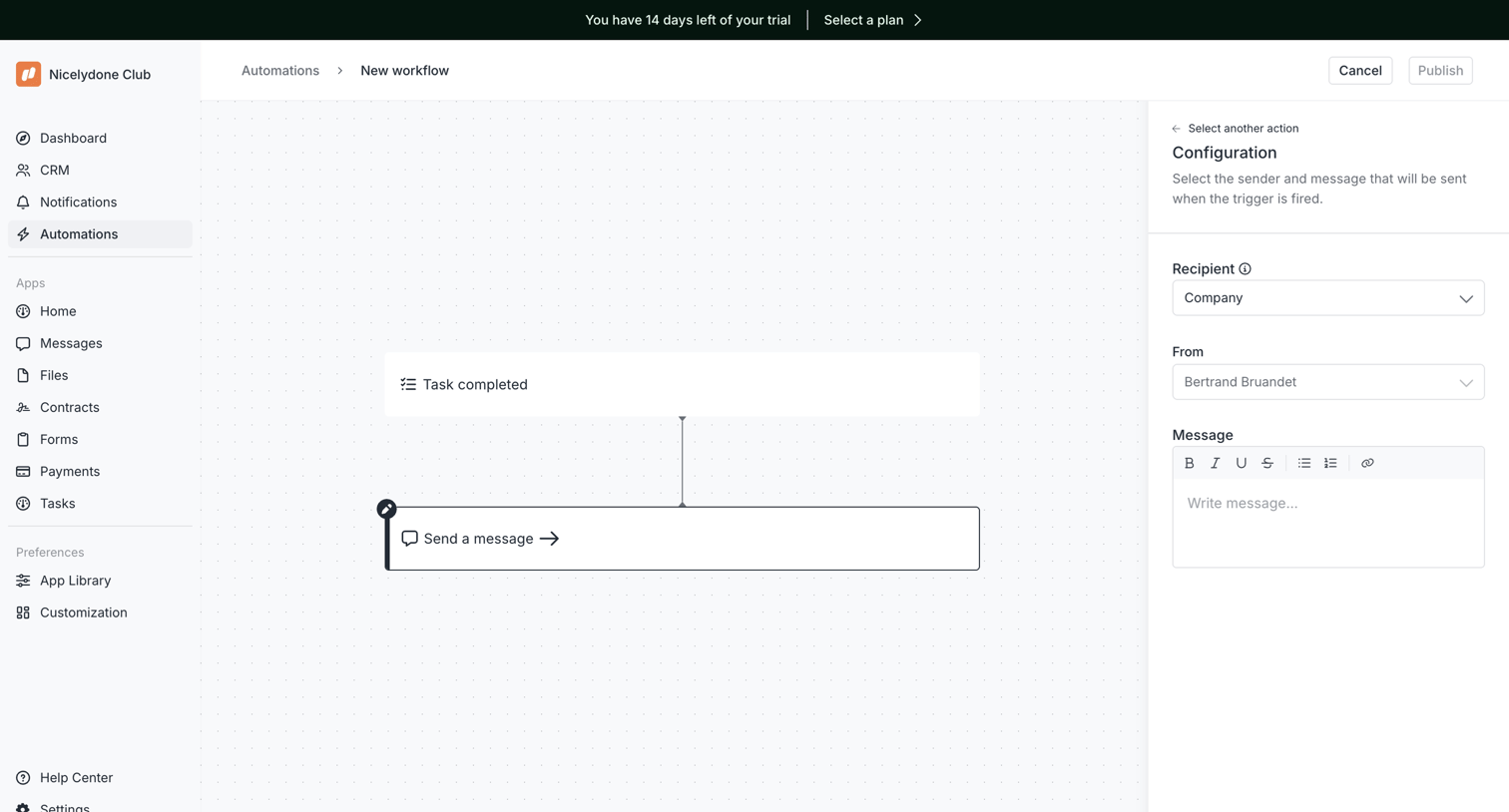

Workflow editor where the user configures a 'Task completed' trigger and a 'Send a message' action via a visual dot-matrix canvas and a configuration sidebar.
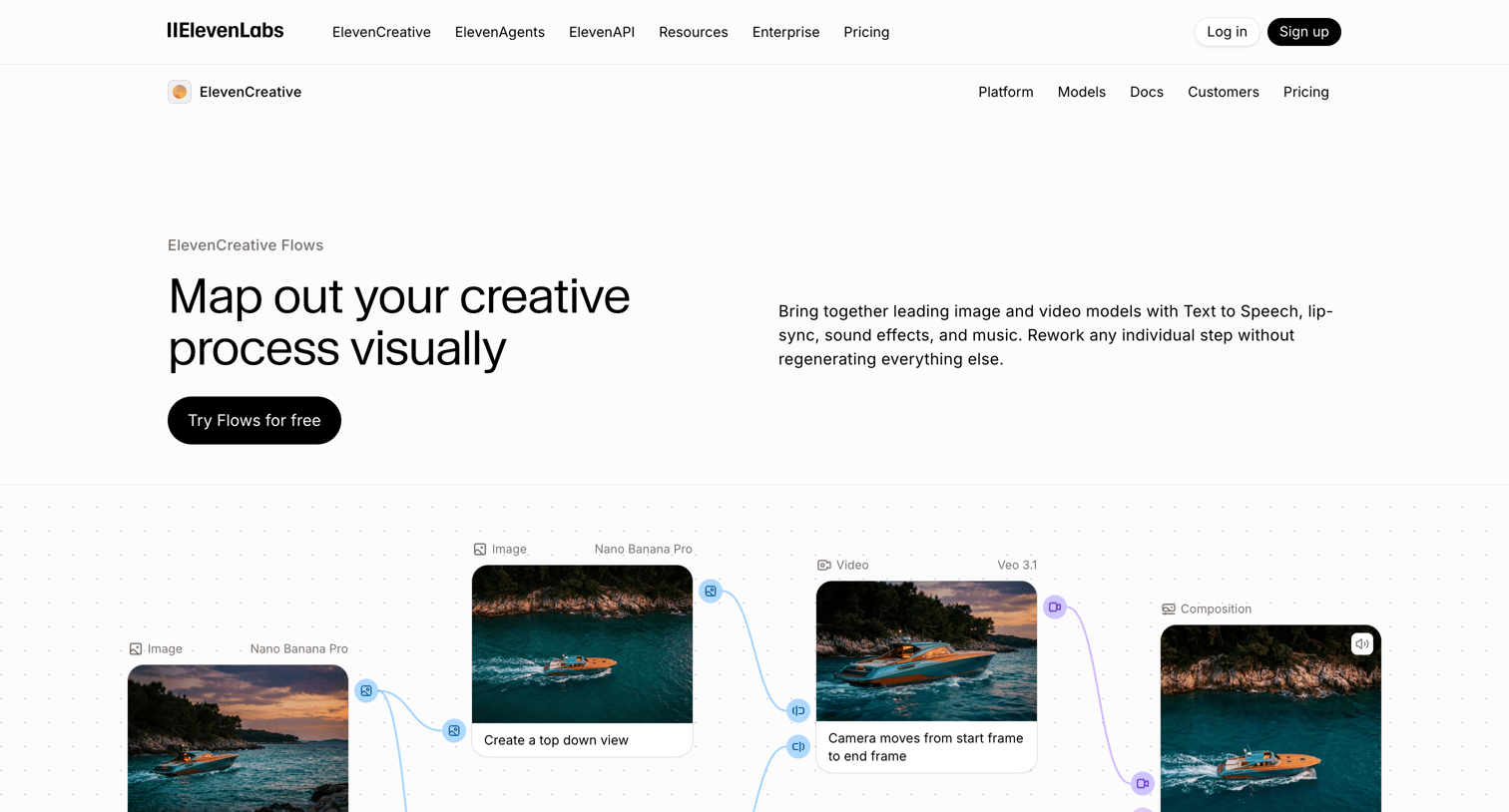

Product page for ElevenCreative Flows detailing its node-based visual editor, batch execution capabilities, and API integration, featuring use cases and an FAQ.
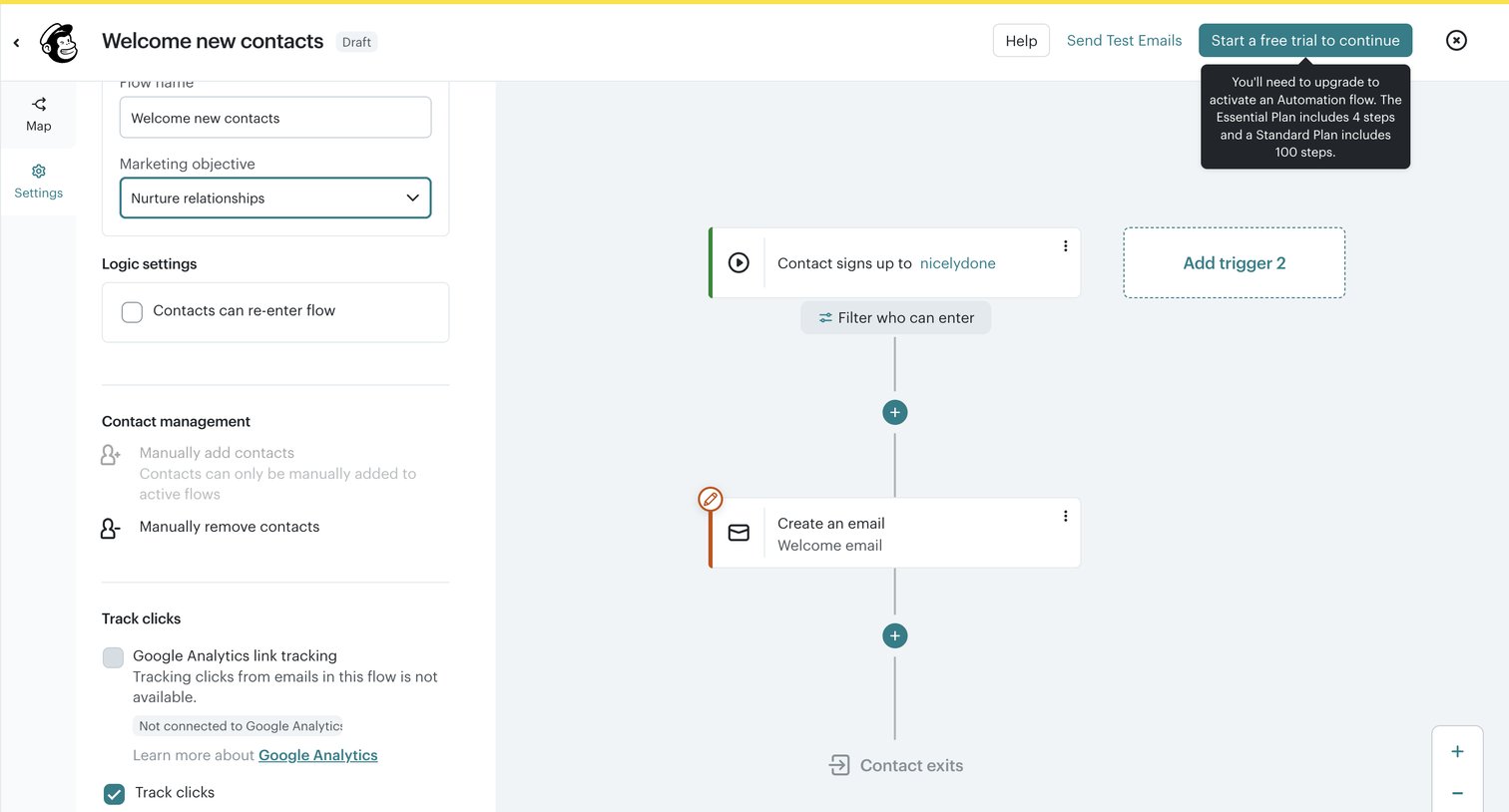

Workflow editor where the user configures settings for a customer journey automation, including flow name, objective, and tracking options, while viewing the visual map.
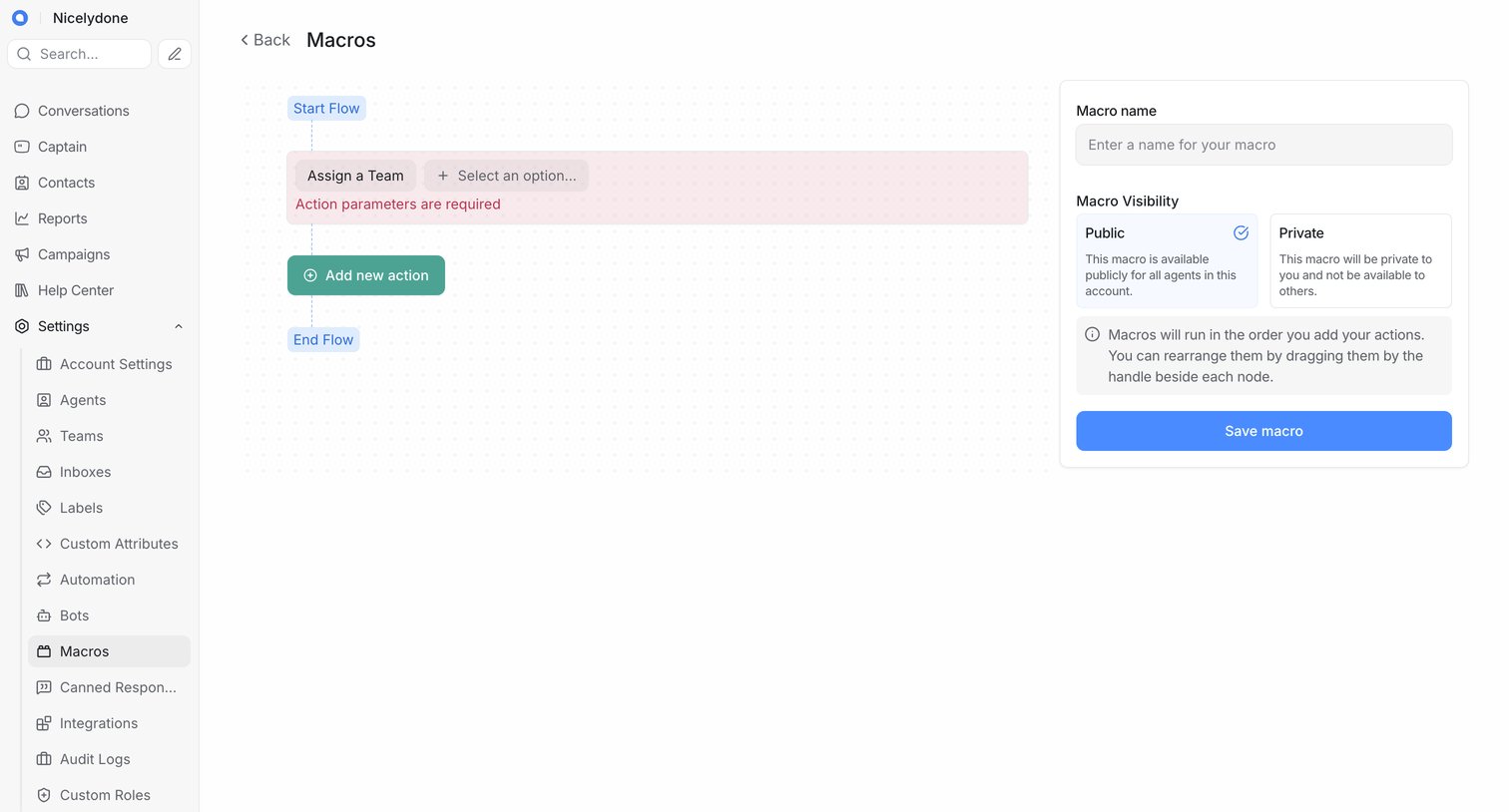

Workflow editor where the user builds a new macro by adding actions to a visual canvas and configuring its name and visibility in a side panel.
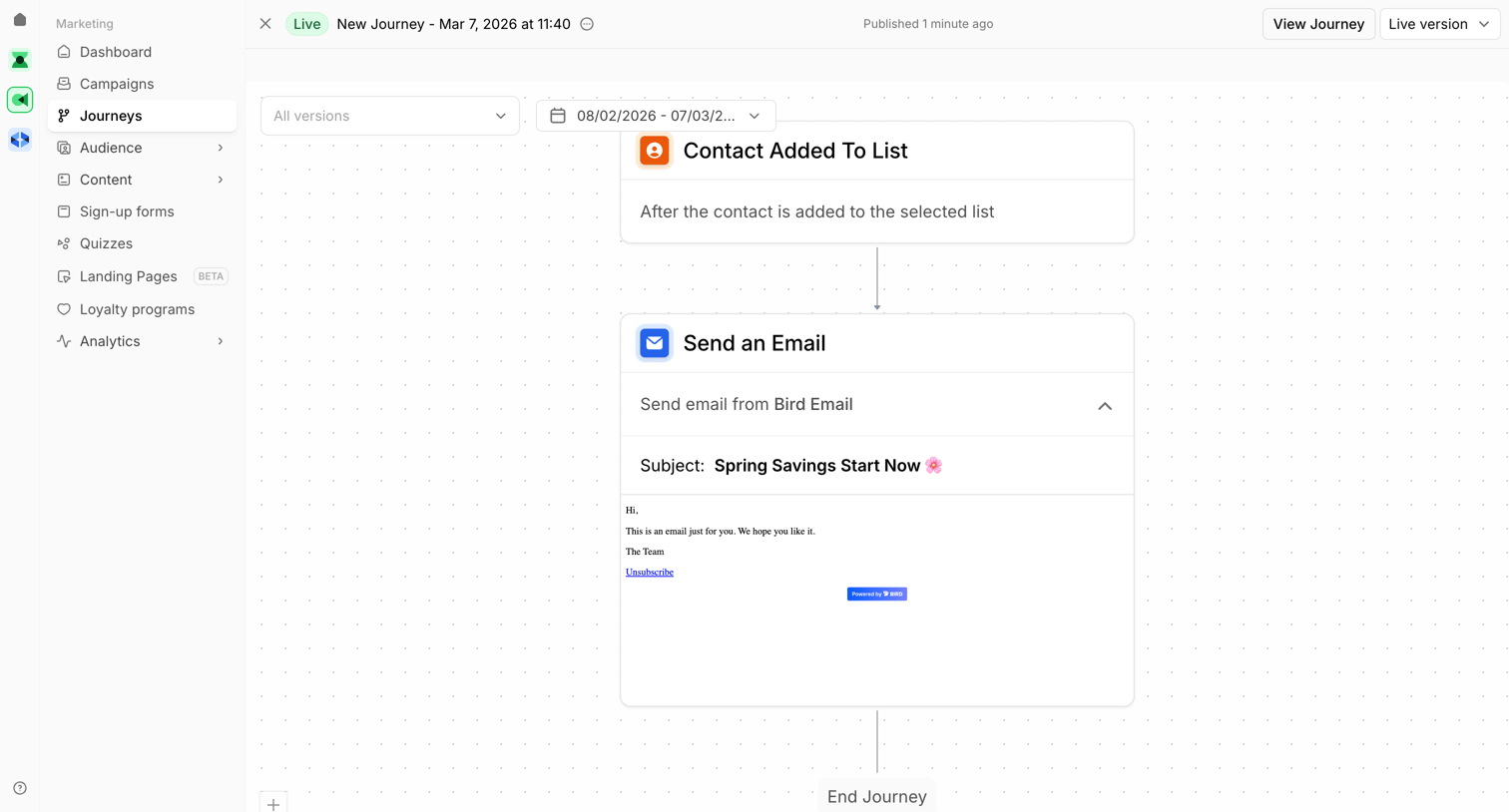

Workflow editor where the user views a live marketing journey that triggers when a contact is added to a list and follows up by sending an email.
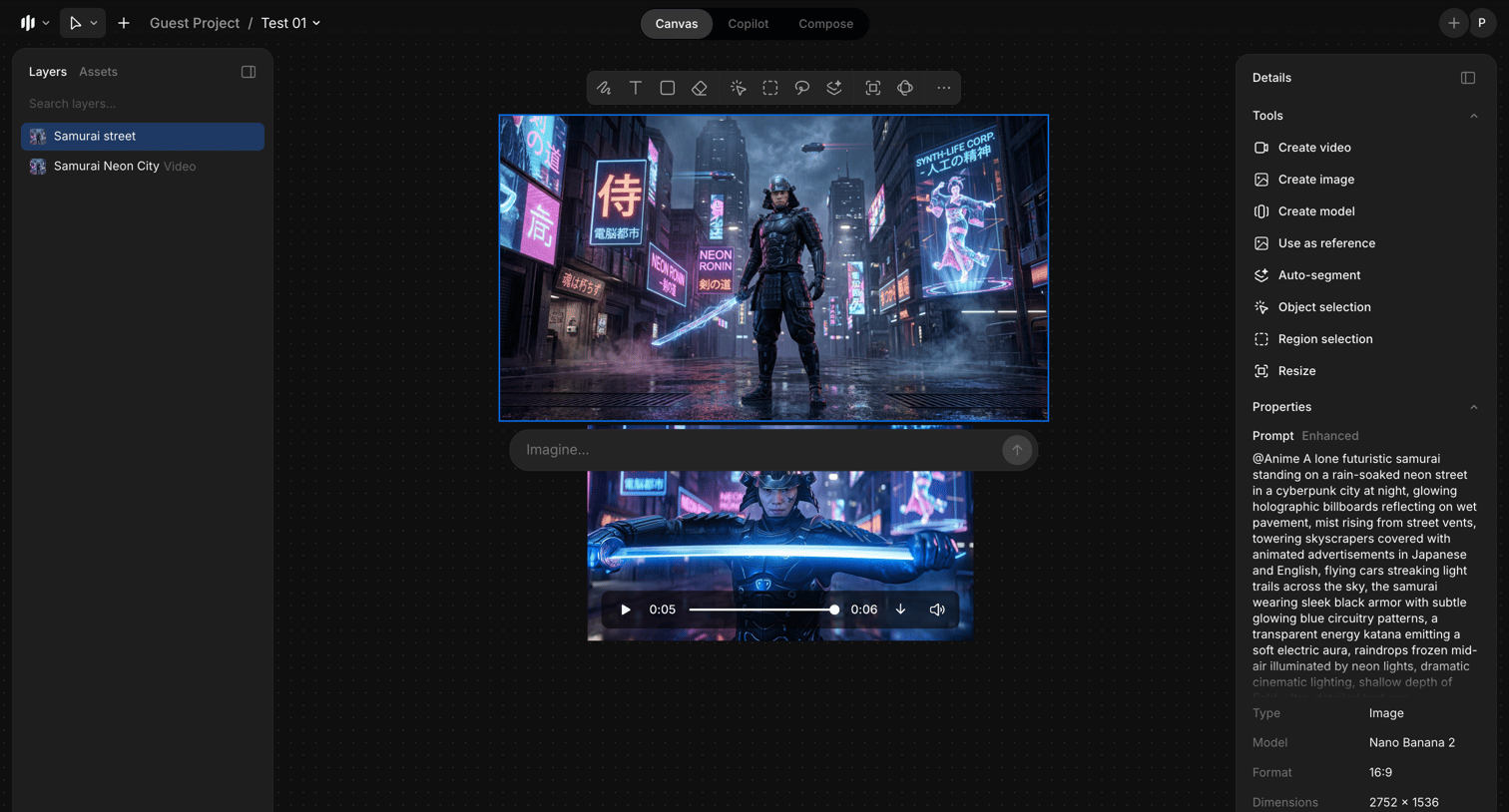

AI generation canvas where the user manages layers, uses tools to create images and videos, and views detailed properties for a selected cyberpunk samurai image.
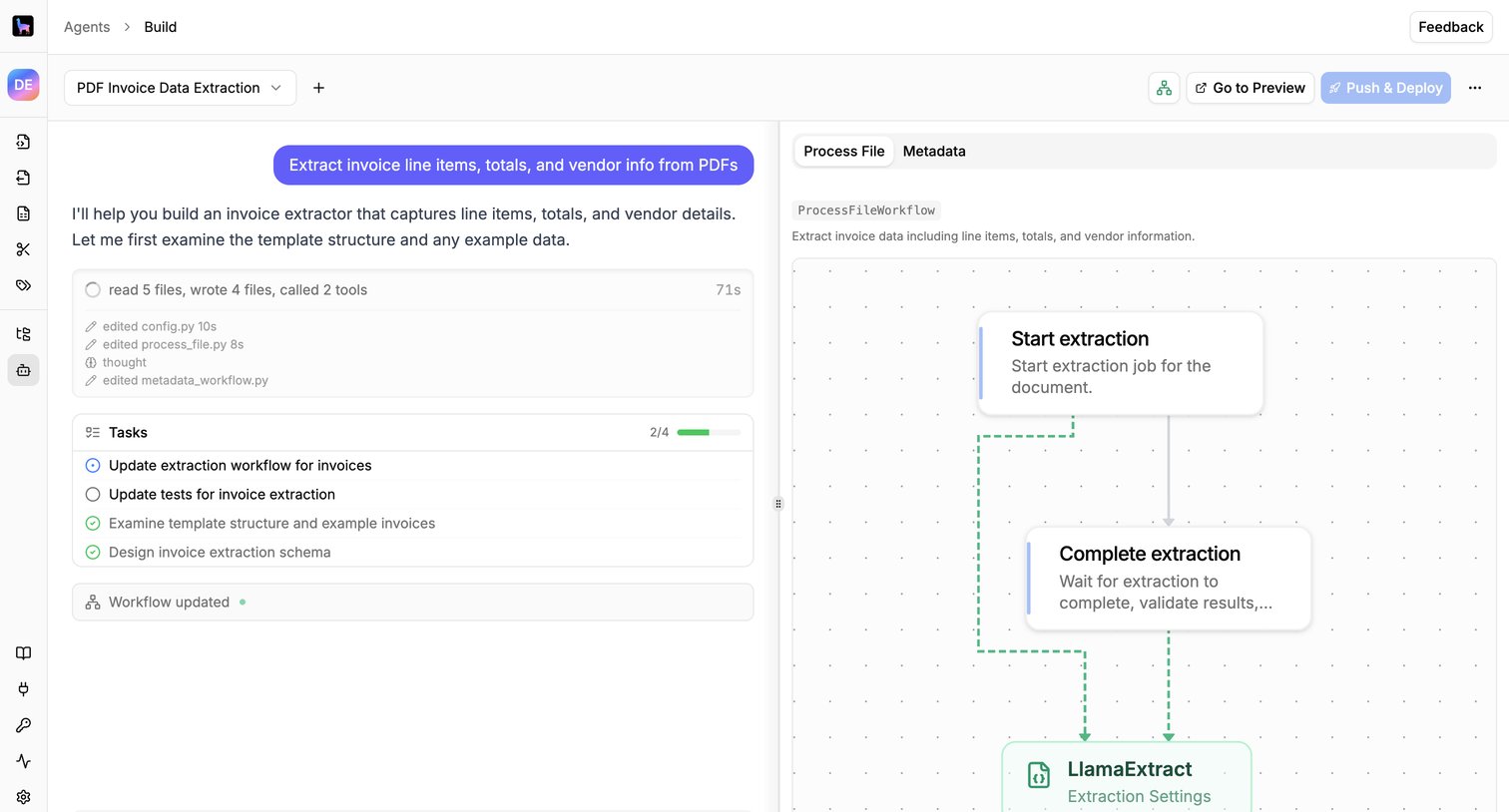

Design editor where the user builds an invoice data extraction workflow by chatting with an AI agent that automatically generates the node-based canvas.
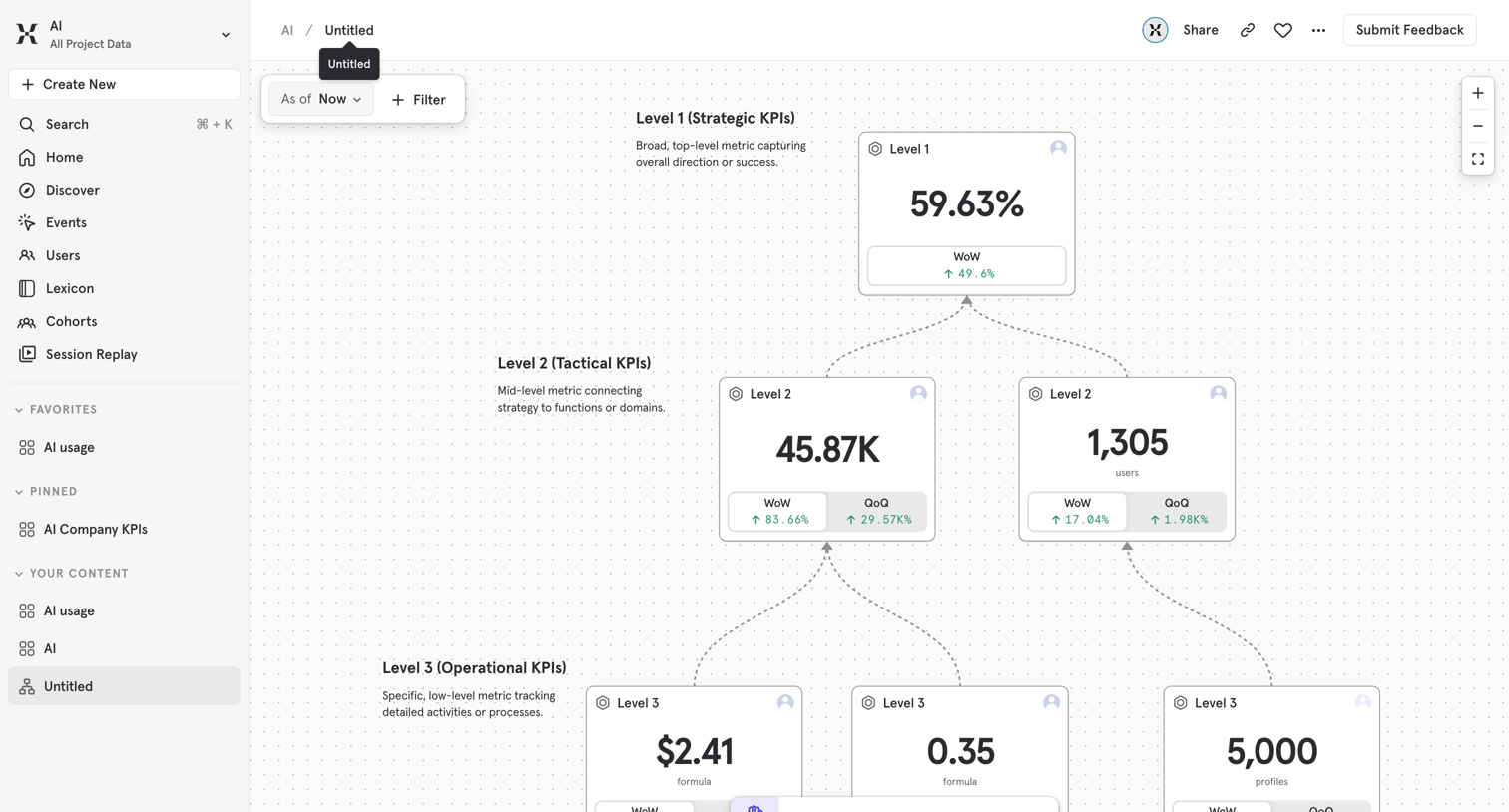

Whiteboard canvas where the user builds a hierarchical metric tree connecting strategic, tactical, and operational KPIs.
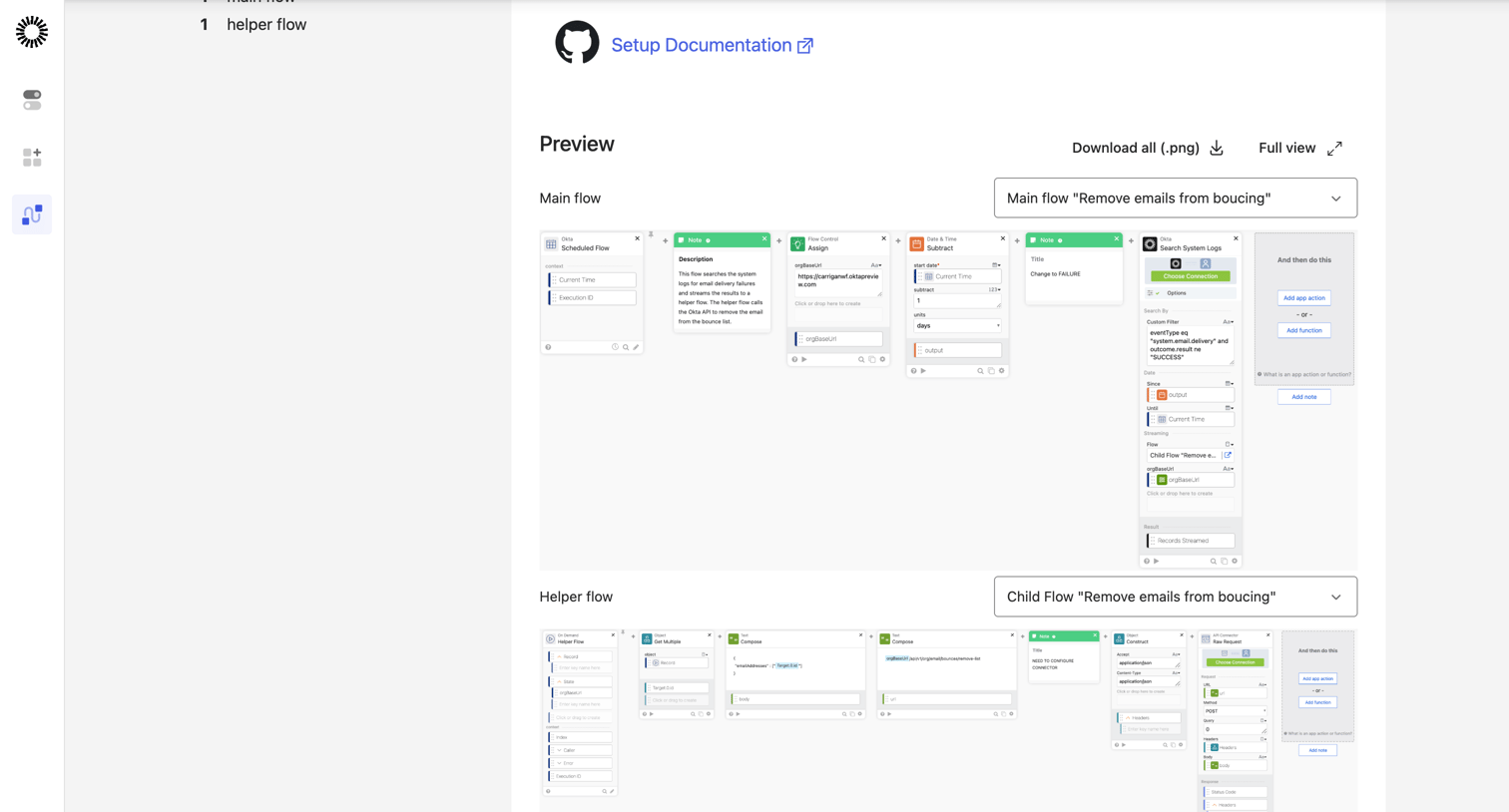

Detail page where the user previews the node-based logic of a specific automation workflow template, including main and helper flows.
Explore the full SaaS screen library
Upgrade to unlock the full library.
Trusted by the best teams








About Node based editor
Explore how apps represent work as connected nodes. Look at how node settings, connections, and the canvas explain the structure of the process being built.