Issue tracking screen examples
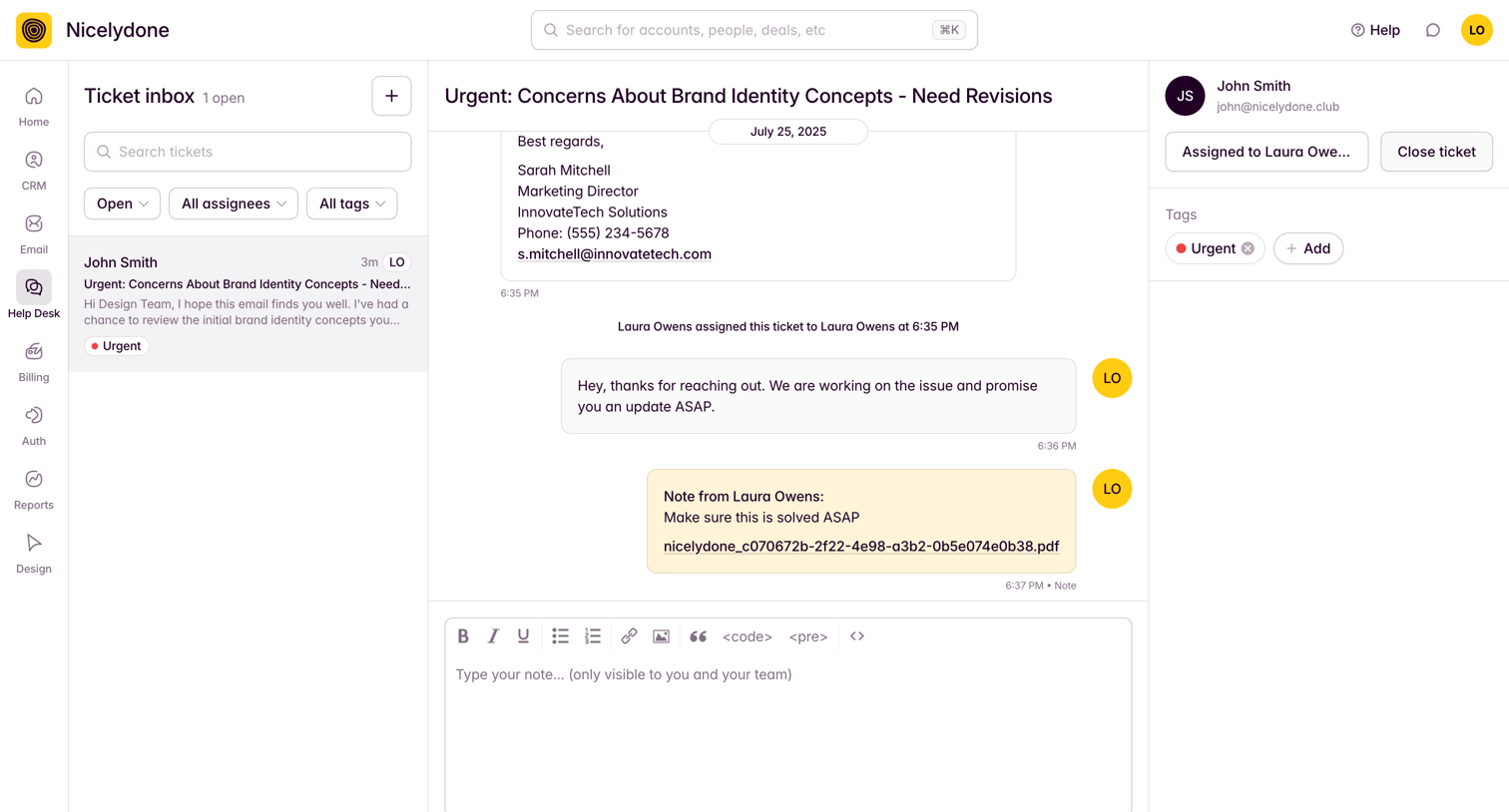
Issue tracking screen design examples from SaaS apps. See how apps organize problems or work items that need resolution. Explore how issue lists and detail views connect status, responsibility, and follow-up…
Explore the examples
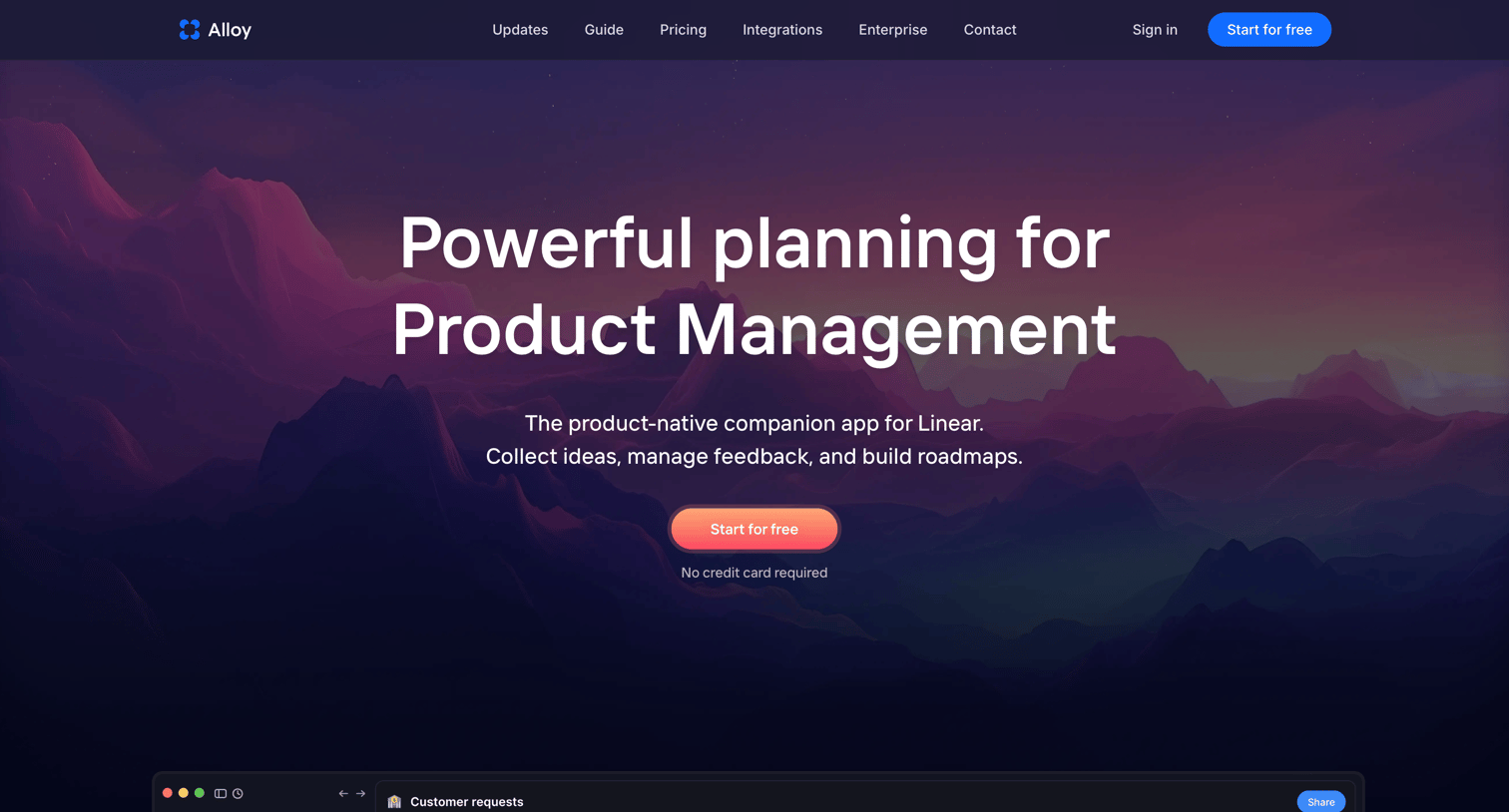

Product page for the Alloy Planning tool detailing features like flexible hierarchy, Linear sync, and cross-team requests via bento grids and feature callouts.
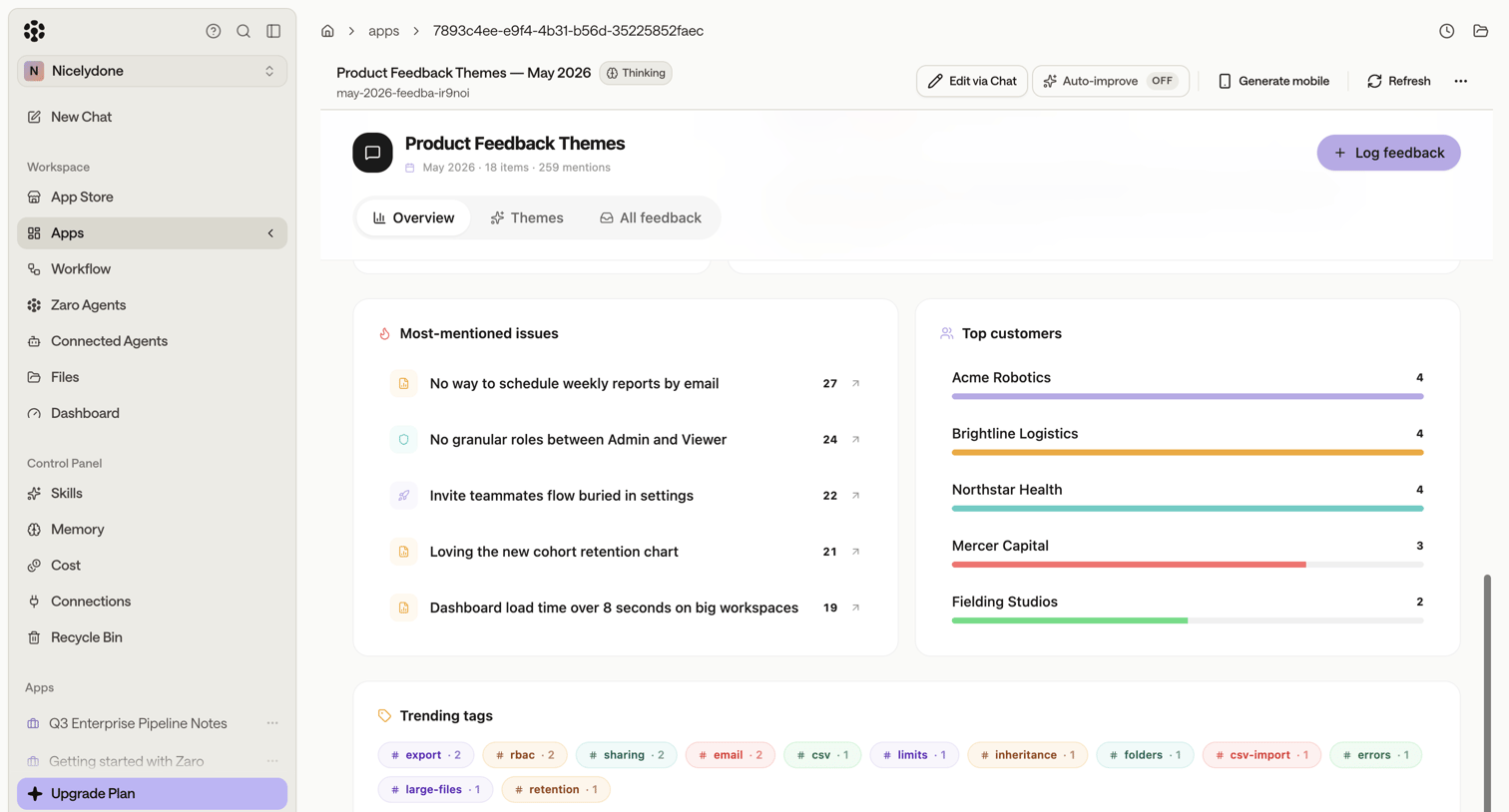

Analytics dashboard where the team reviews product feedback themes, most-mentioned issues, top customers, and trending tags.
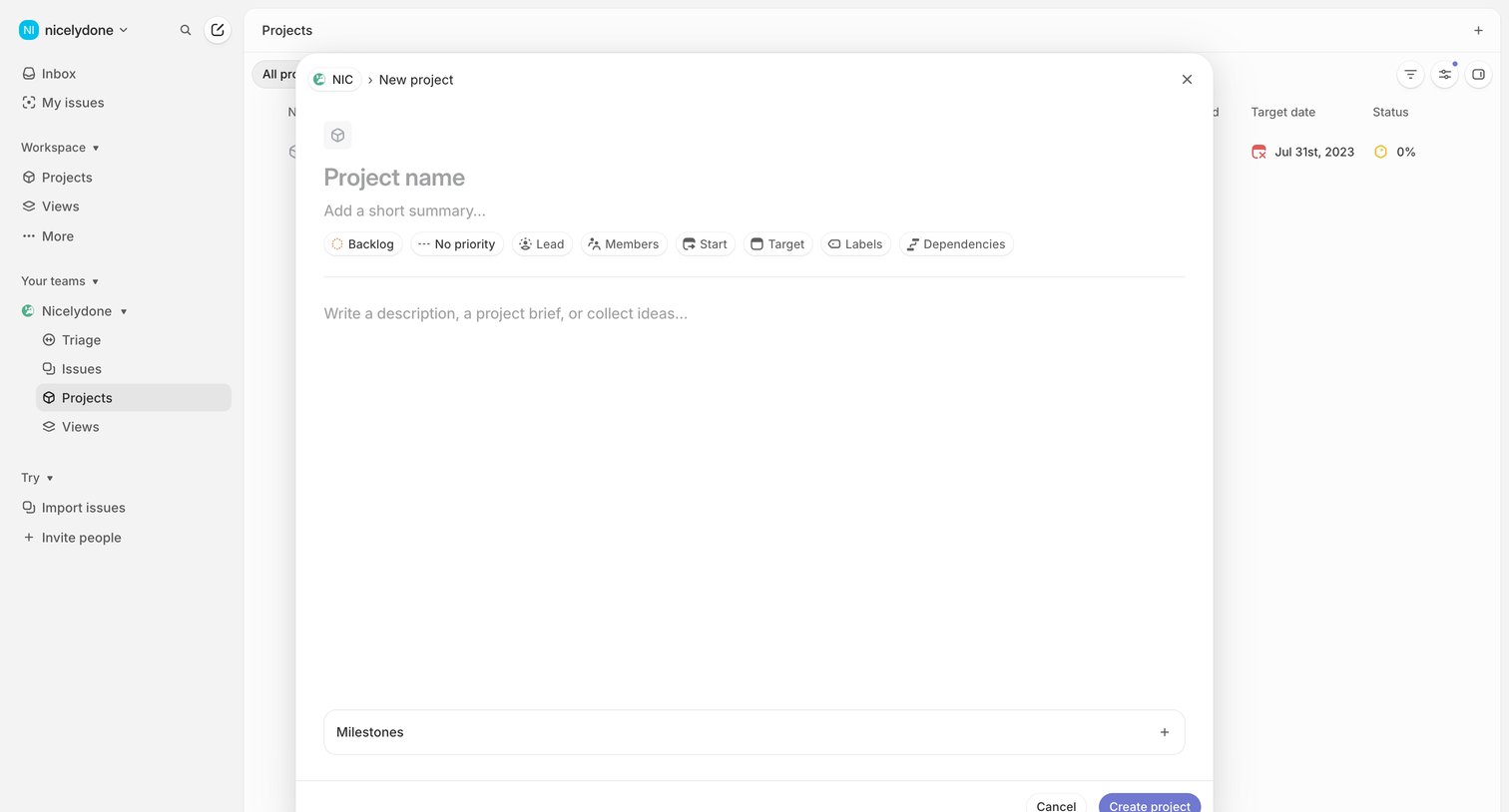

Create modal where the user sets up a new project with a name, summary, description, and attributes like lead, members, and target date.
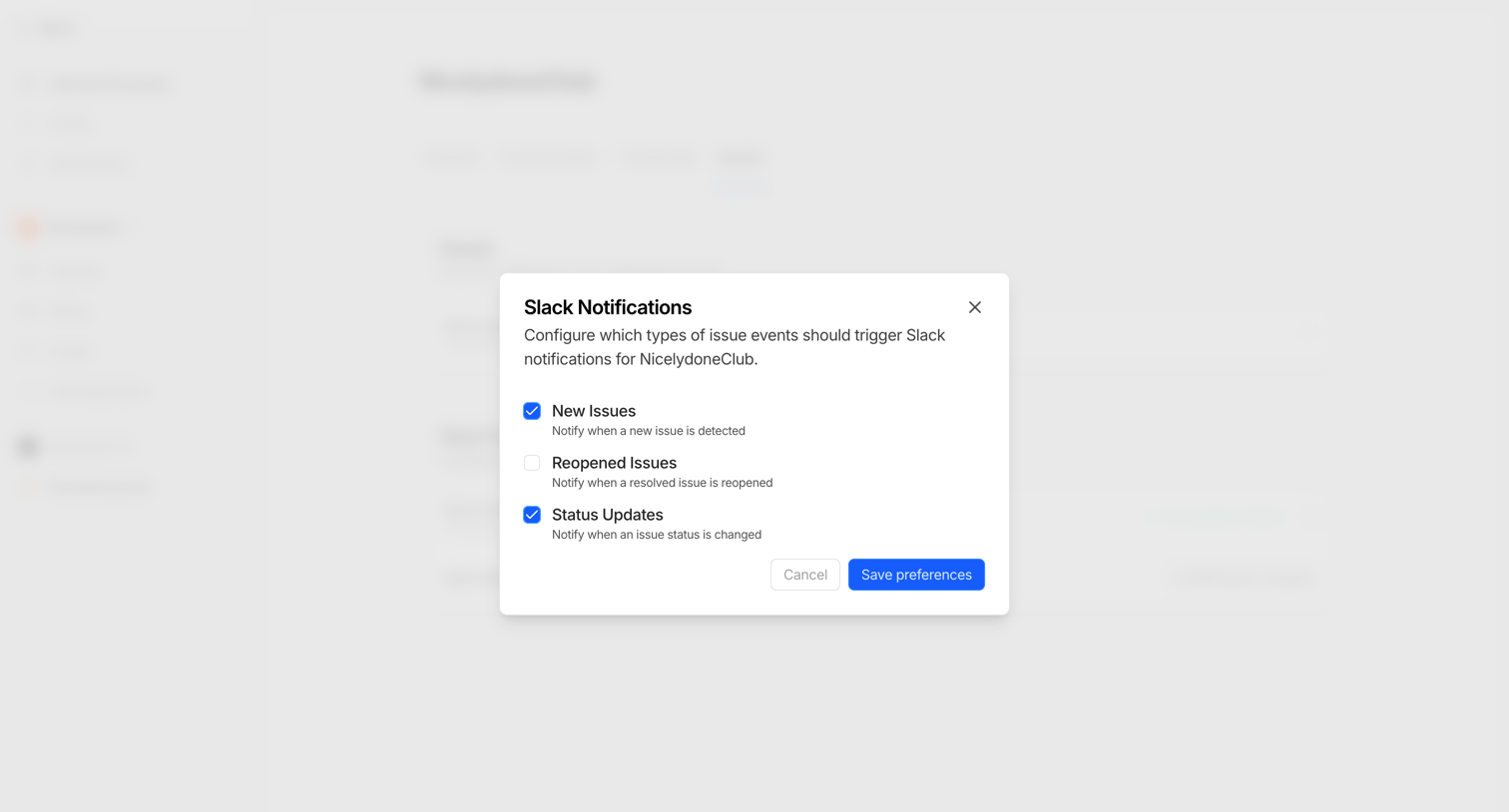

Settings modal where the user configures which issue events, such as new issues or status updates, trigger Slack notifications.



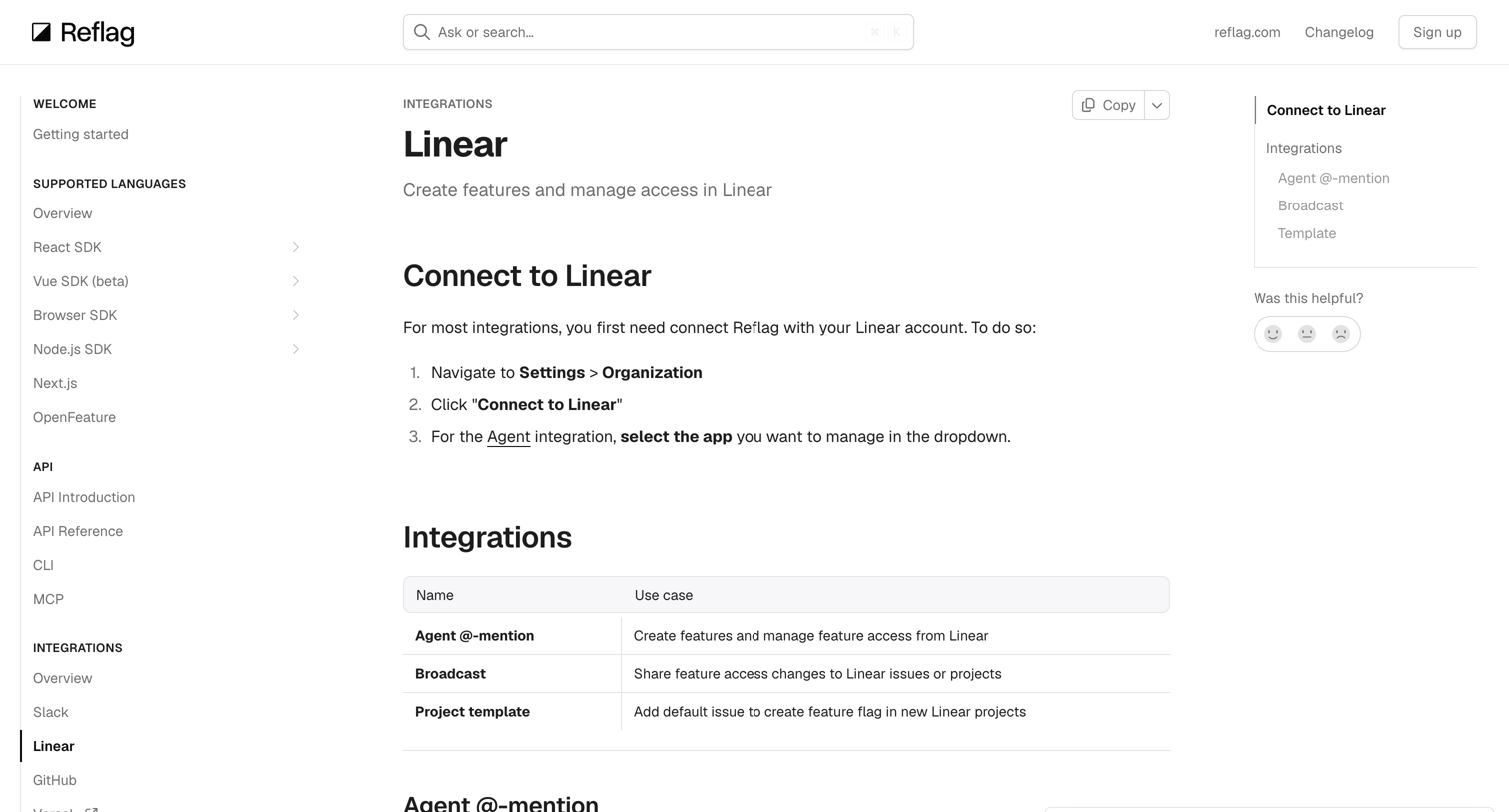

Documentation page explaining how to connect and use the Linear integration, including agent mentions, broadcasts, and project templates.


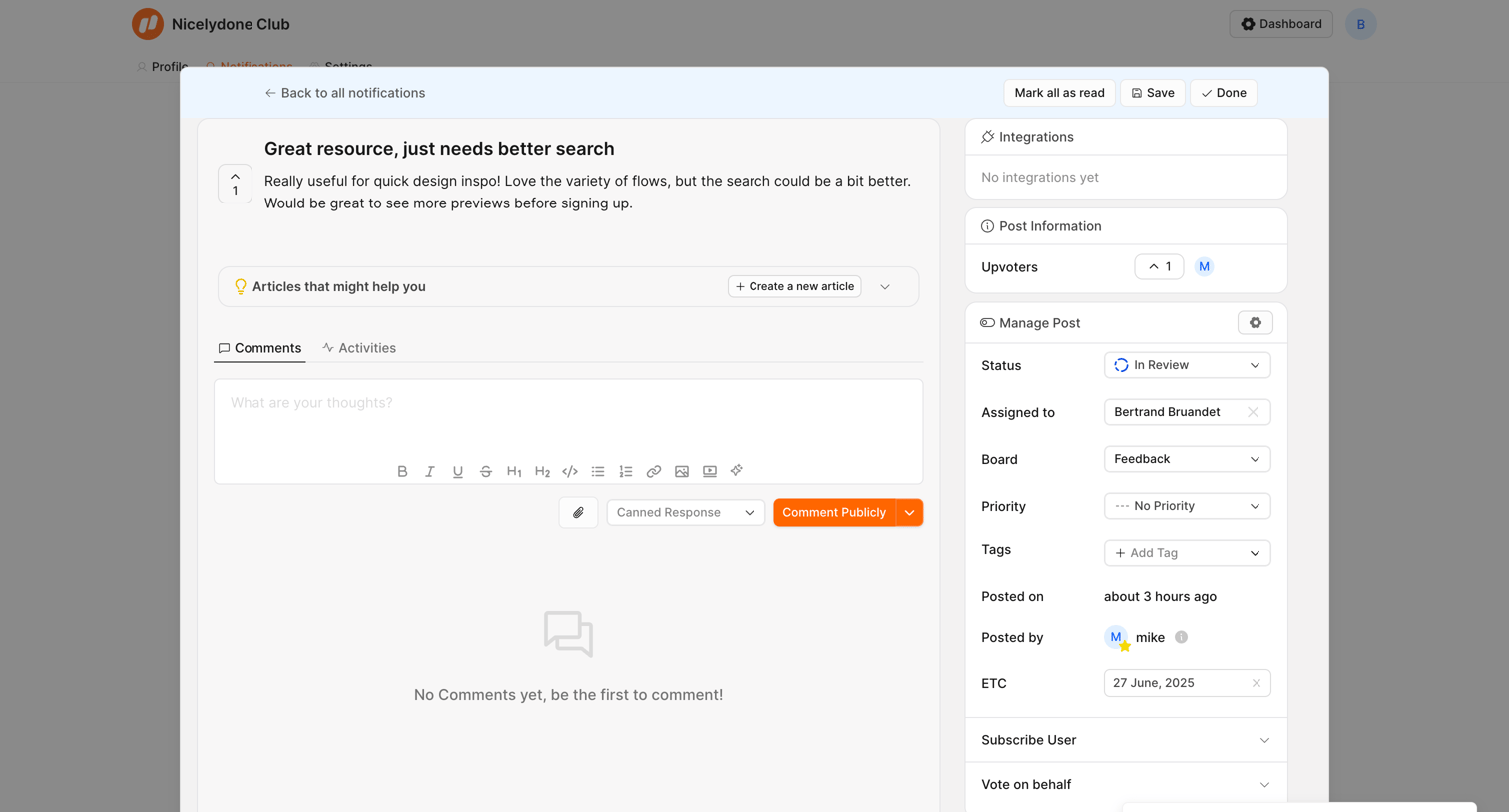

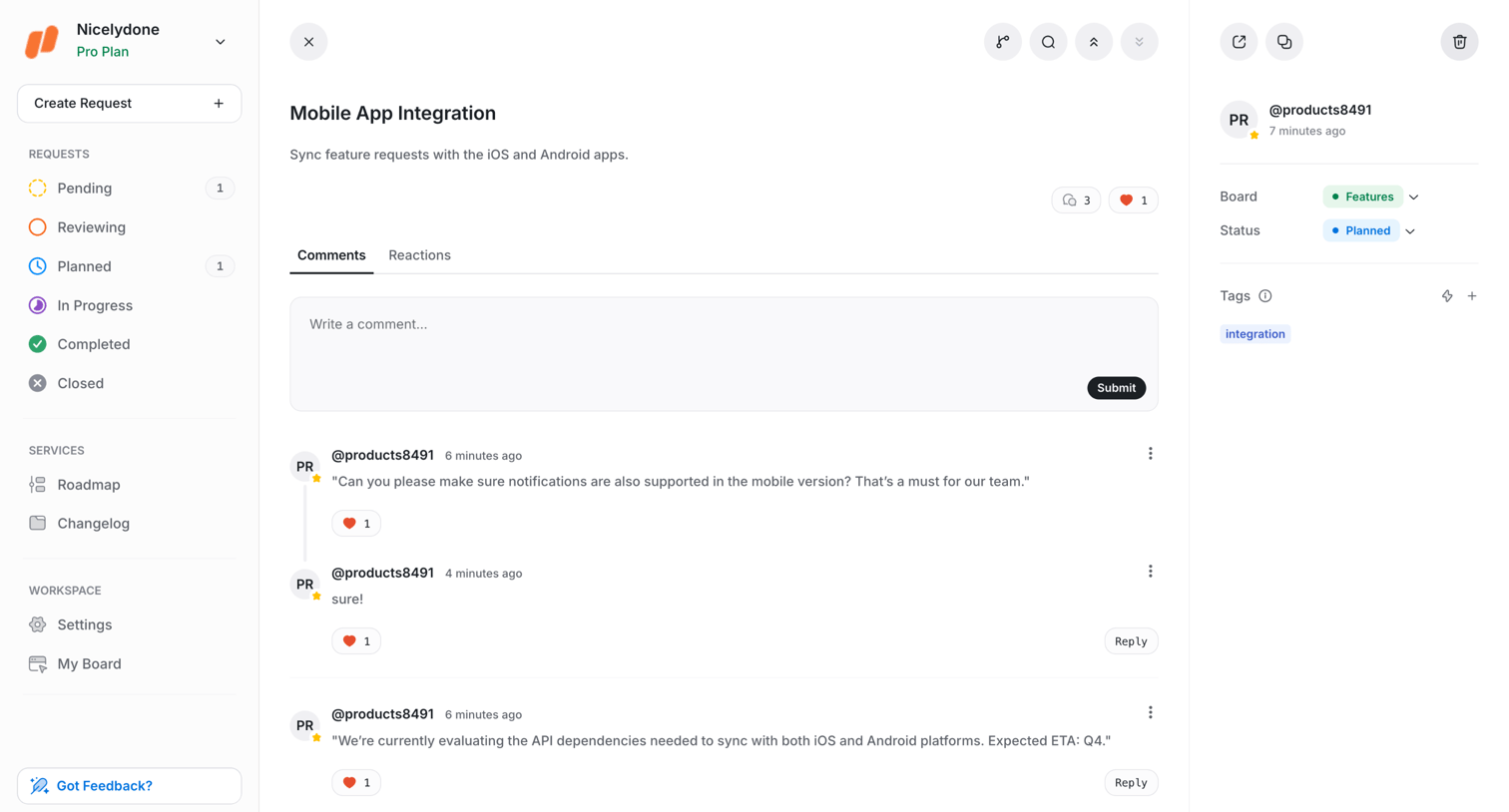
Detail modal where a team member reviews a user feedback post, manages its status and assignment, and can draft a public comment.
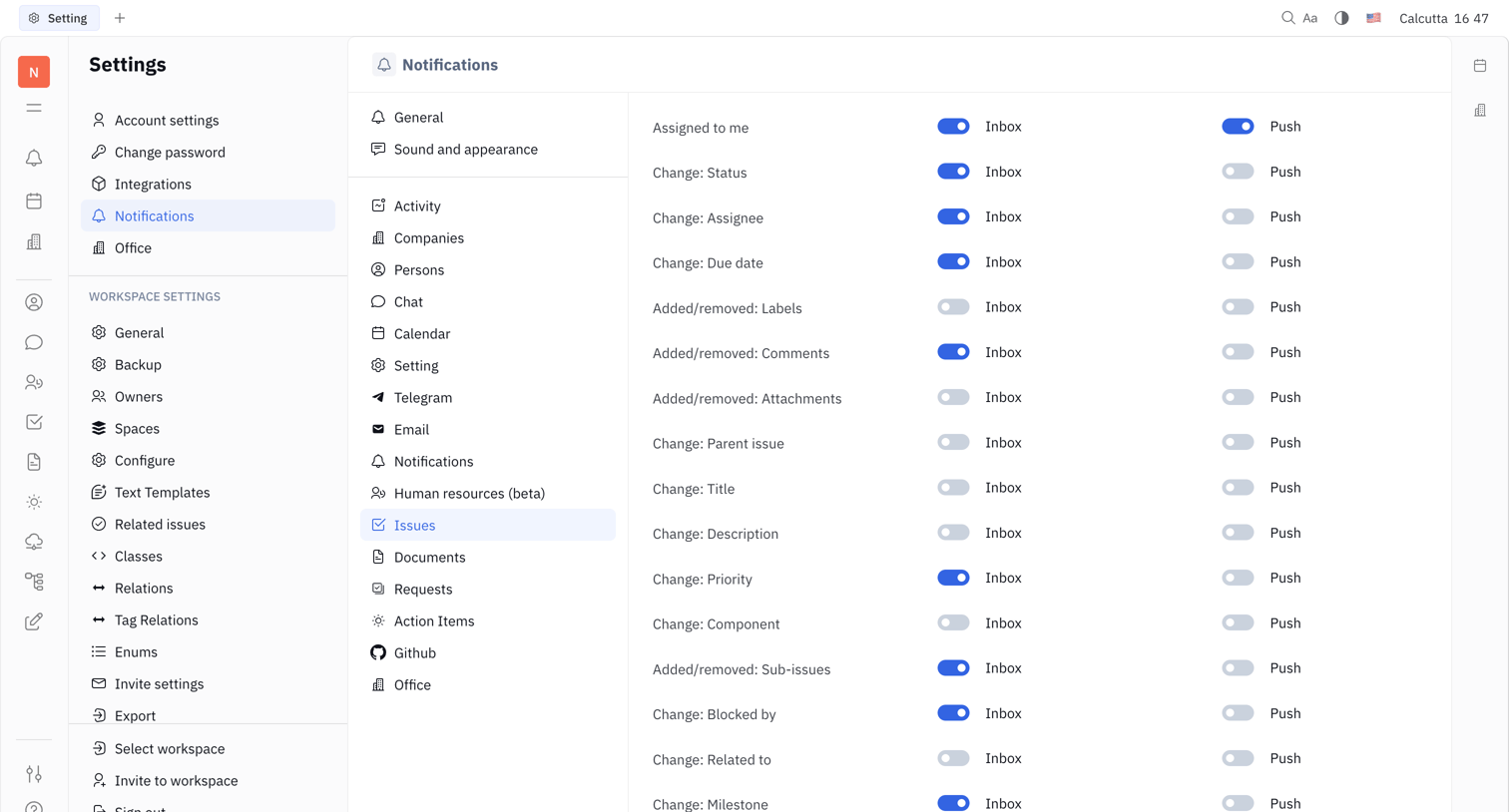

Settings page where the user configures inbox and push notification preferences for various issue events like status changes and new comments.
Explore the full SaaS screen library
Upgrade to unlock the full library.
Trusted by the best teams








About Issue tracking
See how apps organize problems or work items that need resolution. Explore how issue lists and detail views connect status, responsibility, and follow-up actions.