Skip to content

Task management dashboard screen examples

Task management dashboard screen design examples from SaaS apps. Browse examples from Town, Zapier, Scale.

Explore the examples
Town screen
Town logo
Town

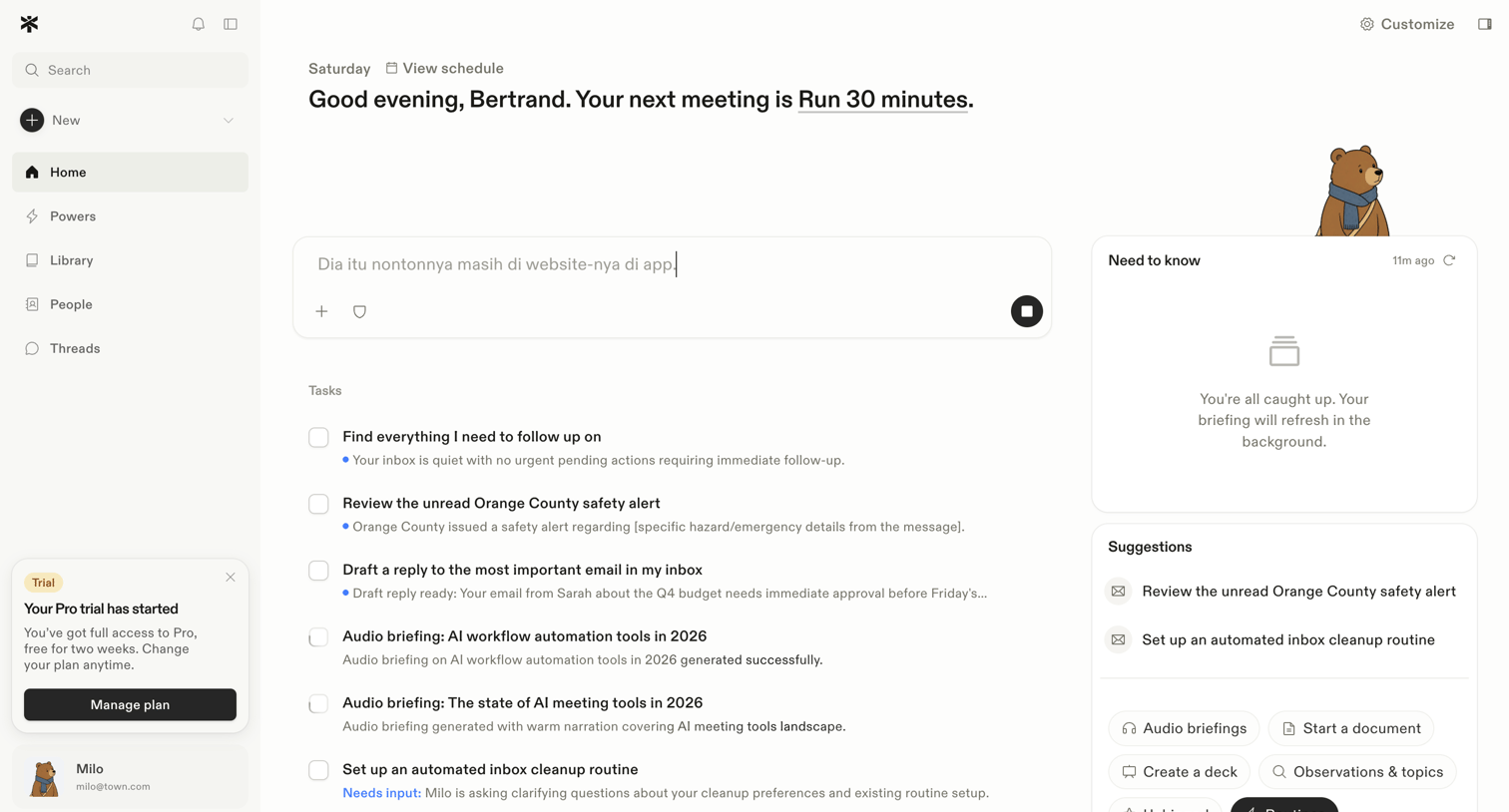
Home screen where the user views their next scheduled meeting, inputs commands to an AI assistant, and manages a list of automated tasks and briefings.

Zapier - Zaps | Zapier screen
Zapier logo
Zapier

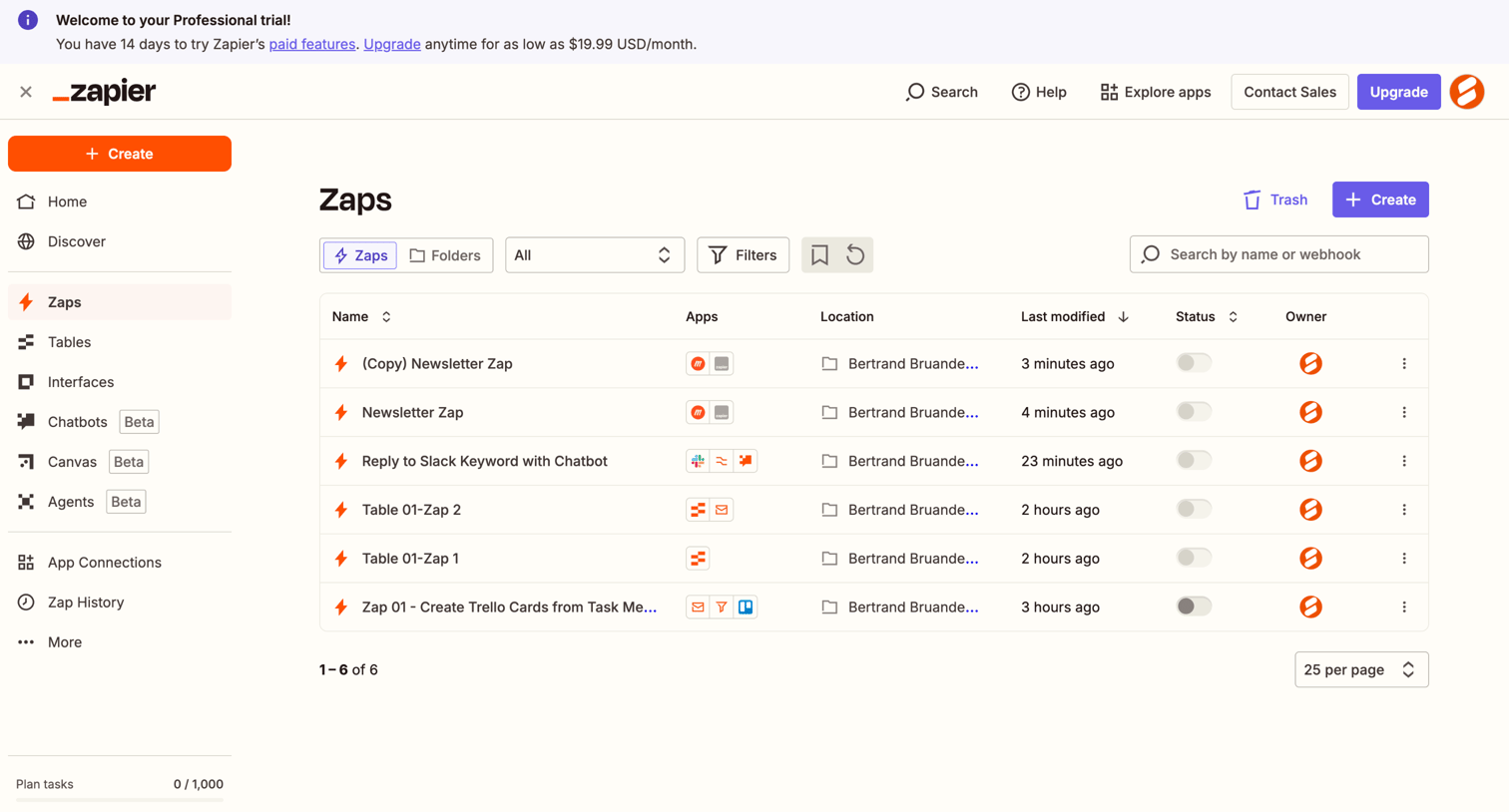
List view where the user manages their automated workflows, called Zaps, with options to search, filter, and create new automations.

Scale - Scale Studio screen
Scale logo
Scale

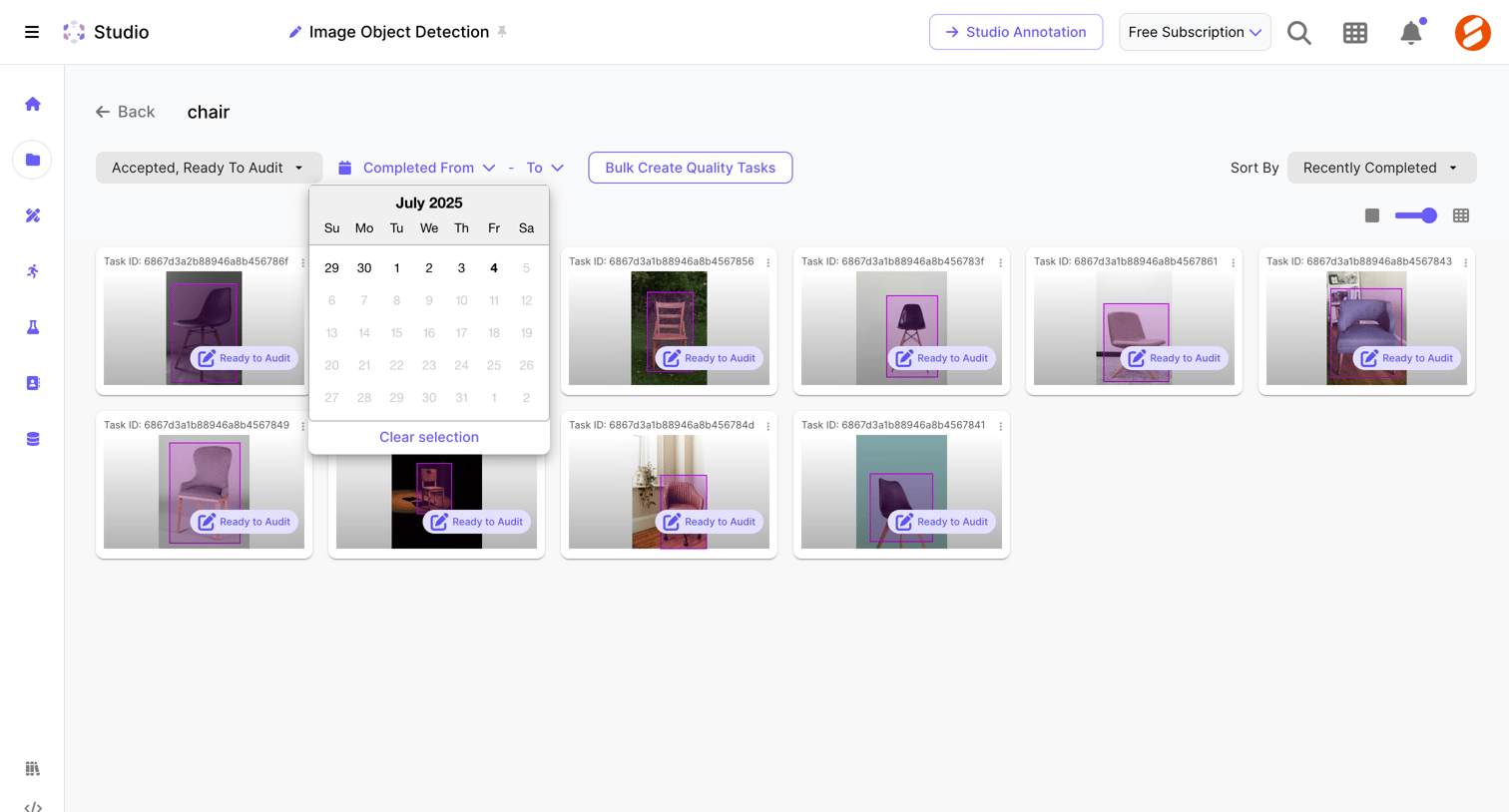
List view where the user can filter, sort, and select image object detection tasks that are ready for audit.

Lindy - My Lindies - Lindy screen
Lindy logo
Lindy

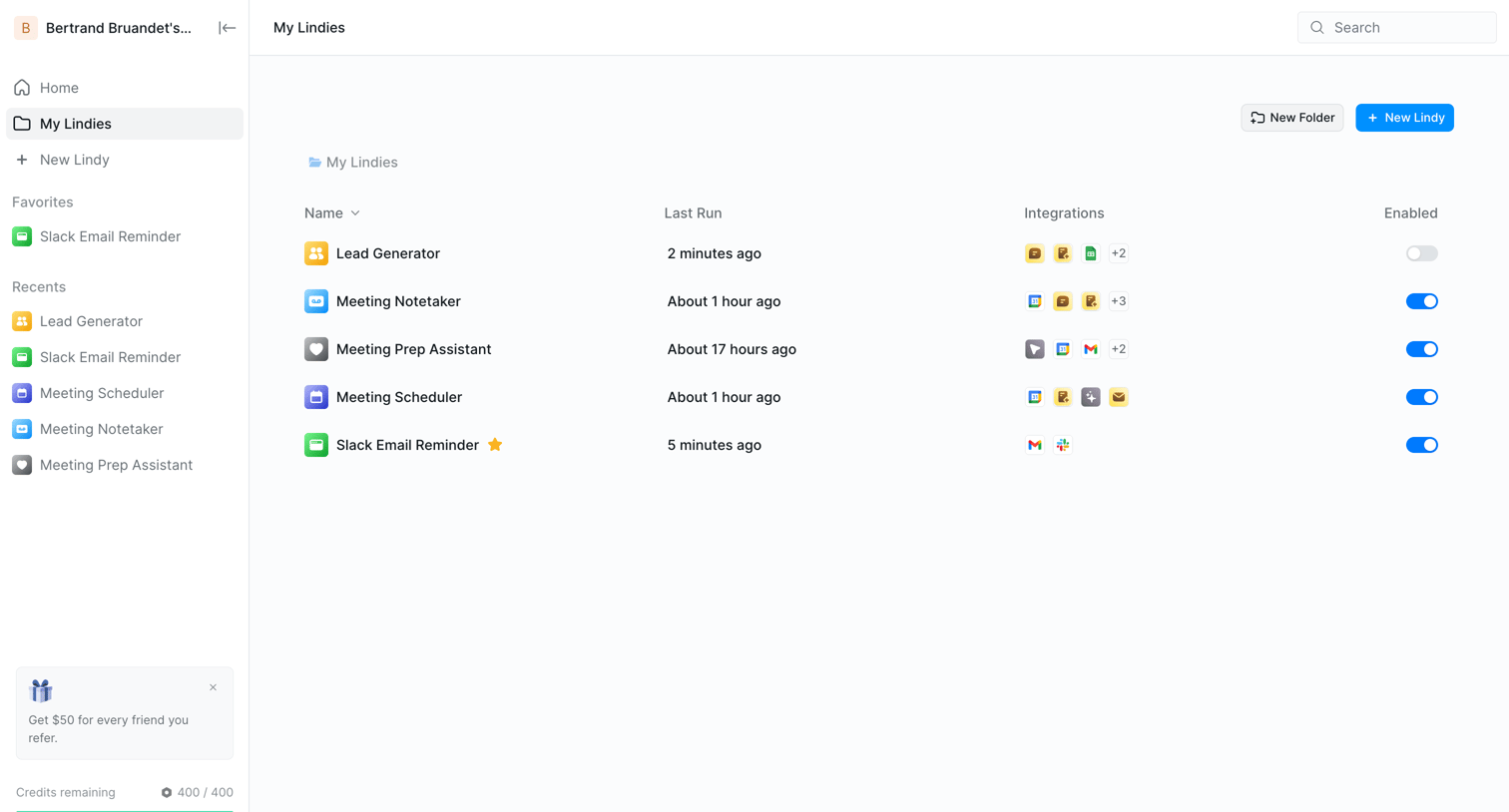
List view where the user manages their configured AI agents, showing last run times, connected integrations, and enable toggles.

Huly - Nicelydone - Huly screen
Huly logo
Huly

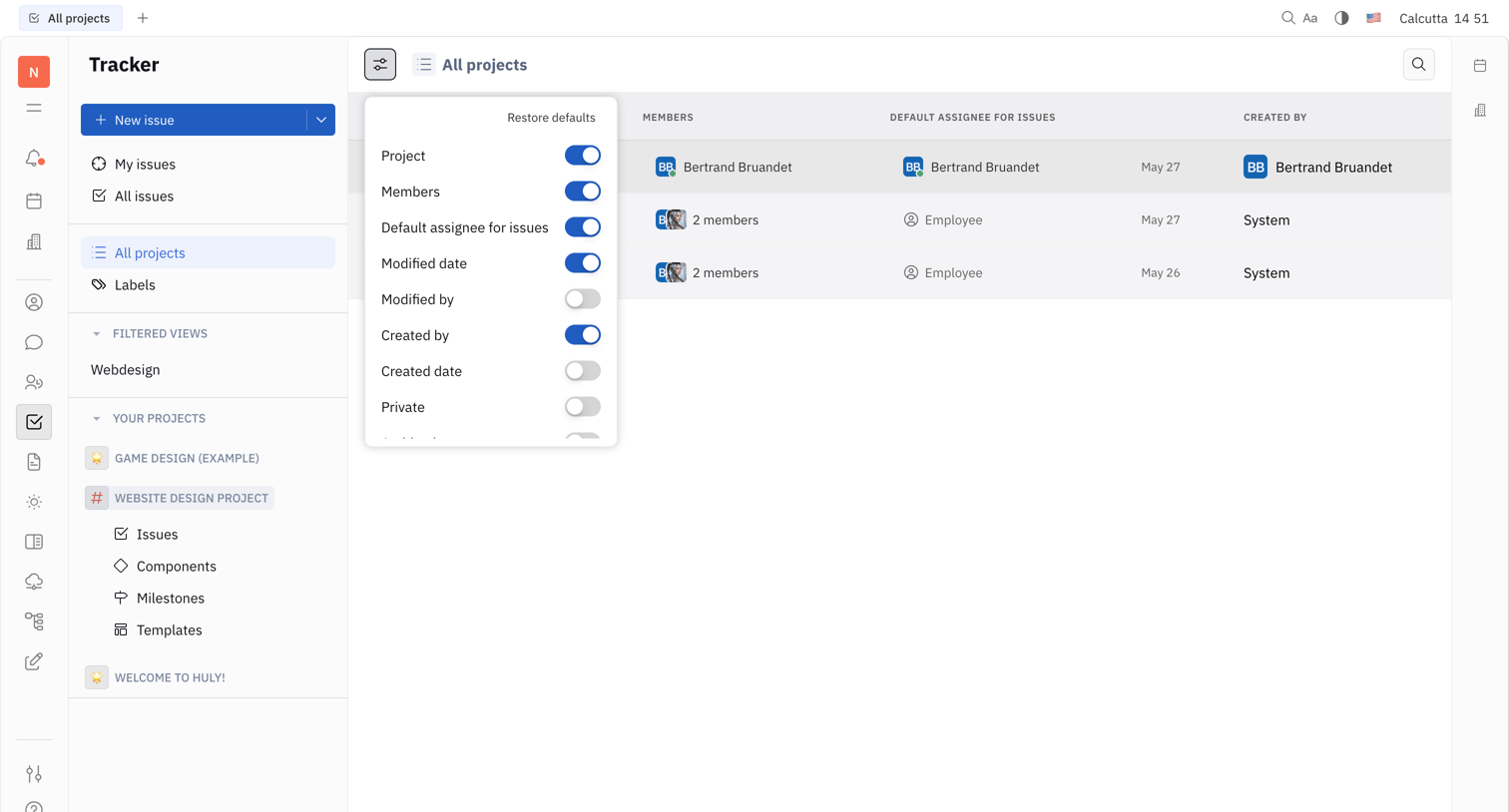
List view showing all projects where the user can customize visible columns like Members, Default Assignee, and Created By via a settings popover.
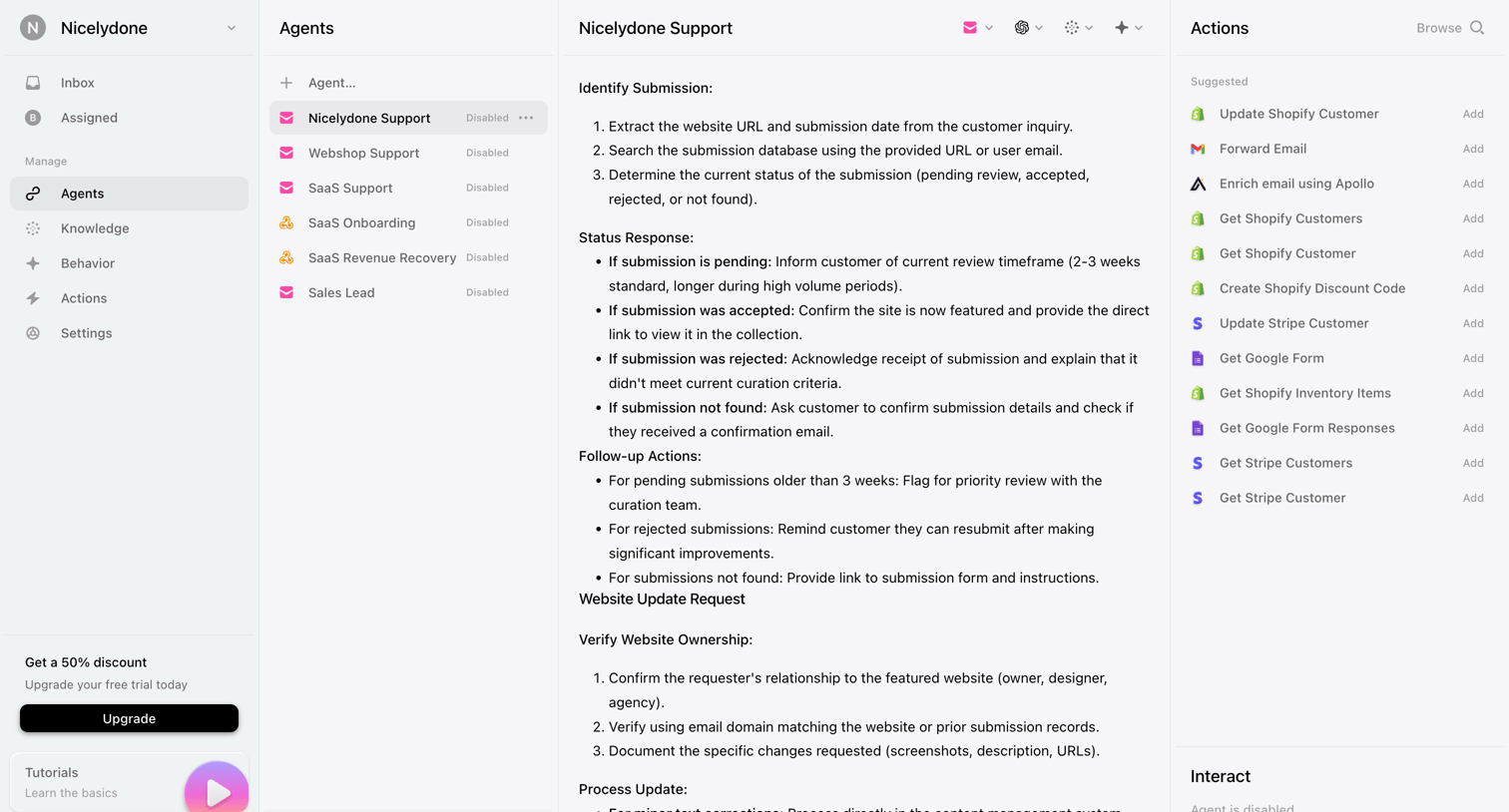
Lemni - Agents › Nicelydone Support screen
Lemni logo
Lemni

Detail page where the user reviews the system instructions and available integration actions for a specific AI support agent before enabling it.

Reflect screen
Reflect logo
Reflect

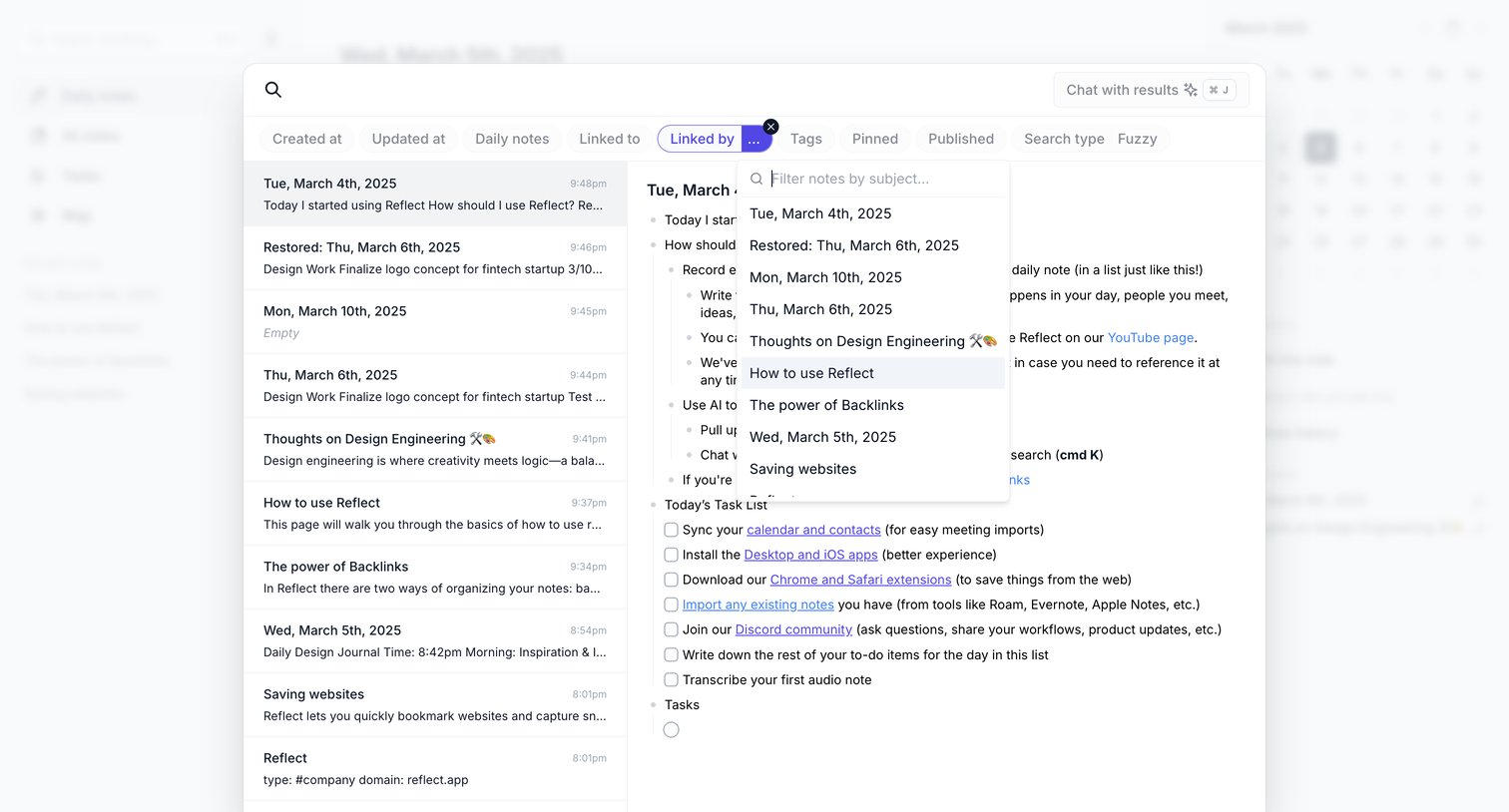
Search overlay where the user filters notes by subject using a linked-by dropdown menu while previewing the selected note's content.
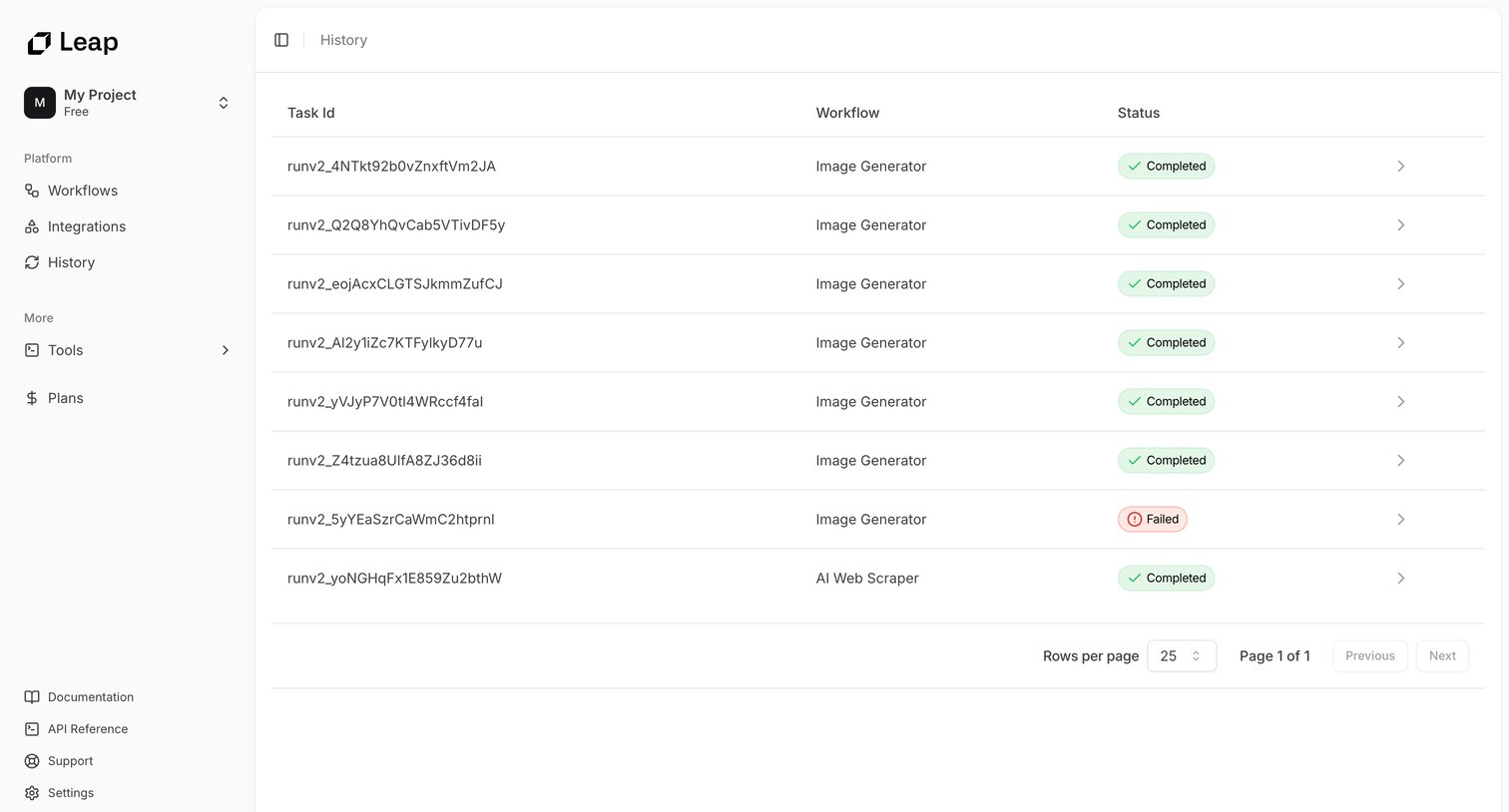

Leap - Leap AI | Automate any workflow with AI screen
Leap logo
Leap

List view showing the execution history of workflows, including task IDs, workflow names like Image Generator, and completion statuses.

Replit - TaskMaster - Replit screen
Replit logo
Replit

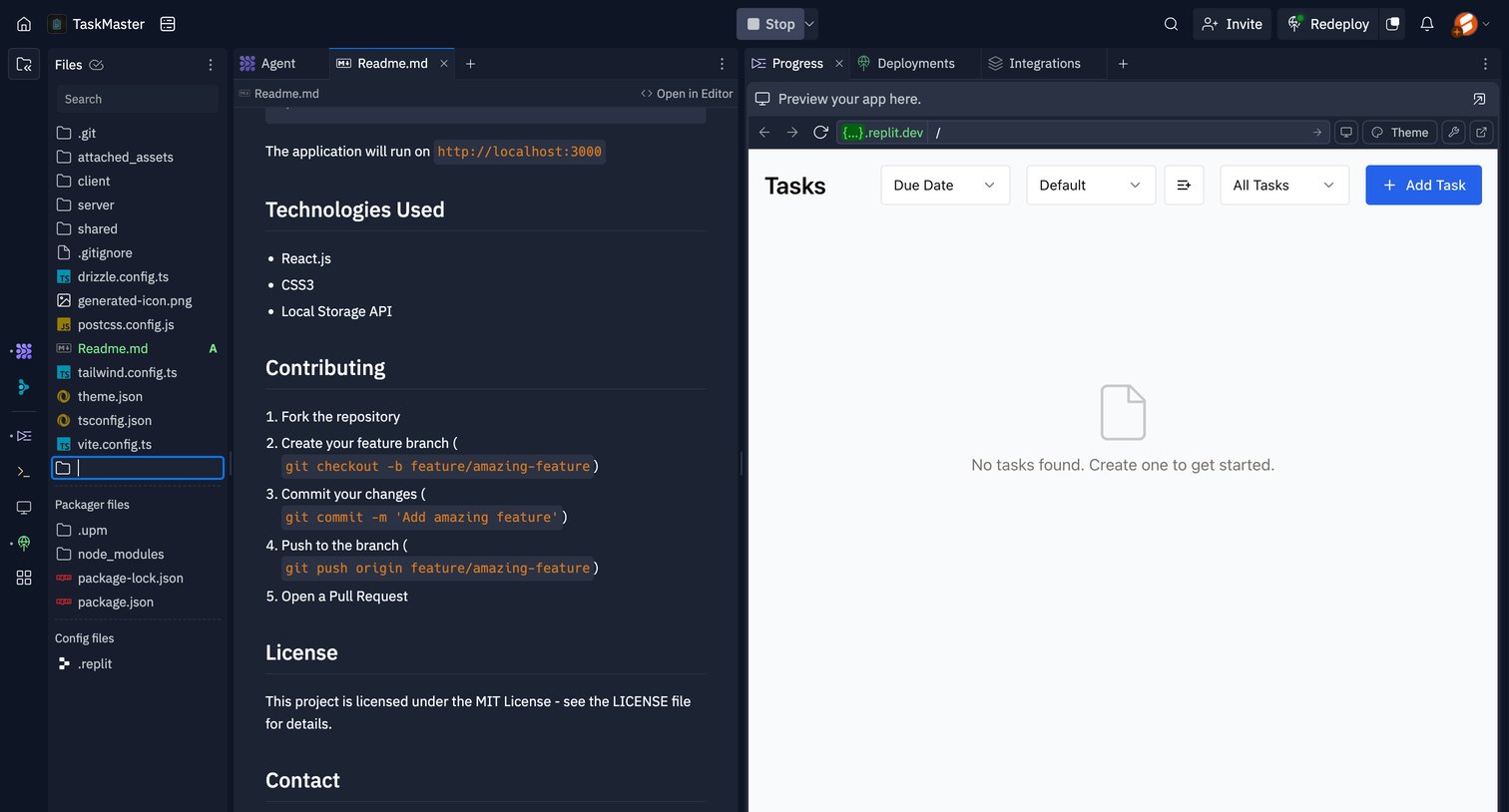
Cloud development workspace featuring a file explorer, a markdown editor for the Readme, and a live browser preview of a task management application.

Supercut - Workspace screen
Supercut logo
Supercut

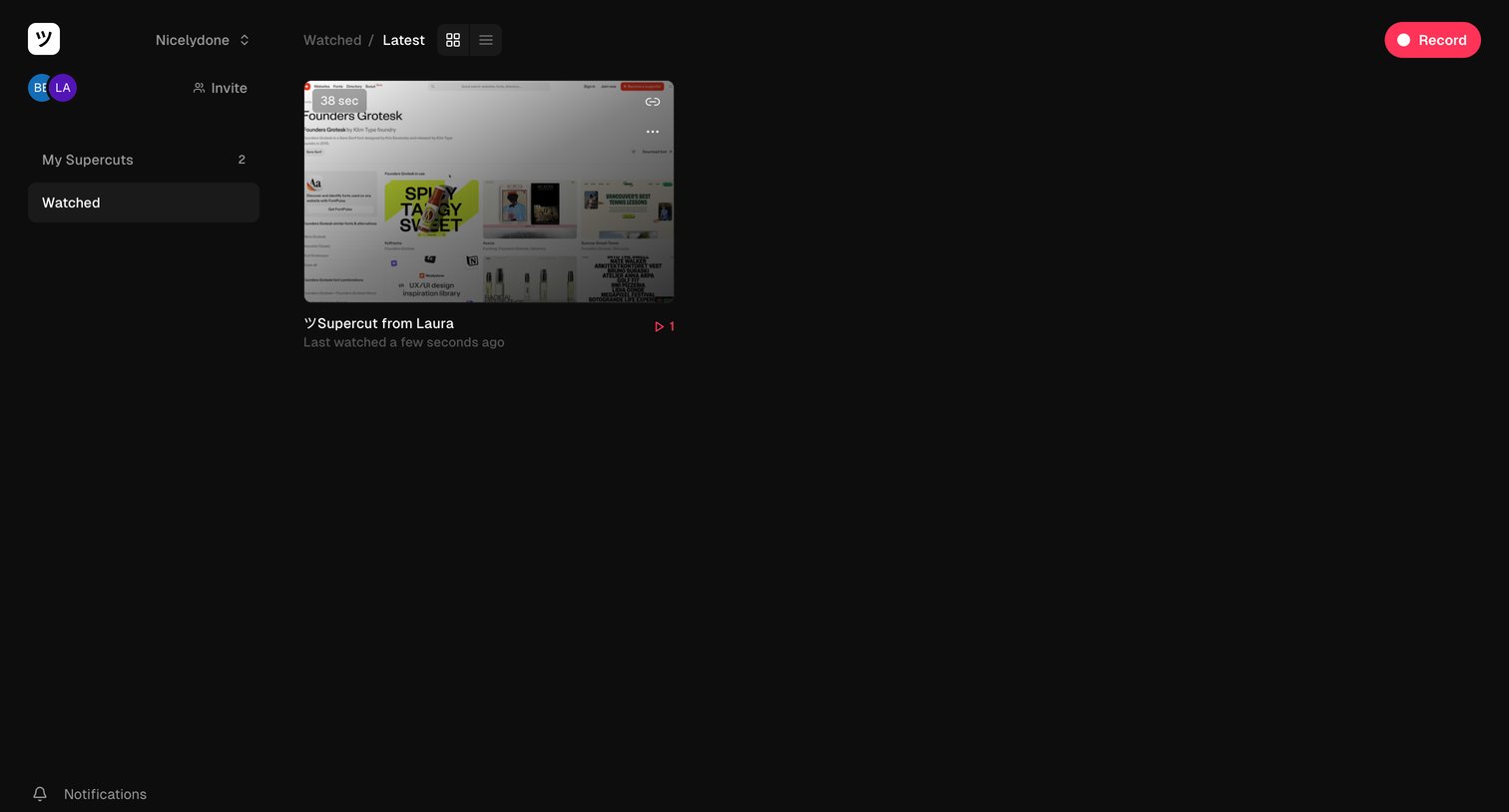
List view where the user browses their watched video recordings in a grid layout.
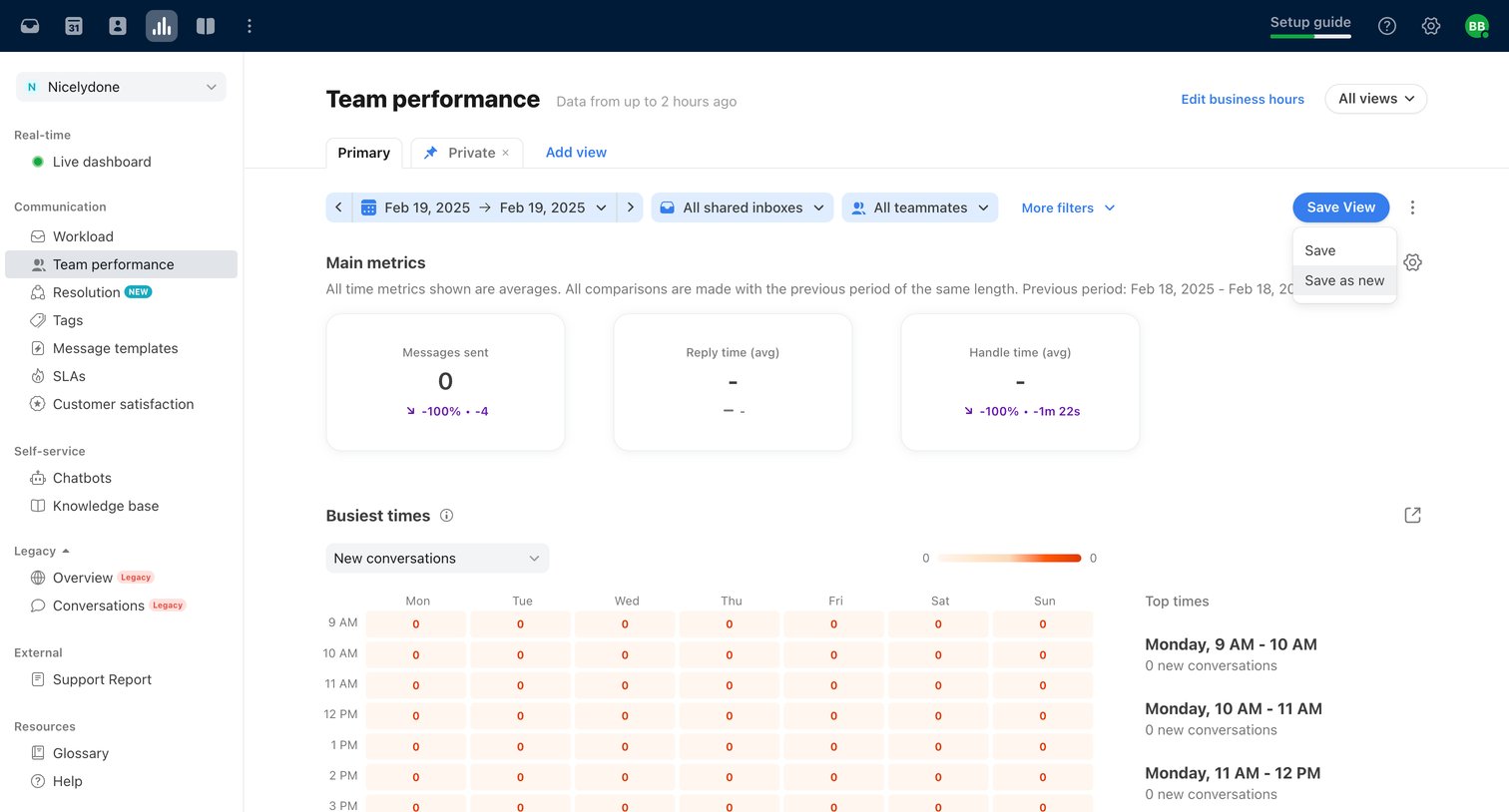
Front - Front (4) screen
Front logo
Front

Dashboard showing team performance metrics like messages sent and handle time, along with a busiest times heatmap for selected inboxes and teammates.
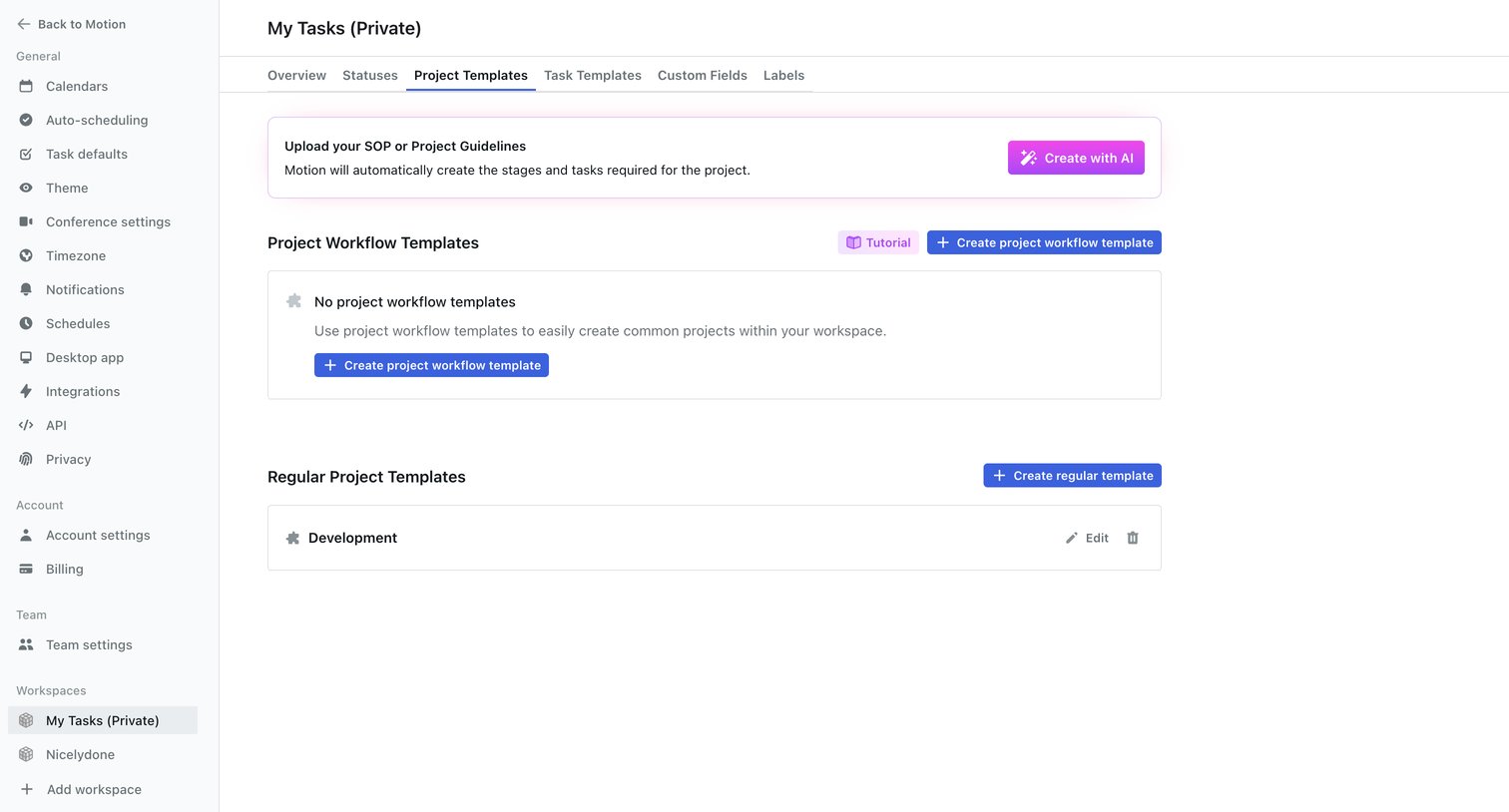

Motion screen
Motion logo
Motion

Settings page where the user manages project workflow templates and regular project templates for a specific workspace, including an option to generate templates with AI.

Explore the full SaaS screen library

Upgrade to unlock the full library.

Trusted by the best teams