Skip to content

Form building screen examples

Form building screen design examples from SaaS apps. Browse examples from Dock, Glide, Kajabi.

Explore the examples
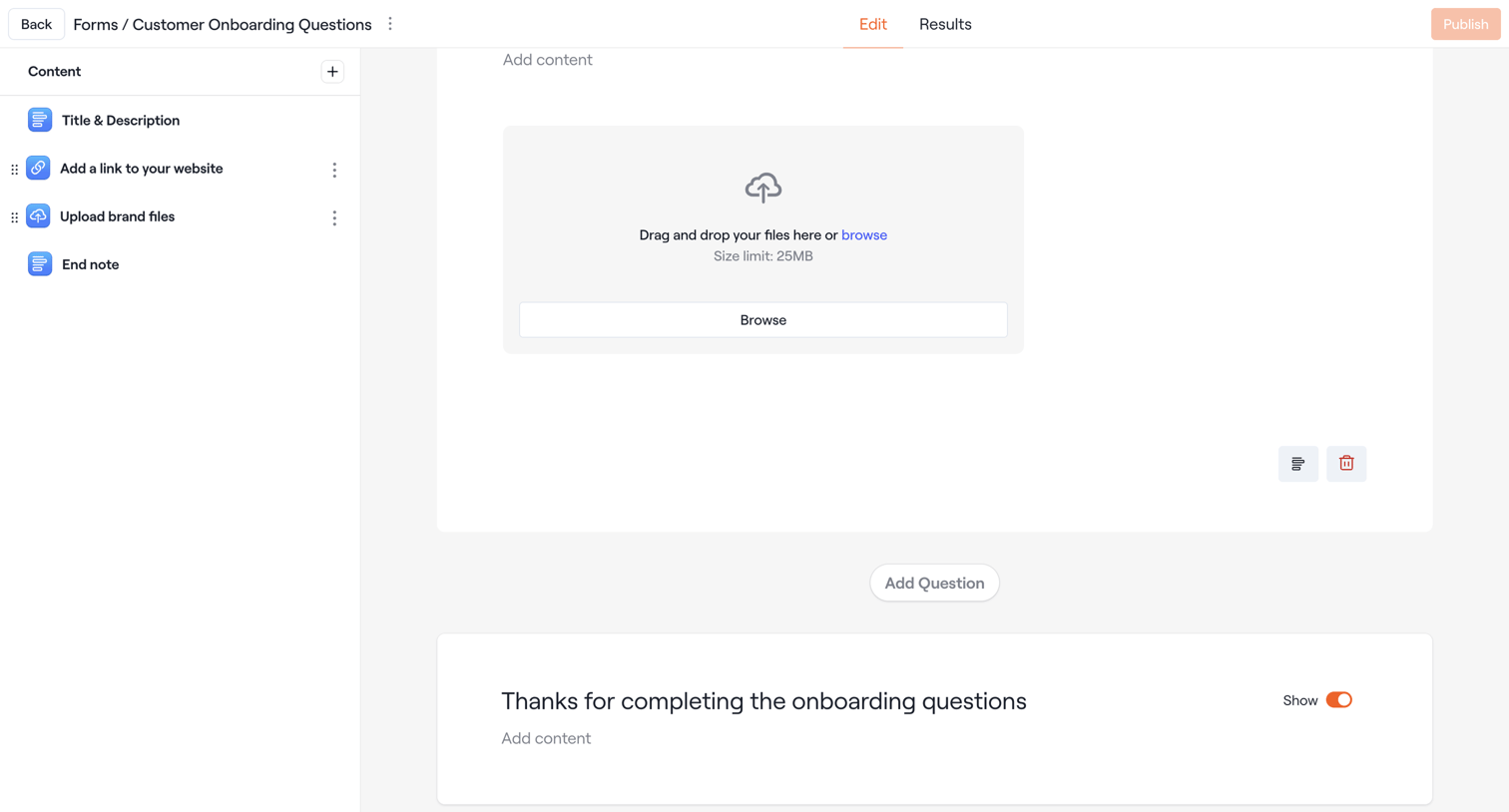
Dock - Form · Dock · Settings screen
Dock logo
Dock

Design editor where the user configures a customer onboarding form by adding and arranging content blocks like file uploads and text.
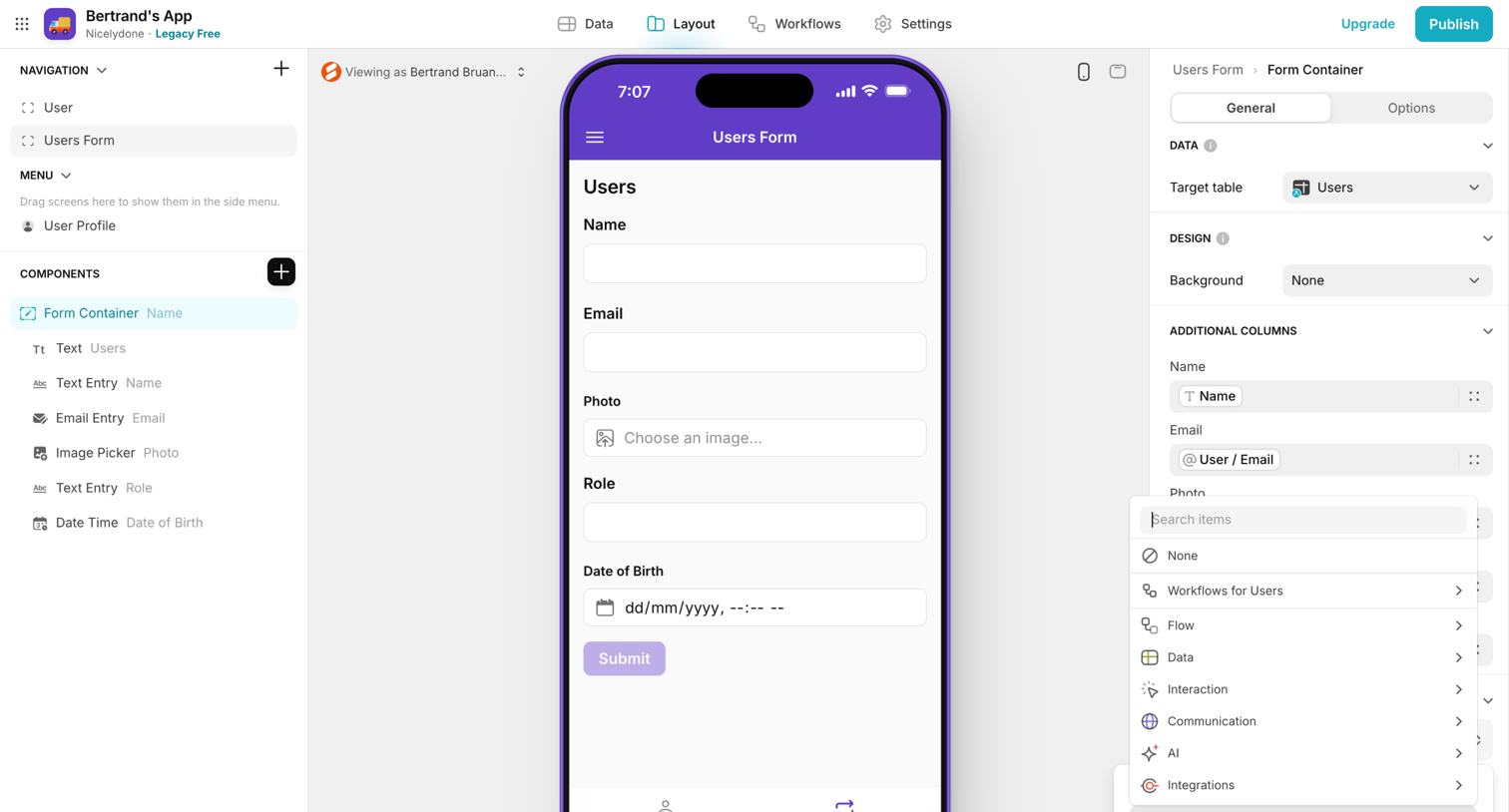

Glide - Bertrand's App · Glide screen
Glide logo
Glide

Design editor where the user configures a mobile app layout, currently editing a Users Form container with fields for name, email, and photo via an inspector panel.
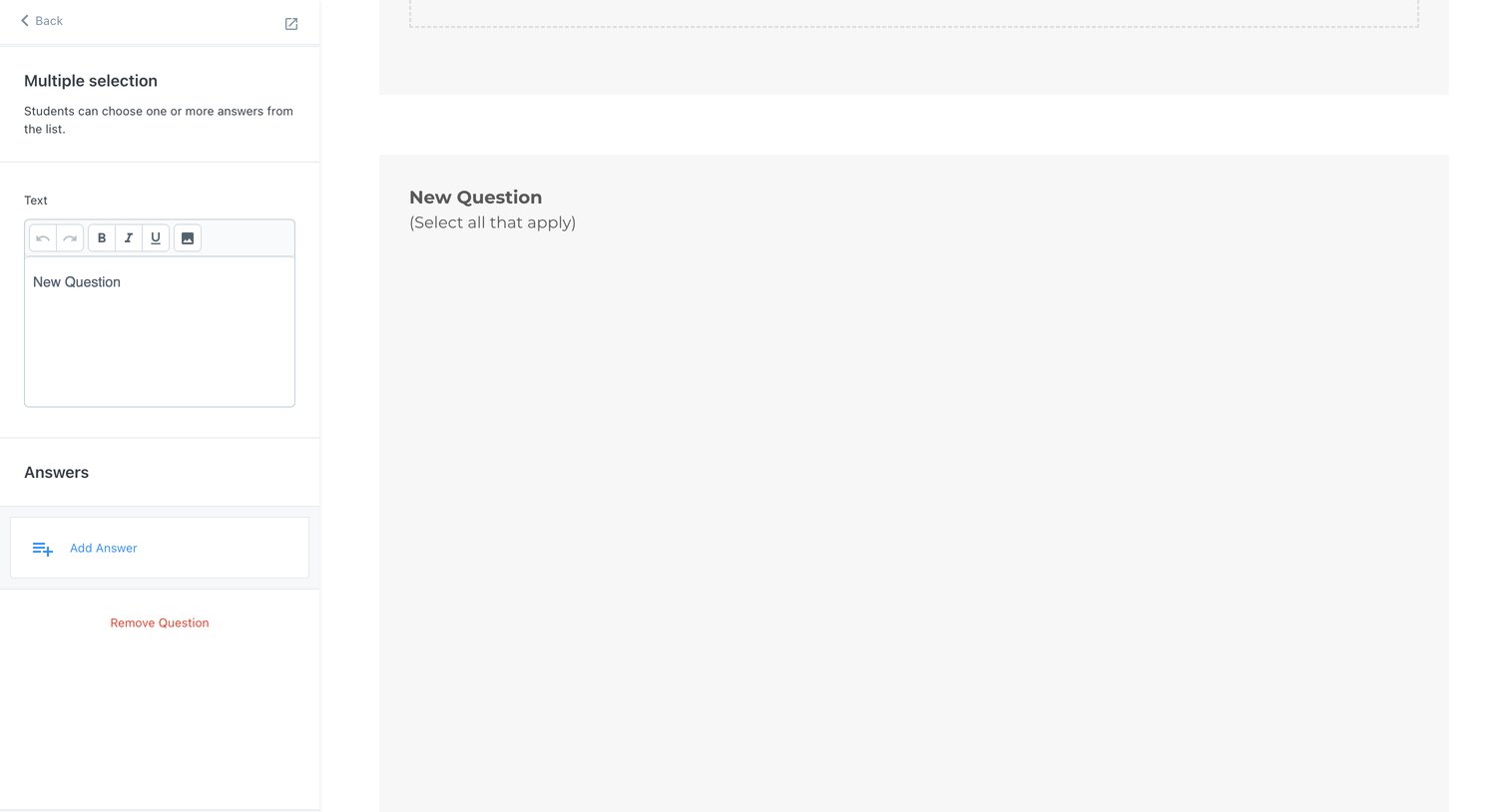
Kajabi - Kajabi - adminassessments2148407014questions screen
Kajabi logo
Kajabi

Design editor where the user configures a multiple-selection assessment question by editing its text and adding answer options.

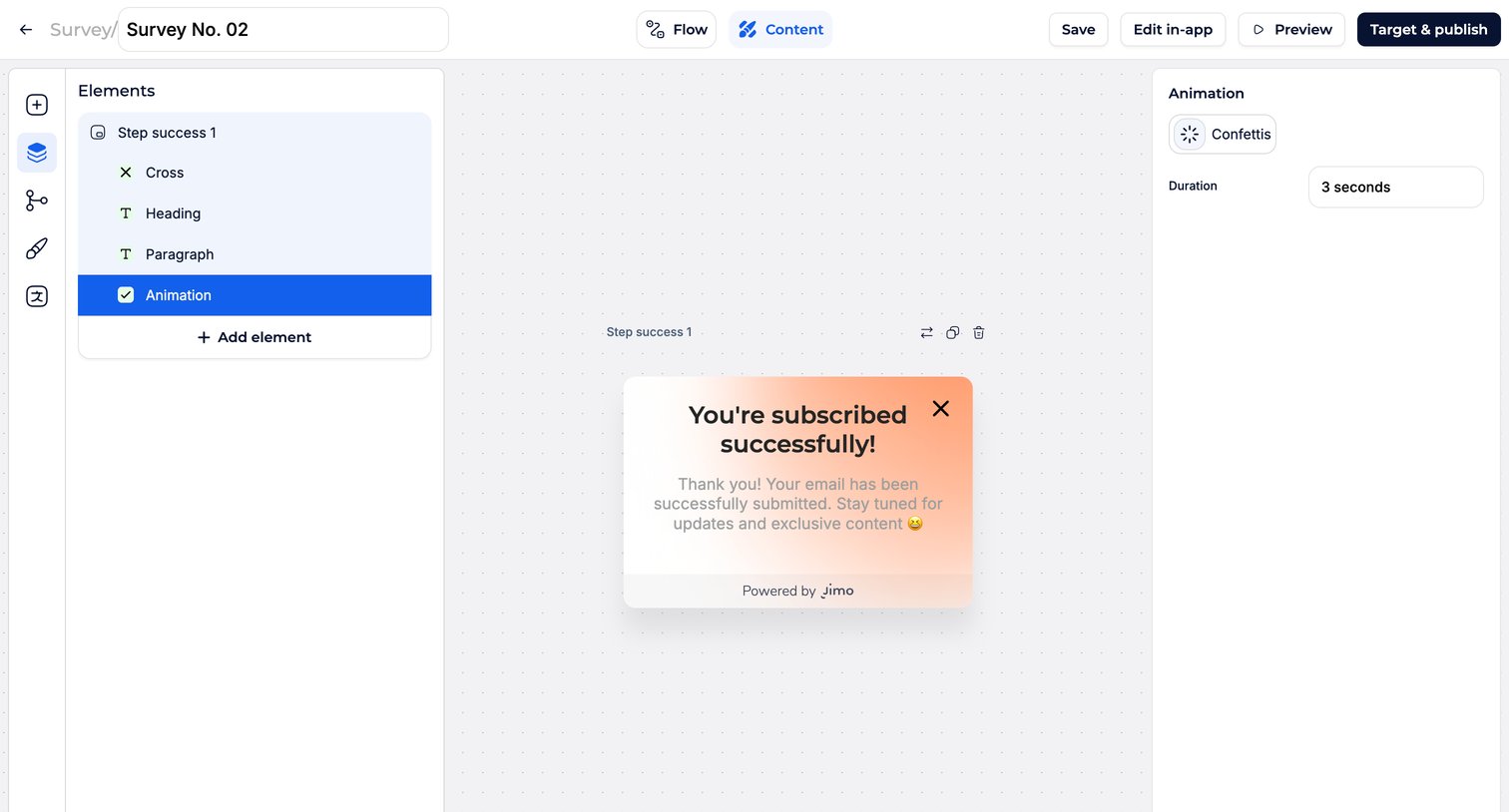
Jimo - Edit experience · Jimo screen
Jimo logo
Jimo

Design editor where the user configures a success step for a survey, managing elements in a layers panel and adjusting animation settings in an inspector.
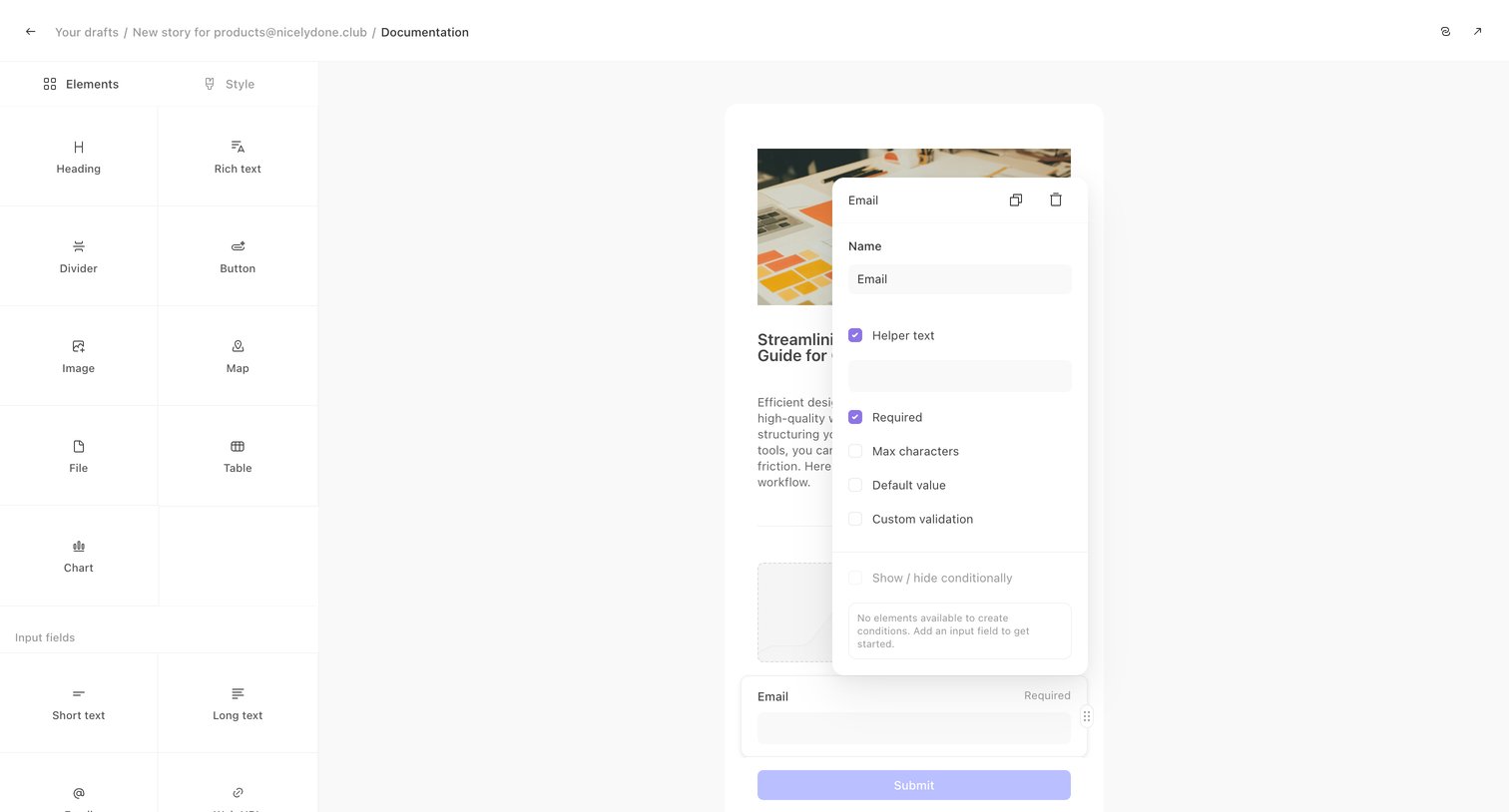

Tines - Documentation - Tines screen
Tines logo
Tines

Design editor where the user configures the properties of an email input field via a floating inspector panel over a custom form layout.

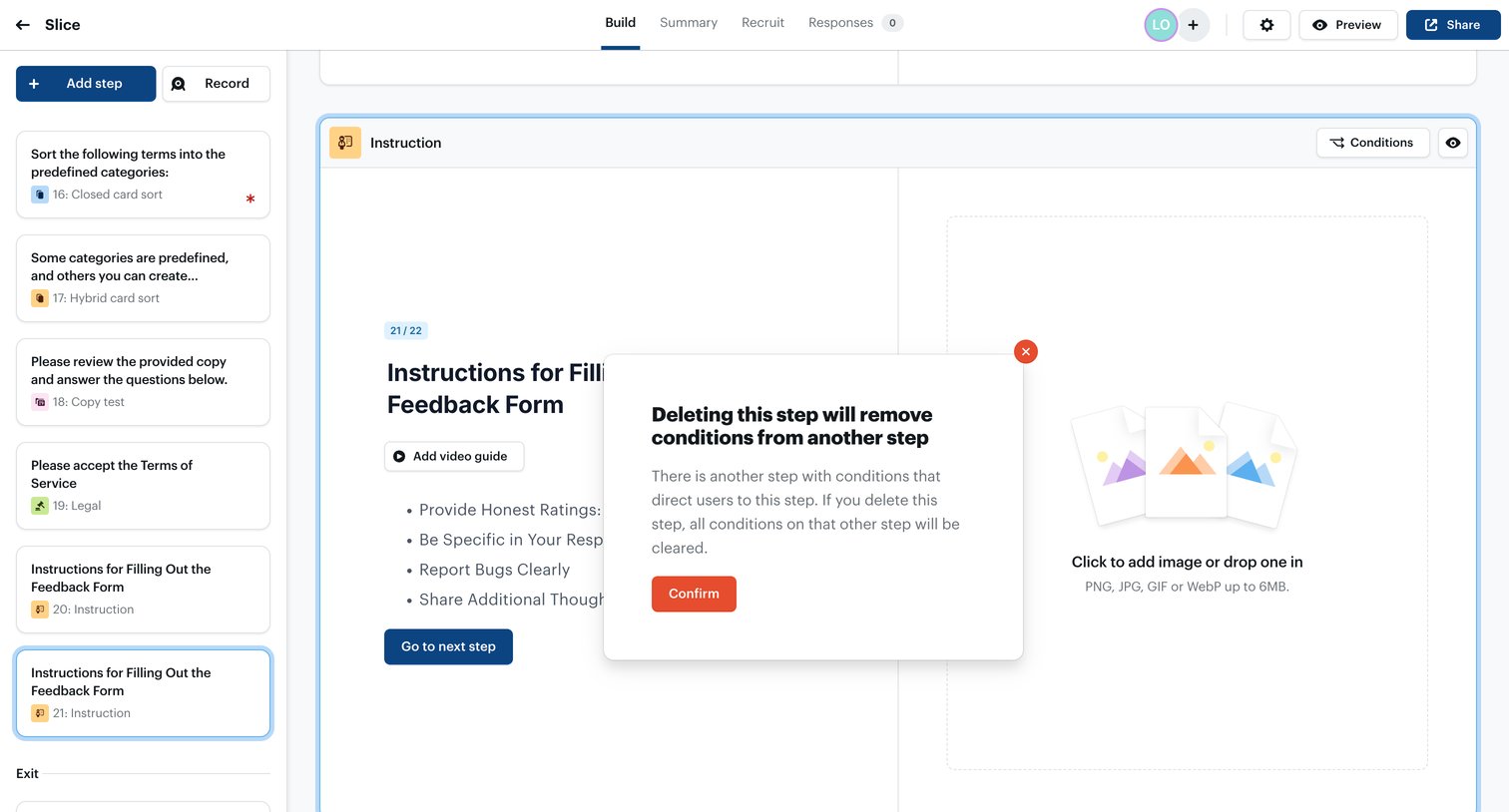
Ballpark - Loading | Ballpark screen
Ballpark logo
Ballpark

Form builder where the user is prompted to confirm deleting an instruction step, with a warning that it will remove conditions from another step.
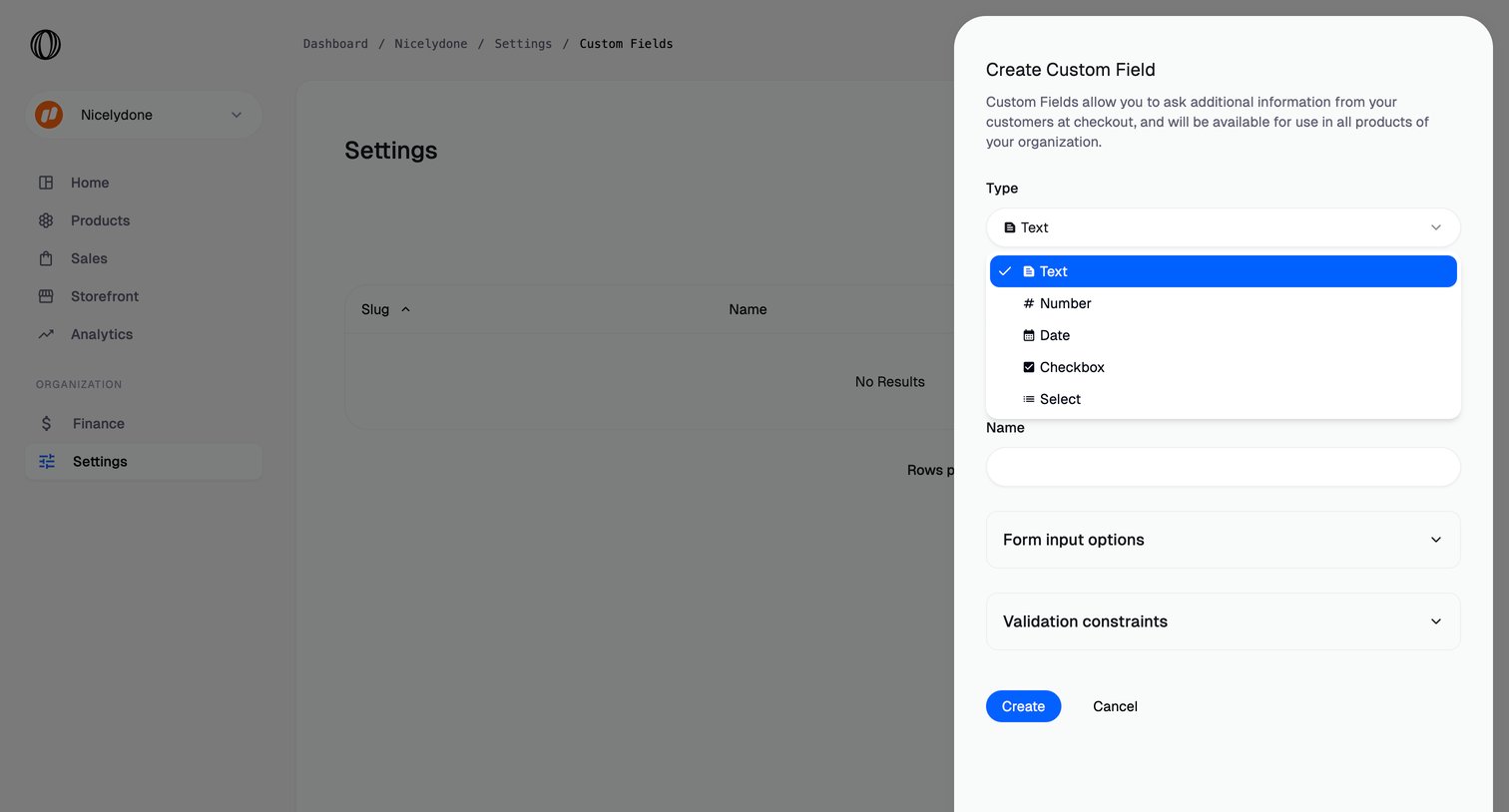

Polar - Custom fields | Nicelydone  Polar screen
Polar logo
Polar

Settings page where the user creates a new custom field by selecting its data type and configuring its validation constraints in a side drawer.

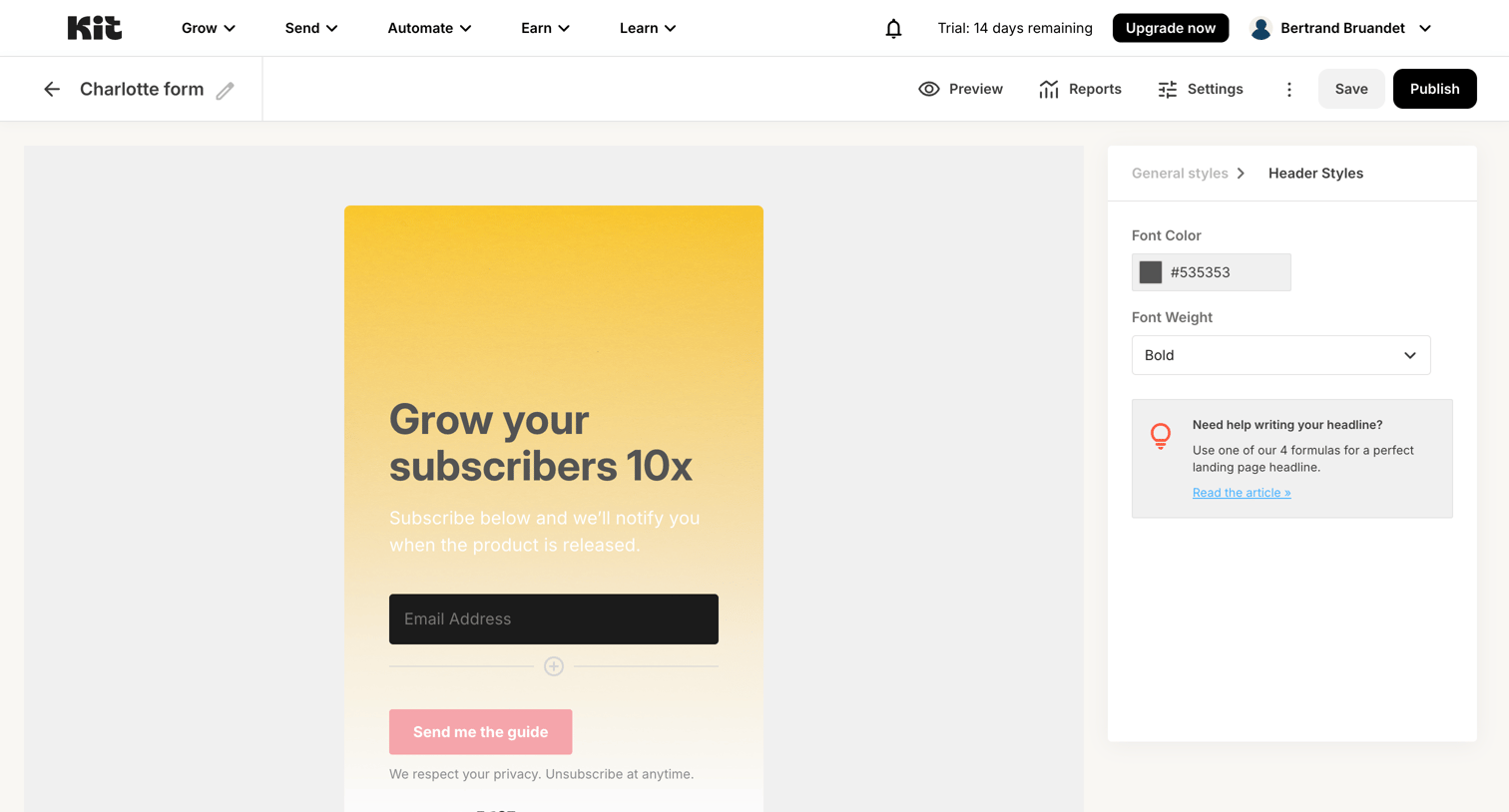
Kit - Charlotte form - Kit screen
Kit logo
Kit

Form builder where the user customizes the header styles, including font color and weight, for a subscriber growth form.

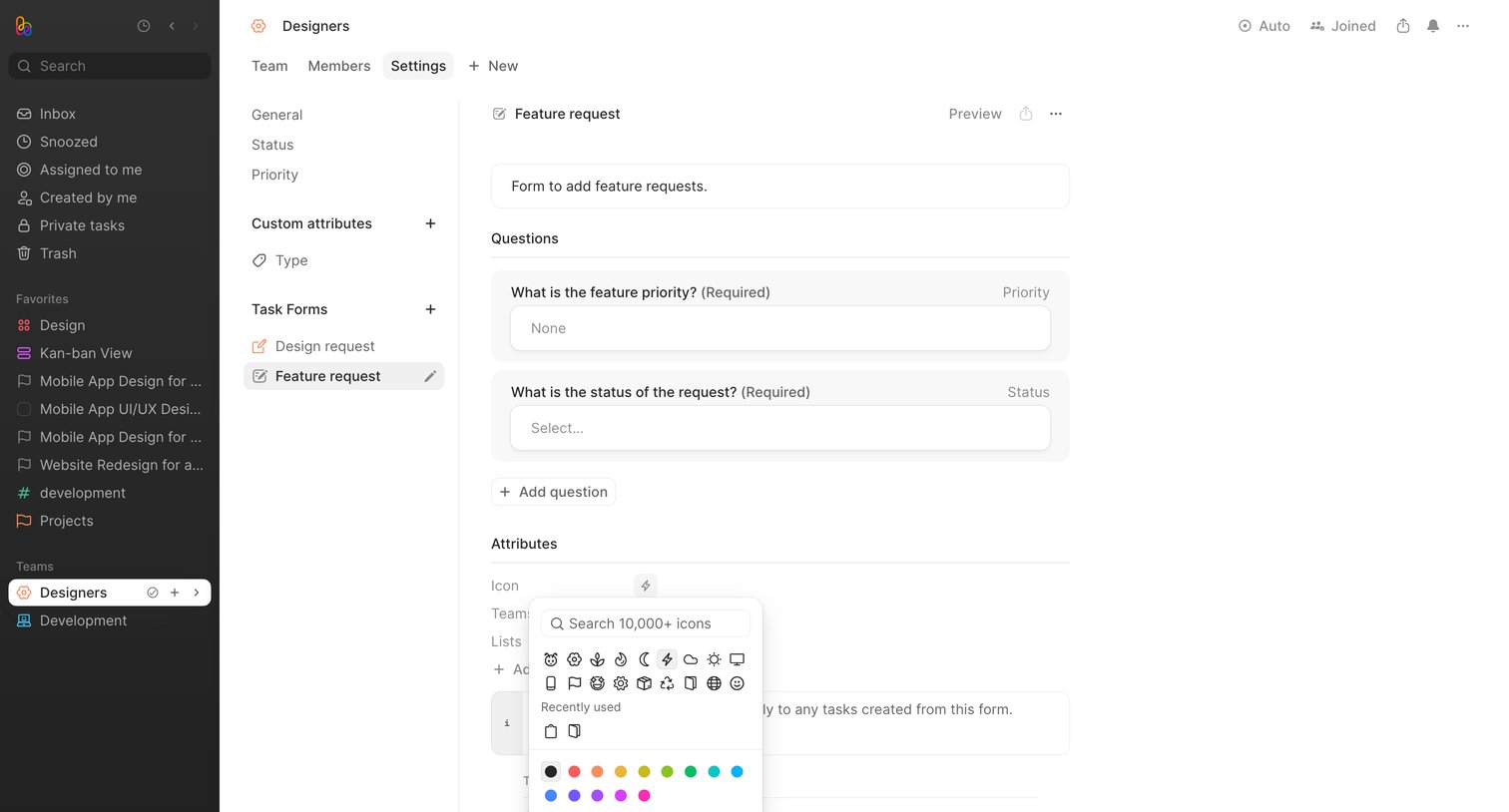
Height - Designers - Height screen
Height logo
Height

Settings page where the user configures a feature request task form by adding questions and selecting an icon and color.

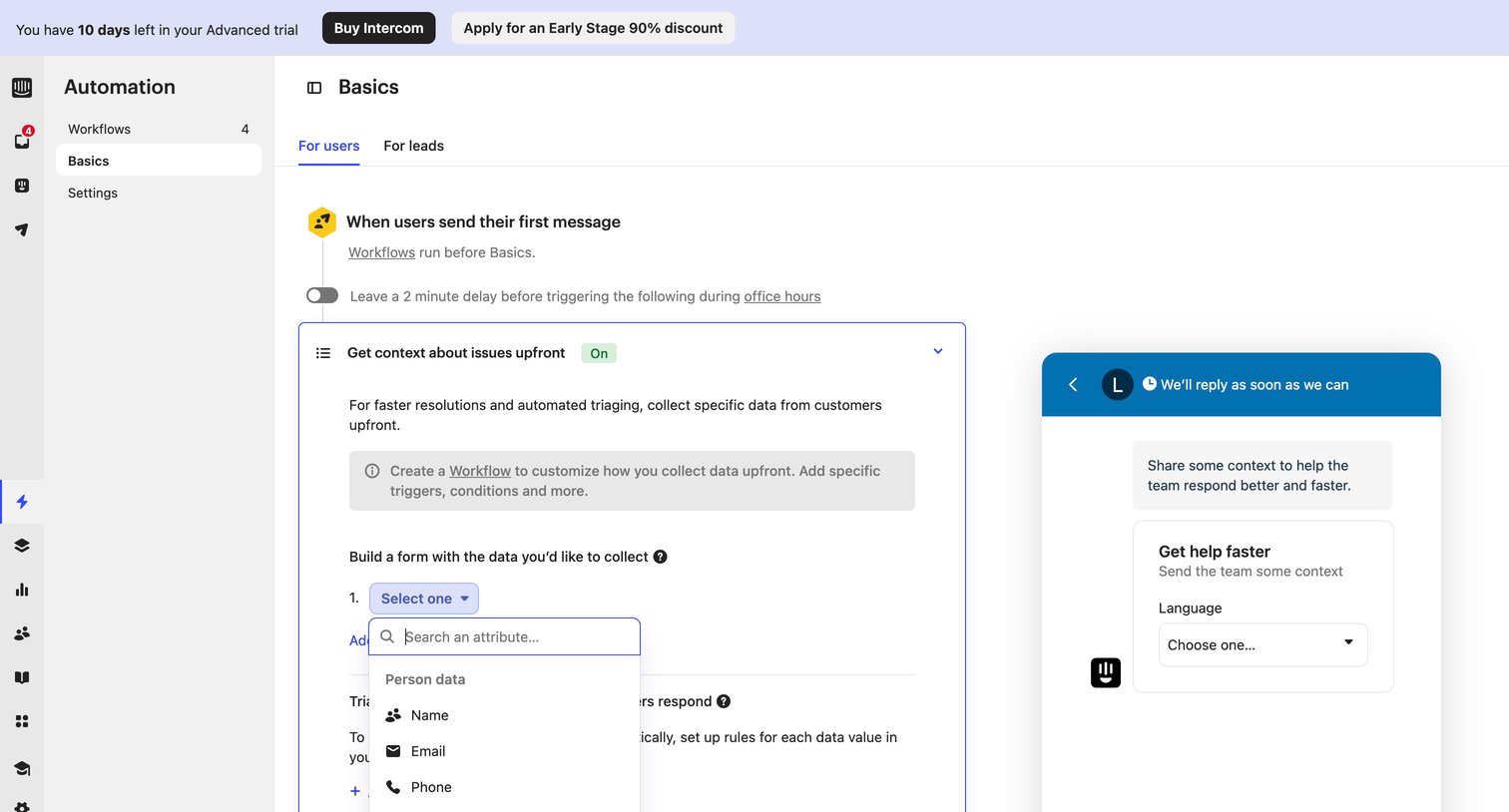
Intercom - Basics | Nicelydone  Intercom screen
Intercom logo
Intercom

Settings page where the user configures automation rules like upfront data collection forms for users sending their first message.
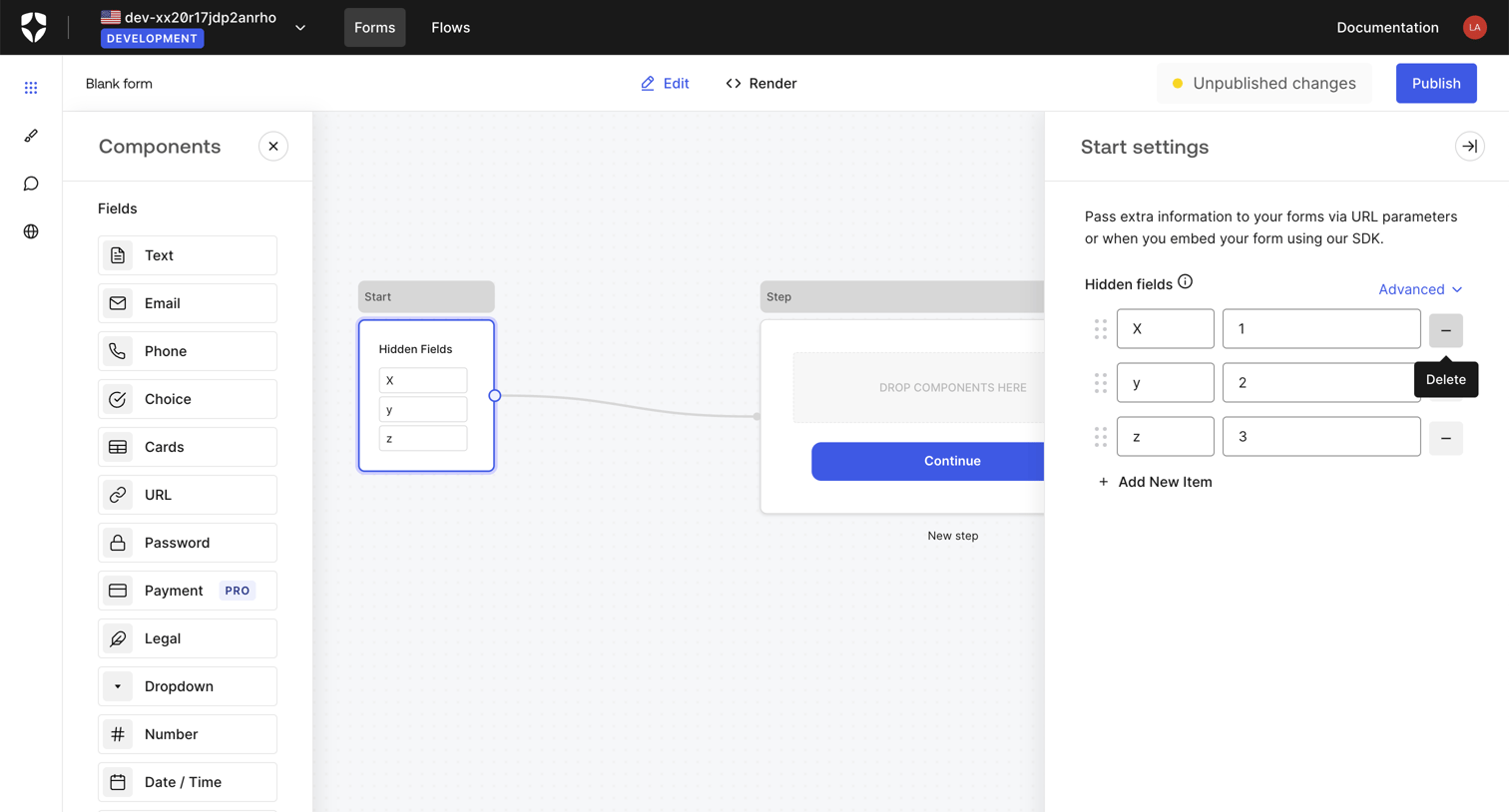

Auth0 - Blank form | Form Editor screen
Auth0 logo
Auth0

Design editor where the user builds an authentication form flow using a drag-and-drop node canvas and configures hidden fields in an inspector panel.
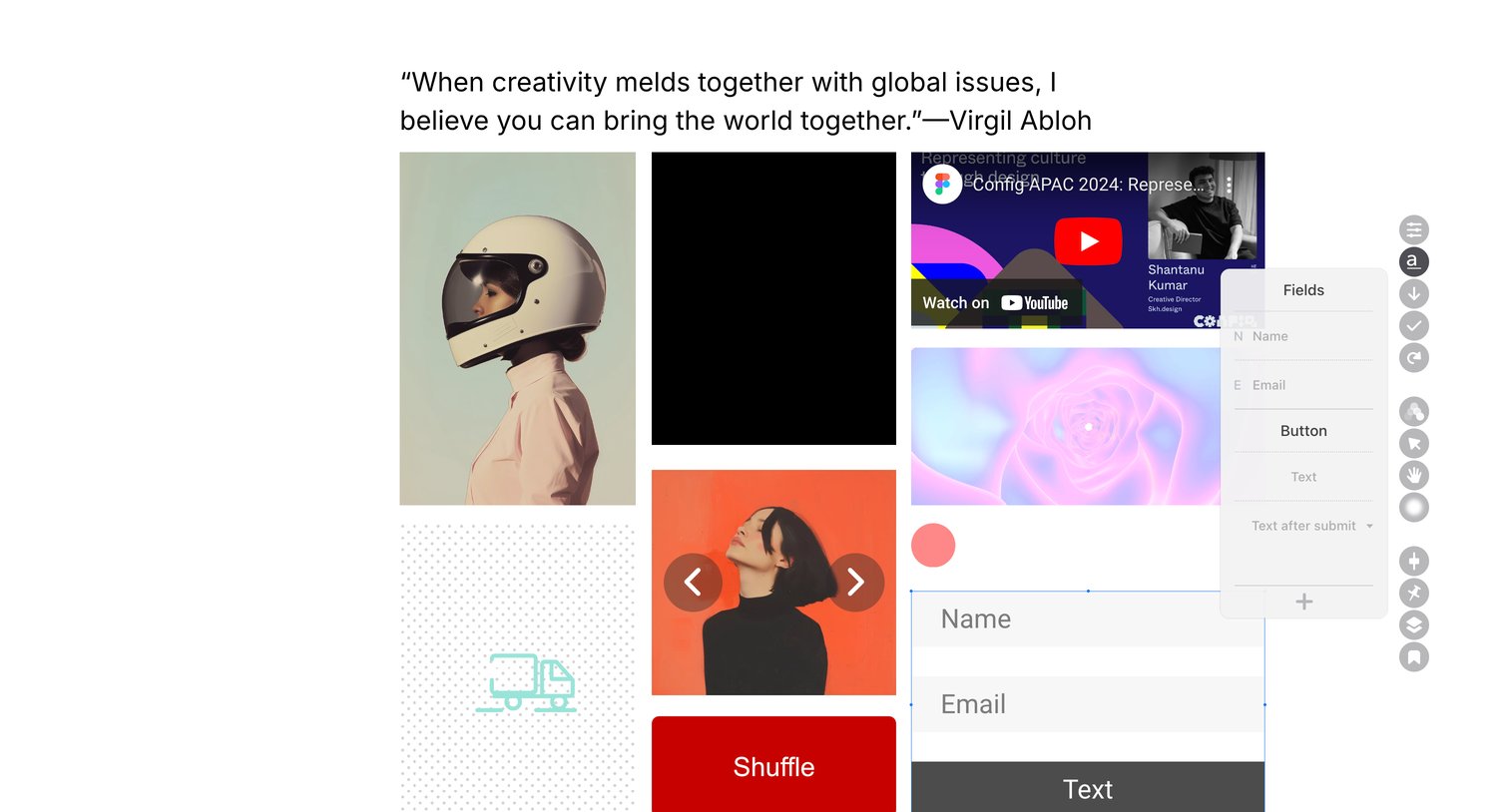

Readymag - Readymag • Project • Edit screen
Readymag logo
Readymag

Design editor canvas where the user is configuring the fields of a selected form component via a floating properties panel.

Explore the full SaaS screen library

Upgrade to unlock the full library.

Trusted by the best teams