Conversational UI screen examples
Conversational UI screen design examples from SaaS apps. Explore interfaces that organize a task as an exchange of messages. Look at how prompts, replies, and response controls establish the sequence of interaction.
Explore the examples
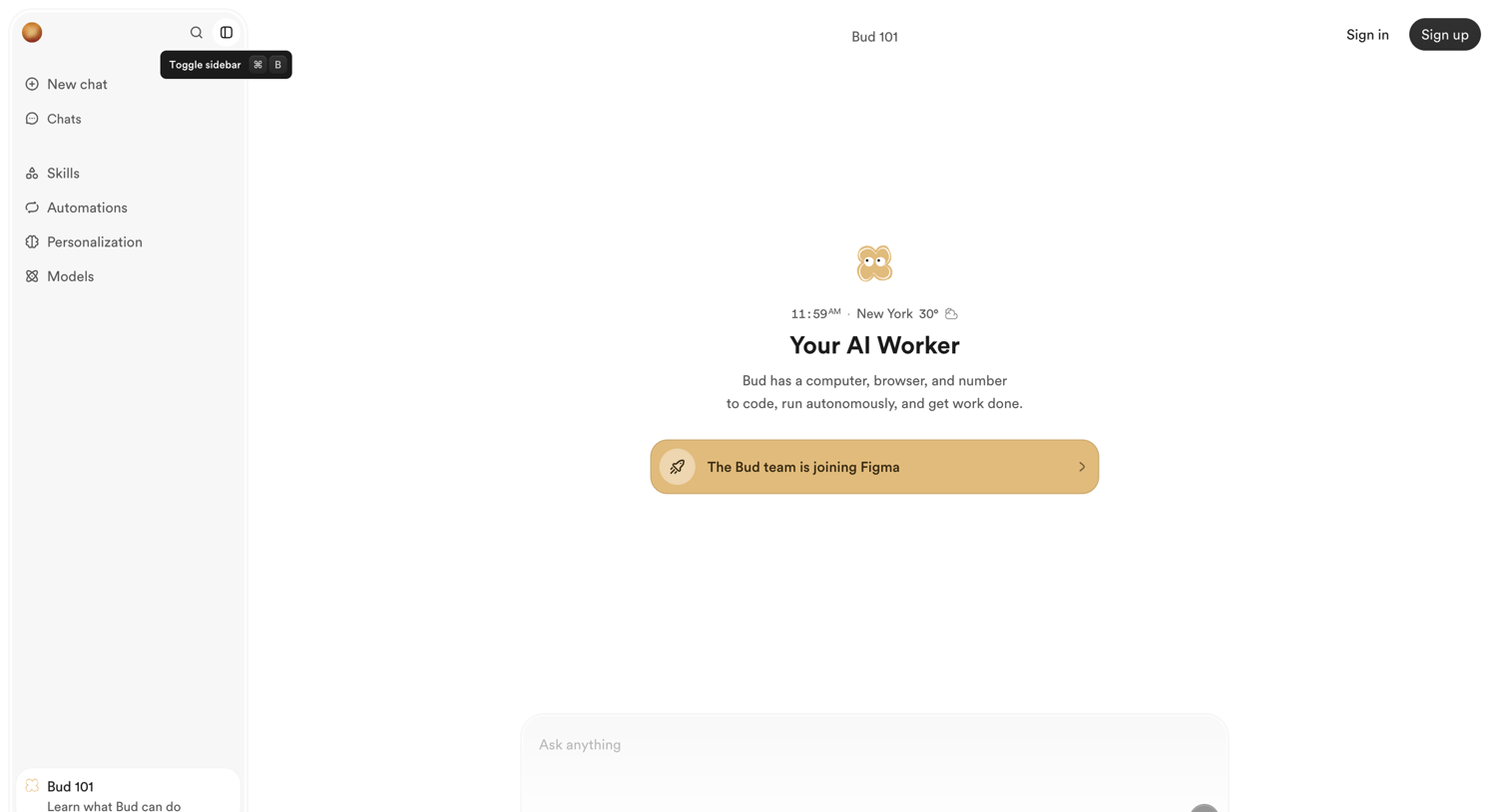

AI chat interface in an unauthenticated empty state, prompting the user to ask a question or sign up, with a prominent announcement about joining Figma.
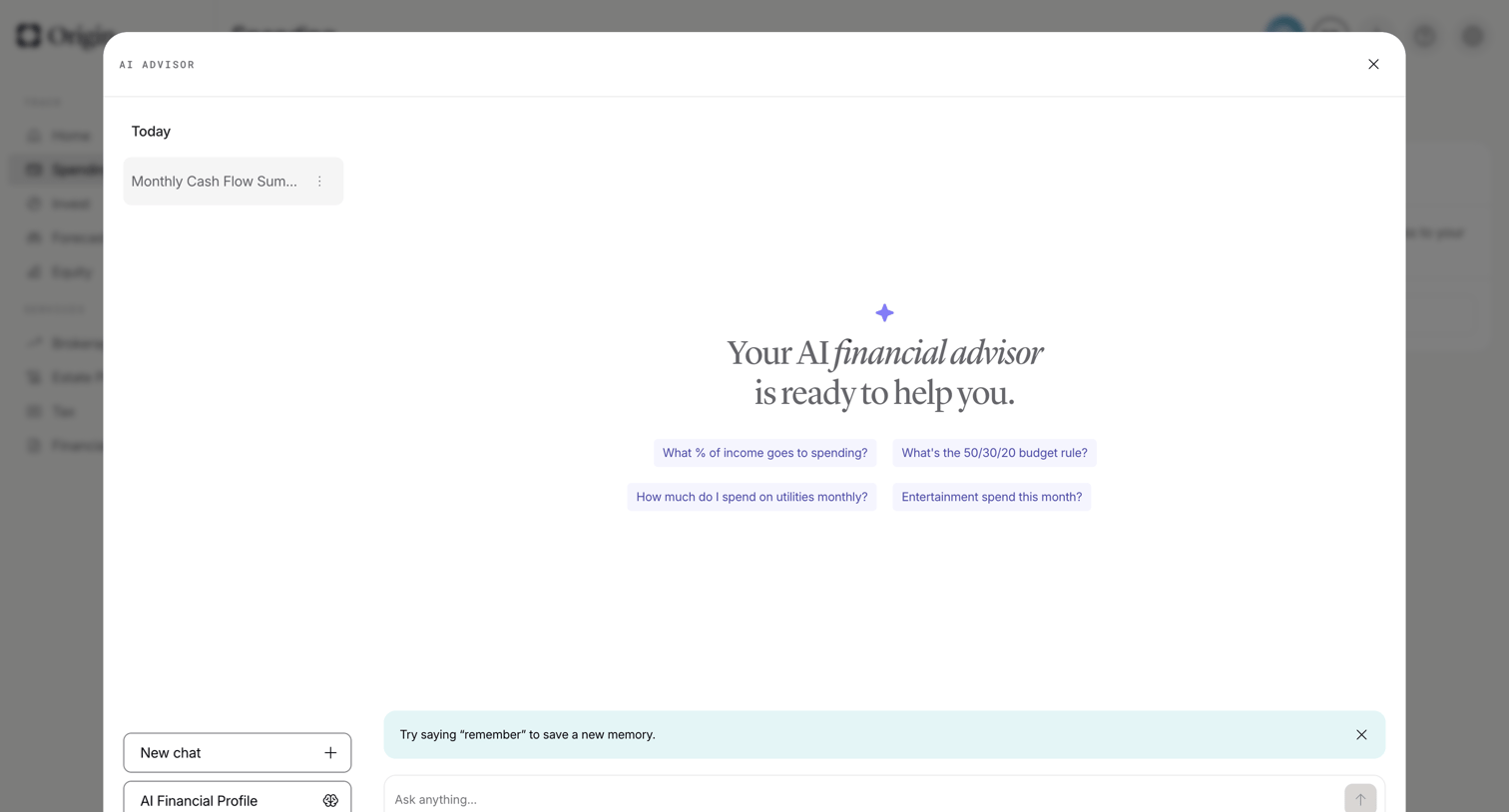

AI chat overlay where the user can ask financial questions, start a new chat, or access their AI financial profile.
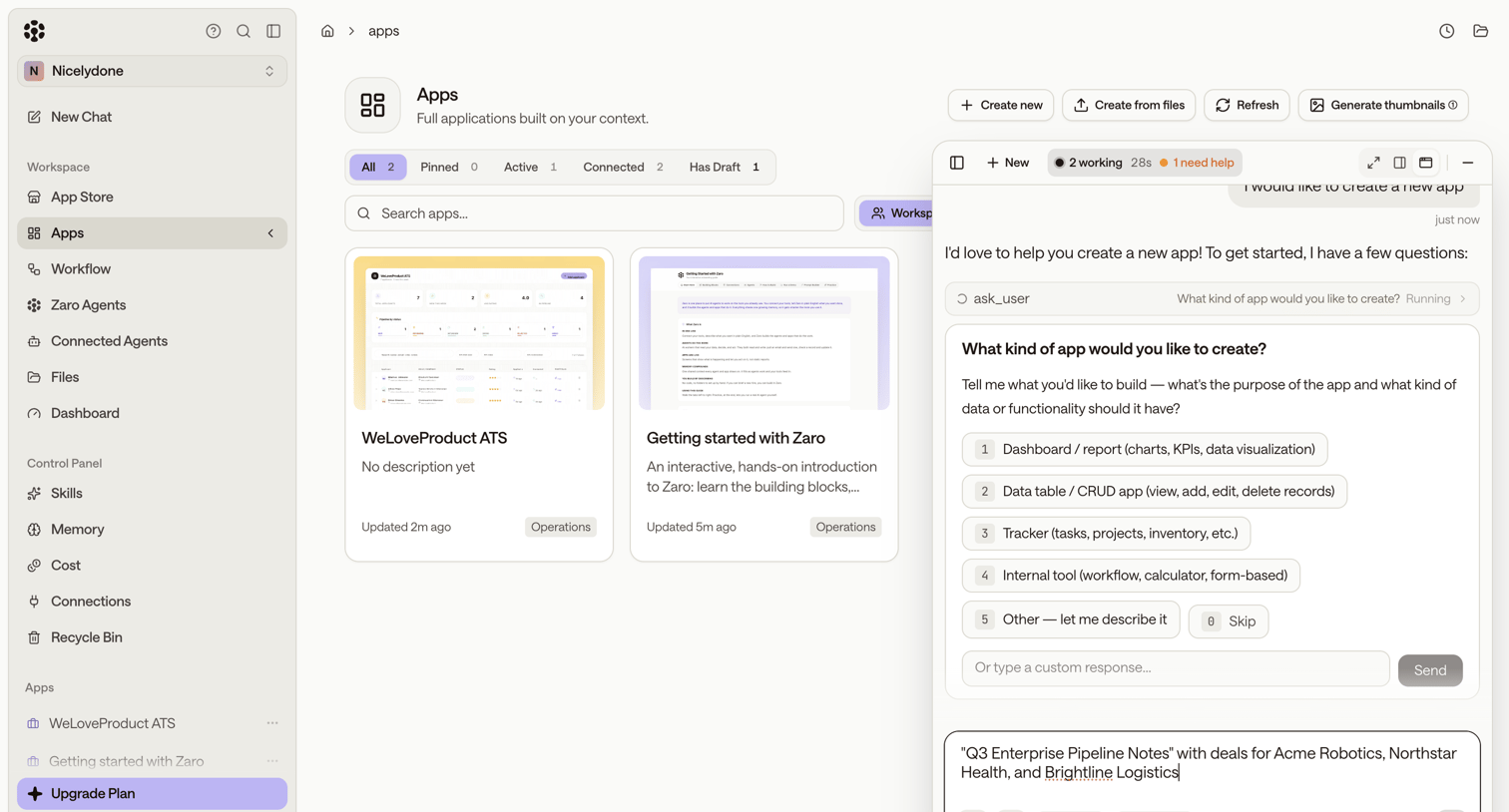

List view where the user browses their existing applications while interacting with an AI agent in a side panel to generate a new app.
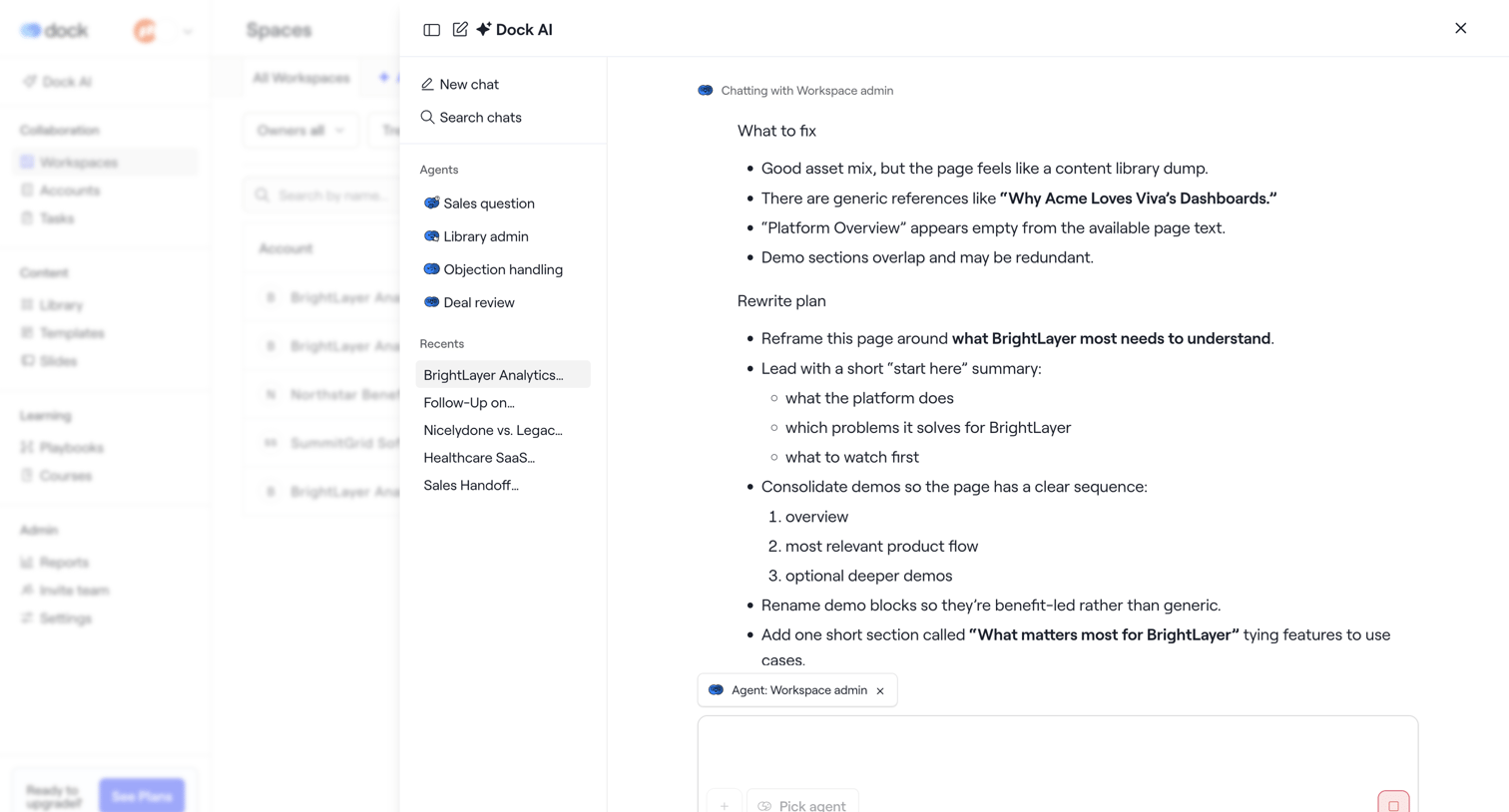

AI assistant drawer where the user chats with a workspace admin agent to review a rewrite plan for a BrightLayer page.
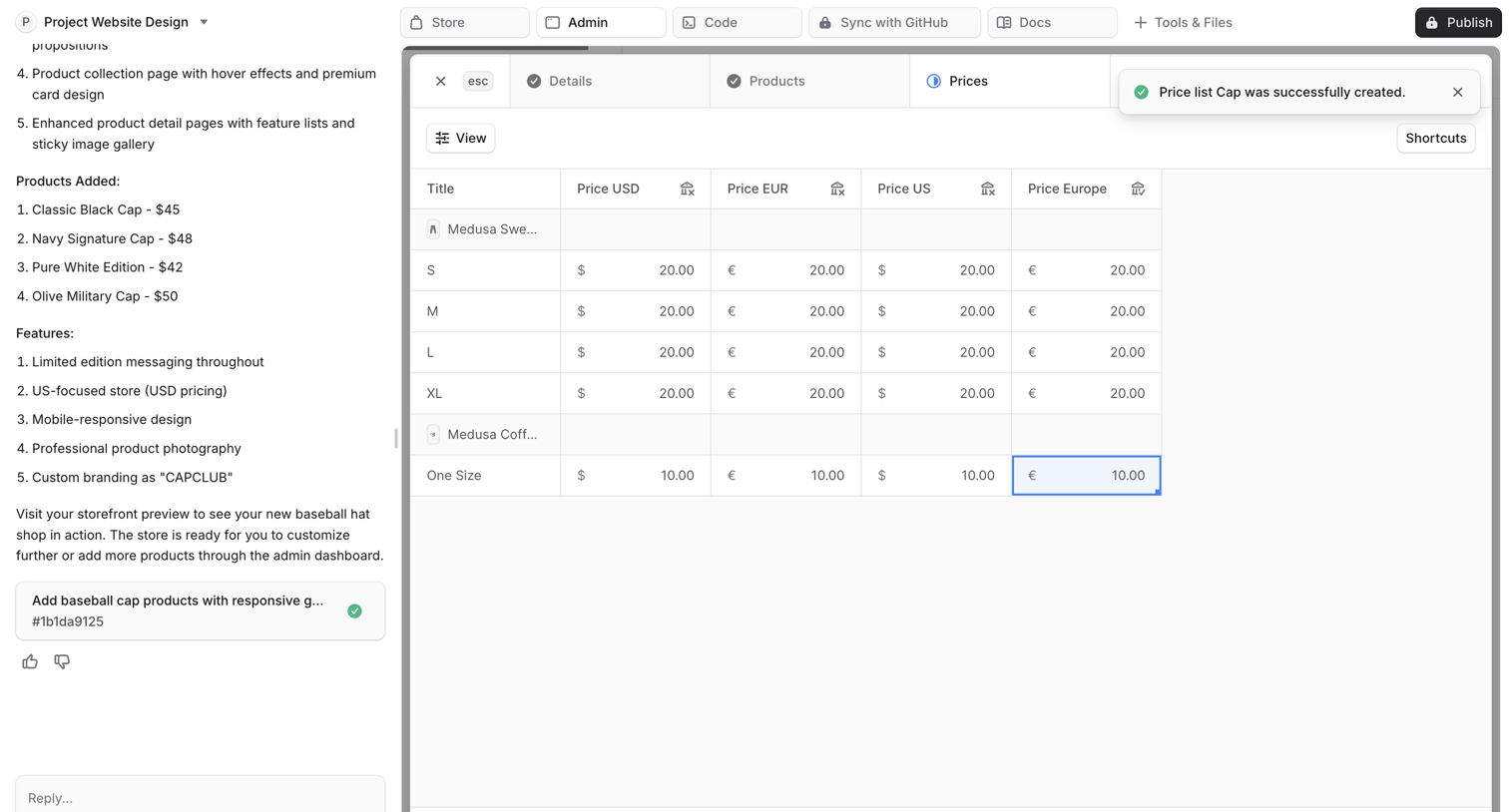

AI workspace where the user is building an e-commerce store, currently viewing and editing the generated pricing table in the admin panel.
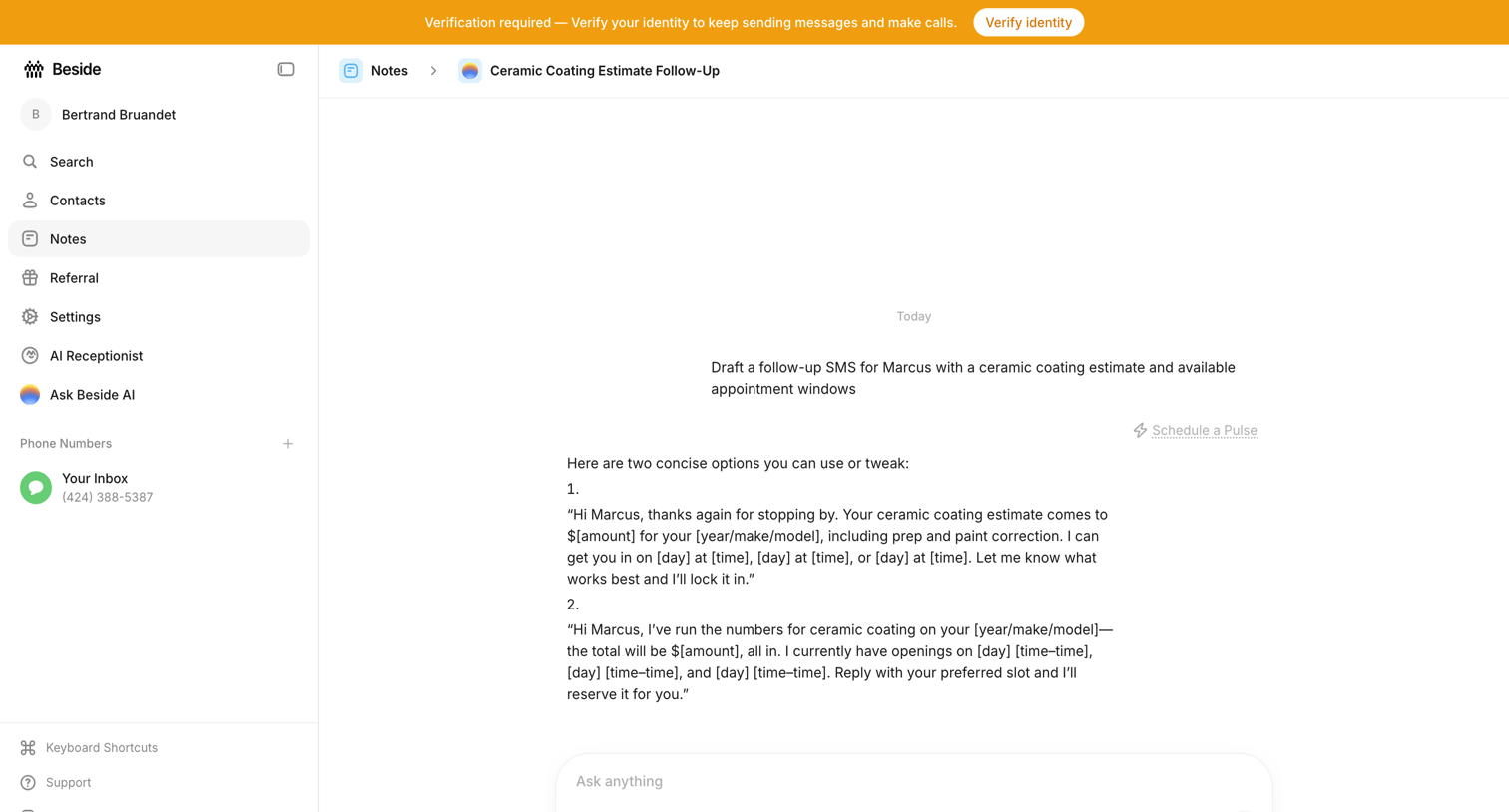

AI chat interface within a note where the user prompts the assistant to draft a follow-up SMS for a ceramic coating estimate, accompanied by a global identity verification banner.
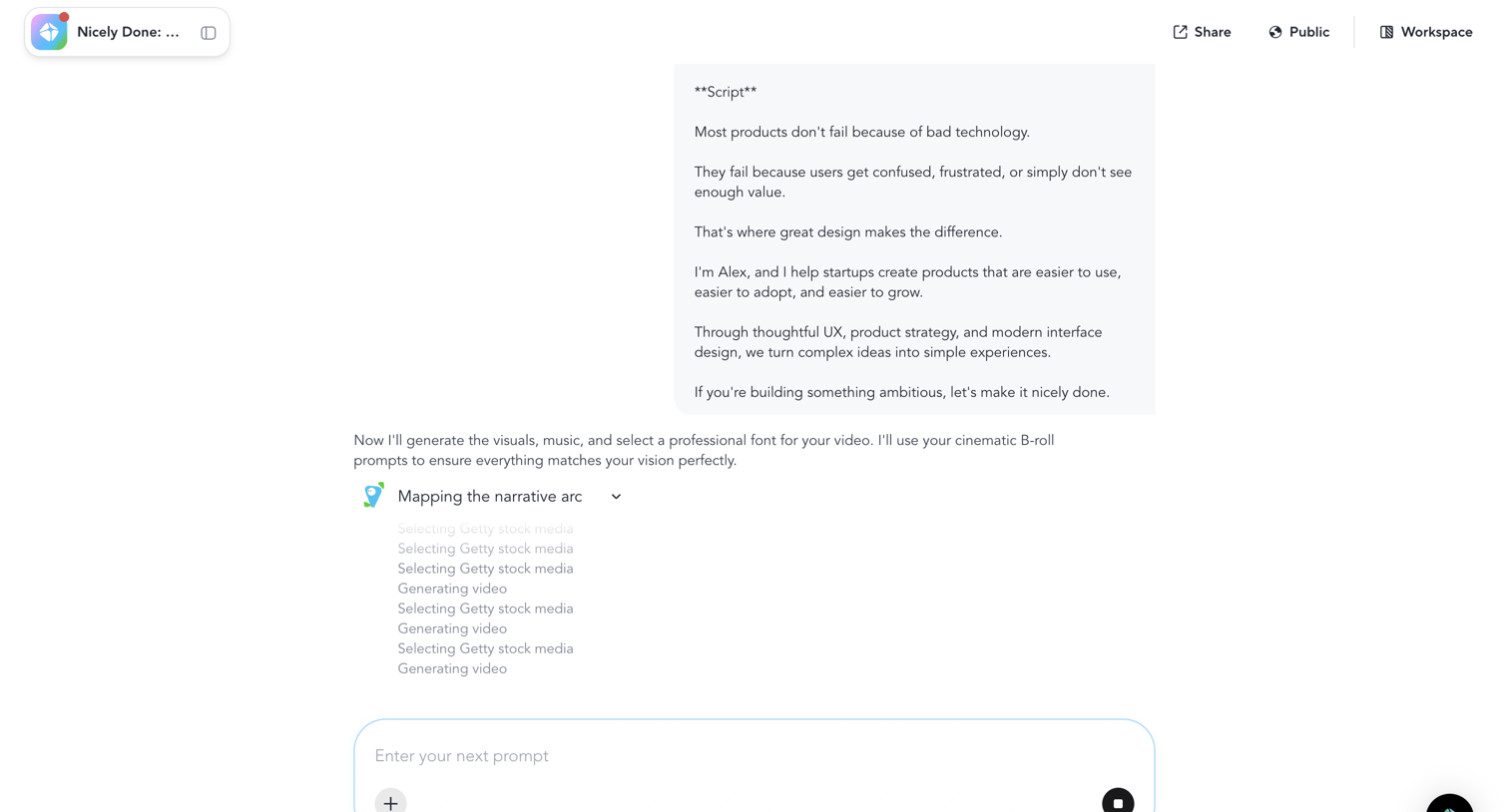

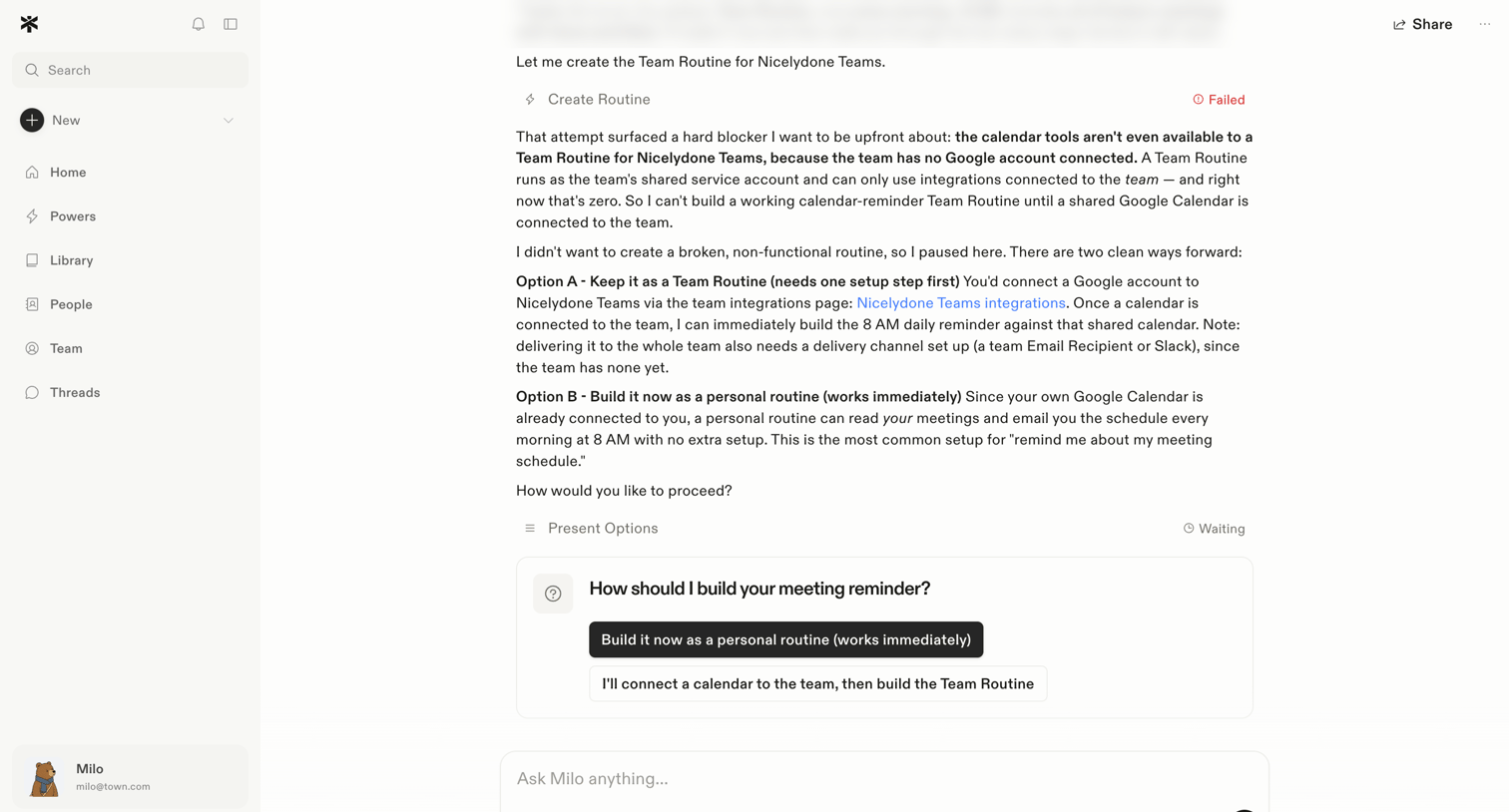

AI chat interface where the assistant explains a blocker in creating a team routine and presents interactive options to proceed.
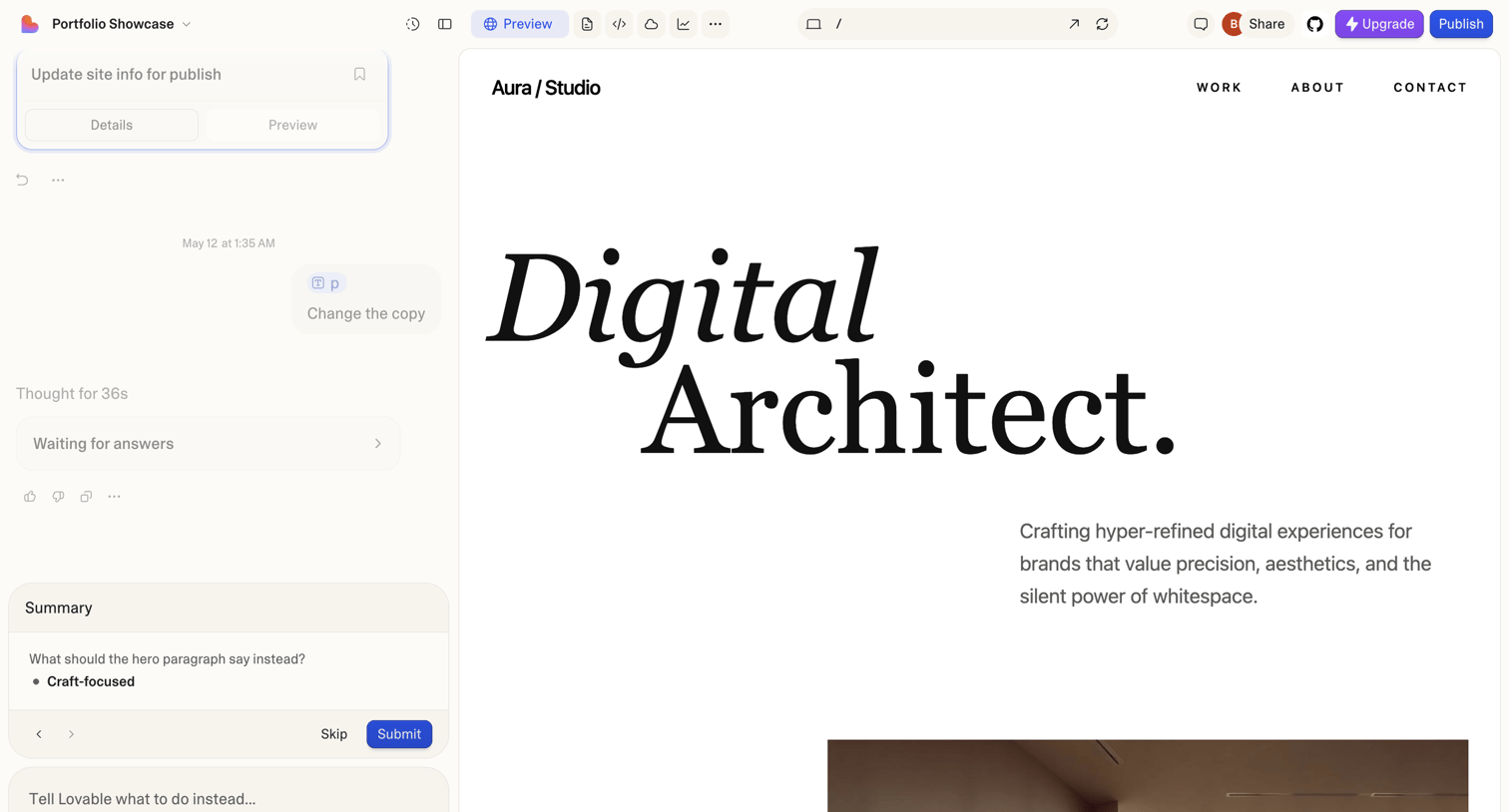

Design editor where the user builds a portfolio website by chatting with an AI assistant to change copy and layout.
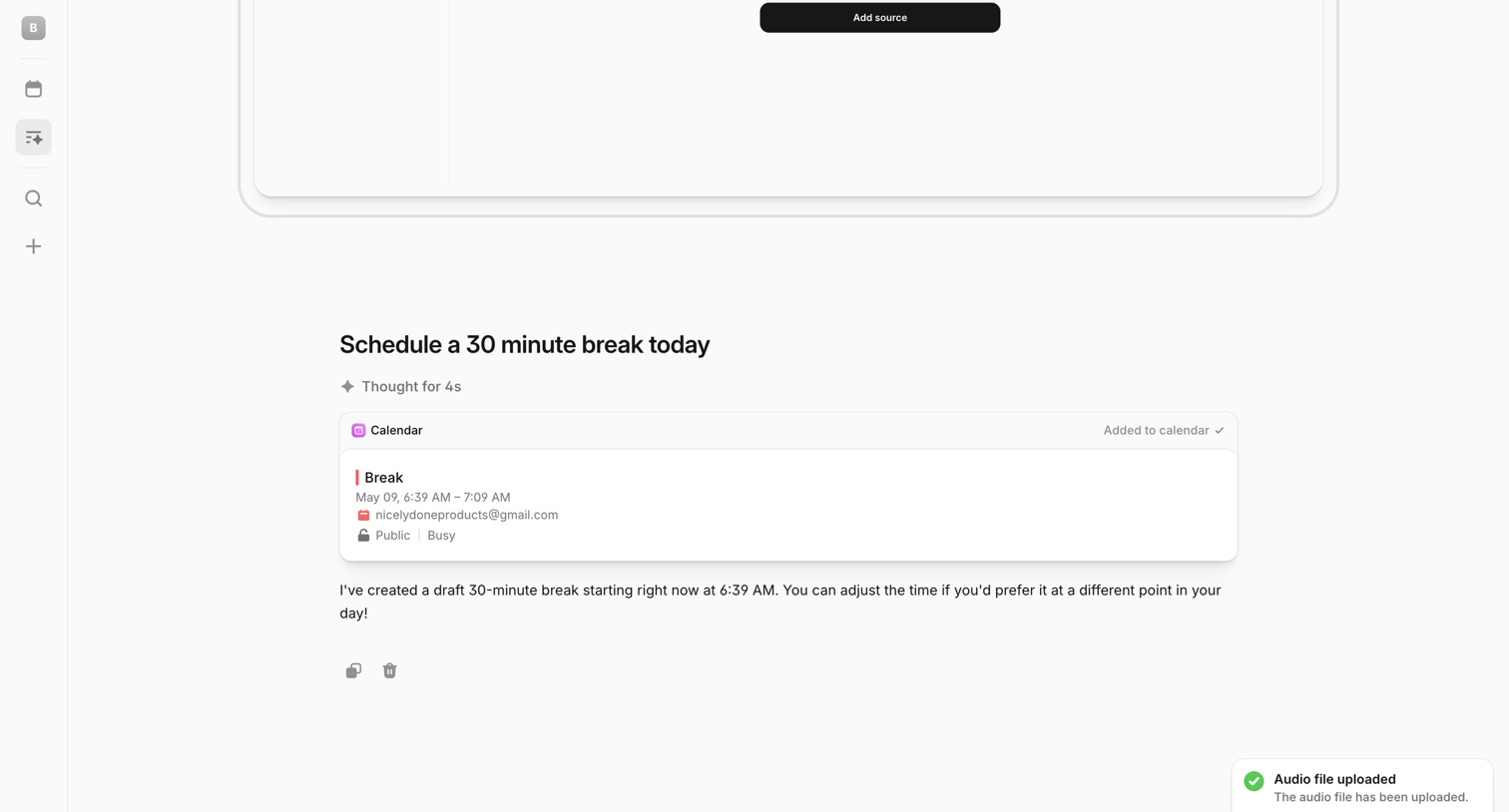

AI chat interface where the user has requested to schedule a break, showing the AI's drafted calendar event card, a reasoning indicator, and a bottom composer with a success toast notification.
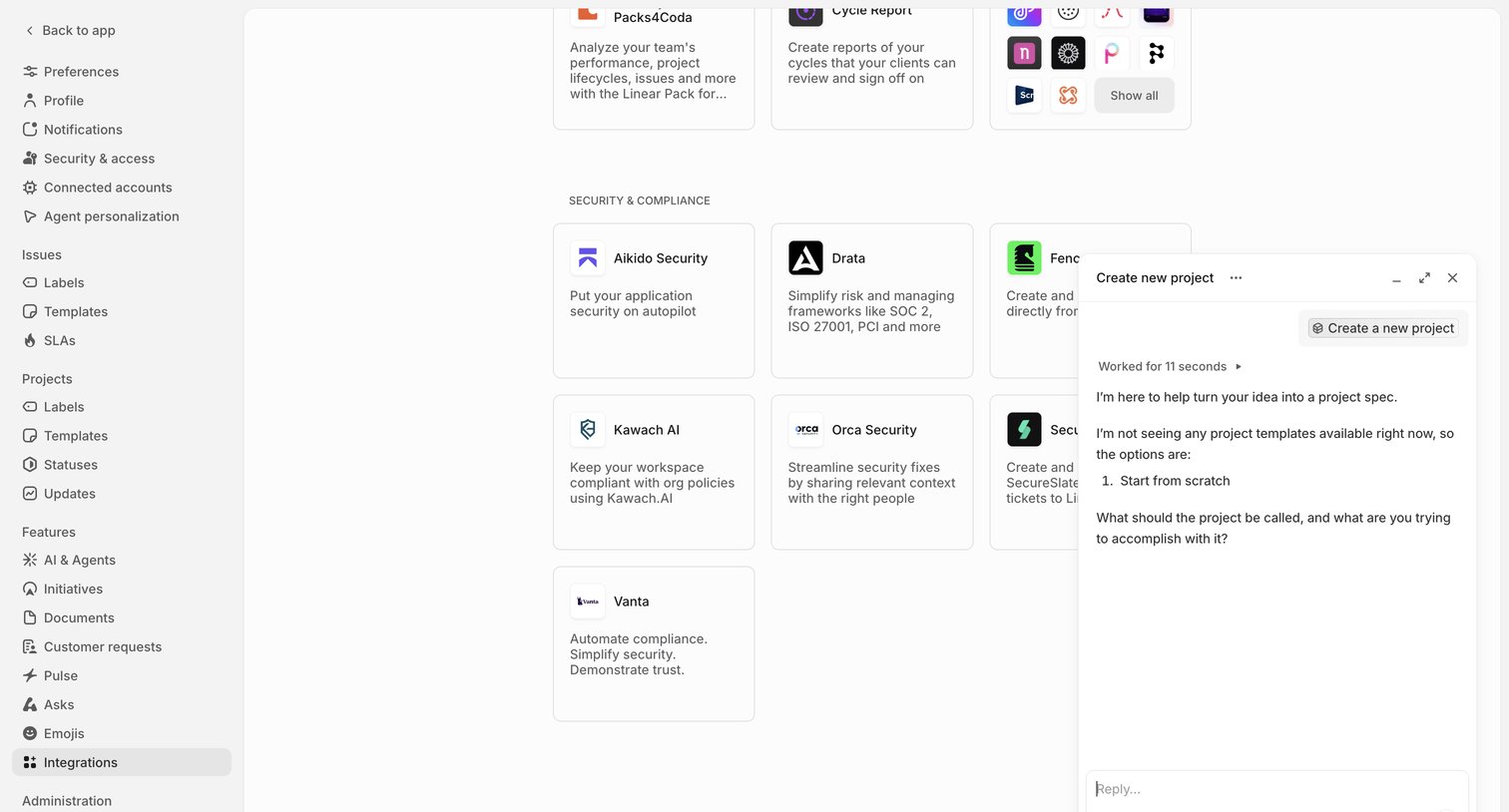

Settings page where the user browses security and compliance integrations while an AI assistant floats in a panel to help turn an idea into a project spec.
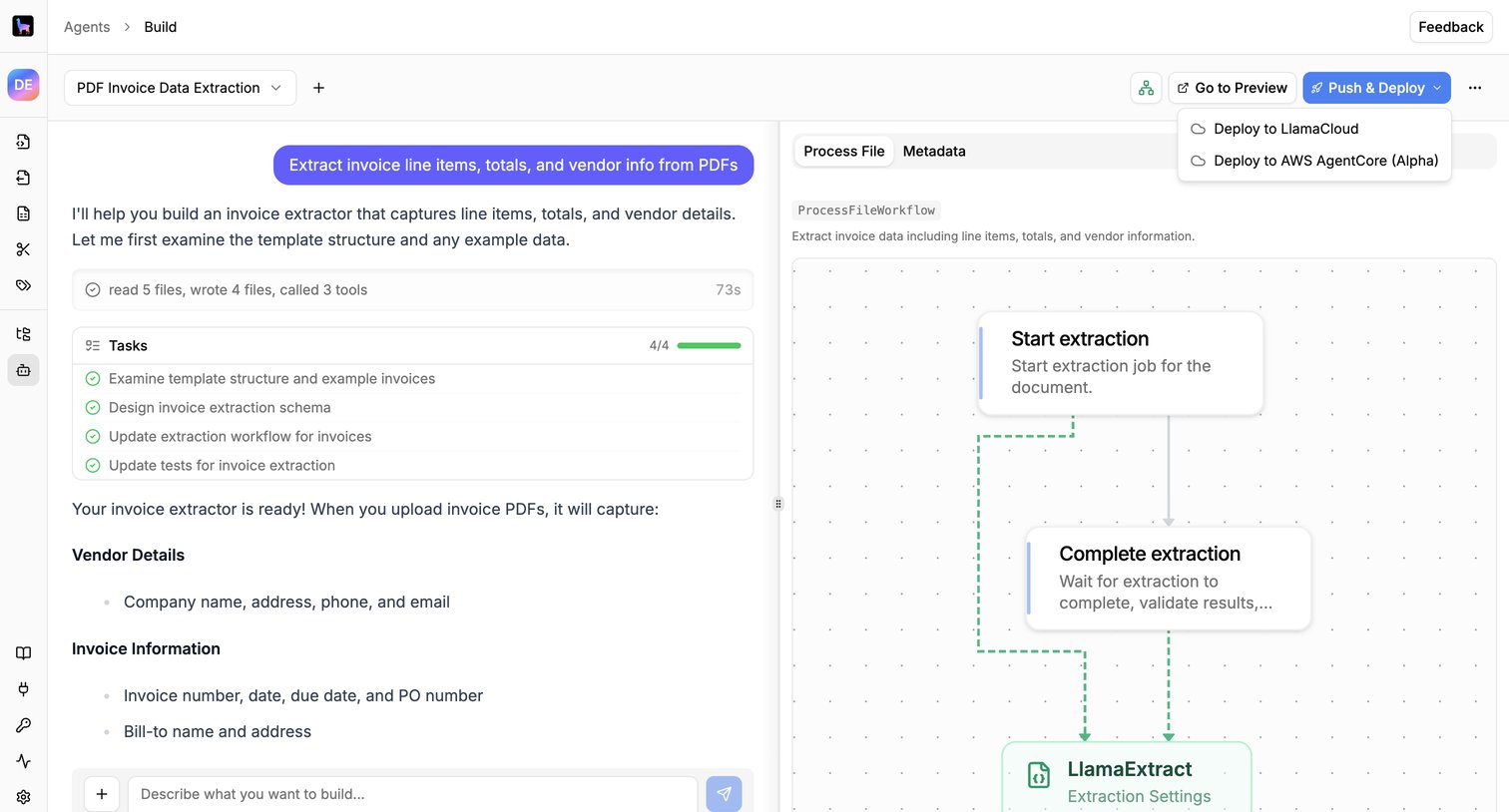

Design editor where the user builds an invoice data extraction workflow using an AI chat assistant alongside a visual node canvas.
Explore the full SaaS screen library
Upgrade to unlock the full library.
Trusted by the best teams








About Conversational UI
Explore interfaces that organize a task as an exchange of messages. Look at how prompts, replies, and response controls establish the sequence of interaction.