Add & Create screen examples
Add & Create screen design examples from SaaS apps. See how SaaS apps introduce the steps for creating a new item. Browse forms and dialogs that explain required details and place the creation action…
Explore the examples
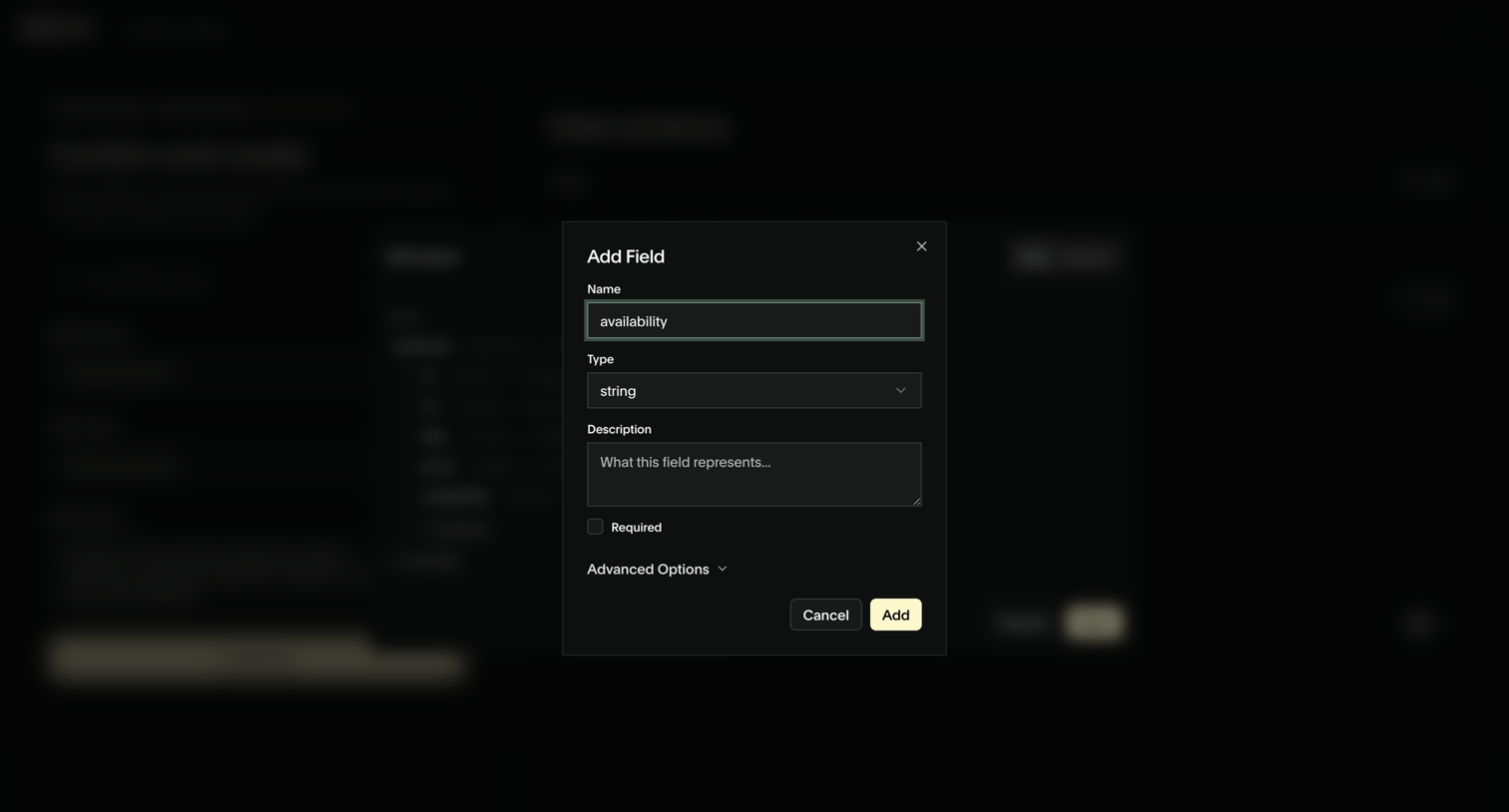

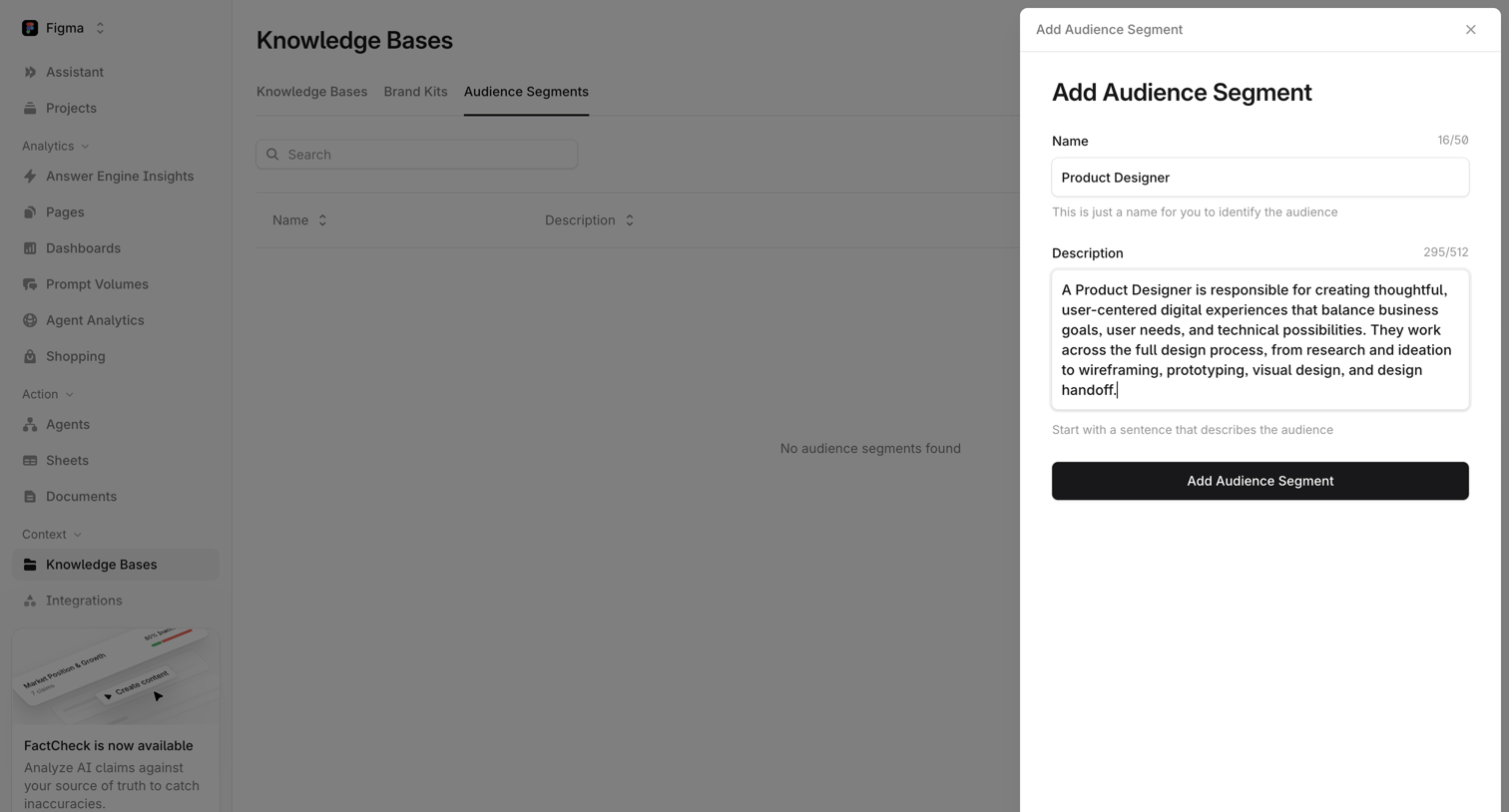

List view for audience segments with an open side drawer where the user can create a new segment by entering a name and description.
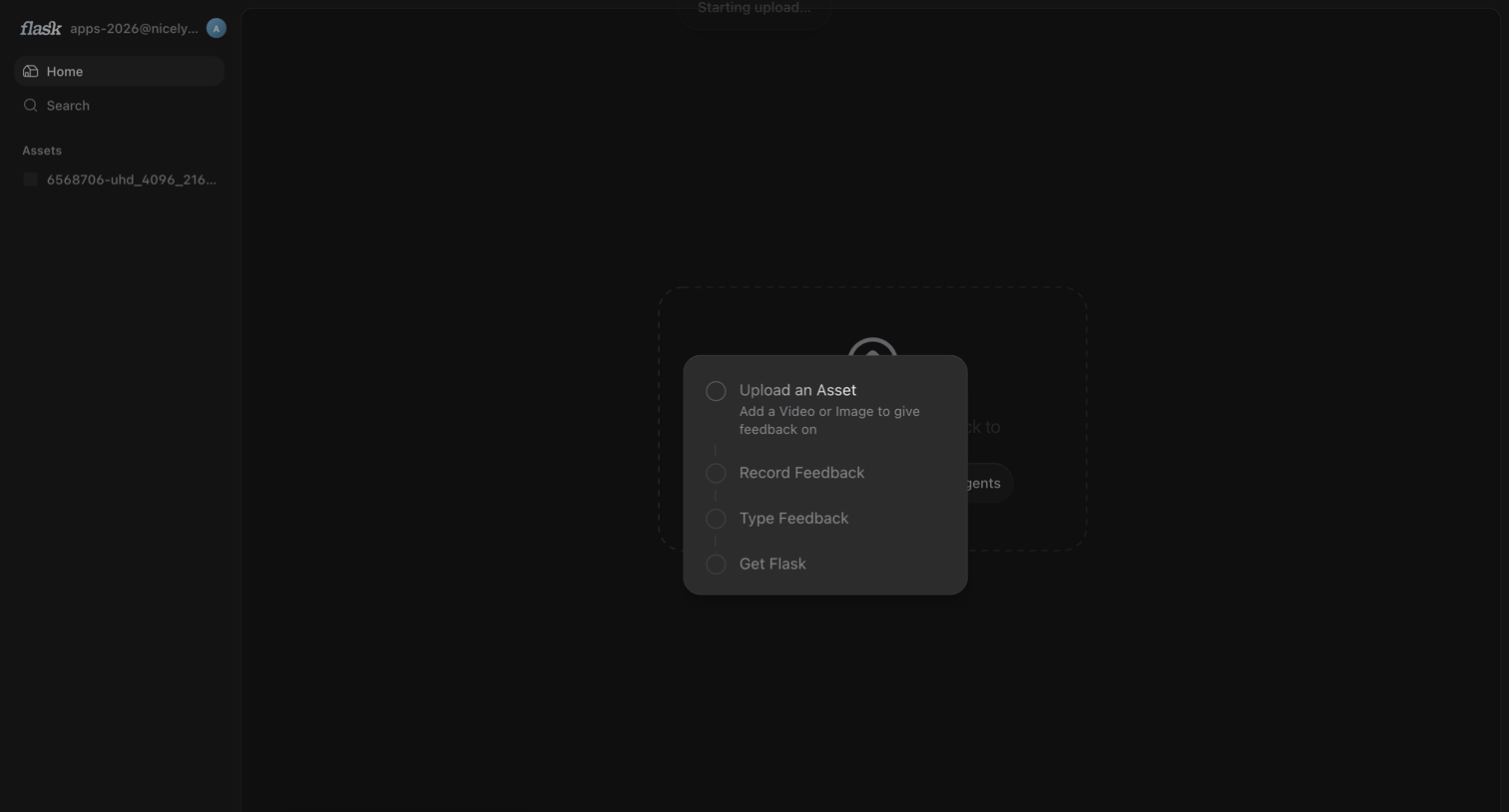

Home screen in an empty state showing a centered menu to upload an asset, record feedback, or type feedback, while an upload starts in the background.
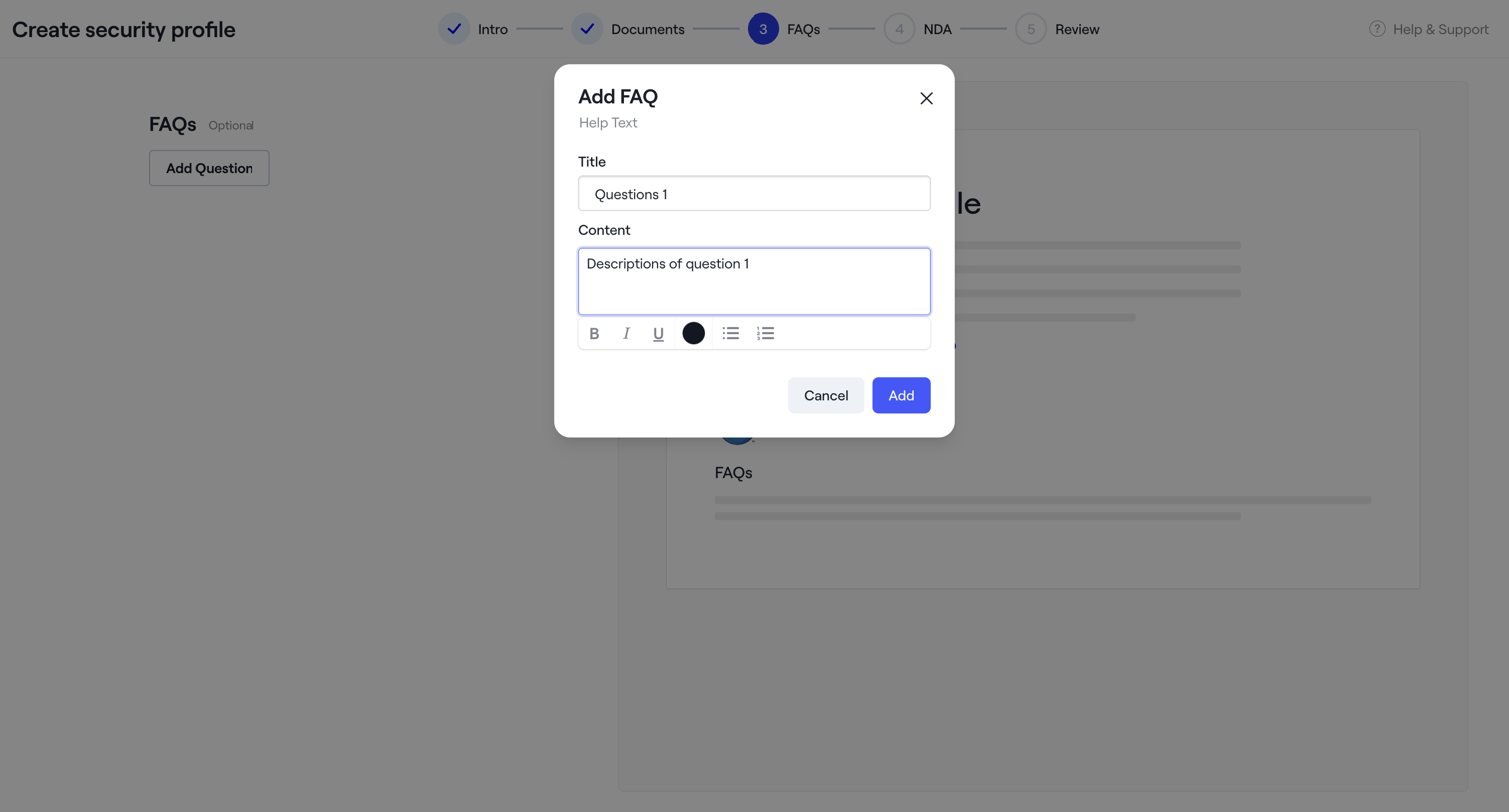

Wizard step for creating a security profile where the user adds an FAQ entry via a modal containing a rich text editor.
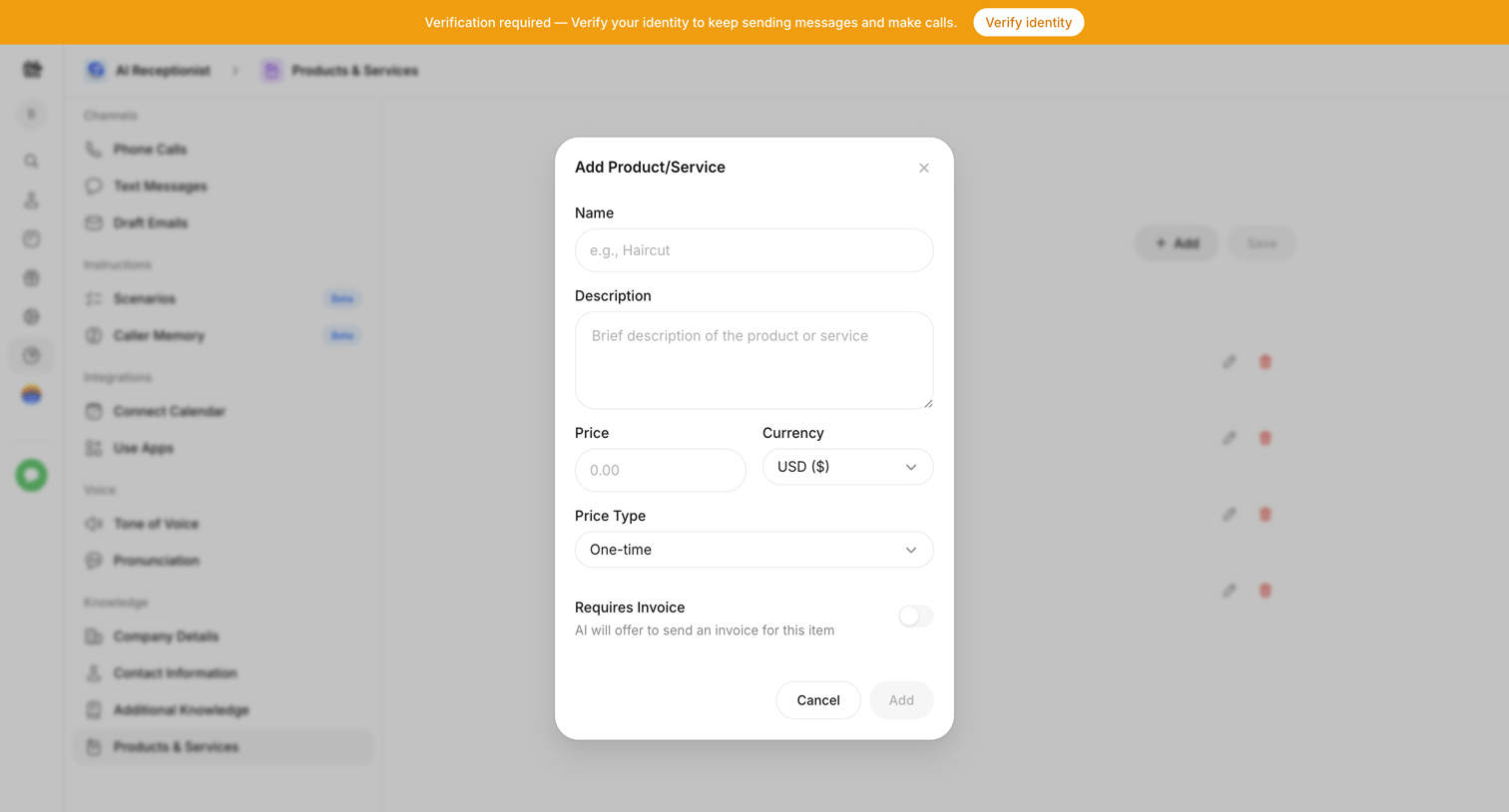

Settings page where the user adds a new product or service to their AI receptionist's knowledge base, specifying name, description, price, and invoice requirements.

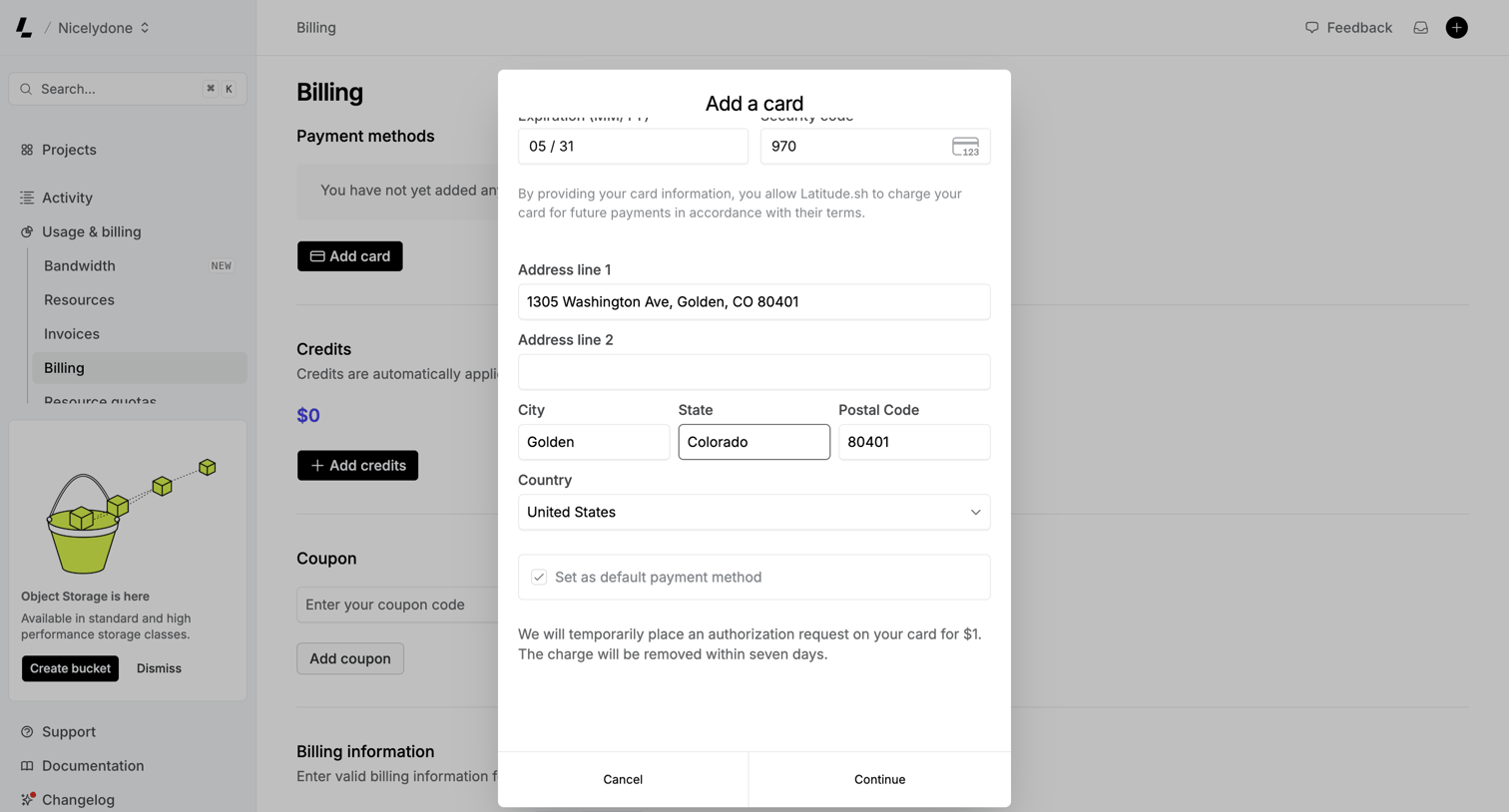

Settings page where the user adds a new credit card, including expiration, security code, and billing address, to their payment methods.
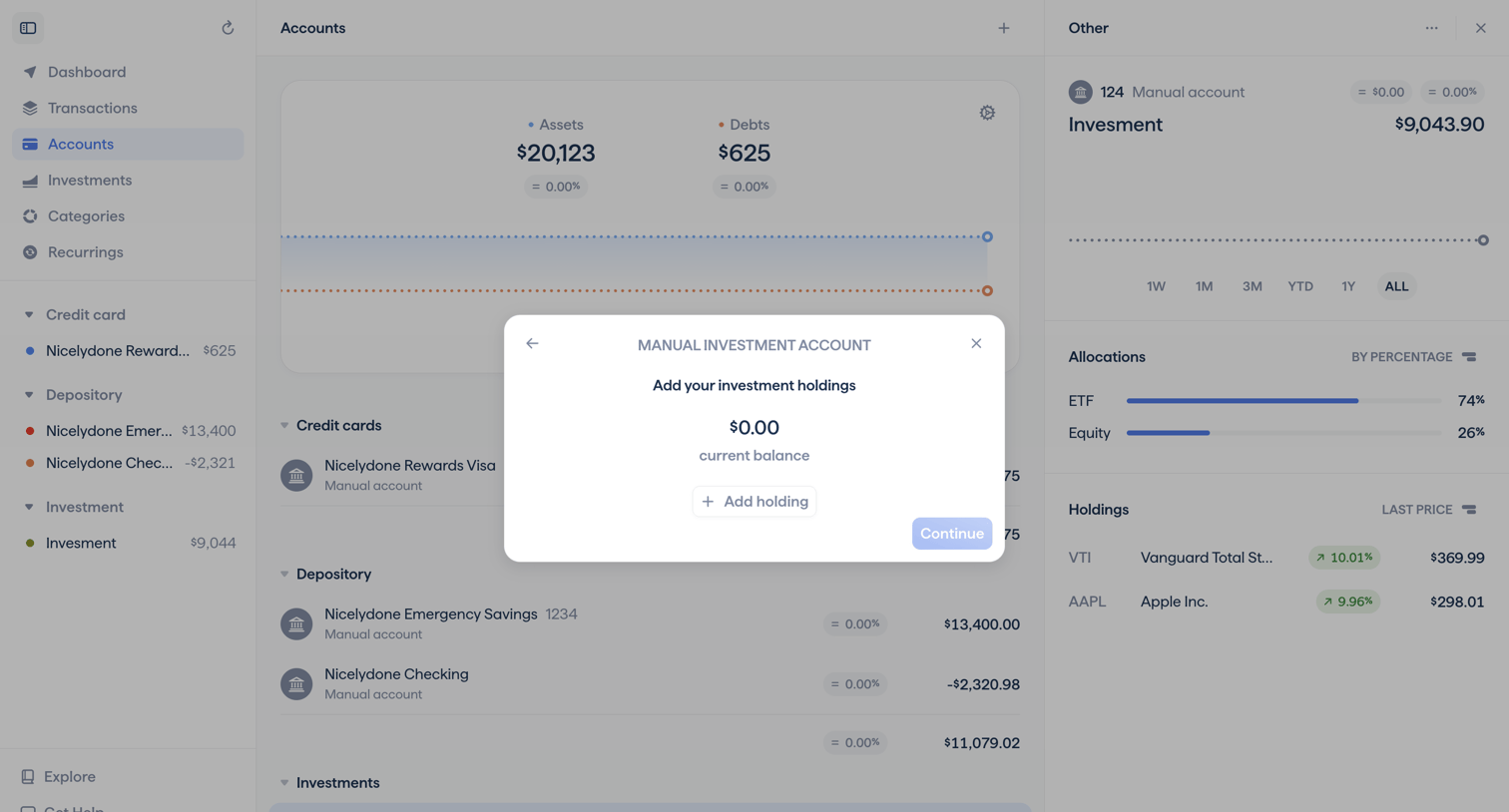

Dashboard where the user is adding a manual investment account and is prompted to add their holdings to establish a starting balance.
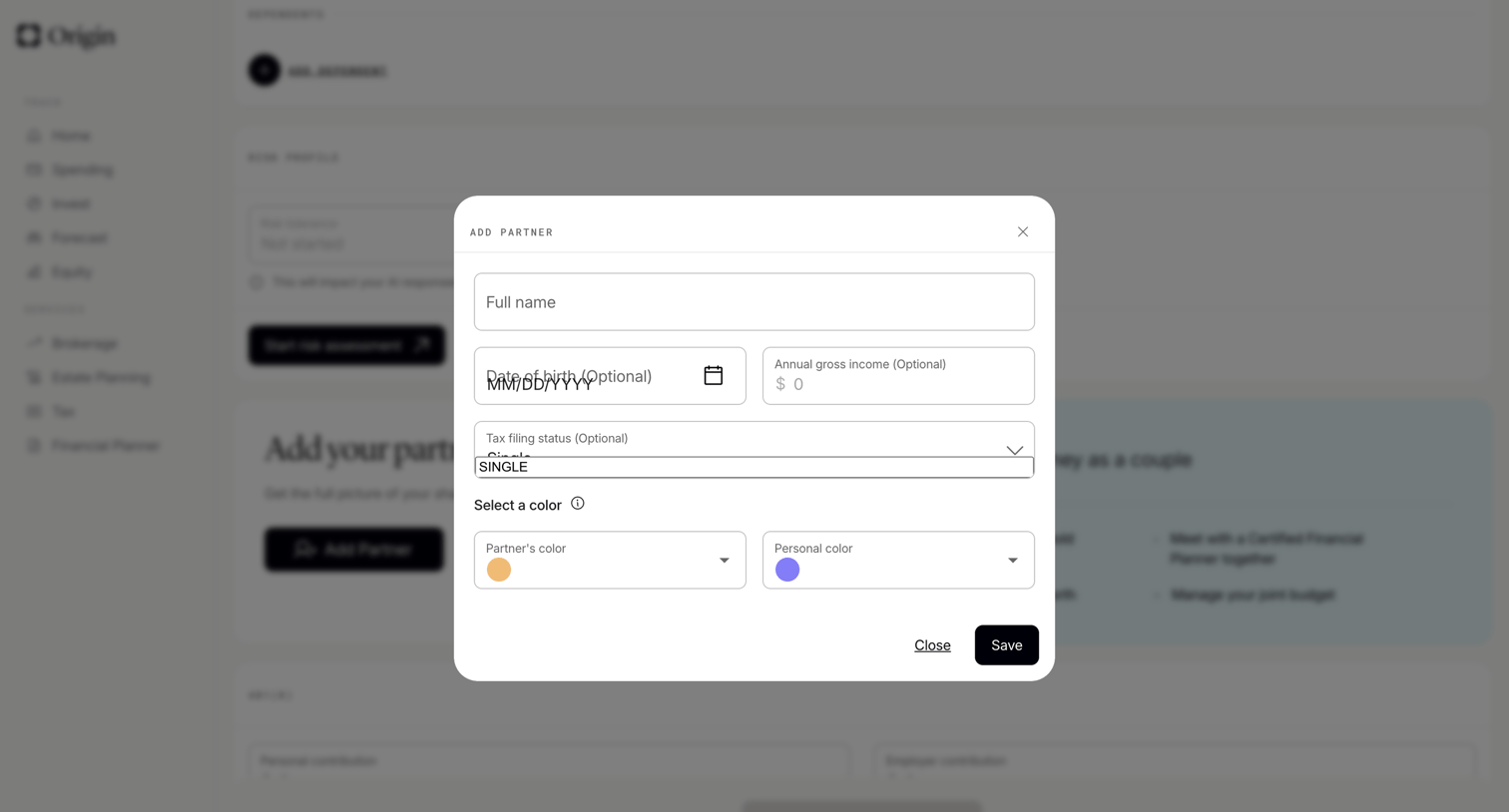

Settings page where the user fills out a form in a modal to add a partner to their financial profile, specifying name, date of birth, income, and assigning color codes.
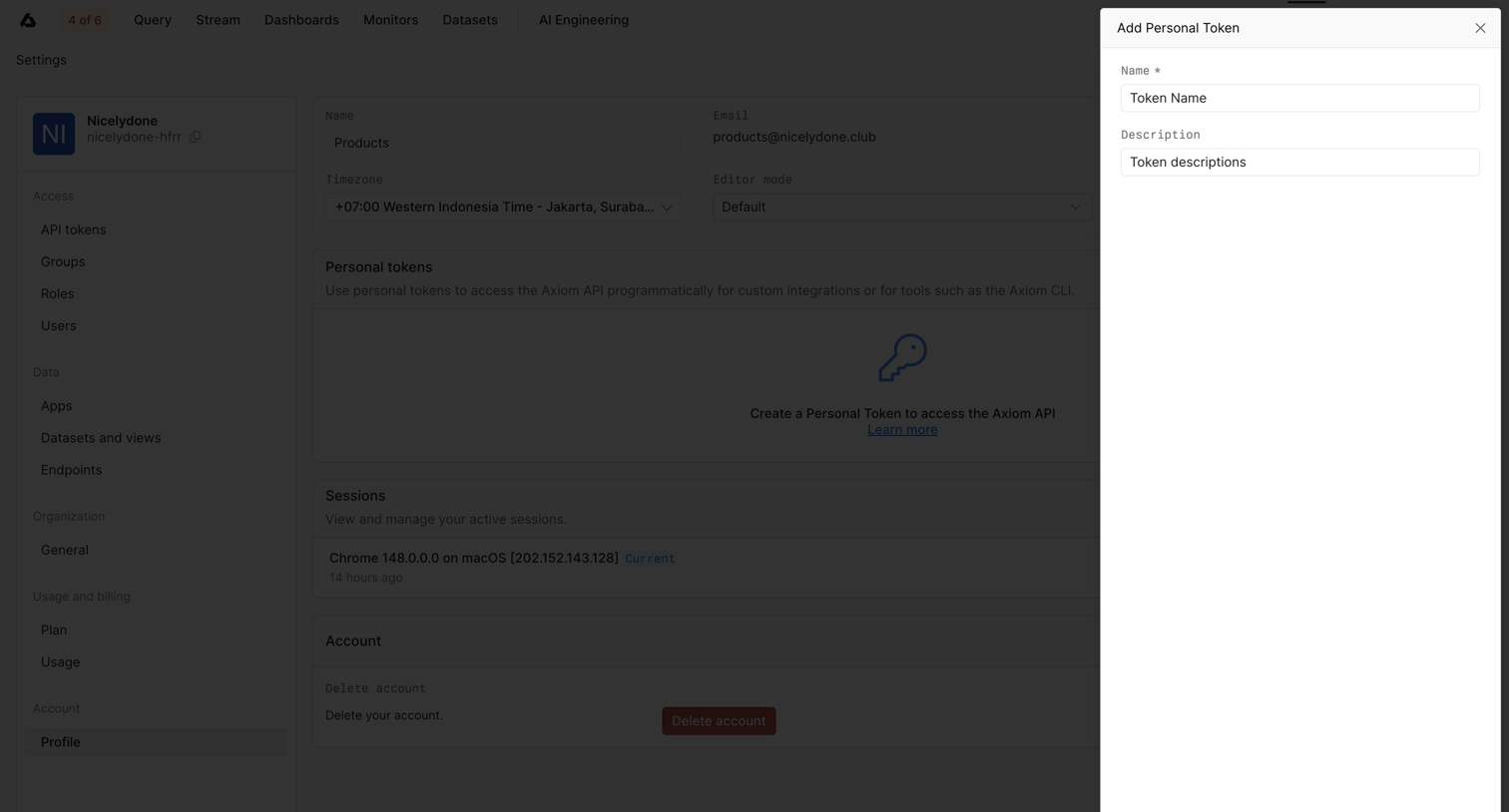

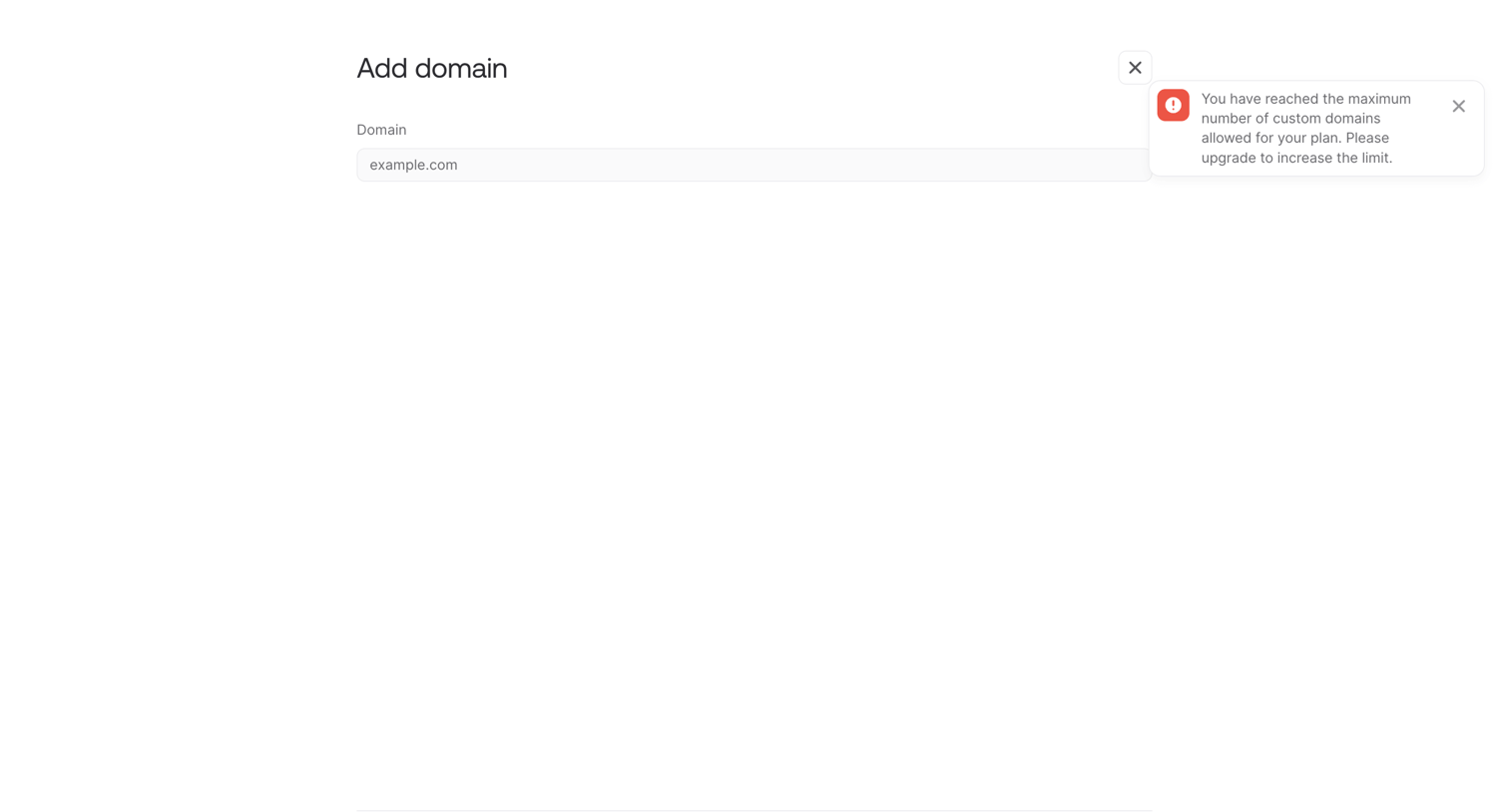

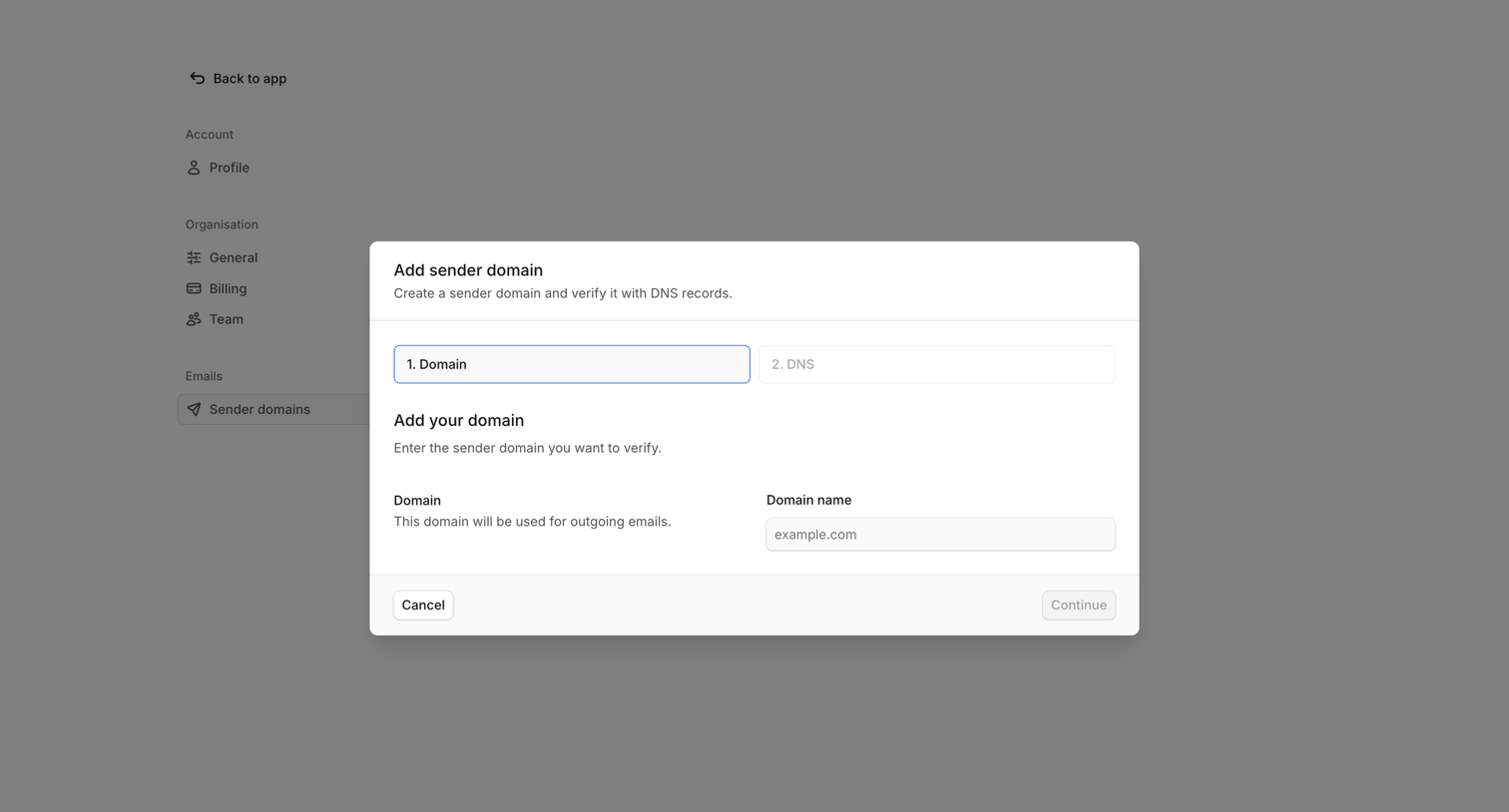
Settings modal for adding a custom domain where the user is blocked by a plan limit error and prompted to upgrade.
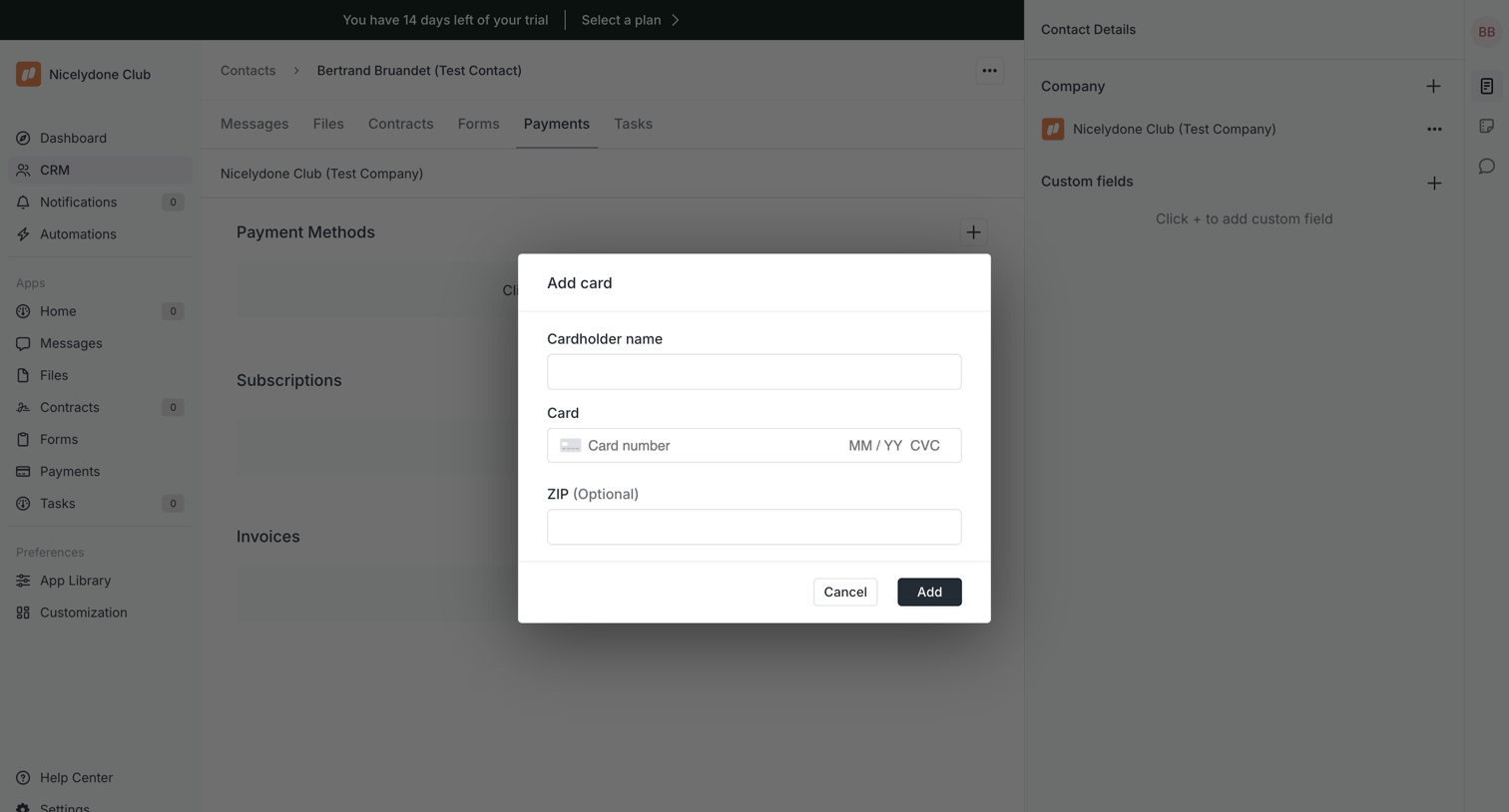

Detail page for a CRM contact where the user is adding a new credit card via a modal over the payments tab.
Explore the full SaaS screen library
Upgrade to unlock the full library.
Trusted by the best teams








About Add & Create
See how SaaS apps introduce the steps for creating a new item. Browse forms and dialogs that explain required details and place the creation action alongside its supporting context.