Share screen examples
Share screen design examples from SaaS apps. See how SaaS apps make content available to other people. Explore how sharing interfaces present links, recipients, and visibility choices alongside the…
Explore the examples
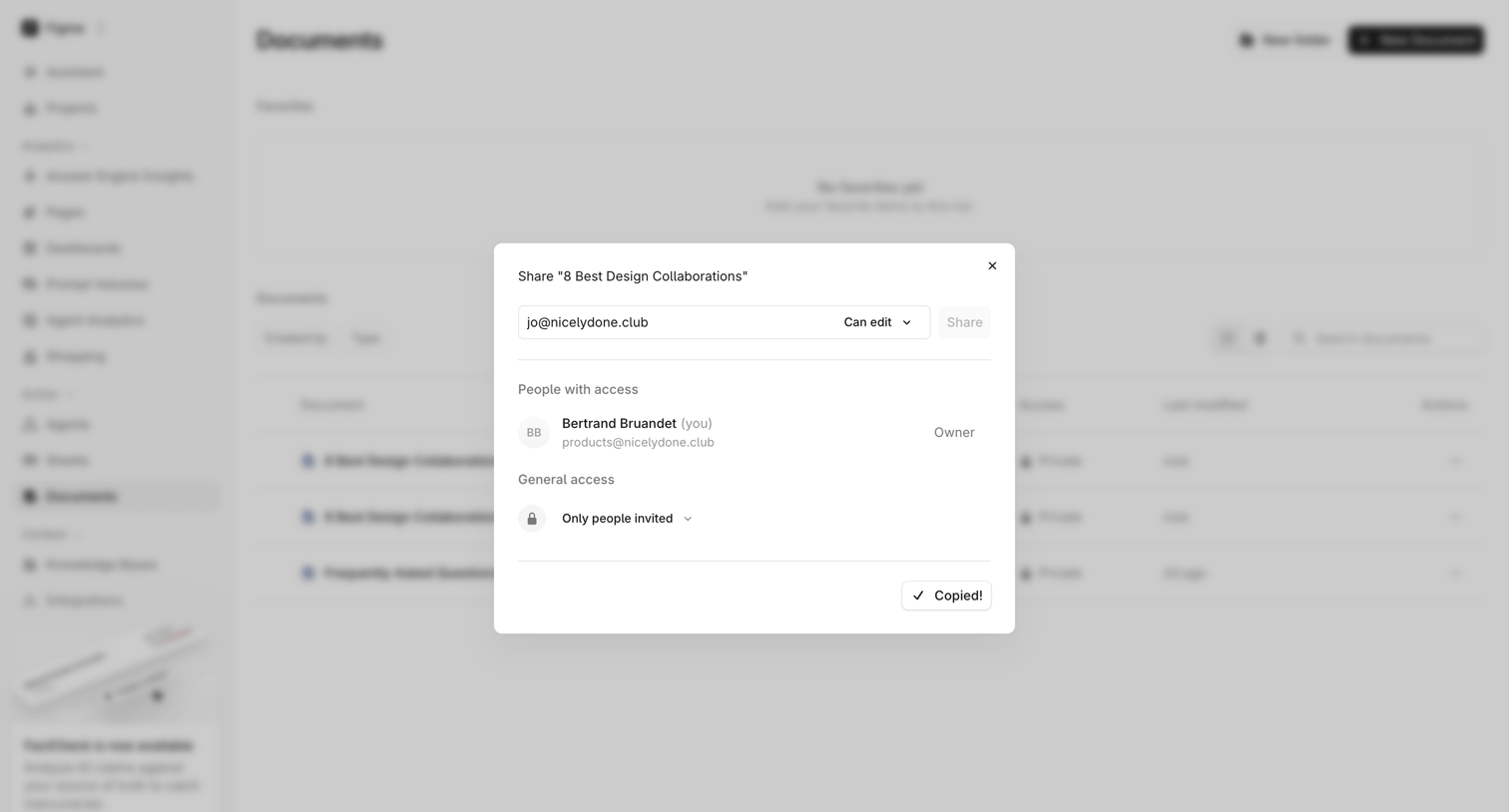

List view where the user has opened a modal to share a document, showing an email input for invites, an access list, and a copied link confirmation.
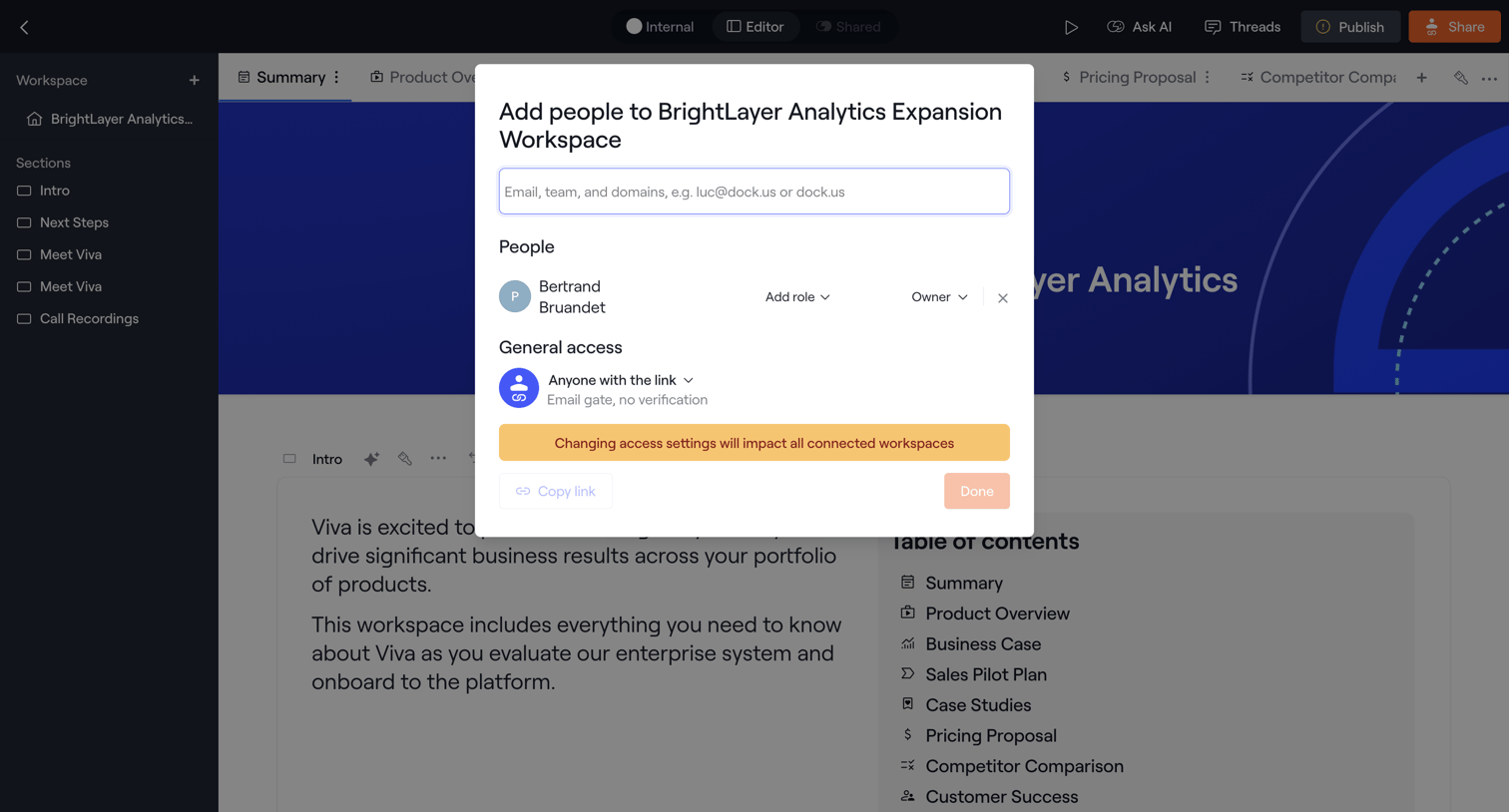

Content editor where the user manages workspace access by inviting teammates via email and configuring link-sharing permissions.
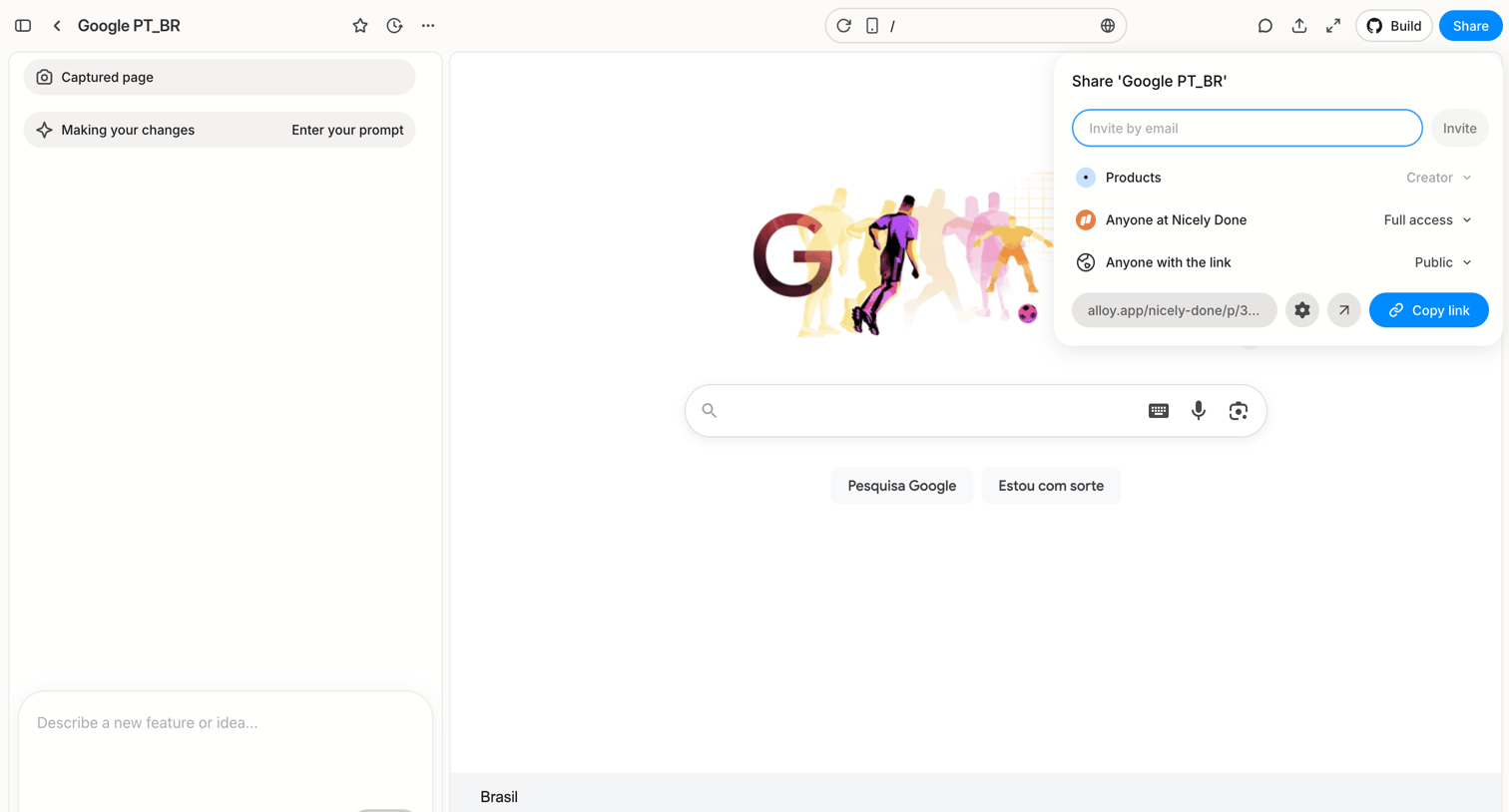

Design editor where the user has opened the share popover to invite collaborators by email or copy a public link, while an AI prompt box sits ready to make changes to the captured webpage.
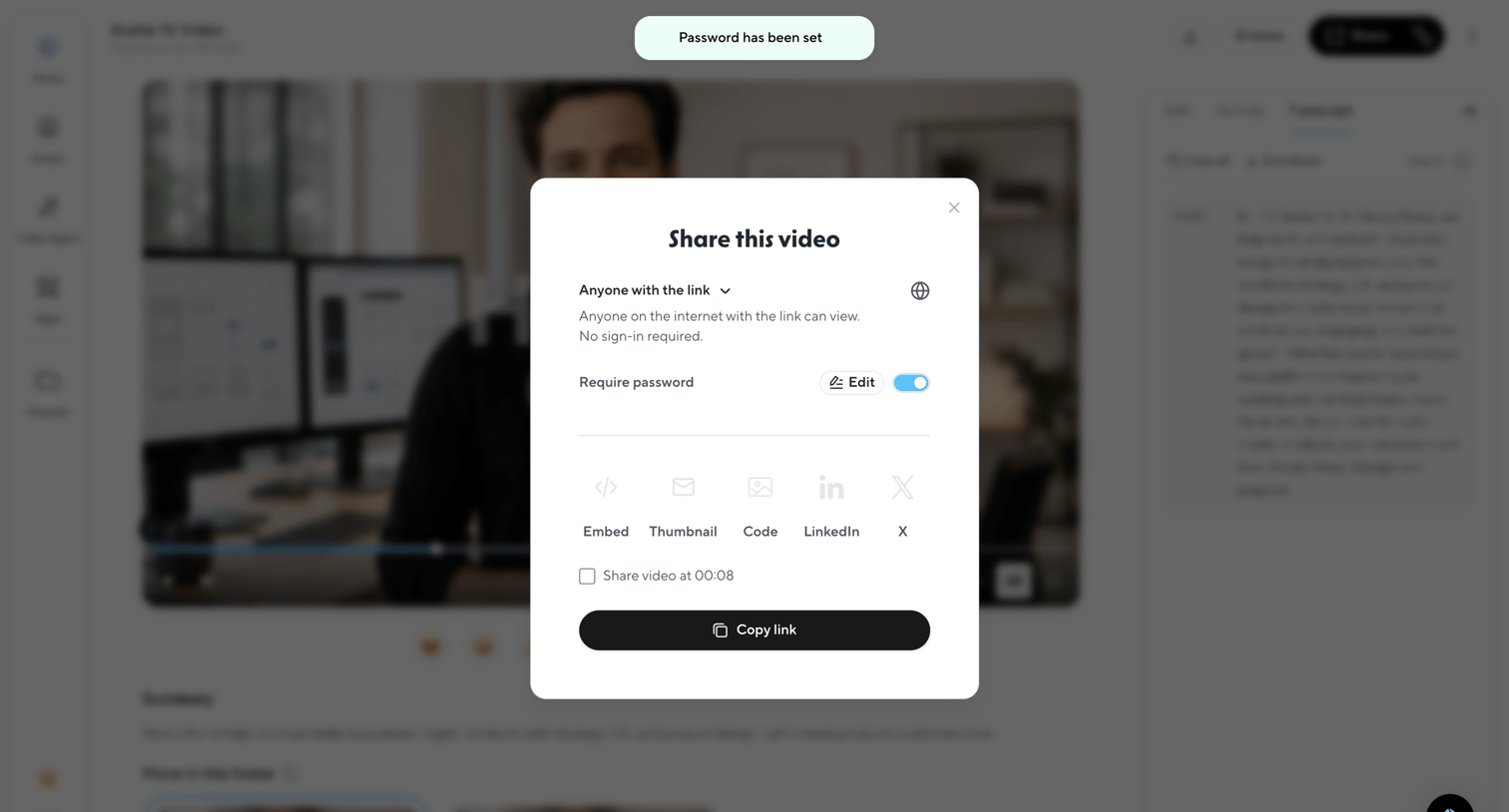

Detail page for a generated video where the user configures sharing permissions, sets a password, and copies the public link via a modal overlay.
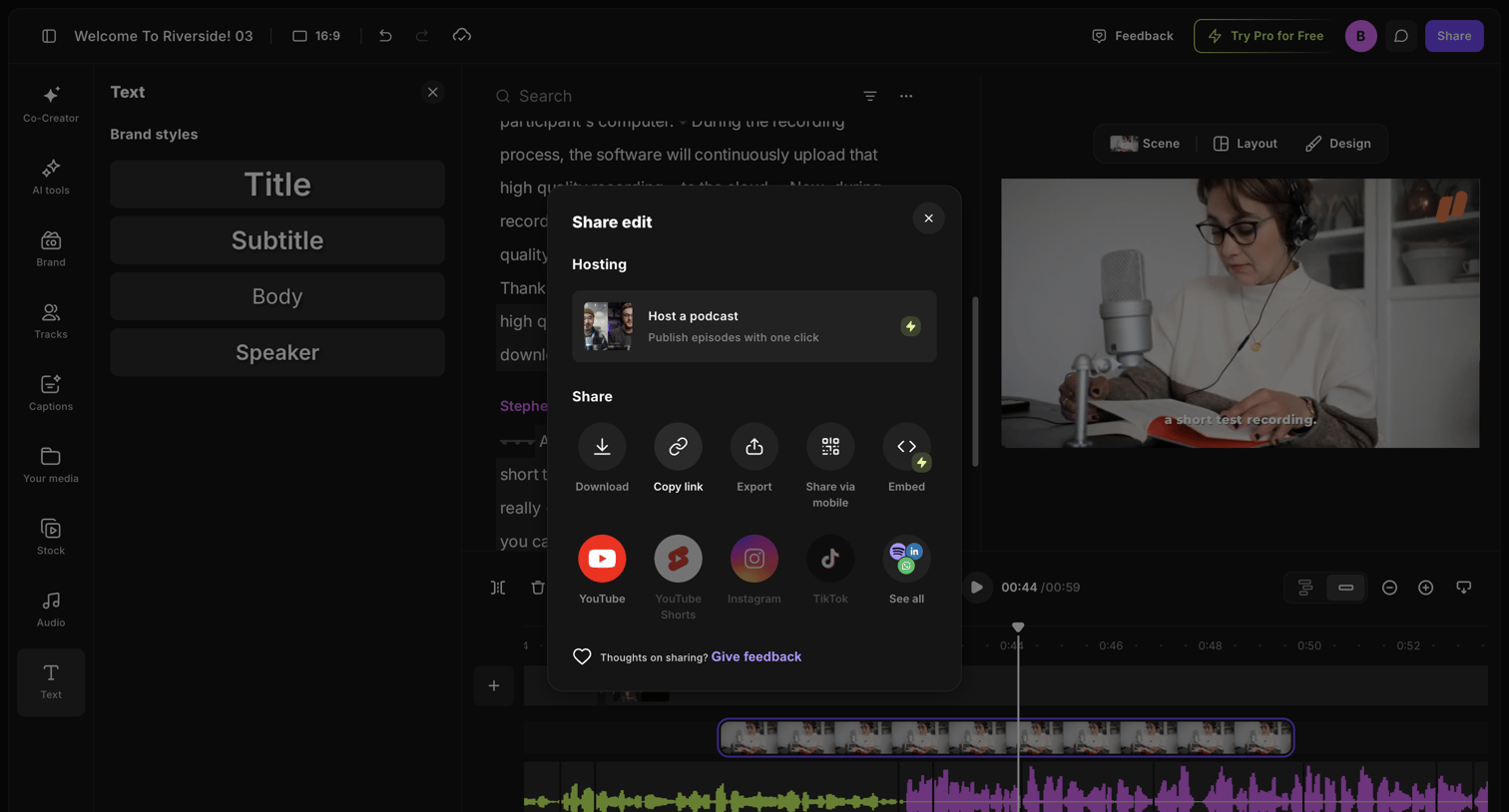

Video and audio editor interface with an open modal for sharing, downloading, or exporting the current project.
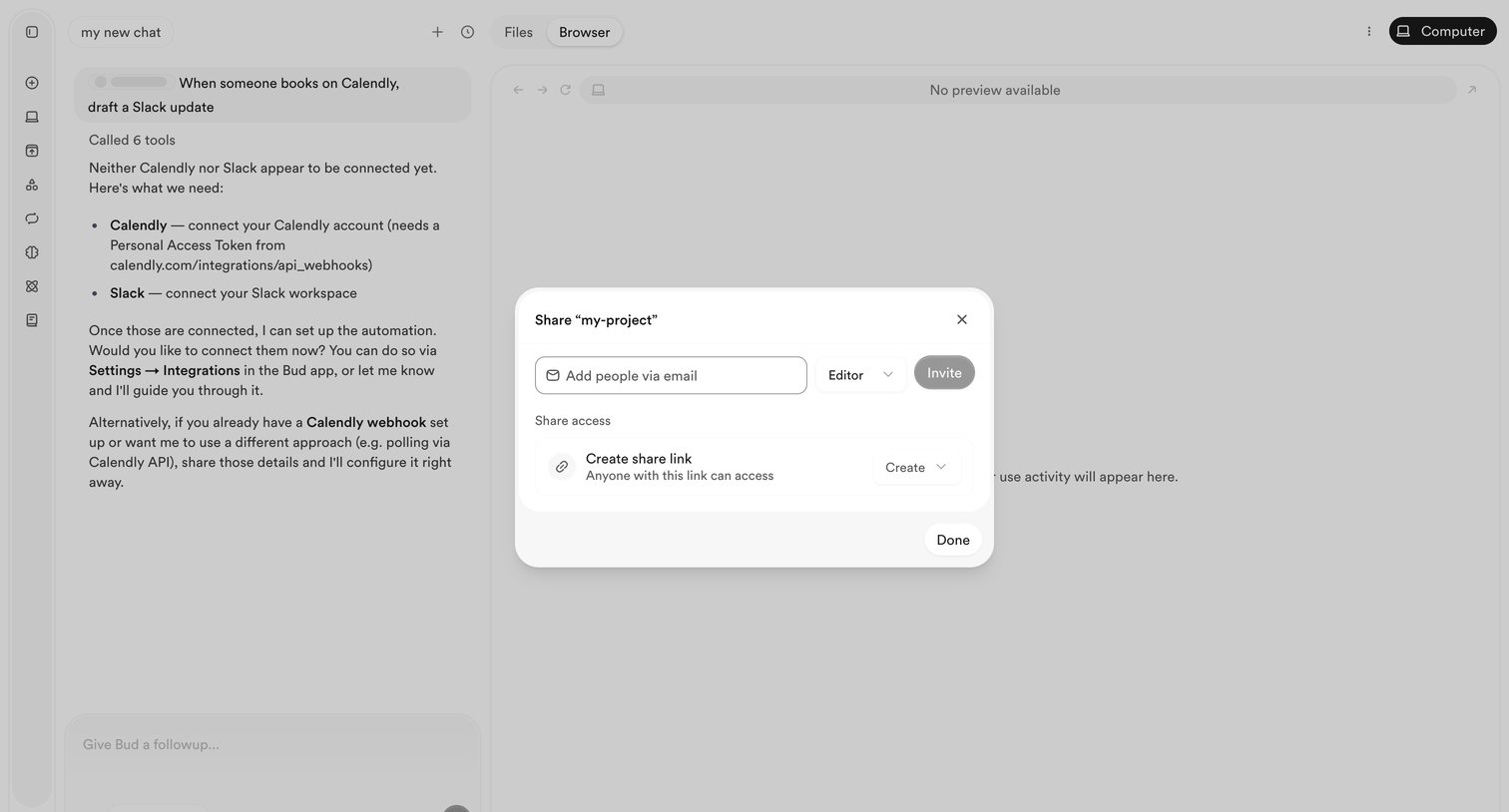

AI chat interface with an active modal for sharing the current project workspace via email invitation or a public link.
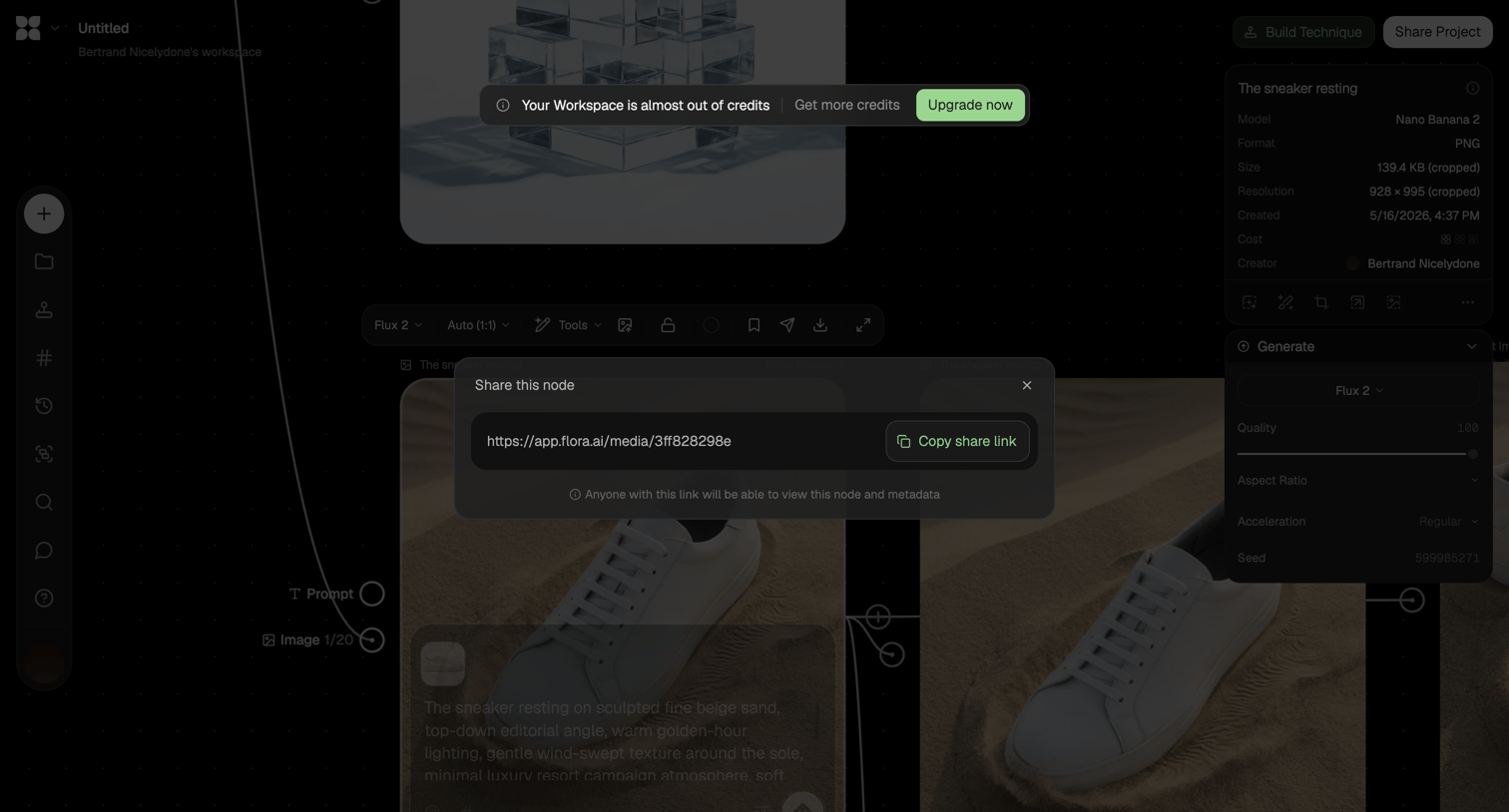

Node-based AI image generation canvas where the user is sharing a specific node via a modal containing a copyable link.
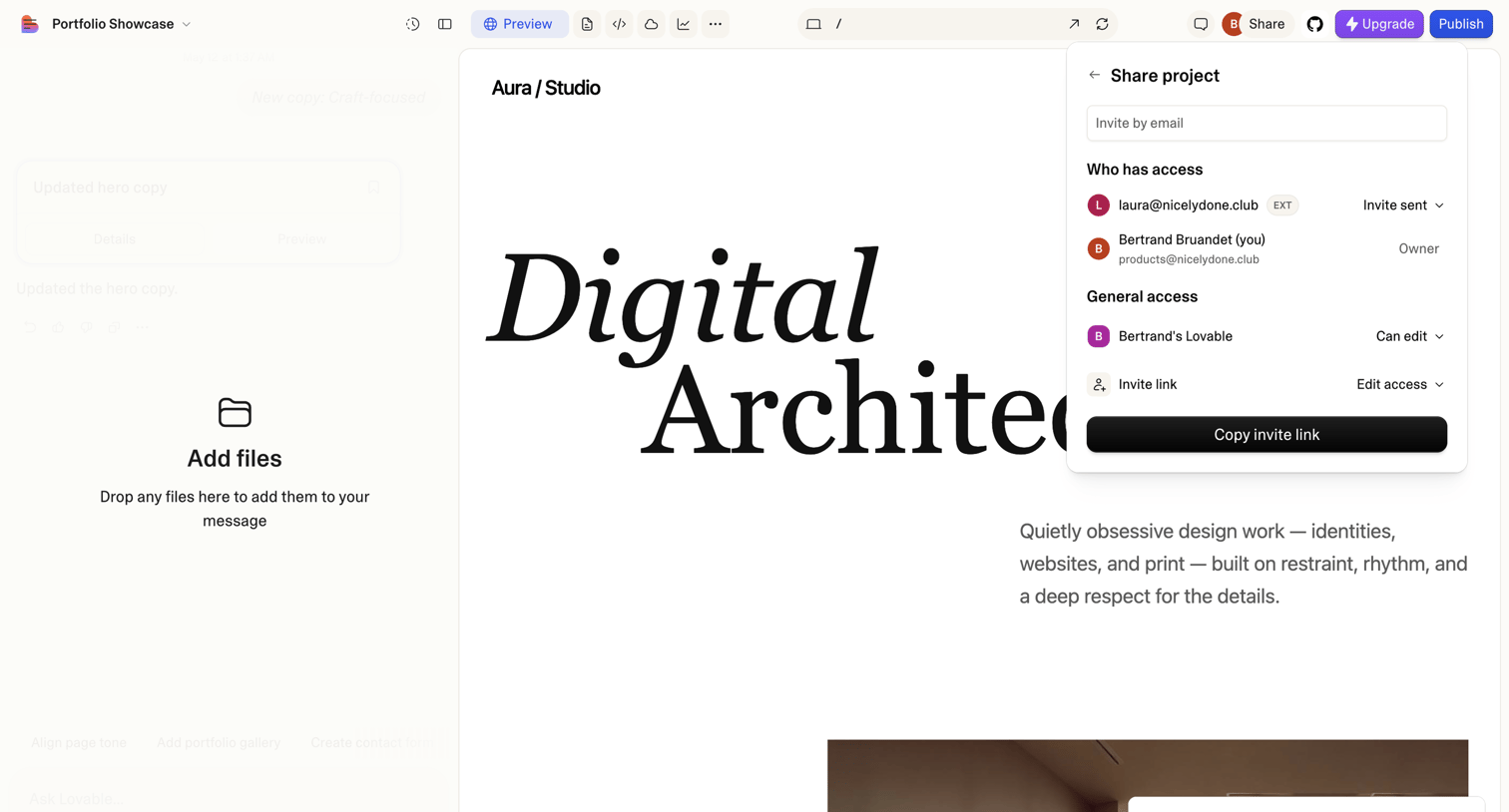

Design editor where the user is inviting a teammate via email from an open share popover while previewing a generated website.
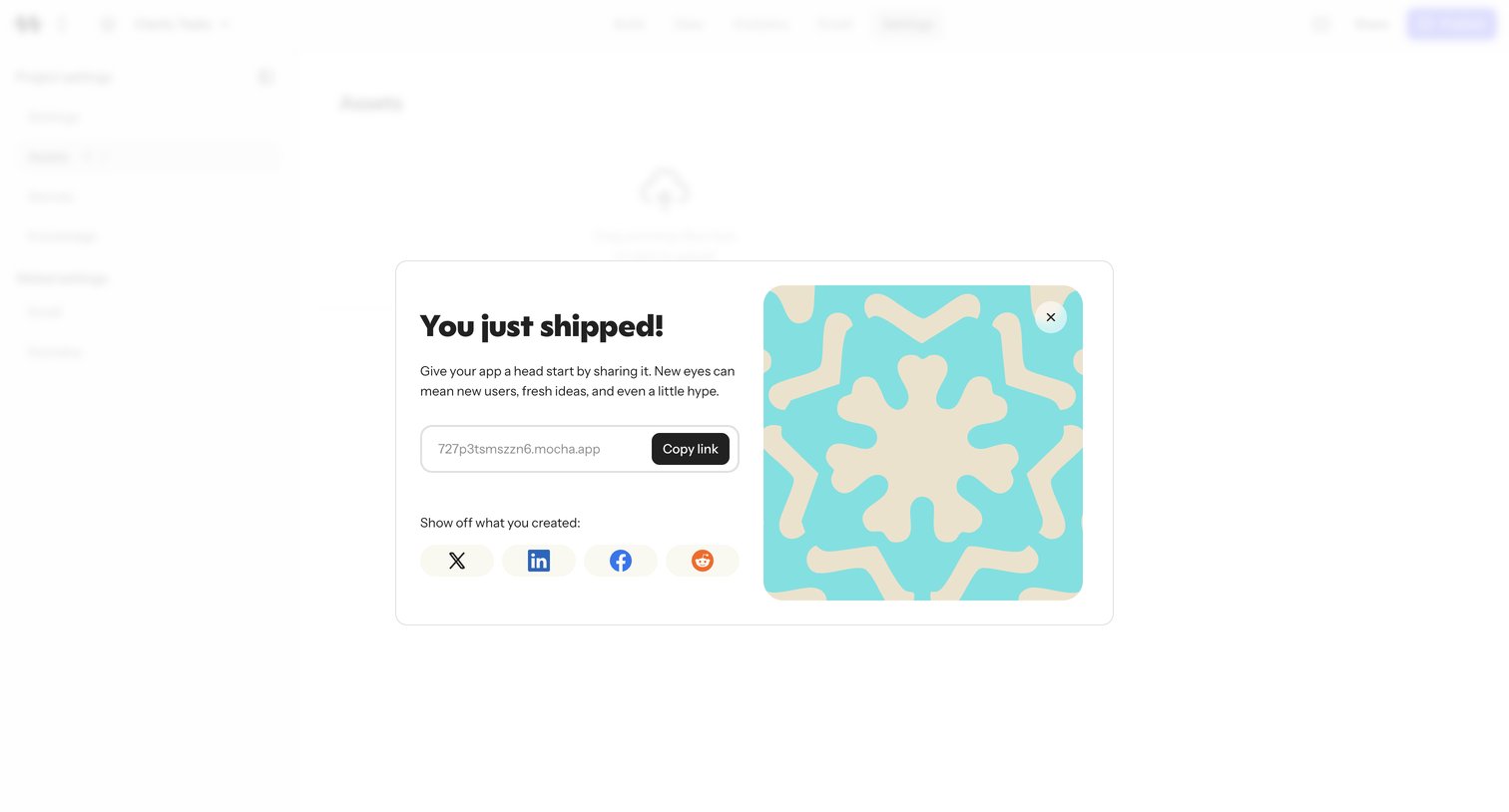

Celebratory modal after deploying an app where the user copies the share URL or posts the launch to X, LinkedIn, Facebook, or Reddit.
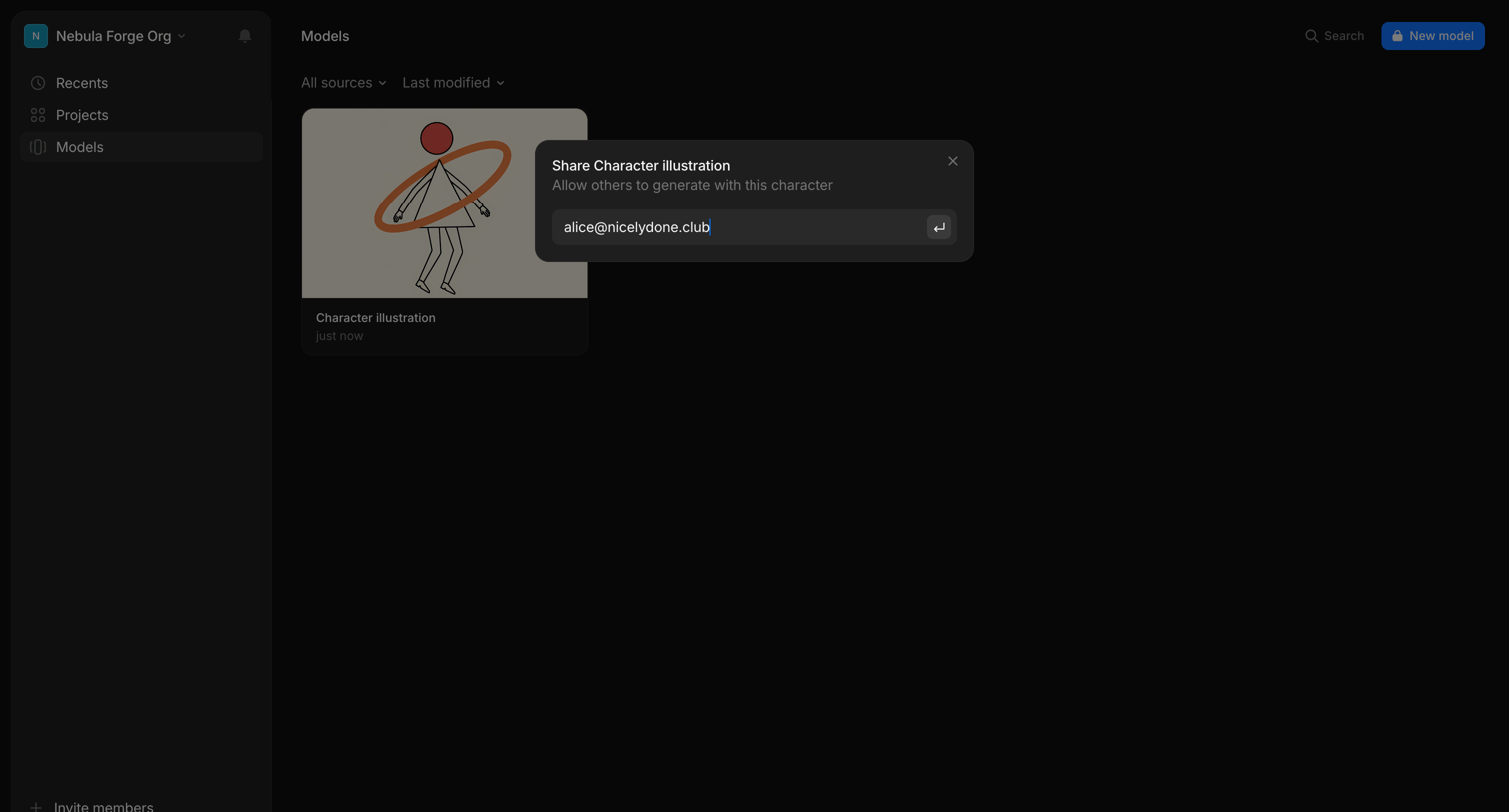

List view of AI models where the user is sharing a character illustration by entering an email address.
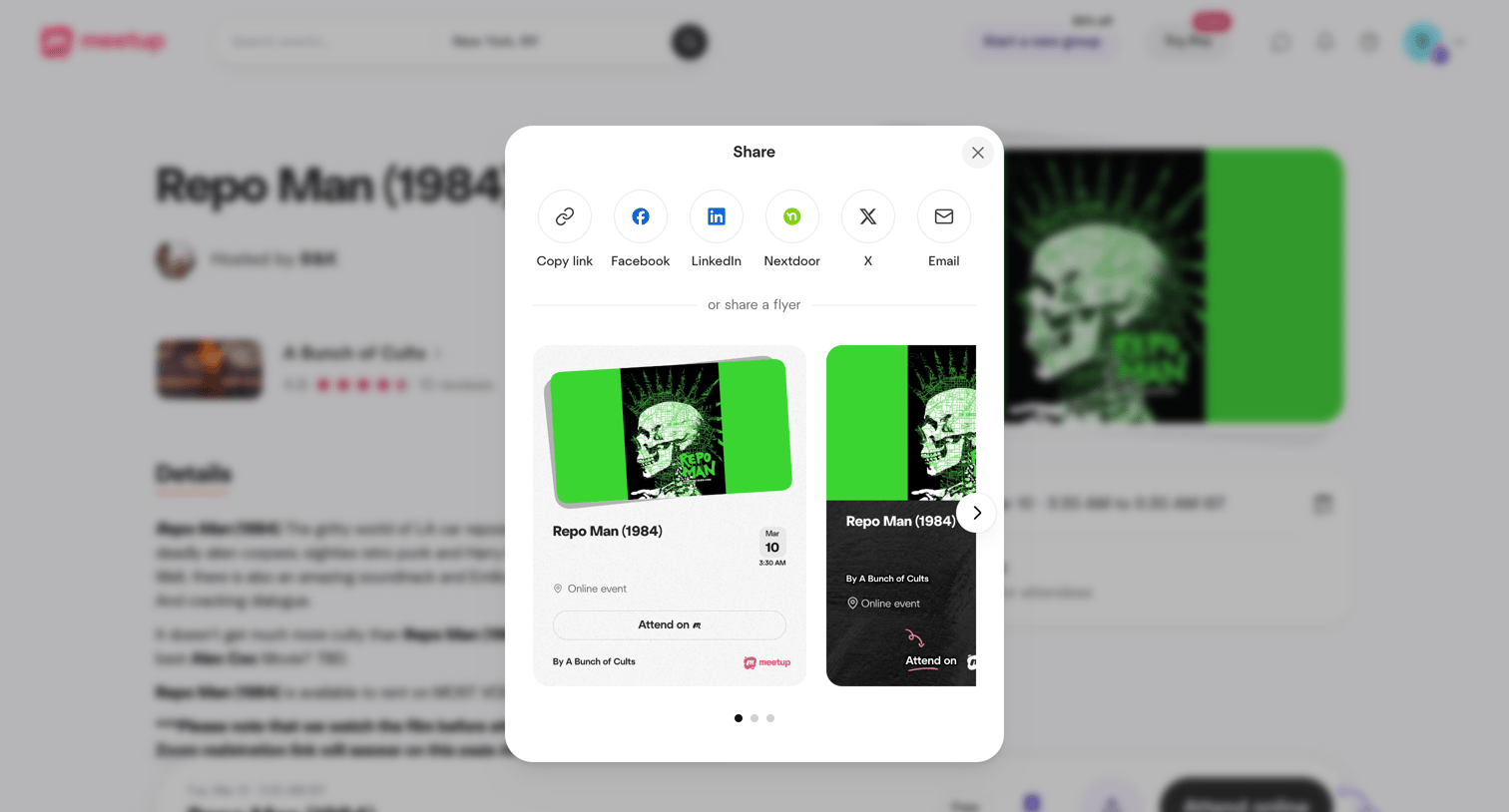

Detail page where the user can share an event via direct social links or by generating a custom promotional flyer.
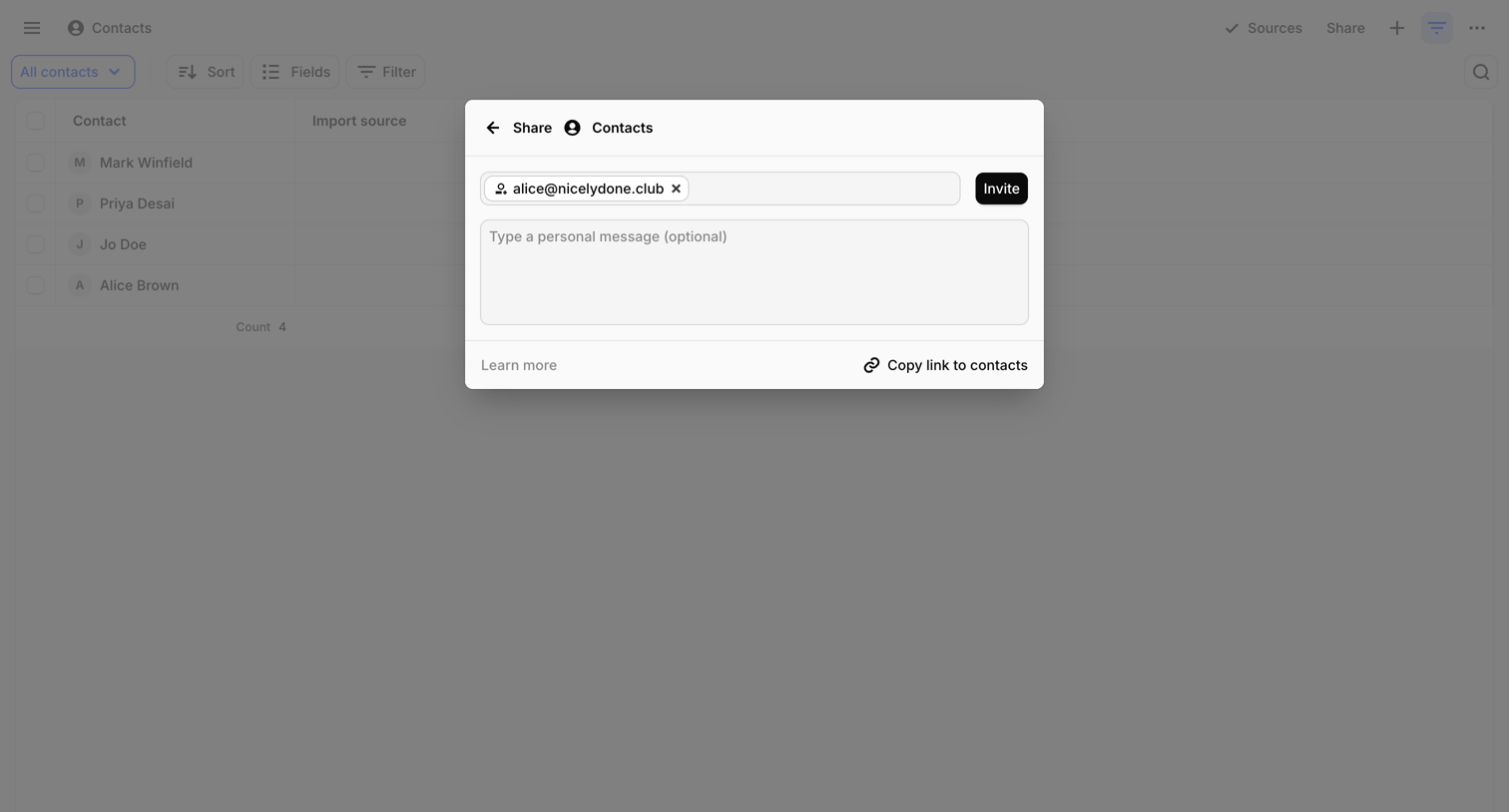

List view where the user can invite teammates to view contacts via email and an optional personal message.
Explore the full SaaS screen library
Upgrade to unlock the full library.
Trusted by the best teams








About Share
See how SaaS apps make content available to other people. Explore how sharing interfaces present links, recipients, and visibility choices alongside the item being shared.