Plan comparison screen examples
Plan comparison screen design examples from SaaS apps. See how SaaS apps present plans within the product. Explore how prices, included features, and plan choices are arranged when people review their available…
Explore the examples
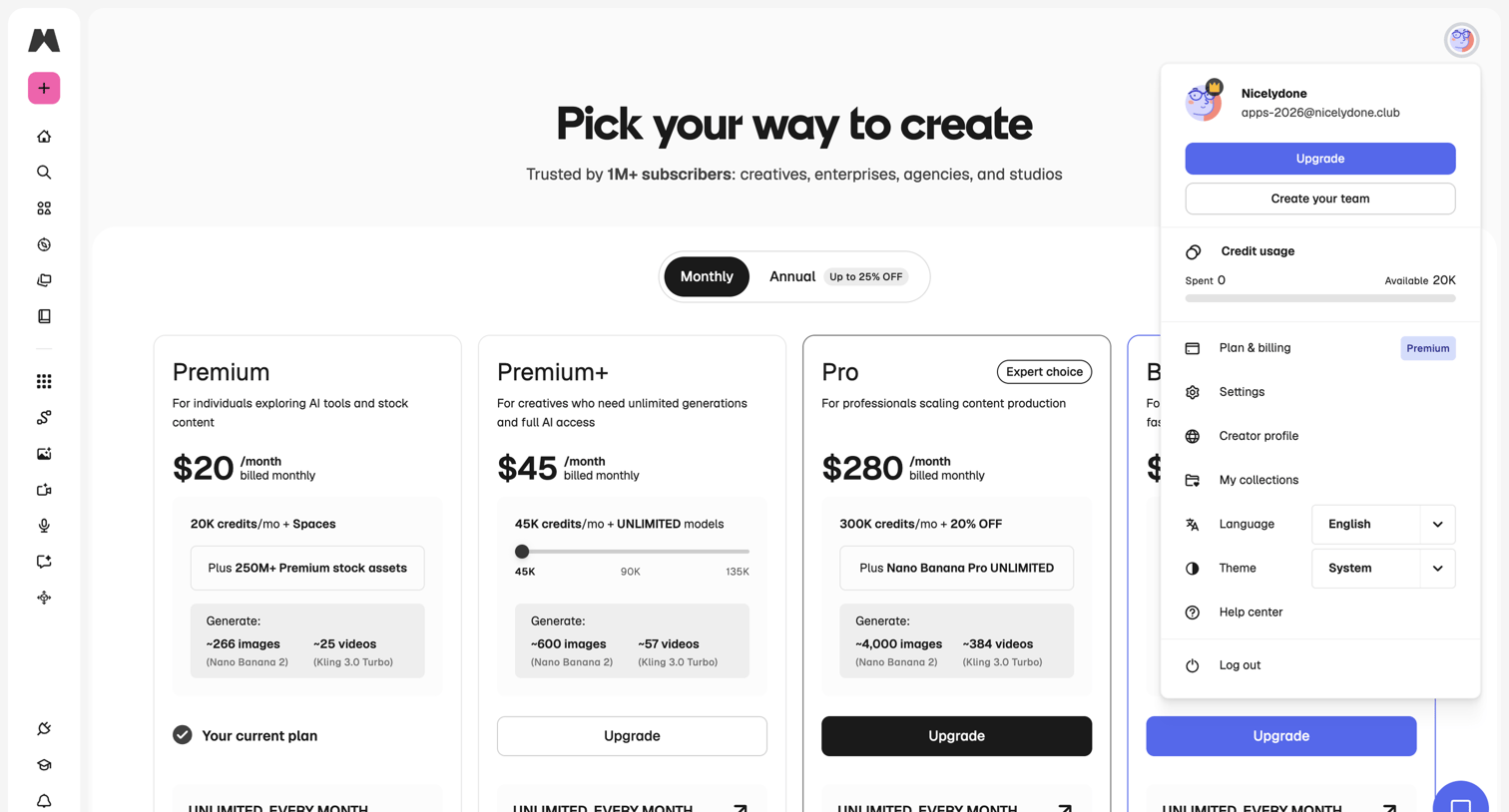

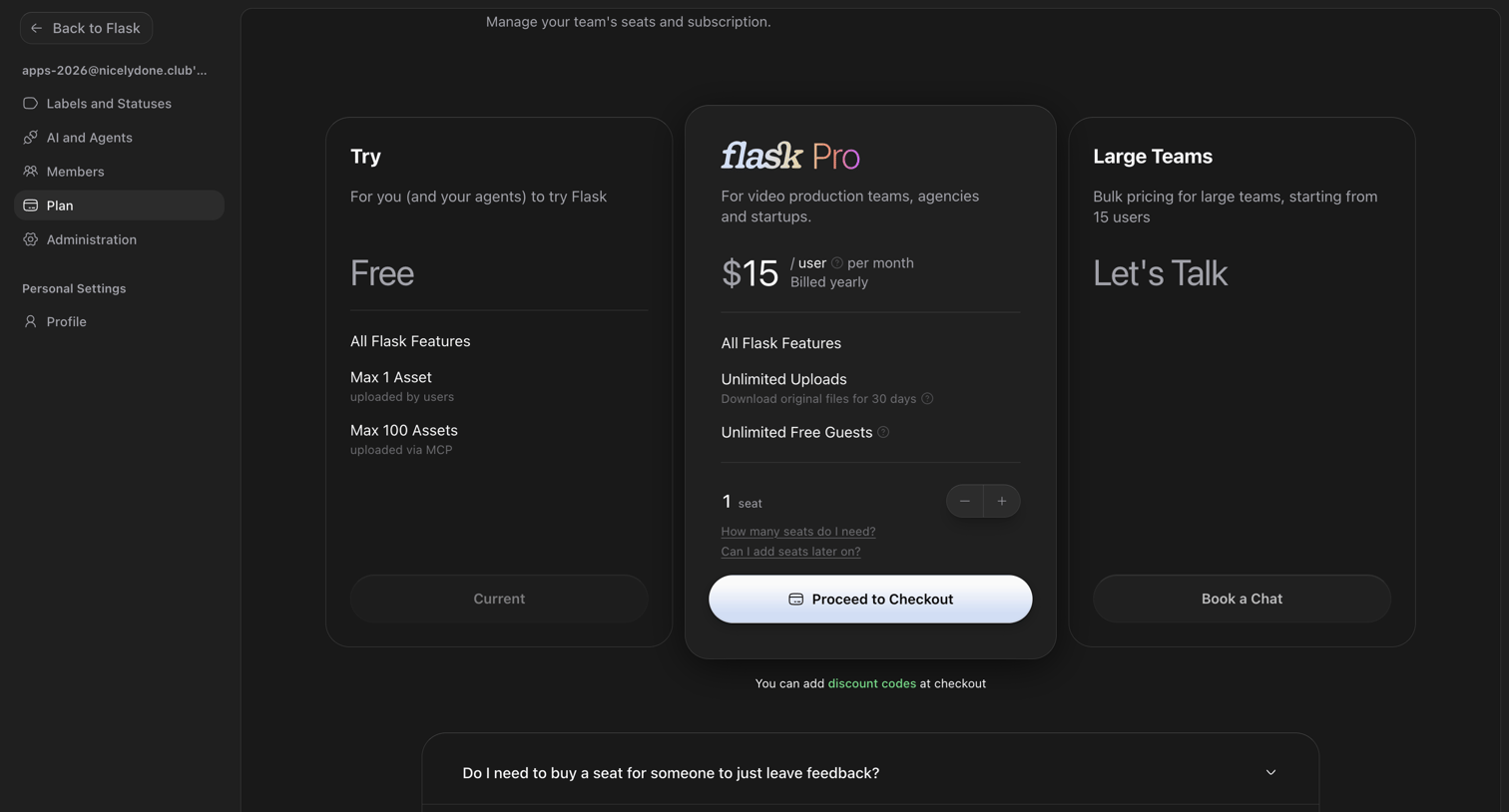

Settings page where the user manages their team's subscription by comparing the Free, Pro, and Large Teams plans.
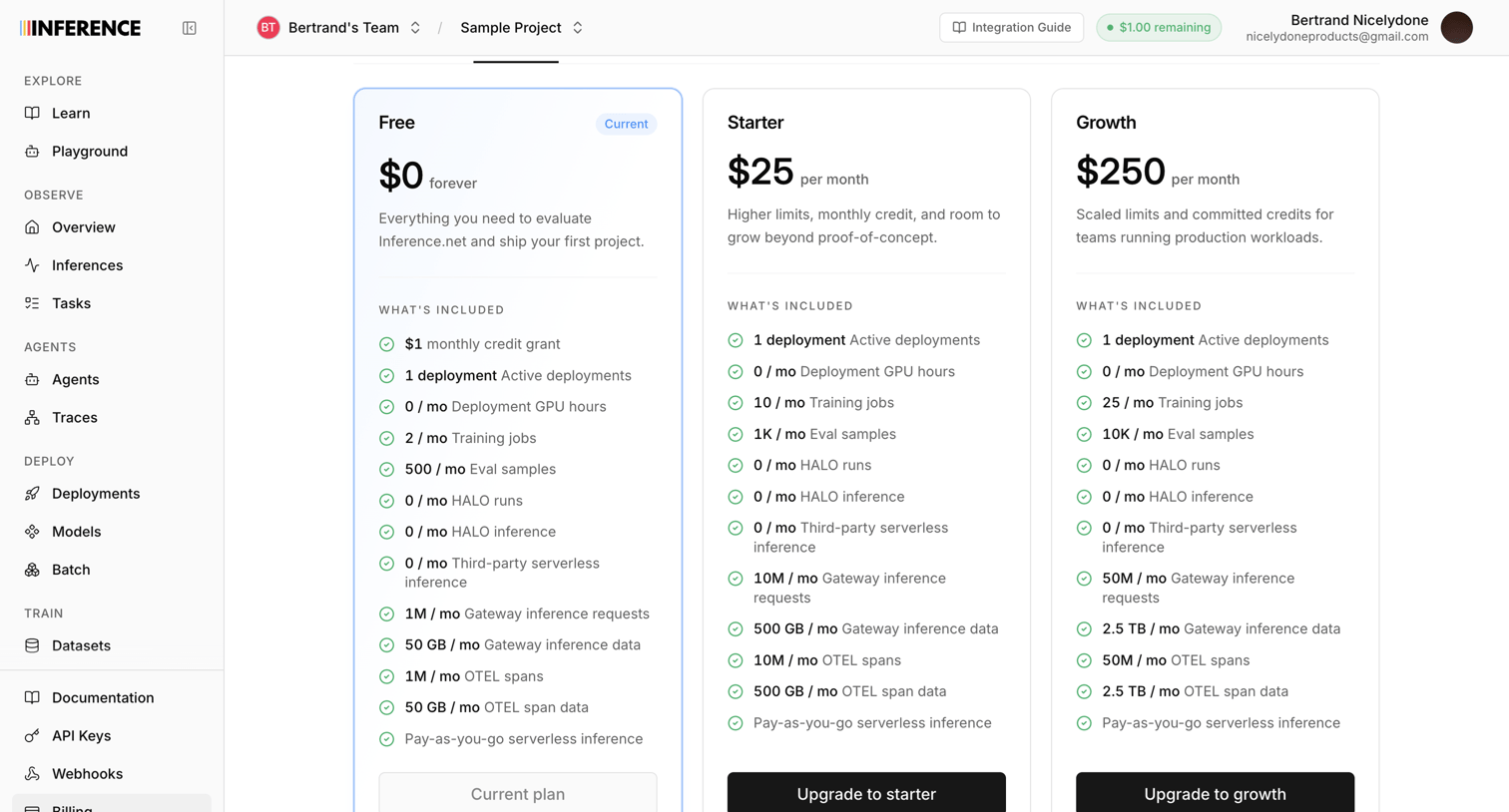

Settings page where the user views their current Free plan and can upgrade to Starter or Growth tiers for higher limits and credits.
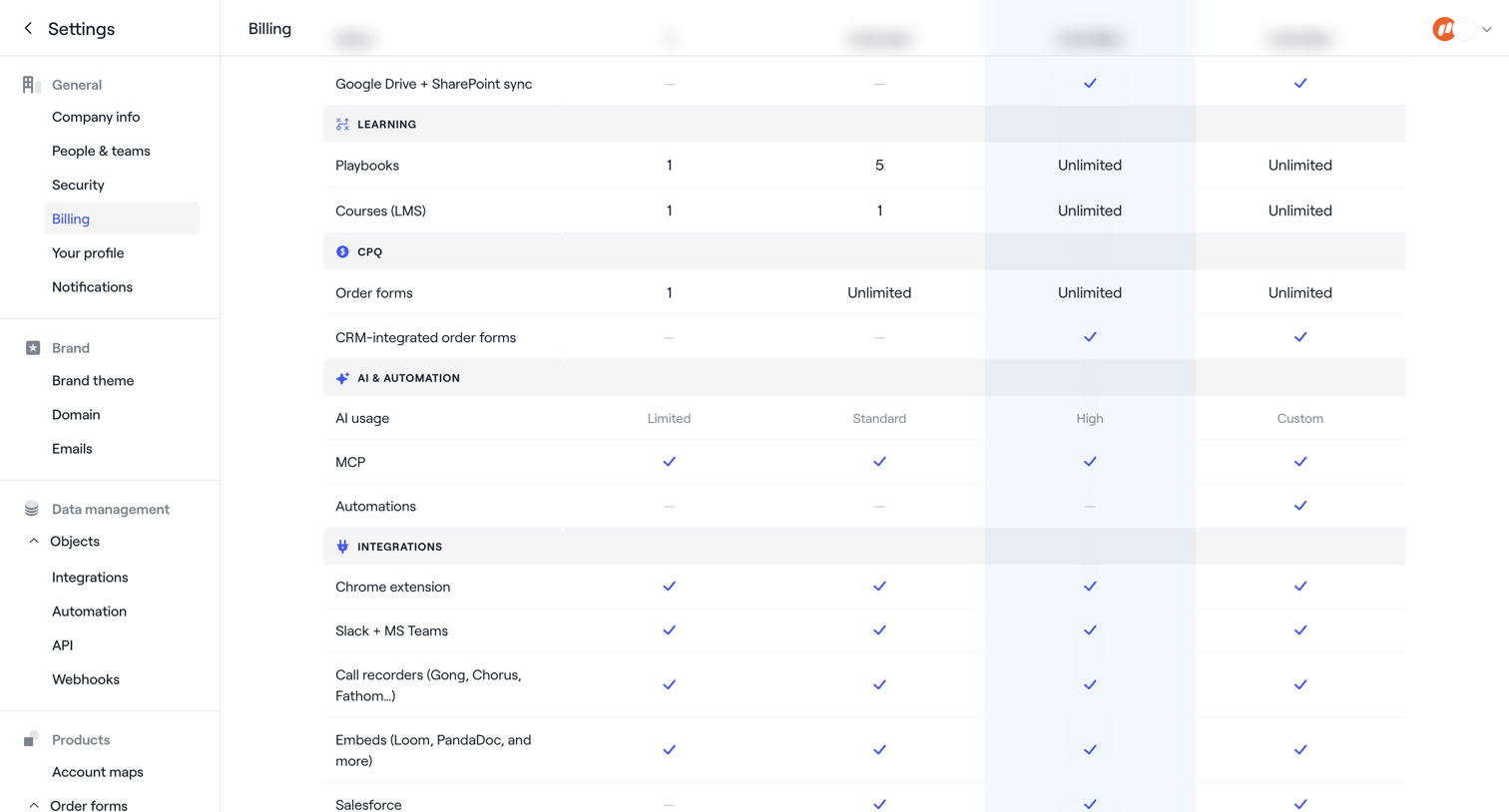

Settings page where the user compares feature limits and inclusions across different subscription plans.
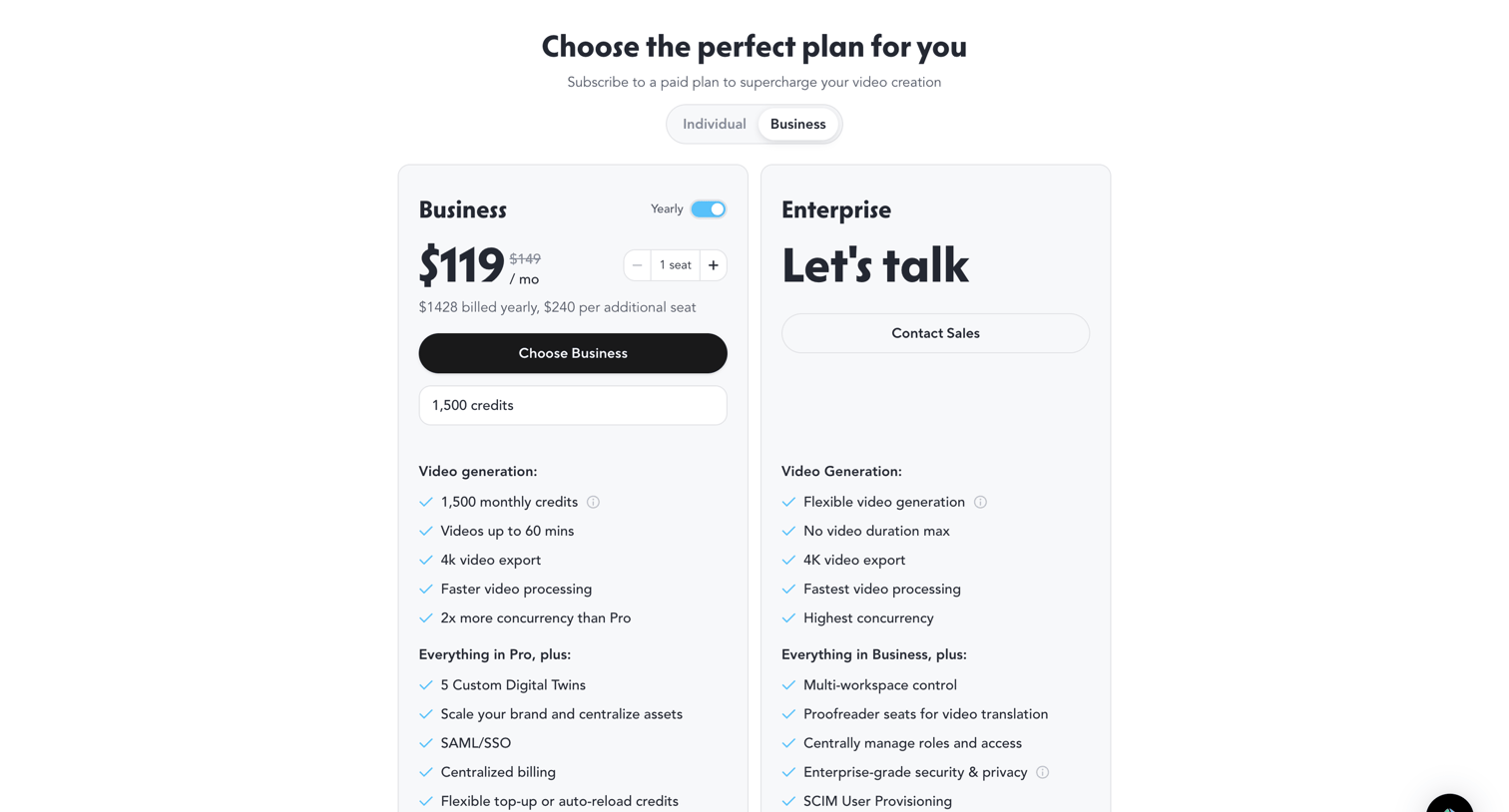

Paywall where the user compares Business and Enterprise plans, selects seats and credits, and chooses a billing cycle to upgrade their account.
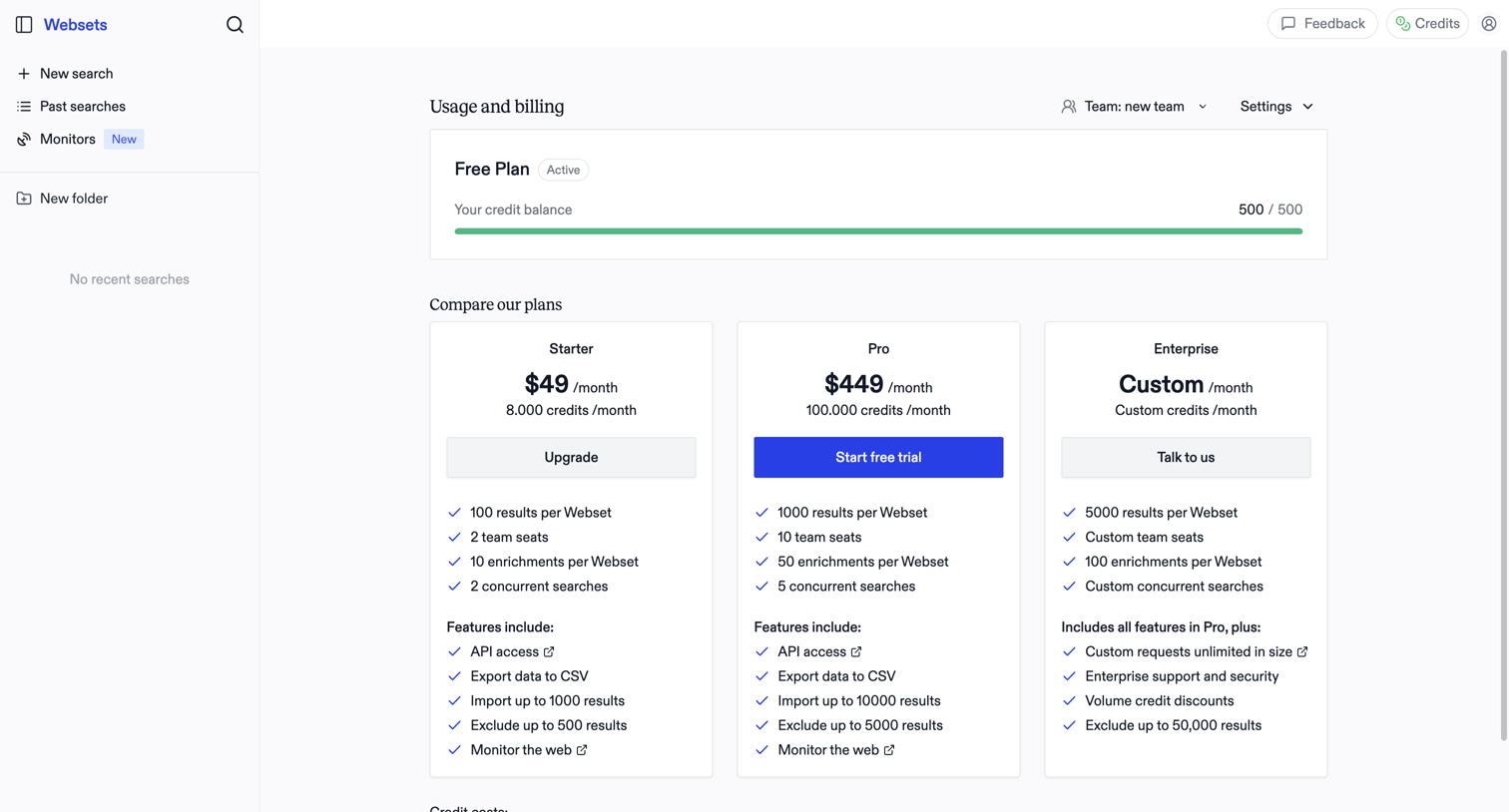

Billing settings page where the user monitors their free plan credit balance and compares paid subscription tiers to upgrade.
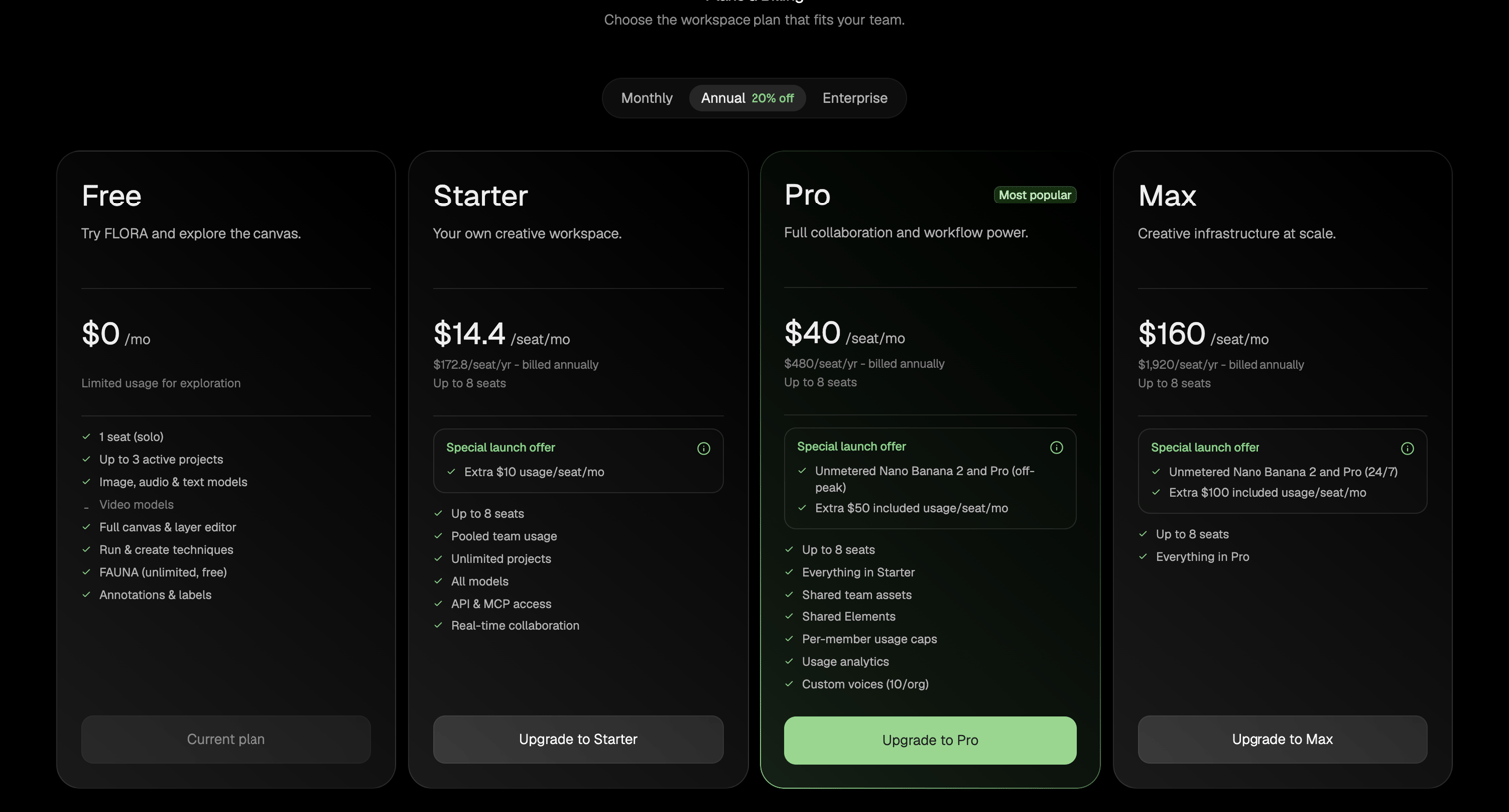

Paywall screen where the user selects a subscription tier for their workspace, choosing between Free, Starter, Pro, and Max plans with monthly or annual billing.
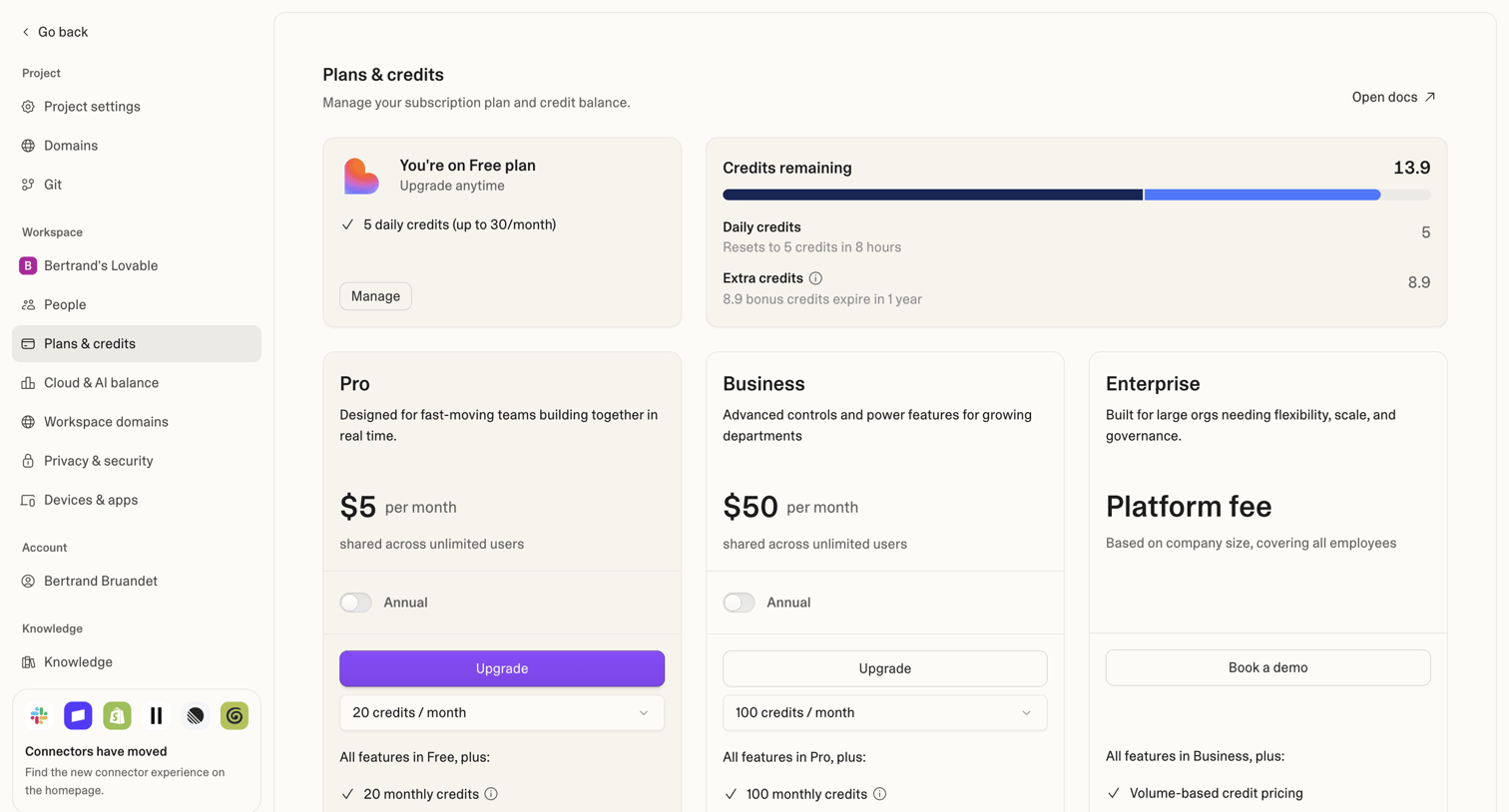

Settings page where the user views their current free plan and credit usage, and can upgrade to Pro, Business, or Enterprise tiers with monthly or annual options.
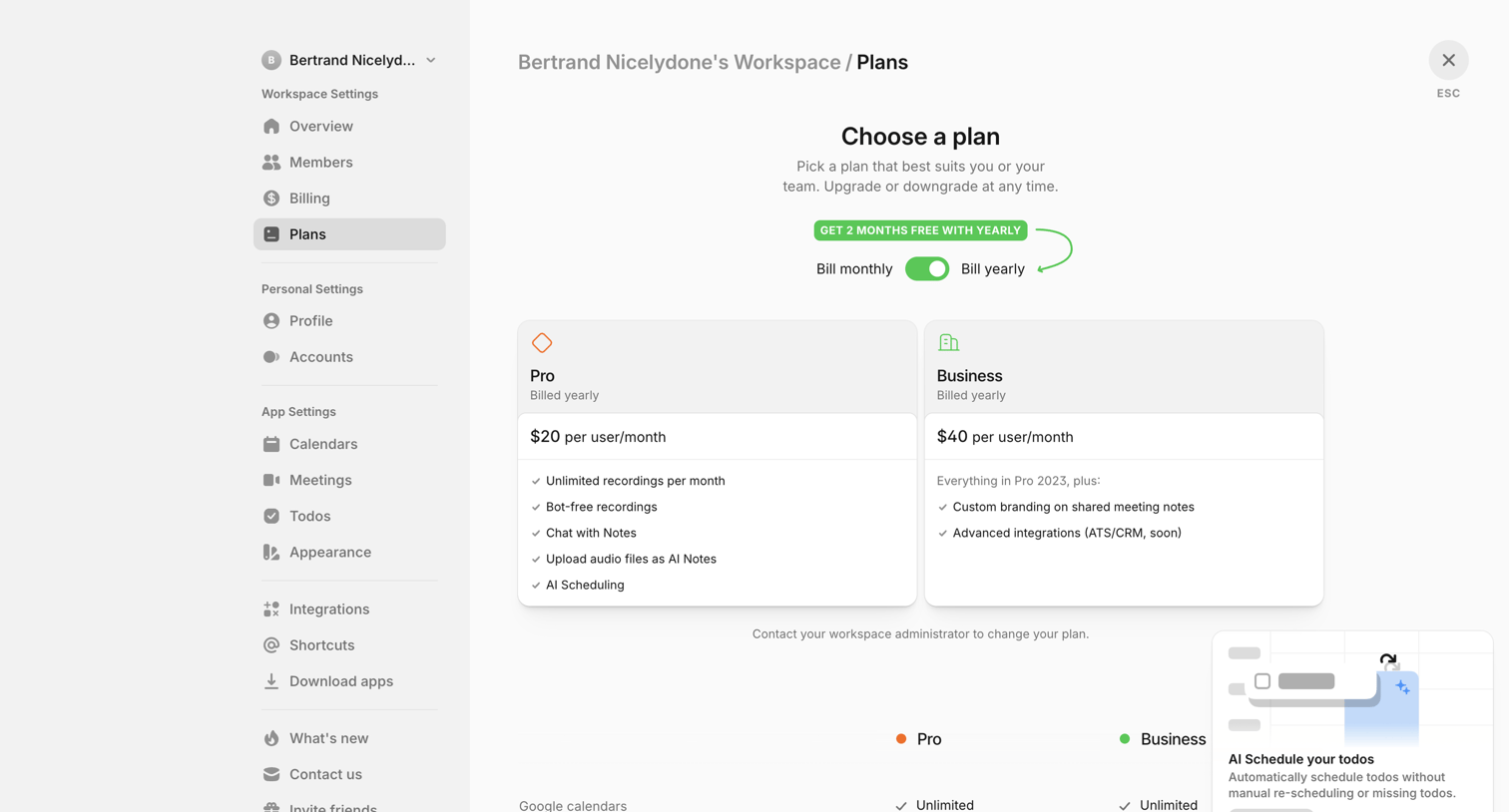

Settings page where the user views their current workspace plan, compares Pro and Business tiers, and sees a promotional toast for AI scheduling.
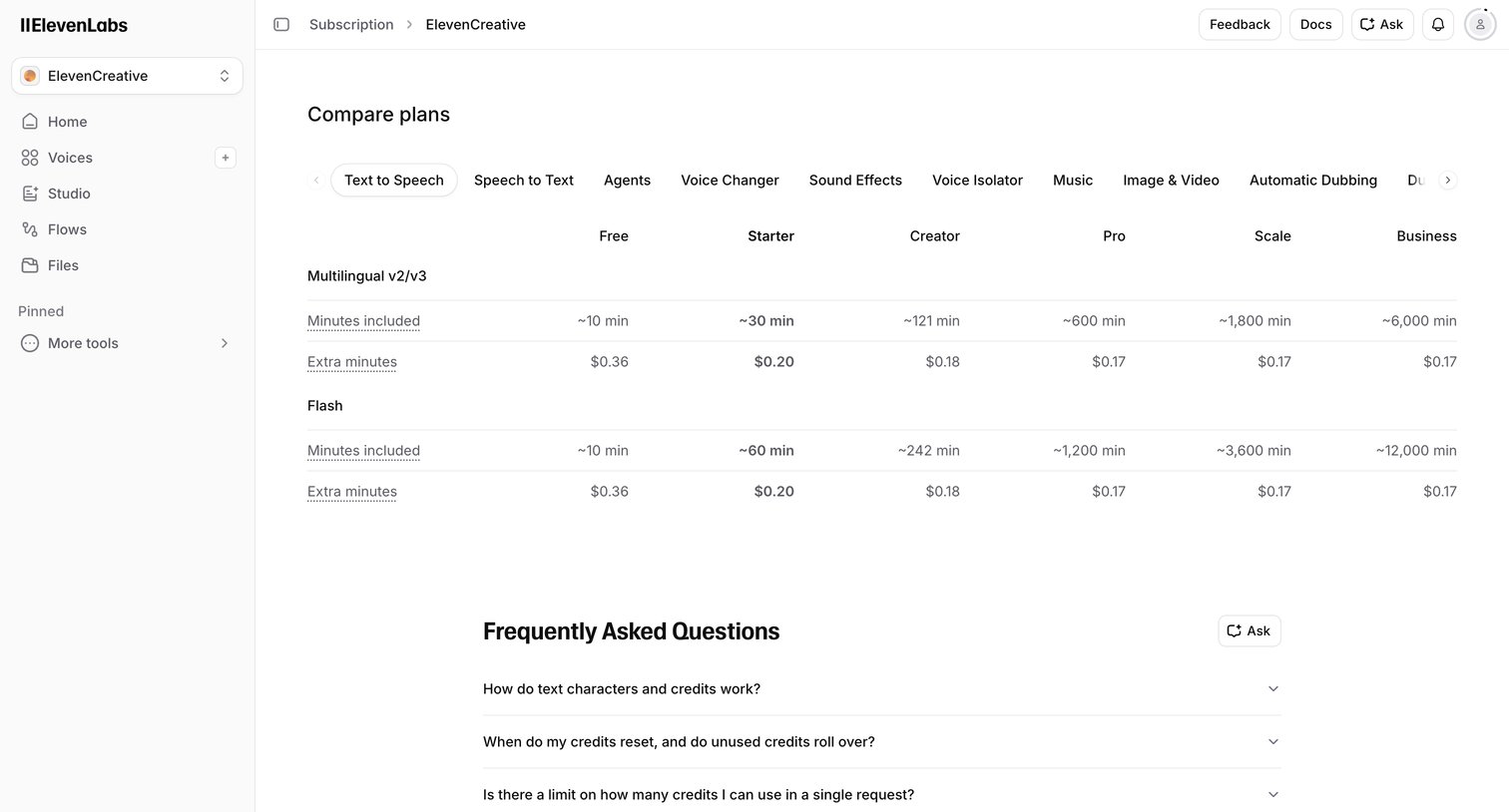

Settings page where the user compares feature limits, extra usage costs, and pricing across different subscription tiers for their workspace.
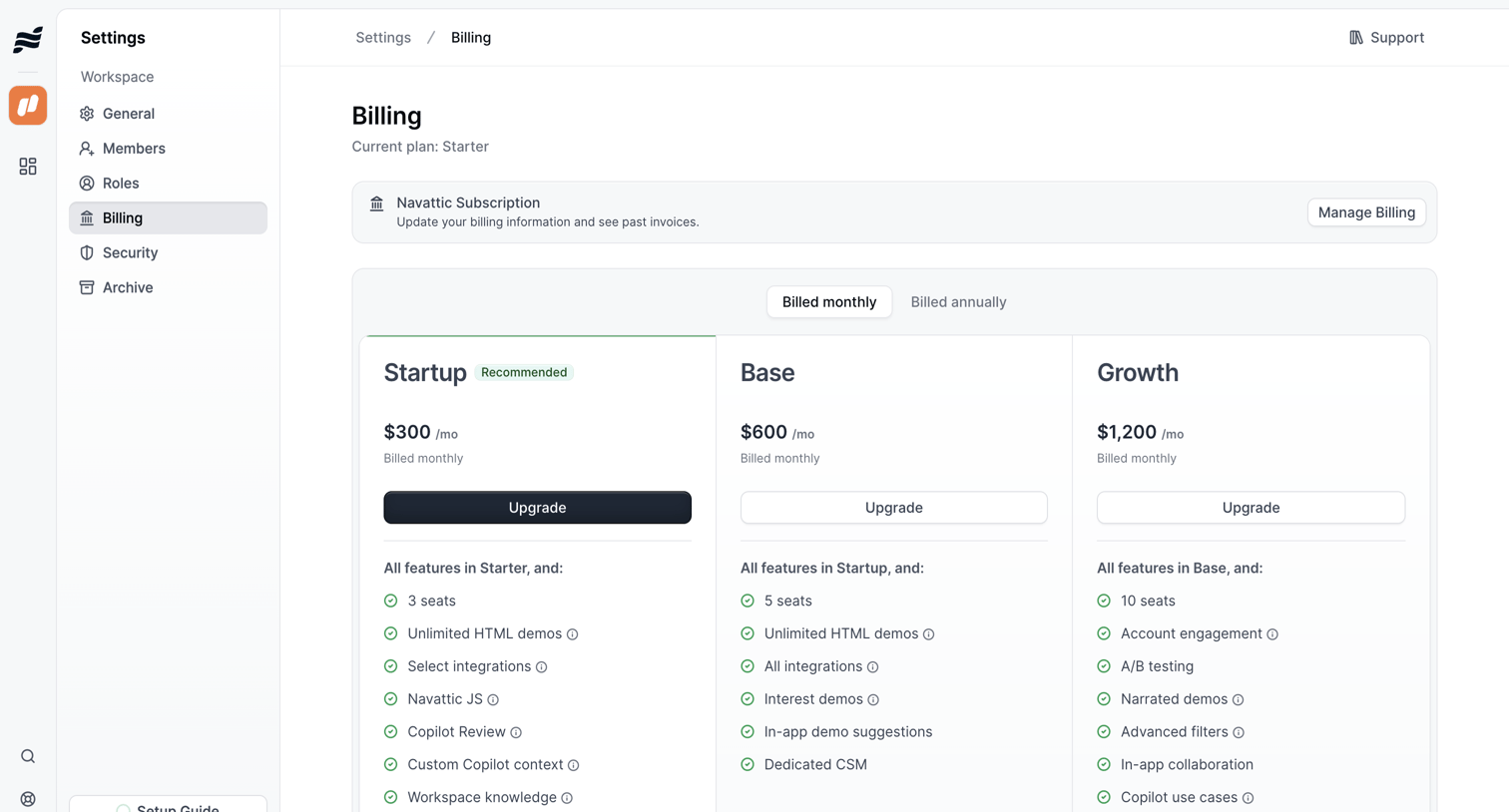

Settings page where the user manages their subscription, views their current plan, and can upgrade to higher tiers like Startup, Base, or Growth.
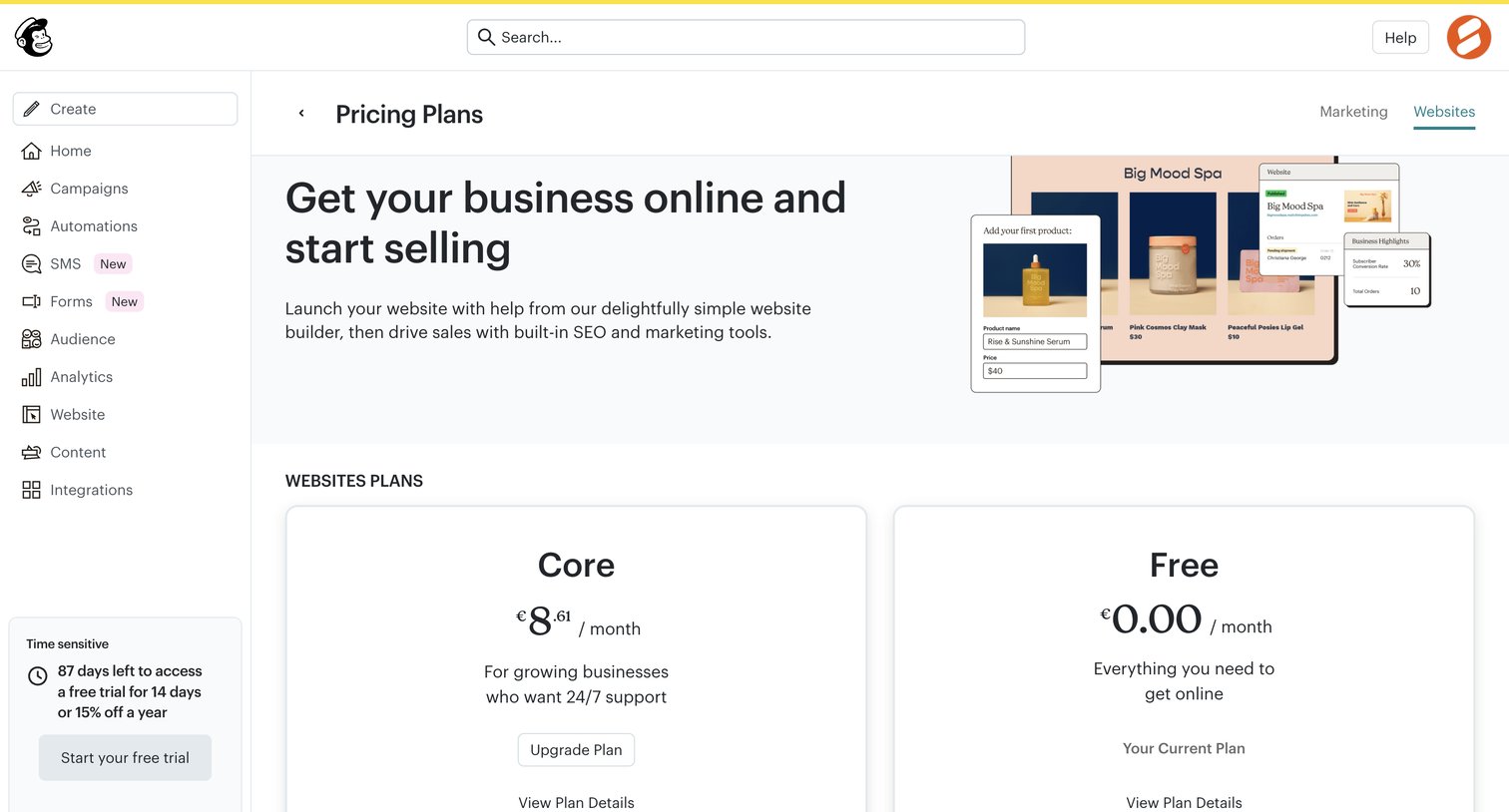

Billing settings page where the user compares and selects a website plan between Core and Free tiers.
Explore the full SaaS screen library
Upgrade to unlock the full library.
Trusted by the best teams








About Plan comparison
See how SaaS apps present plans within the product. Explore how prices, included features, and plan choices are arranged when people review their available subscription options.