Data mapping screen examples
Data mapping screen design examples from SaaS apps. Browse examples from Extend, Mailchimp, Bird.
Explore the examples
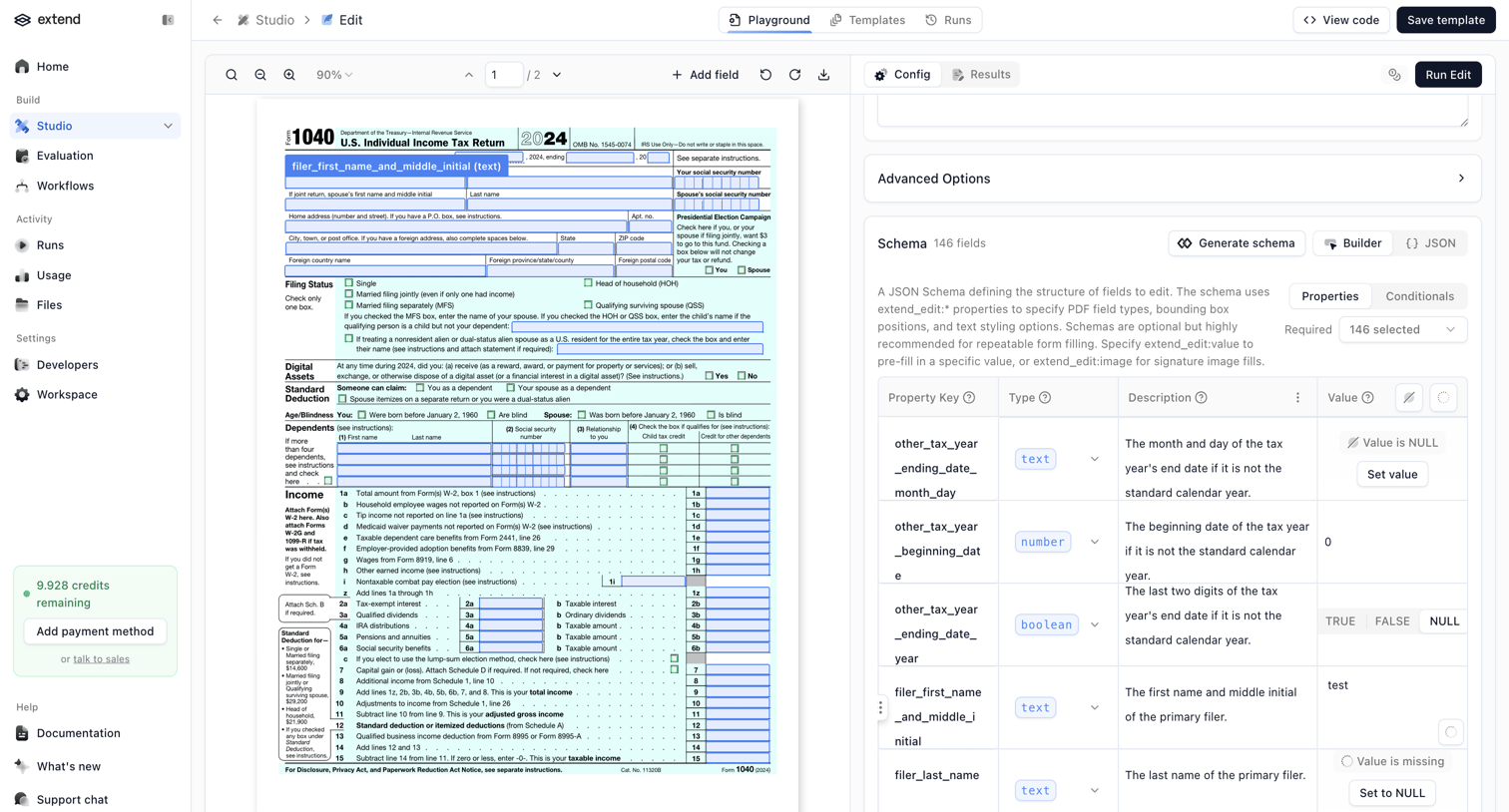

Studio editor where the user configures a JSON schema to extract specific fields like names and dates from a tax document.
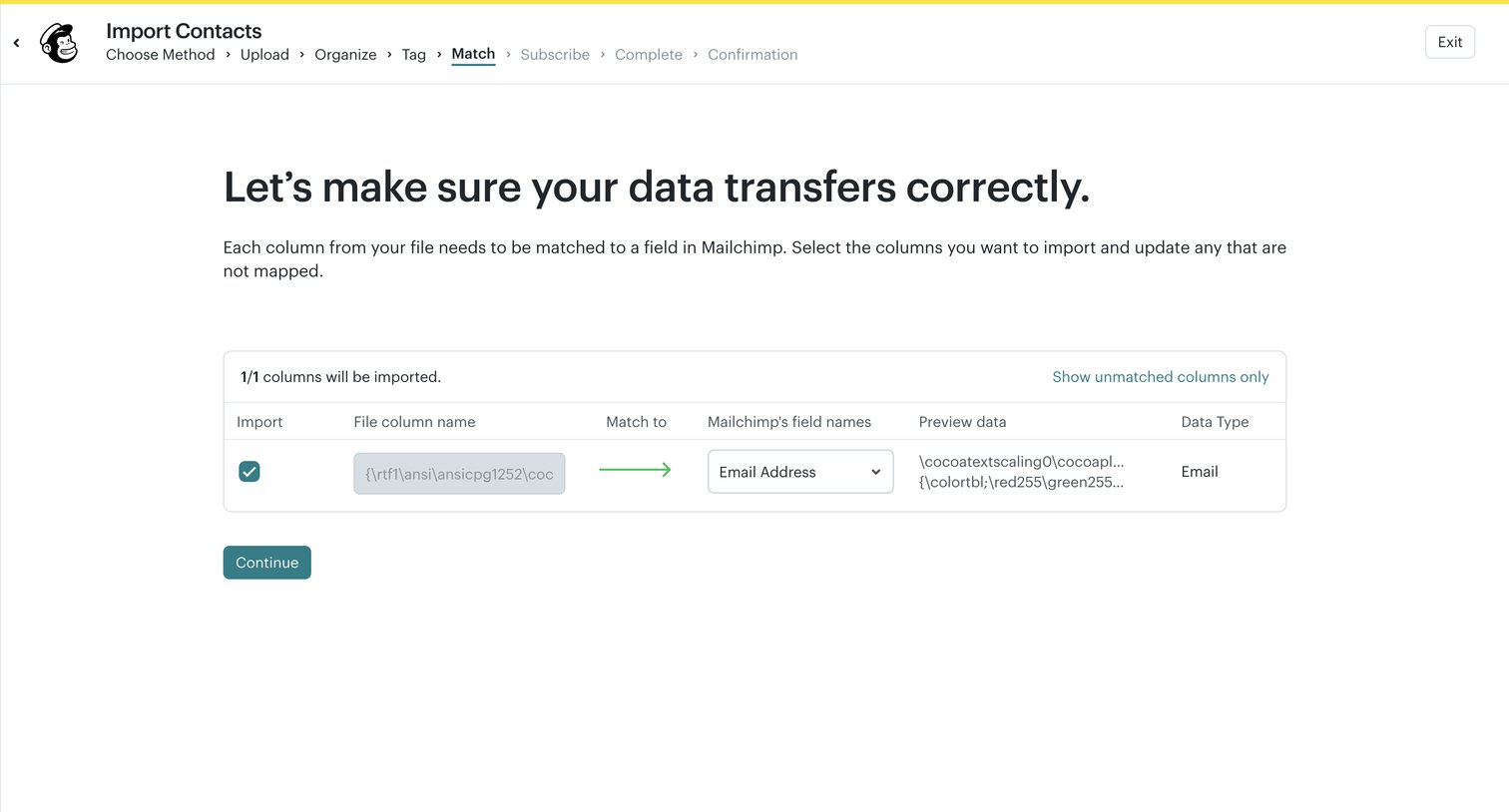

Import wizard step where the user maps columns from their uploaded file to Mailchimp's internal field names.
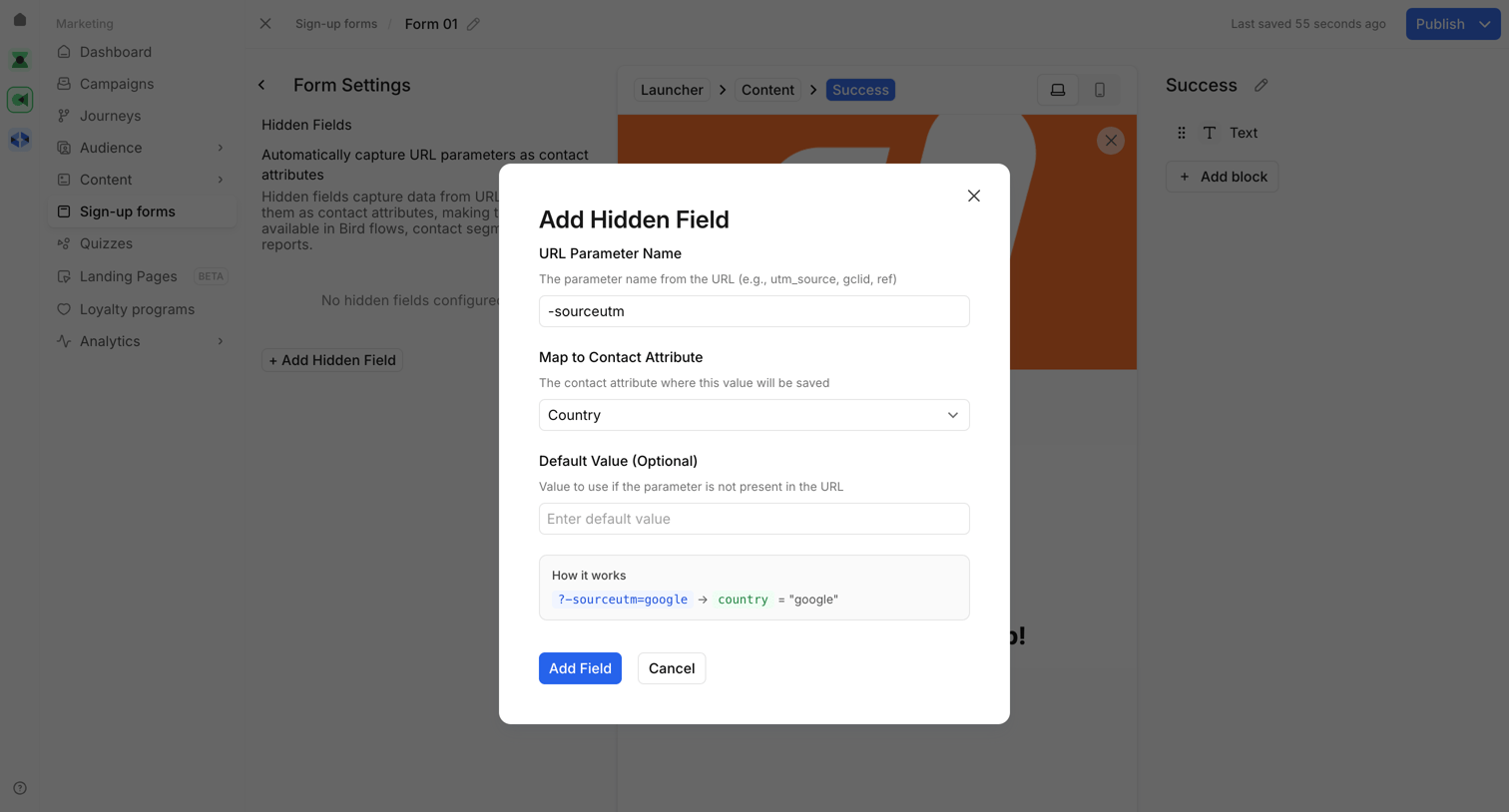

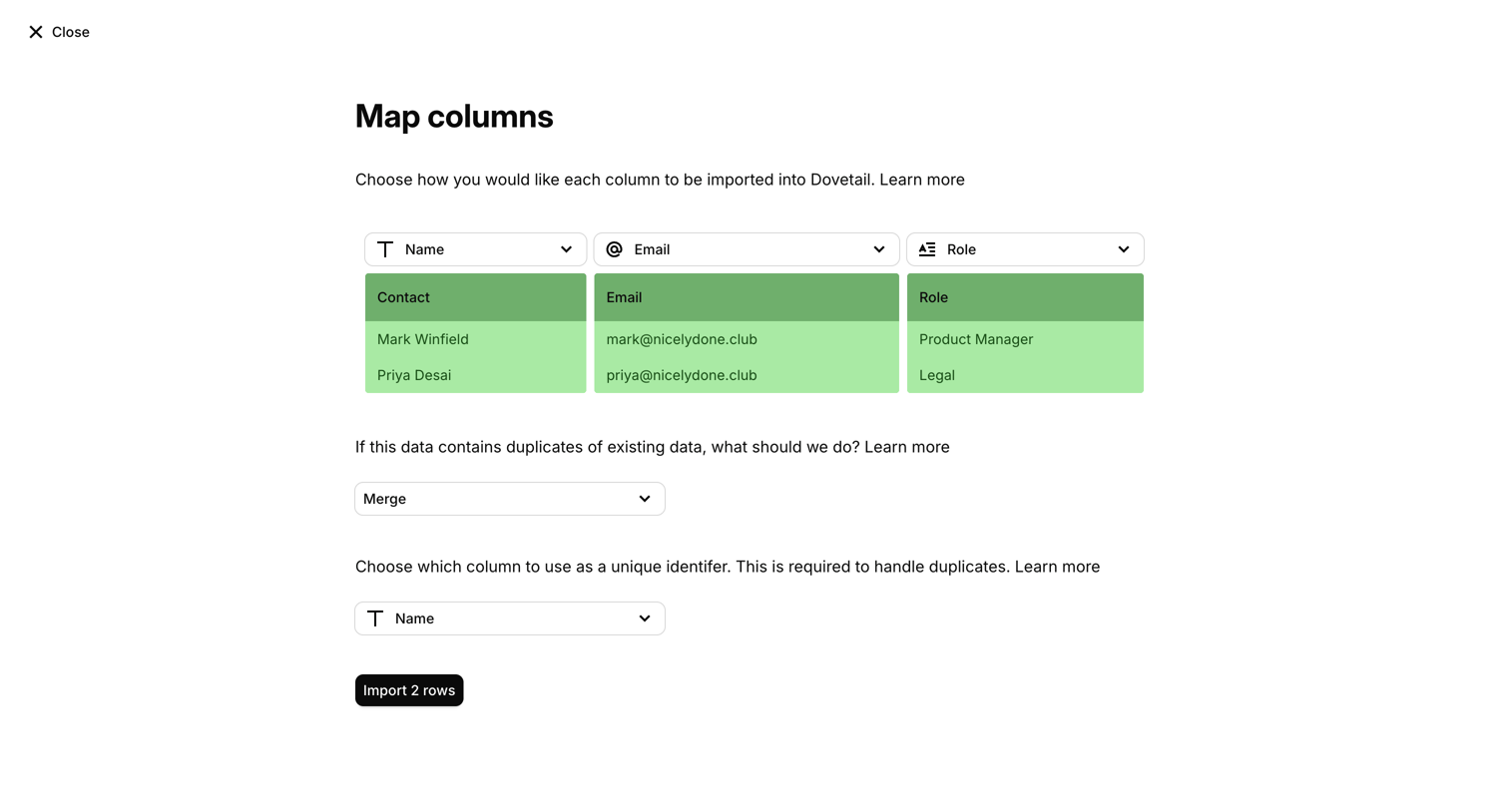

Import wizard step where the user maps CSV columns to existing fields like Name, Email, and Role, and configures duplicate handling.
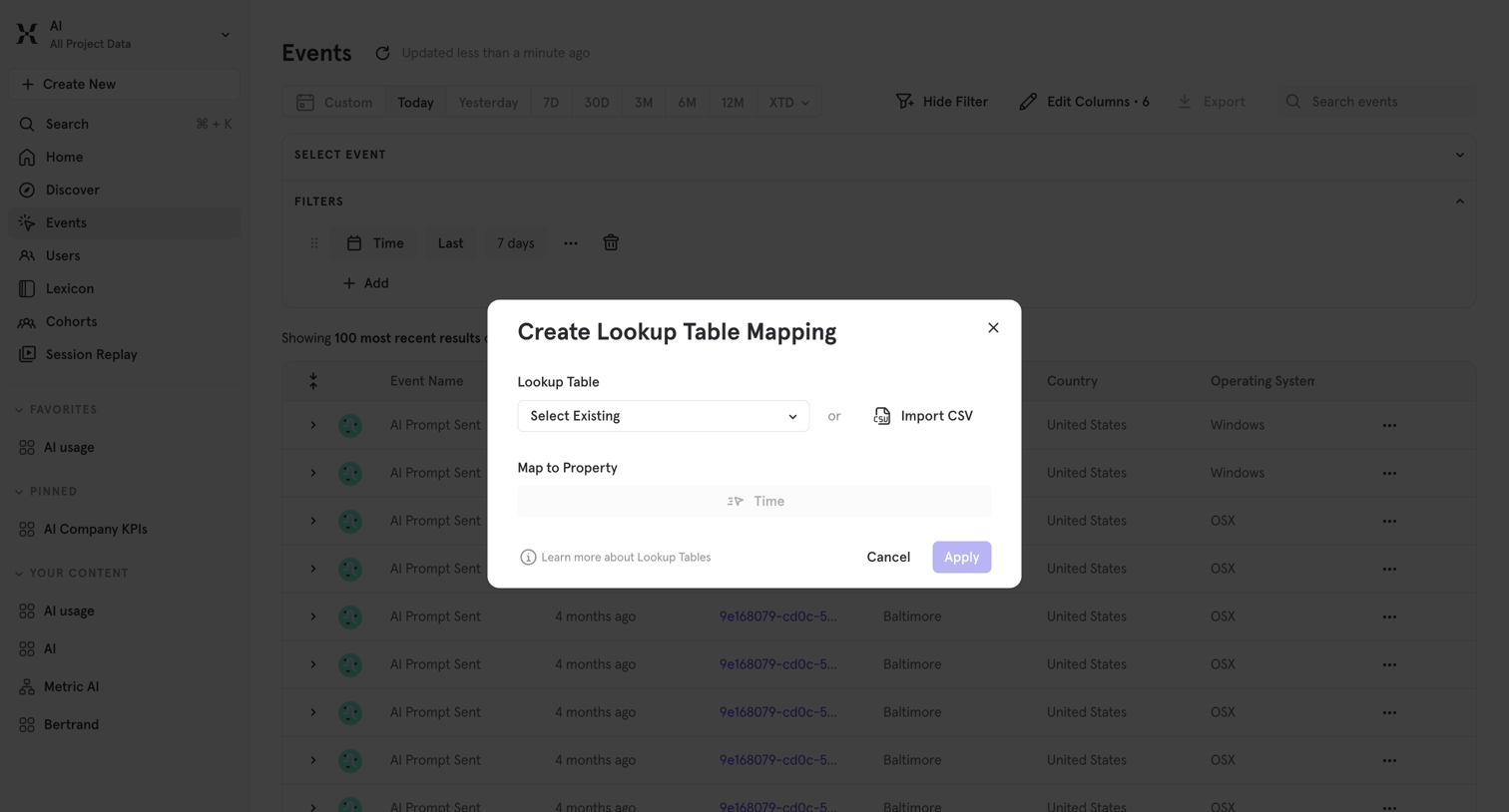

List view of events where the user is creating a lookup table mapping by selecting an existing table or importing a CSV to map to a specific property.
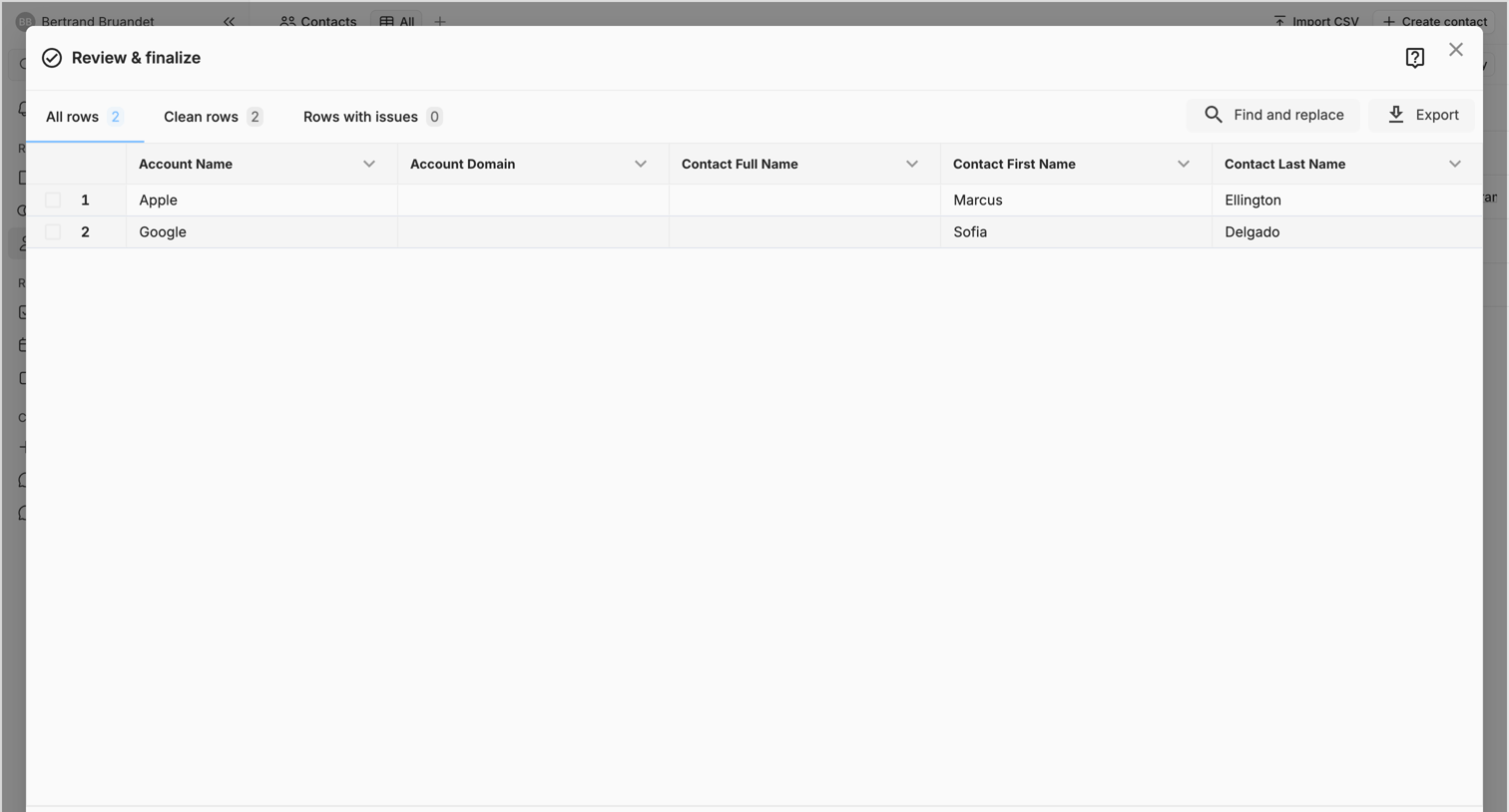

List view with a large modal where the user reviews and finalizes a contact data import before committing it to the CRM.
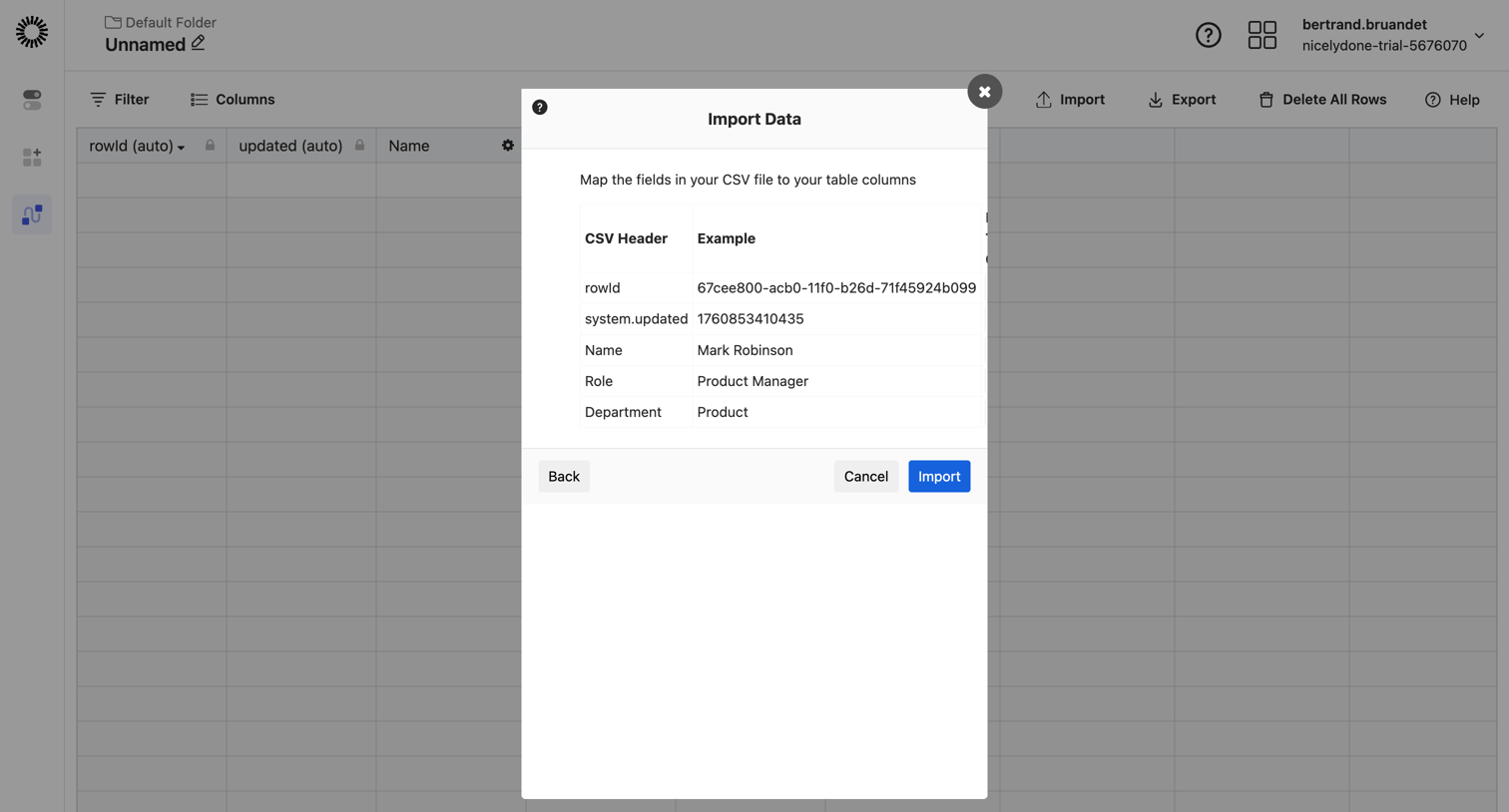

Data table view where the user maps CSV headers to table columns inside a modal to import data.
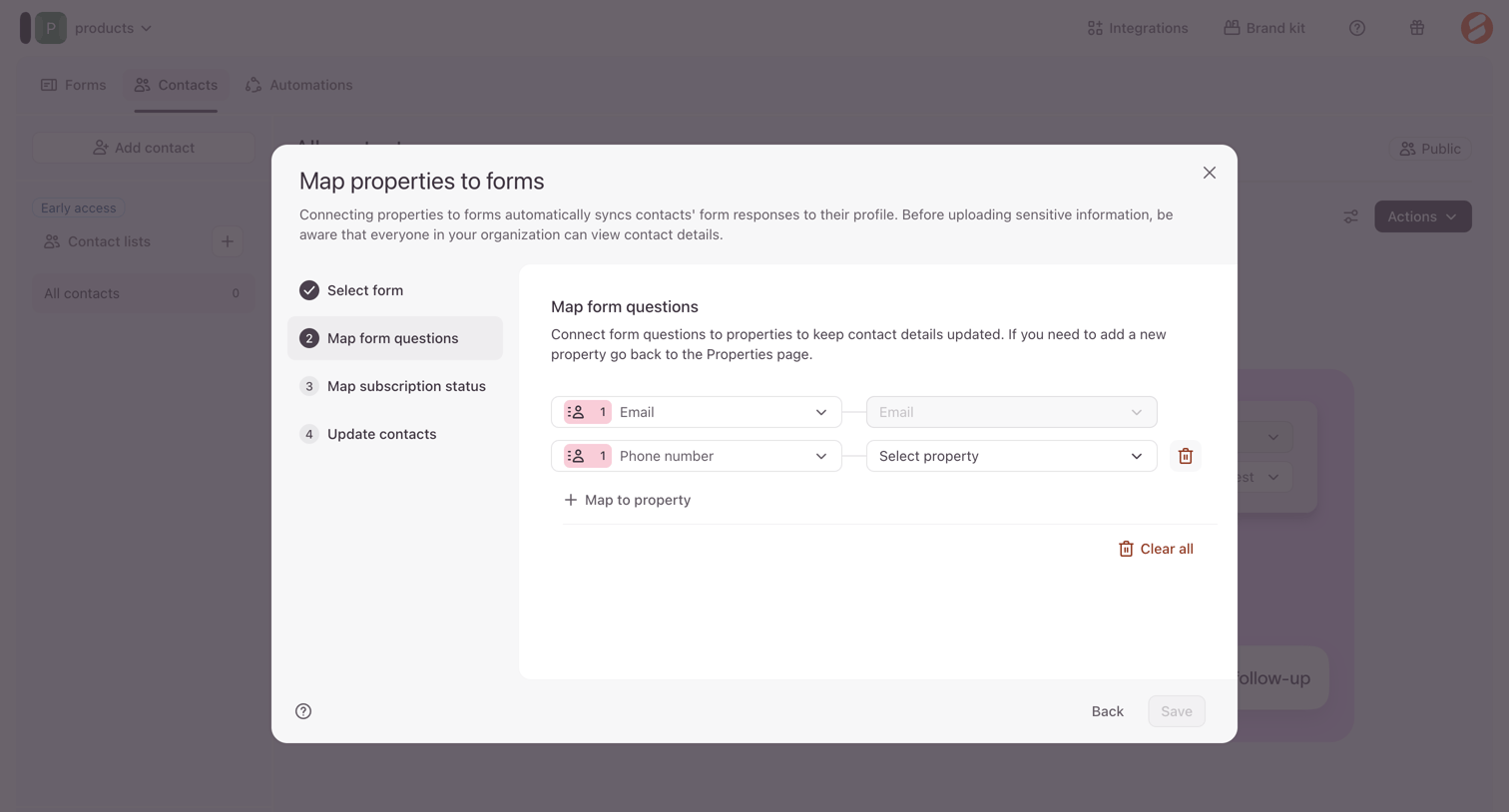

Modal where the user maps form questions like email and phone number to contact properties to keep profiles updated.
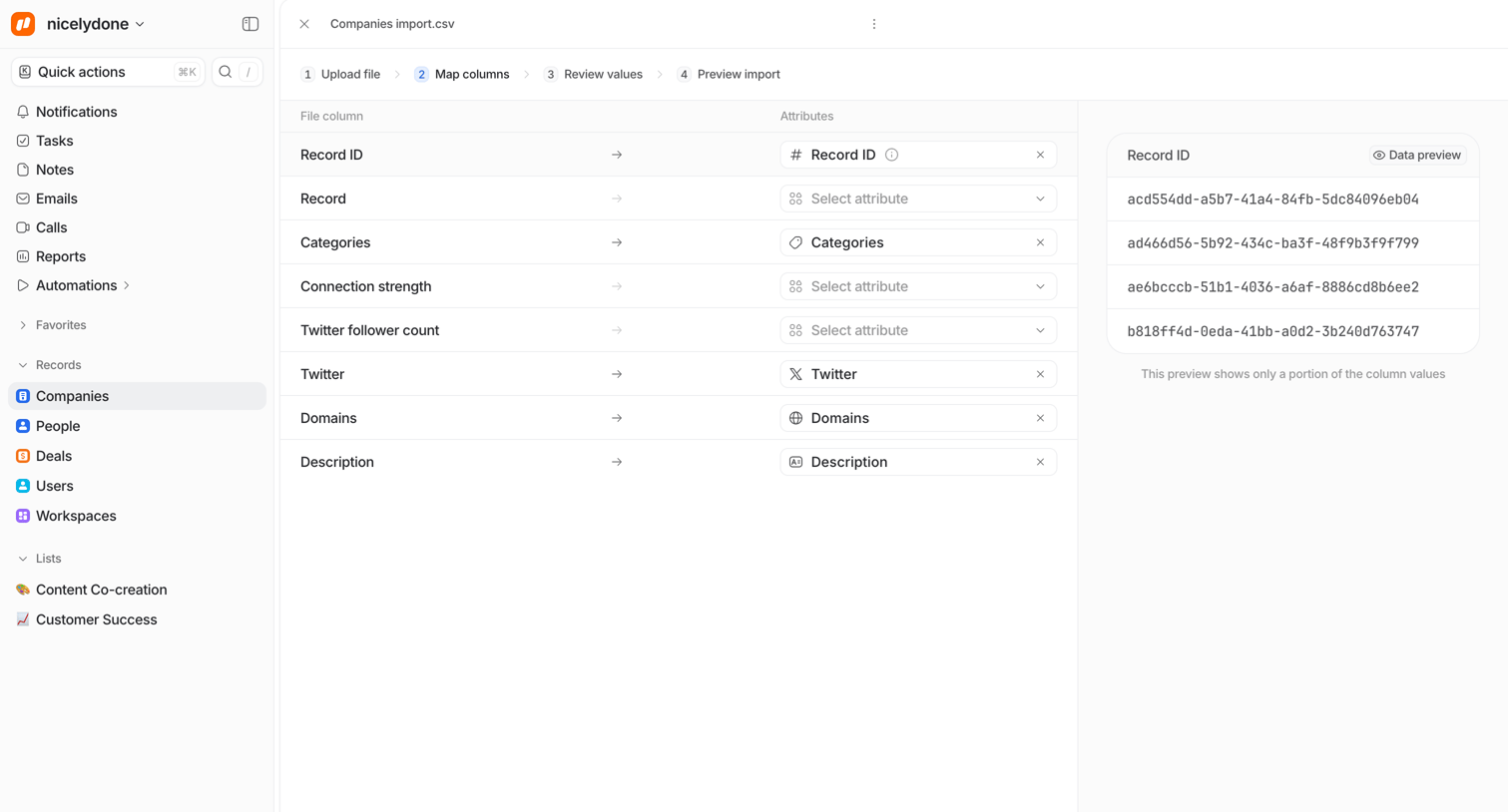

Import flow step where the user maps CSV file columns to company attributes and previews the incoming data.
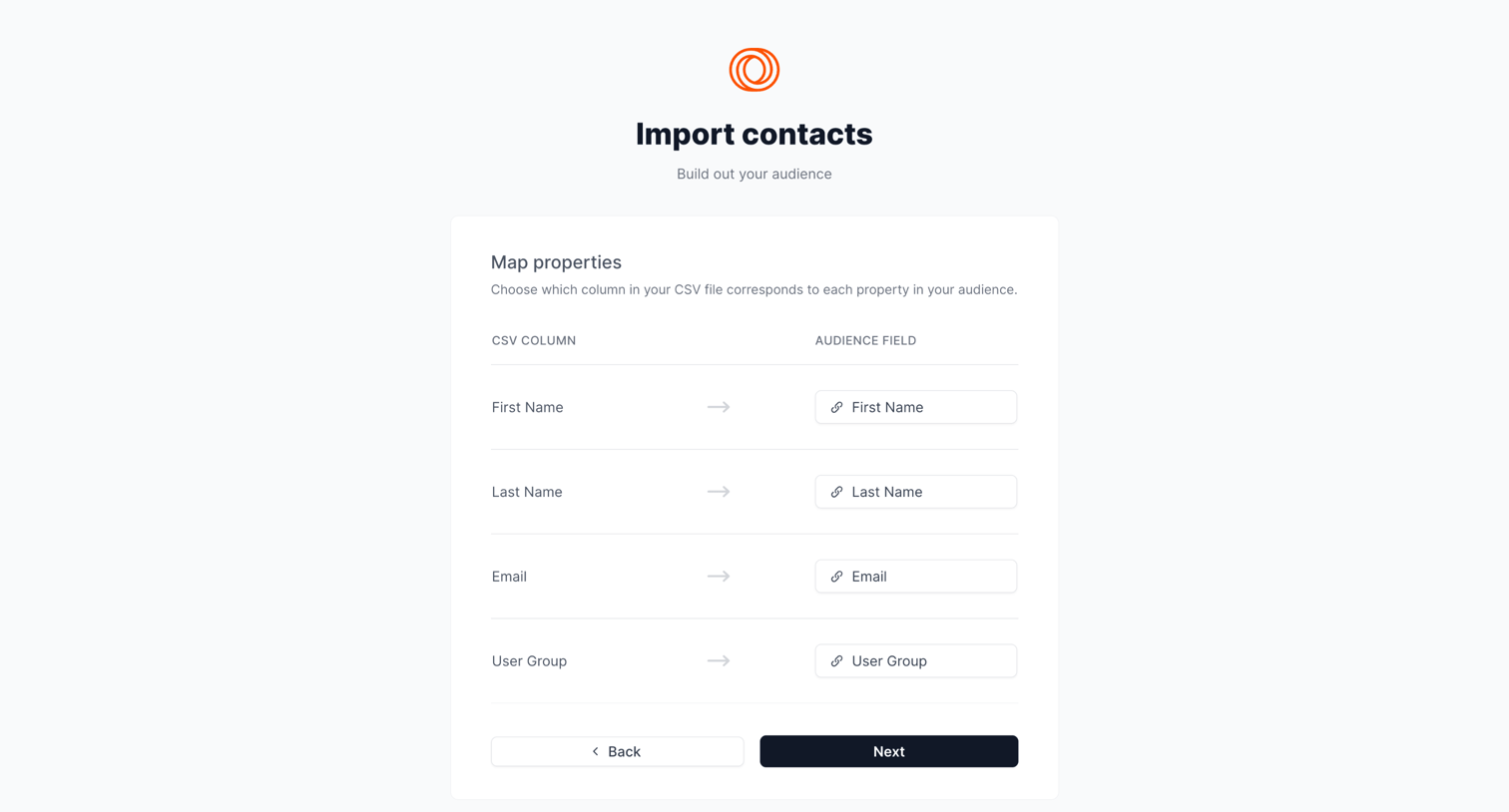

Import flow step where the user maps CSV columns to their corresponding audience fields.
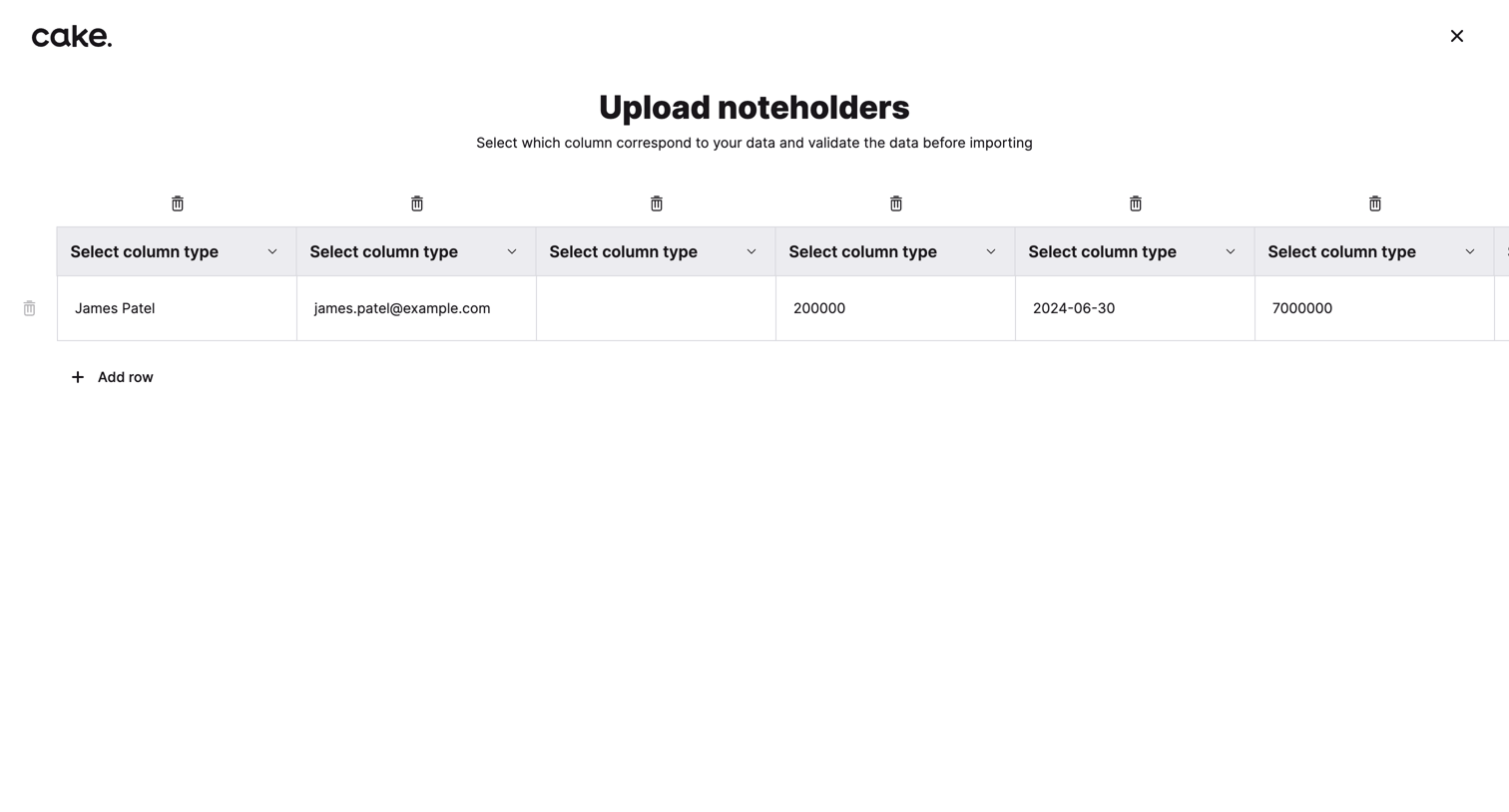

Full-screen import view where the user maps CSV columns to corresponding data types for noteholders before validating and importing.
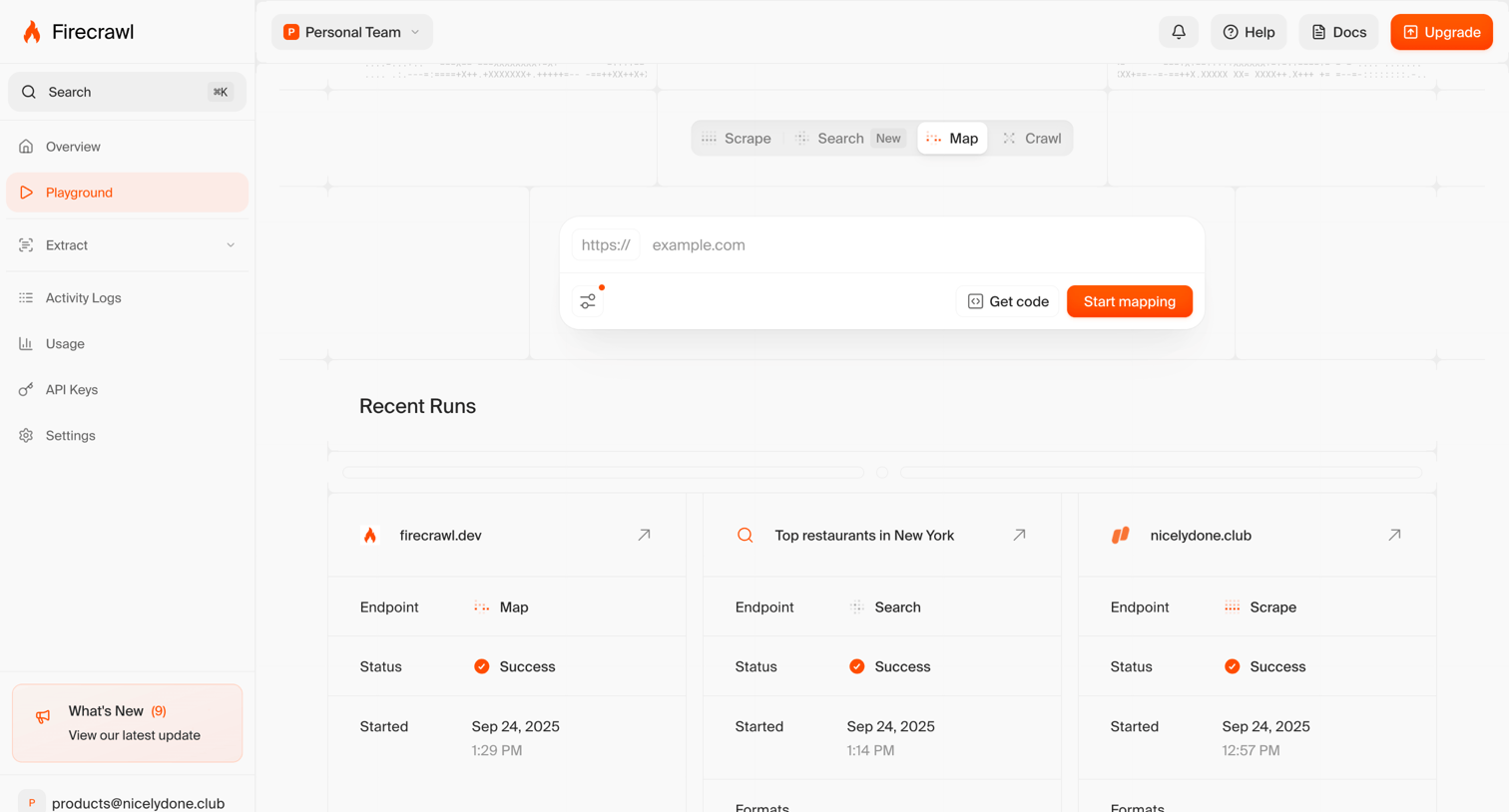

App playground where the user inputs a URL to start mapping a website and views a history of recent scrape, search, and map runs.
Explore the full SaaS screen library
Upgrade to unlock the full library.
Trusted by the best teams







