View Switcher screen examples
View Switcher screen design examples from SaaS apps. See how apps offer different ways to display the same content. Explore how list, grid, and other view choices are presented alongside the current collection.
Explore the examples
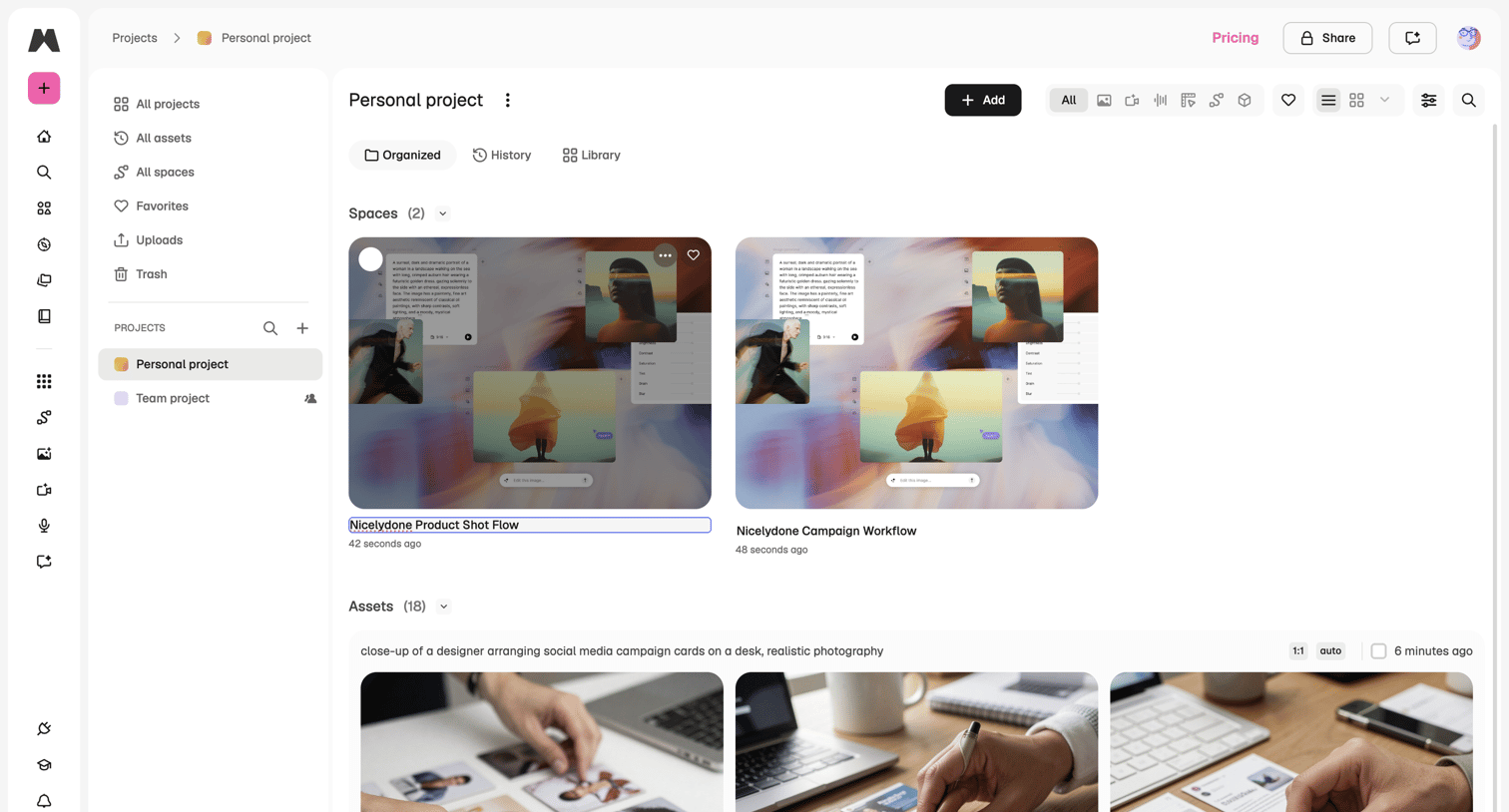

Detail page for a personal project where the user manages spaces and assets, with options to filter by media type and toggle grid views.
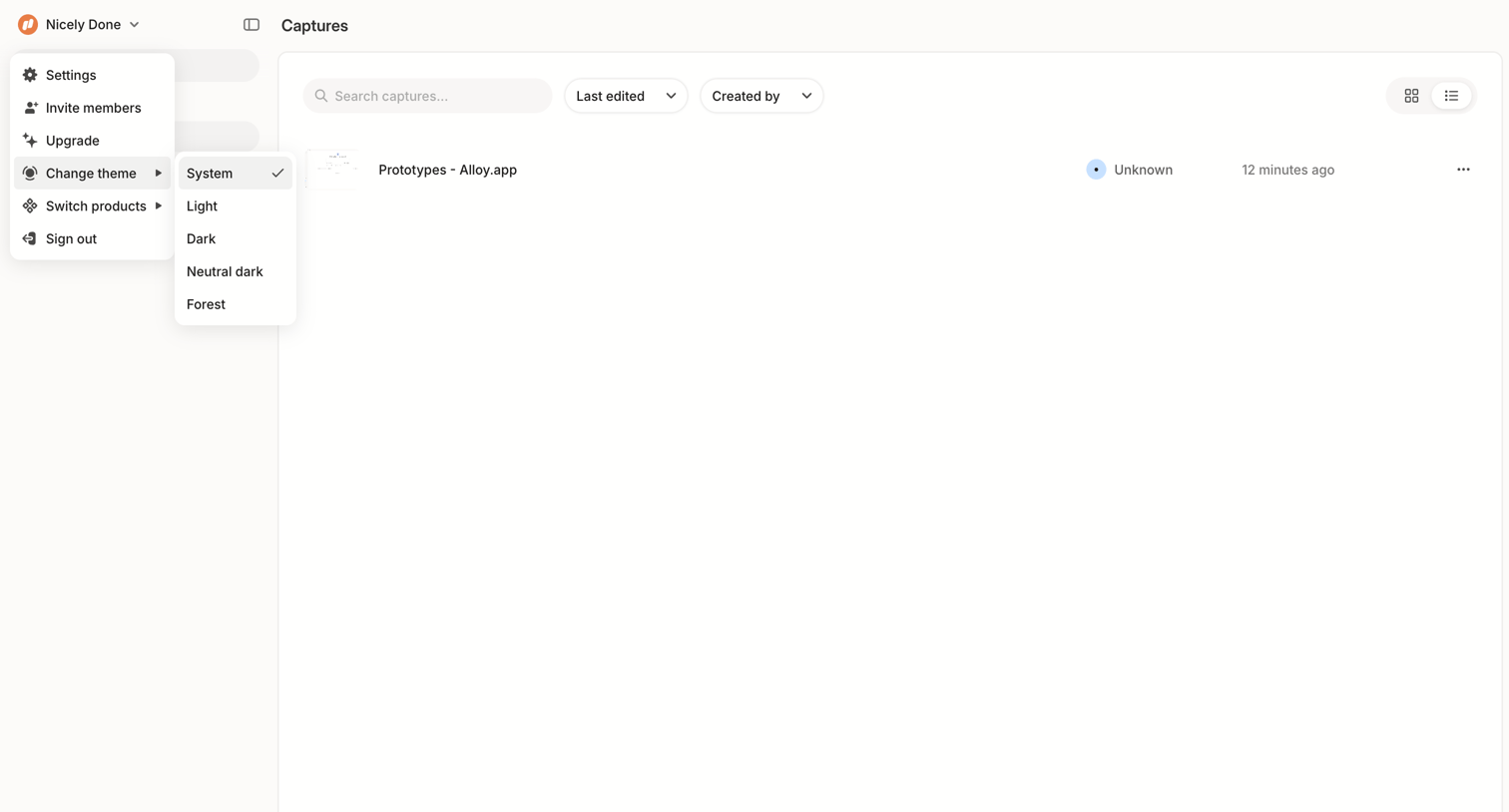

List view where the user searches, filters by edit date or creator, and toggles the layout of their saved captures.


Content planner calendar where the user switches between week, month, and list views to schedule sessions, webinars, episodes, and posts.

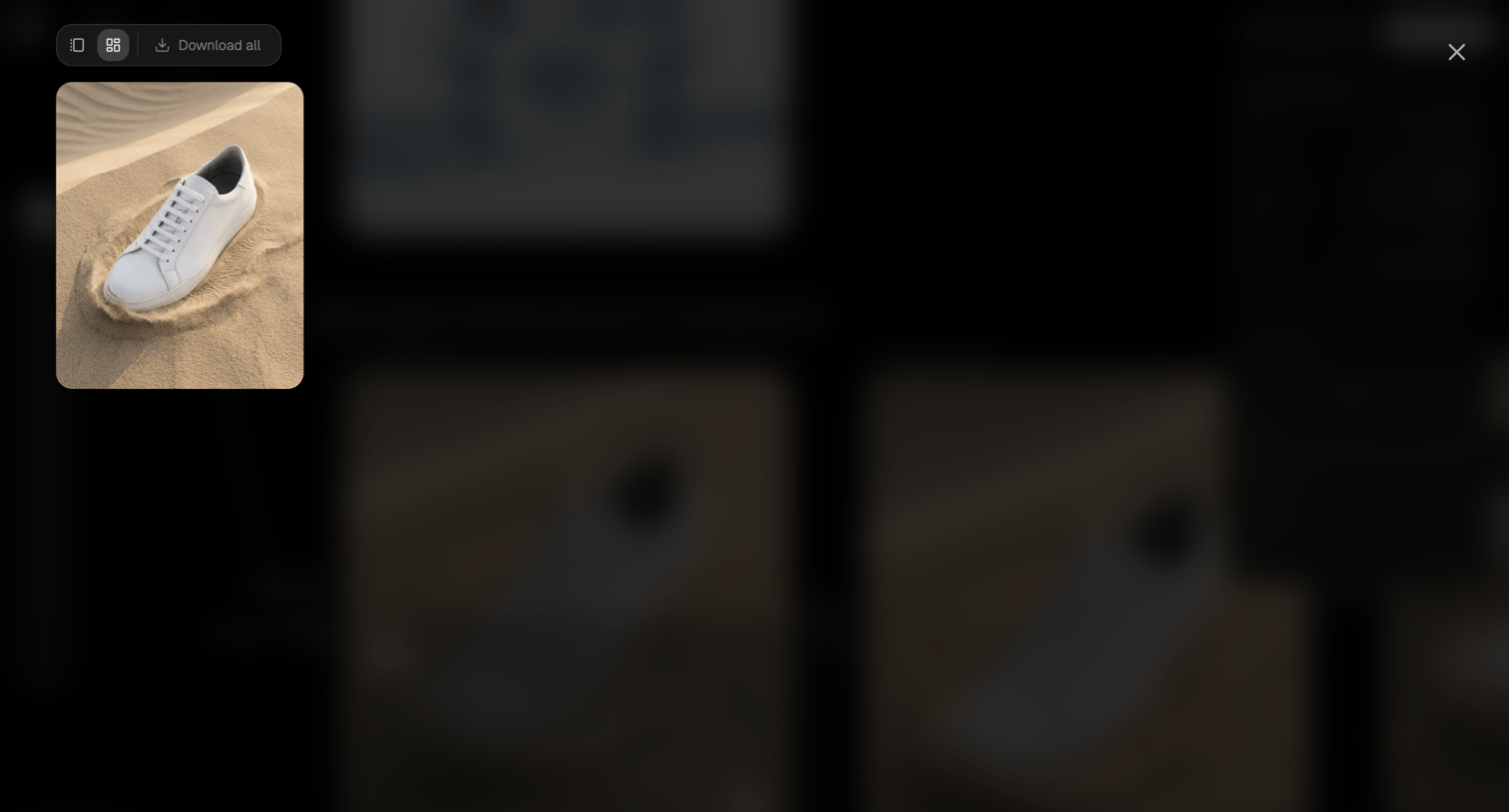

Detail overlay where the user views a generated image with options to switch grid layouts or download all assets.
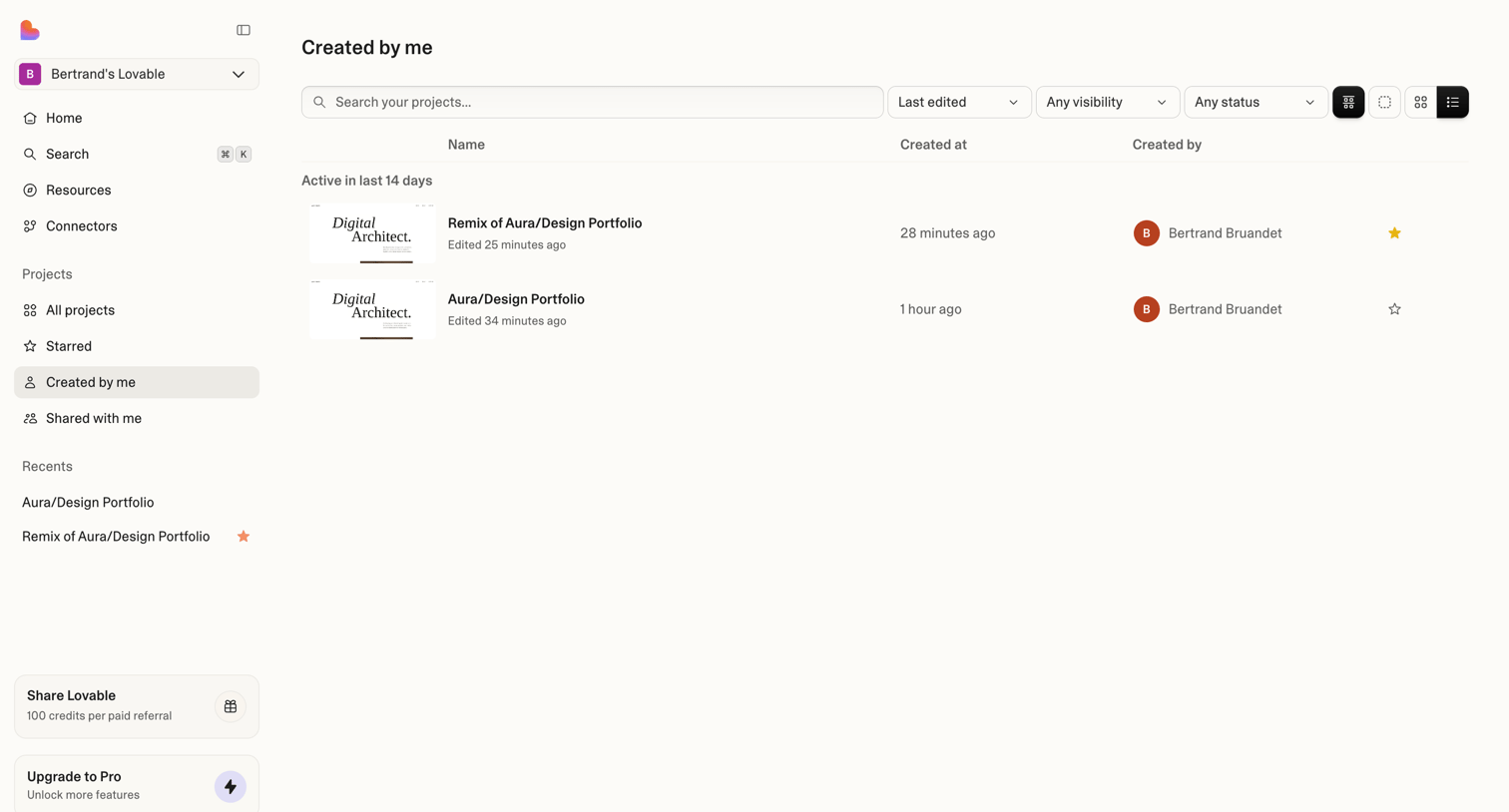

Dashboard list view showing projects created by the user, with search, filtering, and layout controls.
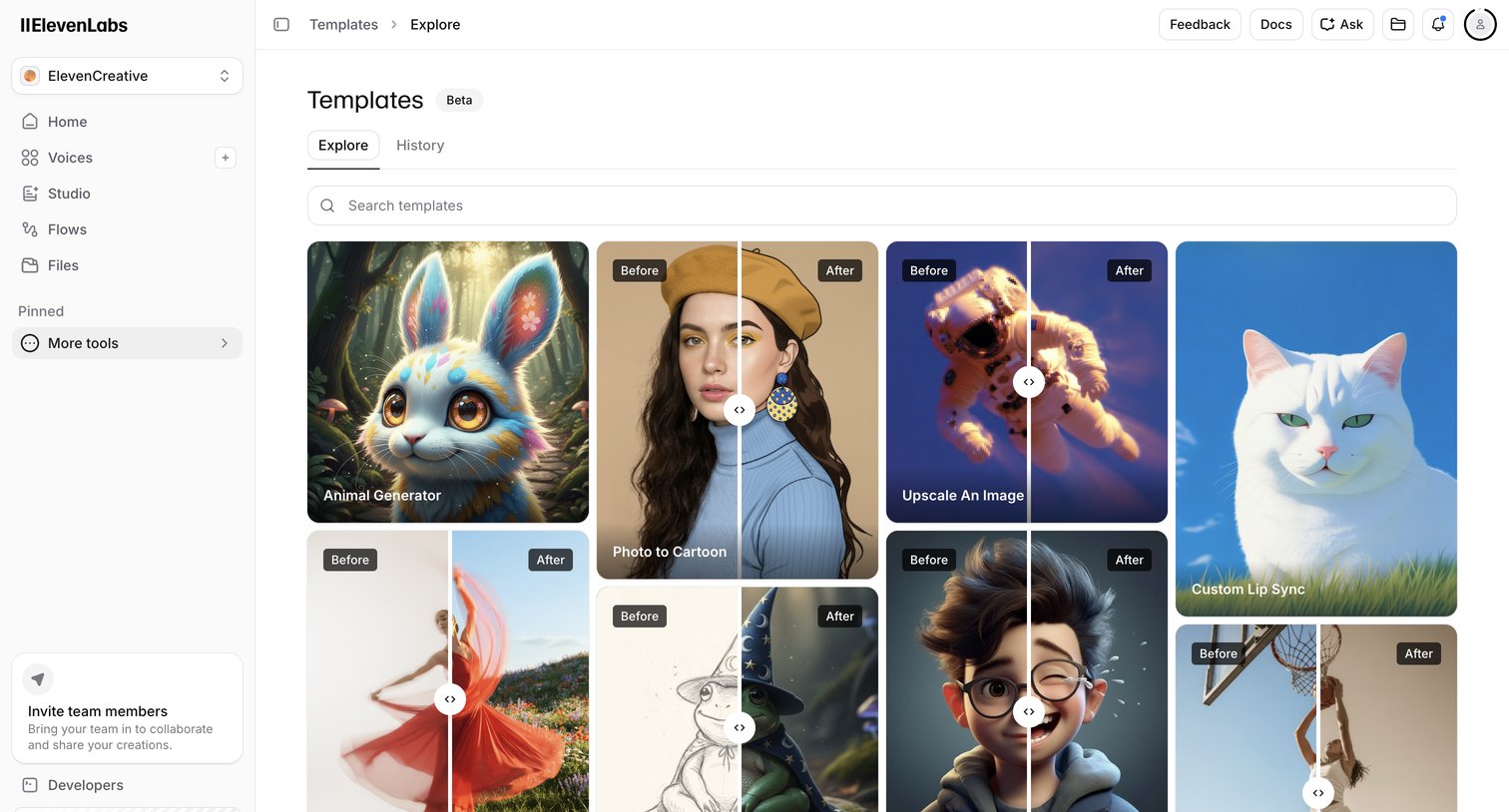

Template gallery where the user browses and searches for AI generation templates like image upscaling and custom lip sync.
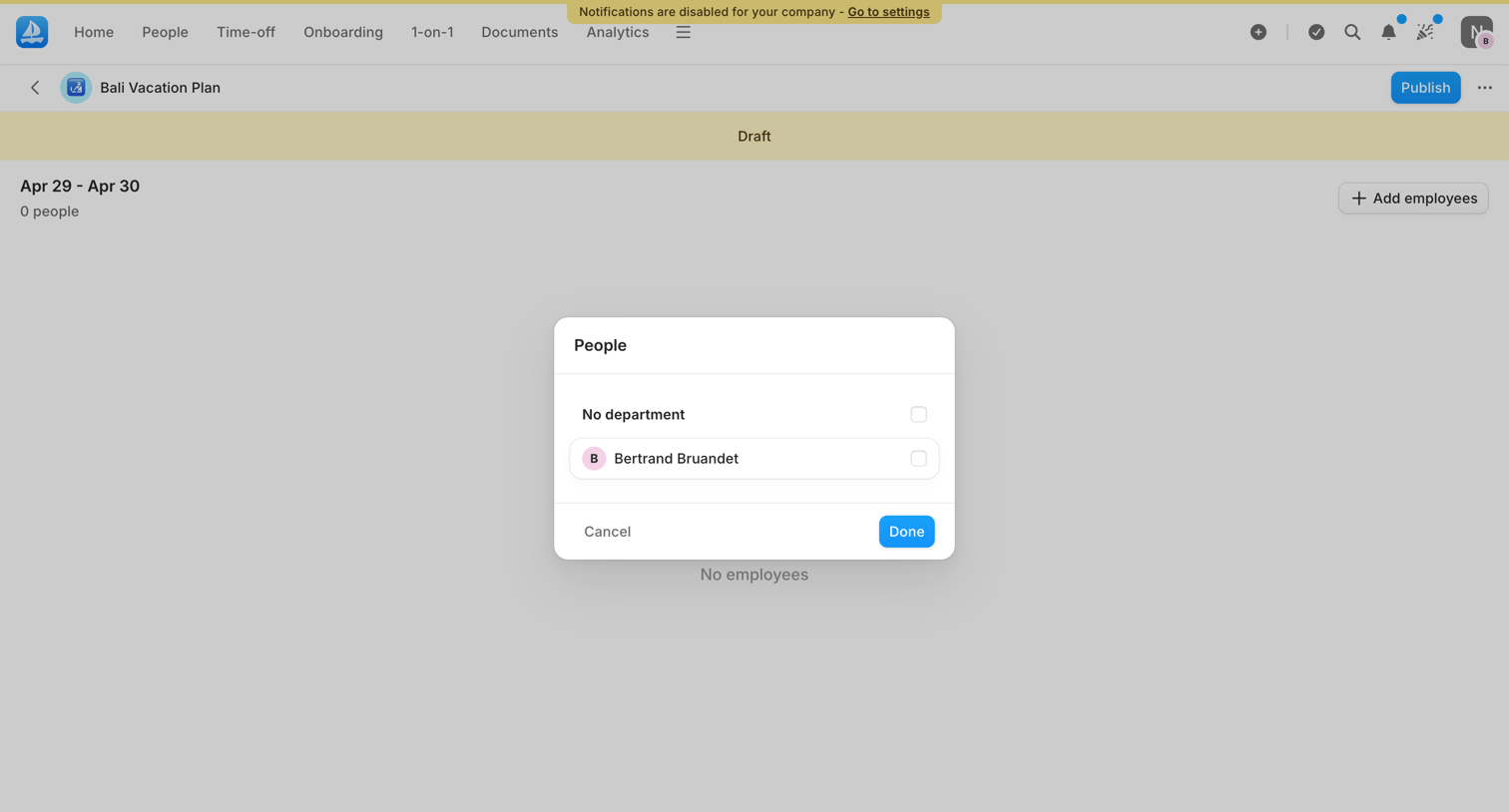

Detail page for a draft vacation plan where the user is selecting employees to add via an overlay modal.
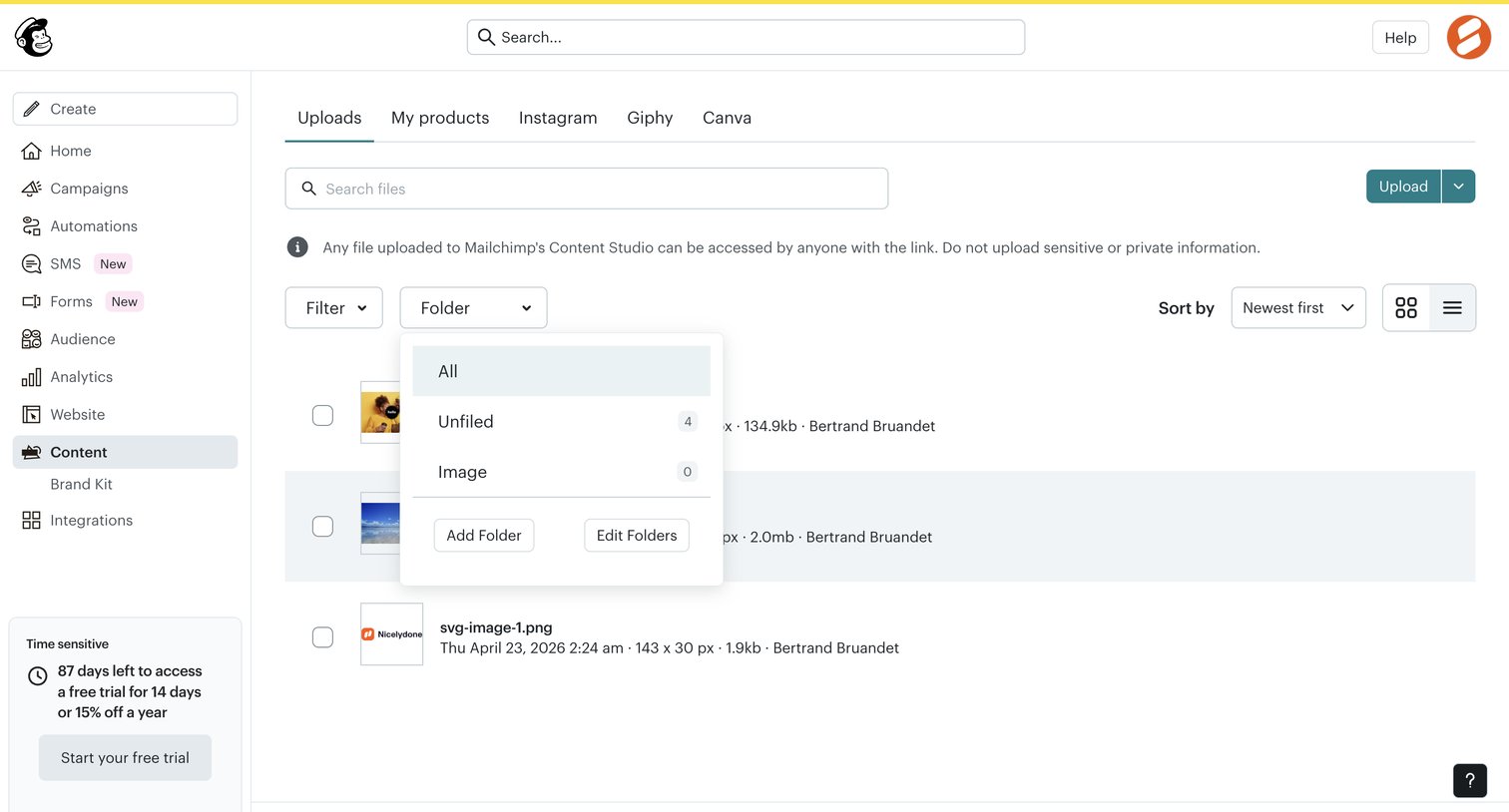

List view where the user manages uploaded files in the content studio, with options to search, filter by folder, sort, and toggle between grid and list layouts.
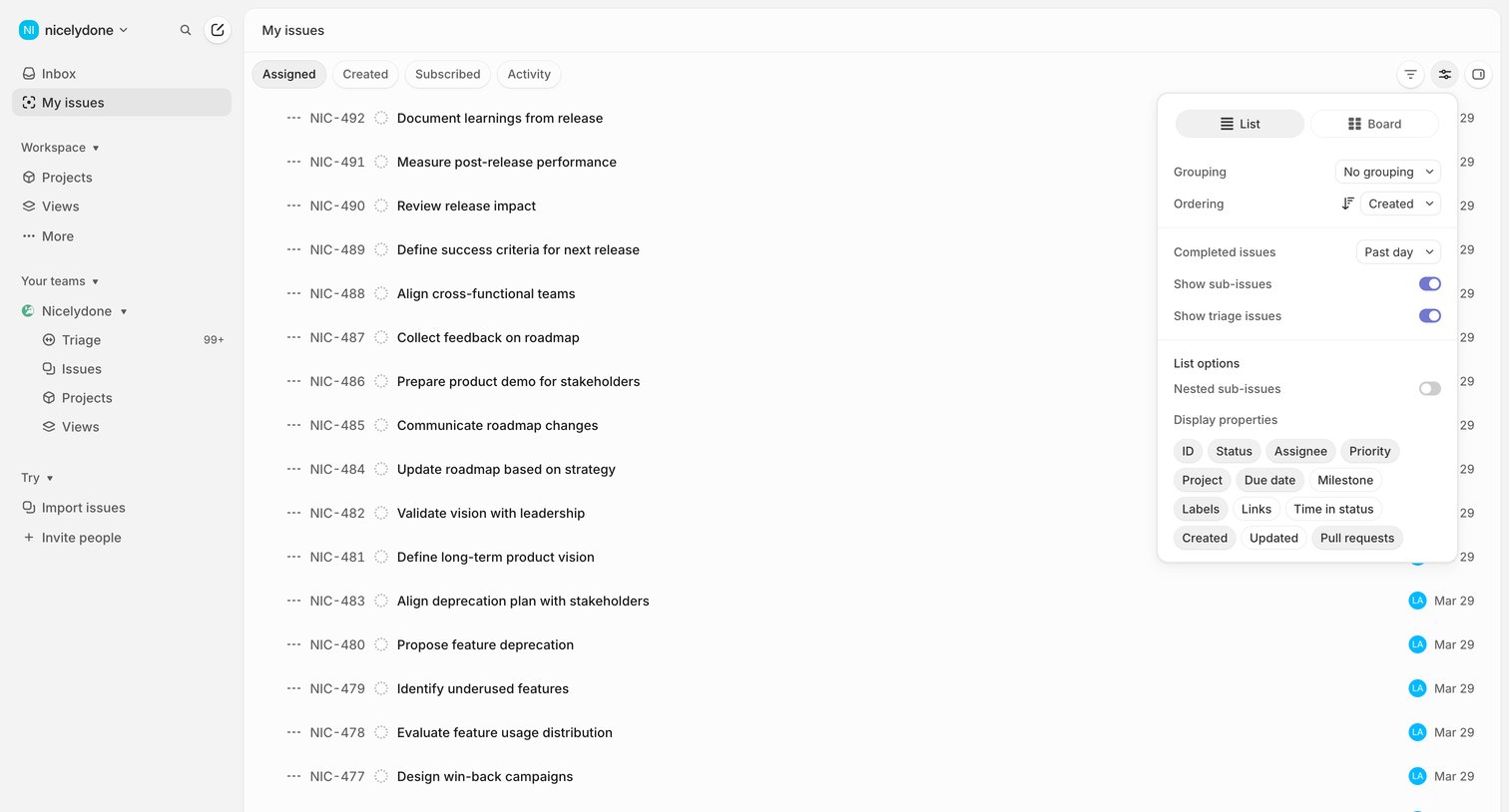

List view of the user's assigned issues with a display options popover open to configure grouping, ordering, and visible properties.
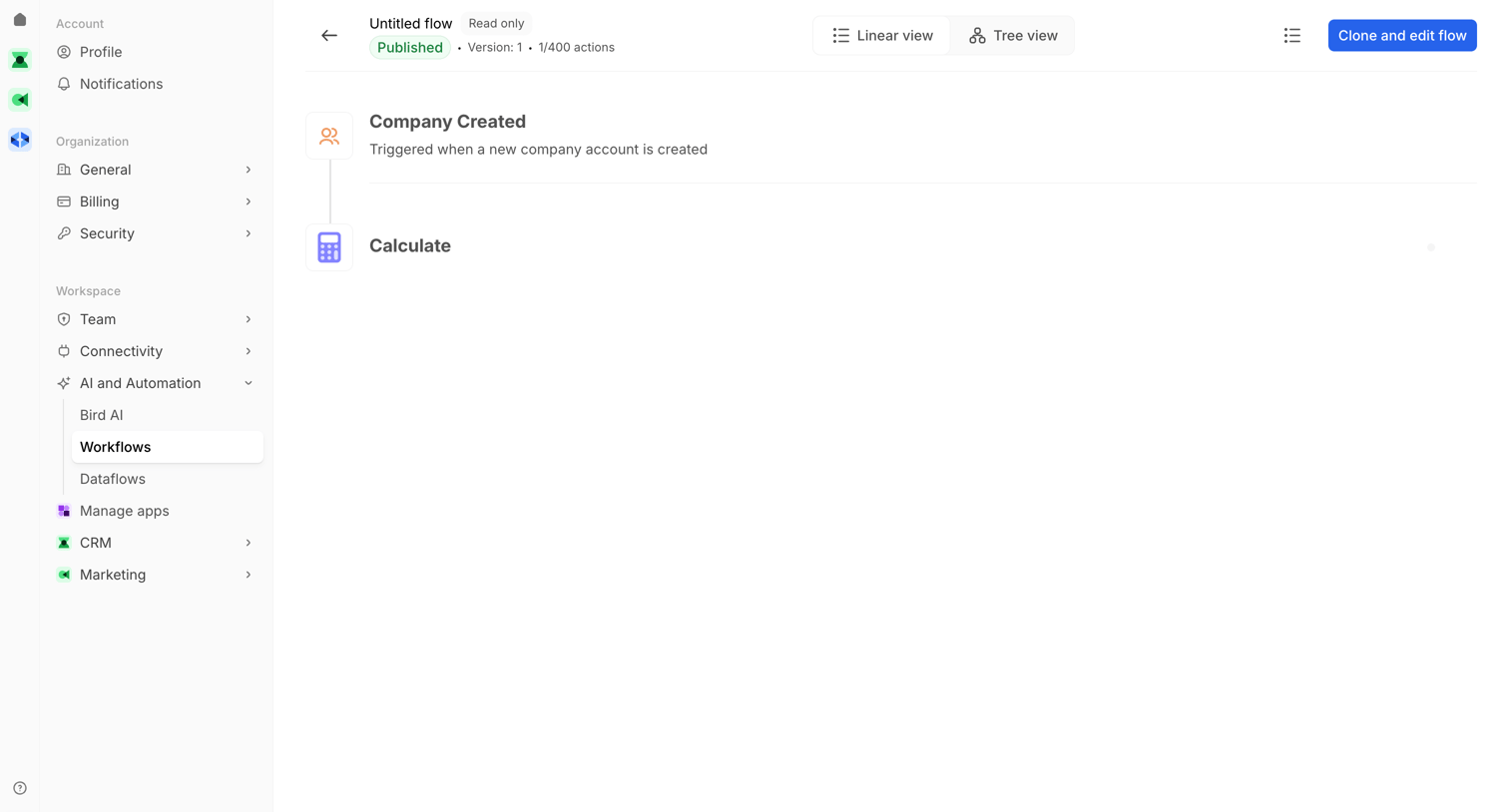

Workflow editor in read-only mode showing a linear view of a flow triggered by a company creation event.
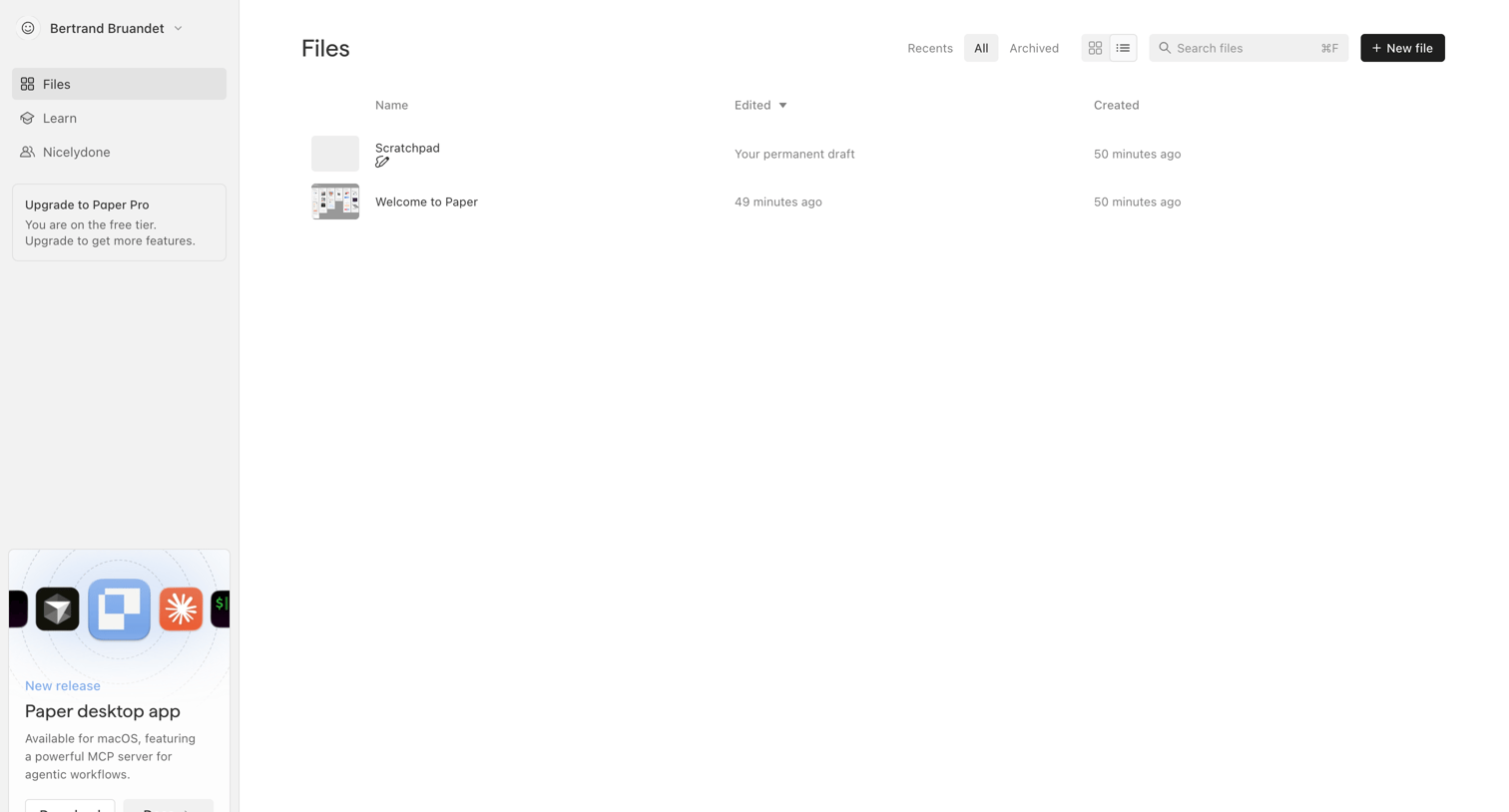

Explore the full SaaS screen library
Upgrade to unlock the full library.
Trusted by the best teams








About View Switcher
See how apps offer different ways to display the same content. Explore how list, grid, and other view choices are presented alongside the current collection.