Saved Views screen examples
Saved Views screen design examples from SaaS apps. See how SaaS apps let people return to a chosen arrangement of data. Explore how saved filters and view settings are named, selected, and managed alongside…
Explore the examples
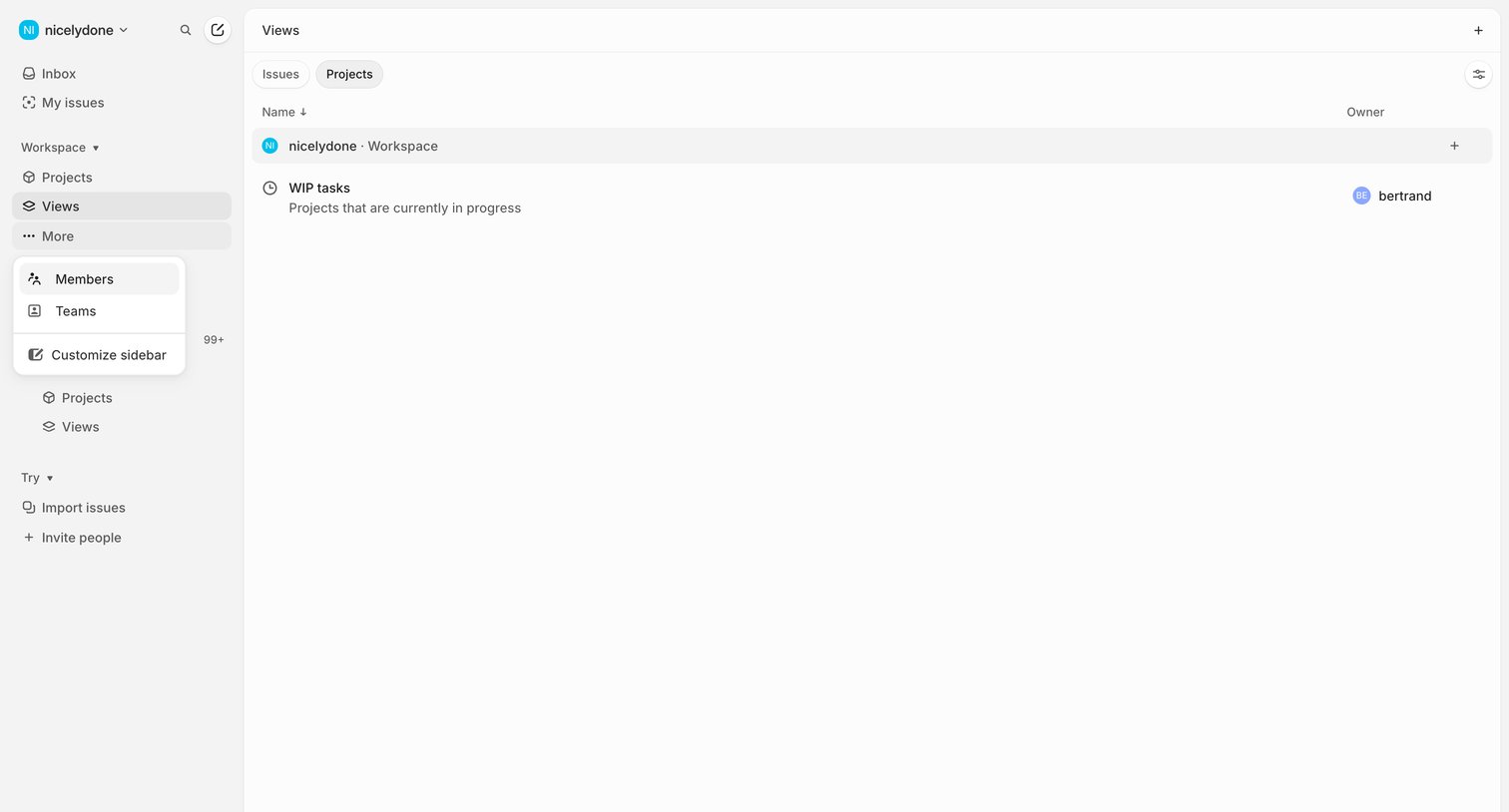

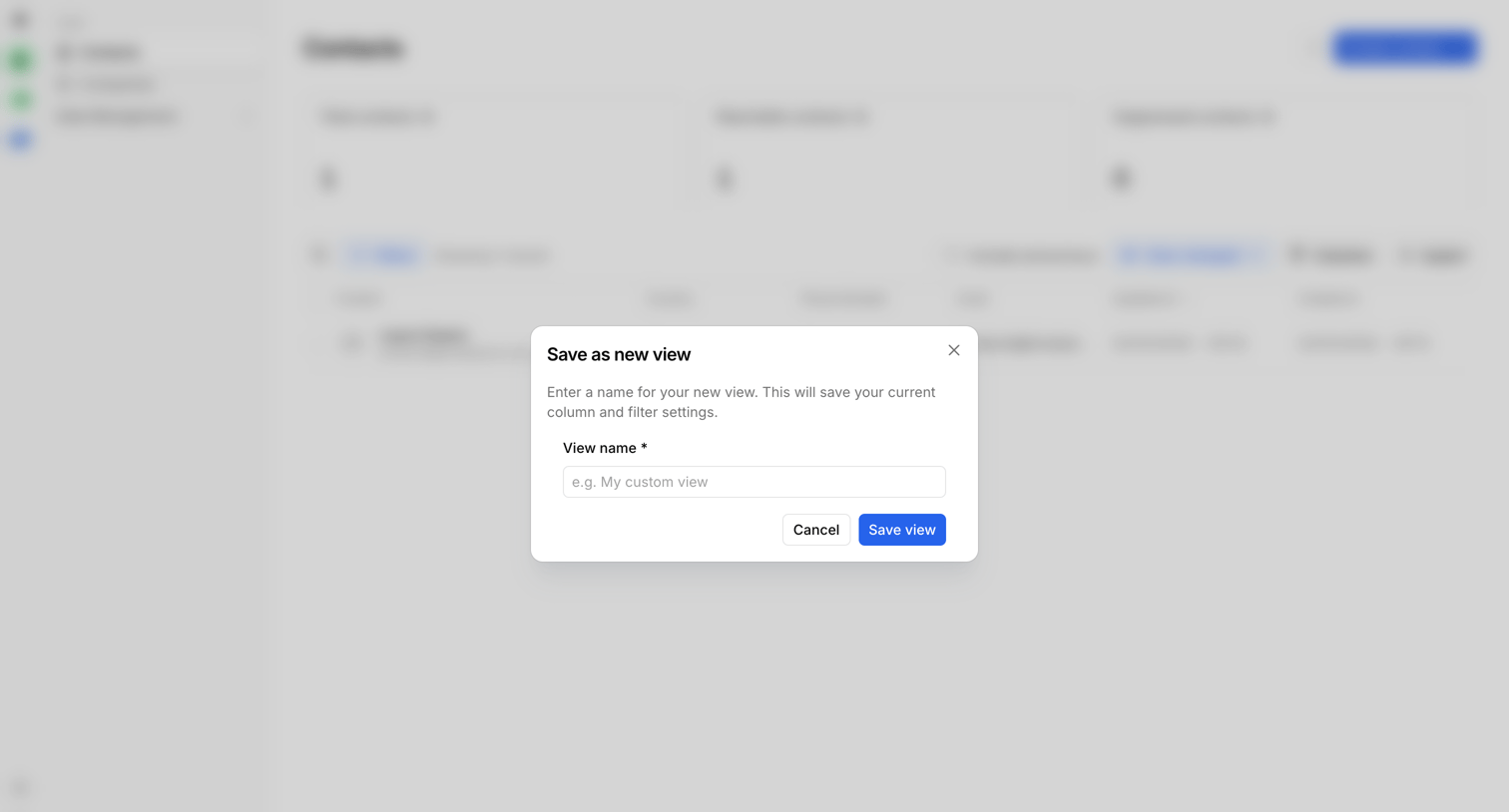

Screen where the user names and saves their current column and filter settings as a new custom view for their contacts.
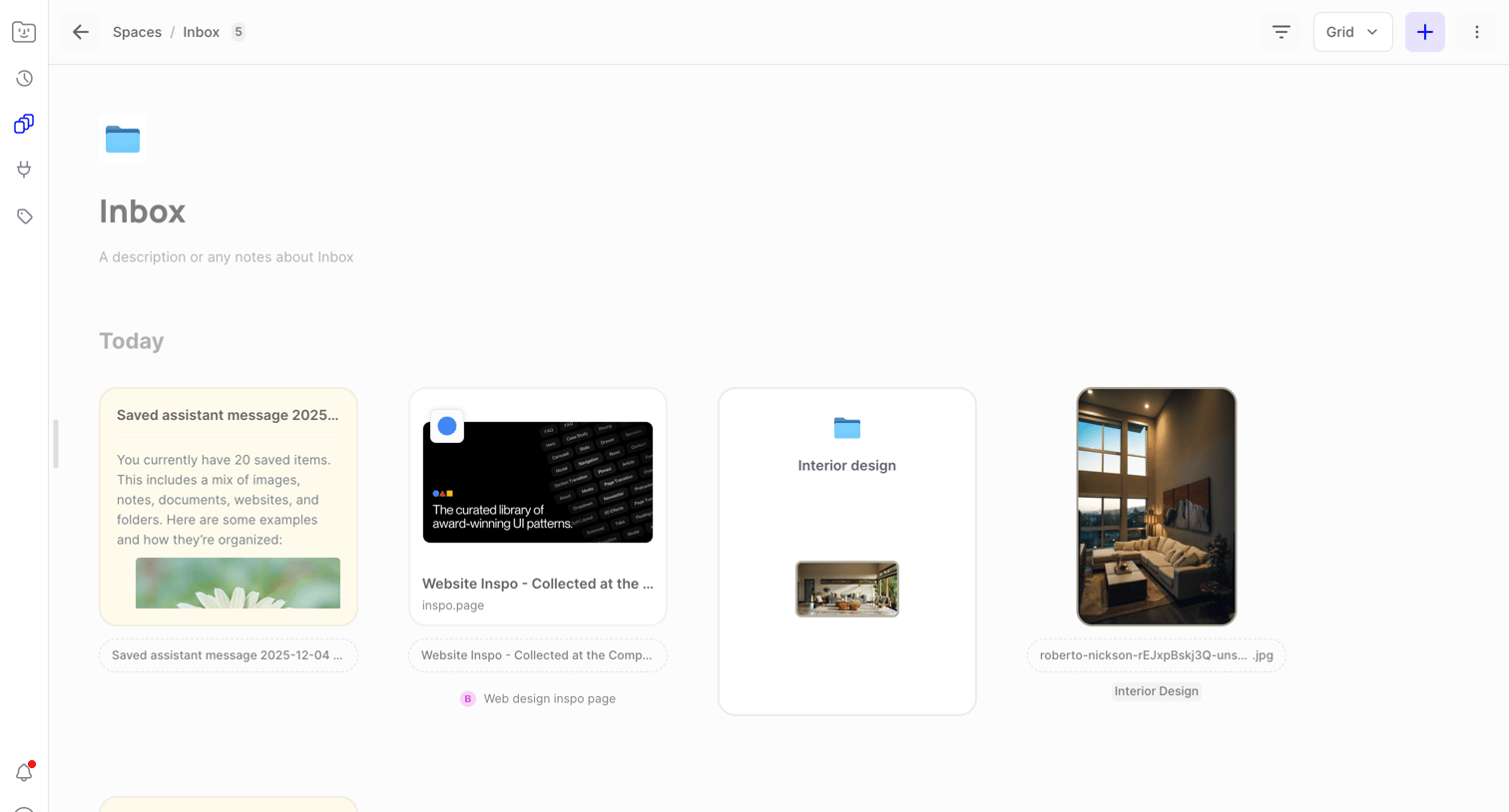

Inbox view where the user browses saved items like notes, websites, and images in a grid layout.
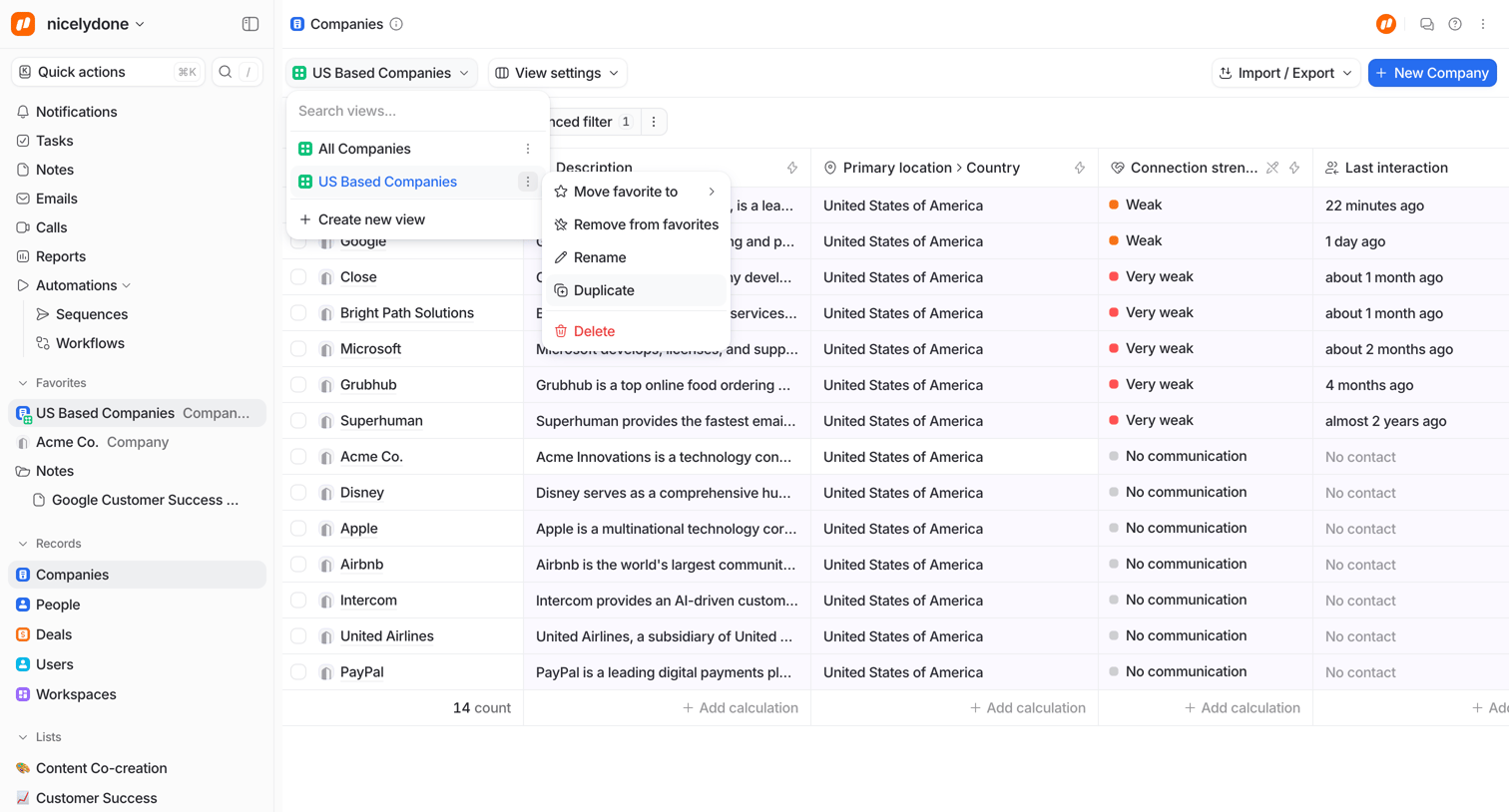

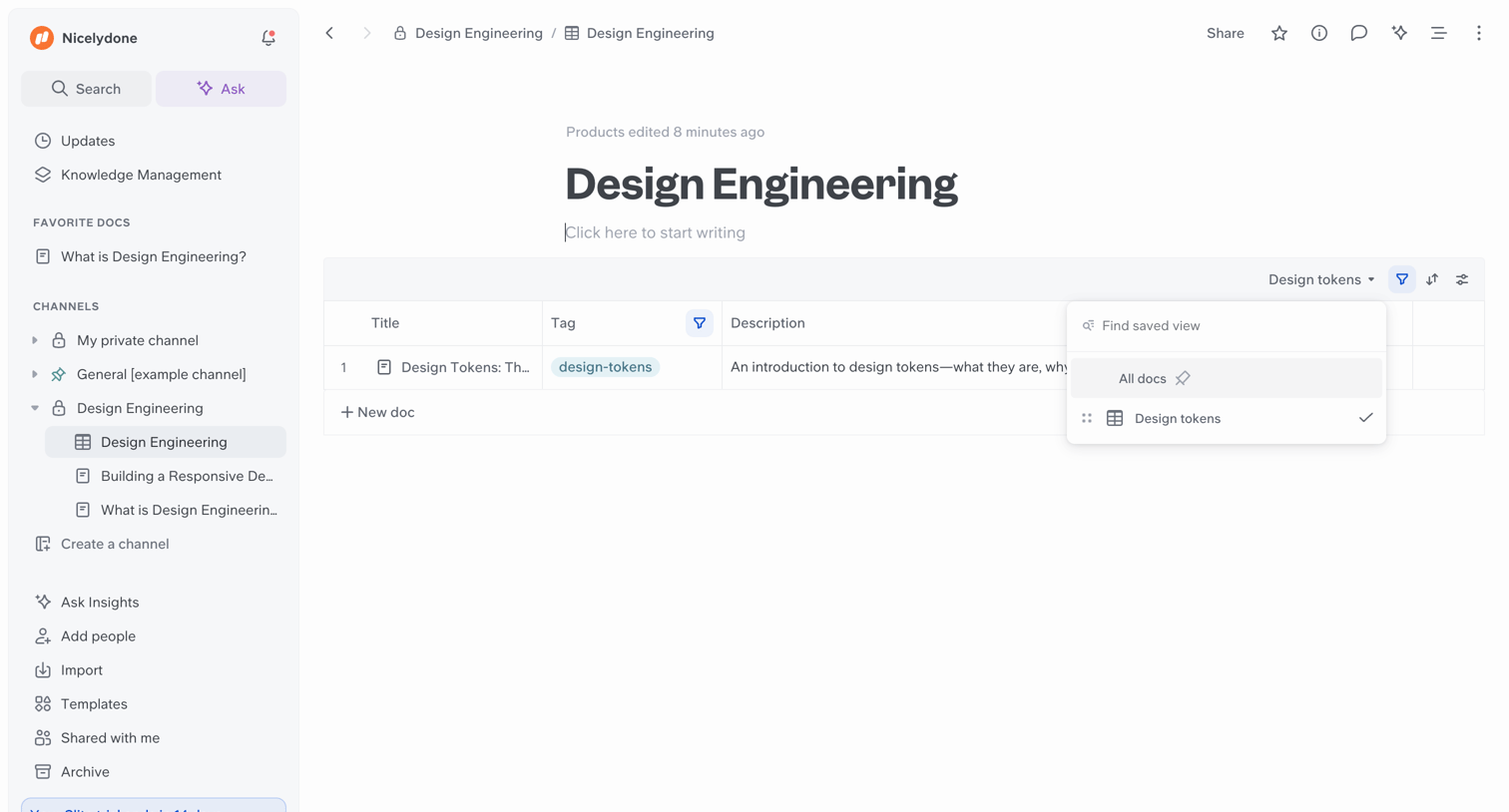
List view of companies where the user has opened a dropdown to switch between saved views and a nested context menu to manage a specific view.

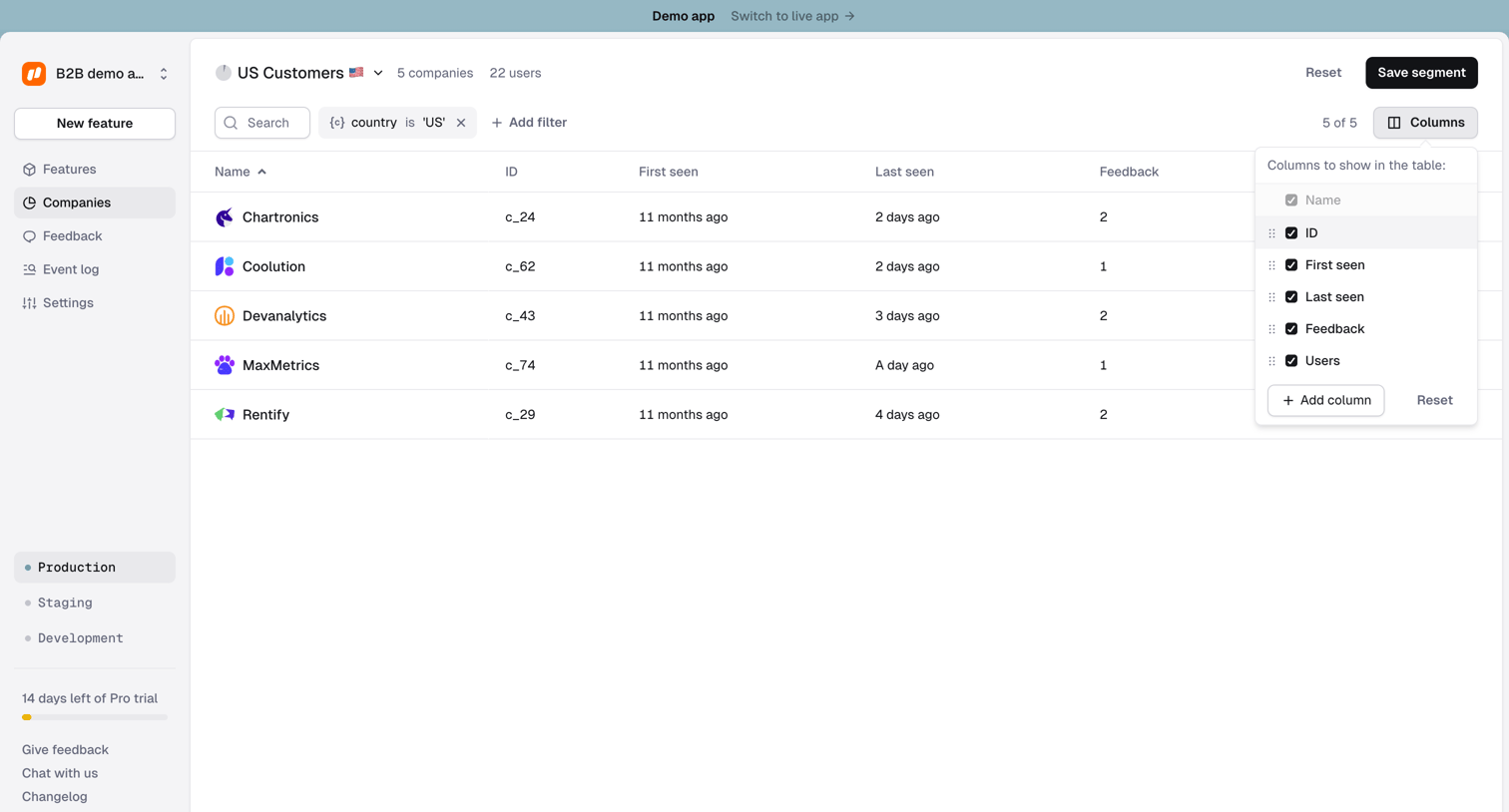

List view where the user manages a saved segment of US companies, with an open popover to customize visible table columns.
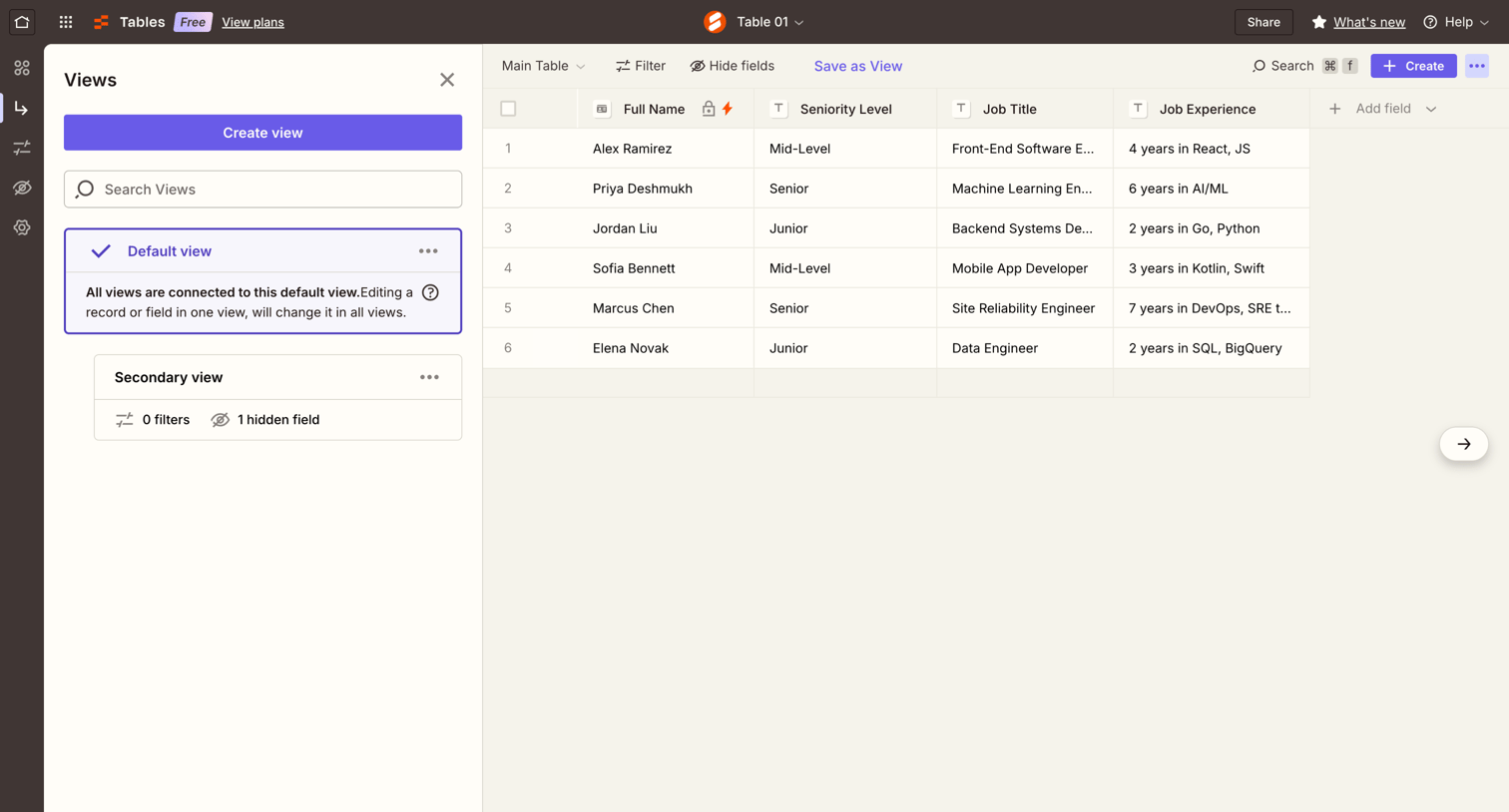

Data table interface where the user manages records, configures fields, and switches between saved views in a collapsible sidebar.
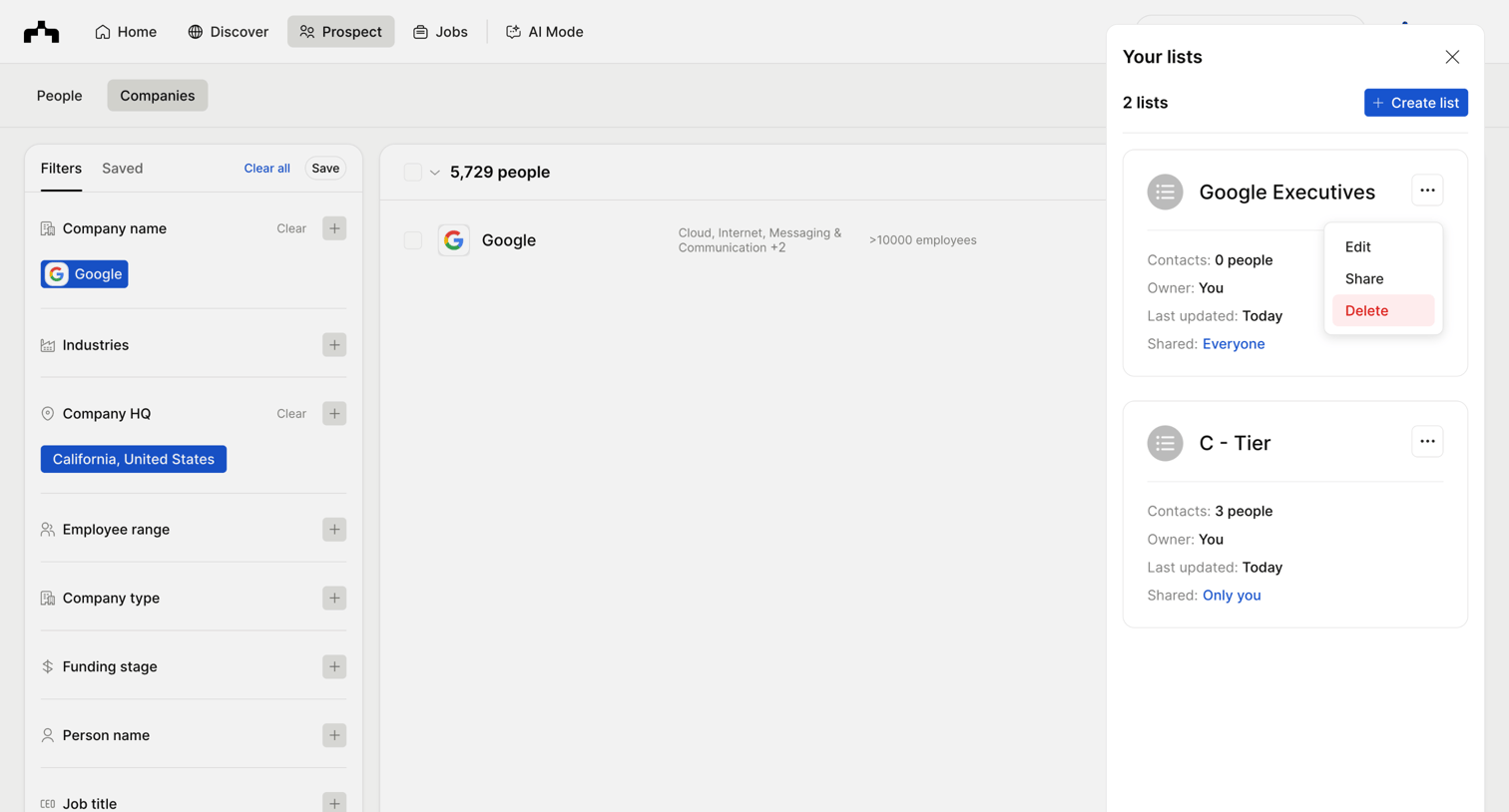

Search interface where the user filters companies by location and industry while managing saved prospect lists in a side drawer.
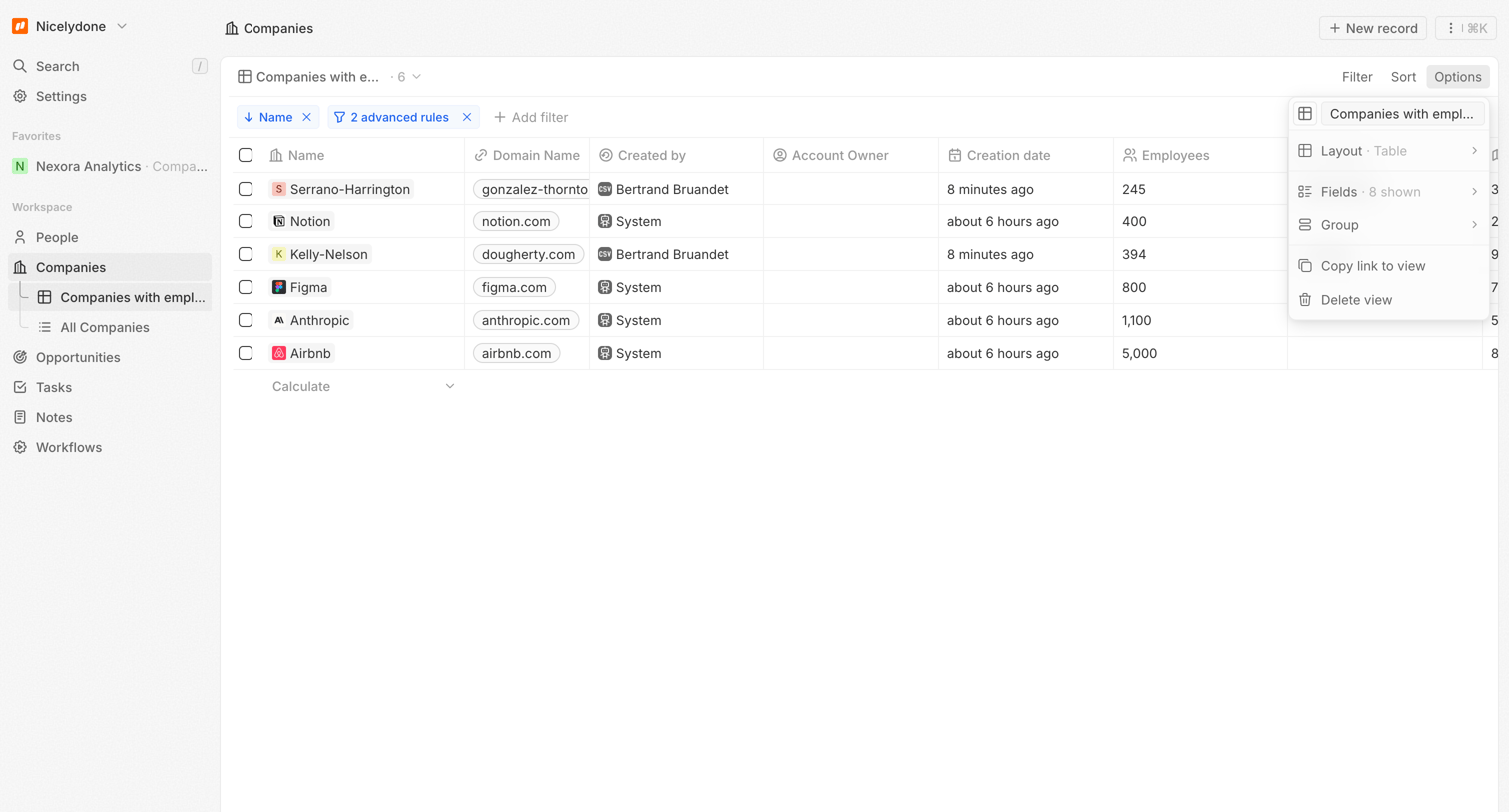

List view where the user manages a table of companies with active filters and a view options menu open.
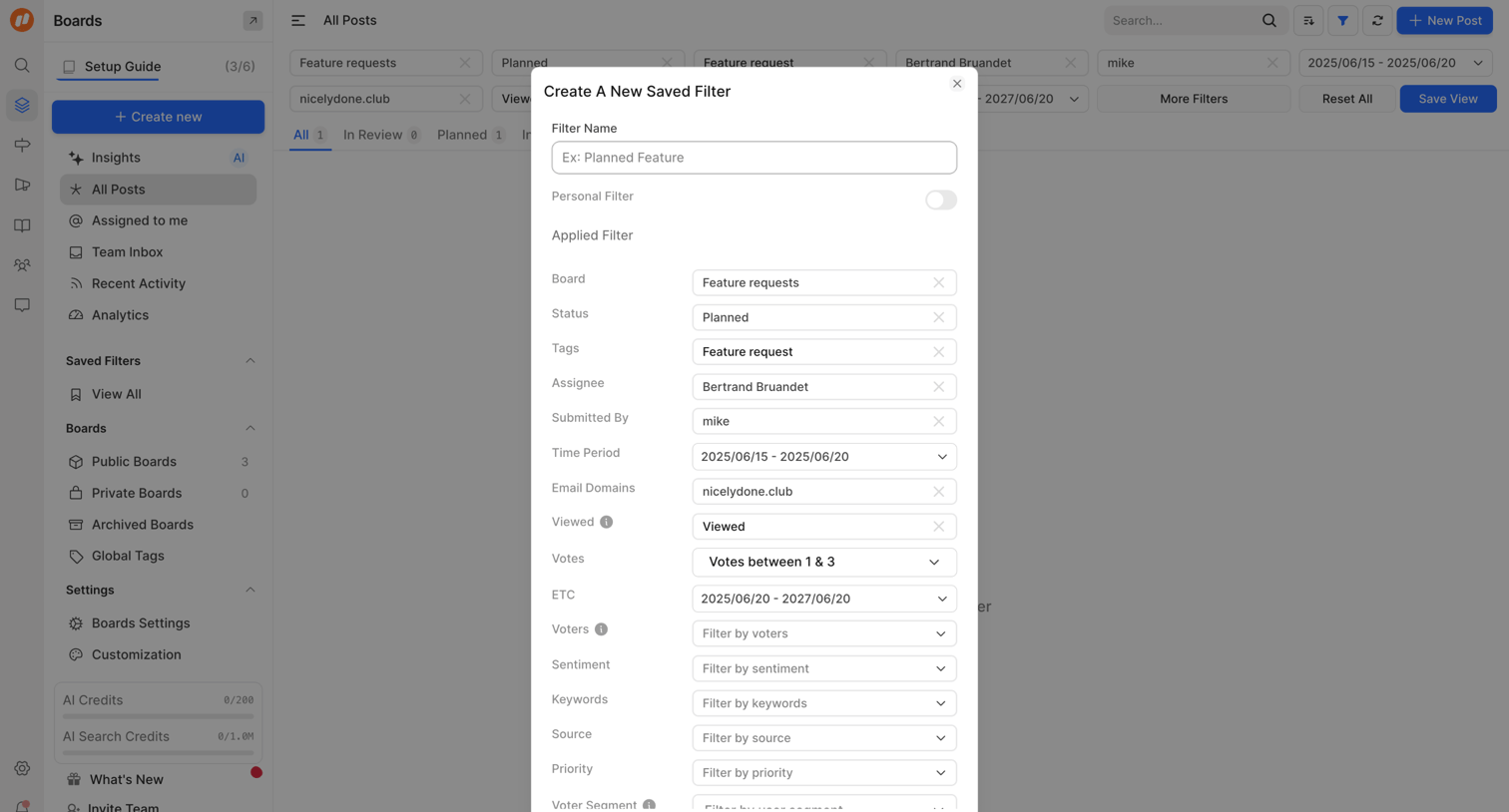

List view where the user is saving a complex set of applied filters as a new custom view.
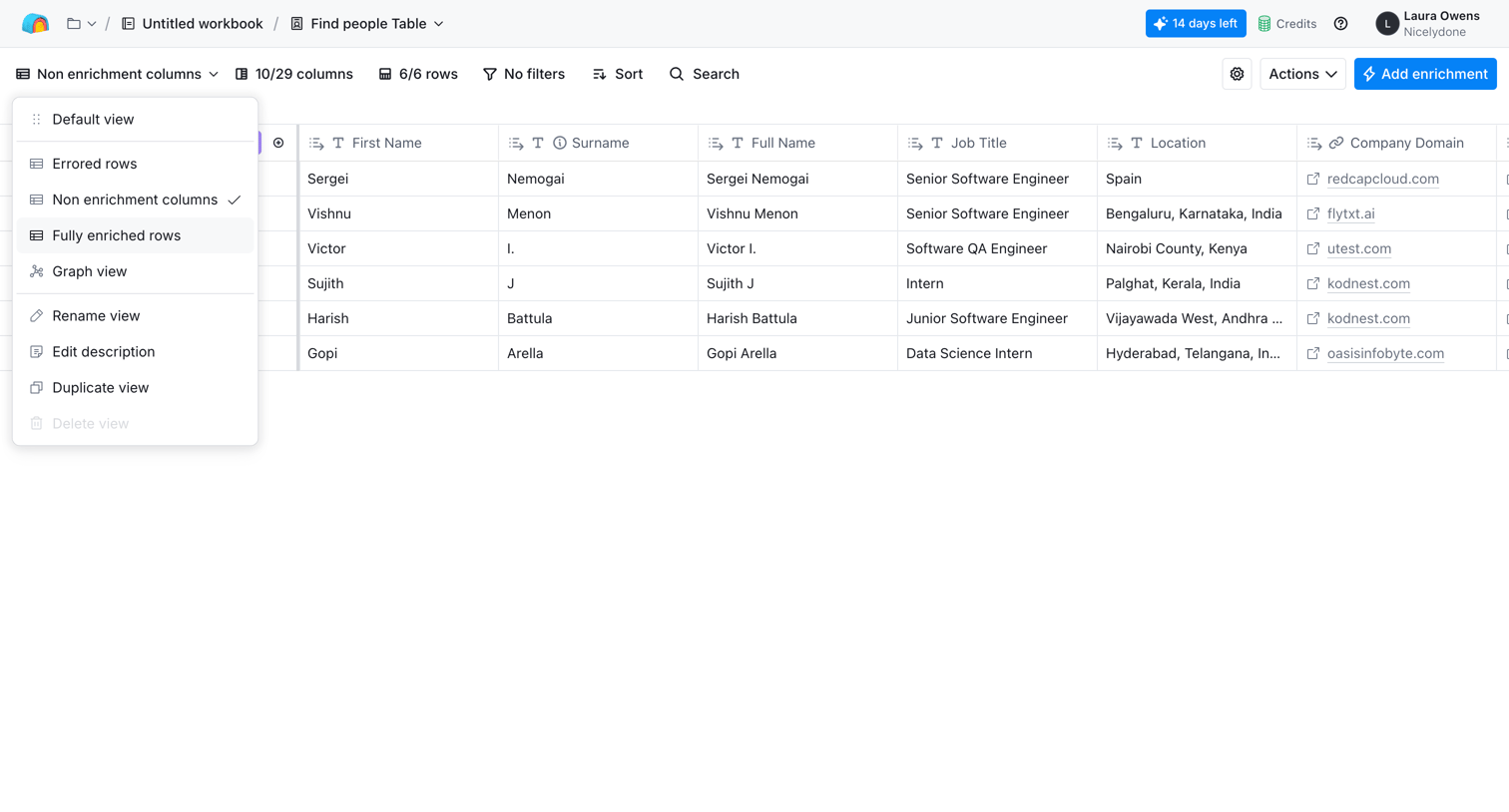

List view where the user manages a table of people with columns for name, job title, and location, currently switching between saved views via an open dropdown.
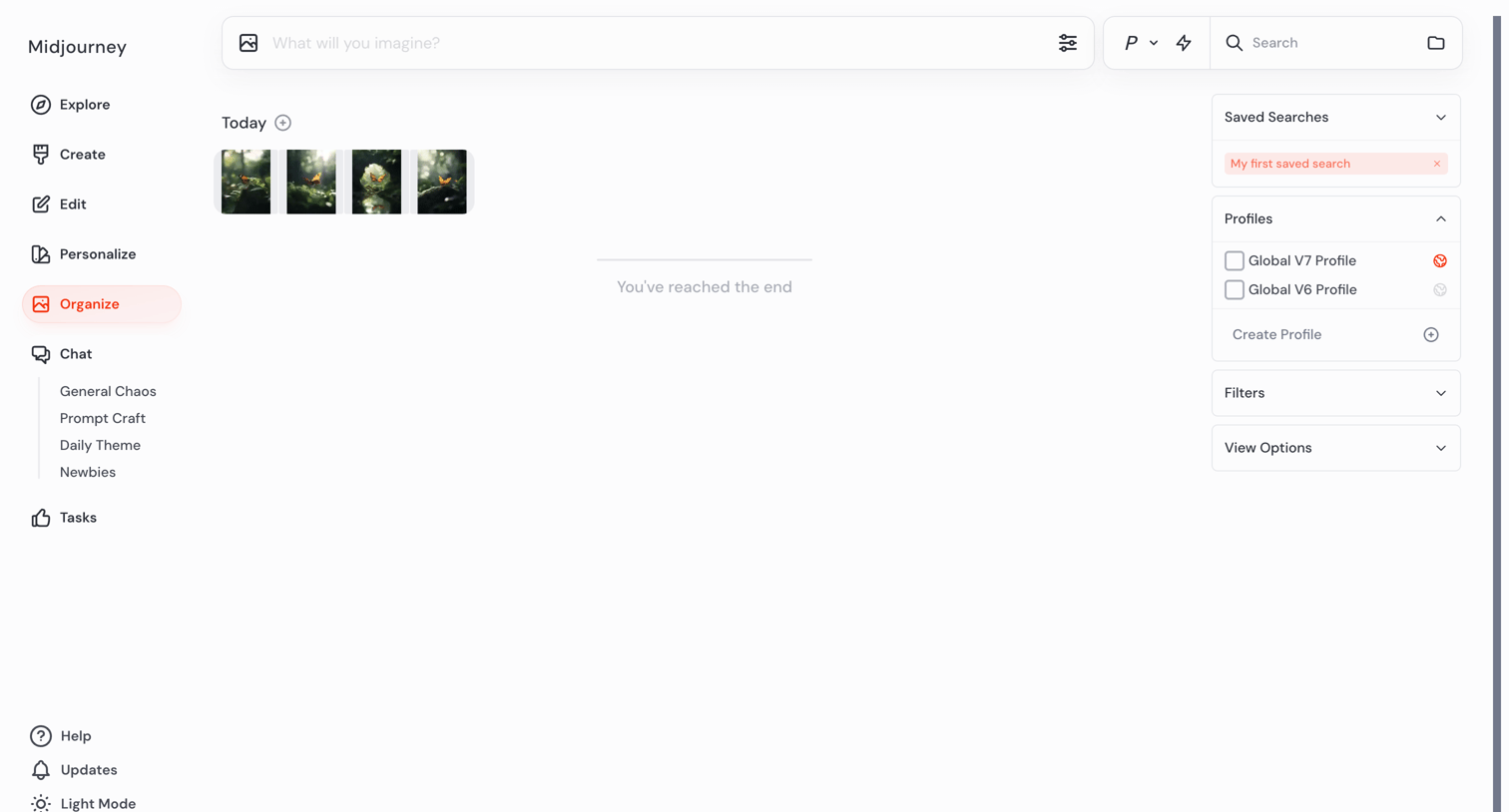

Image archive gallery where the user views past AI generations organized by date, with a right sidebar for saved searches and filters.
Explore the full SaaS screen library
Upgrade to unlock the full library.
Trusted by the best teams








About Saved Views
See how SaaS apps let people return to a chosen arrangement of data. Explore how saved filters and view settings are named, selected, and managed alongside the collection.