Payment Method screen examples
Payment Method screen design examples from SaaS apps. See how SaaS apps present saved payment options. Explore how card details and payment controls support choosing, adding, or changing the method used for…
Explore the examples
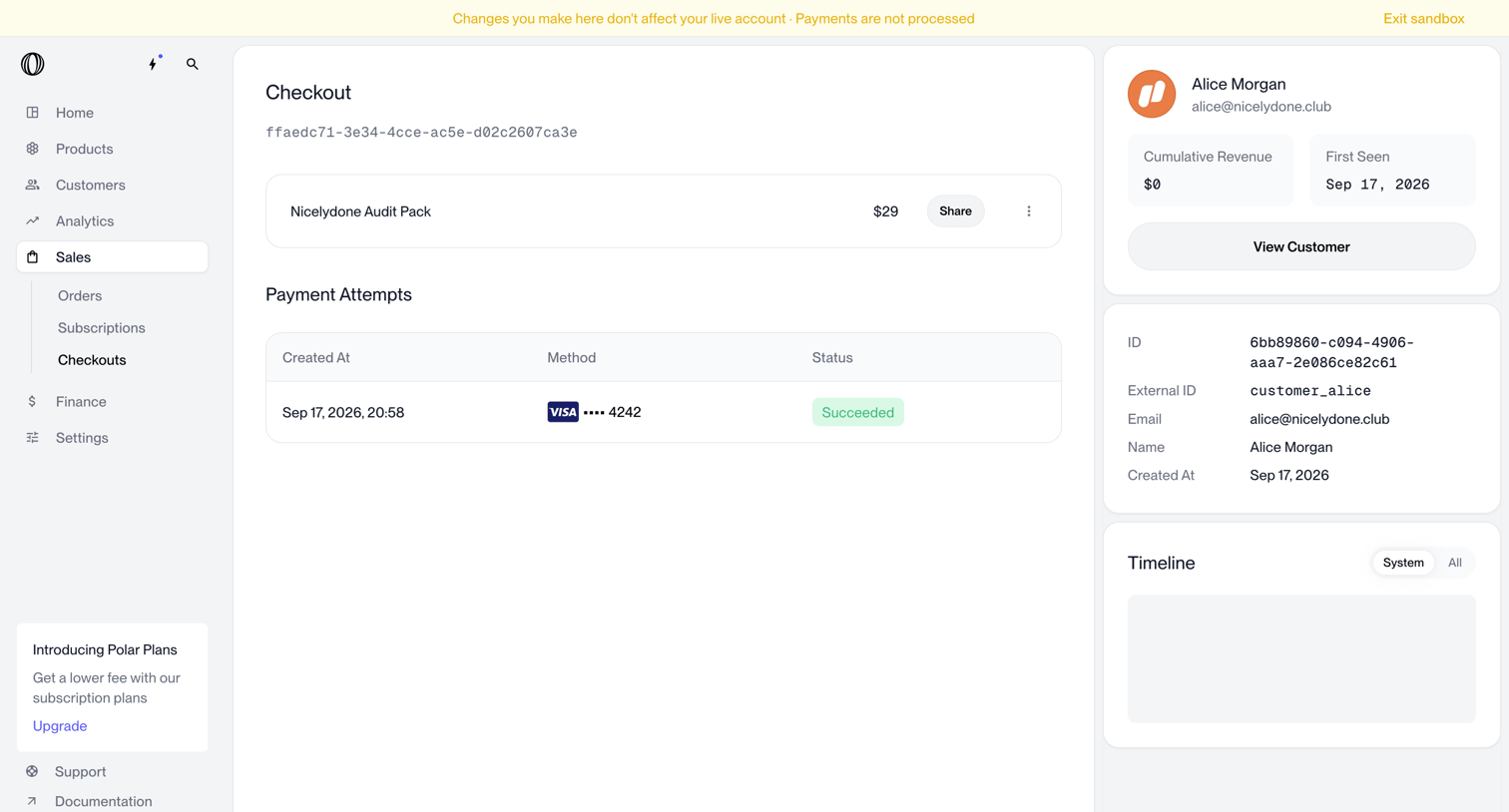

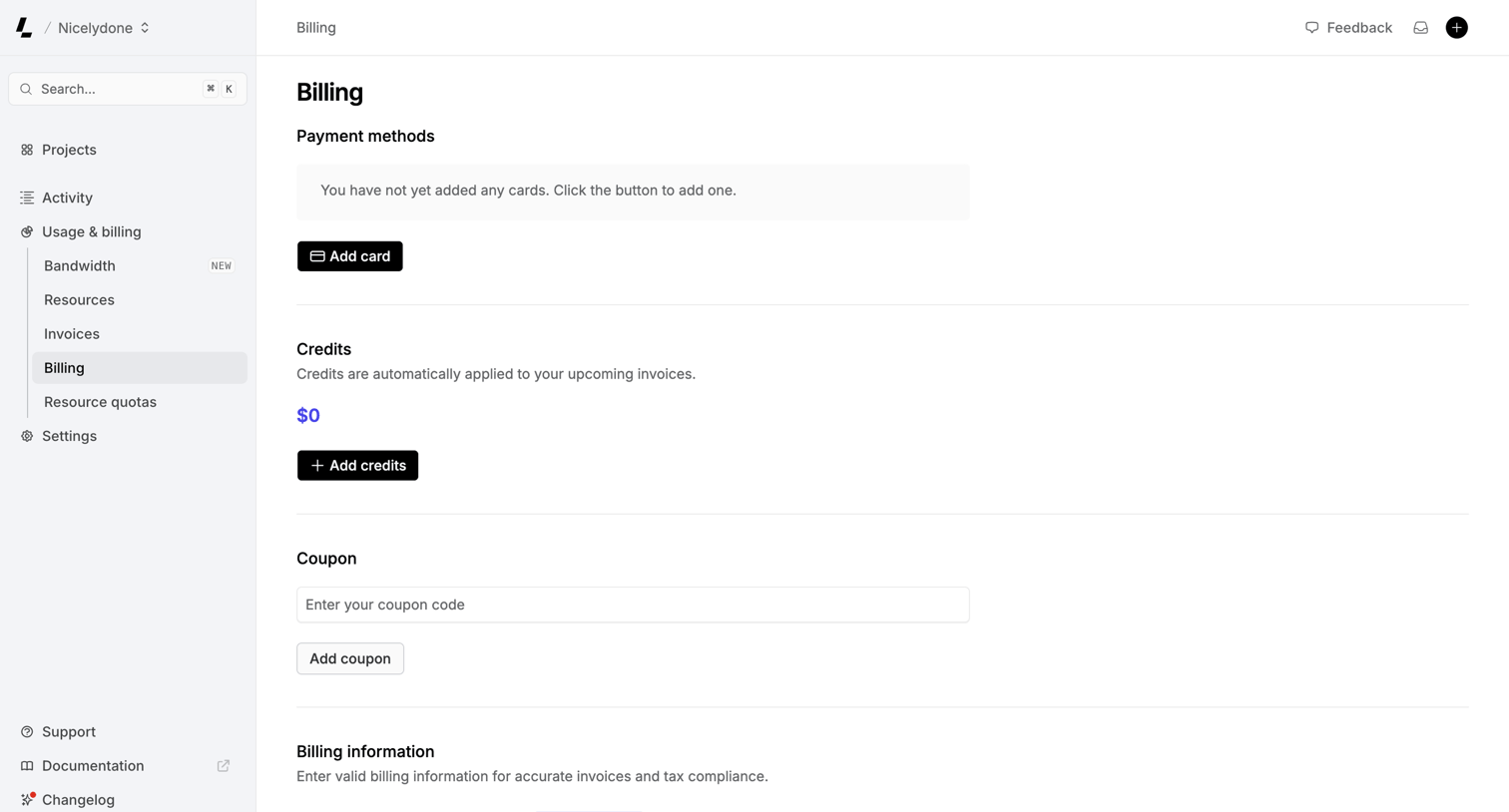

Settings page where the user manages payment methods, credits, coupons, and billing addresses.
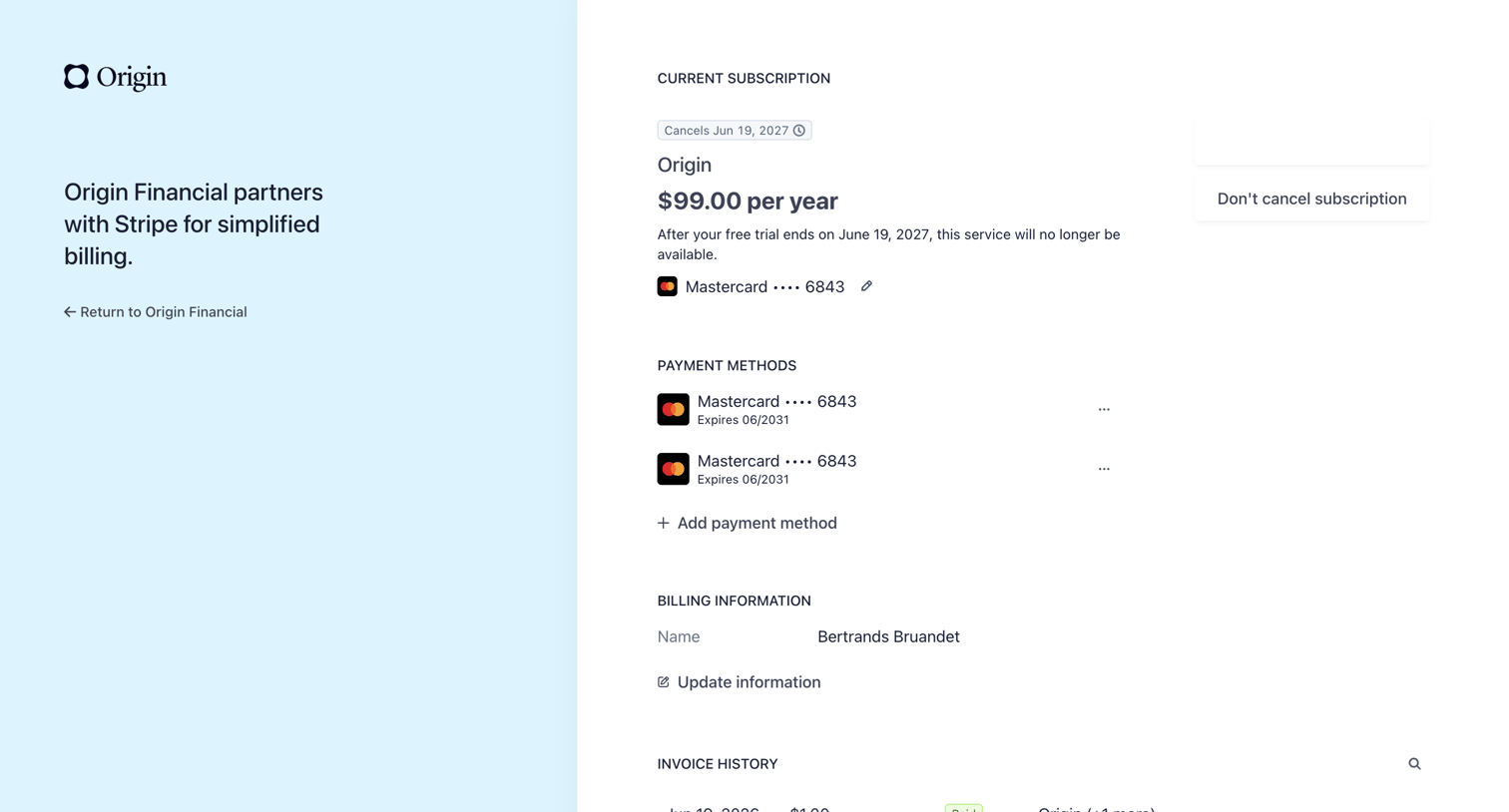

Billing settings page where the user manages their subscription, payment methods, and views invoice history via a Stripe-hosted portal.
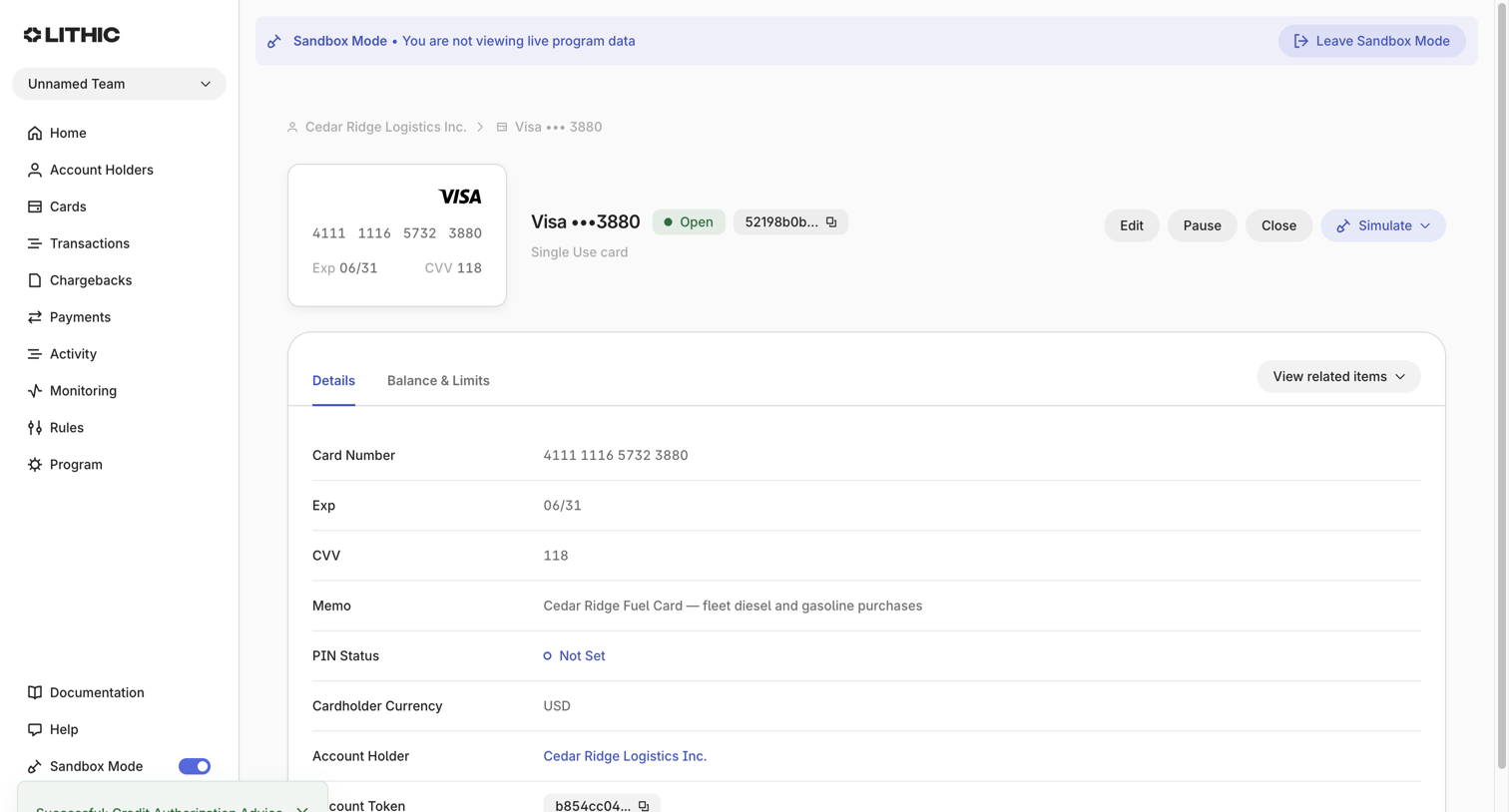

Detail page where the user views the specifications, balance, and limits of a specific virtual Visa card in a sandbox environment.


Settings page where the user manages their payment methods, updates their billing address and legal name, and can cancel their plan.
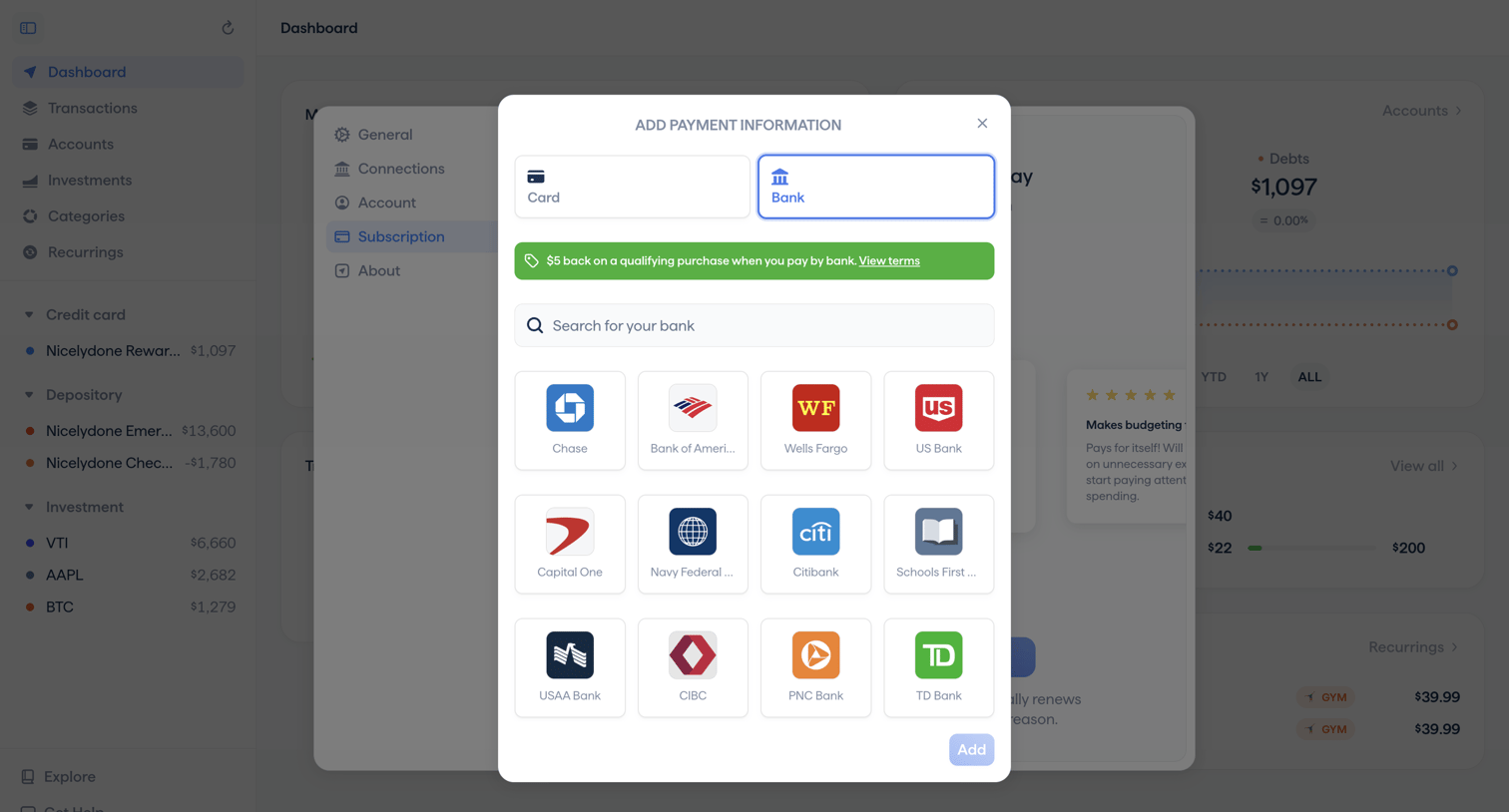

Settings modal where the user adds a new bank account as a payment method for their subscription, featuring a grid of popular bank integrations and a promotional cashback banner.
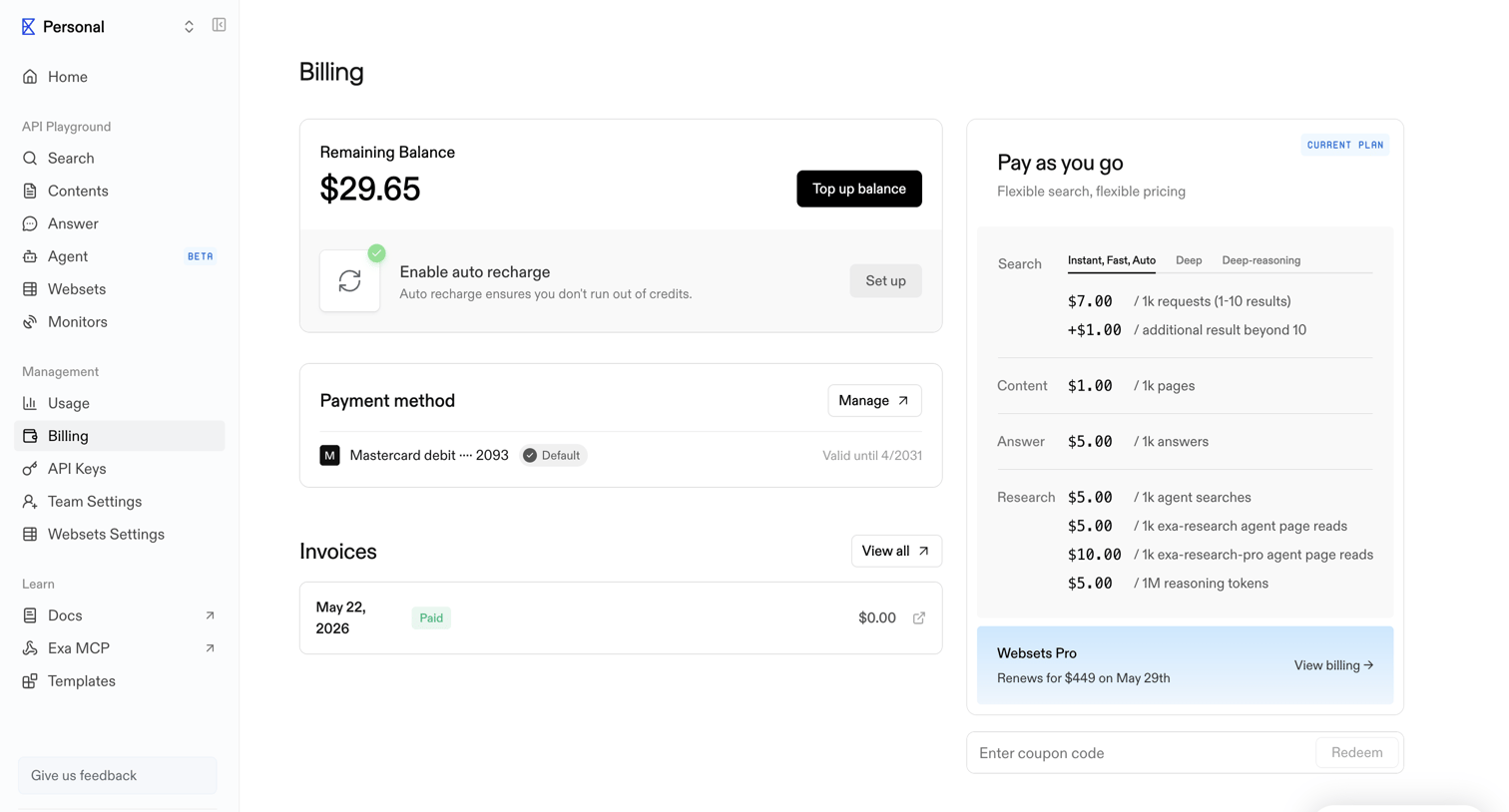

Billing settings page where the user can view their remaining balance, manage payment methods, view invoices, and see their current pay-as-you-go plan details.
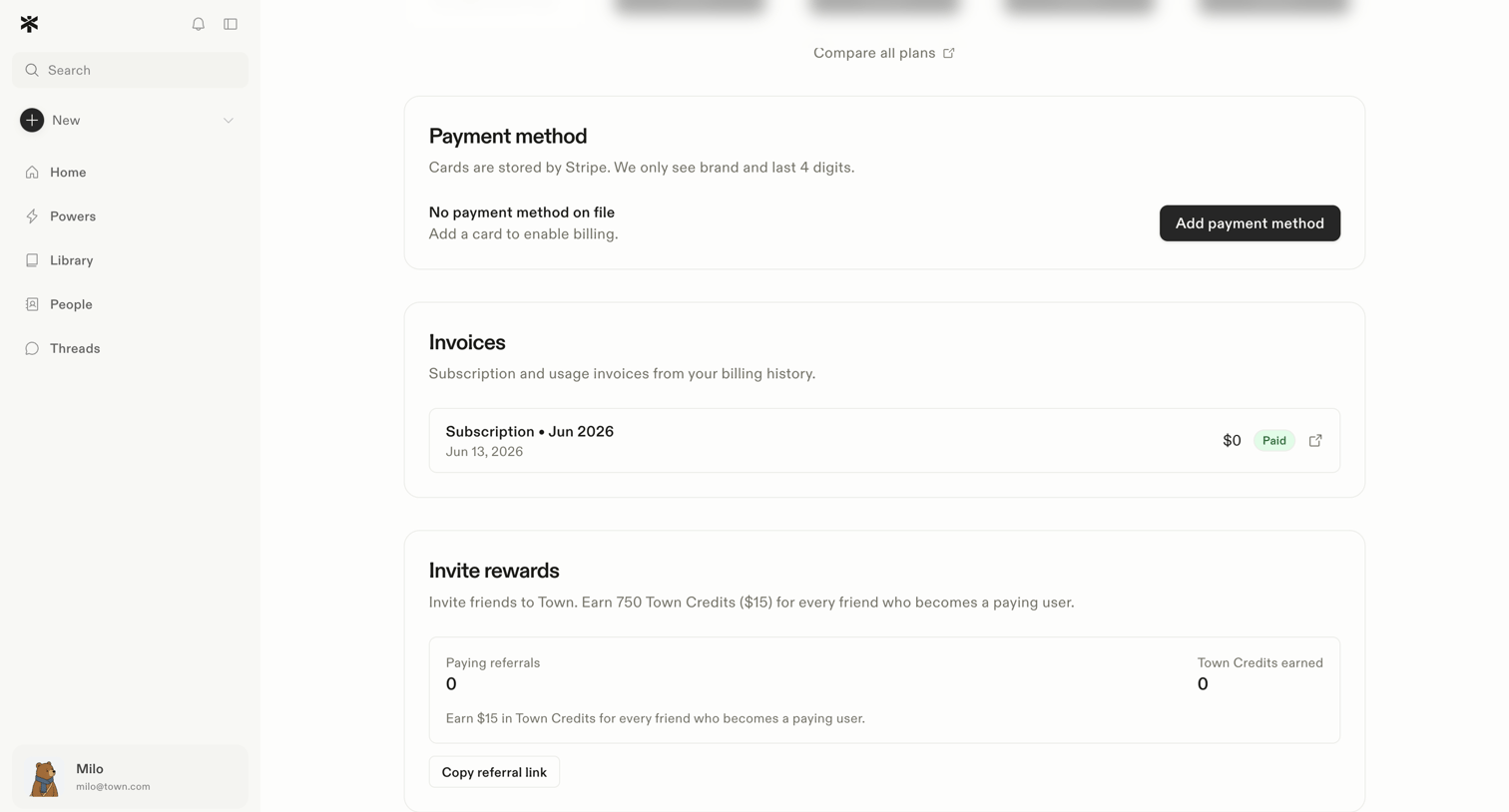

Settings page where the user manages their payment method, views past invoices, and tracks invite rewards.
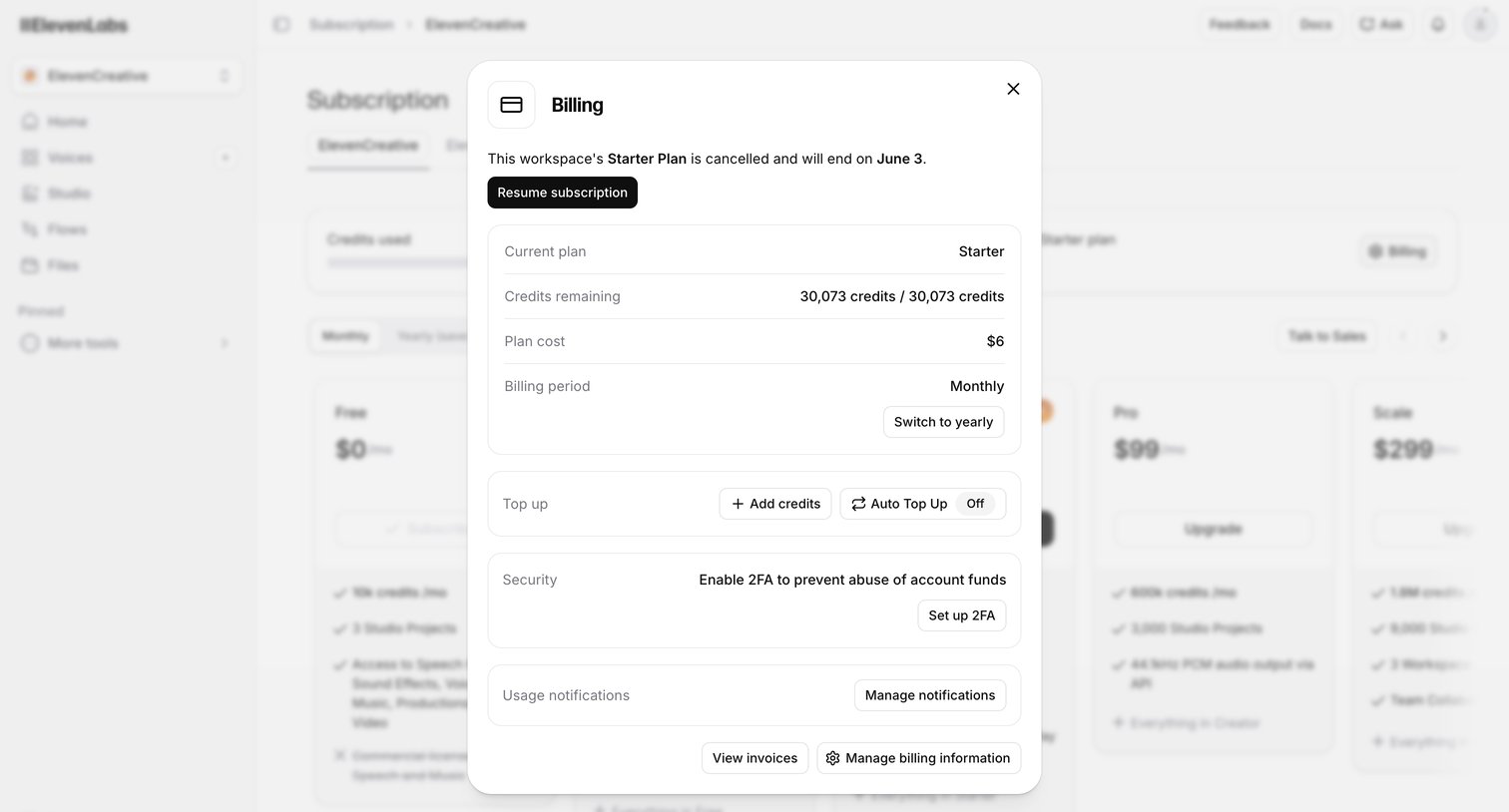

Billing settings modal where the user can resume a cancelled subscription, view remaining credits, switch to yearly billing, and manage 2FA security.
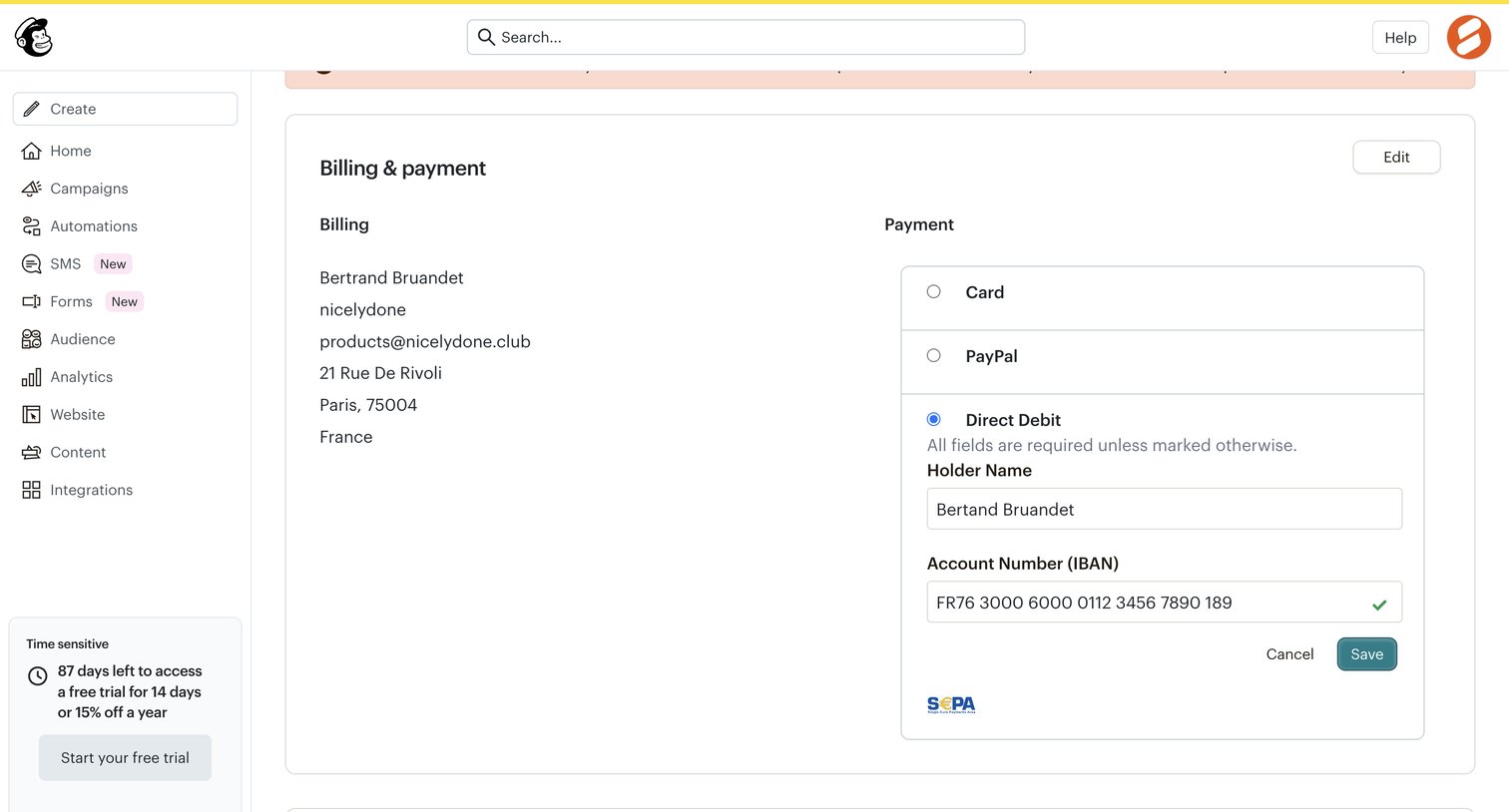

Settings page where the user manages their billing address, selects a payment method like Direct Debit, and updates the primary account contact.
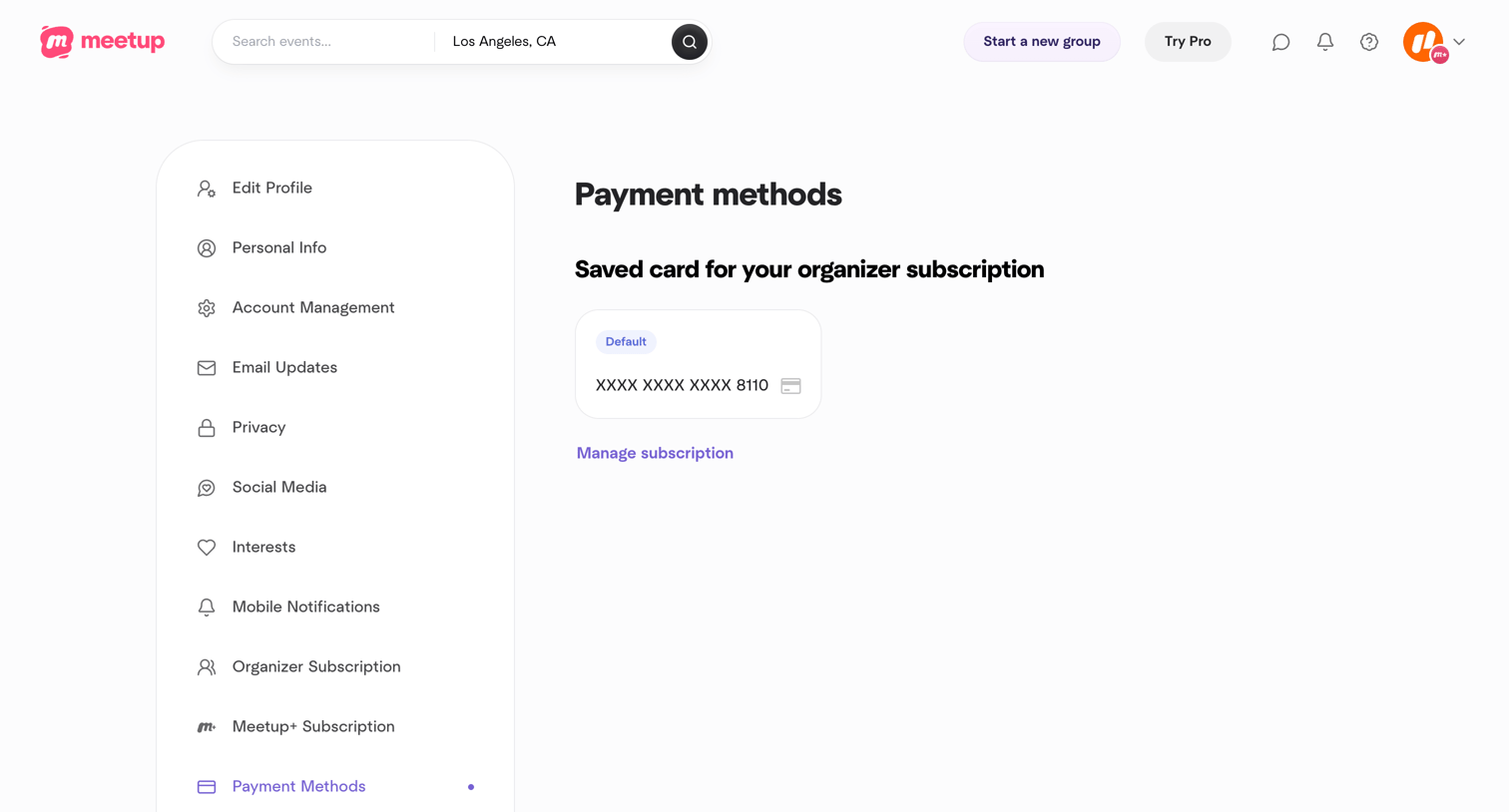

Settings page where the user views their saved credit card for their organizer subscription.
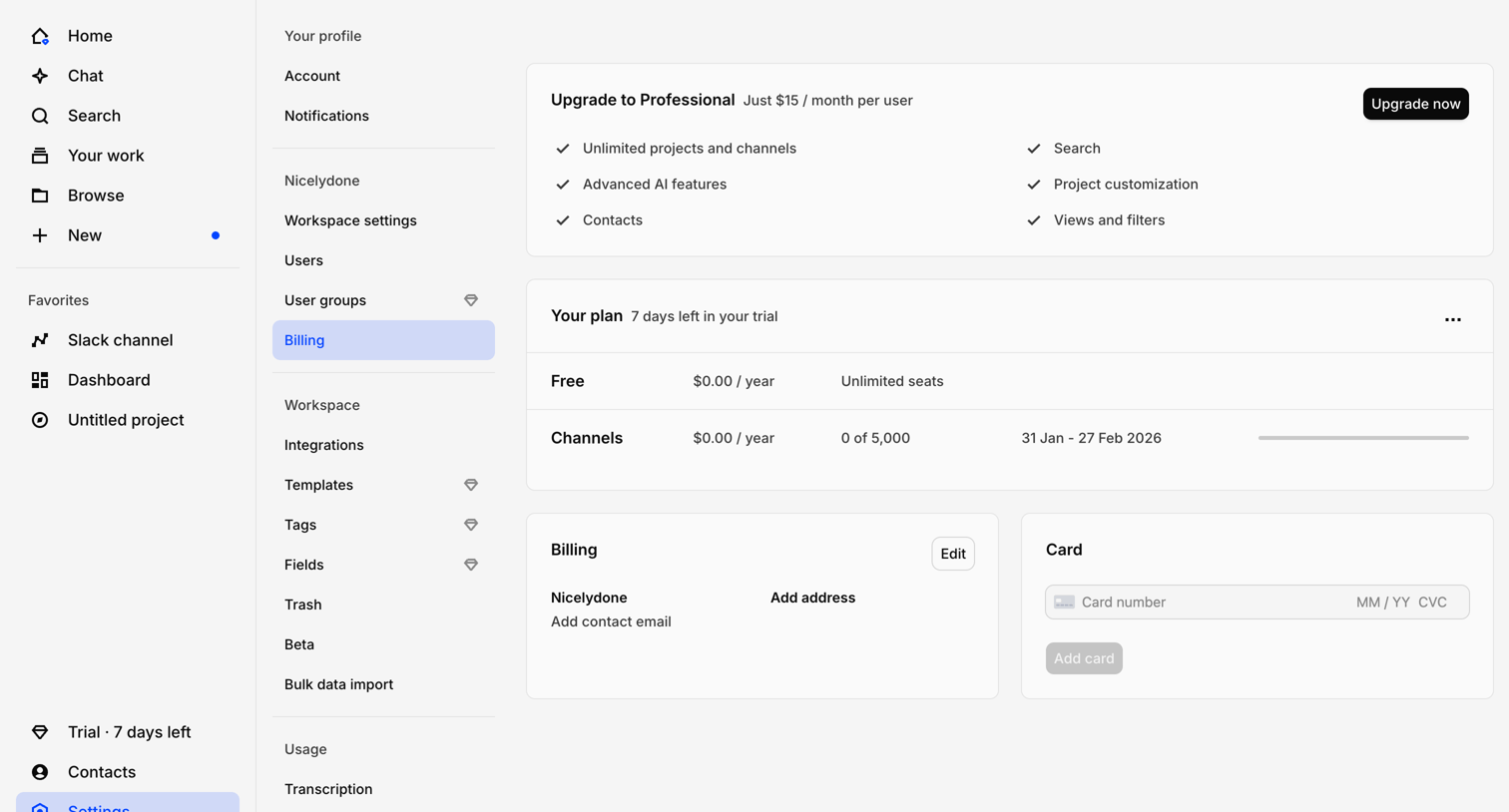

Settings page where the user manages their billing plan, views their trial status, and adds payment methods.
Explore the full SaaS screen library
Upgrade to unlock the full library.
Trusted by the best teams








About Payment Method
See how SaaS apps present saved payment options. Explore how card details and payment controls support choosing, adding, or changing the method used for future charges.