Checkout screen examples
Checkout screen design examples from SaaS apps. See how apps bring purchase details and payment actions together. Explore how order summaries, billing information, and the final commitment appear within a…
Explore the examples
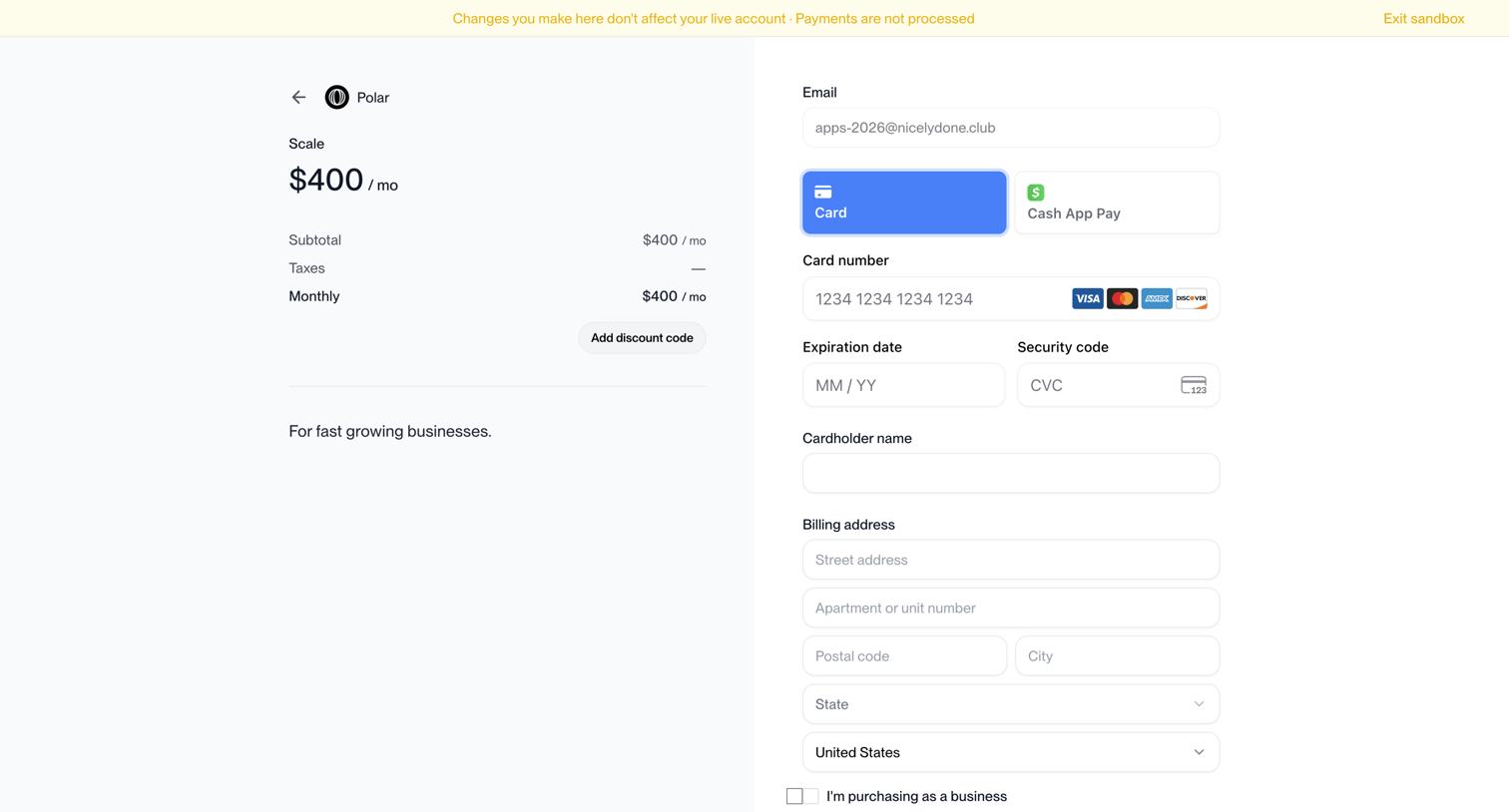

Checkout page where the user enters their email, selects a payment method, and provides billing details to subscribe to the Scale plan.
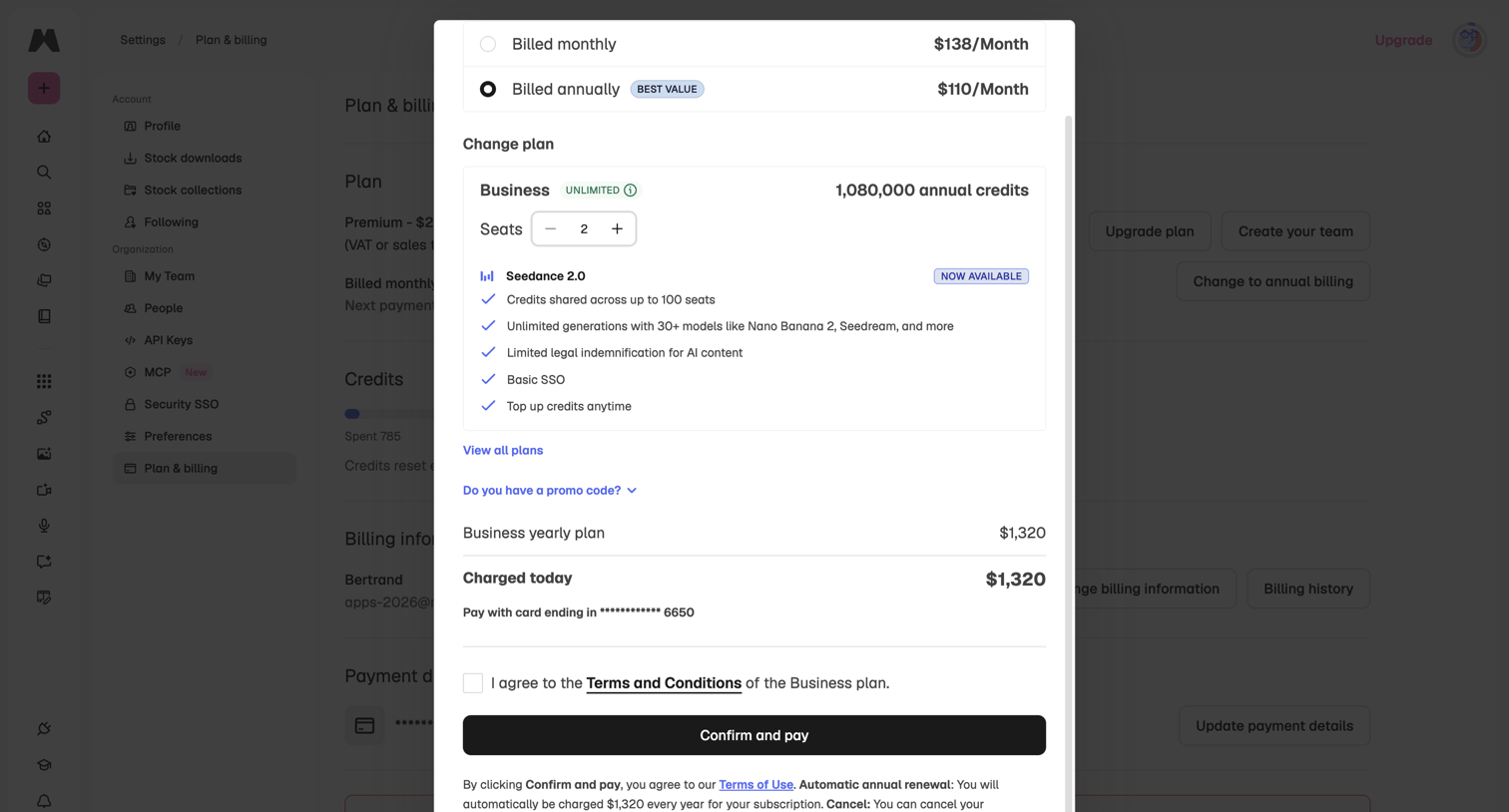

Settings page where the user is upgrading to a Business plan, selecting the number of seats, and confirming payment details in a checkout modal.
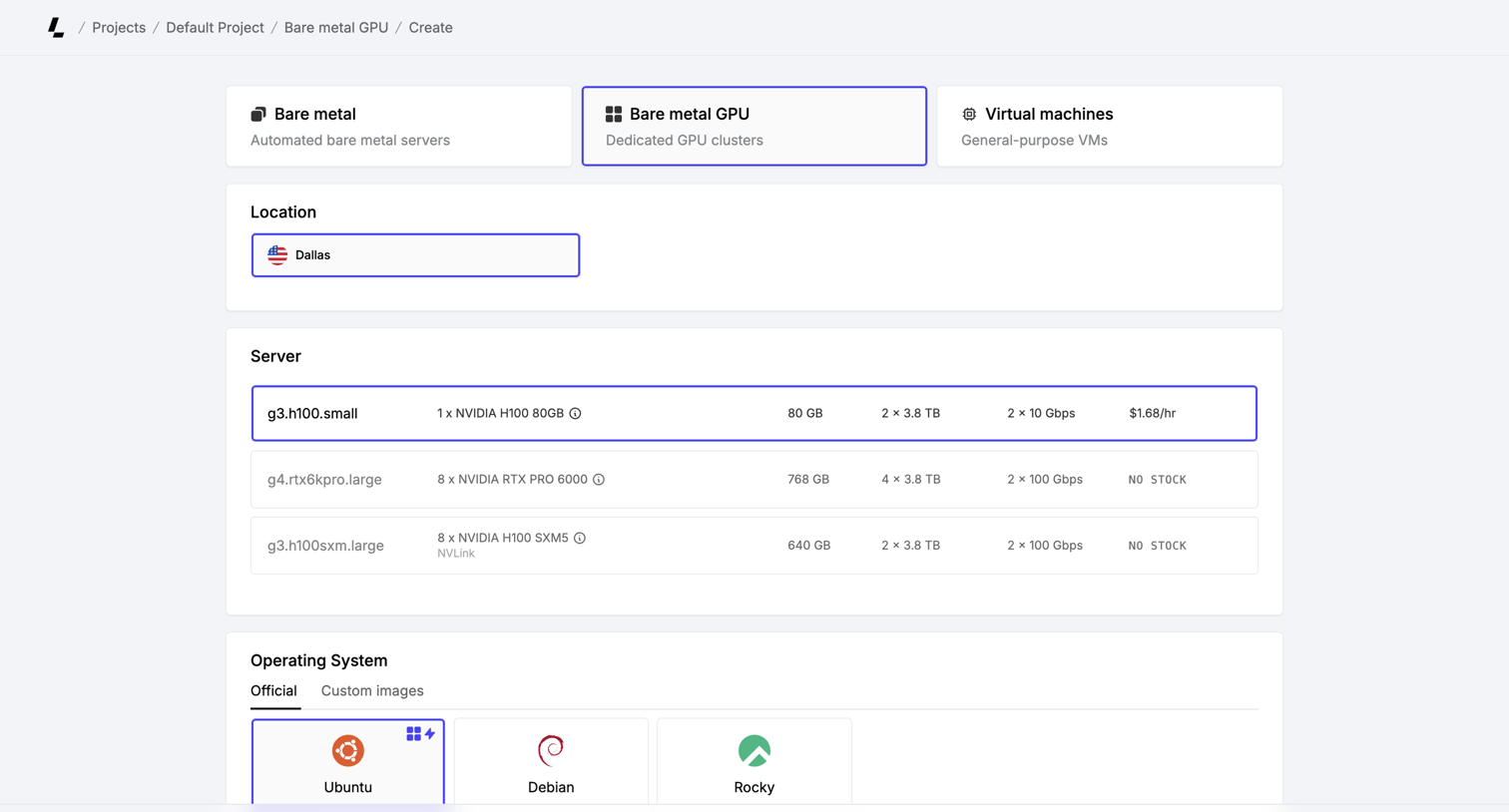

Creation page where the user configures a bare metal GPU server by selecting the location, hardware specs, and operating system before verifying their account.
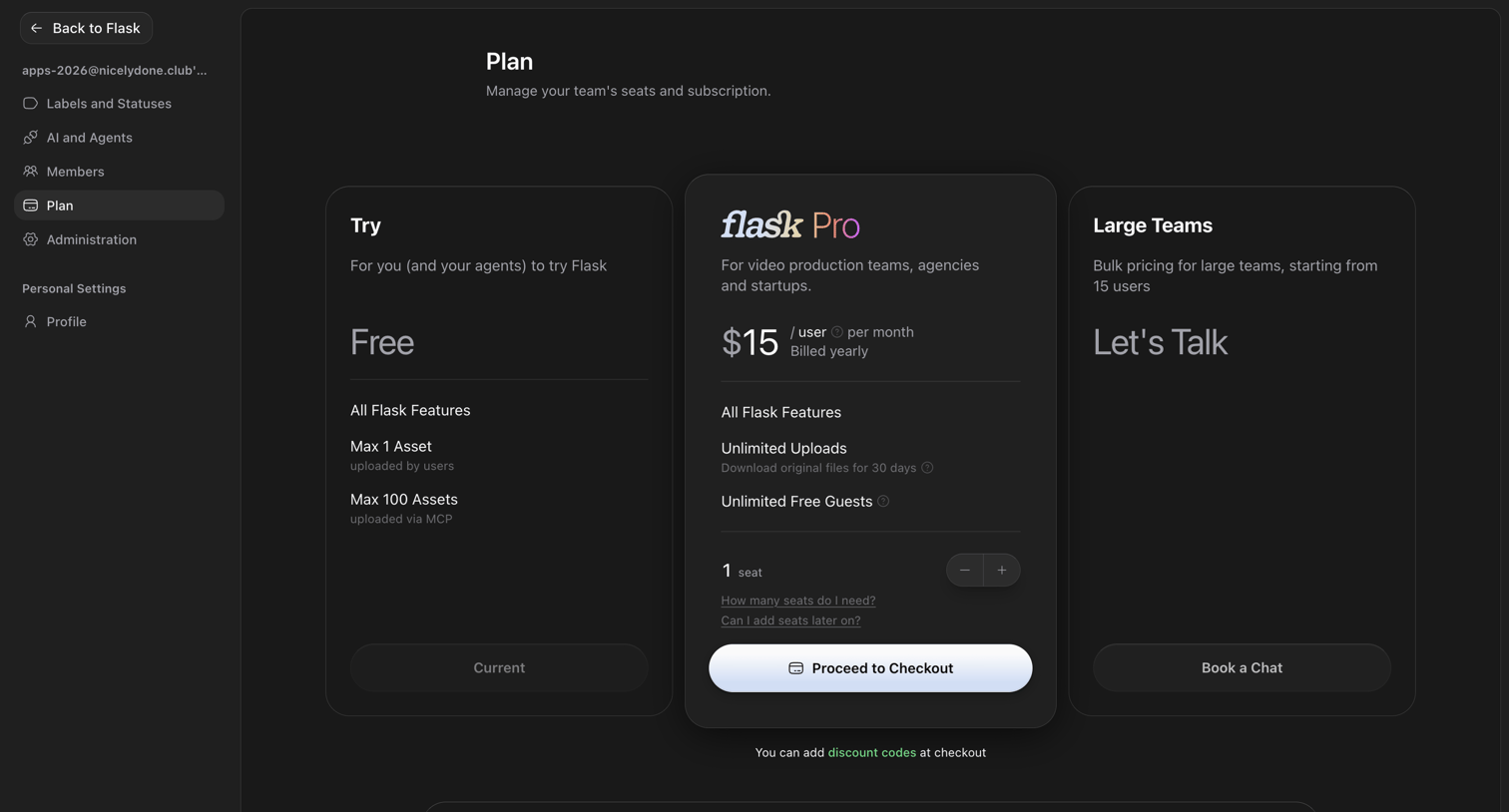

Settings page where the user manages their team's subscription plan, choosing between Free, Pro, and Large Teams tiers with a seat selector for checkout.
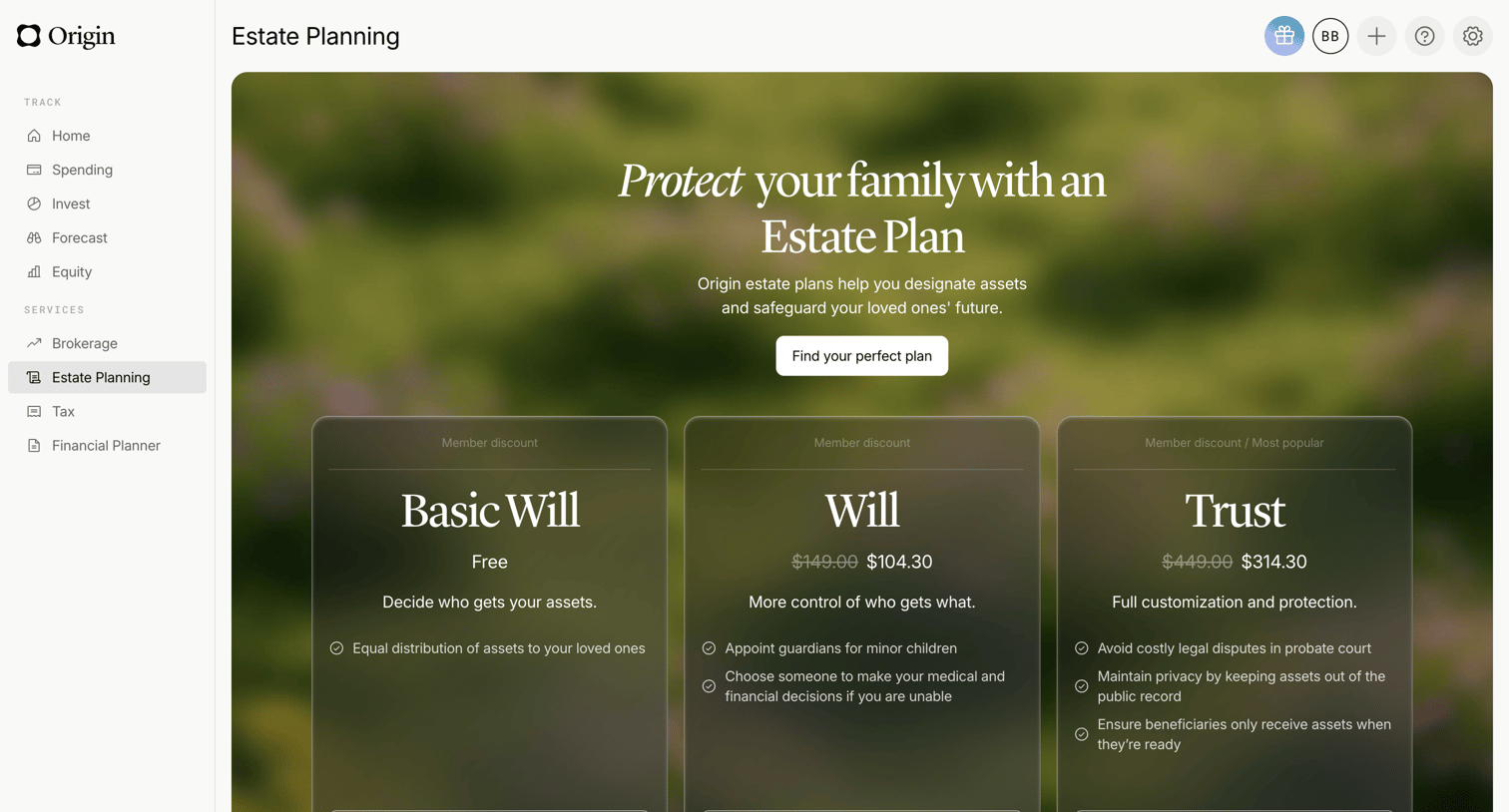

Detail page where the user can choose between a free basic will, a paid will, or a trust to set up their estate plan.
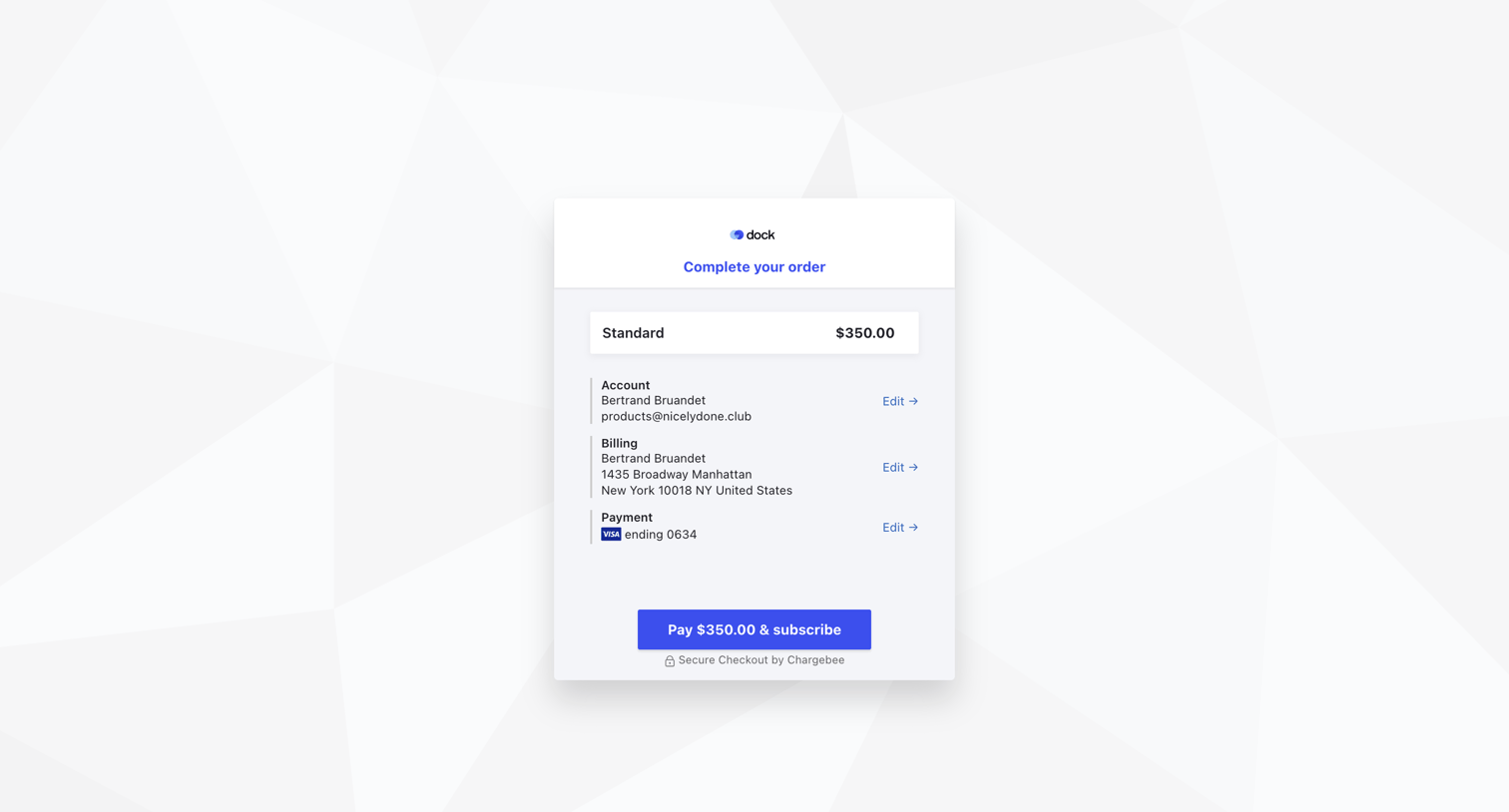

Checkout screen where the user reviews their standard plan order, account details, billing address, and payment method before subscribing.
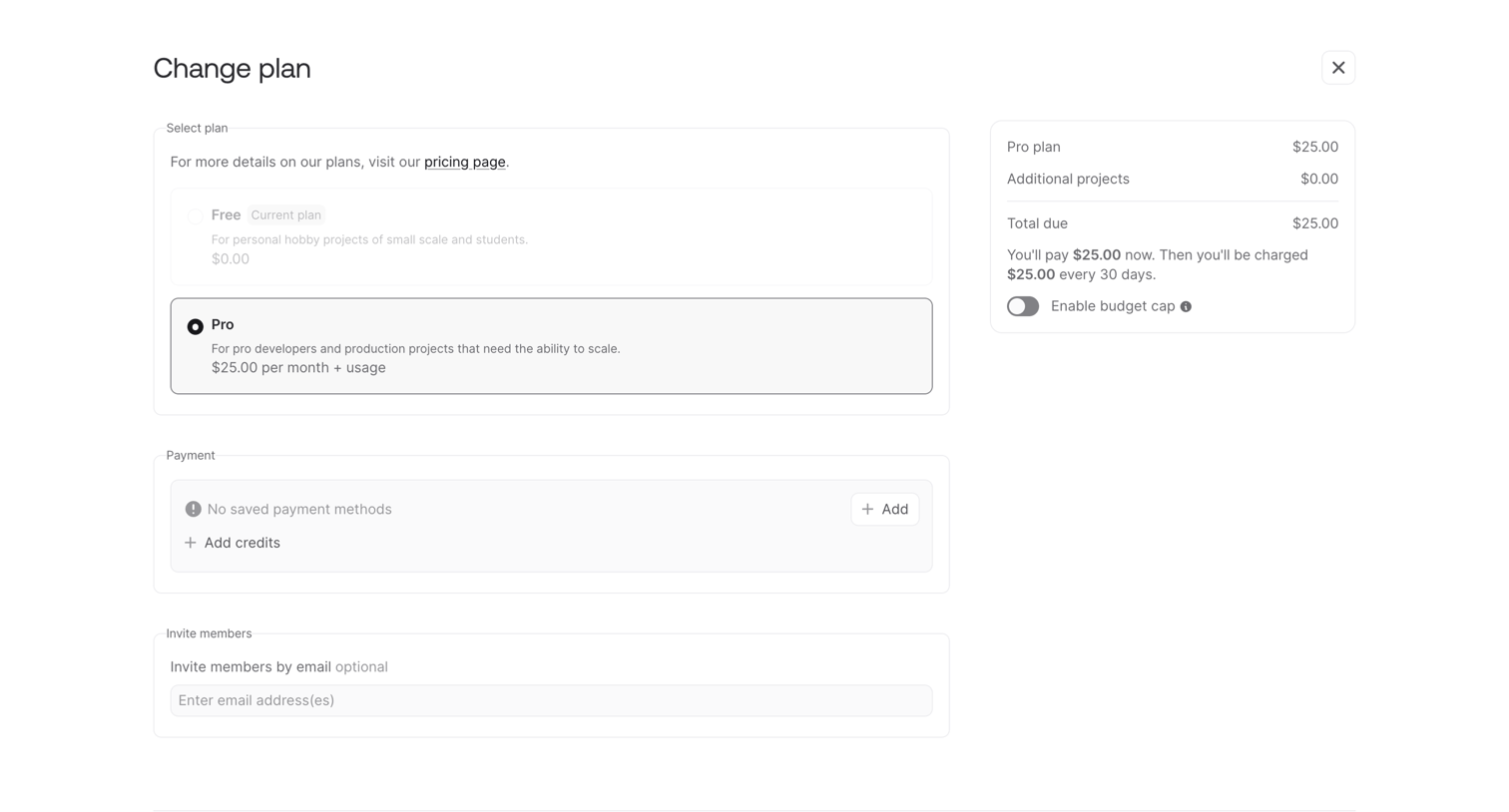

Billing checkout screen where the user selects a Pro subscription tier, reviews the order summary, and can add payment methods or invite team members before confirming the upgrade.
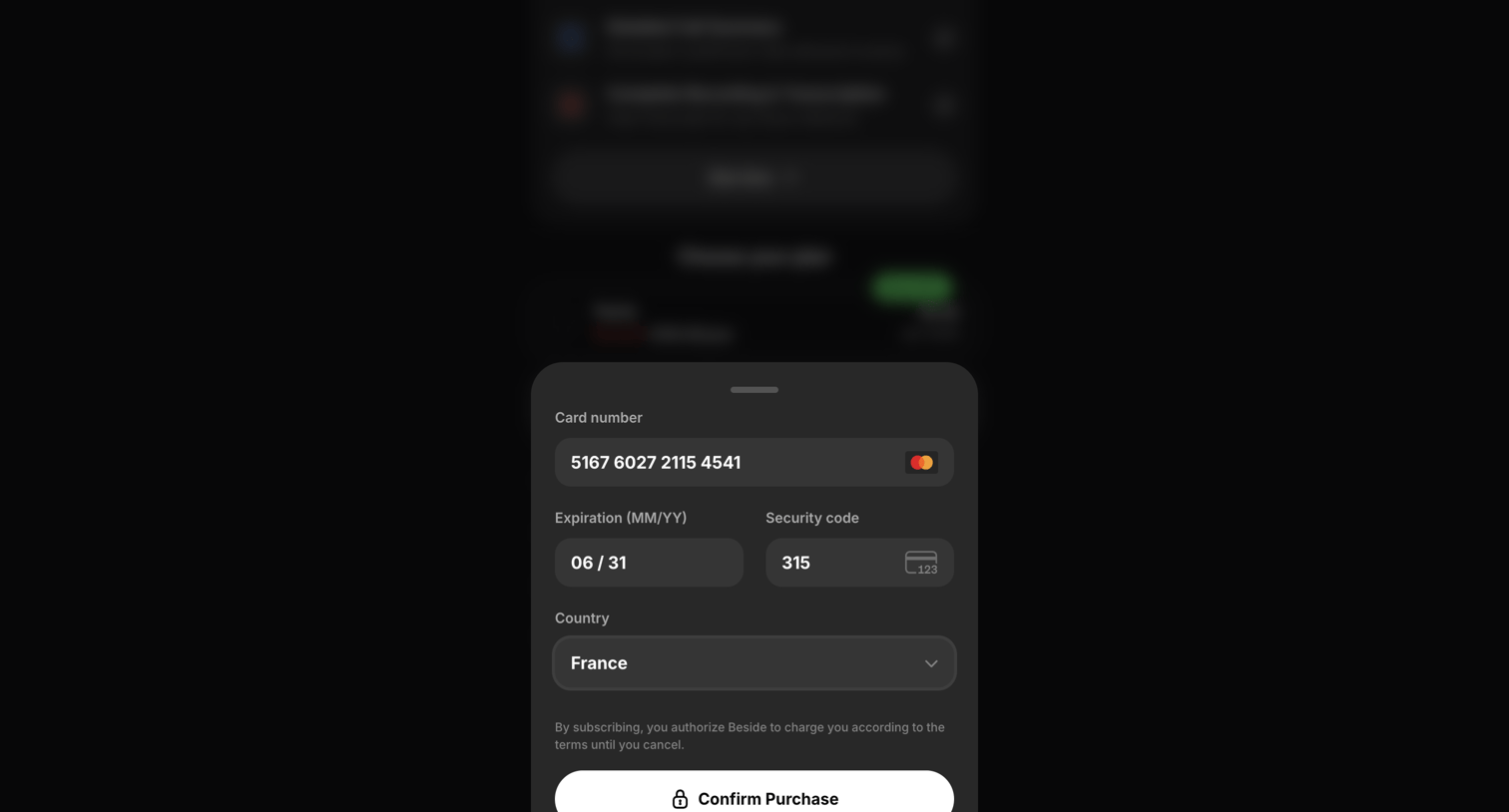

Checkout drawer where the user enters their credit card details and billing country to confirm a subscription purchase.
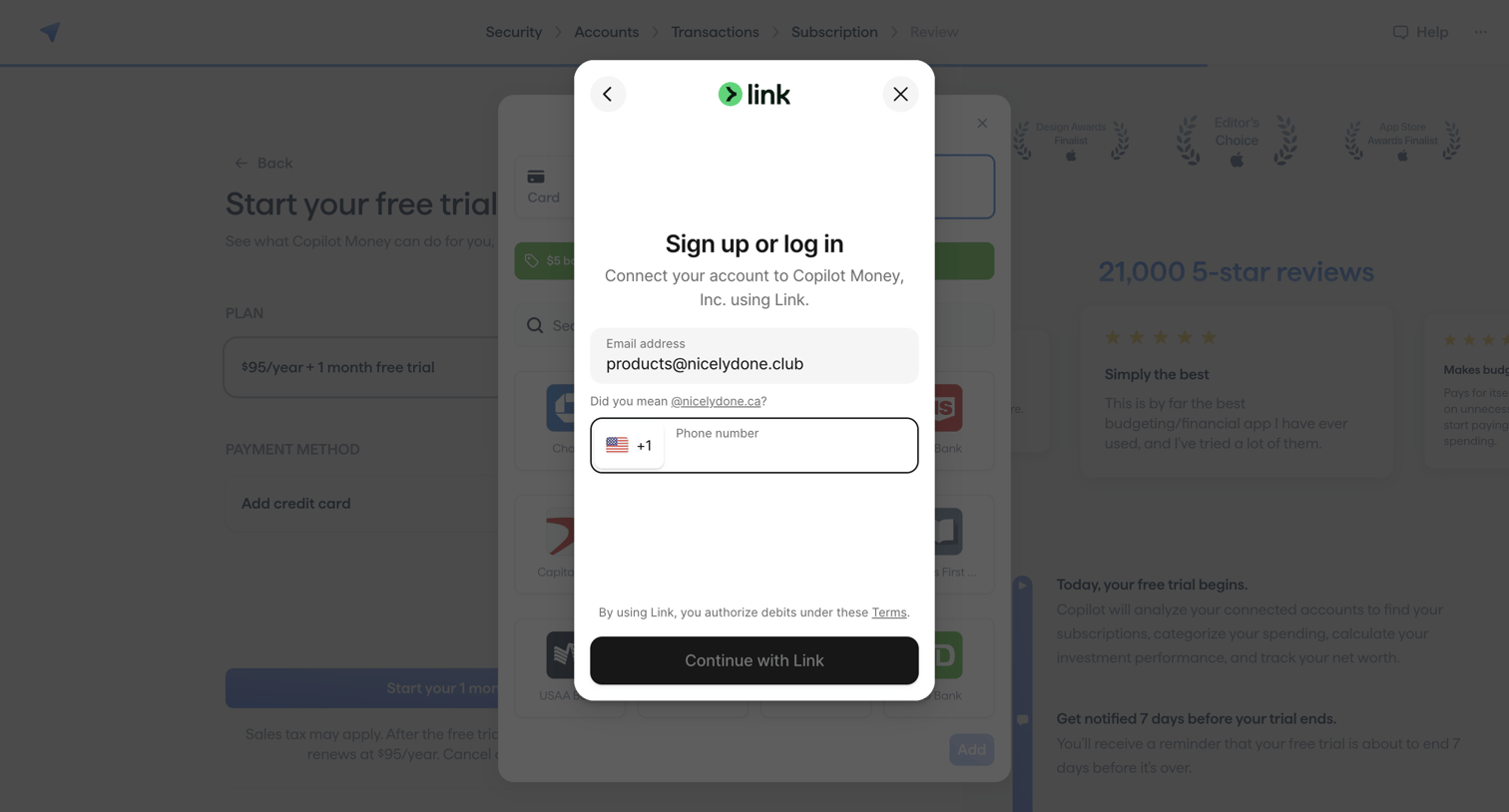

Paywall overlay where the user enters their email and phone number to sign up or log in to Stripe Link to activate their subscription.
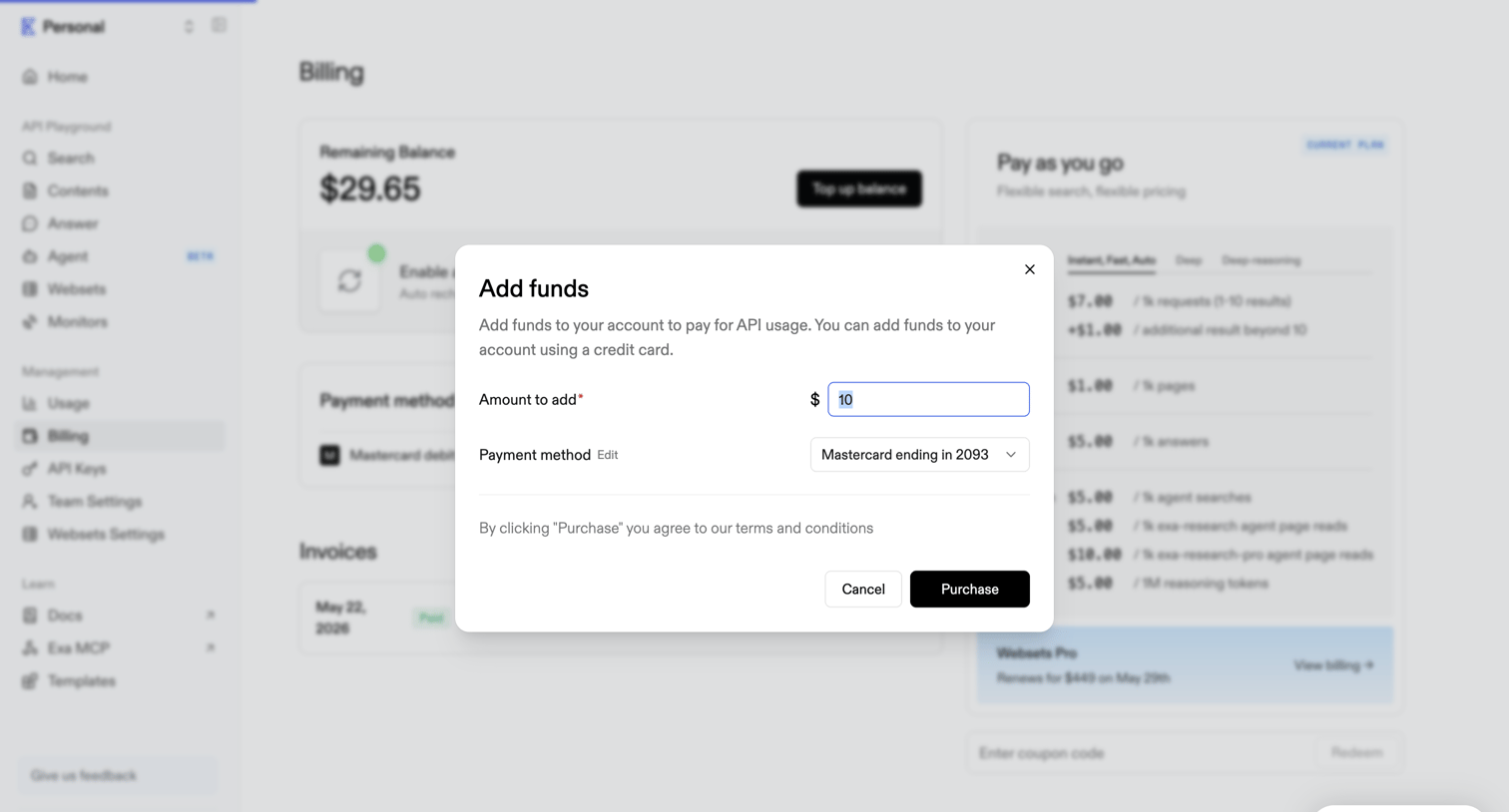

Billing settings page where the user adds funds to their account balance via a modal dialog.
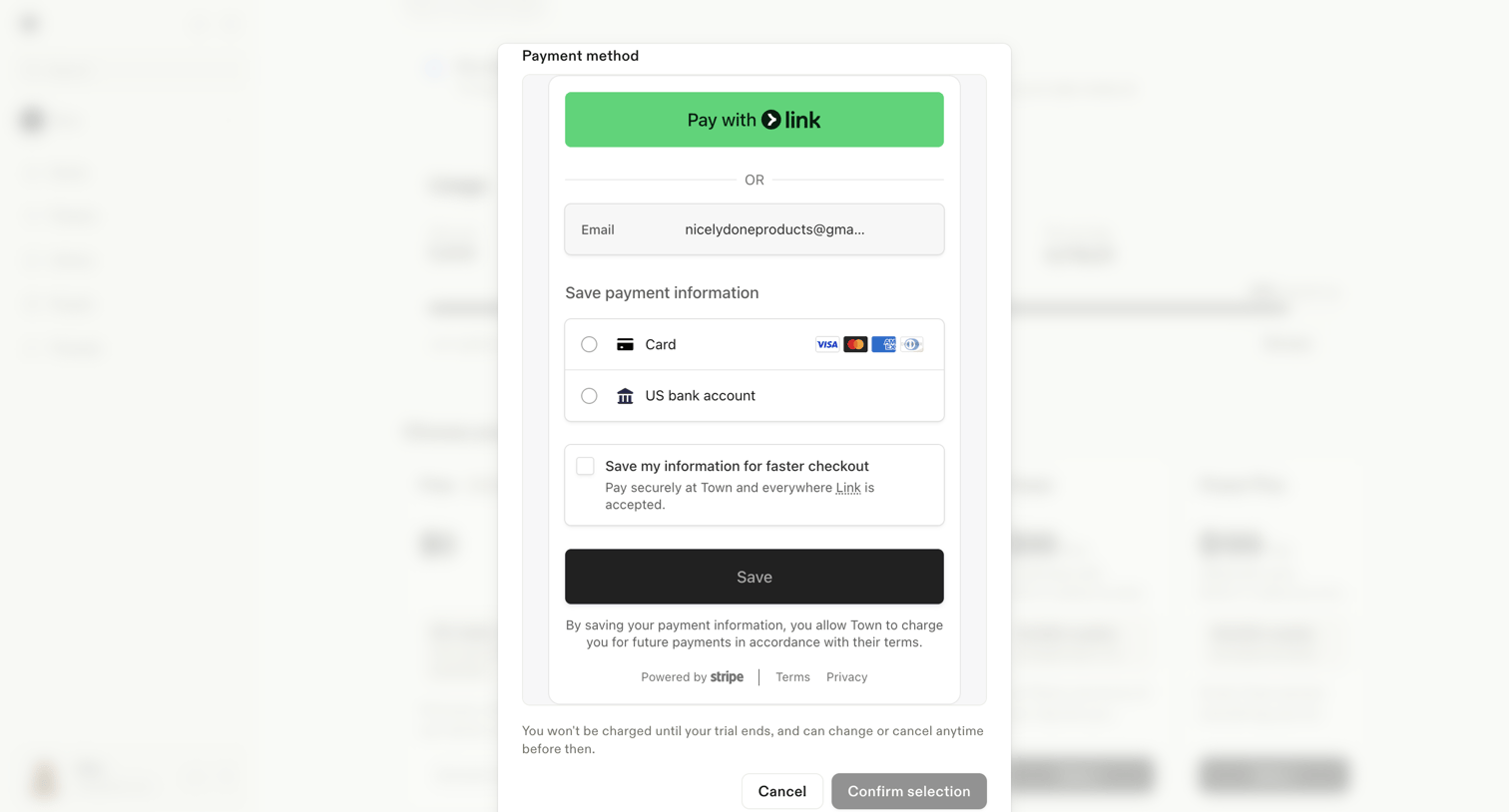

Settings modal where the user adds a payment method via a Stripe integration, choosing between Link, credit card, or a US bank account before their trial ends.
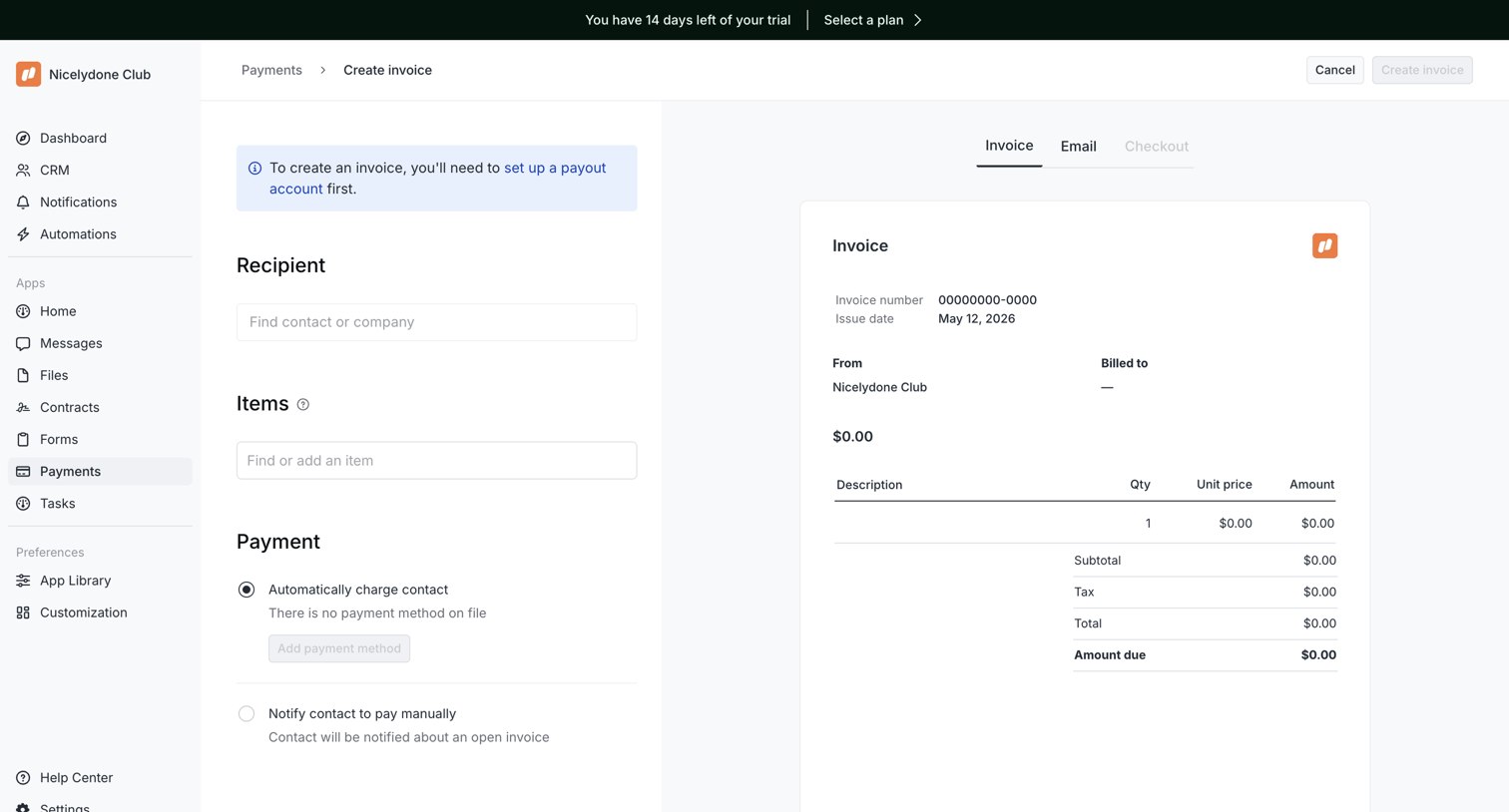

Invoice creation page where the user configures the recipient, items, and payment methods alongside a live document preview.
Explore the full SaaS screen library
Upgrade to unlock the full library.
Trusted by the best teams








About Checkout
See how apps bring purchase details and payment actions together. Explore how order summaries, billing information, and the final commitment appear within a checkout screen.