Billing Settings screen examples
Billing Settings screen design examples from SaaS apps. See how SaaS apps organize subscription details, invoices, and billing information. Browse layouts that separate the current plan from payment settings and…
Explore the examples


Settings page where the user views their current Free plan and compares features across Standard, Premium, and Enterprise tiers to upgrade.
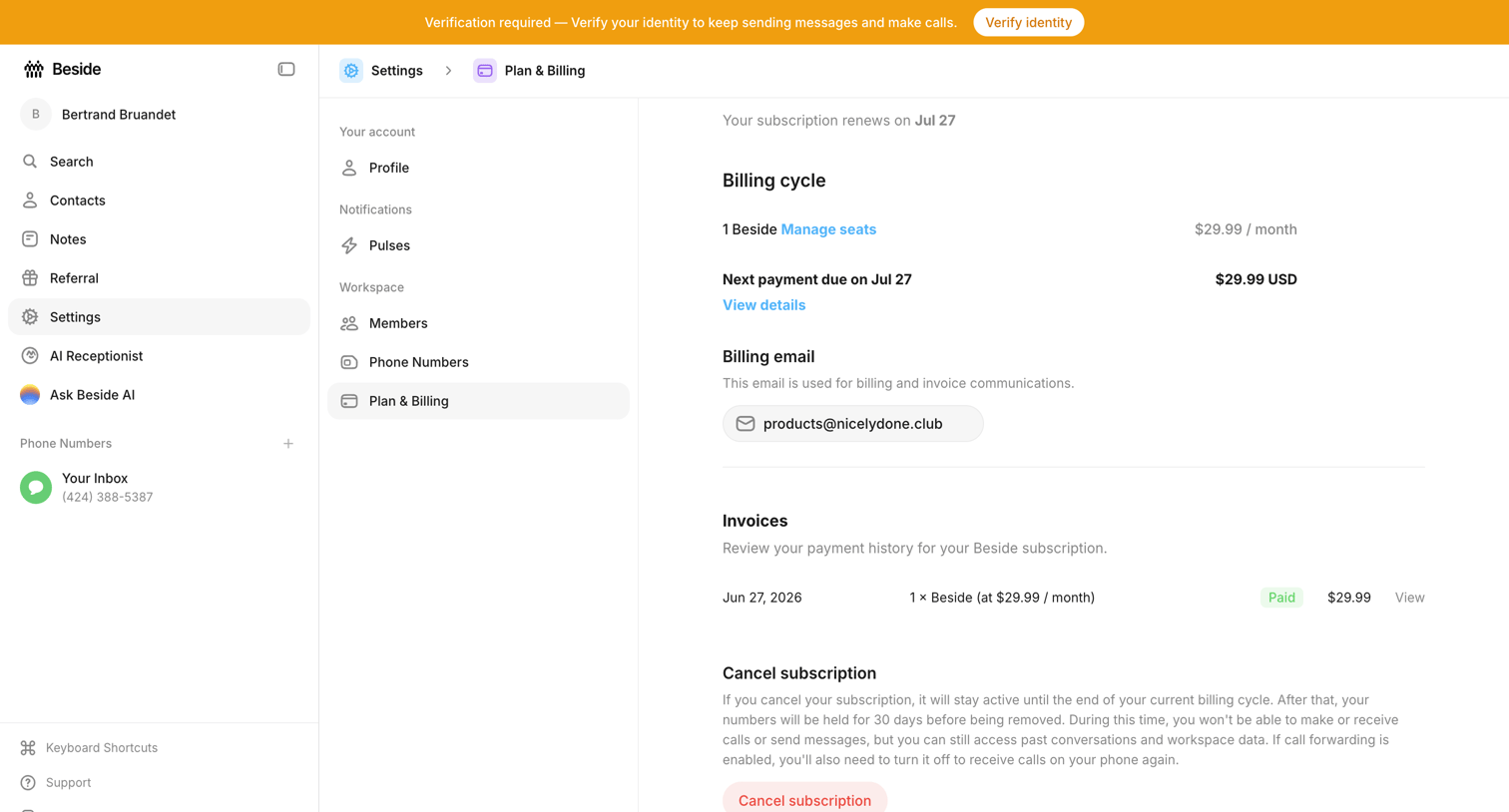

Settings page where the user views their billing cycle, manages their billing email, reviews past invoices, and can cancel their subscription.
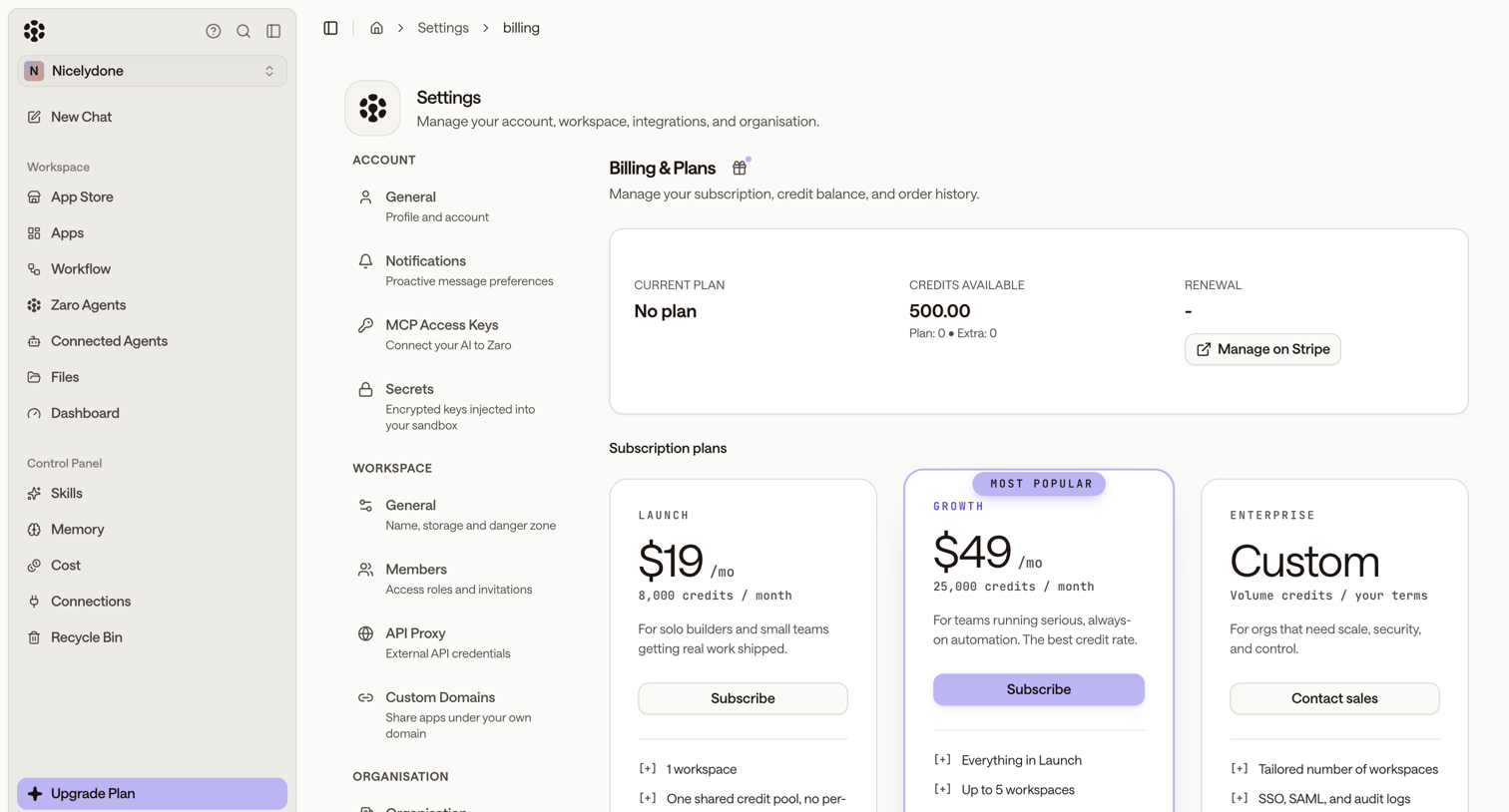



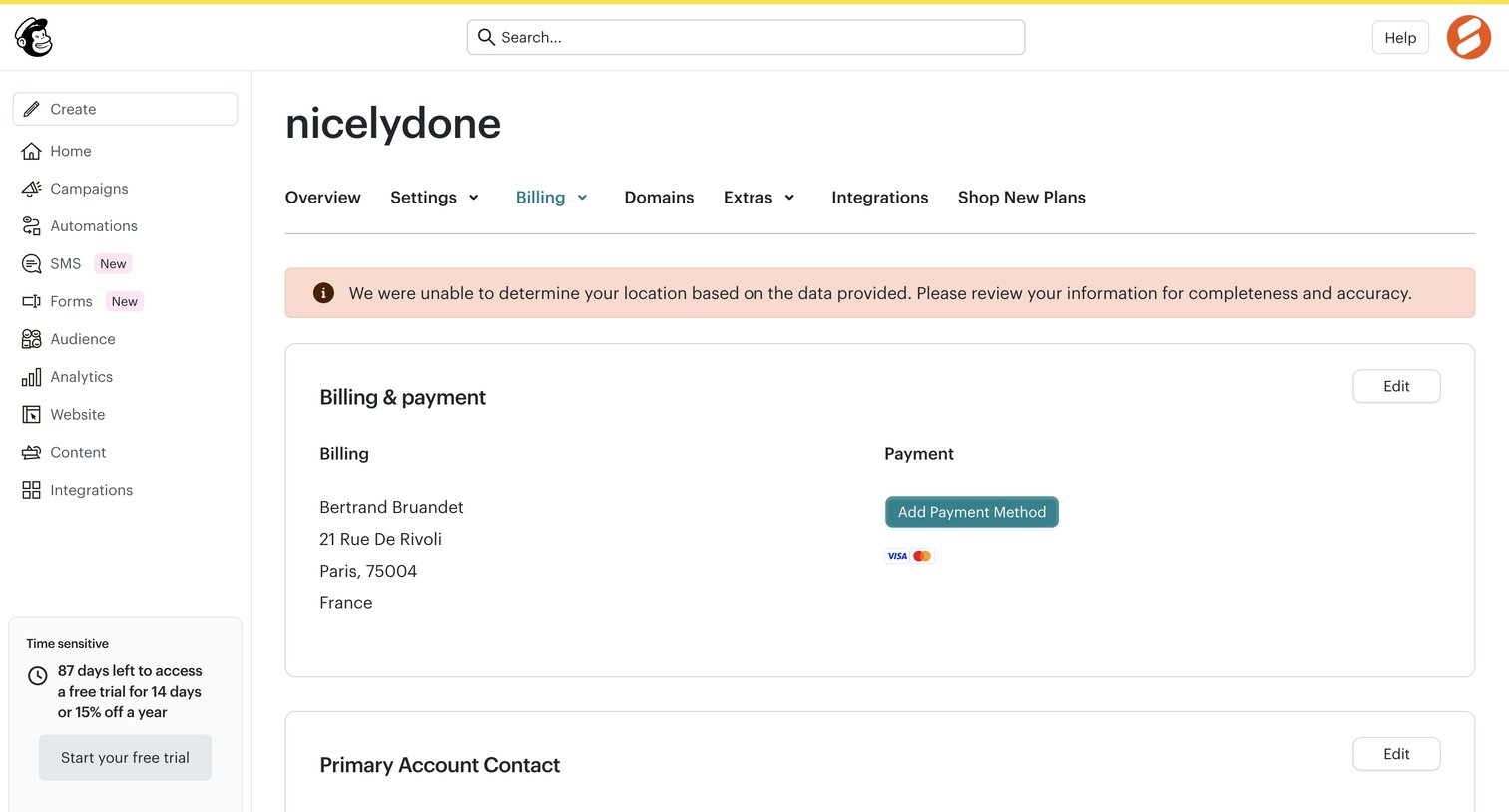
Settings page where the user manages their payment methods, updates their billing address and legal name, and can cancel their plan.
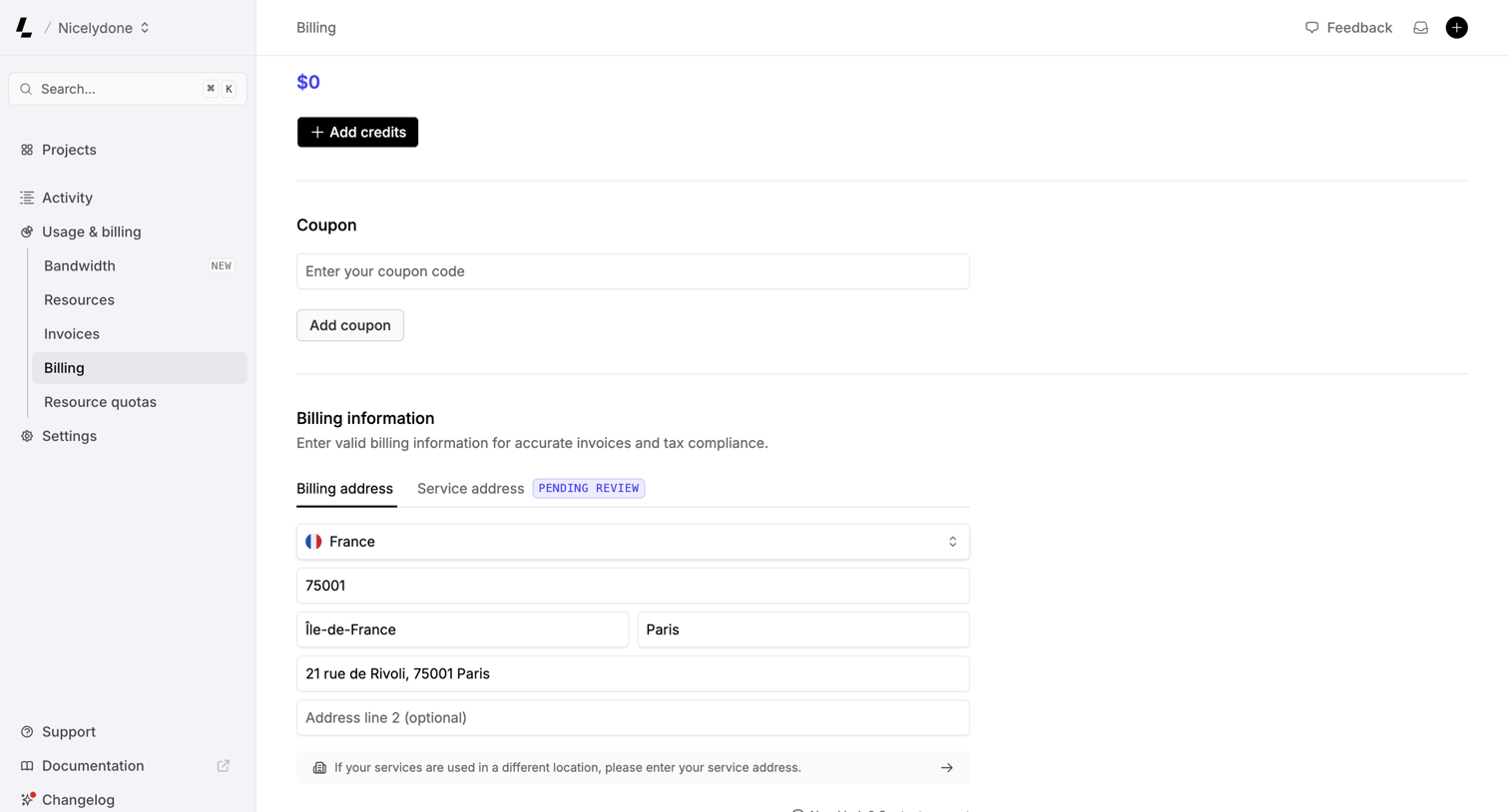

Settings page where the user manages their billing address, applies coupon codes, and adds account credits.
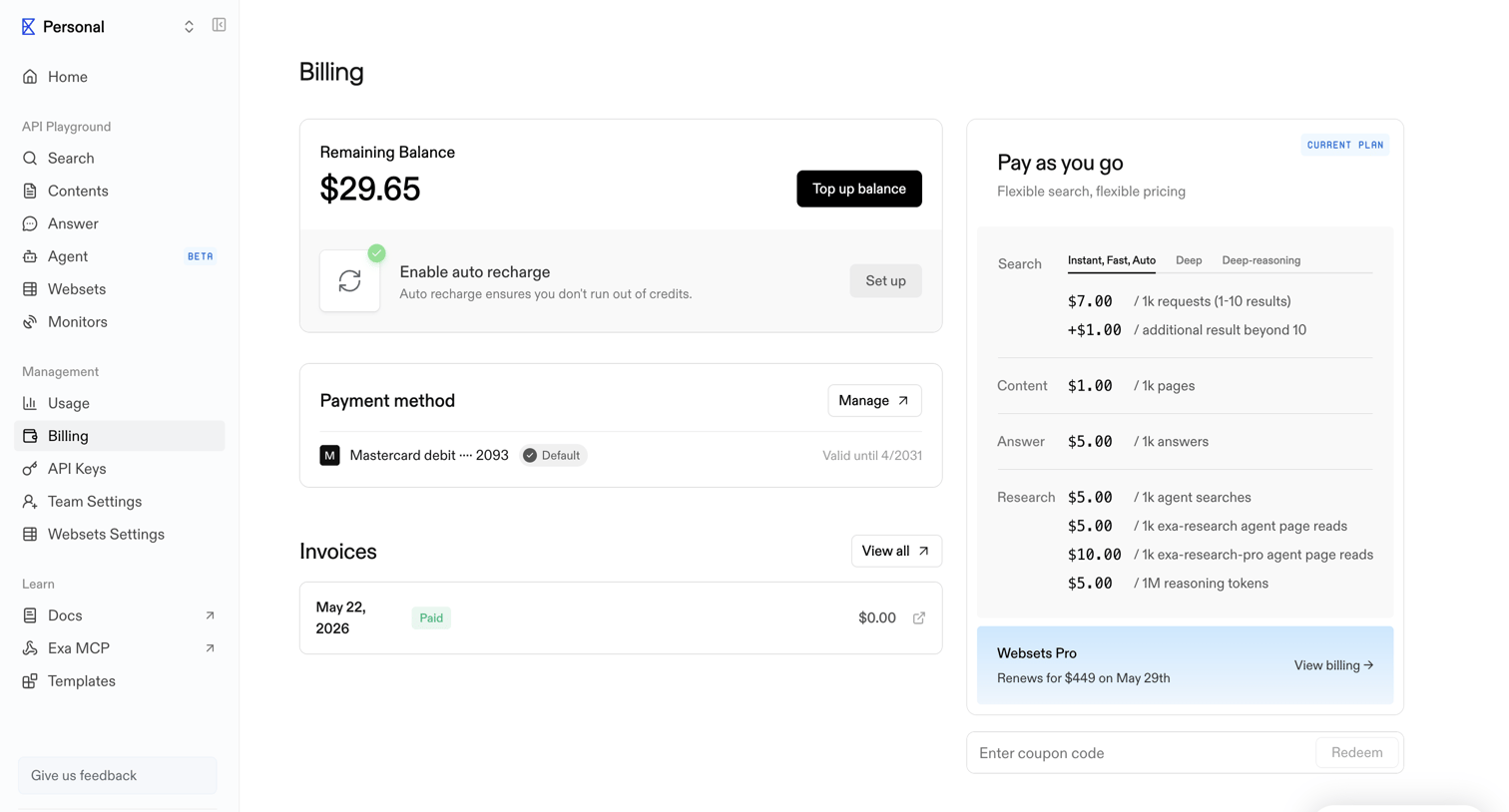

Billing settings page where the user can view their remaining balance, manage payment methods, view invoices, and see their current pay-as-you-go plan details.
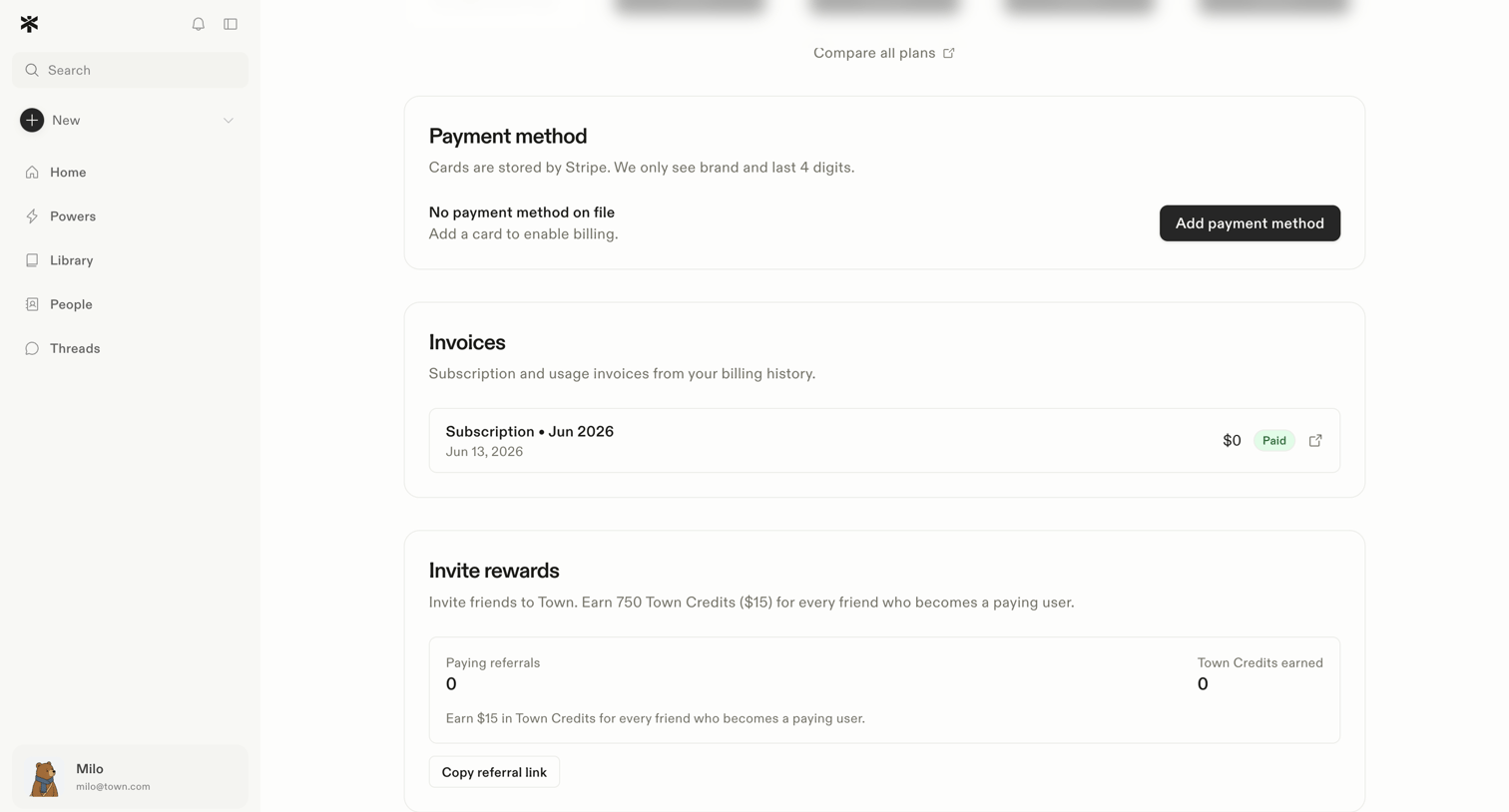

Settings page where the user manages their payment method, views past invoices, and tracks invite rewards.
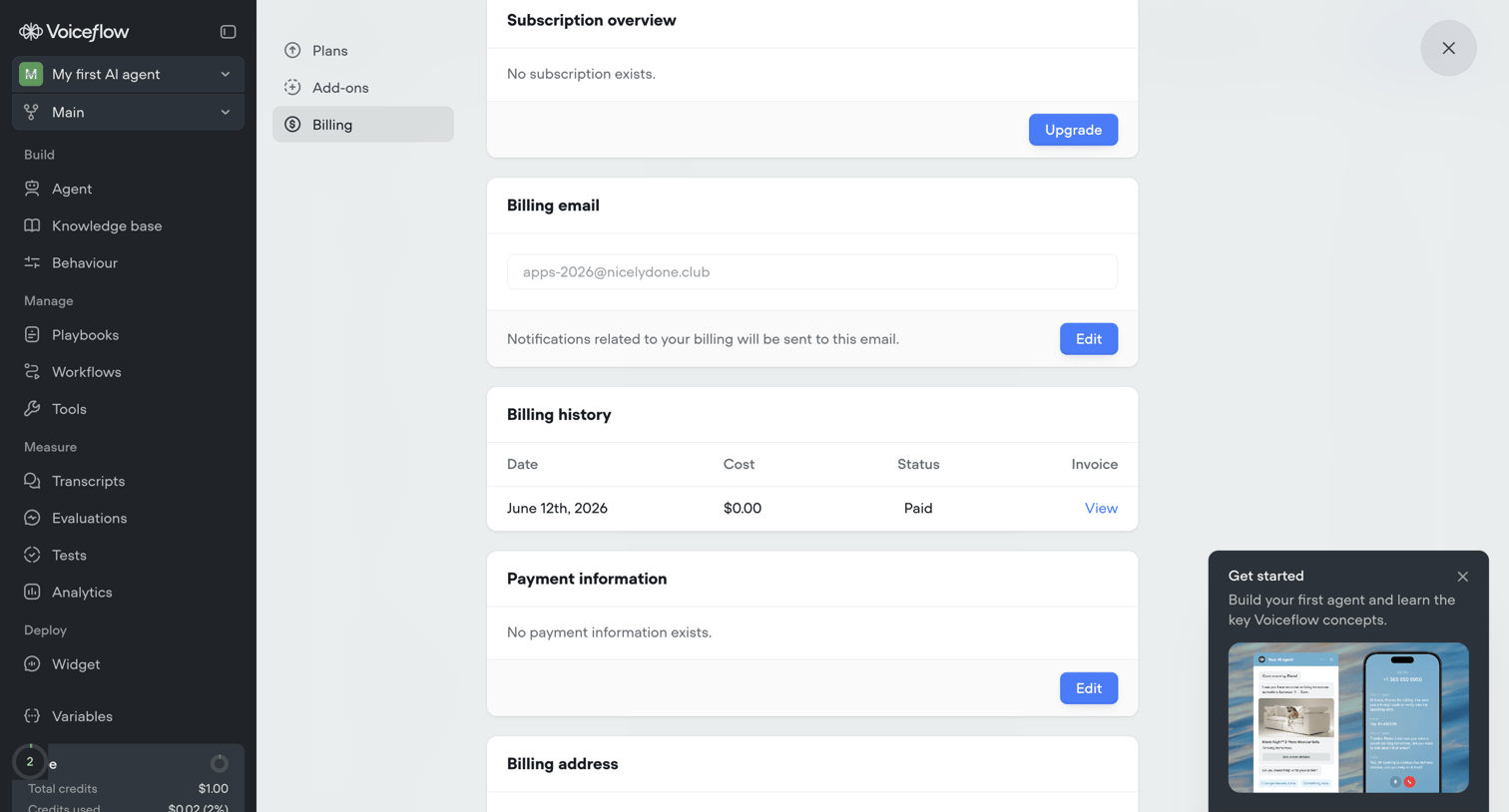

Settings page where the user manages their subscription, billing email, payment information, and views billing history, with an active onboarding prompt visible.
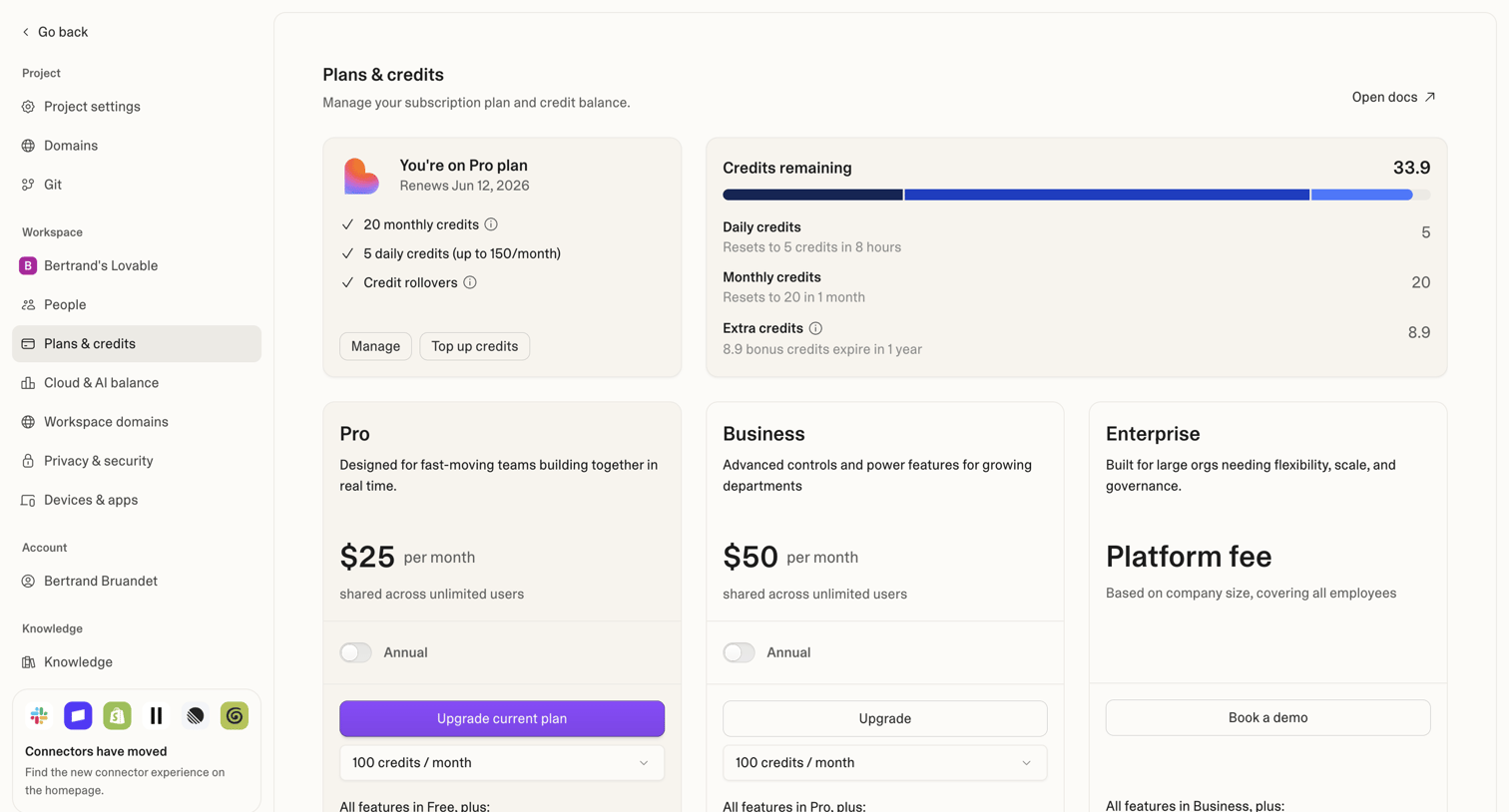

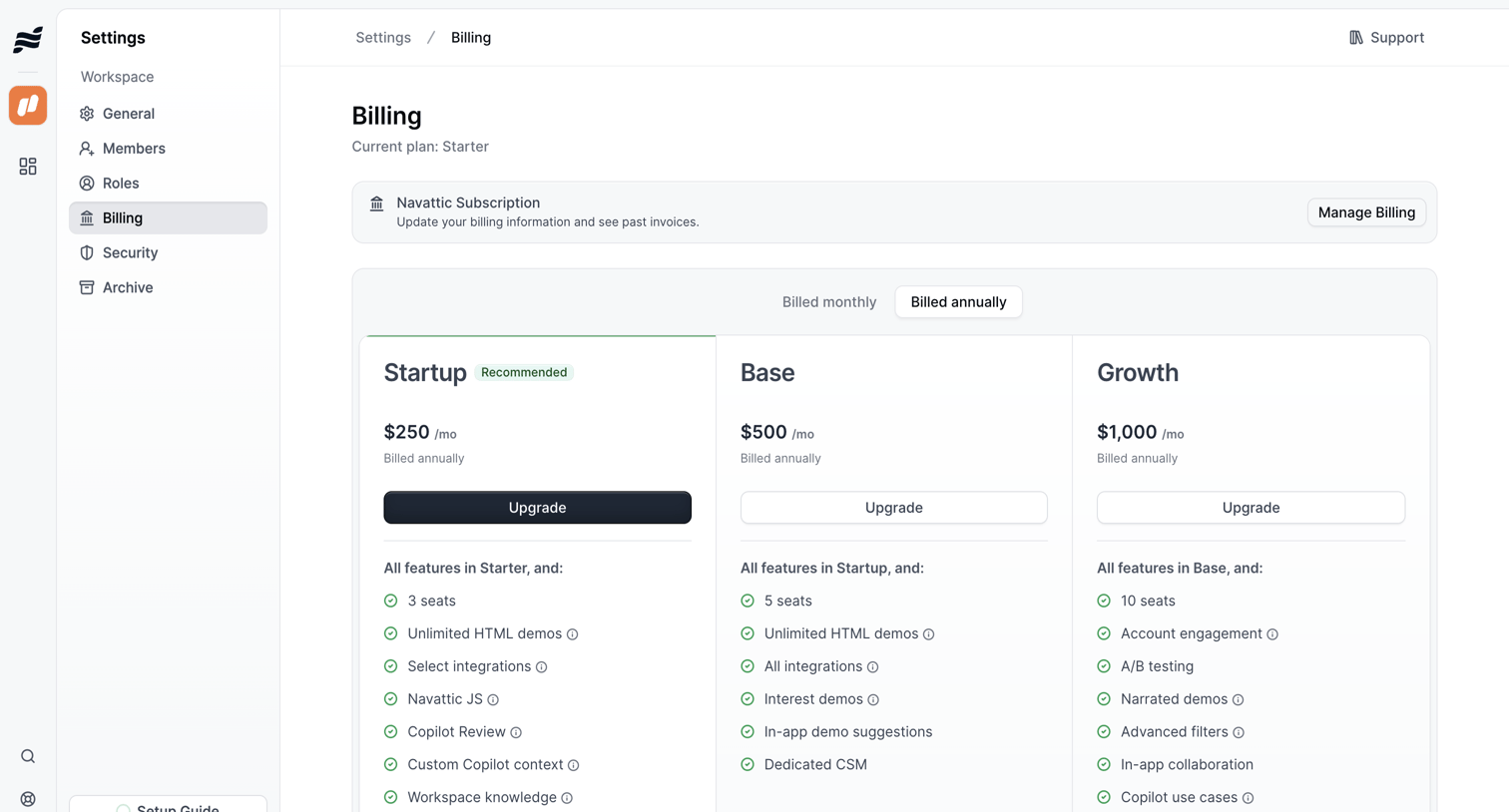


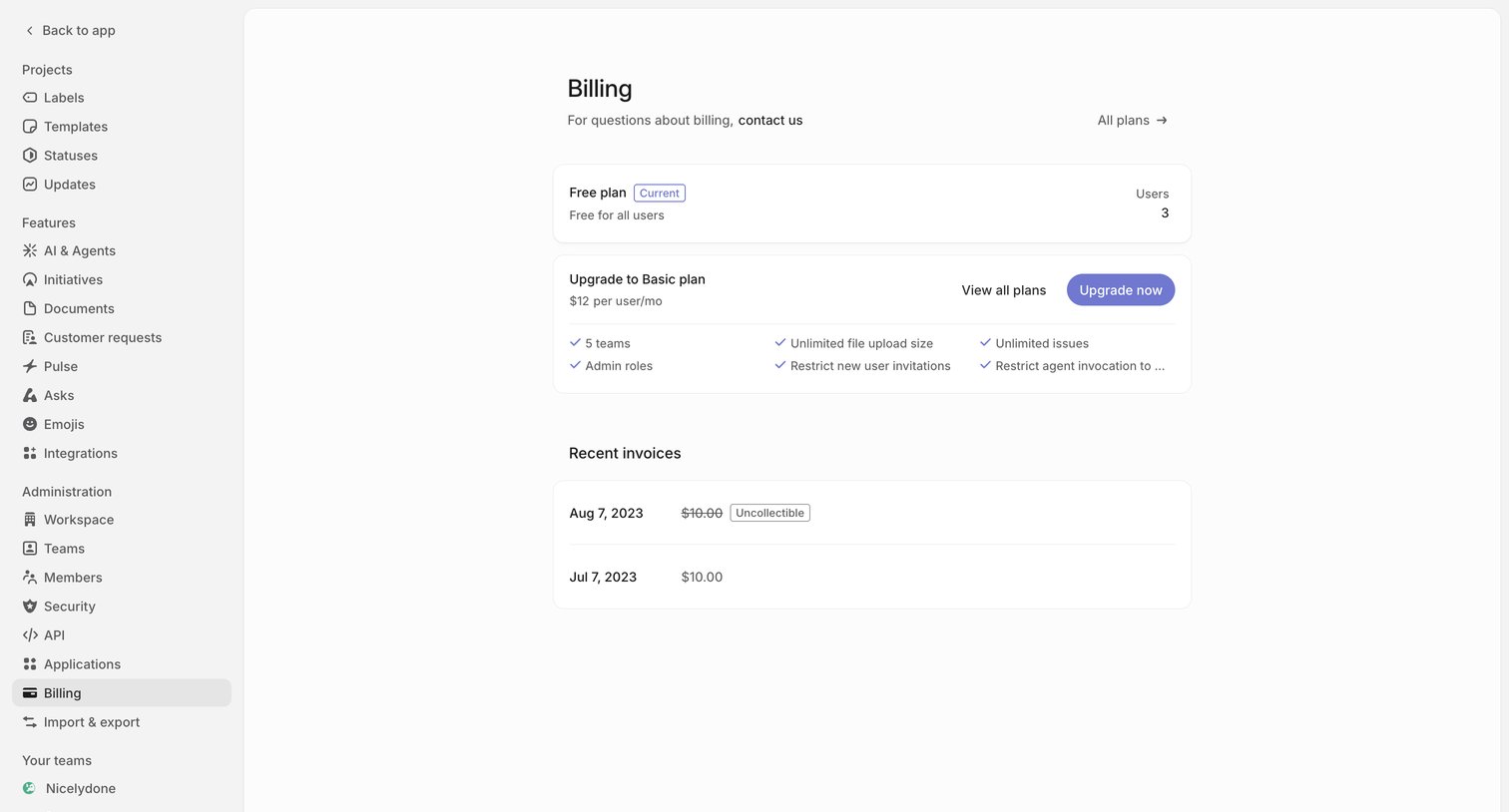

Settings page where the user views their current free plan, recent invoices, and a prompt to upgrade to a basic tier.
Explore the full SaaS screen library
Upgrade to unlock the full library.
Trusted by the best teams








About Billing Settings
See how SaaS apps organize subscription details, invoices, and billing information. Browse layouts that separate the current plan from payment settings and changes to future charges.