Skip to content

Signup screen examples

Signup screen design examples from SaaS apps. Browse examples from Typeform, Wynde, Glide.

Explore the examples
Typeform screen
Typeform logo
Typeform

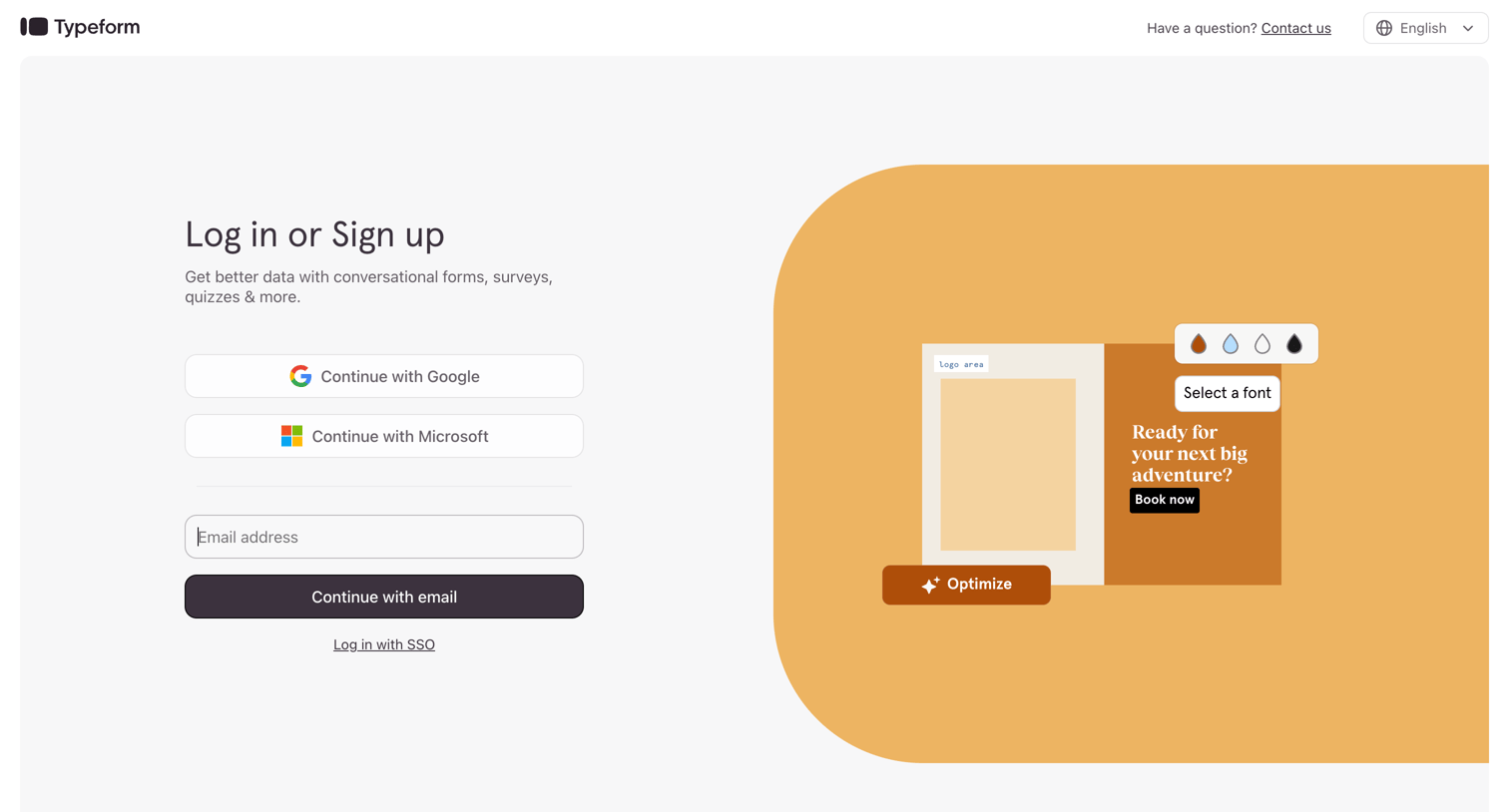
Sign-in screen where the user authenticates with Google, Microsoft, or email, featuring a decorative product illustration on the right.

Wynde screen
Wynde logo
Wynde

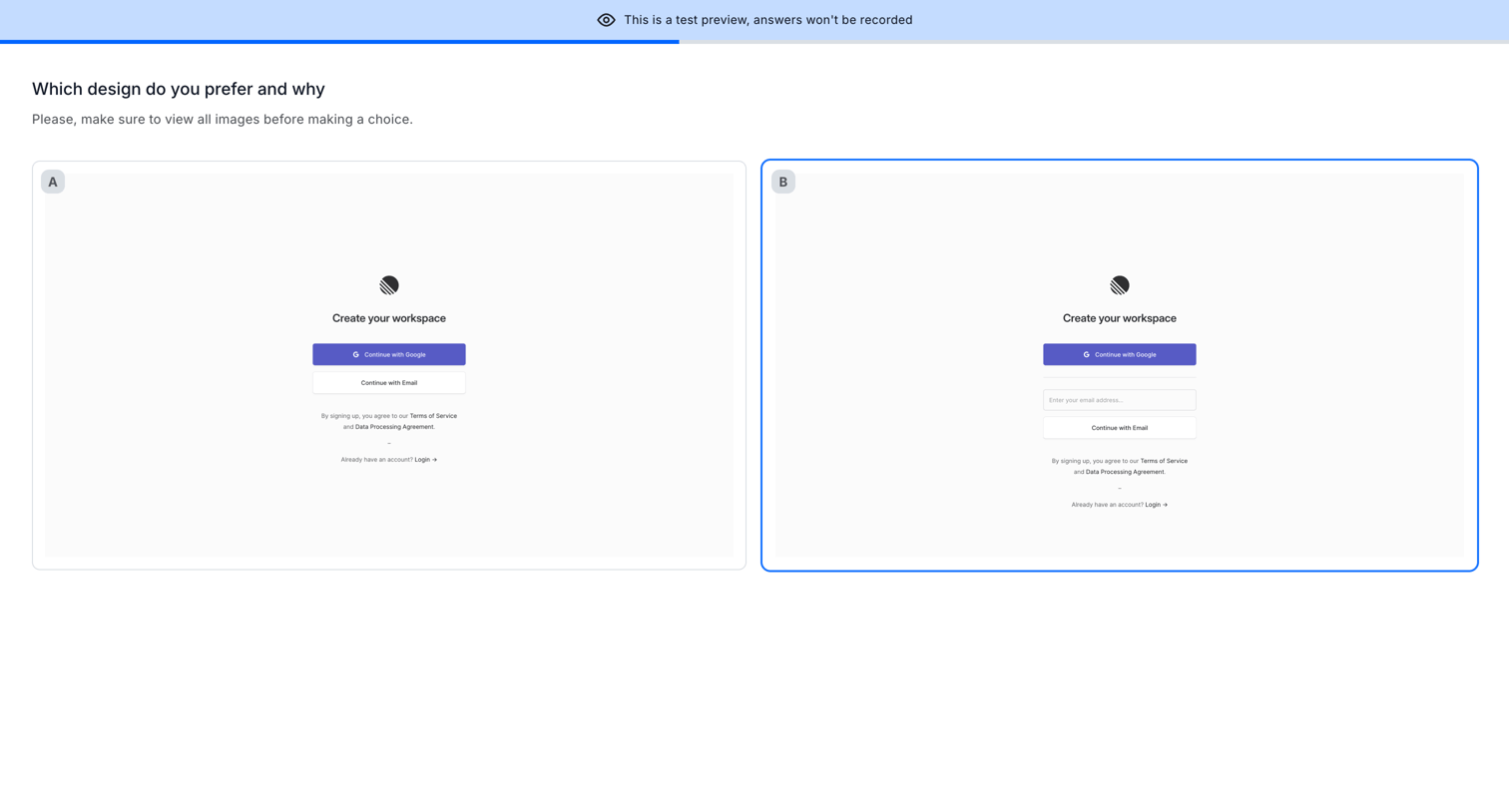
Detail page where the user compares two workspace creation designs side-by-side and selects their preferred option for a user research test.

Glide screen
Glide logo
Glide

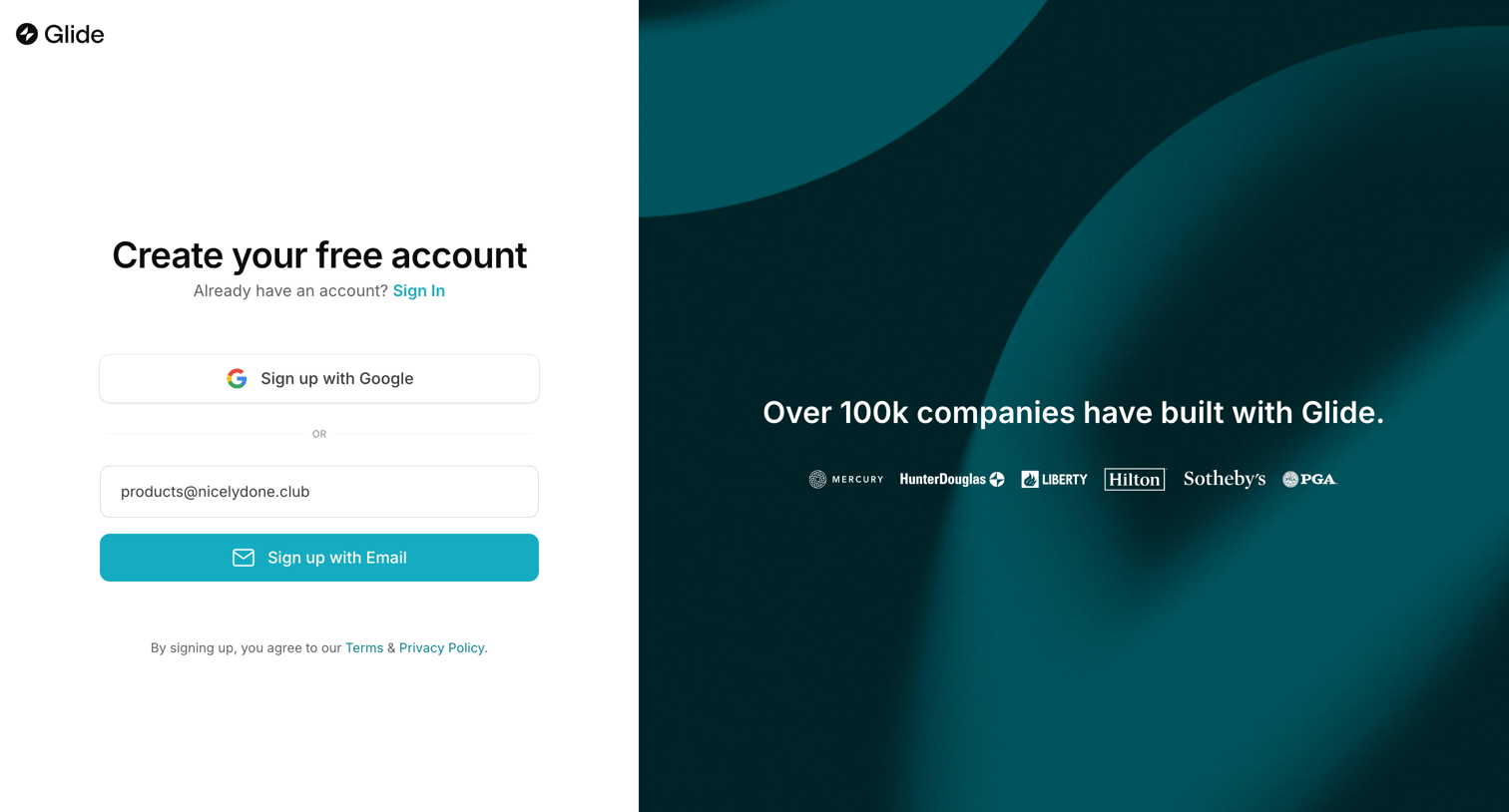
Signup page where the user can create an account using Google or email, accompanied by a social proof logo wall.

Outseta - Sign Up | Outseta screen
Outseta logo
Outseta

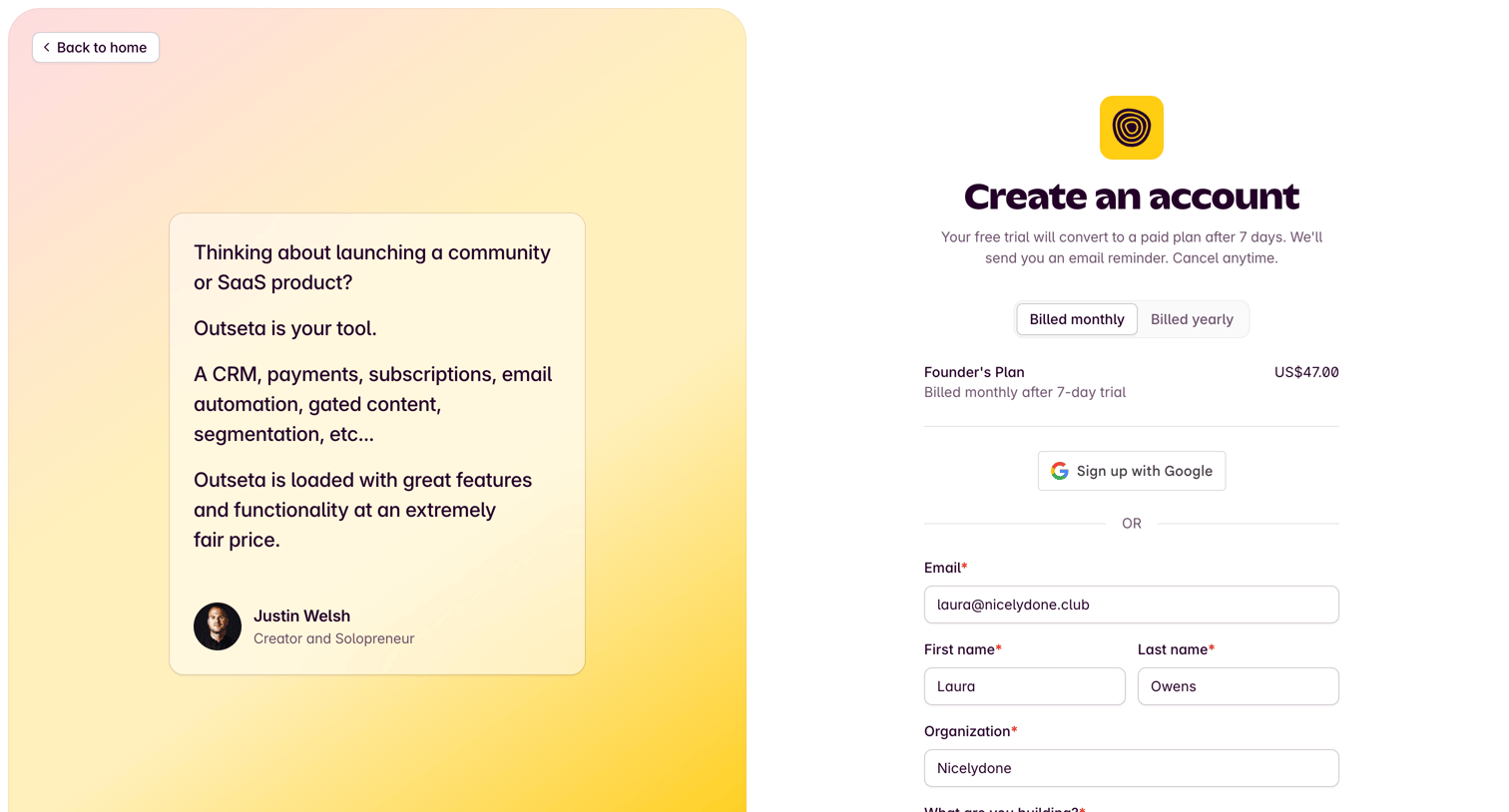
Signup page where the user creates an account, selects a billing cycle for the Founder's Plan, and can authenticate via Google or a standard email form.

Zapier - Sign up | Zapier screen
Zapier logo
Zapier

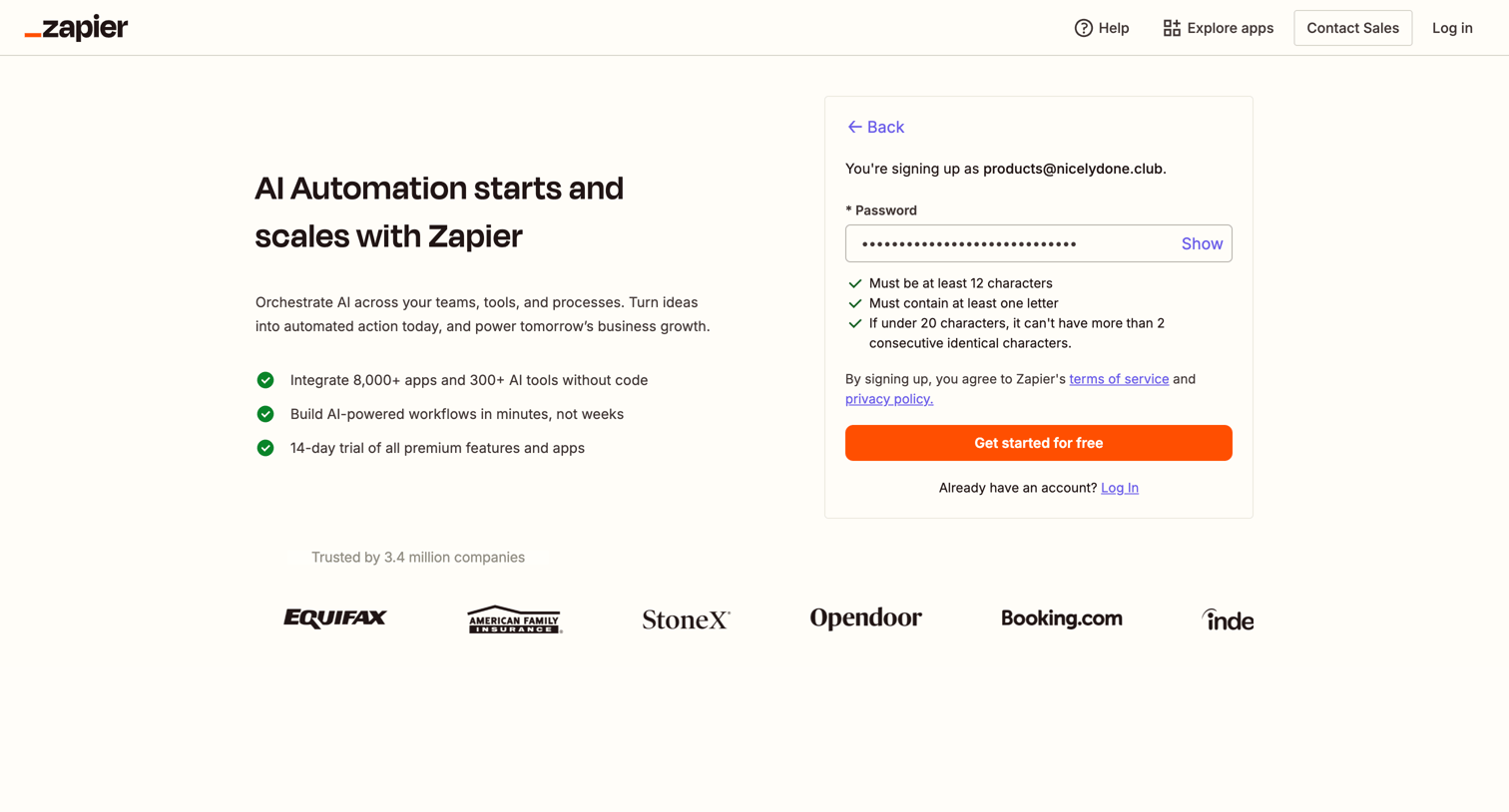
Signup page where the user sets a password for their Zapier account, featuring inline validation rules and a left column highlighting AI automation benefits.
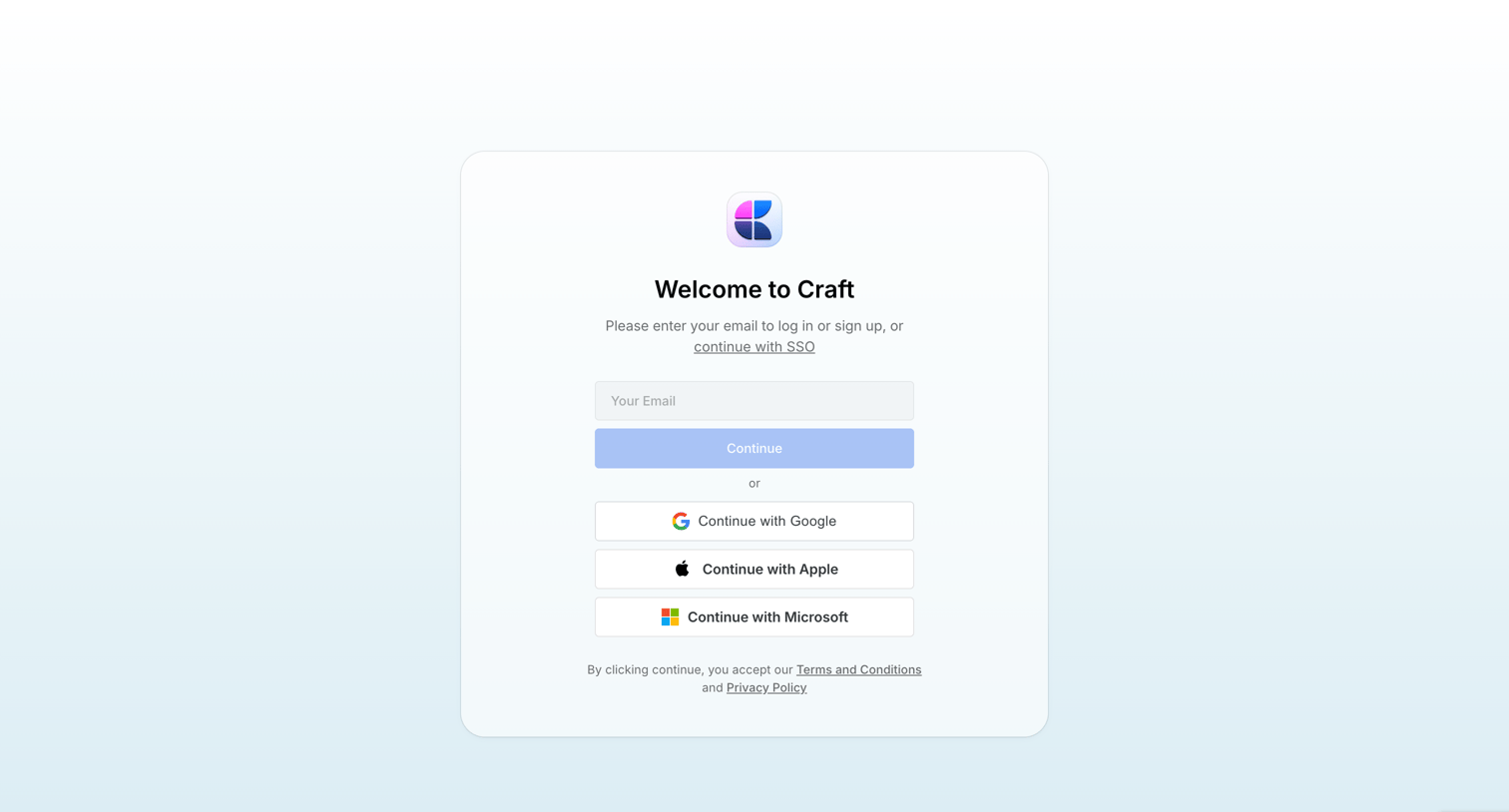

Craft - Recents screen
Craft logo
Craft

Auth screen where the user can enter their email to log in or sign up, or authenticate via Google, Apple, Microsoft, or SSO.

FeatureOS - featureOS screen
FeatureOS logo
FeatureOS

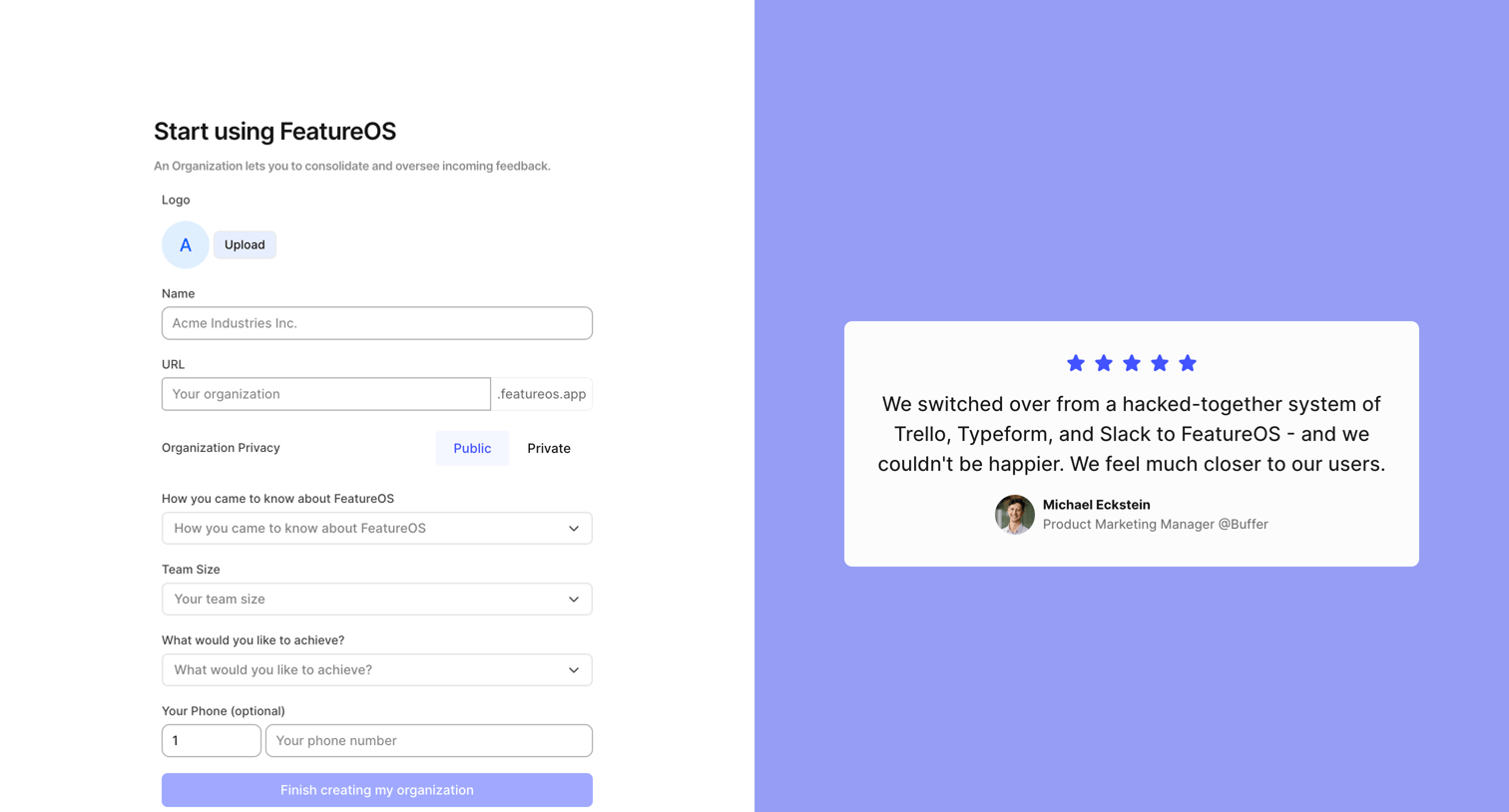
Onboarding step where the user creates their organization by providing a name, custom URL, privacy setting, and goals.
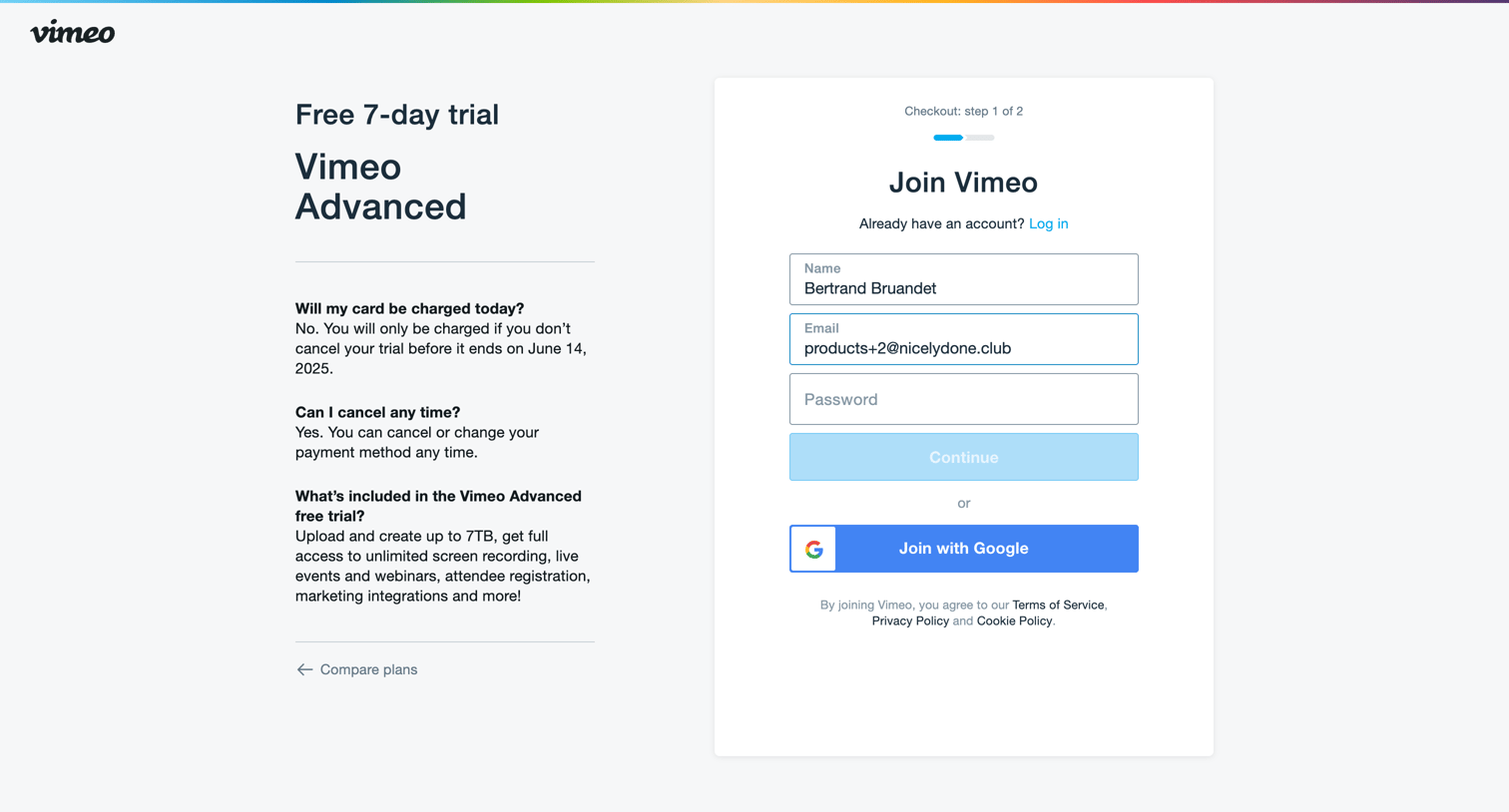

Vimeo - Checkout on Vimeo screen
Vimeo logo
Vimeo

Signup screen where the user creates an account with email or Google to start a 7-day free trial of Vimeo Advanced.

Record club - Record Club screen
Record club logo
Record club

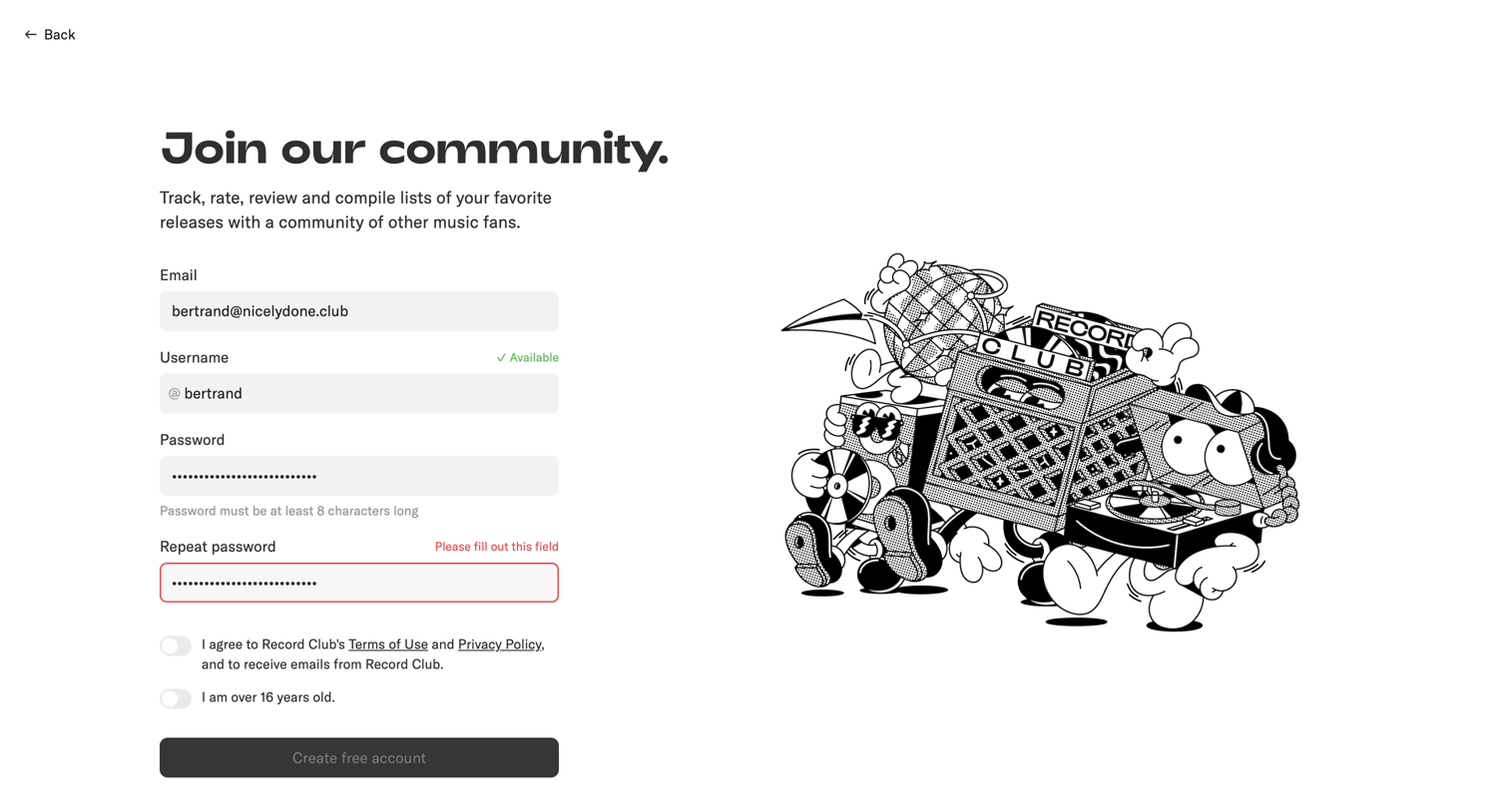
Signup page where the user creates an account by providing an email, username, and password, featuring inline validation for availability and errors.
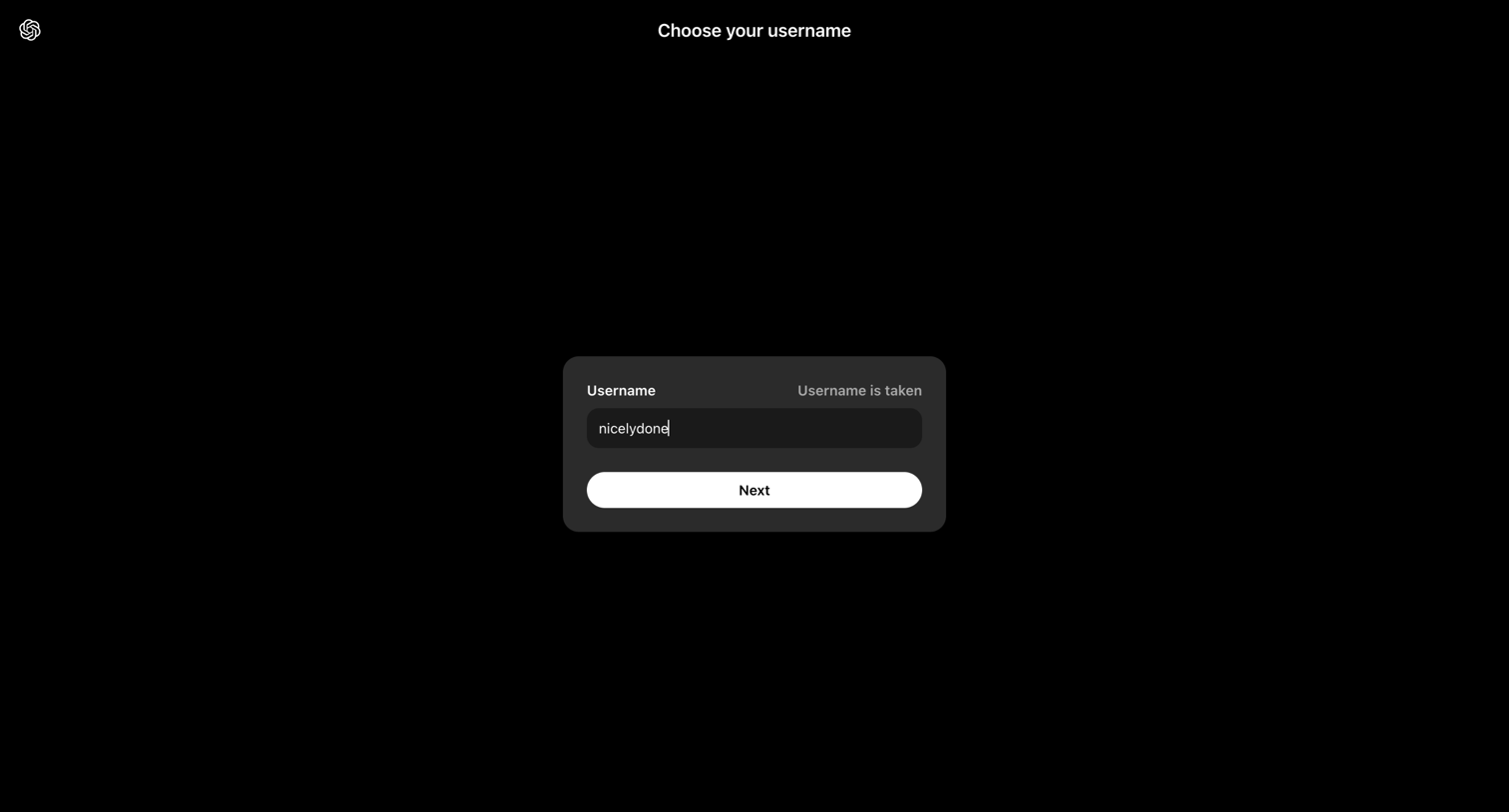

Sora screen
Sora logo
Sora

Onboarding step where the user attempts to claim a username but receives an inline validation message that the name is already taken.
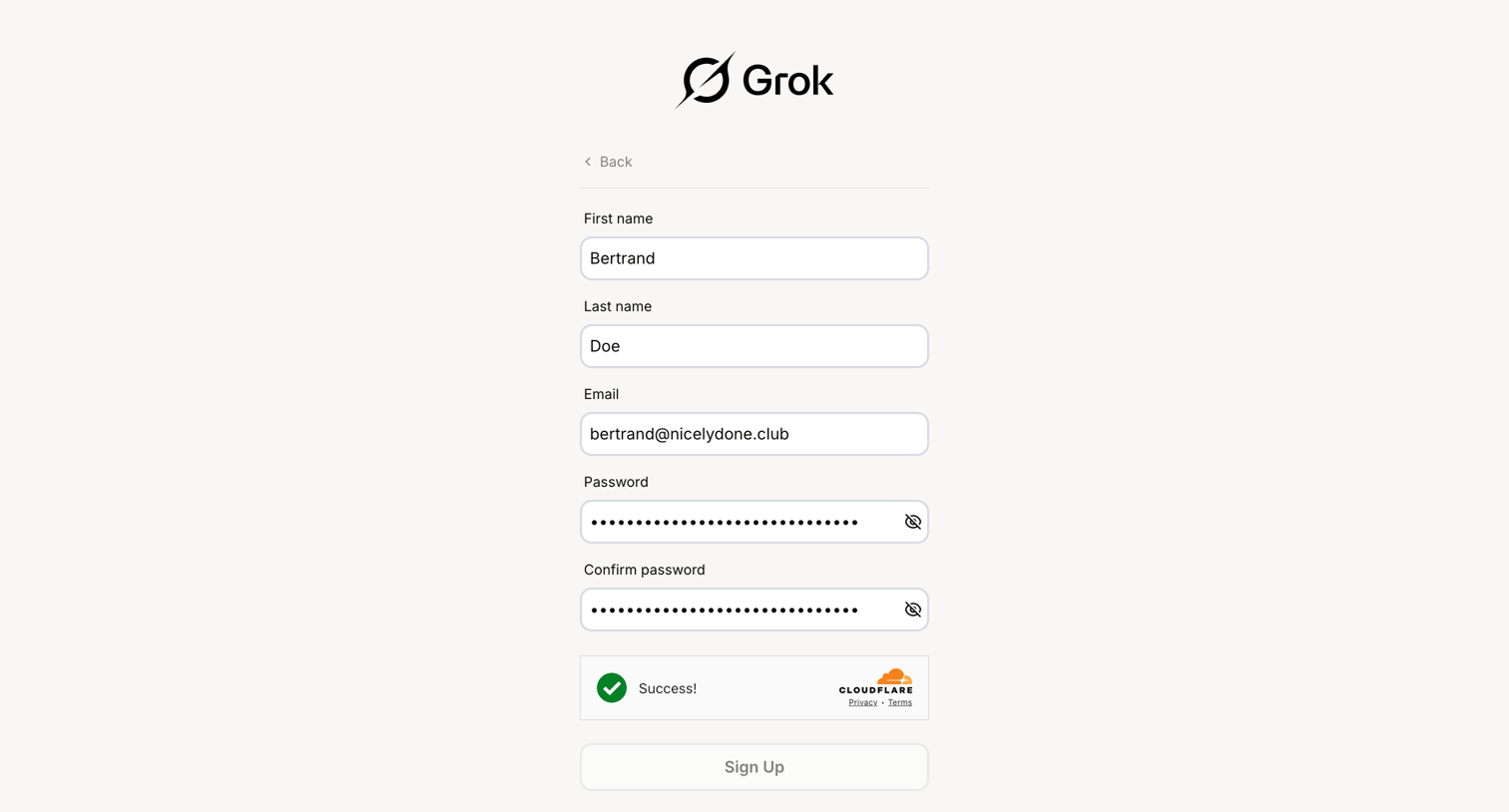

Grok - Sign Up | xAI Single-Sign On screen
Grok logo
Grok

Signup page where the user enters their name, email, and password to create a new Grok account, completing a Cloudflare captcha before submission.

Shuttle - Shuttle Sign Up screen
Shuttle logo
Shuttle

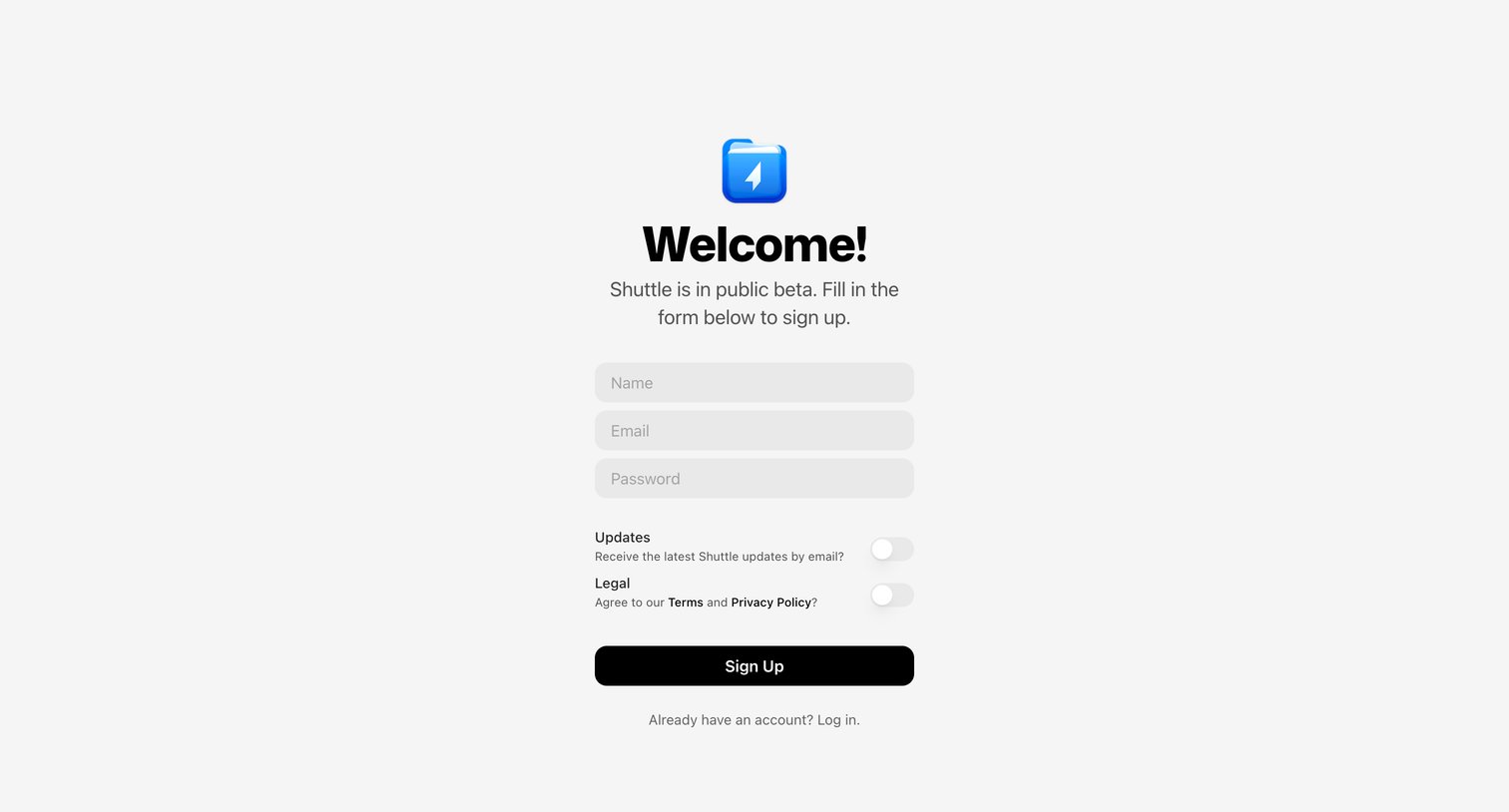
Signup page where the user creates an account by providing their name, email, and password, and opts into updates and legal agreements via toggle switches.

Explore the full SaaS screen library

Upgrade to unlock the full library.

Trusted by the best teams