
Contra design examples
Explore Contra UI design examples. A new way to work
Product screens


Verification screen where the user is instructed to check their email for a confirmation link, with an option to edit the address if needed.

User profile page featuring a prominent floating checklist widget guiding the user through steps to unlock beta features.

Creation page where the user drafts a new project by adding a title, company, roles, tools, and collaborators before publishing.

Create page where the user adds a new company or agency to their project via a modal form.

Project creation page where the user is prompted to add collaborators via a modal overlay to grow their network.

Modal where the user adds a collaborator to a project by entering their name, email, roles, and a personal message.
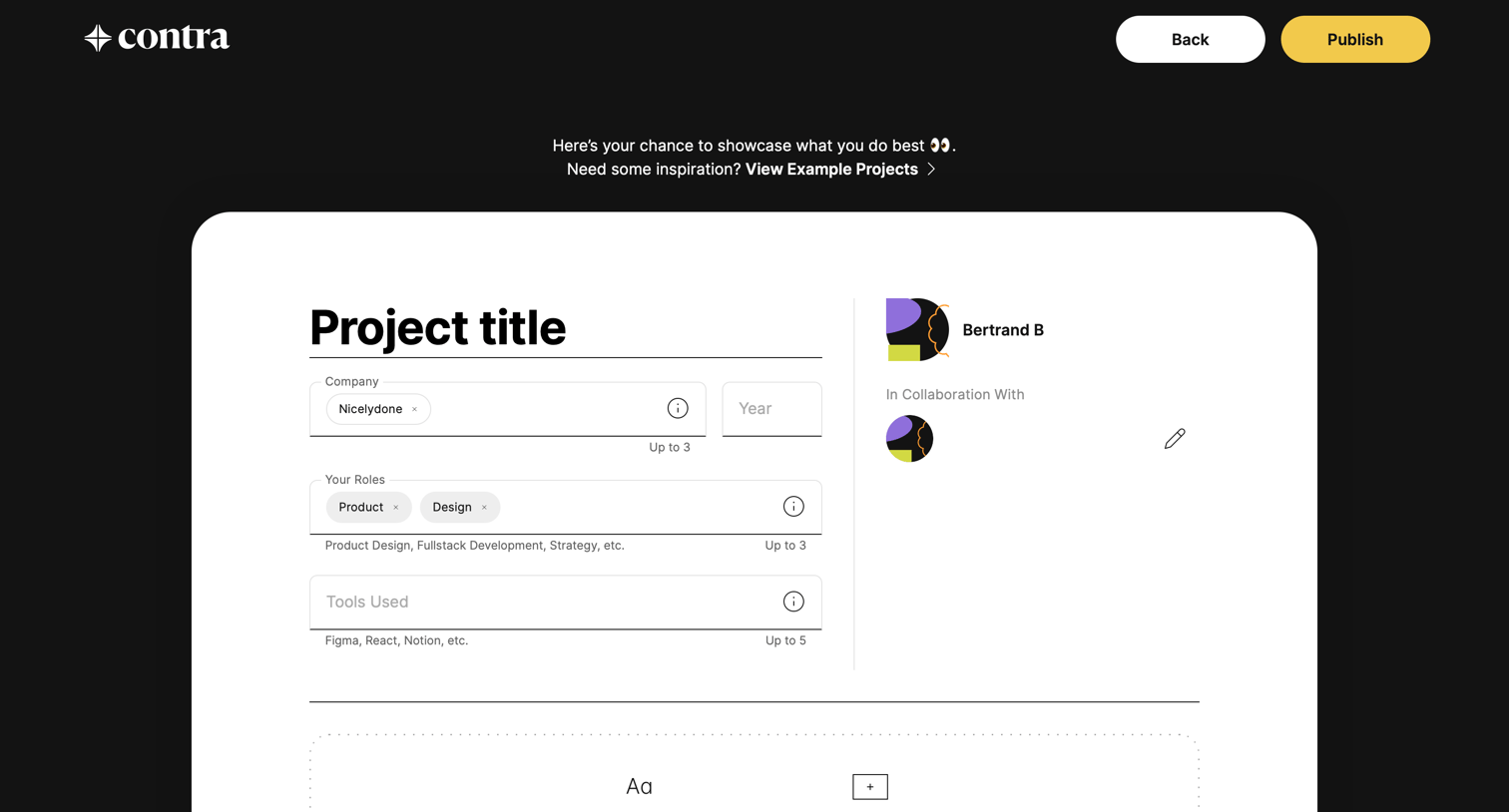
Creation screen where the user inputs project metadata like company, roles, and tools, and selects content blocks to build a portfolio case study.
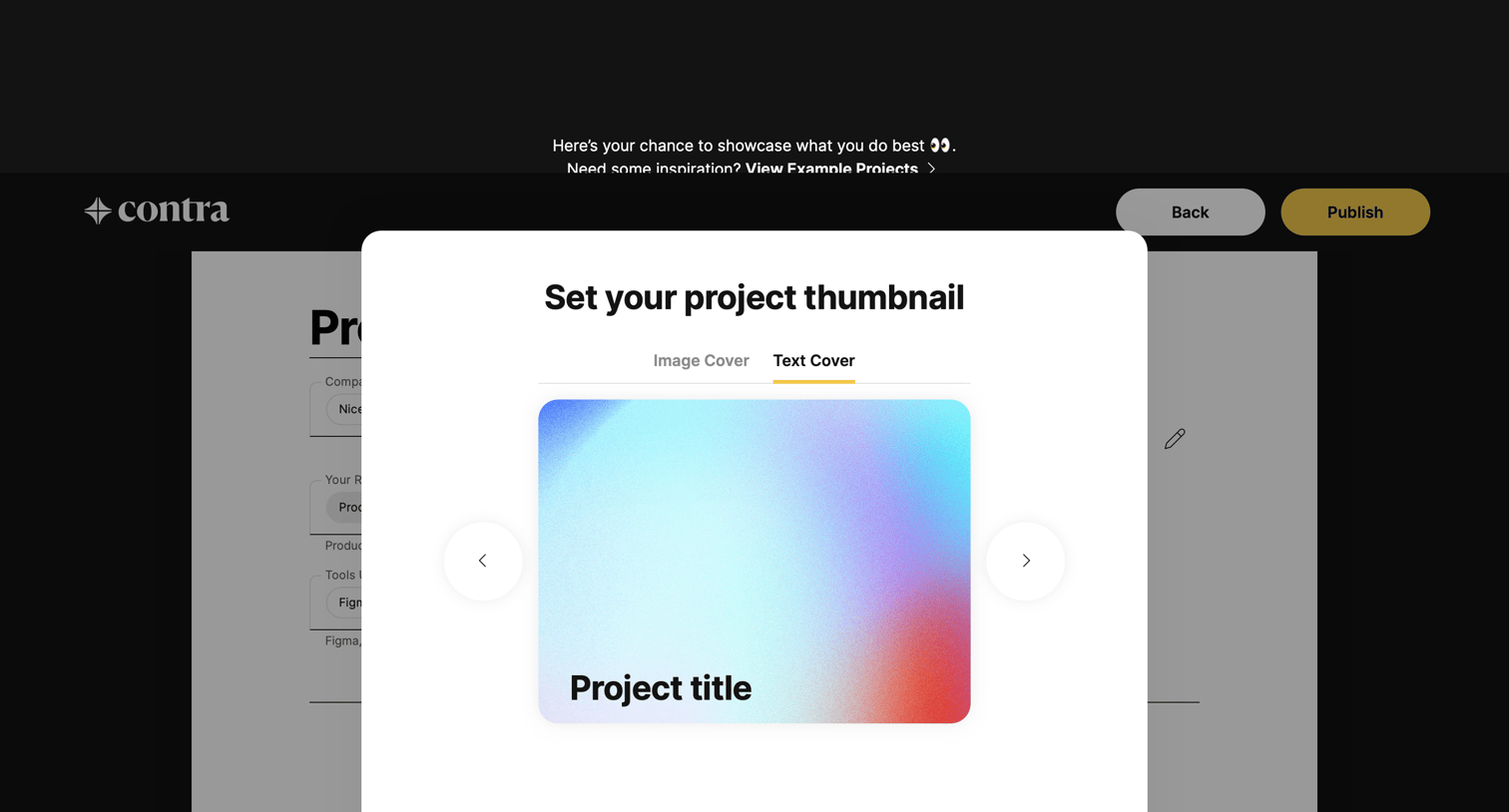
Create page where the user chooses between an image or text cover for their project thumbnail before publishing.
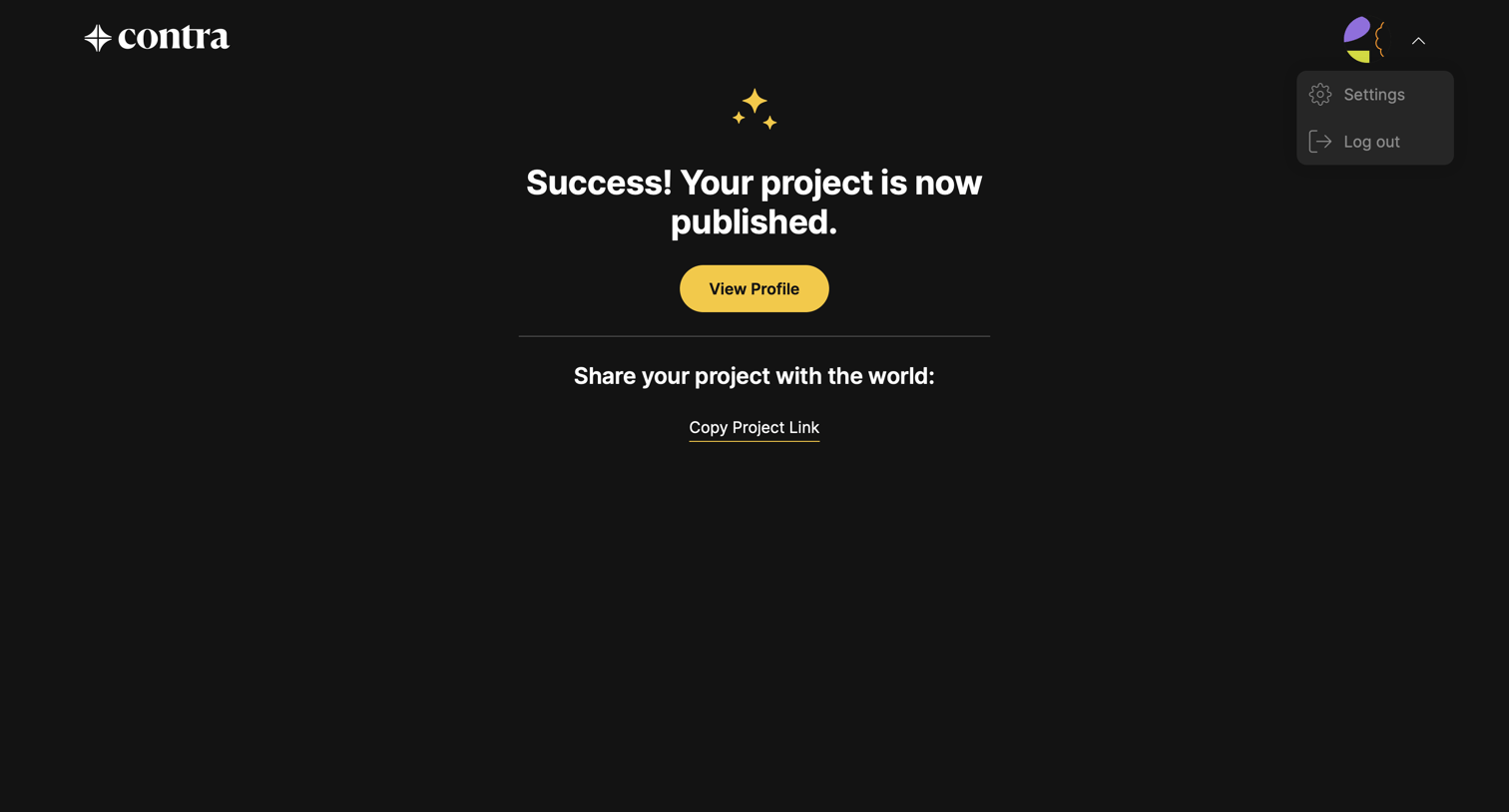
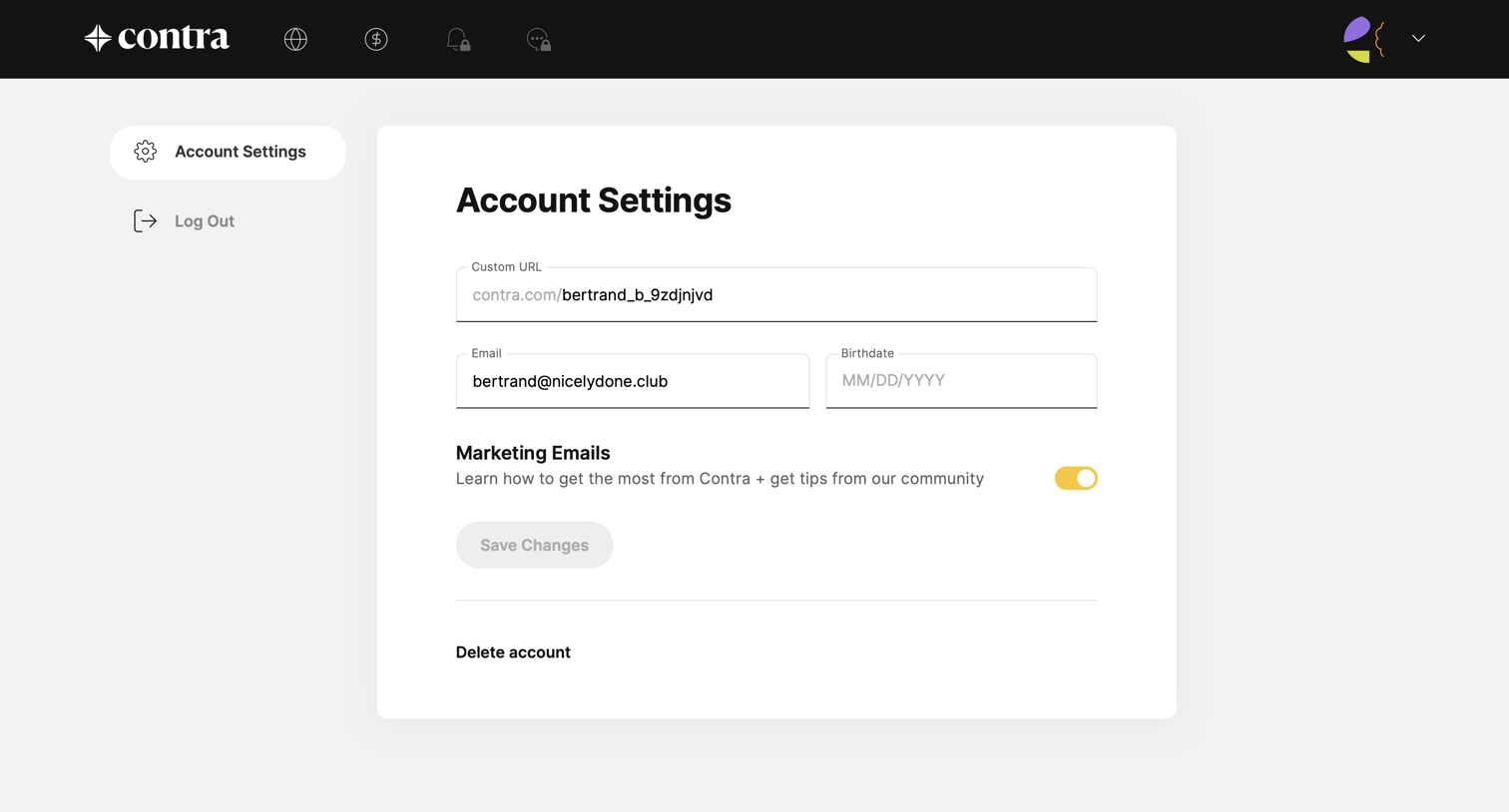
Account settings page where the user updates their profile URL, email, birthdate, and marketing email preferences.
Browse the full SaaS app library
Explore real SaaS apps with their product screens, marketing screens, flows, and components.
Trusted by the best teams







