Jukely product screens examples
Browse Jukely screen design examples. Preview the interface screenshots and explore related UI patterns. Go out with us, every night
Explore the examples



Signup screen where the user can join the club via Facebook or by providing an email, password, and city.

Checkout screen where the user enters their credit card details to start a 14-day preview subscription.

Signup step where the user enters their full name and mobile number to complete their pass registration.

Detail page for a concert featuring artist information, date, a location map, and a timeline slider to navigate between upcoming events.

Detail page for a live music event where the user views artist and venue information and opens a drawer to join the standby list.

Event detail page for a jazz trio showing venue location and a map, with a user drawer open on the right displaying empty spots and standby lists.
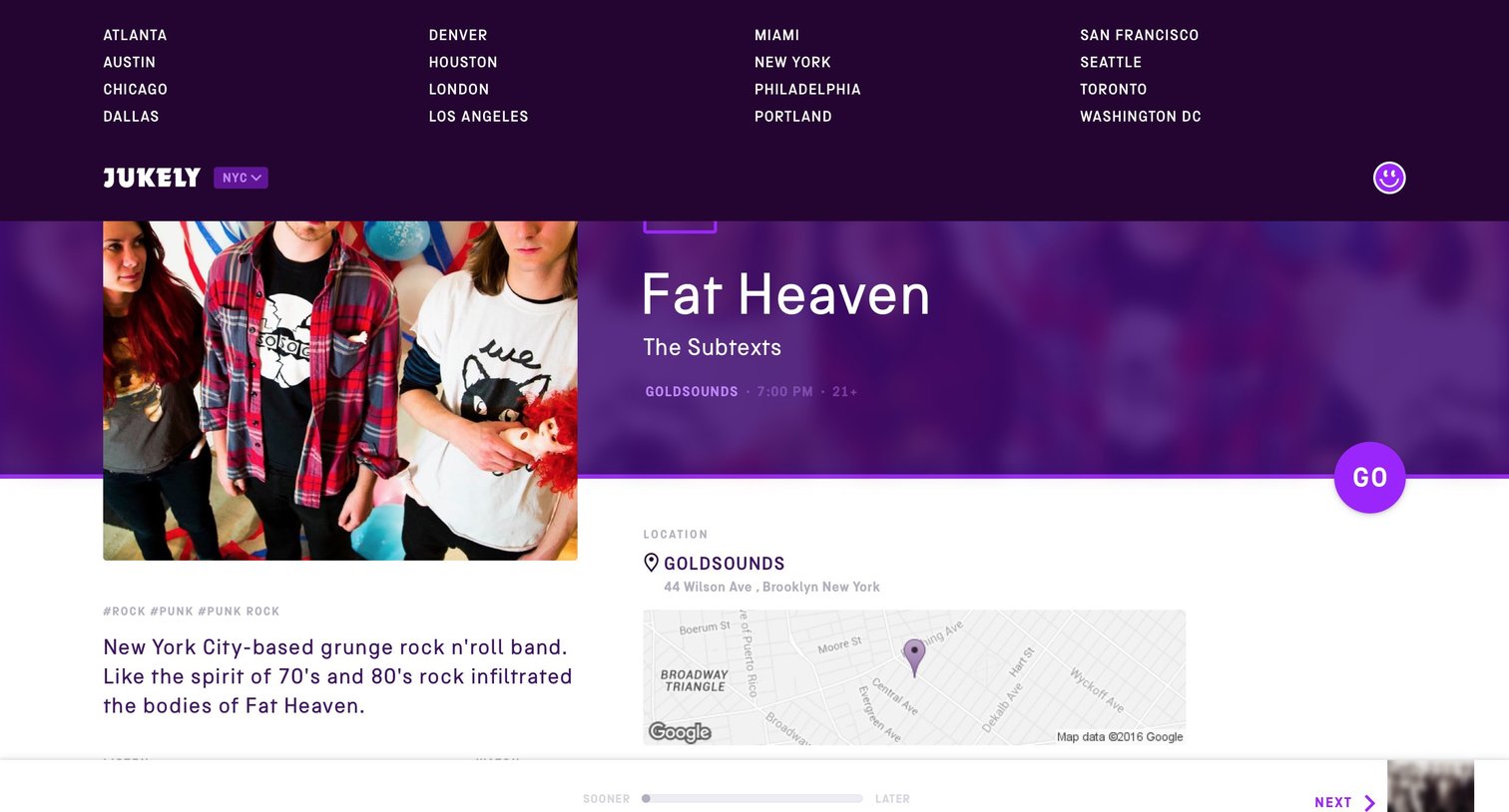
Detail page for a music event featuring band information, venue location with a map, and a floating action button to proceed.
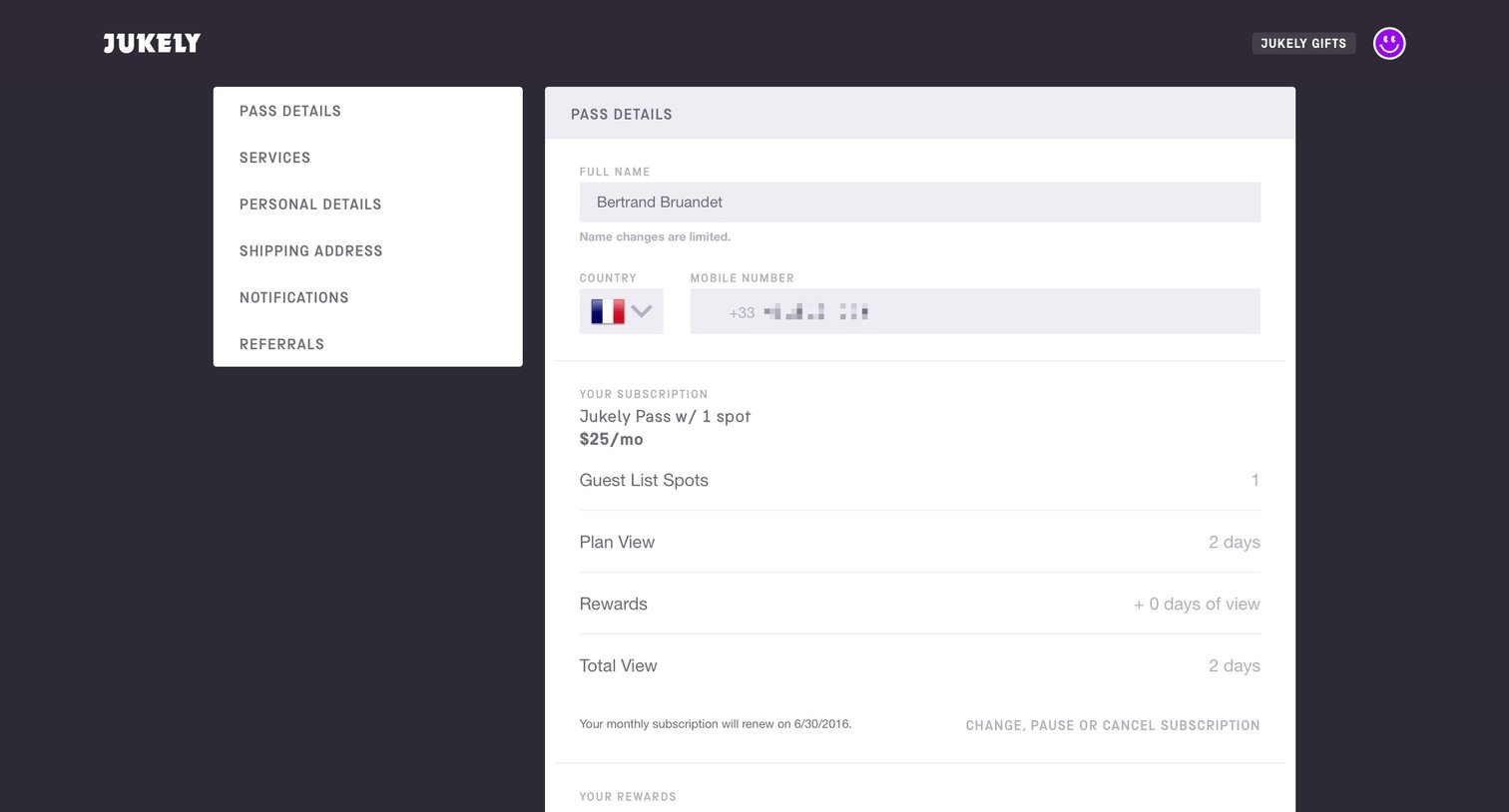
Settings page where the user manages their subscription pass, connects music services, updates personal details, and configures notification preferences.
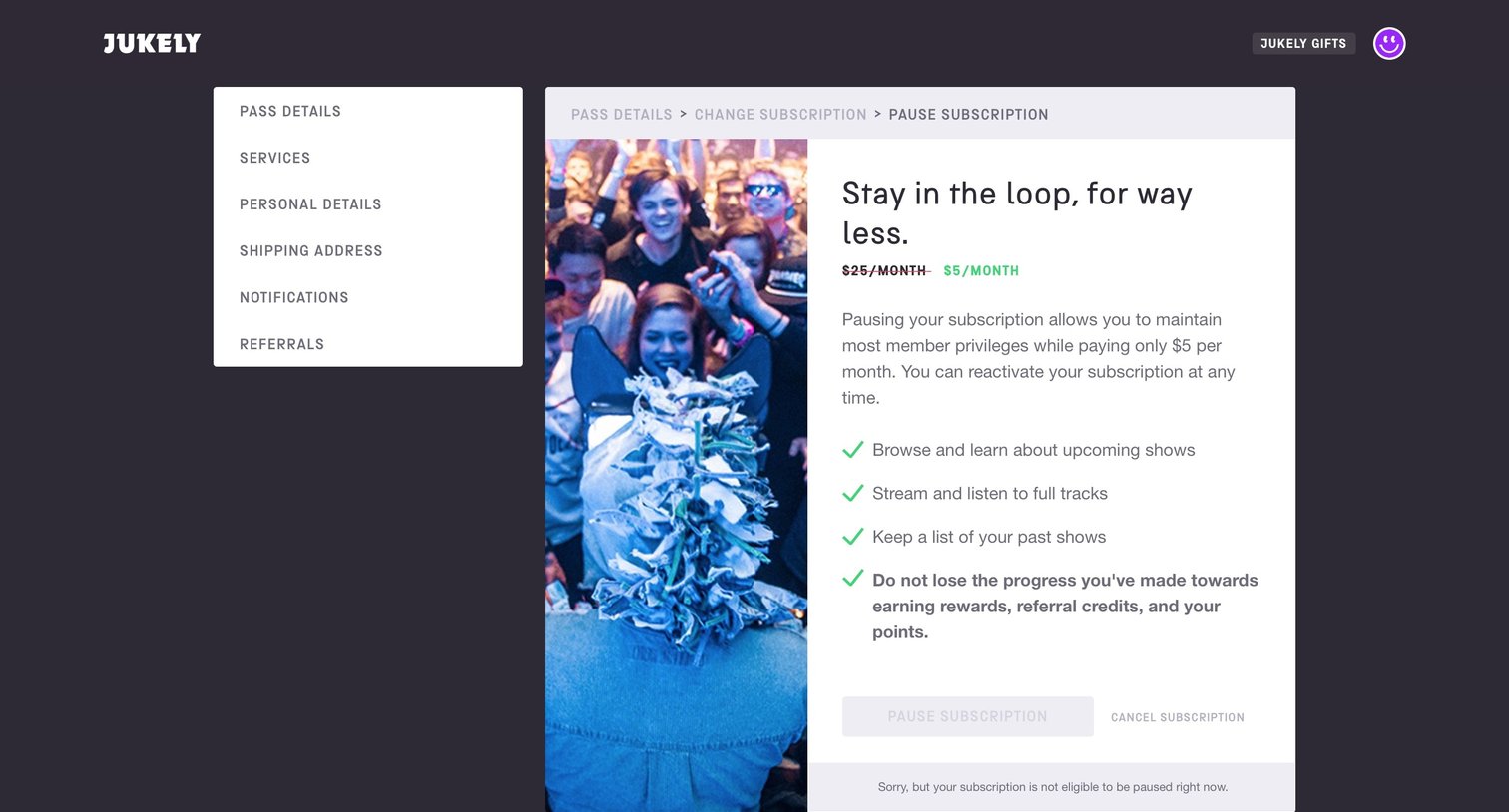
Settings Account management Subscription management
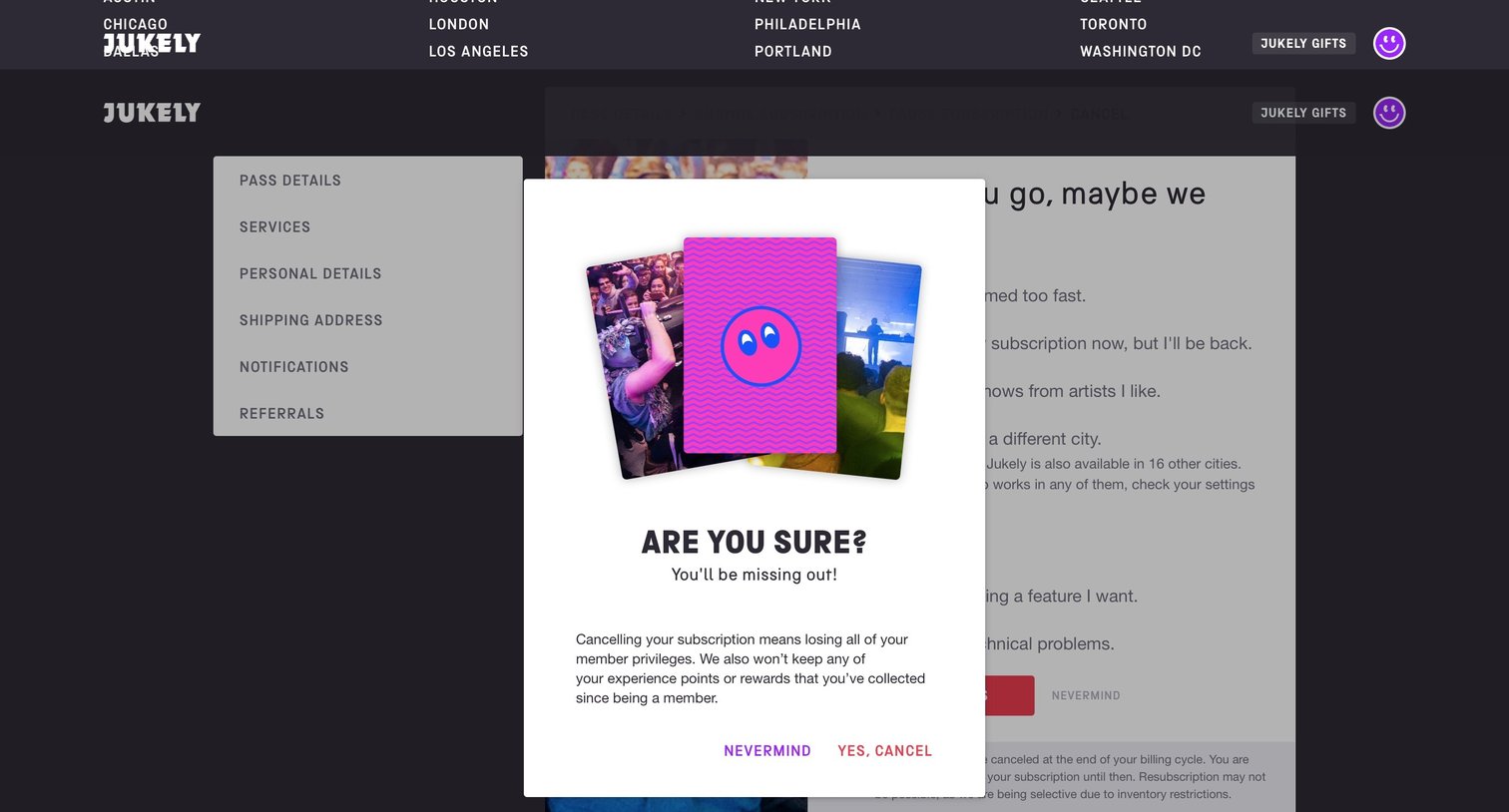
Settings page where the user is prompted to confirm cancelling their subscription after being presented with a retention survey.
Explore the full SaaS screen library
Upgrade to unlock the full library.
Trusted by the best teams







