Stripe Flow Example: Setting communication preferences
This user flow enables users to customize their notification preferences for different areas of their Stripe account operations through a series of settings screens.

![Dashboard – nicelydone.club – Stripe [Test] from Stripe](https://assets.nicelydone.club/cdn-cgi/image/g=top,w=600,h=322,f=webp,fit=cover/https://assets.nicelydone.club/f/1aa8b120-3ff3-453f-a3e9-d52f3d7091c7.png)
![Dashboard – nicelydone.club – Stripe [Test] from Stripe](https://assets.nicelydone.club/cdn-cgi/image/g=top,w=600,h=322,f=webp,fit=cover/https://assets.nicelydone.club/f/3d5a17df-751c-4122-8910-e1f71a4578bb.png)
![Dashboard – nicelydone.club – Stripe [Test] from Stripe](https://assets.nicelydone.club/cdn-cgi/image/g=top,w=600,h=322,f=webp,fit=cover/https://assets.nicelydone.club/f/0812ff3f-b90a-4f82-a453-ab456579044e.png)
This user flow enables users to customize their notification preferences for different areas of their Stripe account operations through a series of settings screens.
Related user flows


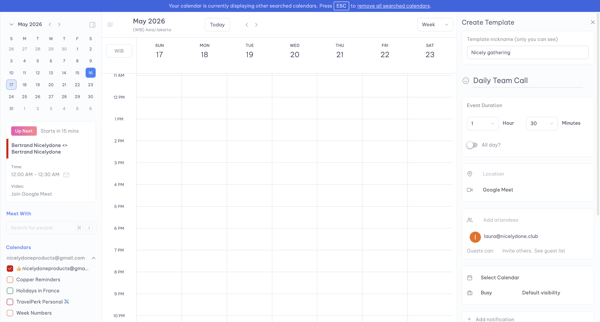
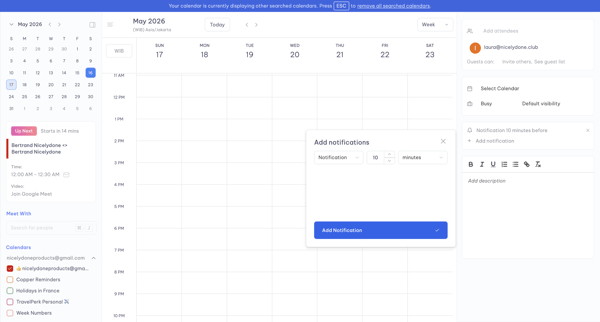
User opens Create Template panel from calendar week view and adds a notification via modal while editing event template details


Explore the full SaaS flow library
Browse the full SaaS flow library.
Trusted by the best teams







