Stripe user flows examples
Explore Stripe user flow examples. Preview the opening screens and steps for each task. Payments infrastructure for the internet
Preview these flows

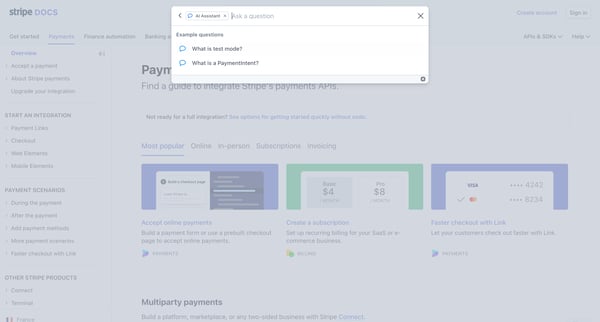
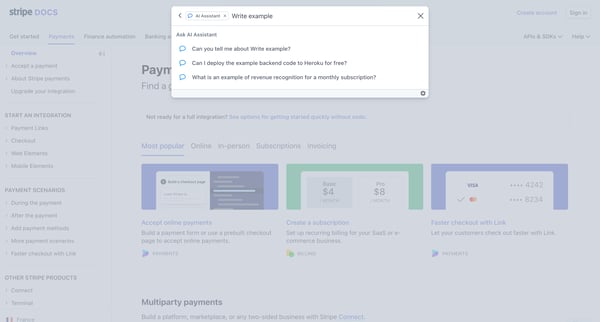
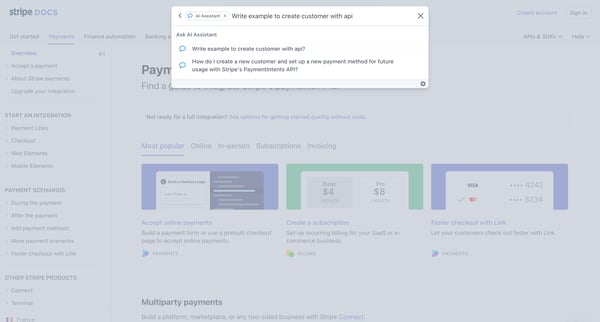
This user flow guides a user through the process of getting information from an AI assistant within the Stripe documentation site, from initiating a question to viewing and interacting with t
![Dashboard – New Business – Stripe [Test] screen](https://assets.nicelydone.club/cdn-cgi/image/g=top,w=600,h=322,f=webp,fit=cover/https://assets.nicelydone.club/f/1670104e-601e-4bbf-94df-dc6c6232e213.png)
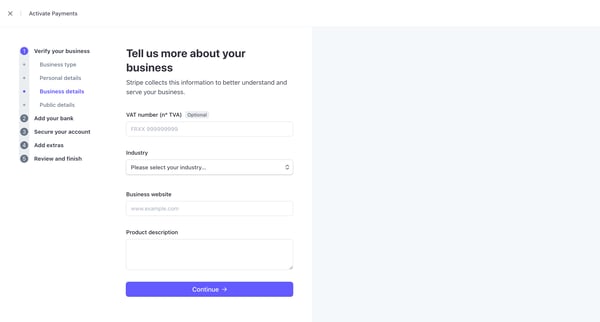
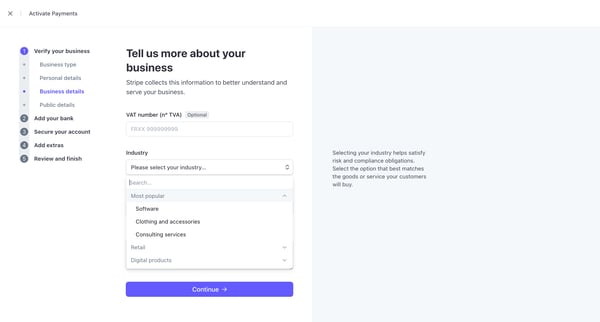
This flow guides users through the process of filling out a Know Your Business (KYB) form with Stripe, detailing business verification, public details, account security, banking details, and
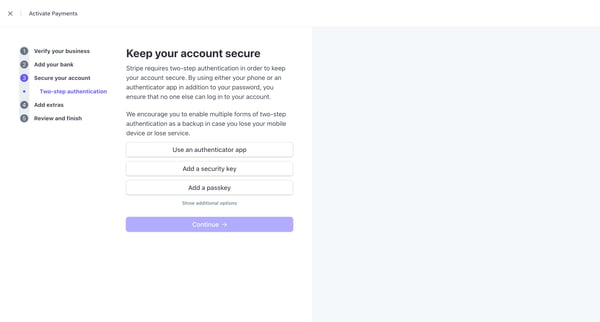
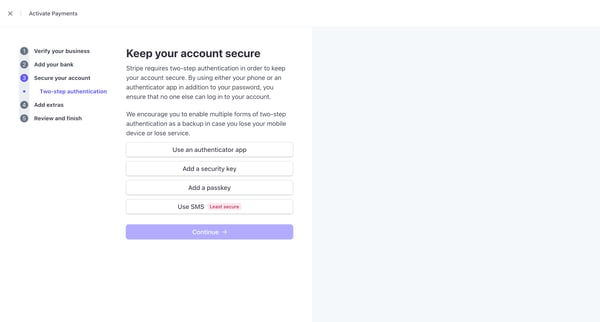
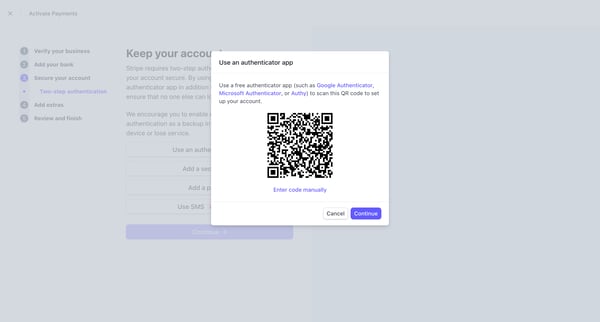
This user flow guides the user through the process of setting up multi-factor authentication to enhance their account security on Stripe.
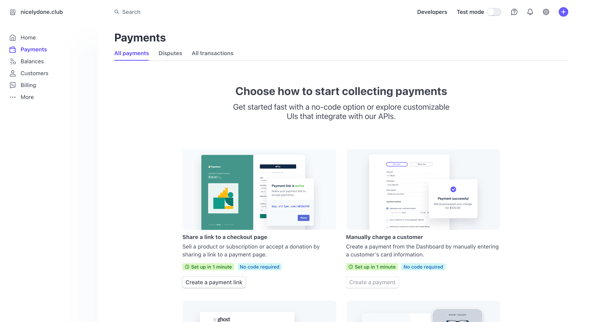
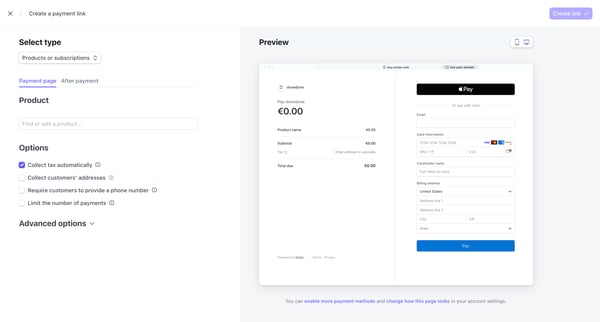
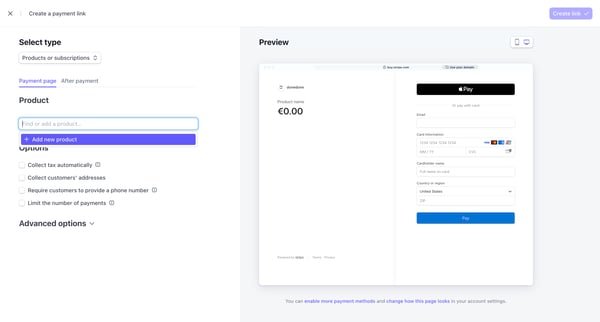
This flow enables users to create a customizable payment link for products or subscriptions, integrating seamlessly into Stripe's payment system.
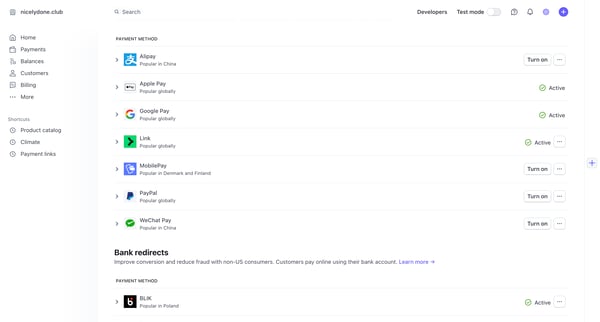
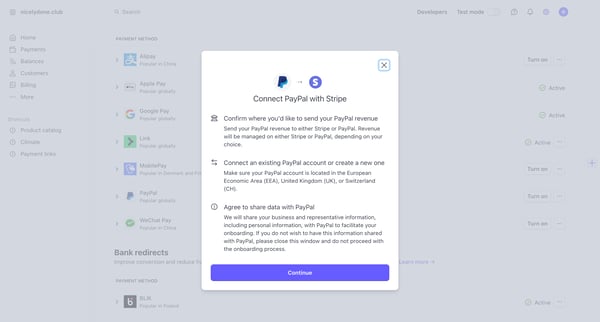
This user flow facilitates the integration of a PayPal account with Stripe, enabling users to configure where revenue from PayPal transactions should be sent within the Stripe platform.
![Subscriptions – nicelydone.club – Stripe [Test] screen](https://assets.nicelydone.club/cdn-cgi/image/g=top,w=600,h=322,f=webp,fit=cover/https://assets.nicelydone.club/f/9315ff0e-5ea3-48d4-8124-67512783a156.png)
![Subscriptions – nicelydone.club – Stripe [Test] screen](https://assets.nicelydone.club/cdn-cgi/image/g=top,w=600,h=322,f=webp,fit=cover/https://assets.nicelydone.club/f/f171cd51-1379-401a-a116-9b426dd38bab.png)
![Subscriptions – nicelydone.club – Stripe [Test] screen](https://assets.nicelydone.club/cdn-cgi/image/g=top,w=600,h=322,f=webp,fit=cover/https://assets.nicelydone.club/f/ce97c41a-46ef-47d0-bdbc-c6e6ffb403c1.png)
This user flow enables the setting up and customization of pricing plans for different subscription models, ensuring compliance with regional tax regulations and facilitating currency managem
![Subscriptions – nicelydone.club – Stripe [Test] screen](https://assets.nicelydone.club/cdn-cgi/image/g=top,w=600,h=322,f=webp,fit=cover/https://assets.nicelydone.club/f/3ddc7bb6-5d20-47f6-92fb-28344f6966f0.png)
![Subscriptions – nicelydone.club – Stripe [Test] screen](https://assets.nicelydone.club/cdn-cgi/image/g=top,w=600,h=322,f=webp,fit=cover/https://assets.nicelydone.club/f/87f339ad-b333-48e0-b14e-24dd93455497.png)
![Subscriptions – nicelydone.club – Stripe [Test] screen](https://assets.nicelydone.club/cdn-cgi/image/g=top,w=600,h=322,f=webp,fit=cover/https://assets.nicelydone.club/f/c7a15a93-dae1-415c-a295-eebc46dafbf6.png)
This user flow guides a user through the process of migrating their subscription billing to Stripe, starting from initial setup and data gathering to the actual import and verification of sub
![Customers – nicelydone.club – Stripe [Test] screen](https://assets.nicelydone.club/cdn-cgi/image/g=top,w=600,h=322,f=webp,fit=cover/https://assets.nicelydone.club/f/8dde99f7-66b2-4a65-9d0e-fb8eb1989d1d.png)
![Customers – nicelydone.club – Stripe [Test] screen](https://assets.nicelydone.club/cdn-cgi/image/g=top,w=600,h=322,f=webp,fit=cover/https://assets.nicelydone.club/f/ec17f9e2-c4d8-4a5e-a75b-241b6d2f2107.png)
![Customers – nicelydone.club – Stripe [Test] screen](https://assets.nicelydone.club/cdn-cgi/image/g=top,w=600,h=322,f=webp,fit=cover/https://assets.nicelydone.club/f/63456949-723e-41a3-8849-2b28cbba6b4c.png)
This flow illustrates the process of using a test mode in a customer management system, enabling users to add and analyze customer details without processing real transactions.
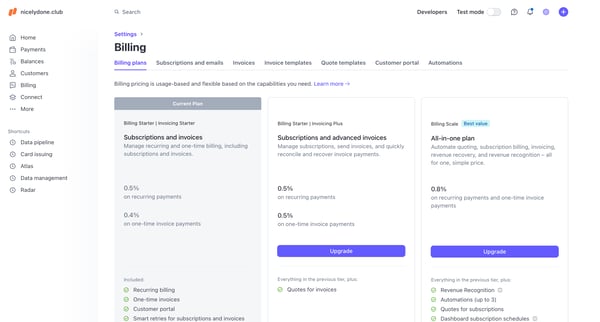
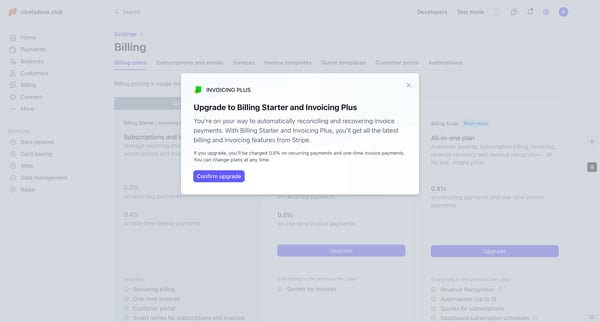
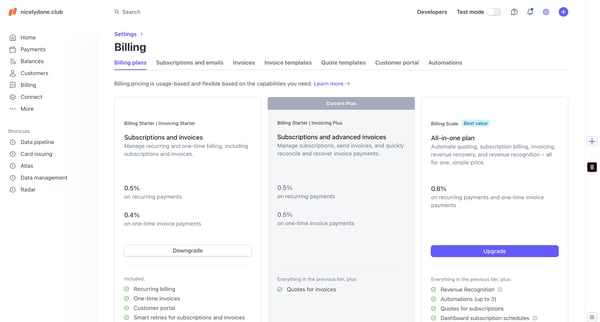
This user flow enables Stripe billing platform users to upgrade or downgrade their subscription plans, providing information on varying costs and features within each tier.
![Billing – nicelydone.club – Stripe [Test] screen](https://assets.nicelydone.club/cdn-cgi/image/g=top,w=600,h=322,f=webp,fit=cover/https://assets.nicelydone.club/f/2f01dda9-a728-40f7-84f1-661fc428736c.png)
![Billing – nicelydone.club – Stripe [Test] screen](https://assets.nicelydone.club/cdn-cgi/image/g=top,w=600,h=322,f=webp,fit=cover/https://assets.nicelydone.club/f/596664e7-cf3c-4749-8a0a-7586e7dcf969.png)
![Billing – nicelydone.club – Stripe [Test] screen](https://assets.nicelydone.club/cdn-cgi/image/g=top,w=600,h=322,f=webp,fit=cover/https://assets.nicelydone.club/f/fd86ad17-5922-427a-9664-bab3c69882e3.png)
This user flow facilitates setting up an automation for billing, specifically targeting scenarios when subscription payments are overdue, ensuring targeted communication based on invoice cond
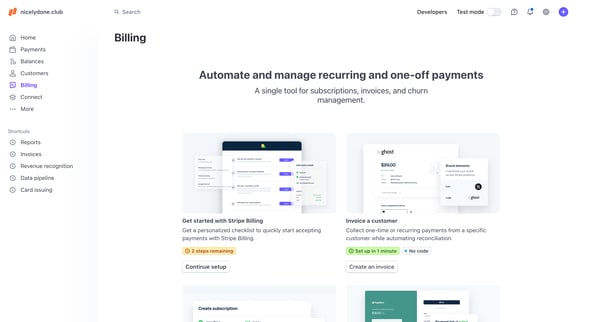
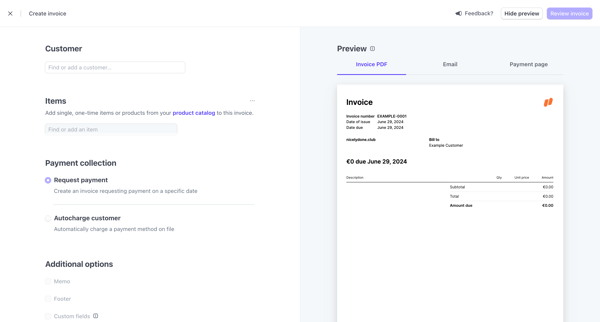
This flow facilitates the creation, customization, and management so invoices, allowing users to set up one-time or recurring payments through a simplified interface tailored for both new and
![Developers – nicelydone.club – Stripe [Test] screen](https://assets.nicelydone.club/cdn-cgi/image/g=top,w=600,h=322,f=webp,fit=cover/https://assets.nicelydone.club/f/4abf572f-6771-4cb4-8d44-168299be11c1.png)
![Developers – nicelydone.club – Stripe [Test] screen](https://assets.nicelydone.club/cdn-cgi/image/g=top,w=600,h=322,f=webp,fit=cover/https://assets.nicelydone.club/f/5addd881-8bc5-4d25-b017-b7aa92b37122.png)
![Developers – nicelydone.club – Stripe [Test] screen](https://assets.nicelydone.club/cdn-cgi/image/g=top,w=600,h=322,f=webp,fit=cover/https://assets.nicelydone.club/f/9a8fbe4b-c7ea-41bd-aacb-524ed91b6475.png)
This user flow facilitates the creation and management of API keys with varying permissions for developers within a test environment, ensuring interactions are secure and tailored to specific
Explore the full SaaS flow library
Browse the full SaaS flow library.
Trusted by the best teams







