Dock Pricing and Packages
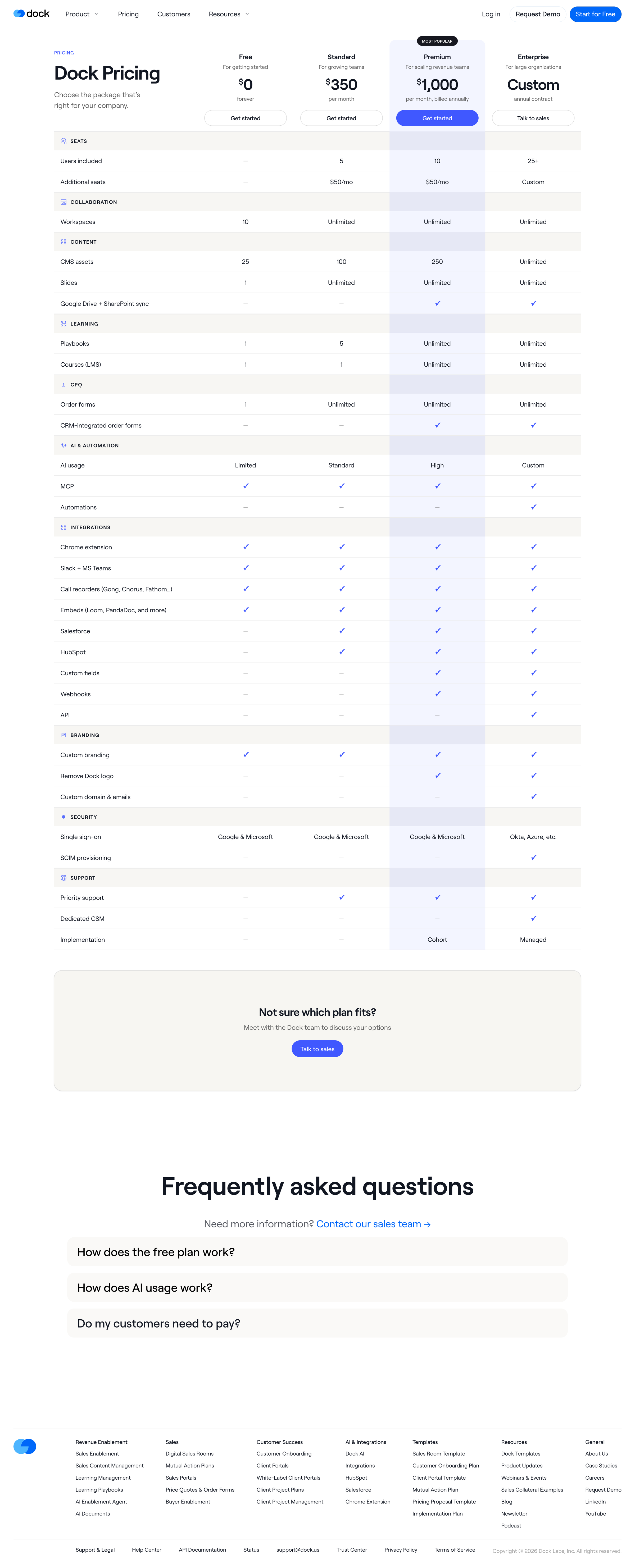
Screen UI design example from Dock. The screen displays a pricing page for 'Dock Pricing', featuring a prominent comparison table of different subscription plans: Free, Standard, Premium, and Enterprise. The 'Premium' plan is highlighted as 'MOST POPULAR' and is visually distinct with a blue background for its 'Get started' button. The page has a top horizontal navigation bar with 'Product', 'Pricing', 'Customers', and 'Resources' links, along with 'Log in', 'Request Demo', and 'Start for Free' buttons on the right. The main content area is dominated by the pricing table, which lists various features categorized under 'SEATS', 'COLLABORATION', 'CONTENT', 'LEARNING', 'CPQ', 'AI & AUTOMATION', 'INTEGRATIONS', 'BRANDING', 'SECURITY', and 'SUPPORT'. Each feature row indicates availability or specific limits for each plan using numbers, 'Unlimited', 'Limited', 'Standard', 'High', 'Custom', checkmarks, or dashes. Below the pricing table, there's a call-to-action section asking 'Not sure which plan fits?' with a 'Talk to sales' button. Further down, a 'Frequently asked questions' section is present with three collapsed accordion items: 'How does the free plan work?', 'How does AI usage work?', and 'Do my customers need to pay?'. The page concludes with a footer containing the Dock logo and multiple columns of links for 'Revenue Enablement', 'Sales', 'Customer Success', 'AI & Integrations', 'Templates', 'Resources', and 'General', followed by legal and support links.

The screen displays a pricing page for 'Dock Pricing', featuring a prominent comparison table of different subscription plans: Free, Standard, Premium, and Enterprise. The 'Premium' plan is highlighted as 'MOST POPULAR' and is visually distinct with a blue background for its…
Explore the full SaaS screen library
Upgrade to unlock the full library.
Trusted by the best teams







